
Bookmark
| Pengembang: | Luke Kubow (1) | ||
| Harga: | Gratis | ||
| Skor: | 830 Perak | ||
| Peringkat: | 0 | ||
| Komentar: | 0 Kirimkan komentar | ||
| Daftar: | 0 0 | ||
| Poin: | 0 | ||
| +1 Poin | |||
Ringkasan
Kenalan dulu dengan Zenborg, aplikasi buatan Luke Kubow di kategori Alat pengembang.
Rilis , masih cukup segar.
Gratis, tanpa iklan, tanpa pembelian dalam aplikasi. Cuma kamu dan aplikasinya.
Microsoft Store sudah jadi bawaan Windows, jadi bisa dipasang dalam beberapa klik.
Skor AppAgg-nya 830. Perak, dan itu sama sekali tidak buruk.
Rating usia “EVERYONE”, jadi aman juga untuk anak-anak.
Cuma bisa satu bahasa, dan itu bukan bahasa Indonesia.
Masih sunyi senyap di sini, belum ada nilai, belum ada komentar. Yuk, pecahkan keheningannya.
Ini satu-satunya aplikasi dari pengembang ini di AppAgg. Untuk sekarang.
Mau jadi yang pertama tahu soal pembaruan dan aplikasi baru? Ikuti pengembang atau berlangganan lewat Umpan RSS. Notifikasi push dikirim lewat aplikasi AppAgg Alerts untuk Android dan iOS.
Platform lain 0
Riwayat harga 0
- Harga saat ini: Gratis
- Minimum: Gratis
- Maksimum: Gratis
Feed Anda sendiri di beranda
Jepretan layar 5
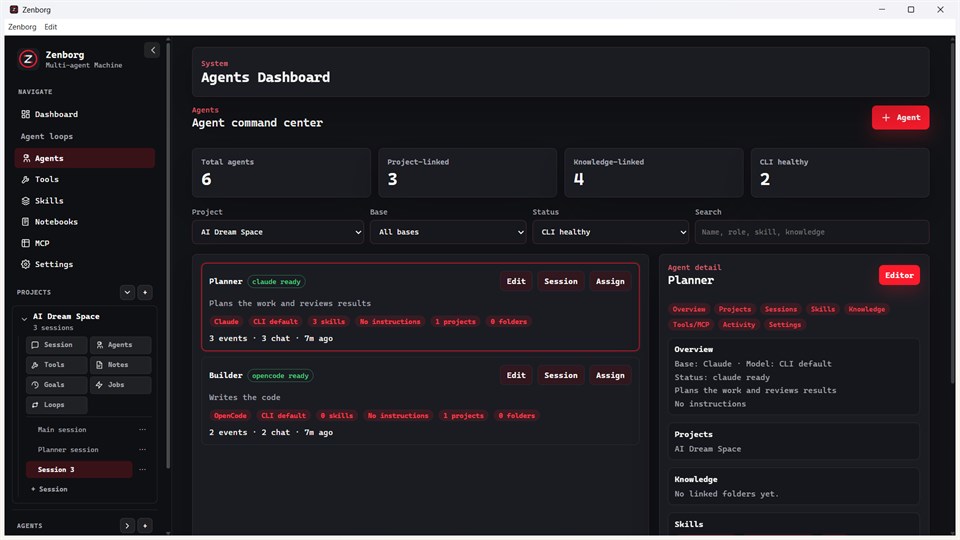
Deskripsi

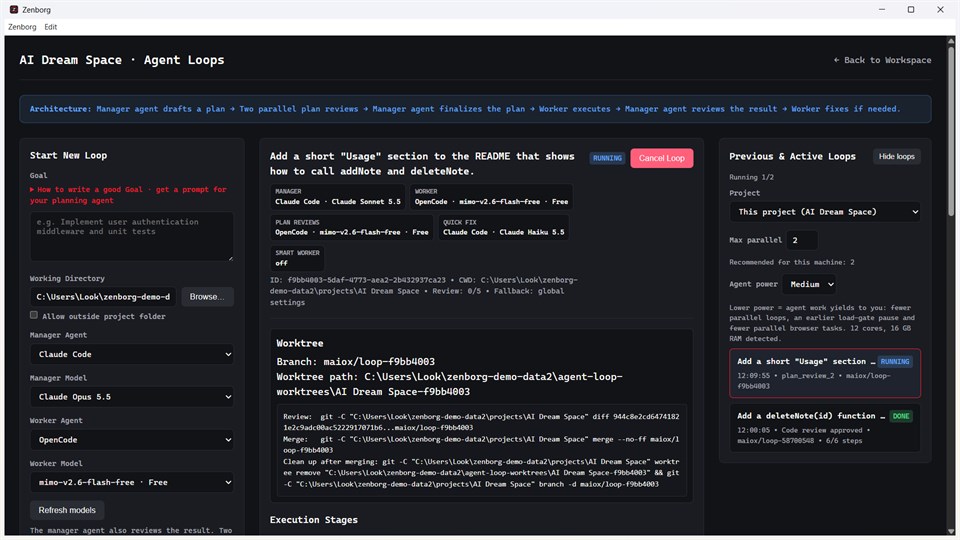
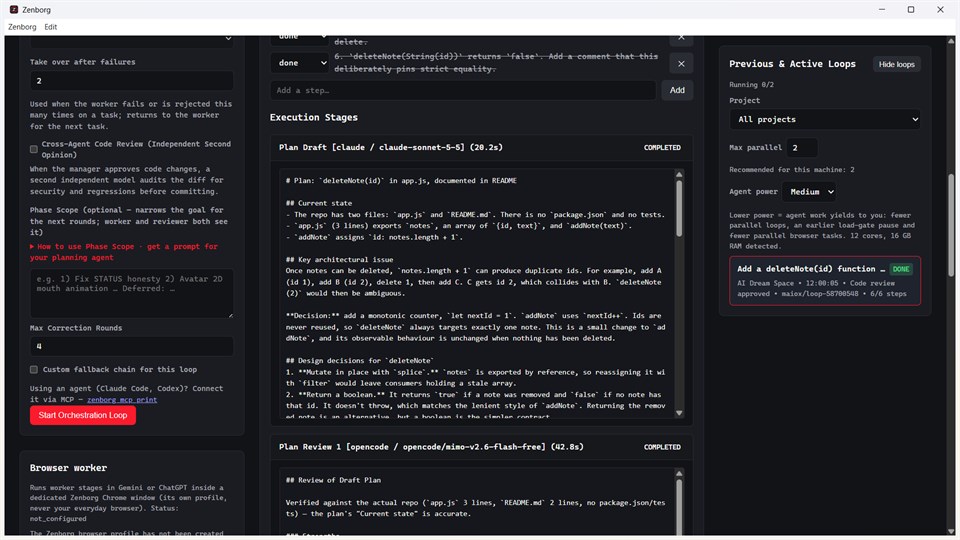
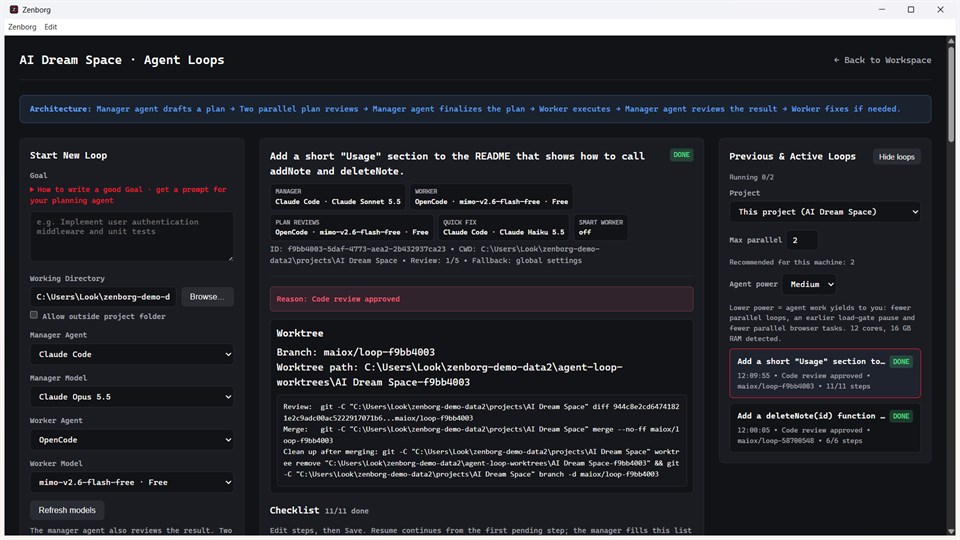
Stop copy-pasting between agents. Give Zenborg a goal and it runs an Agent Loop: a manager agent writes the plan, a worker agent does the job, and a reviewer checks it. It repeats until the work is approved, and every loop runs in its own isolated git worktree, so your main code stays safe.
What you can do:
- Agent Loops. Plan, execute, review and fix, automatically, with fallback models when one provider hits a limit.
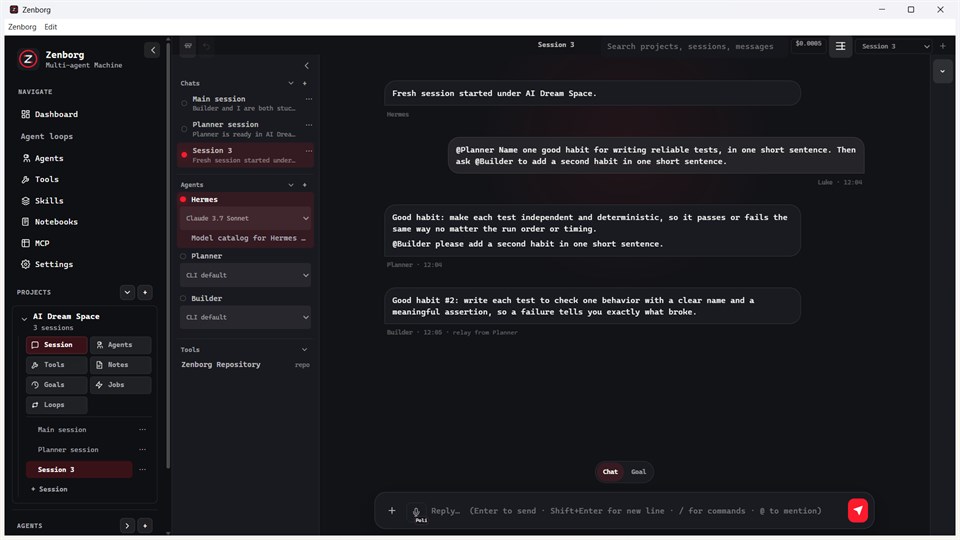
- Multi-agent sessions. Talk to several agents in one chat, @-mention project files, and hand work from one agent to another.
- Projects. Each project keeps its own sessions, loops, goals and scheduled jobs.
- Notebooks. Link your Google NotebookLM notebooks to agents so they answer from your own sources.
- Skills and MCP. Manage skills for every agent from one place. Skills are scanned for risky content before install, and every agent connects to Zenborg's MCP server automatically.
- Isolated computer (optional). Give an agent its own sandboxed browser, files and terminal in Docker.
- Usage dashboard. See tokens, time and cost per agent and per day.
- Restore points. Snapshot your project before big changes and roll back with one click.
Zenborg runs on your computer. Your code, chats and settings stay on your machine. Zenborg itself does not upload them anywhere; your agents talk only to the AI providers you have signed in to.
Requirements: Windows 10/11 (x64). At least one AI agent CLI, e.g. Claude Code, Codex or OpenCode, installed and signed in. Docker Desktop is optional and only needed for the isolated computer.
Dari developer
Daftar 0
-
 Zenborg
Poin 0
-

- +1 Poin

Peringkat 0
-
- Rating Anda
Pengembang 1
- Luke Kubow
- Pengikut: 0
- Platform: Windows Aplikasi (1)
- Diskon: 0
- Daftar: 0 0
- Poin: 0
- Peringkat: 0
- Komentar: 0
- Video: 0
- RSS: Berlangganan
Yang Baru
- Versi: PC
- Terakhir diperbarui:
- Fixes browser agents (Gemini/ChatGPT) failing at the implementation step. Includes all 1.0.7 improvements: window reopens after closing, Antigravity CLI detection and one-click install, browser worker setup in Settings, clearer sign-in messages, security updates.
- First public beta.
Info tambahan
- Tanggal rilis:
- Kategori:
Aplikasi Windows›Alat pengembang - OS:
PC - Ukuran:
204 Mb - Bahasa yang didukung:
Inggris - Rating Konten:
EVERYONE - Windows Store Rating: ¡
0 - Situs Web:
 https://zenborg.com
Skor AppAgg
Perkiraan Skor AppAgg untuk
Zenborg
Pengembang: Luke Kubow
Skor yang lebih tinggi biasanya menunjukkan indikator yang lebih kuat di AppAgg.
Berdasarkan: popularitas · rating pengguna · kebaruan · promo · data toko · aktivitas komunitas
Dihitung ulang setiap hari dari data AppAgg terbaru.
Komentar 0 ¡
Bagikan
Zenborg URL singkat: Disalin!- Windows Store

