
북마크
이 북마크의 제목을 입력하세요.
북마크가 저장되었습니다
| 개발자: | Luke Kubow (1) | ||
| 가격: | 무료 | ||
| 종합 점수: | 830 실버 | ||
| 순위: | 0 | ||
| 댓글: | 0 댓글 게시 | ||
| 목록: | 0 0 | ||
| 포인트: | 0 | ||
| +1 포인트 | |||
요약
소개합니다. Luke Kubow에서 만든 ‘개발자 도구’ 카테고리 앱, Zenborg.
에 출시됐어요. 아직 꽤 따끈따끈해요.
무료. 광고도 인앱 구매도 없어요. 앱에만 집중하면 돼요.
Microsoft Store는 Windows에 기본으로 들어 있어서 클릭 몇 번이면 설치돼요.
AppAgg 점수는 830. 실버 등급, 이 정도면 꽤 괜찮아요.
연령 등급은 ‘EVERYONE’, 아이들에게도 괜찮아요.
지원 언어는 딱 하나, 그런데 한국어는 아니에요.
아직 여기는 조용해요. 평점도, 댓글도 없어요. 침묵을 깨 주세요.
AppAgg에 있는 이 개발자의 유일한 앱이에요. 아직까지는요.
업데이트와 새 앱 소식을 가장 먼저 받고 싶나요? 개발자를 팔로우하거나 RSS 피드를 구독하세요. 푸시 알림은 Android와 iOS용 AppAgg Alerts 앱으로 받을 수 있어요.
광고
다른 플랫폼 0
가격 기록 0
- 현재 가격: 무료
- 최소: 무료
- 최대: 무료
홈 화면의 나만의 피드
“신규 및 업데이트” 피드의 플랫폼을 선택하면 홈 화면에 필요한 앱과 게임만 표시됩니다.
스크린샷 5
설명

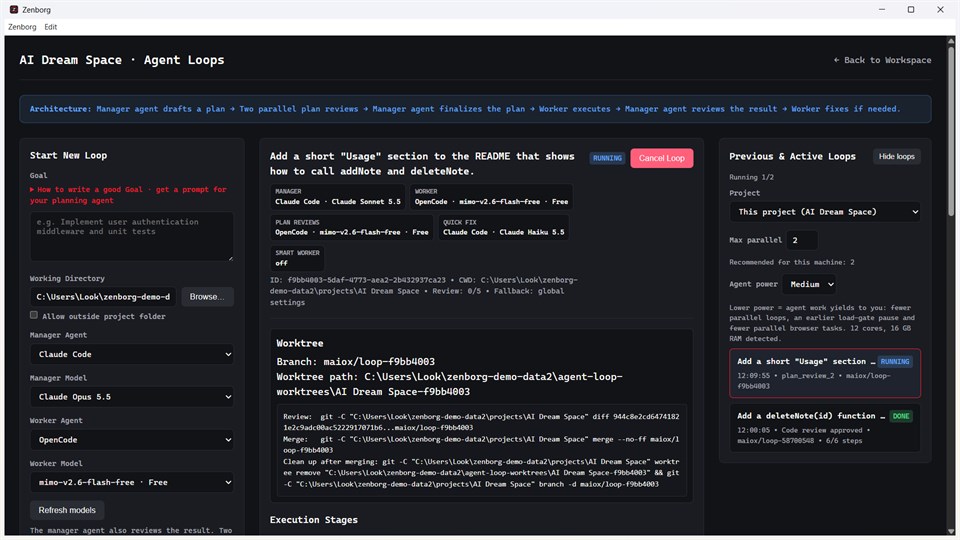
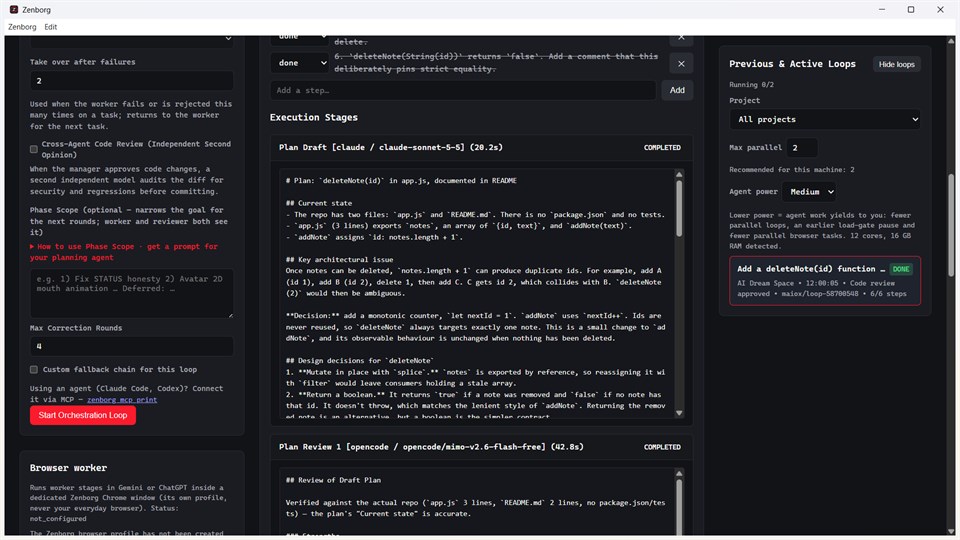
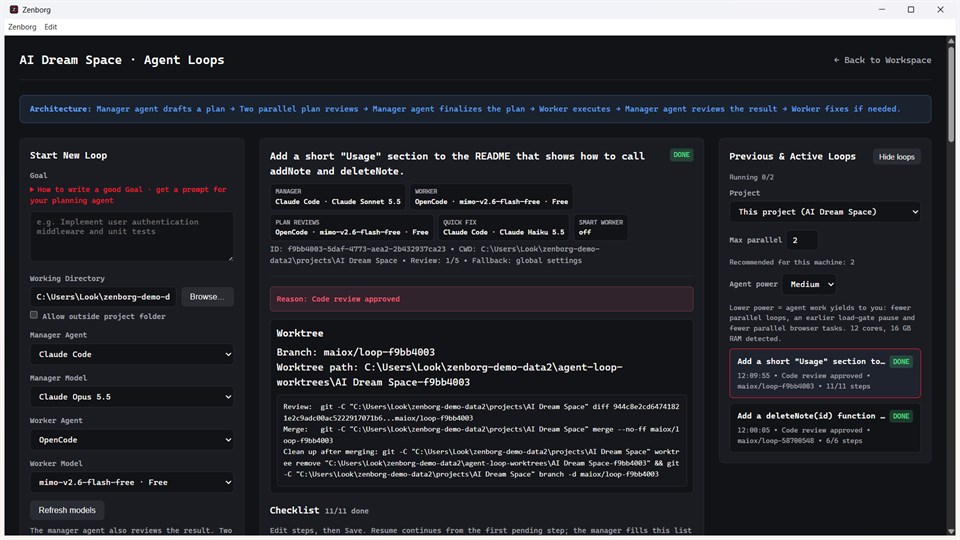
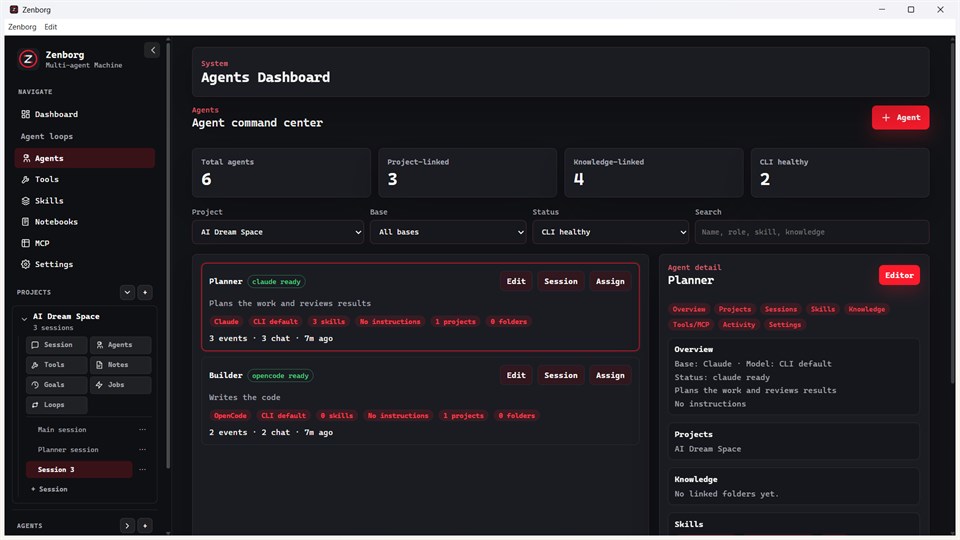
Stop copy-pasting between agents. Give Zenborg a goal and it runs an Agent Loop: a manager agent writes the plan, a worker agent does the job, and a reviewer checks it. It repeats until the work is approved, and every loop runs in its own isolated git worktree, so your main code stays safe.
What you can do:
- Agent Loops. Plan, execute, review and fix, automatically, with fallback models when one provider hits a limit.
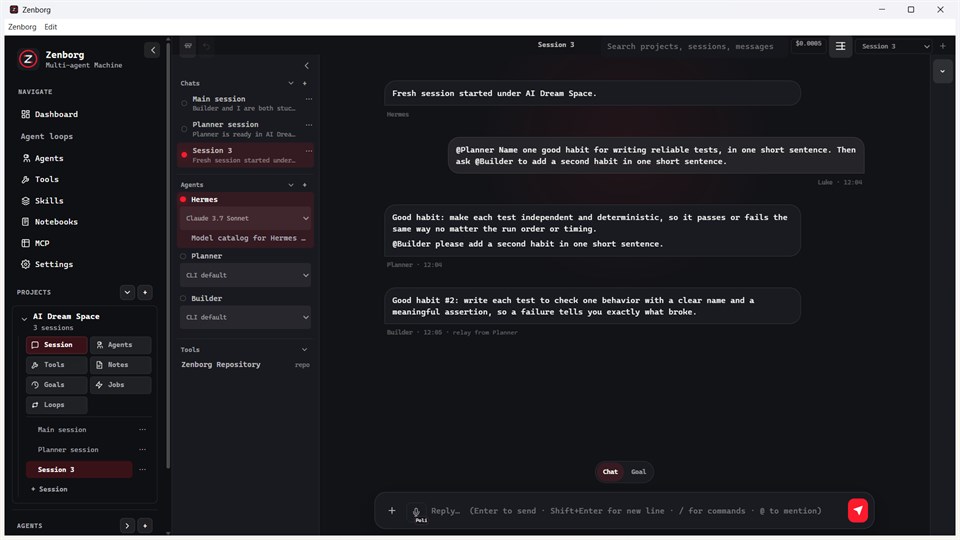
- Multi-agent sessions. Talk to several agents in one chat, @-mention project files, and hand work from one agent to another.
- Projects. Each project keeps its own sessions, loops, goals and scheduled jobs.
- Notebooks. Link your Google NotebookLM notebooks to agents so they answer from your own sources.
- Skills and MCP. Manage skills for every agent from one place. Skills are scanned for risky content before install, and every agent connects to Zenborg's MCP server automatically.
- Isolated computer (optional). Give an agent its own sandboxed browser, files and terminal in Docker.
- Usage dashboard. See tokens, time and cost per agent and per day.
- Restore points. Snapshot your project before big changes and roll back with one click.
Zenborg runs on your computer. Your code, chats and settings stay on your machine. Zenborg itself does not upload them anywhere; your agents talk only to the AI providers you have signed in to.
Requirements: Windows 10/11 (x64). At least one AI agent CLI, e.g. Claude Code, Codex or OpenCode, installed and signed in. Docker Desktop is optional and only needed for the isolated computer.
개발자 소식
개발자이신가요?
페이지 맨 위에 소식을 올리면 팔로워에게 이메일로 전달됩니다. YouTube 동영상을 추가하면 “동영상” 블록 맨 앞에 표시됩니다.
목록 0
-
 Zenborg
포인트 0
-

- +1 포인트

순위 0
-
- 내 평점
개발자 1
- Luke Kubow
- 팔로워: 0
- 플랫폼: Windows 앱 (1)
- 할인: 0
- 목록: 0 0
- 포인트: 0
- 순위: 0
- 댓글: 0
- 동영상: 0
- RSS: 구독
새로운 기능
- 버전: PC
- 마지막 업데이트:
- Fixes browser agents (Gemini/ChatGPT) failing at the implementation step. Includes all 1.0.7 improvements: window reopens after closing, Antigravity CLI detection and one-click install, browser worker setup in Settings, clearer sign-in messages, security updates.
버전 기록
- First public beta.
추가 정보
 https://zenborg.com
AppAgg 점수
830
AppAgg 예상 점수:
Zenborg
개발자: Luke Kubow
830 실버
점수가 높을수록 대체로 AppAgg의 여러 지표에서 좋은 결과를 보인다는 뜻입니다.
기준: 인기 · 사용자 평점 · 최신성 · 할인 · 스토어 데이터 · 커뮤니티 활동
최신 AppAgg 데이터를 바탕으로 매일 다시 계산됩니다.
웹사이트용 배지:  복사됨!
댓글 0 ¡
가장 먼저 댓글을 남겨주세요
공유하기
Zenborg 단축 URL: 복사됨!- Windows Store


