
บุ๊กมาร์ก
| ผู้พัฒนา: | Luke Kubow (1) | ||
| ราคา: | ฟรี | ||
| คะแนน: | 830 เงิน | ||
| การจัดอันดับ: | 0 | ||
| ความคิดเห็น: | 0 โพสต์ความคิดเห็น | ||
| รายการ: | 0 0 | ||
| แต้ม: | 0 | ||
| +1 แต้ม | |||
สรุป
มาทำความรู้จัก Zenborg แอปในหมวด “เครื่องมือสำหรับนักพัฒนา” จาก Luke Kubow
ออกเมื่อ ยังสดใหม่อยู่เลย
ฟรี ไม่มีโฆษณา ไม่มีการซื้อภายในแอป มีแค่คุณกับแอป
Microsoft Store มีมาในตัว Windows อยู่แล้ว ติดตั้งได้ในไม่กี่คลิก
คะแนน AppAgg คือ 830 ระดับ “เงิน” ถือว่าไม่เลวเลย
จัดเรต “EVERYONE” เหมาะกับเด็ก ๆ ด้วย
รองรับแค่ภาษาเดียว และไม่ใช่ภาษาไทย
ตอนนี้ที่นี่ยังเงียบกริบ ไม่มีคะแนน ไม่มีความคิดเห็น มาทำลายความเงียบกันเถอะ
เป็นแอปเดียวของผู้พัฒนารายนี้บน AppAgg อย่างน้อยก็ตอนนี้
อยากรู้เรื่องอัปเดตและแอปใหม่ก่อนใครไหม? ติดตาม ผู้พัฒนา หรือกดติดตาม ฟีด RSS ได้เลย การแจ้งเตือนแบบพุชส่งผ่านแอป AppAgg Alerts สำหรับ Android และ iOS
แพลตฟอร์มอื่น 0
ประวัติราคา 0
- ราคาปัจจุบัน: ฟรี
- ต่ำสุด: ฟรี
- สูงสุด: ฟรี
ฟีดของคุณเองบนหน้าแรก
ภาพหน้าจอ 5
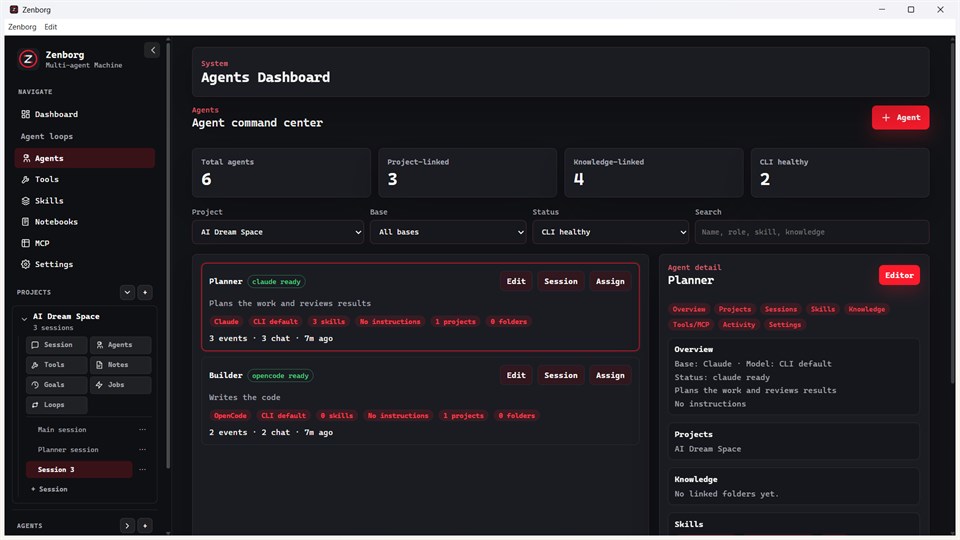
คำอธิบาย

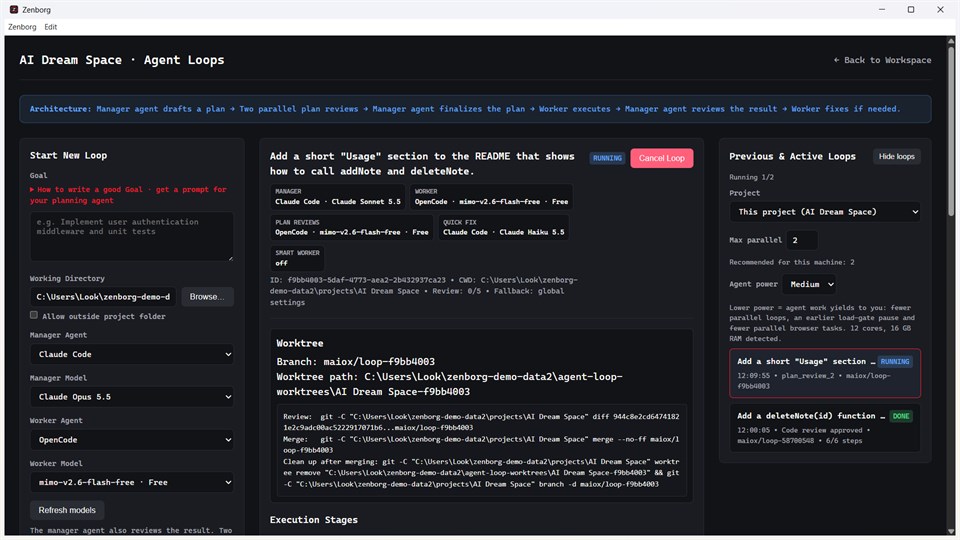
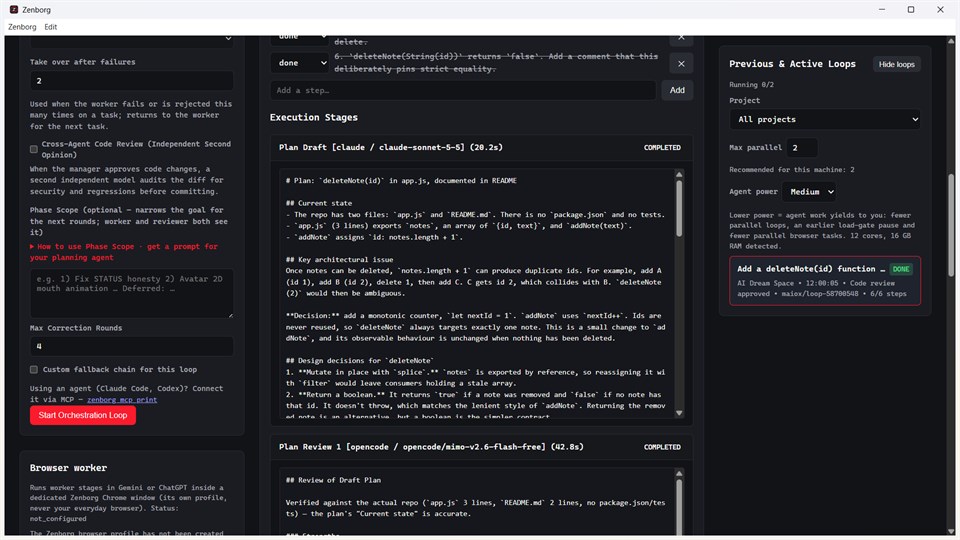
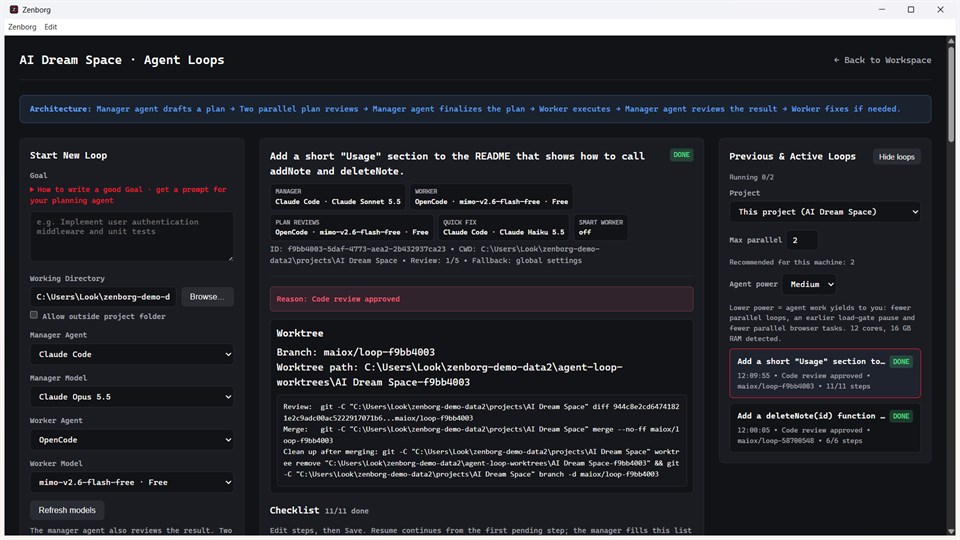
Stop copy-pasting between agents. Give Zenborg a goal and it runs an Agent Loop: a manager agent writes the plan, a worker agent does the job, and a reviewer checks it. It repeats until the work is approved, and every loop runs in its own isolated git worktree, so your main code stays safe.
What you can do:
- Agent Loops. Plan, execute, review and fix, automatically, with fallback models when one provider hits a limit.
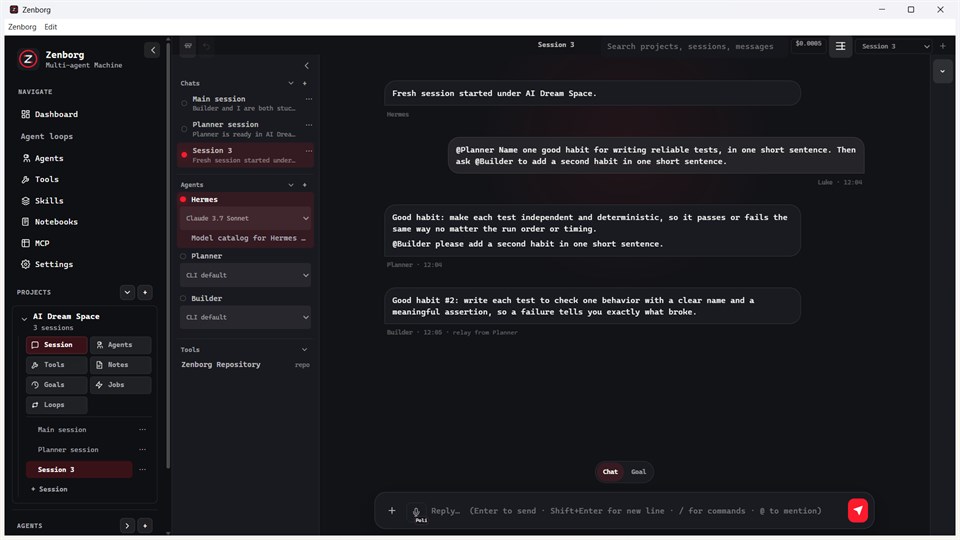
- Multi-agent sessions. Talk to several agents in one chat, @-mention project files, and hand work from one agent to another.
- Projects. Each project keeps its own sessions, loops, goals and scheduled jobs.
- Notebooks. Link your Google NotebookLM notebooks to agents so they answer from your own sources.
- Skills and MCP. Manage skills for every agent from one place. Skills are scanned for risky content before install, and every agent connects to Zenborg's MCP server automatically.
- Isolated computer (optional). Give an agent its own sandboxed browser, files and terminal in Docker.
- Usage dashboard. See tokens, time and cost per agent and per day.
- Restore points. Snapshot your project before big changes and roll back with one click.
Zenborg runs on your computer. Your code, chats and settings stay on your machine. Zenborg itself does not upload them anywhere; your agents talk only to the AI providers you have signed in to.
Requirements: Windows 10/11 (x64). At least one AI agent CLI, e.g. Claude Code, Codex or OpenCode, installed and signed in. Docker Desktop is optional and only needed for the isolated computer.
จากนักพัฒนา
รายการ 0
-
 Zenborg
แต้ม 0
-

- +1 แต้ม

การจัดอันดับ 0
-
- คะแนนของคุณ
ผู้พัฒนา 1
- Luke Kubow
- ผู้ติดตาม: 0
- แพลตฟอร์ม: Windows แอป (1)
- ลดราคา: 0
- รายการ: 0 0
- แต้ม: 0
- การจัดอันดับ: 0
- ความคิดเห็น: 0
- วิดีโอ: 0
- RSS: ติดตาม
มีอะไรใหม่
- เวอร์ชัน: PC
- อัปเดตล่าสุด:
- Fixes browser agents (Gemini/ChatGPT) failing at the implementation step. Includes all 1.0.7 improvements: window reopens after closing, Antigravity CLI detection and one-click install, browser worker setup in Settings, clearer sign-in messages, security updates.
- First public beta.
ข้อมูลเพิ่มเติม
- วันที่วางจำหน่าย:
- หมวดหมู่:
แอปสำหรับ Windows›เครื่องมือสำหรับนักพัฒนา - ระบบปฏิบัติการ:
PC - ขนาด:
204 Mb - ภาษาที่รองรับ:
อังกฤษ - การจัดประเภทเนื้อหา:
EVERYONE - Windows Store คะแนน: ¡
0 - เว็บไซต์:
 https://zenborg.com
คะแนน AppAgg
คะแนน AppAgg โดยประมาณของ
Zenborg
ผู้พัฒนา: Luke Kubow
คะแนนที่สูงขึ้นมักสะท้อนตัวชี้วัดที่ดีกว่าบน AppAgg
อิงจาก: ความนิยม · คะแนนจากผู้ใช้ · ความสดใหม่ · ดีล · ข้อมูลร้านค้า · กิจกรรมชุมชน
คำนวณใหม่ทุกวันจากข้อมูล AppAgg ล่าสุด
ความคิดเห็น 0 ¡
แชร์
Zenborg URL แบบสั้น: คัดลอกแล้ว!- Windows Store

