
Bookmarks
Choose a title for this bookmark.
Bookmark saved
| Developer: | Metaphor Projects (10) | ||
| Price: | * Free | ||
| Score: | 900 Silver | ||
| Rankings: | 0 | ||
| Comments: | 0 Add a comment | ||
| Lists: | 0 + 0 | ||
| Points: | 0 | ||
| +1 Point | |||
Your own feed on the home page
Pick your platforms for the New & Updated feed, and the home page will show only the apps and games you need.
Screenshots 6
Advertisement
Description

WHY READ IT AGAIN?
Repeated reading means reading the same short passage aloud several times. It is a widely used way to build reading fluency. On the first read, most of the effort goes into working out the words. On later reads, your child recognizes words faster, keeps a steadier pace, and has more attention left for meaning. Readpeater gives every round a clear report, so you and your child can compare the first try with the third.
HOW A PRACTICE ROUND WORKS
1. Choose a text: a school passage, a story your child likes, or a sample. Import a .txt, .md, Word, or PDF file, open a web link, paste text, or on supported devices bring in text from a photo. Group texts into collections, for example one per textbook unit.
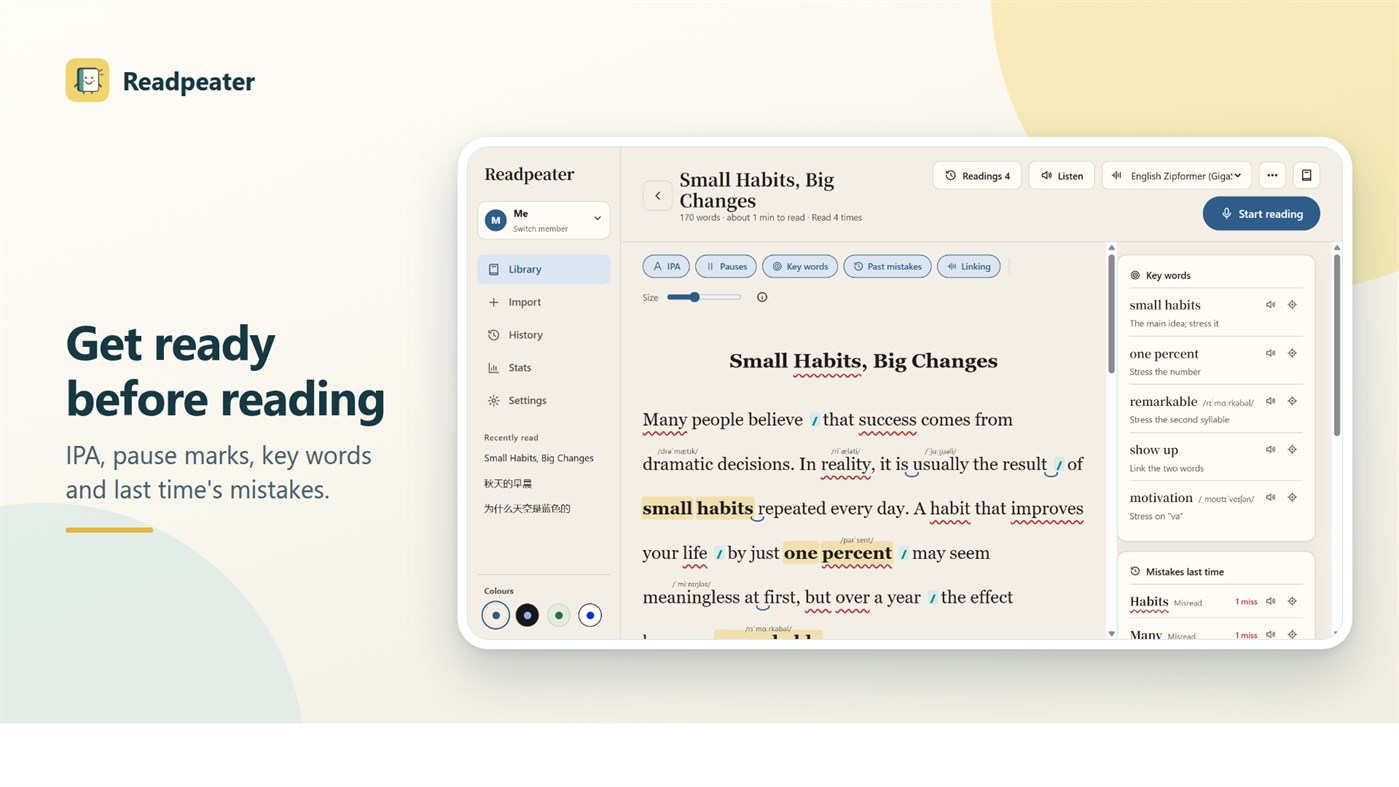
2. Prepare: look over the passage with pinyin or IPA and the words missed last time, or listen to it read aloud first. Optional reading assistance adds pause marks and key words.
3. Read aloud: as your child reads into the microphone, Readpeater follows their place in the text and gives only light hints, so their attention stays on reading.
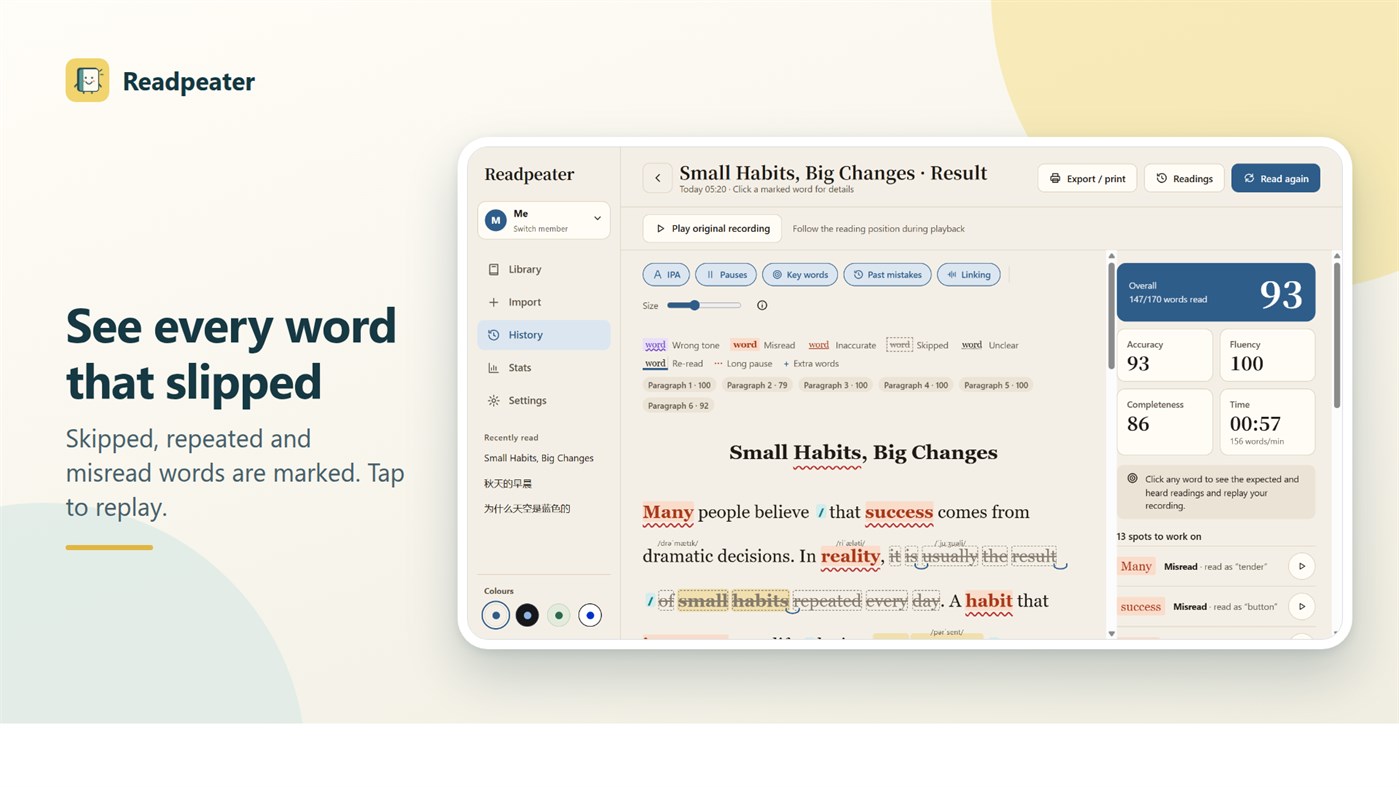
4. Review: the whole passage is marked to show words read correctly and words that may have been skipped, repeated, or misread, with accuracy, completeness, fluency, and an overall score. Tap a marked word to replay that part of the recording.
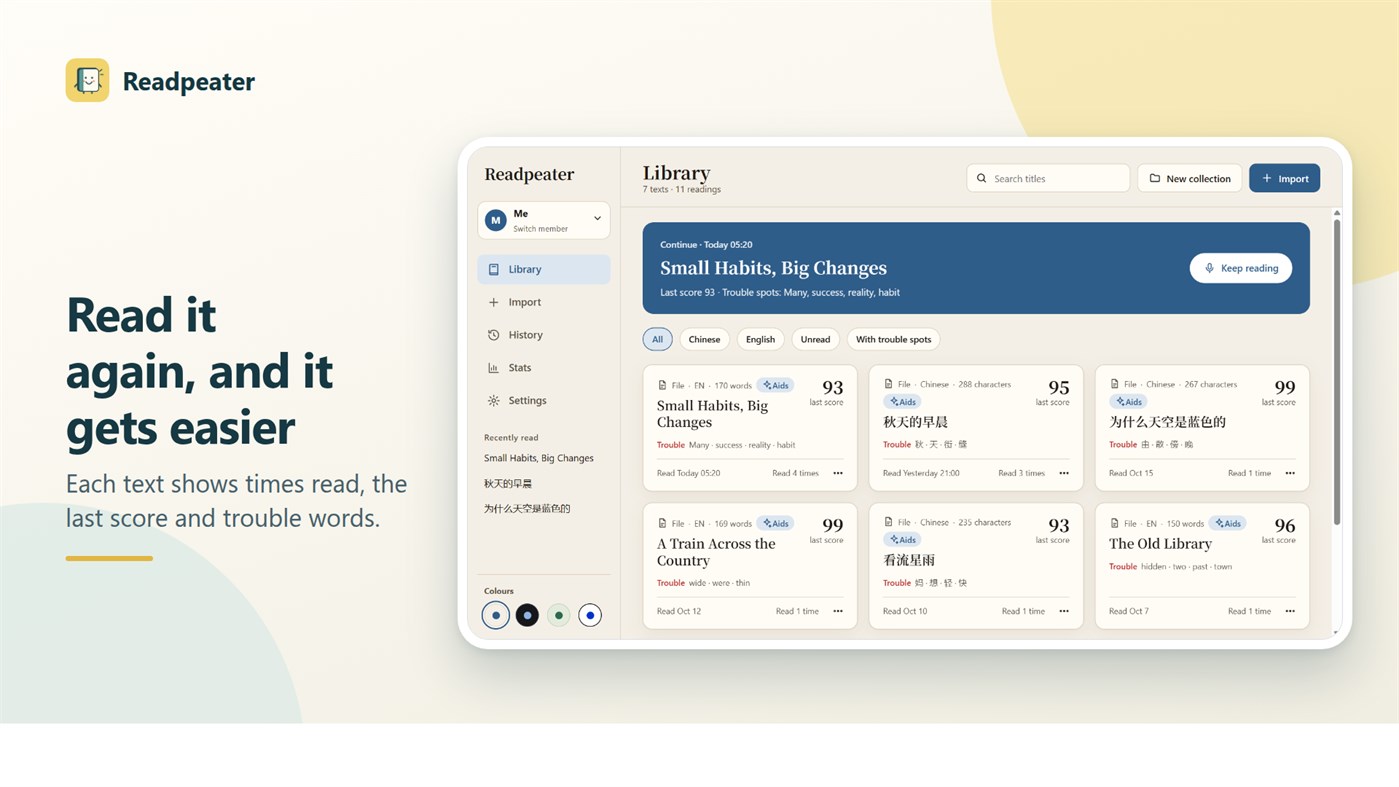
5. Read it again: the bookshelf shows how many times each text has been read, the latest score, and the trouble words. Each text's reading record shows how the score changes from round to round.
SUPPORT FOR CHILDREN WHO FIND READING HARD
For children and students with dyslexia, ADHD, or other reading difficulties, reading aloud in front of others can be stressful, and long texts can be hard to stick with. Readpeater helps make practice easier to start and easier to keep up:
- Short, repeatable rounds: practice one passage at a time and come back to it, instead of pushing through a long text once.
- Specific feedback: the report points to the exact words to look at again, so practice can focus there instead of on general correction.
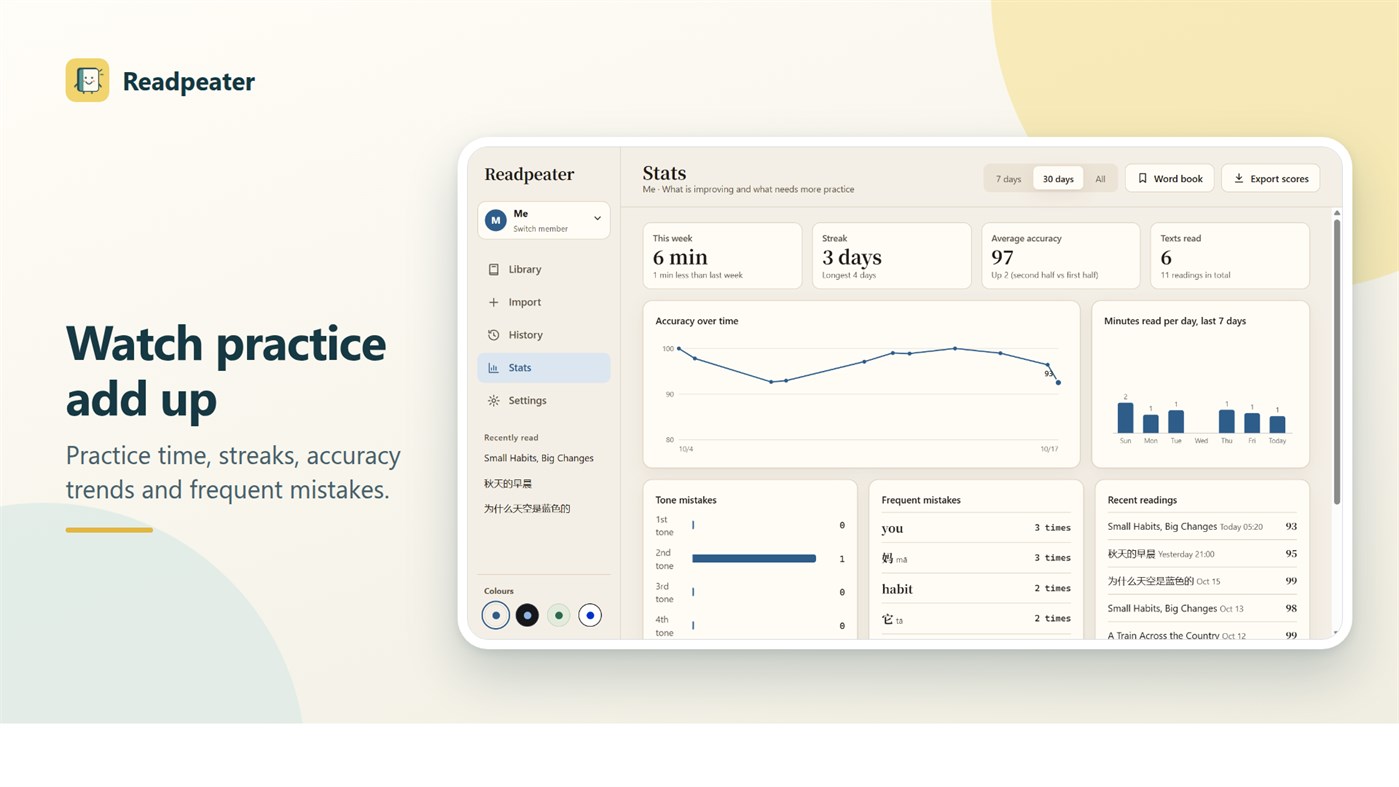
- Visible progress: scores, practice time, streaks, and recurring mistakes make small improvements easy to see and help keep motivation up.
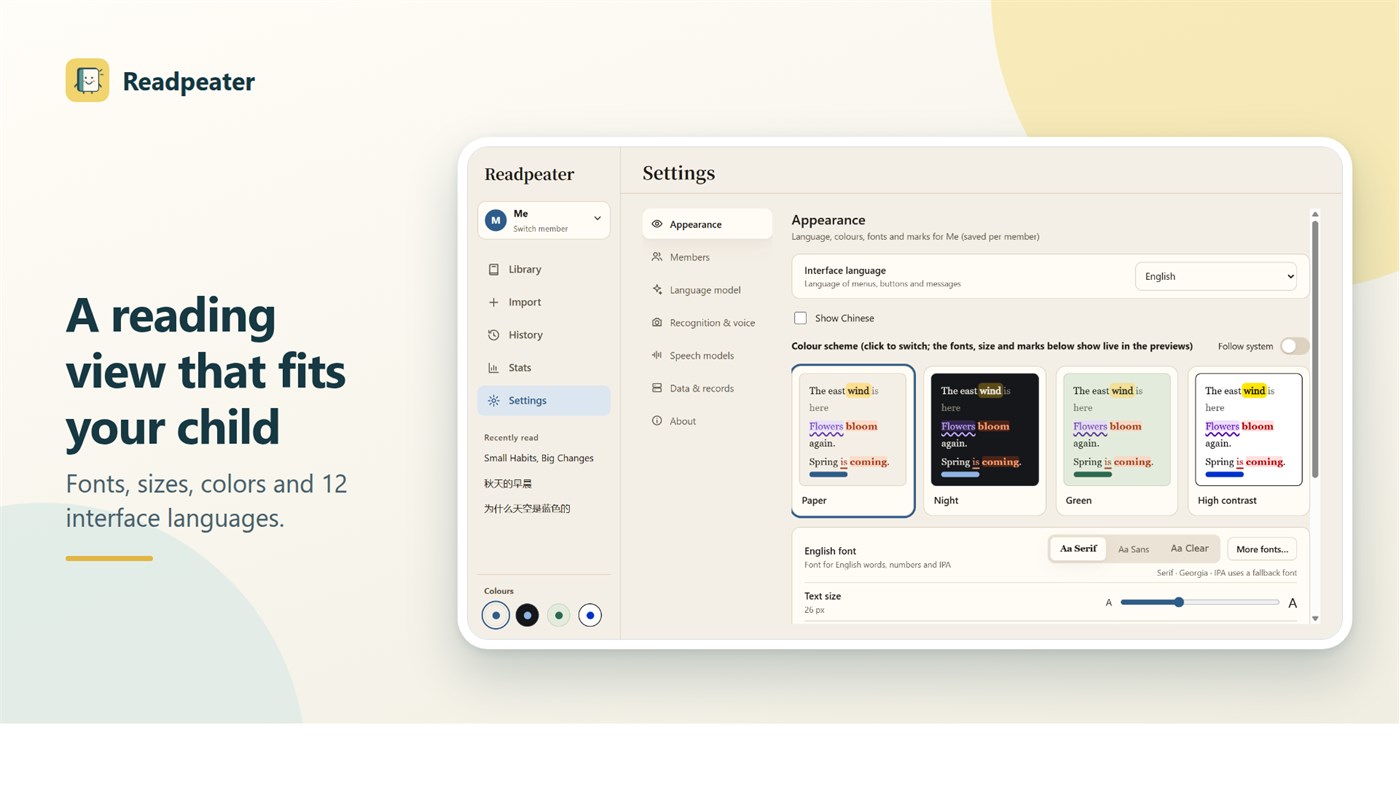
- A comfortable reading view: adjust fonts, text size, and reading marks, or pick a paper, night, green, or high-contrast color scheme. The current position is highlighted while your child reads.
- Practice at their own pace: your child can practice privately, without worrying about mistakes in front of others, then go through the report with you.
Readpeater is a practice tool, not a diagnostic test or a treatment. Use it alongside the support your child receives from teachers, reading specialists, or therapists.
FOR PARENTS
- Separate member profiles let siblings share one device while each keeps their own reading history, statistics, and vocabulary list.
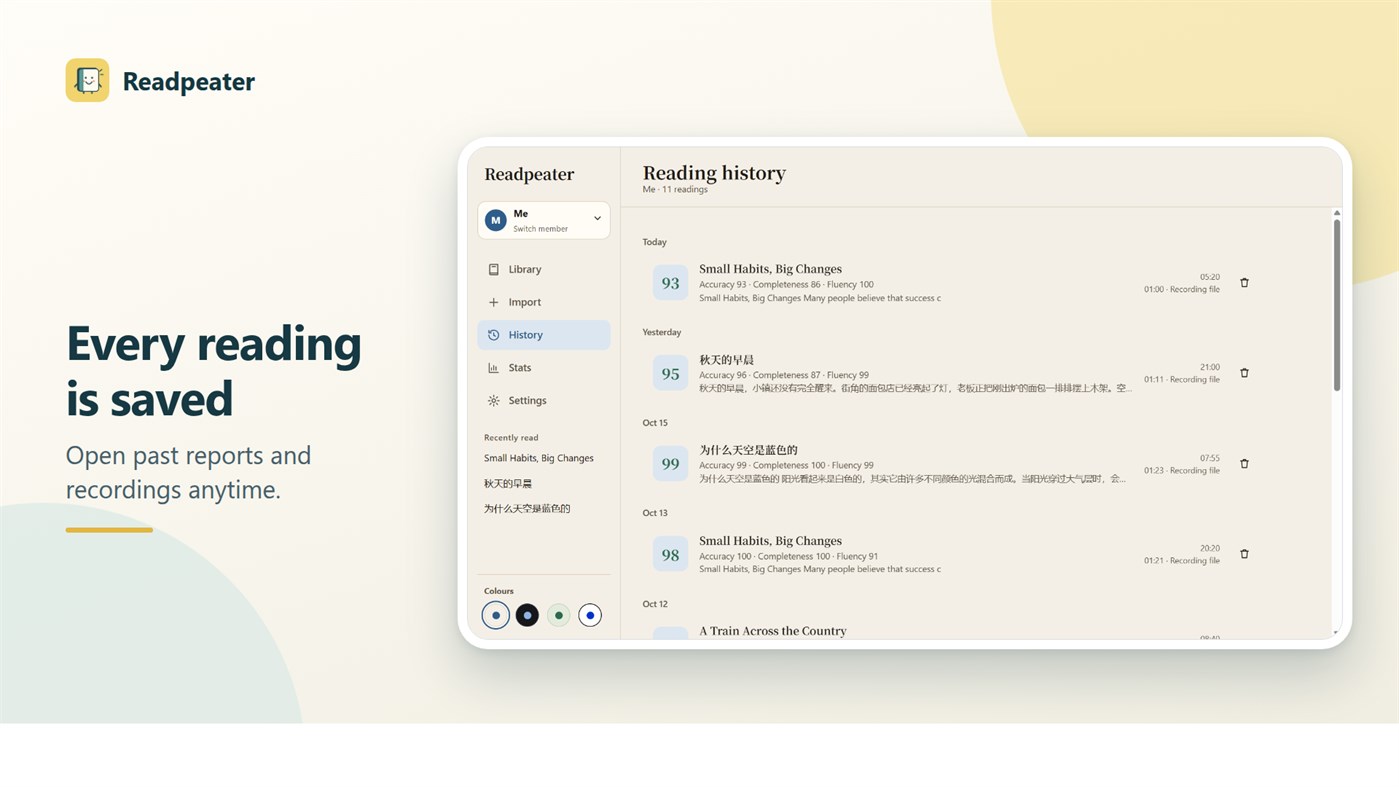
- Open past reports and statistics anytime: practice time, streaks, accuracy over time, and the most frequent mistakes.
- The interface is available in 12 languages: English, Simplified and Traditional Chinese, Indonesian, Japanese, Khmer, Korean, Lao, Malay, Burmese, Thai, and Vietnamese.
- Speech recognition and scoring run on the device after you download the language model you choose.
- A microphone is needed for live reading. An internet connection is needed to download language models and to use web import or optional online services.
- Articles and reading records are stored locally. No account is required. Optional online services (reading assistance, word explanations, article generation, photo text recognition, and spoken text) are used only when you set them up and choose those features; availability depends on the device and chosen service. See the Readpeater privacy policy for details.
From the developer ¡
Are you the developer?
Your news at the top of the page, sent to followers by e-mail
Other platforms 1
| ReadpeaterWindows Store900 SilverWindowsIn-App Purchases | Free |
 | Readpeater: Reading PracticeGoogle Play1K SilverAndroid | Free |
Price History 0
- Current price: Free
- Minimum: Free
- Maximum: Free
Track prices Add to a list to get discount alerts by email or push
Lists 0
-
 Readpeater
Points 0
-

- +1 Point

Rankings 0
-
- Your rating
Comments 0 ¡
Be the first to comment
Developer 10
- Metaphor Projects
- Followers: 0
- Platforms: Windows Apps (7) Windows Games (1) Steam Games (1) Xbox Games (1)
- Deals: 0
- Lists: 0 + 0
- Points: 0
- Rankings: 0
- Comments: 0
- Videos: 1
- RSS: Subscribe
What's new
- Version: PC
- Last Updated:
Additional Information
- Release Date:
- Category:
Windows Apps›Education - OS:
PC - Size:
27 Mb - Supported Languages:
English,Chinese,Indonesian,Japanese,Khmer,Korean,Lao,Malay,Thai,Vietnamese - Content Rating:
EVERYONE - Windows Store Rating: ¡
0 - Website:
 https://valarmorghulis.io/
AppAgg Score
900
Estimated AppAgg Score for
Readpeater
Developer: Metaphor Projects
900 Silver
Higher scores usually reflect better results across AppAgg’s indicators.
Based on: popularity · ratings · freshness · deals · store data · community signals
Recalculated daily using fresh AppAgg data.
Website badge:  Copied!
Summary
Readpeater Short URL: Copied!- Windows Store
On AppAgg, you can track the Windows app “Readpeater” by Metaphor Projects, listed under Education. AppAgg Score: 900 (Silver). AppAgg Points for the app — confirmed: 0; indirect: 0. Public lists containing the app: 0. Users who have saved it in private lists: 0. AppAgg users have not rated the app yet. Confirmed Points record visits to a store by signed-in AppAgg users; indirect Points are based on store data. AppAgg counts public lists containing an app or game and users who have saved it in private lists. The app was first released on . The app was last updated on . The app is currently available for free. The app is available in these languages: English, Chinese, Indonesian, Japanese, Khmer, Korean, Lao, Malay, Thai, Vietnamese. Explore the price history, add the app to a list, or follow its developer. Follow future deals and updates for the app via its RSS feed. AppAgg does not host or distribute the app. All trademarks, logos, and screenshots related to the app belong to their respective owners.
You may also like
Recent discussions
 AppSpark Motion Create 26 The graphics are amazing! Now I can design my ball layouts and watch then spin in 3D animation.
 Jim Kirker40
 AppLocalDub – Real-Time Game Dubbing Hello Kırtay Interactive, I am using LocalDub - Real-Time Game Dubbing. I would like to know if Hind...
 rashid game53
 AppNauticPlayer This app is absolute cinema. Honestly, it’s one of the best media players I’ve ever tried, and I’m s...
 Manuel92
 AppScreen Beings This is my app so I’m a little bias but as someone from the ADHD community that teaches ADHD and neu...
 Tarelle Irwin54
 AppAadi vault good it ia a encrypter and good you my work on office
 Aditya Rai50
 AppTyping 365 | Daily Typing Trainer The best typing app ever. With Typing 365 you don’t have to force yourself for couple minutes traini...
 Ahmad Mozaffar50
 AppZefir Calendar — Calendar in the Taskbar excelente app! Superando todas as espectativas!
 Diógenes Magnus50
 AppBlazin IPTV Player This compact IPTV player is amazing. I threw multiple playlists at it and it handles it with no issu...
 Mike Anderson40
 AppCN Vault I Love this app CN Vault is a user-friendly app that helps keep your passwords safe and secure. If y...
 Marjuk Amin50
Recently viewed
AppAgg users ¡More →
Weekly questsSign in to get 3 quests every week and earn XP for them.

