
Bookmarks
Choose a title for this bookmark.
Bookmark saved
| Developer: | Foodmenu.world Inc. (29) | ||
| Price: | ▼ Free | ||
| Score: | 1,140 Silver | ||
| Rankings: | 0 | ||
| Comments: | 0 Add a comment | ||
| Lists: | 0 + 0 | ||
| Points: | 0 + 0 ¡ | ||
| +1 Point | |||
Screenshots 7
Advertisement
Description

Don’t just write notes and forget about them. Create notes you can come back to, review, practice with, and actually remember.
Type quickly during class.
Write by hand when it makes more sense.
Annotate PDFs and handouts directly.
Then review what you learned with highlighters, masking tape, and the built-in memorization sheet.
From class notes and college lectures to PDF study, exam prep, reports, and memorization notes, you can keep your study workflow in one place.
The app also includes keyboard input, handwriting, highlighters, tables, chapters, sticky notes, comments, stickers, shapes, a ruler, compass, calculator, and more.
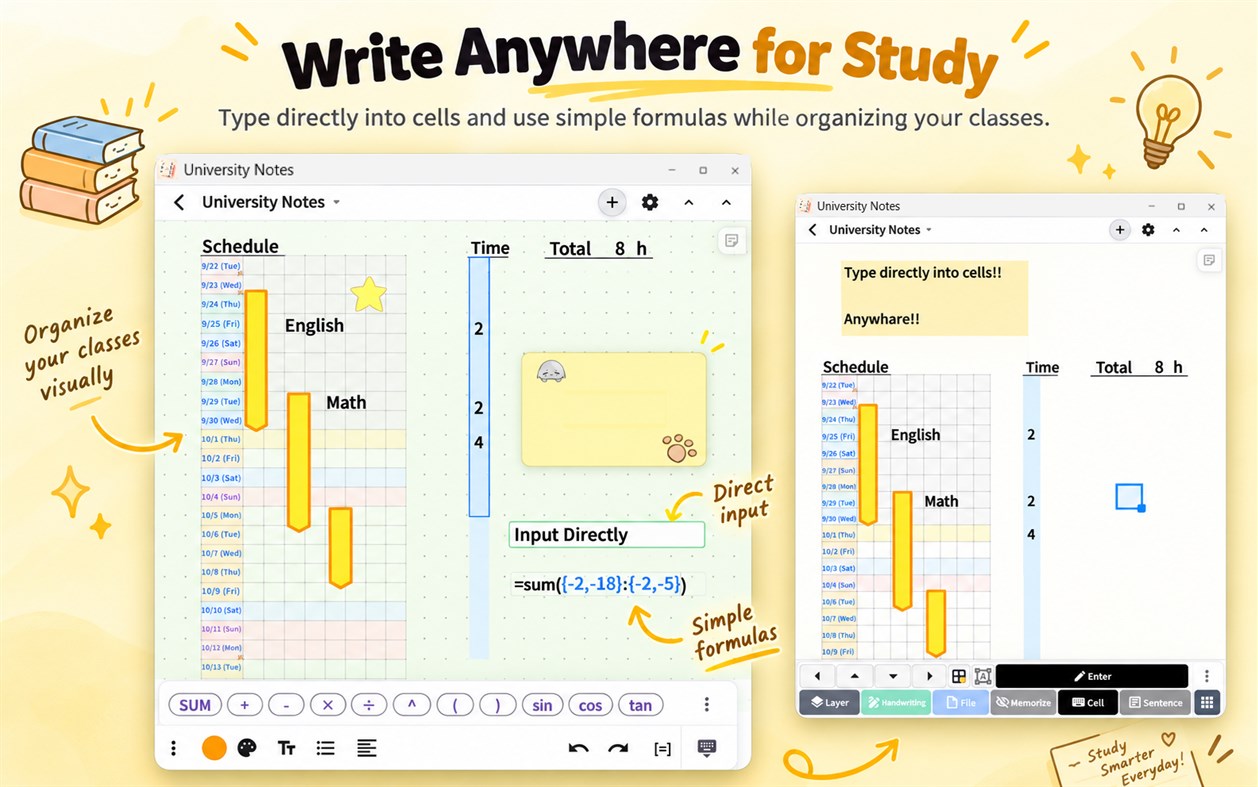
◆ Type directly anywhere on the page
You don’t need to create a separate text box every time you want to type.
Just click where you want to write and start typing directly at that position.
With the cell-based input system, you can place definitions, formulas, answers, keywords, short explanations, and other text exactly where you need them.
You can freely combine typed text, handwriting, highlighters, shapes, and other tools in the same note.
It works especially well for fast note-taking during class, adding explanations beside formulas, or placing comments around tables and diagrams.
◆ A separate writing mode for reports and longer text
For assignments, reports, essays, and longer writing, you can use a dedicated continuous writing mode.
Use direct cell-based input for short class notes and information you want to place anywhere on the page.
Use continuous writing mode when you want to type naturally from top to bottom like a document.
Choose the keyboard input style that fits what you are working on.
◆ Four ways to create notes that are easier to remember
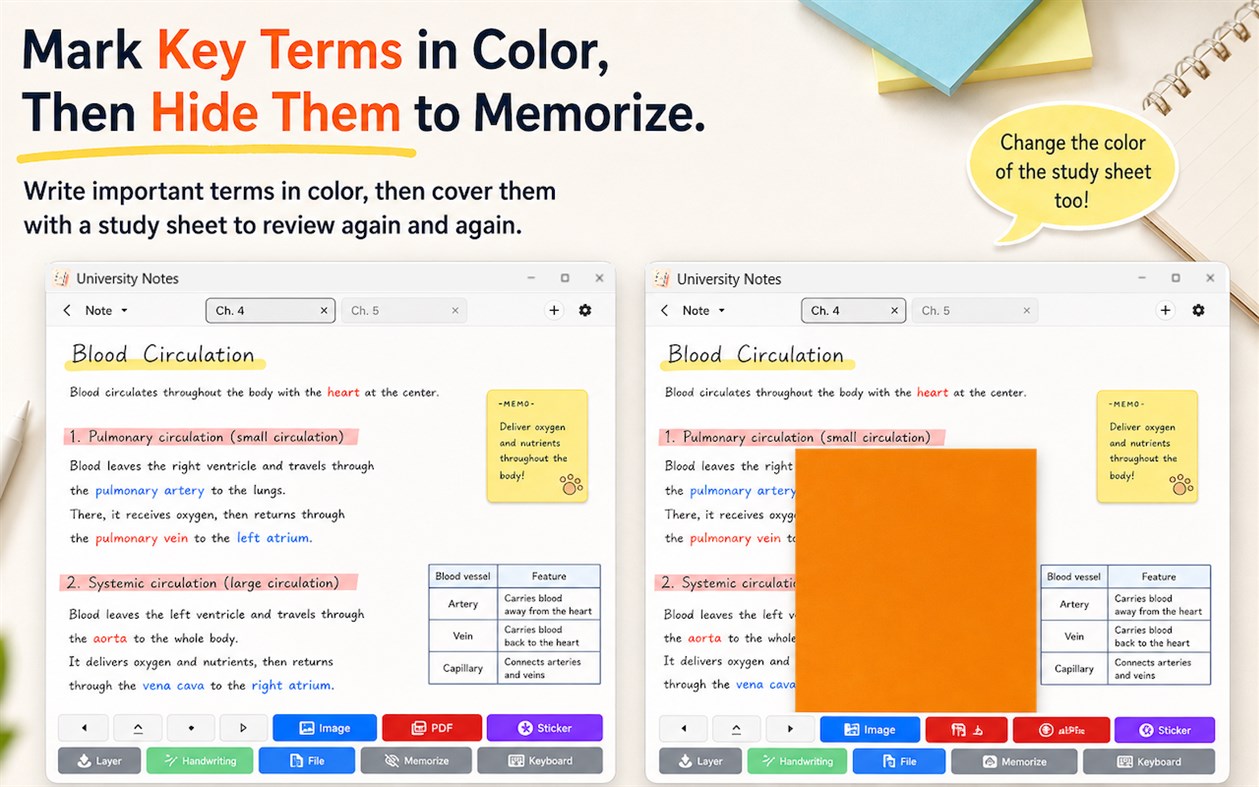
1. Write important terms in color and review them later
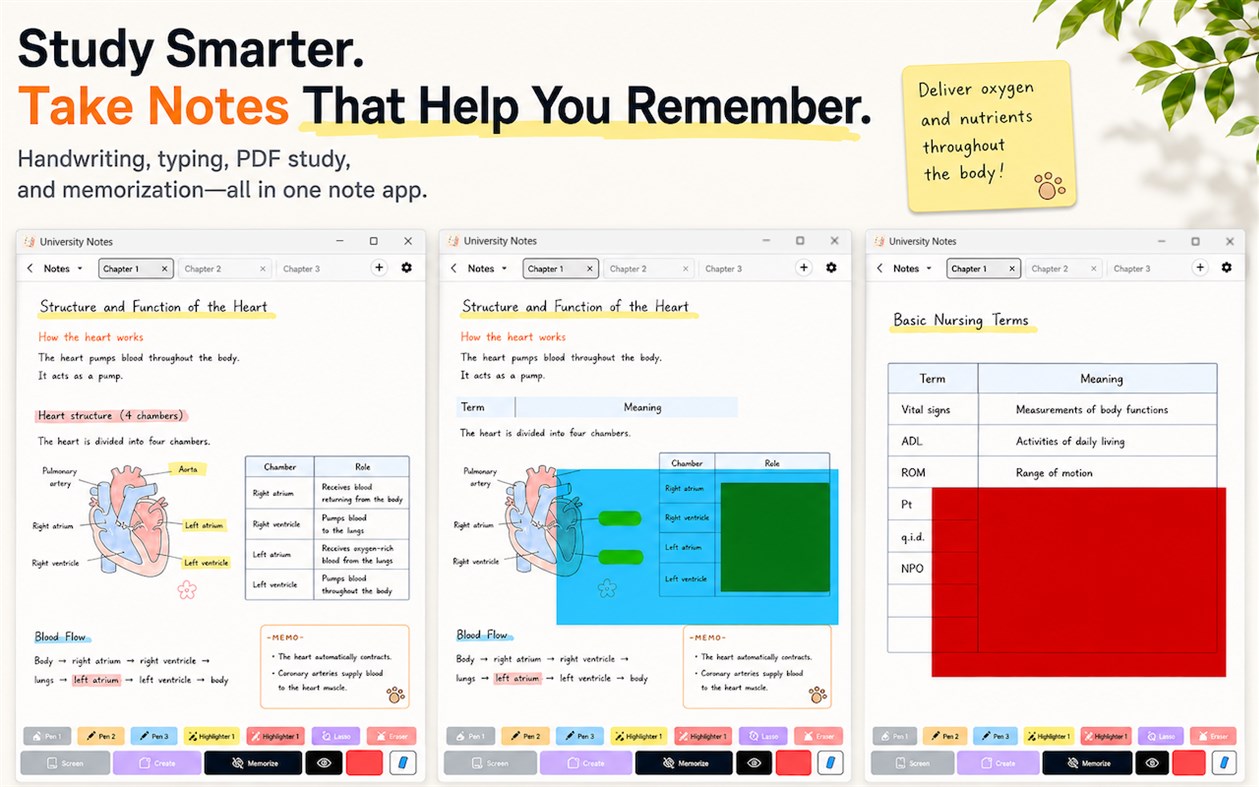
Write important words or concepts in orange, blue, or another color, then cover them with the memorization sheet when you review.
This works with both handwriting and text entered with the keyboard.
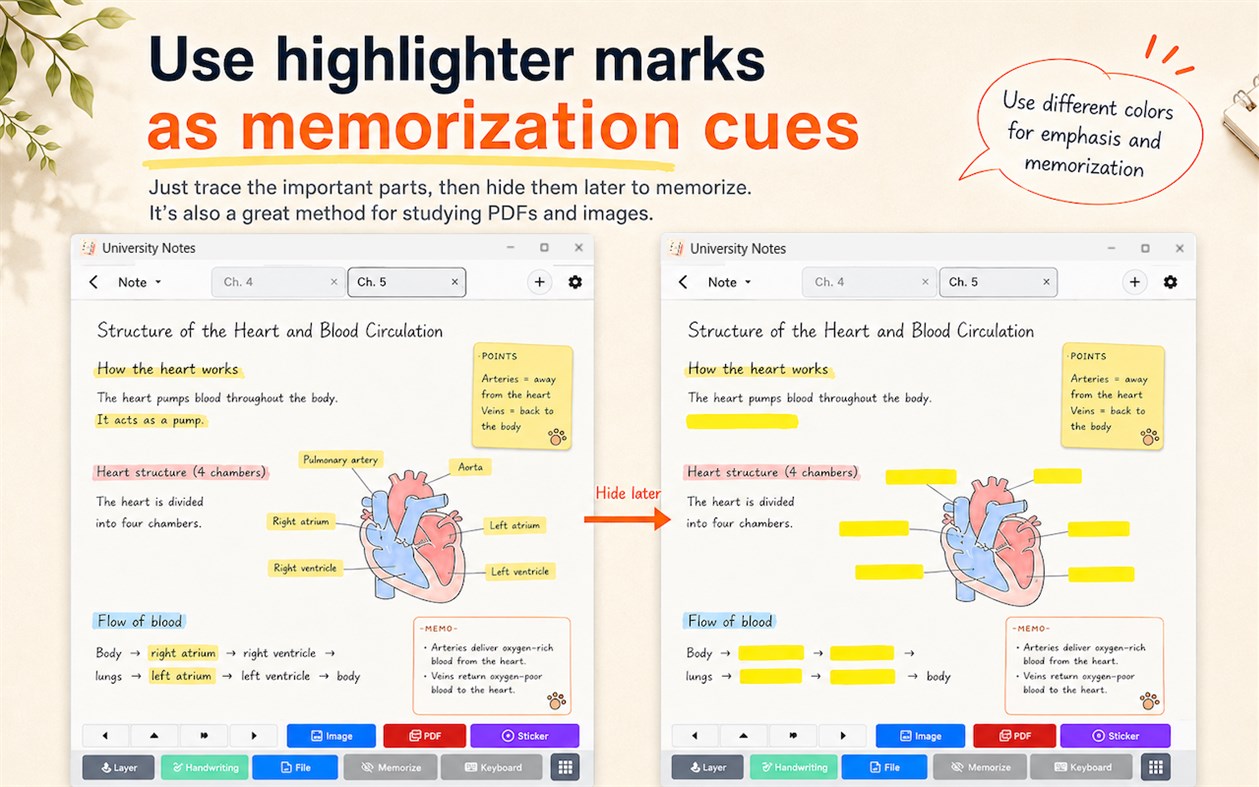
2. Hide highlighted content for memorization
Highlight important sections in your notes, images, PDFs, and class materials.
In Memorization Mode, highlighted areas can be hidden so you can test yourself.
You can choose which highlighter colors are hidden.
For example, use yellow for regular emphasis and red for information you want to memorize.
3. Separate questions and answers with layers
Place questions, answers, and your own answer areas on separate layers.
Hide the answers and solve the questions again, or clear only your own answers and practice the same material repeatedly.
Useful for practice problems, reviewing class material, worksheets, and exam preparation.
4. Mask important content with tape
If you don’t want to manage different pen or highlighter colors, use masking tape in Memorization Mode.
Cover important terms, answers, or sections of a PDF.
Each piece of tape can be shown or hidden individually, and it can also be used together with the memorization sheet.
◆ Review only the parts you need with the memorization sheet
Highlighter masks and tape can be shown or hidden individually, but the built-in memorization sheet gives you another way to review.
It hides only the area currently covered by the sheet.
Move it over a single word, a specific table column, an answer area, part of your note, or a section of a PDF.
This lets you quickly test what you remember without having to toggle every hidden item one by one.
It is a memorization system designed around what happens after you finish taking notes.
◆ Tools for everyday studying and note-taking
・Type directly anywhere in your notes
・Cell-based keyboard input
・Continuous writing mode for reports and longer text
・Handwritten notes
・Highlighters
・Multiple pens
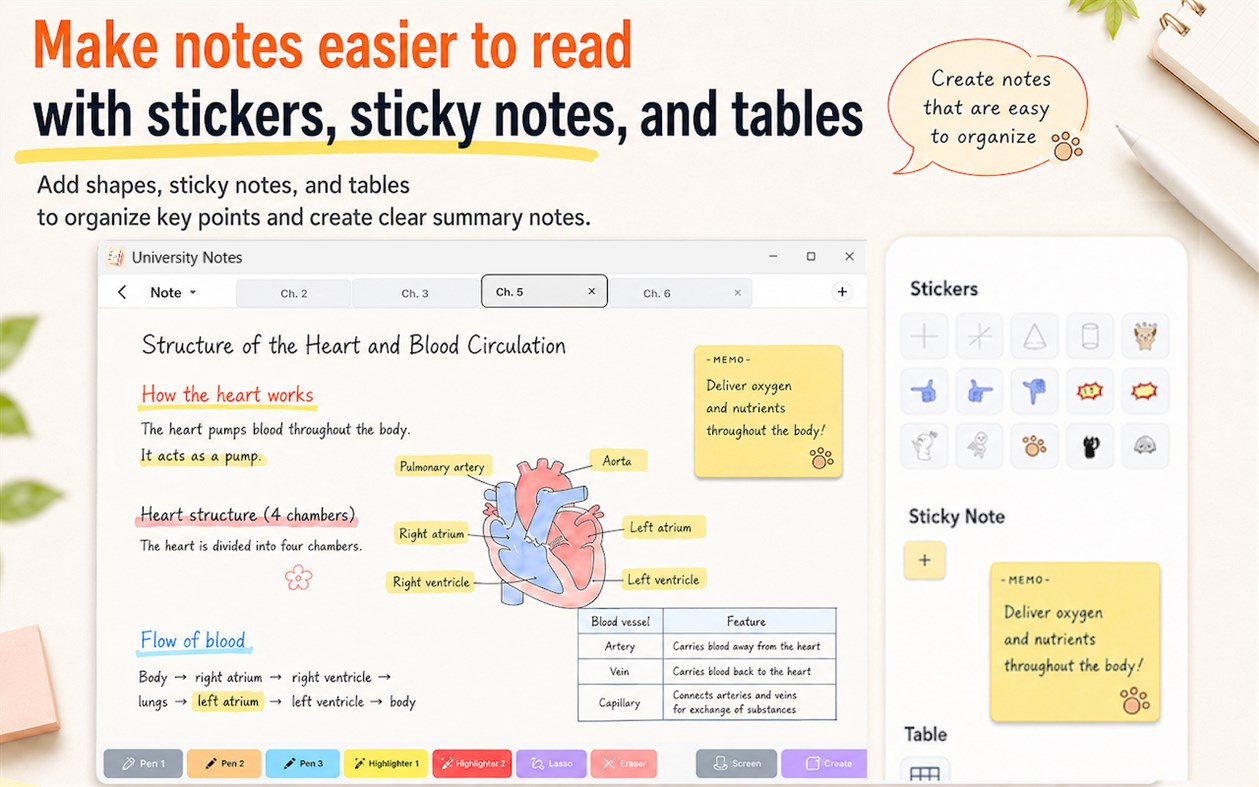
・Tables
・Chapters
・Comments
・Sticky notes
・Stickers
・Shapes
・Ruler
・Compass
・Tabs for switching between notes
・Calculator
・PDF annotation
・Browse the web while taking notes
・Presentation mode
・Laser pointer
・Lasso tool
・Detailed eraser settings
・Extra note space beside the page
・Categories, folders, and subfolders
◆ Organize notes by subject, class, or exam
Organize your notes with categories, folders, and subfolders.
Keep lecture notes, class notes, notes by subject, and exam-prep materials easy to find and manage.
You can also reorder your notes.
Each note can contain multiple chapters, so you can separate lectures, topics, or study units without creating a separate notebook for everything.
◆ Write directly on PDFs and class materials
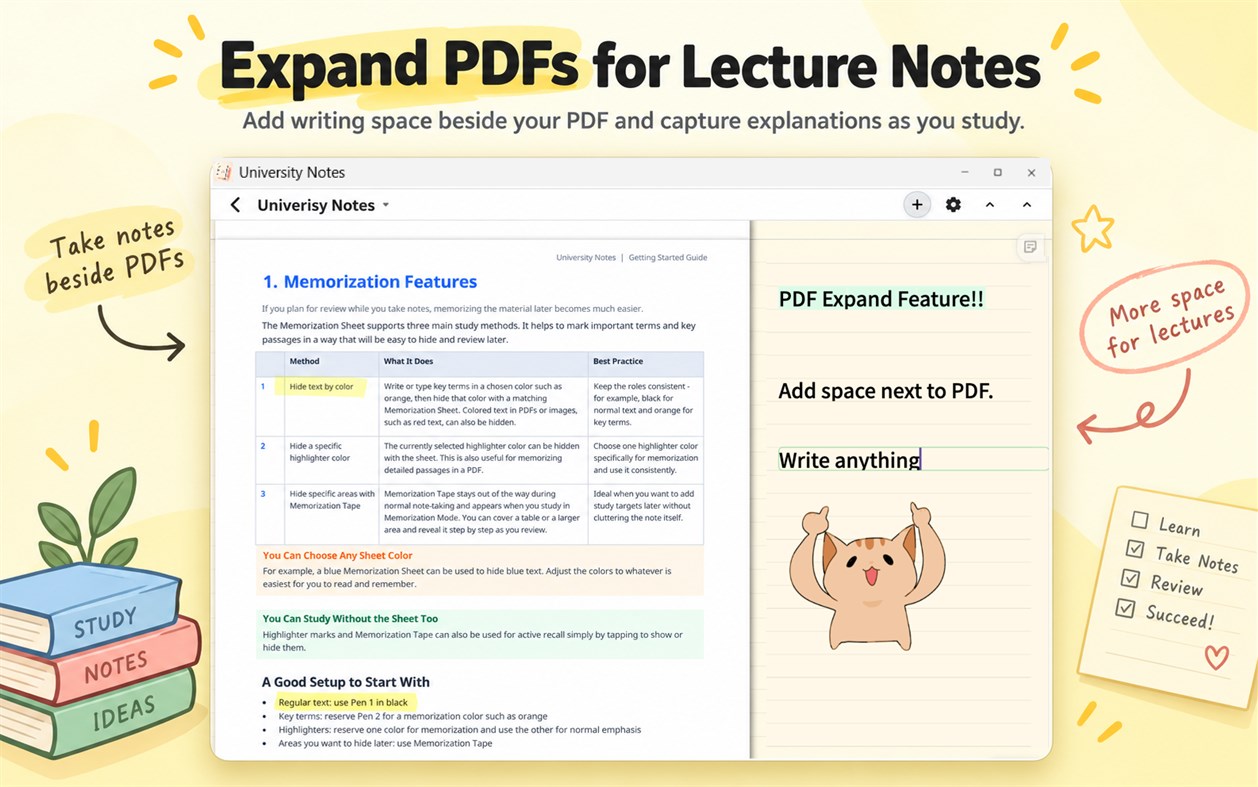
Import PDFs, handouts, and class materials, then add typed text, handwriting, pen marks, and highlights directly on top of them.
If the PDF does not leave enough room for your own notes, add extra space beside the page.
Use it for summaries, formulas, explanations, questions, or anything you want to review later.
Keep the original study material and your own notes together in one place.
◆ Combine keyboard input and handwriting on Windows
A keyboard is fast, but not every note fits naturally into a standard top-to-bottom document.
With this app, you can click anywhere on the page and start typing at that exact position.
Write an explanation in one place.
Add a formula somewhere else.
Put a short comment beside a diagram.
Then add handwriting or highlights wherever they work better.
Choose the best input method for each part of your note.
◆ Organize diagrams, processes, and visual notes
Use arrows, borders, shapes, stickers, and alignment tools to create flowcharts, concept maps, study diagrams, and visual summaries.
Use the ruler and compass to draw straight lines and circles.
Combine text, handwriting, and shapes to organize complex information visually.
◆ Research while taking notes
Open web pages while working on your notes, or add a web page as a note tab.
Look up information while studying and summarize the important parts directly in your notes.
◆ Lasso and flexible eraser tools
Use the lasso tool to select handwriting, then move it, copy it, or change its color.
The eraser can also be configured to remove only certain types of content.
For example, you can erase only highlighter marks while leaving your other writing untouched.
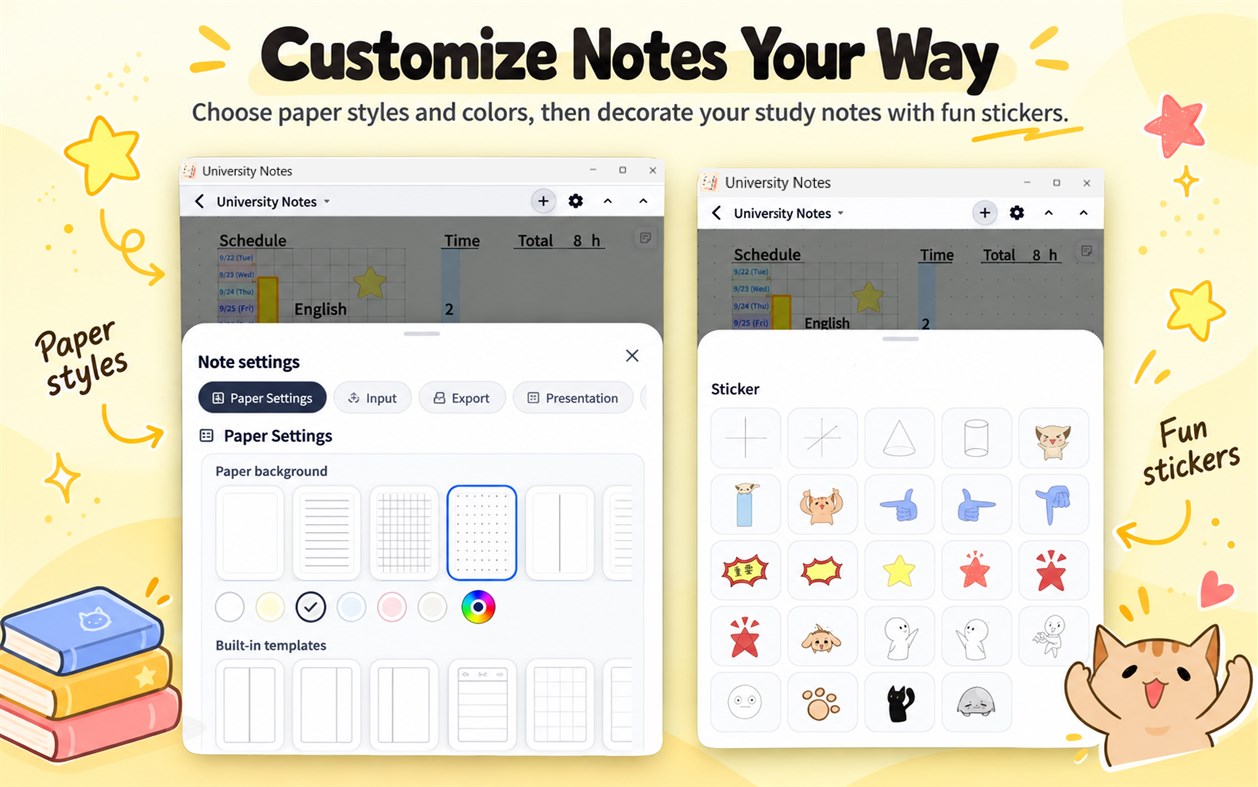
◆ Multiple note templates
Use blank paper, ruled paper, grid paper, Todo templates, and more.
You can also create your own templates for study sheets, reports, practice records, or other layouts you want to reuse.
◆ Great for
・Study notes on Windows
・Fast keyboard note-taking during classes and lectures
・College notes, lecture notes, and class notes
・Organizing notes by subject, class, or exam
・Reading and annotating PDFs
・Exam prep, tests, quizzes, and practice questions
・Memorization and active recall
・Assignments, reports, essays, and longer writing
・Using keyboard input and handwriting in the same note
・Creating notes that are useful for review, not just nice to look at
◆ Also useful for professional study and exam preparation
The app can be used not only for everyday class notes, but also for professional study and certification exams.
・School and college class notes
・University courses and exam preparation
・Nursing class and clinical notes
・Medical, pharmacy, physical therapy, and occupational therapy study
・Certification and professional exam preparation
・PDF textbooks, handouts, and course materials
・Practice questions and repeated review
・Assignments, reports, and long-form writing
・Memorization notes before an exam
Don’t just write your notes and leave them behind.
Review them.
Solve the problems again.
Test yourself.
Remember what you learned.
Bring keyboard input, handwriting, PDF annotation, class notes, exam prep, and memorization together in one note-taking app for Windows.
From the developer ¡
Are you the developer?
Your news at the top of the page, sent to followers by e-mail
Other platforms 2
| University NotesWindows Store1K SilverWindows | ▼Free |
 | University Notes: Study NotesGoogle Play11K GoldAndroidIn-App Purchases $1.79 – $16.99 | Free |
 | University Notes: Study NotesApp Store16K PlatinumiPhoneiPadmacOS | Free |
Price History 2
- Current price: Free
$58.49-100% - Minimum: ▼ Free
- Maximum: $58.49
Track prices Add to a list to get discount alerts by email or push
Lists 0
-
 University Notes
Points 0
-

- +1 Point

Rankings 0
-
- Your rating
Comments 0 ¡
Be the first to comment
Developer 29
- Foodmenu.world Inc.
- Followers: 0
- Platforms: iOS Apps (27) iOS Games (1) Windows Apps (1)
- Deals: 1
- Lists: 0 + 2
- Points: 43 + 194 ¡
- Rankings: 0
- Comments: 0
- Videos: 2
- RSS: Subscribe
What's new
- Version: PC
- Last Updated:
Additional Information
- Release Date:
- Category:
Windows Apps›Education - OS:
PC - Size:
68 Mb - Supported Languages:
English,Afrikaans,Albanian,Amharic,Arabic,Armenian,Azerbaijani,Bangla,Basque,Belarusian,Bulgarian,Catalan,Chinese,Croatian,Czech,Danish,Dutch,Estonian,Filipino,Finnish,French,Galician,Georgian,German,Greek,Gujarati,Hebrew,Hindi,Hungarian,Icelandic,Indonesian,Italian,Japanese,Kannada,Kazakh,Khmer,Korean,Kyrgyz,Latvian,Lithuanian,Macedonian,Malay,Malayalam,Marathi,Mongolian,Nepali,Norwegian,Odia,Persian,Polish,Portuguese,Punjabi,Romanian,Russian,Serbian,Sinhala,Slovak,Slovenian,Spanish,Swahili,Swedish,Tamil,Telugu,Thai,Turkish,Ukrainian,Urdu,Vietnamese,Zulu,lo - Content Rating:
EVERYONE - Windows Store Rating: ¡
0
 https://foodmenu.world/studynotes/note_help
AppAgg Score
1,140
Estimated AppAgg Score for
University Notes
Developer: Foodmenu.world Inc.
1,140 Silver
Higher scores usually reflect better results across AppAgg’s indicators.
Based on: popularity · ratings · freshness · deals · store data · community signals
Recalculated daily using fresh AppAgg data.
Website badge:  Copied!
Summary
University Notes Short URL: Copied!- Windows Store
On AppAgg, you can track the Windows app “University Notes” by Foodmenu.world Inc., listed under Education. AppAgg Score: 1,140 (Silver). AppAgg Points for the app — confirmed: 0; indirect: 0. Public lists containing the app: 0. Users who have saved it in private lists: 0. AppAgg users have not rated the app yet. Confirmed Points record visits to a store by signed-in AppAgg users; indirect Points are based on store data. AppAgg counts public lists containing an app or game and users who have saved it in private lists. The app was first released on . The app was last updated on . The app is currently available for free. The lowest price for the app was $0.00 (); the highest was $58.49 (). The app is available in these languages: English, Afrikaans, Albanian, Amharic, Arabic, Armenian, Azerbaijani, Bangla, Basque, Belarusian, Bulgarian, Catalan, Chinese, Croatian, Czech, Danish, Dutch, Estonian, Filipino, Finnish, French, Galician, Georgian, German, Greek, Gujarati, Hebrew, Hindi, Hungarian, Icelandic, Indonesian, Italian, Japanese, Kannada, Kazakh, Khmer, Korean, Kyrgyz, Latvian, Lithuanian, Macedonian, Malay, Malayalam, Marathi, Mongolian, Nepali, Norwegian, Odia, Persian, Polish, Portuguese, Punjabi, Romanian, Russian, Serbian, Sinhala, Slovak, Slovenian, Spanish, Swahili, Swedish, Tamil, Telugu, Thai, Turkish, Ukrainian, Urdu, Vietnamese, Zulu, lo. Explore the price history, add the app to a list, or follow its developer. Follow future deals and updates for the app via its RSS feed. AppAgg does not host or distribute the app. All trademarks, logos, and screenshots related to the app belong to their respective owners.
You may also like
Recent discussions
 AppSpark Motion Create 26 The graphics are amazing! Now I can design my ball layouts and watch then spin in 3D animation.
 Jim Kirker40
 AppLocalDub – Real-Time Game Dubbing Hello Kırtay Interactive, I am using LocalDub - Real-Time Game Dubbing. I would like to know if Hind...
 rashid game53
 AppNauticPlayer This app is absolute cinema. Honestly, it’s one of the best media players I’ve ever tried, and I’m s...
 Manuel92
 AppScreen Beings This is my app so I’m a little bias but as someone from the ADHD community that teaches ADHD and neu...
 Tarelle Irwin54
 AppAadi vault good it ia a encrypter and good you my work on office
 Aditya Rai50
 AppTyping 365 | Daily Typing Trainer The best typing app ever. With Typing 365 you don’t have to force yourself for couple minutes traini...
 Ahmad Mozaffar50
 AppZefir Calendar — Calendar in the Taskbar excelente app! Superando todas as espectativas!
 Diógenes Magnus50
 AppBlazin IPTV Player This compact IPTV player is amazing. I threw multiple playlists at it and it handles it with no issu...
 Mike Anderson40
 AppCN Vault I Love this app CN Vault is a user-friendly app that helps keep your passwords safe and secure. If y...
 Marjuk Amin50
Recently viewed
AppAgg users ¡More →
Weekly questsSign in to get 3 quests every week and earn XP for them.

