
| Ontwikkelaar: | Victel (6) | ||
| Prijs: | $6.99 | ||
| Beoordelingen: | 0 | ||
| Recensies: | 0 Schrijf een review | ||
| Lijsten: | 0 + 0 | ||
| Punten: | 0 + 14 (2.7) ¡ | ||
| Windows Store | |||
Beschrijving

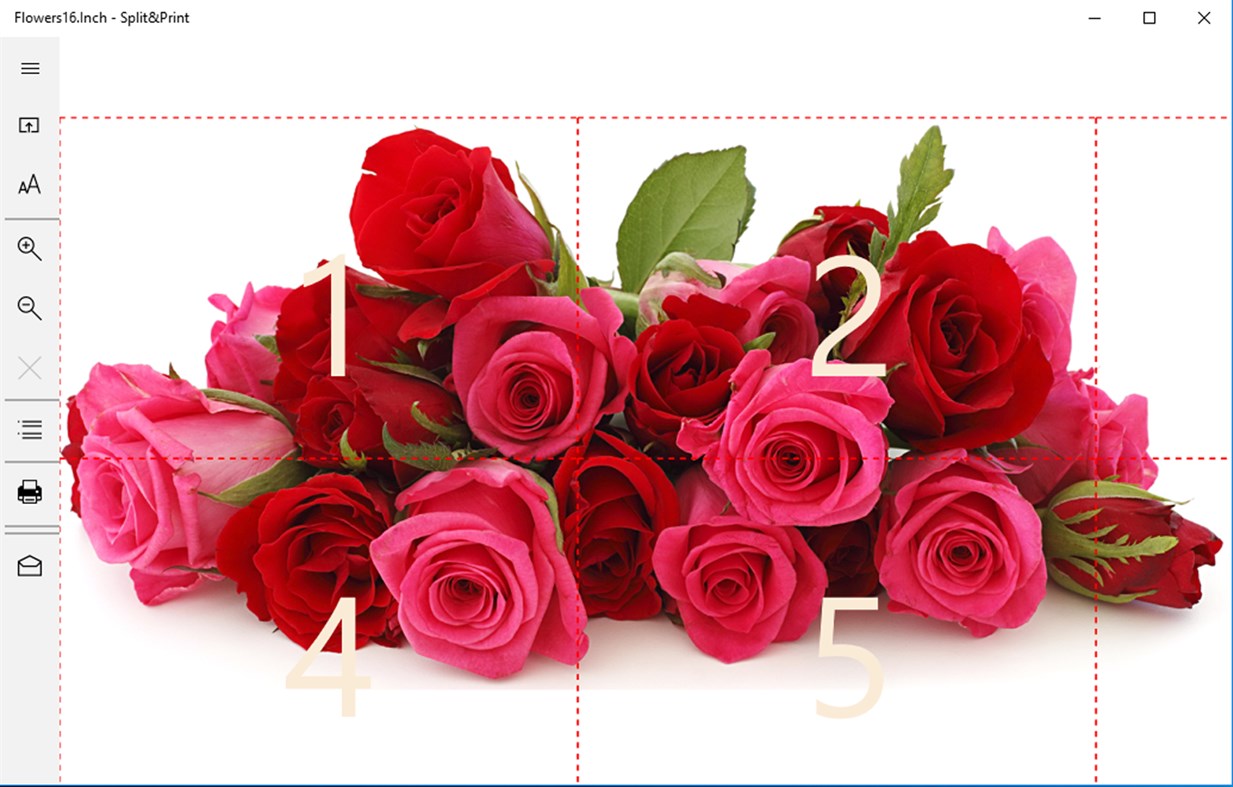
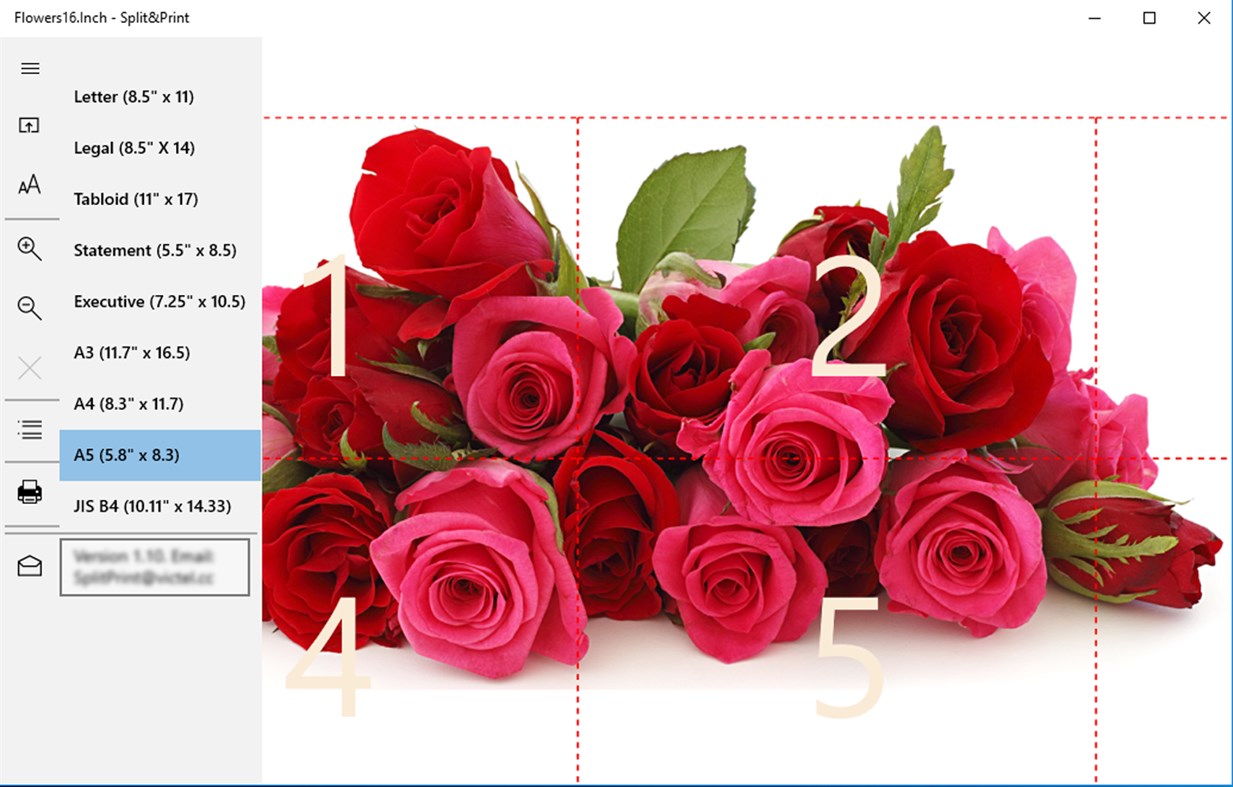
It's never been so easy to make a poster, multi-panel wall art aka wall splits from single image!
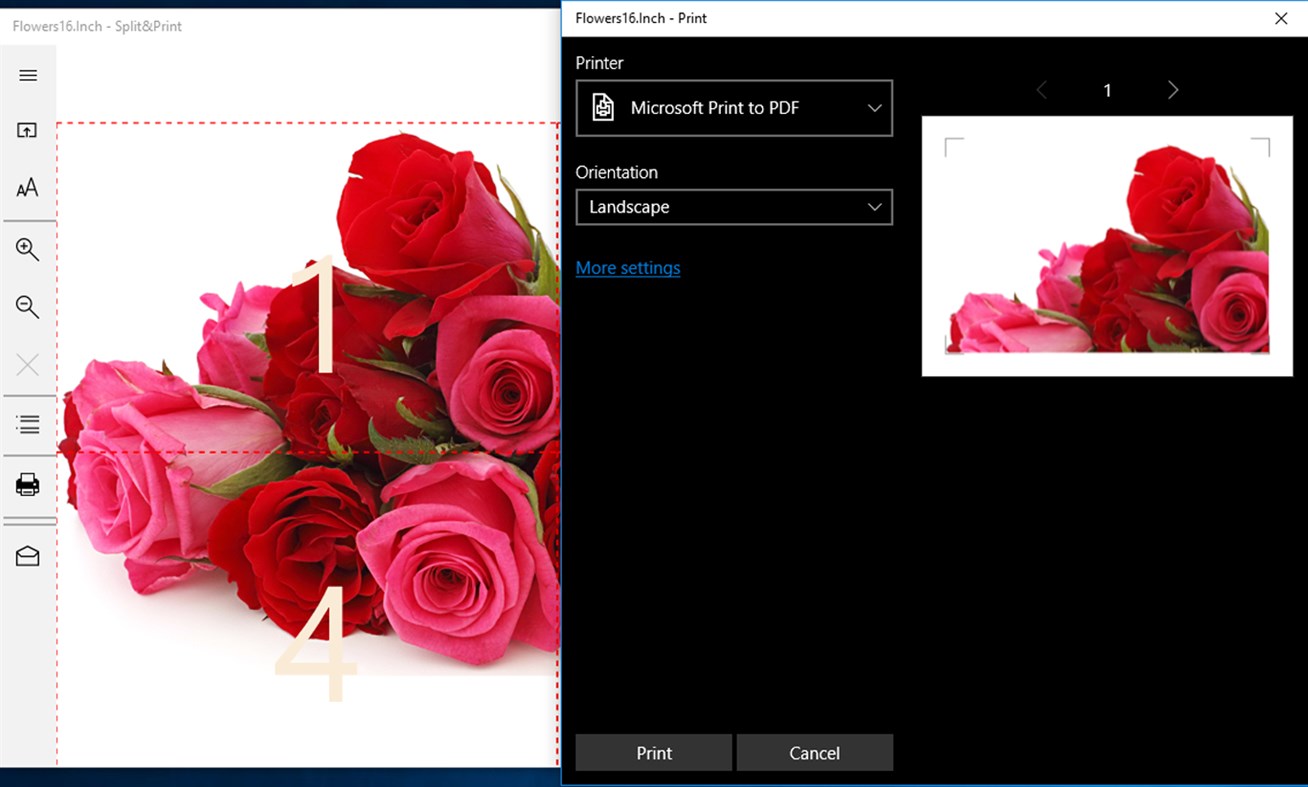
Split and Print implements tiled printing technique: it partitions large image to the blocks printable on the standard home or office printers.
Ad
Screenshots
Wat is er nieuw?
- Versie: PC
- Bijgewerkt:
Prijs
- Vandaag: $6.99
- Minimum: $4.99
- Maximaal: $6.99
Prijzen volgen
Ad
Ontwikkelaar
- Victel
- Platforms: Windows Apps (6)
- Lijsten: 0 + 0
- Punten: 0 + 39 ¡
- Beoordelingen: 0
- Recensies: 0
- Kortingen: 0
- Videos: 0
- RSS: Abonneren
Punten
0 ☹️
Beoordelingen
0 ☹️
Lijsten
0 ☹️
- Split&Print
Recensies
Schrijf als eerste een review 🌟
Aanvullende informatie
- Versie: PC
- Categorie:
Windows Apps›Productiviteit - Besturingssystemen:
PC,Surface Hub - Grootte:
27 Mb - Ondersteunde talen:
English - Beoordeling van content:
EVERYONE - Windows Store Beoordeling:
2.7(14) - Bijgewerkt:
- Releasedatum:
Contacten
- Website:
 https://www.splitprint.victel.cc
Split&Print Korte URL: Gekopieerd!- 🌟 Delen
- Windows Store
Mogelijk vindt u dit ook interessant
-
- Print Screen Comments
- Windows Apps: Productiviteit Door: WallingSoft
- * Gratis
- Lijsten: 0 + 0 Beoordelingen: 0 Recensies: 0
- Punten: 0 + 9 (3.0) Versie: PC Print Screen Comments is a fast and easy tool to capture notes on photos or screenshots. Your notes are saved as text, not scribbles, making them easy to read and making you look ... ⥯
-
- PDF Manager - Merge, Split, Trim
- Windows Apps: Productiviteit Door: User Camp
- $9.99
- Lijsten: 1 + 1 Beoordelingen: 0 Recensies: 0
- Punten: 1 + 479 (4.5) Versie: PC Merge, split, extract, and combine PDFs with PDF Manager! An "Essential App" as selected by the Microsoft Store. PDF Manager is a powerful, easy-to-use app for merging and editing PDF ... ⥯
-
- PDF Merge & Split Tool
- Windows Apps: Productiviteit Door: SoftPard Tech
- $1.99
- Lijsten: 0 + 1 Beoordelingen: 0 Recensies: 0
- Punten: 1 + 471 (4.8) Versie: PC It is an extremely easy, blazing-fast, and highly secure app to merge and split your PDF document. # Features - Unlimited size and files - Extremely easy to use no instruction is ... ⥯
-
- Xerox Print Portal
- Windows Apps: Productiviteit Door: Xerox Corp
- Gratis
- Lijsten: 0 + 0 Beoordelingen: 0 Recensies: 0
- Punten: 0 + 17 (3.8) Versie: PC DESCRIPTION The Xerox Mobile Print Portal requires one of our Xerox Mobile Print Solutions currently available on www.Xerox.com/mobile and enables smartphone and tablet users to ... ⥯
-
- Toshiba Print Experience
- Windows Apps: Productiviteit Door: TOSHIBA TEC CORPORATION
- Gratis
- Lijsten: 2 + 0 Beoordelingen: 0 Recensies: 0
- Punten: 0 + 20 (3.7) Versie: PC Toshiba Print Experience ( Application ) provides printing functions appropriate for control of TOSHIBA e-STUDIO Multifunction Printers ( MFP s). This Application allows you to ... ⥯
-
- 3D Print Logs
- Windows Apps: Productiviteit Door: SpiveyWorks
- Gratis
- Lijsten: 0 + 1 Beoordelingen: 0 Recensies: 0
- Punten: 1 + 2 (5.0) Versie: PC Simply keep track of the details of what you 3D print, like your settings, the 3D model URL, hardware, resolution, a title and general notes. This way you can always return to it to ... ⥯
-
- Envelope & Address Print
- Windows Apps: Productiviteit Door: ConnectCode
- * Gratis
- Lijsten: 0 + 0 Beoordelingen: 0 Recensies: 0
- Punten: 0 + 63 (2.0) Versie: PC Envelope & Address Print is an envelope address printing app that helps you print addresses on envelopes quickly and productively. The app is equipped with a powerful software wizard ... ⥯
-
- PDF Merger & Splitter - Split & Join PDF Files
- Windows Apps: Productiviteit Door: Semivio Technologies
- * Gratis
- Lijsten: 0 + 0 Beoordelingen: 0 Recensies: 0
- Punten: 0 + 11 (4.6) Versie: PC PDF Merger & Splitter is designed to combine multiple PDF files into a single document (merging) or to divide a PDF file into separate documents (splitting). It allows users to manage ... ⥯
-
- PDF Split
- Windows Apps: Productiviteit Door: XtremeDevelopments.com Ltd
- * $1.99
- Lijsten: 0 + 0 Beoordelingen: 0 Recensies: 0
- Punten: 1 + 33 (4.3) Versie: PC Extract PDF pages to a new PDF, separate PDFs or image files with PDF Split. Simply import your PDF, select the page(s) you wish to extract and tap (or click) save to create a new PDF ... ⥯
-
- PDF Merge: Combine & Split PDFs
- Windows Apps: Productiviteit Door: Wuxxu
- Gratis
- Lijsten: 0 + 0 Beoordelingen: 0 Recensies: 0
- Punten: 0 + 0 Versie: PC Combine multiple PDFs into a single document or split existing PDFs into individual files. Key Features: Merge PDFs: Quickly combine multiple PDF files in any order you desire. Split ... ⥯
-
- Merge & Split PDF Tool
- Windows Apps: Productiviteit Door: Roxy
- * Gratis
- Lijsten: 0 + 0 Beoordelingen: 0 Recensies: 0
- Punten: 0 + 0 Versie: PC Are you looking for an easy way to manage your PDFs? Our tool makes it effortless to merge files and extract pages with just a few clicks. Merge PDFs Combine multiple PDFs into a ... ⥯
-
- Label LIVE
- Windows Apps: Productiviteit Door: Semireg Industries, LLC
- $147.99
- Lijsten: 0 + 0 Beoordelingen: 0 Recensies: 0
- Punten: 0 + 2 (5.0) Versie: PC Print barcodes and labels like never before. Works with label rolls and popular "sheets" using any Brother, DYMO, ROLLO, Zebra, inkjet, laser printer, PDF or PNG. Note: Not compatible ... ⥯
-
- PrintEnvelopeAndCheque
- Windows Apps: Productiviteit Door: Alok Jangra
- Gratis
- Lijsten: 0 + 0 Beoordelingen: 0 Recensies: 0
- Punten: 0 + 6 (3.0) Versie: PC Print Envelope And Cheque in a simple way using stored contacts. Using This App You can Customized layout. App can Print any Size of Envelope And Cheque Using Custom Formatting. ⥯
-
- LabelsNow
- Windows Apps: Productiviteit Door: BPTK BrainPower Timo Kinnunen
- $4.99
- Lijsten: 0 + 0 Beoordelingen: 0 Recensies: 0
- Punten: 0 + 2 (1.0) Versie: PC Print address labels. Add manually addresses or import addresses from Excel as tab-delimited .txt-file. Export addresses to Excel as tab-delimited .txt-file. Save and restore backup as ⥯