
Bookmarks
Choose a title for this bookmark.
Bookmark saved
| Developer: | Doc Picks (1) | ||
| Price: | ▼ $0.99 | ||
| Score: | 7,950 Gold | ||
| Rankings: | 0 | ||
| Comments: | 0 Add a comment | ||
| Lists: | 1 1 | ||
| Points: | 1 | ||
| +1 Point | |||
Your own feed on the home page
Pick your platforms for the New & Updated feed, and the home page will show only the apps and games you need.
Screenshots 9
Advertisement
Video 1
Description

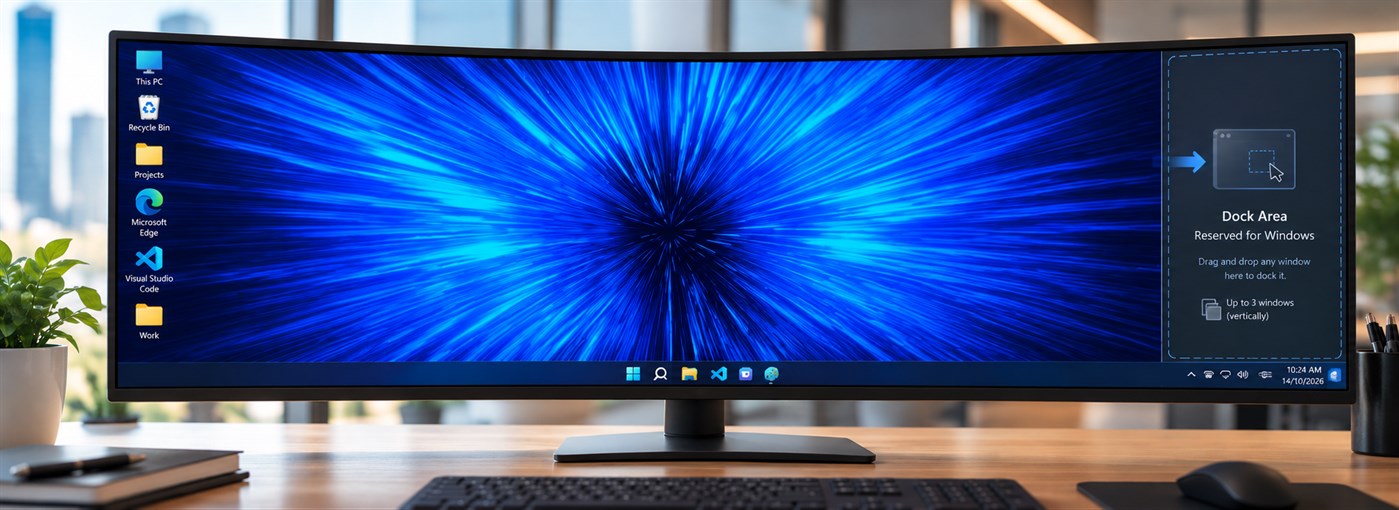
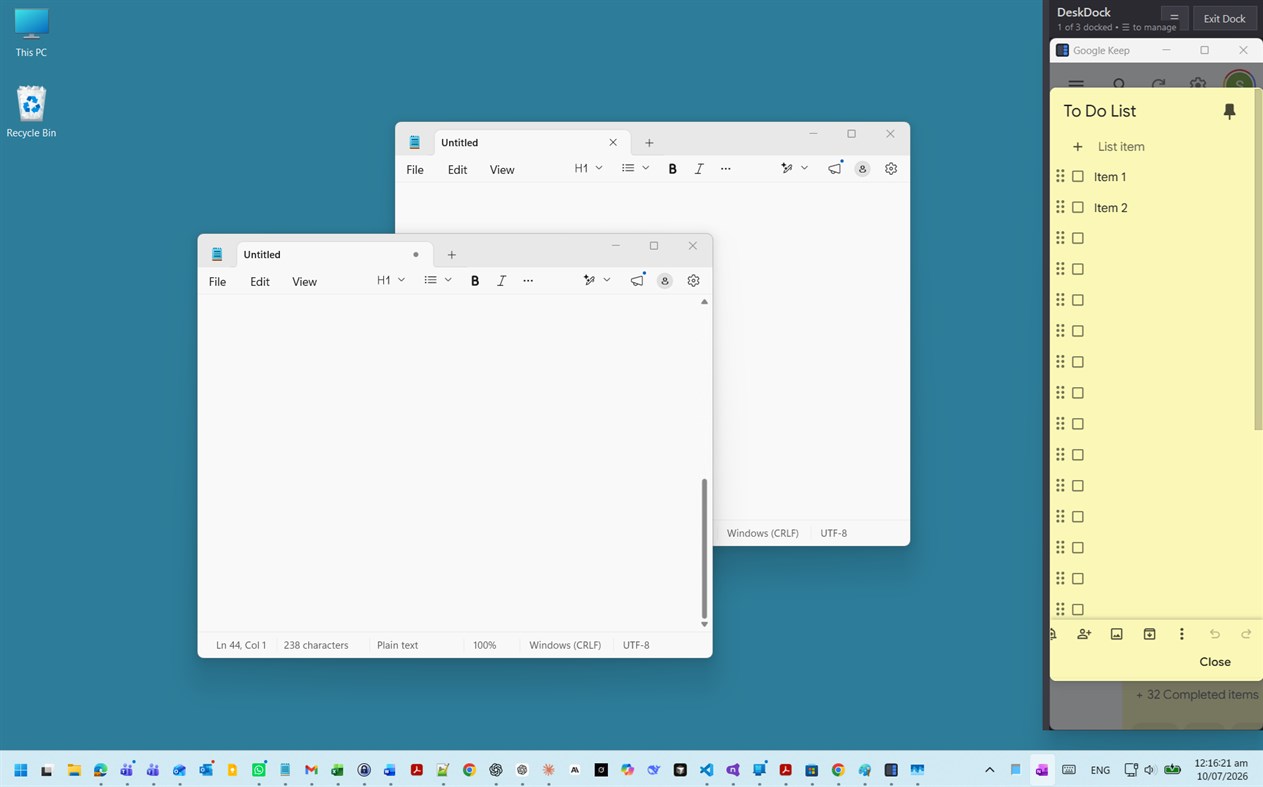
Pin any app to reserved side of desktop — just like OneNote docks your notes.
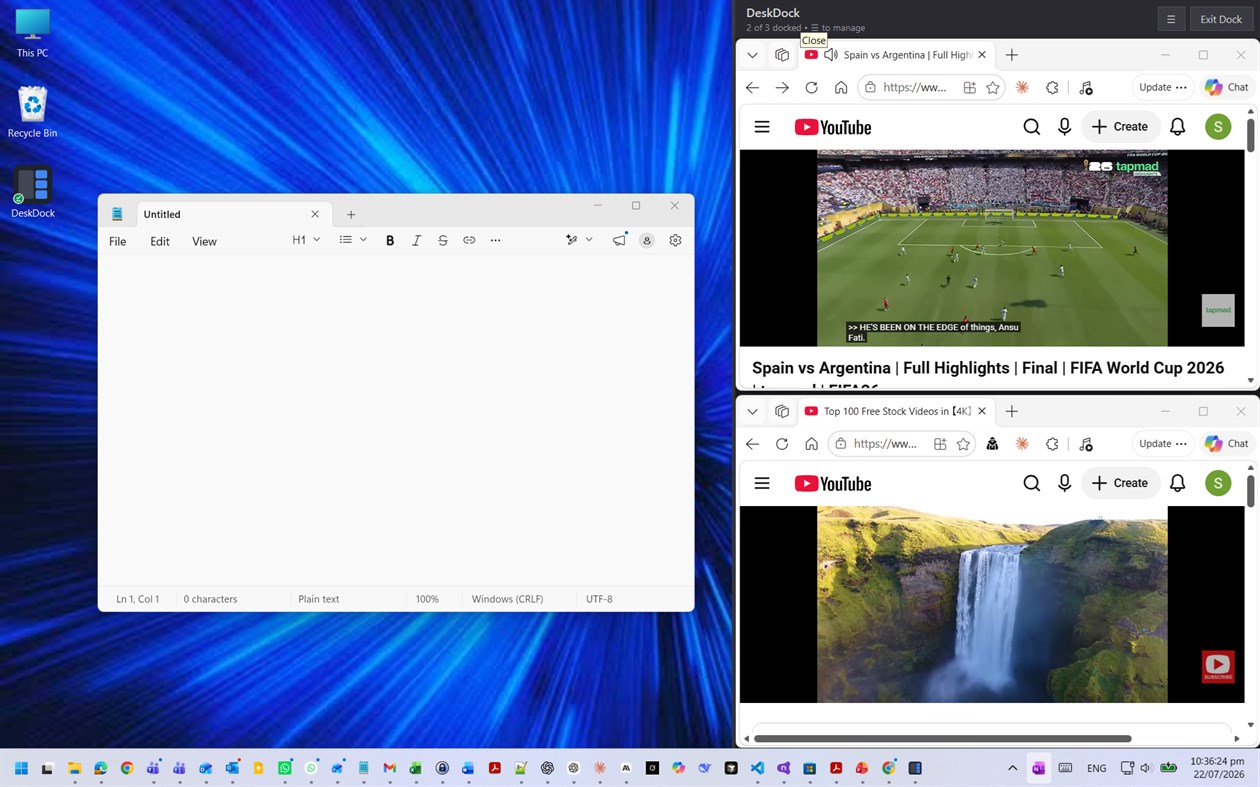
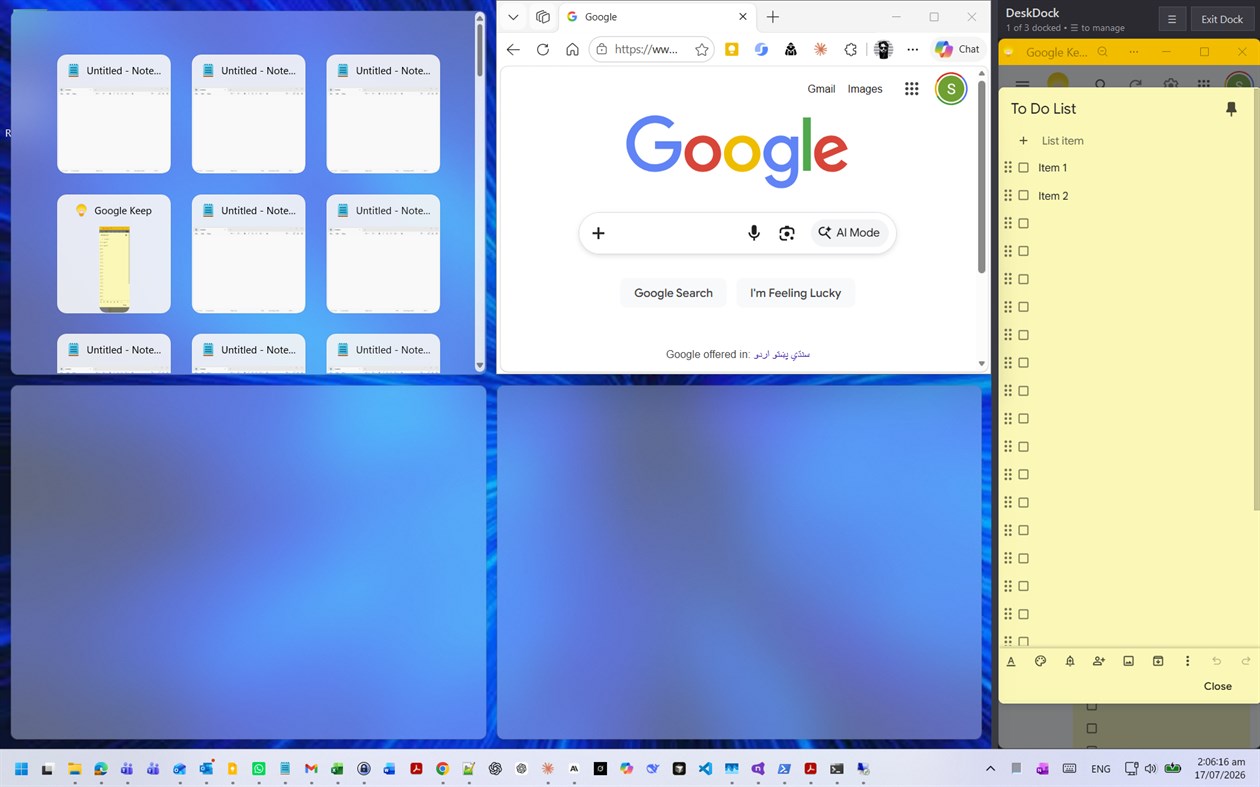
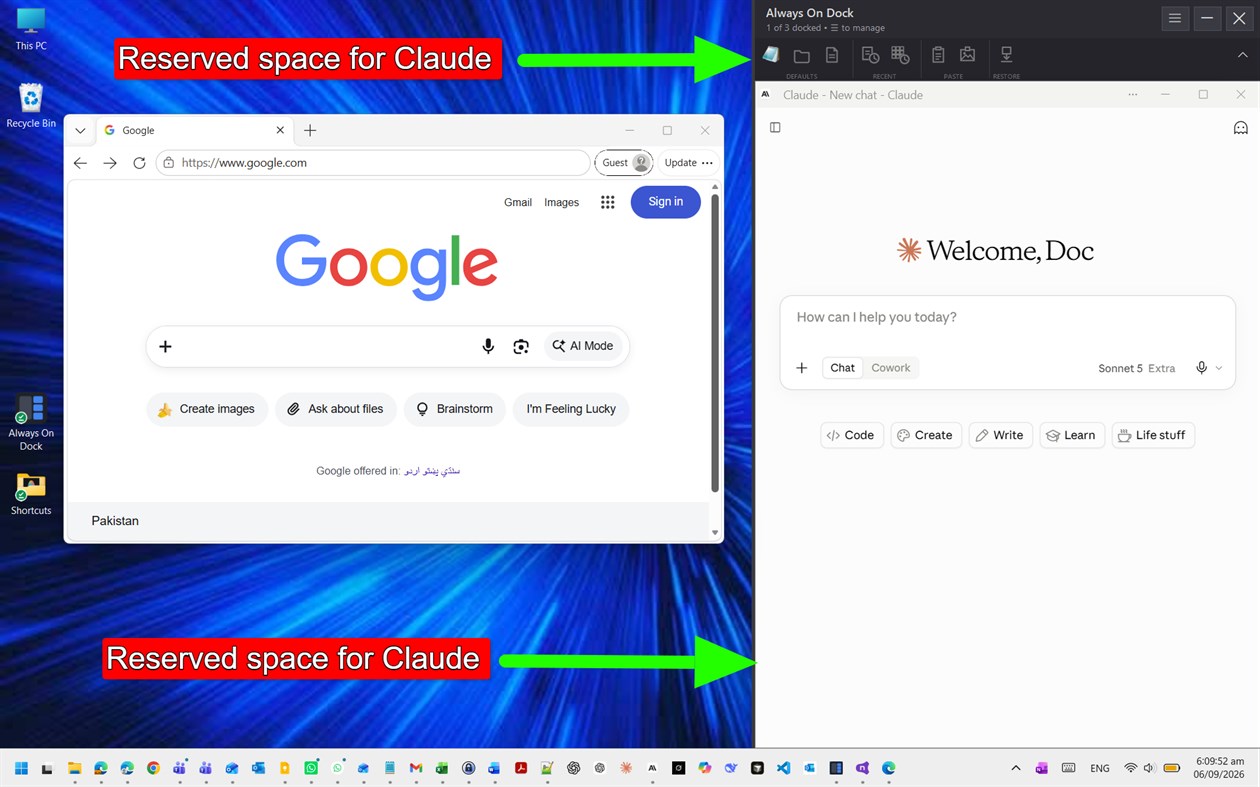
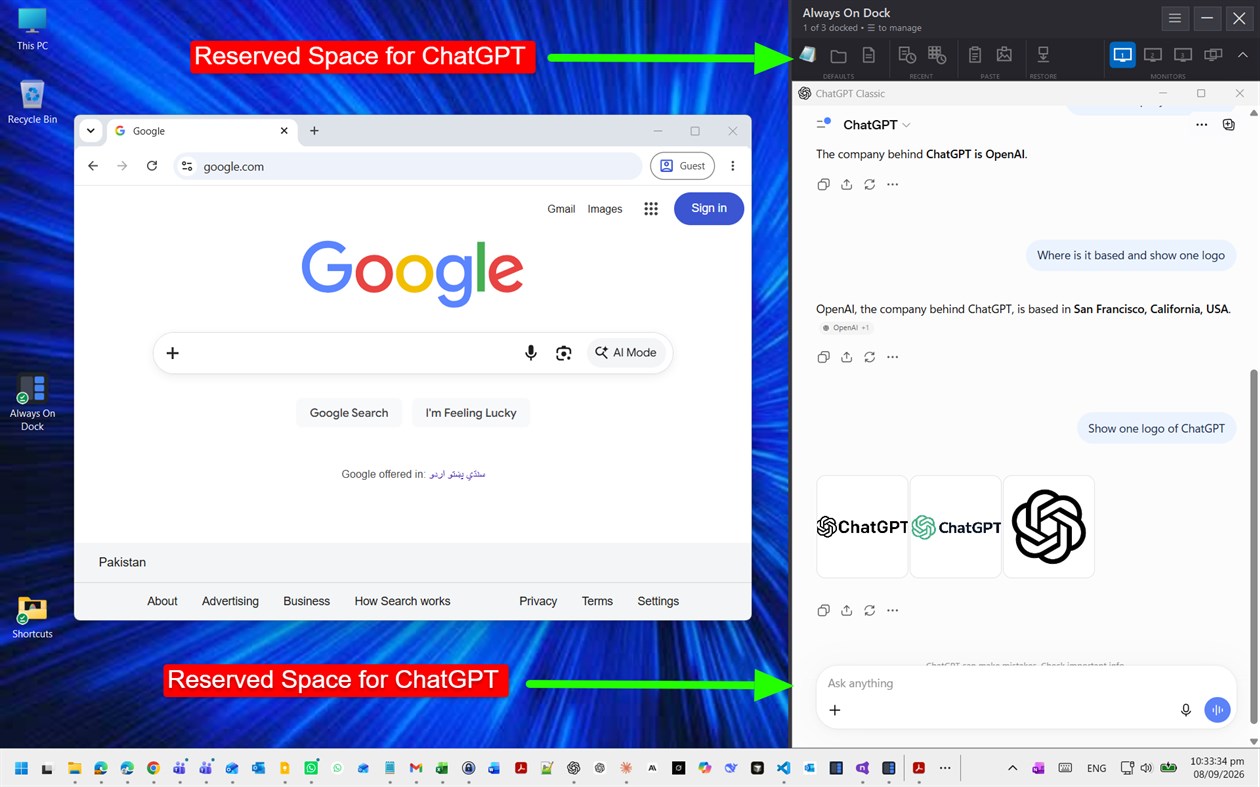
Always On Dock reserves a strip on the right edge of your screen where you can snap (dock) your apps, while Windows uses the rest as your regular desktop. No more windows hiding your notes, chats, or video calls.
USAGES:
💼 For Office Work
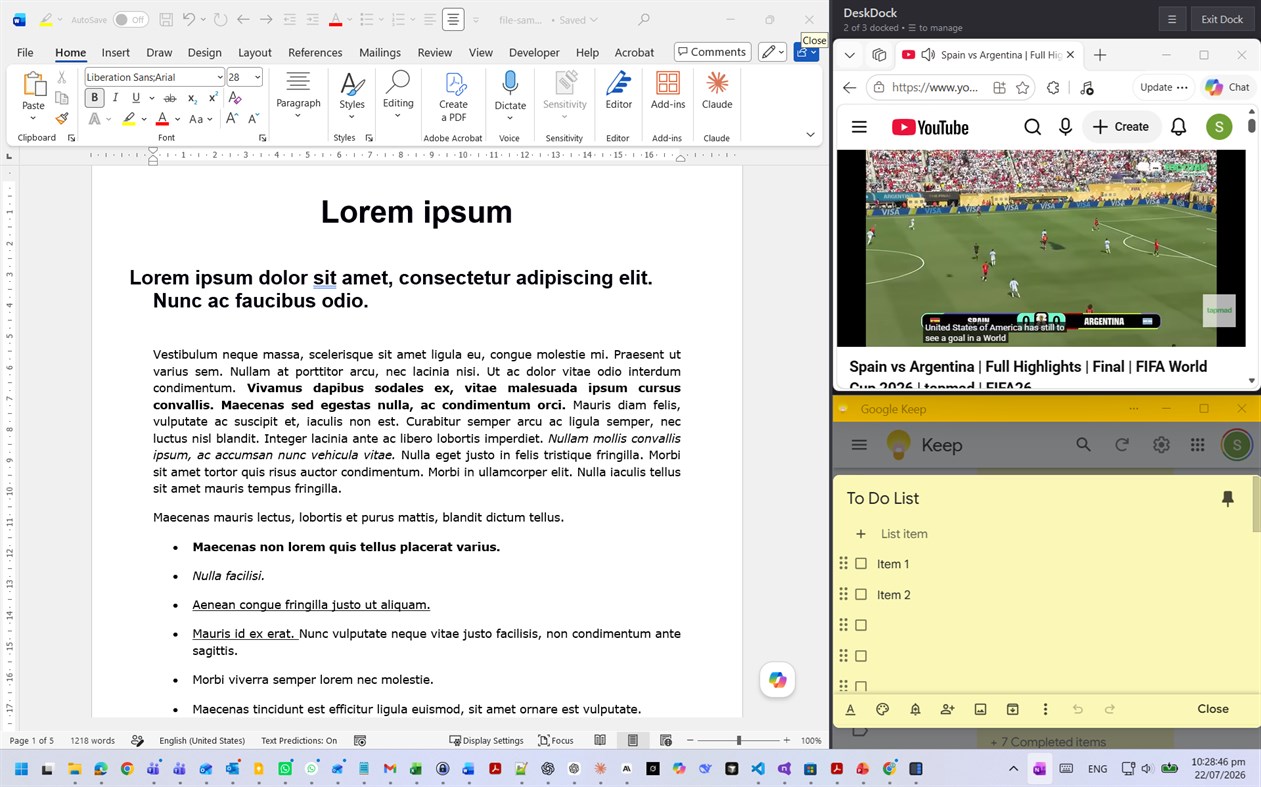
• Keep a notes app or to-do list permanently visible while you work
🏠 For Home Use
• Watch videos from the dock, uninterrupted, while you browse or do other things
💻 For Developers
• Keep Teams chat visible while you code
• Keep ChatGPT or Claude visible while you program
• Pin a YouTube tutorial while you follow along step-by-step
📊 For Accountants
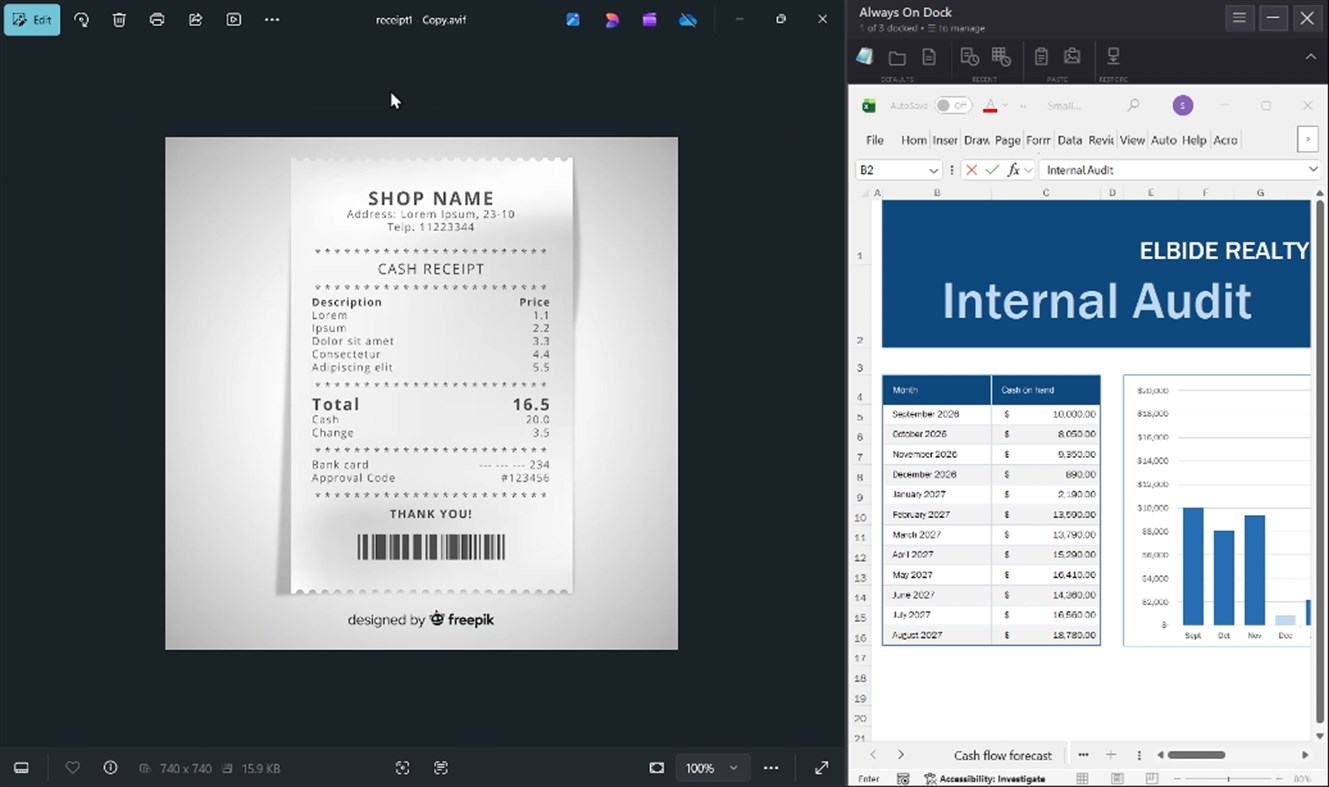
• Keep Outlook visible while working in Excel
• Keep TradingView visible while placing orders
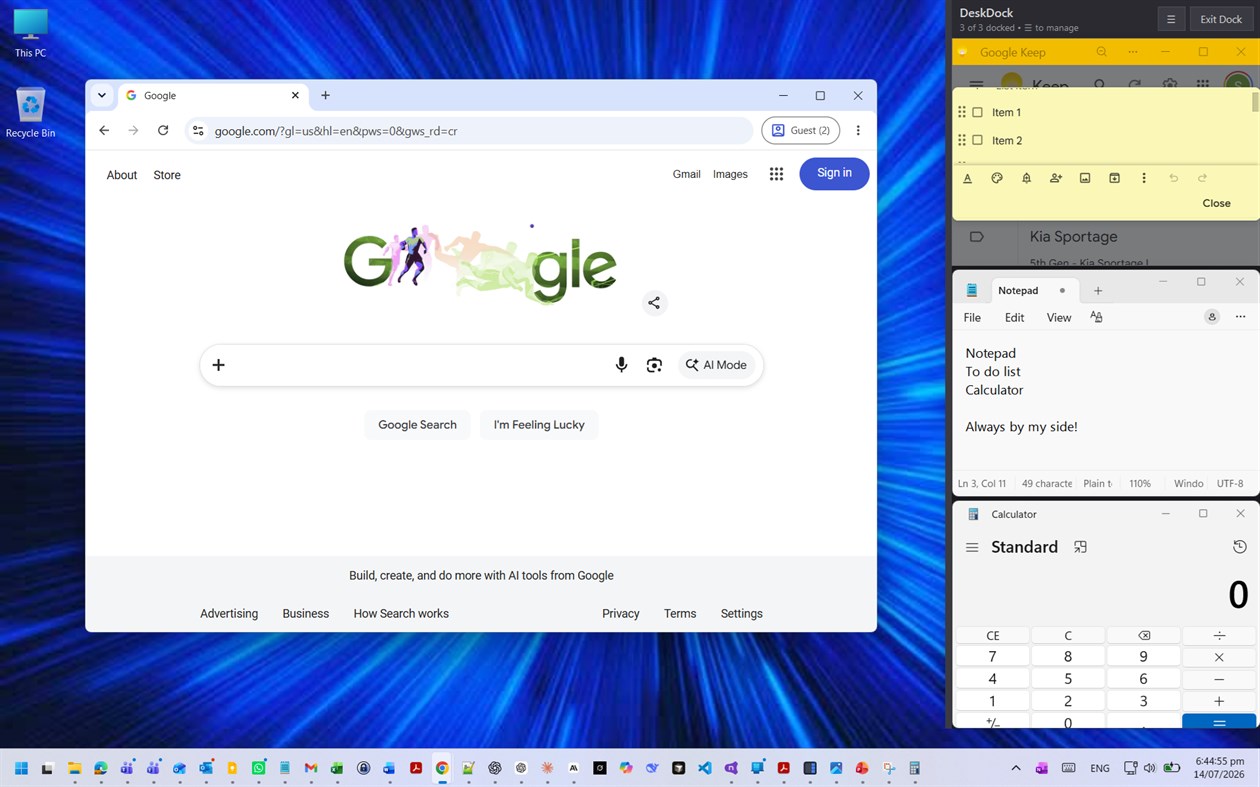
• Keep Calculator and Notepad always on the side
How It Works
🪟 Drag any window onto the dock — it snaps in instantly
📚 Dock up to 3 programs — they stack vertically, sharing the space evenly
↩️ Drag a docked window back out to undock it
🔀 Drag within the dock to reorder your windows
↔️ Resize the dock by dragging its left edge — everything reflows live
🙈 Hide the dock from the tray icon whenever you need the full screen back
🔁 Exit and every window is restored exactly where it was
🔒 Your privacy, respected
Always On Dock never restarts your programs — it only repositions their windows. Your browser keeps every tab and every login, exactly as you left it. Nothing is collected, nothing phones home: Always On Dock has no network access and runs entirely on your PC.
From the developer
Are you the developer?
Your news at the top of the page, sent to followers by e-mail
Other platforms 0
| Split Screen for Windows - Always On DockWindows Store7K GoldWindows | ▼$0.99 |
Only in this store right now.
Price History 5
- Current price: $0.99
$9.99-90% - Minimum: ▼ $0.99
- Maximum: $19.99
Track prices Get an email or push alert when the price drops
Lists 1
-
 Split Screen for Windows - Always On Dock

Points 1
-

- +1 Point
-
- 17 Doc
- +1

Rankings 0
-
- Your rating
Comments 0 ¡
Be the first to comment
Developer 1
What's new
- Version: PC
- Last Updated:
- What's New in v1.4.2
* Improvements in menu and quick launch bar
* Added about section
* Bug fixes
Additional Information
- Release Date:
- Category:
Windows Apps›Productivity - OS:
PC - Size:
80 Mb - Supported Languages:
English - Content Rating:
EVERYONE - Windows Store Rating: ¡
0 - Website:
 https://alwaysondock.com
AppAgg Score
7,950
Estimated AppAgg Score for
Split Screen for Windows - Always On Dock
Developer: Doc Picks
7,950 Gold
Higher scores usually reflect better results across AppAgg’s indicators.
Based on: popularity · ratings · freshness · deals · store data · community signals
Recalculated daily using fresh AppAgg data.
Website badge:  Copied!
Summary
Split Screen for Windows - Always On Dock Short URL: Copied!- Windows Store
On AppAgg, you can track the Windows app “Split Screen for Windows - Always On Dock” by Doc Picks, listed under Productivity. AppAgg Score: 7,950 (Gold). AppAgg Points for the app — confirmed: 1; indirect: 0. Public lists containing the app: 1. Users who have saved it in private lists: 1. AppAgg users have not rated the app yet. Confirmed Points record visits to a store by signed-in AppAgg users; indirect Points are based on store data. AppAgg counts public lists containing an app or game and users who have saved it in private lists. The app was first released on . The app was last updated on . The app previously cost $9.99; it now costs $0.99 (90% off). The lowest price for the app was $0.99 (); the highest was $19.99 (). The app is available in these languages: English. Explore the price history, add the app to a list, or follow its developer. Follow future deals and updates for the app via its RSS feed. AppAgg does not host or distribute the app. All trademarks, logos, and screenshots related to the app belong to their respective owners.
You may also like
Recent discussionsMore →
 AppAniMate Waifu - AI Anime Desktop Pet This is the best anime desktop pets I have ever had, The dancing feature is amazing.
 shaw chaney34
 AppSpark Motion Create 26 The graphics are amazing! Now I can design my ball layouts and watch then spin in 3D animation.
 Jim Kirker40
 AppLocalDub – Real-Time Game Dubbing Hello Kırtay Interactive, I am using LocalDub - Real-Time Game Dubbing. I would like to know if Hind...
 rashid game53
 AppNauticPlayer This app is absolute cinema. Honestly, it’s one of the best media players I’ve ever tried, and I’m s...
 Manuel92
 AppScreen Beings This is my app so I’m a little bias but as someone from the ADHD community that teaches ADHD and neu...
 Tarelle Irwin54
 AppAadi vault good it ia a encrypter and good you my work on office
 Aditya Rai50
 AppTyping 365 | Daily Typing Trainer The best typing app ever. With Typing 365 you don’t have to force yourself for couple minutes traini...
 Ahmad Mozaffar50
 AppZefir Calendar — Calendar in the Taskbar excelente app! Superando todas as espectativas!
 Diógenes Magnus50
 AppBlazin IPTV Player This compact IPTV player is amazing. I threw multiple playlists at it and it handles it with no issu...
 Mike Anderson40
 AppCN Vault I Love this app CN Vault is a user-friendly app that helps keep your passwords safe and secure. If y...
 Marjuk Amin50
Recently viewed
AppAgg users ¡More →
Weekly questsSign in to get 3 quests every week and earn XP for them.

