
描述

Build platformers, RPGs, and more. Import assets, test instantly, and publish to the Hub or App Store. One-time purchase.
hyperPad is the most powerful visual coding and game development engine on iPad. Perfect for all ages and skill levels. Great for kids learning to code or an indie developer building a mobile game. Anyone can create interactive stories, apps, and full-featured iOS games. All with no code.
With over 250,000 plays and multiple games launched on the App Store, hyperPad is the easiest way to bring your dreams to life, and build real mobile games. Start earning revenue directly from your iPad.
Build Professional iOS Games Without Code:
------------------------------------------------------------------------------------------------------
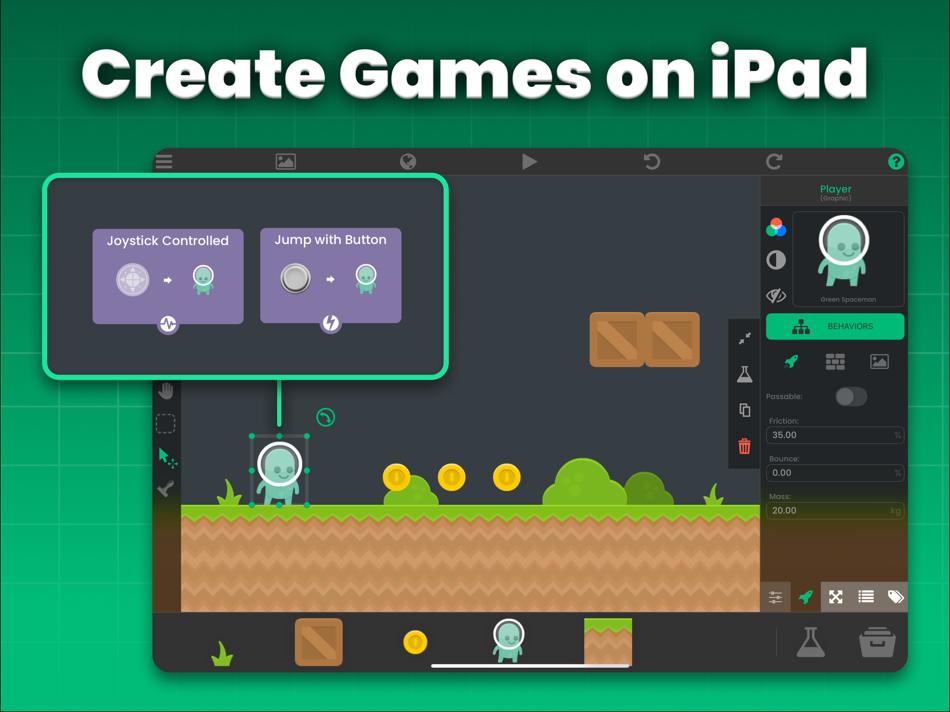
• Add objects with an intuitive drag-and-drop interface
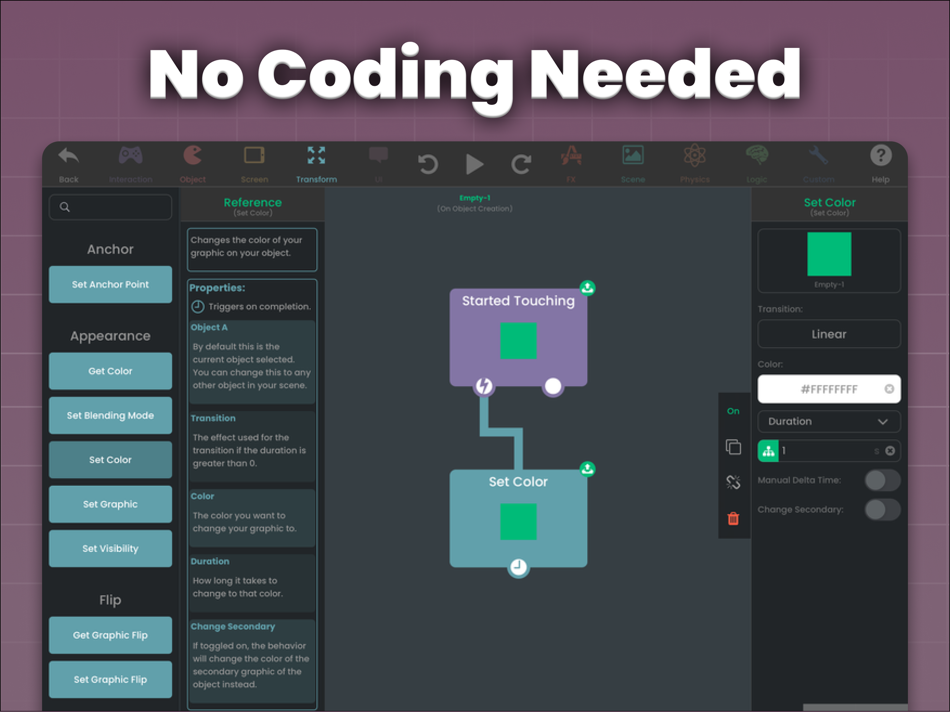
• Create gameplay with visual logic blocks, no coding needed
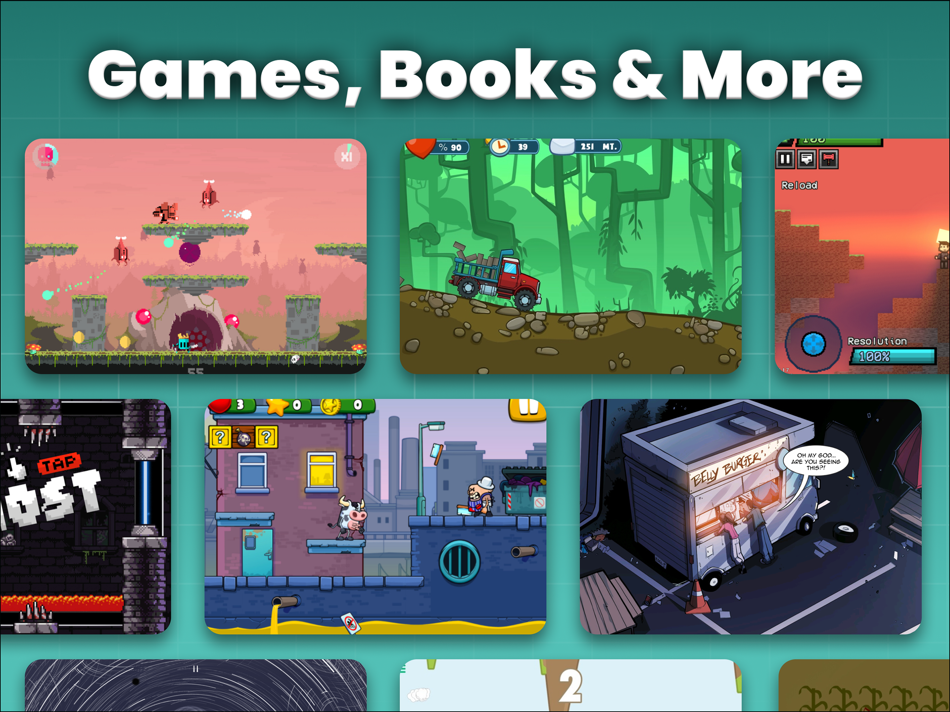
• Design platformers, RPGs, puzzles, simulators, and more. Your imagination is the limit.
• Build real-time multiplayer games with built-in networking behaviours
• Earn revenue by integrating ads into your projects
Make Real Apps and Games:
------------------------------------------------------------------------------------------------------
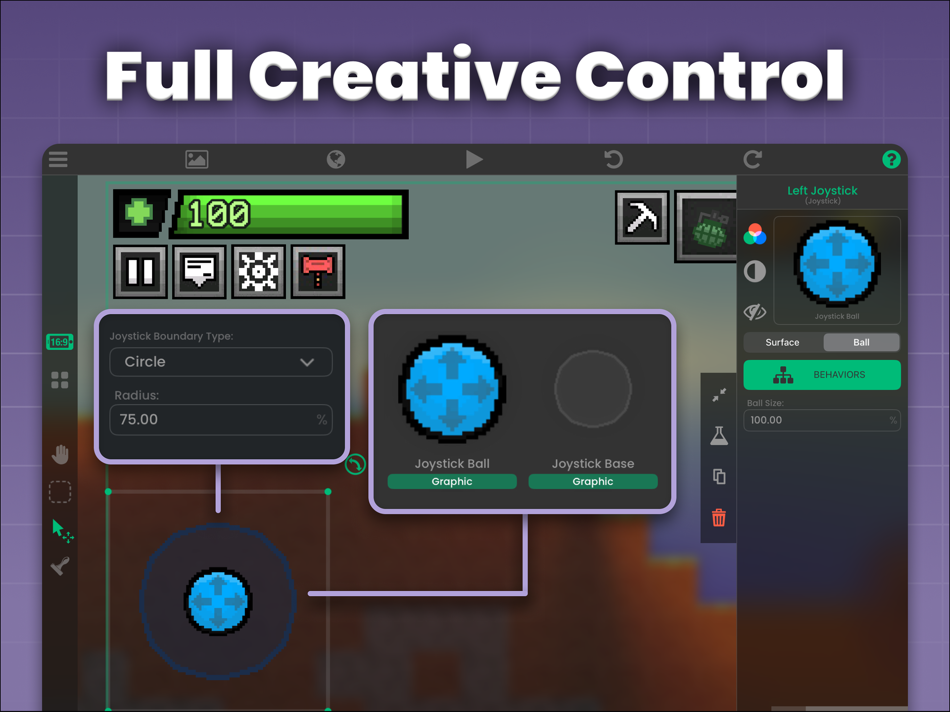
• Design interactive experiences with custom UI, menus, and overlays
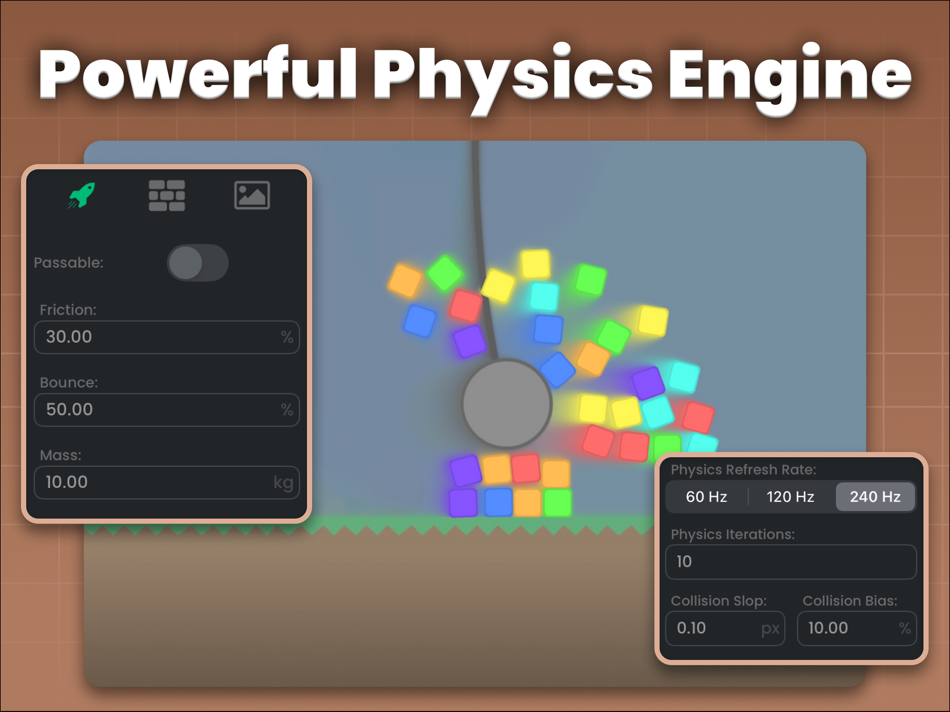
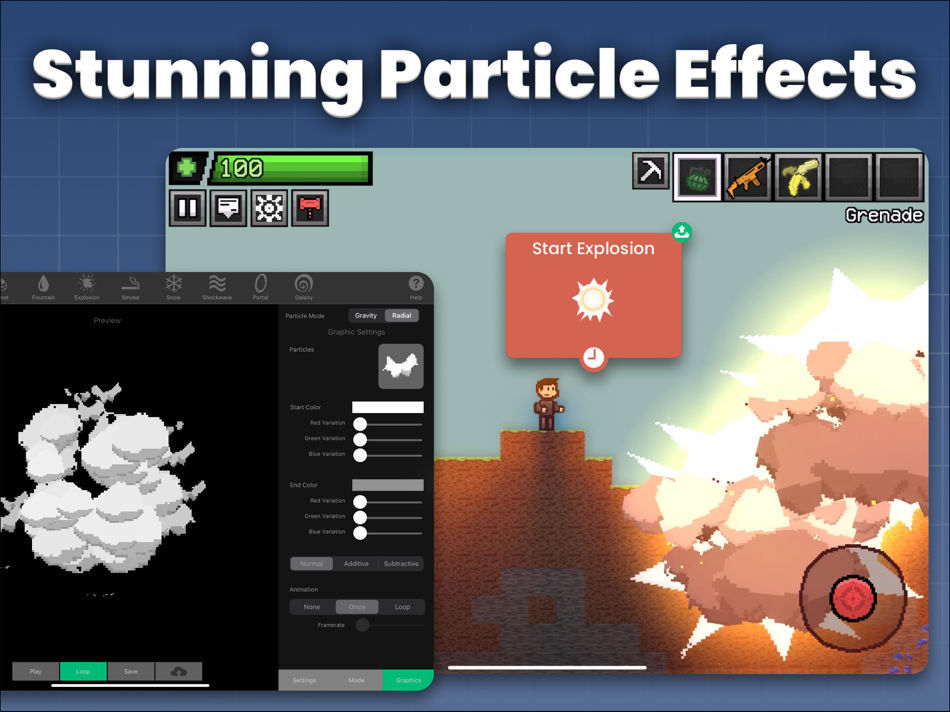
• Use advanced physics, animation, and particle effects
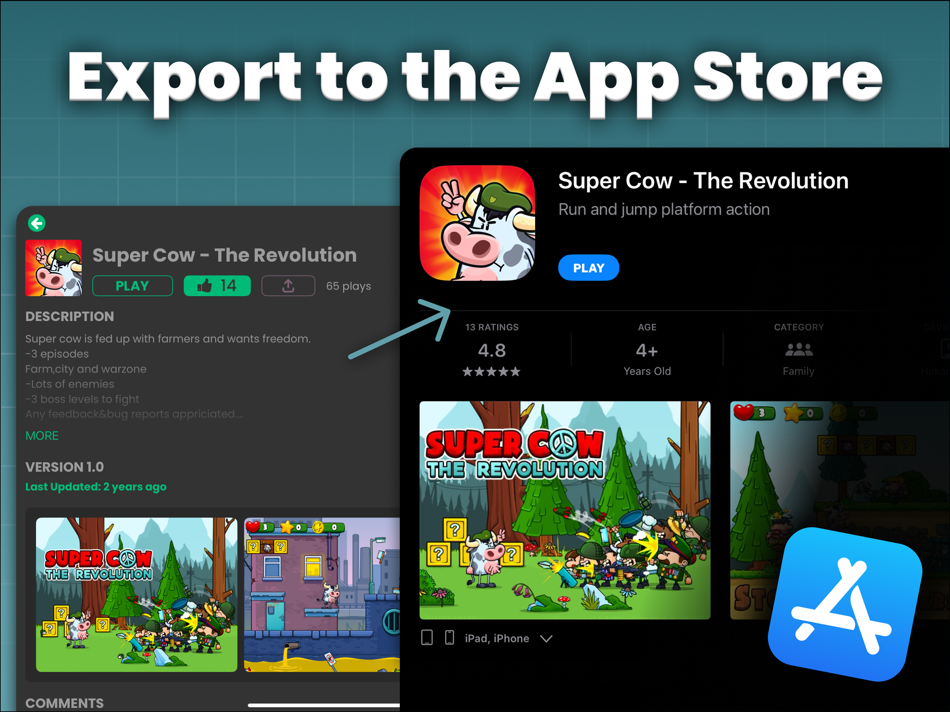
• Export to the App Store to monetize your game
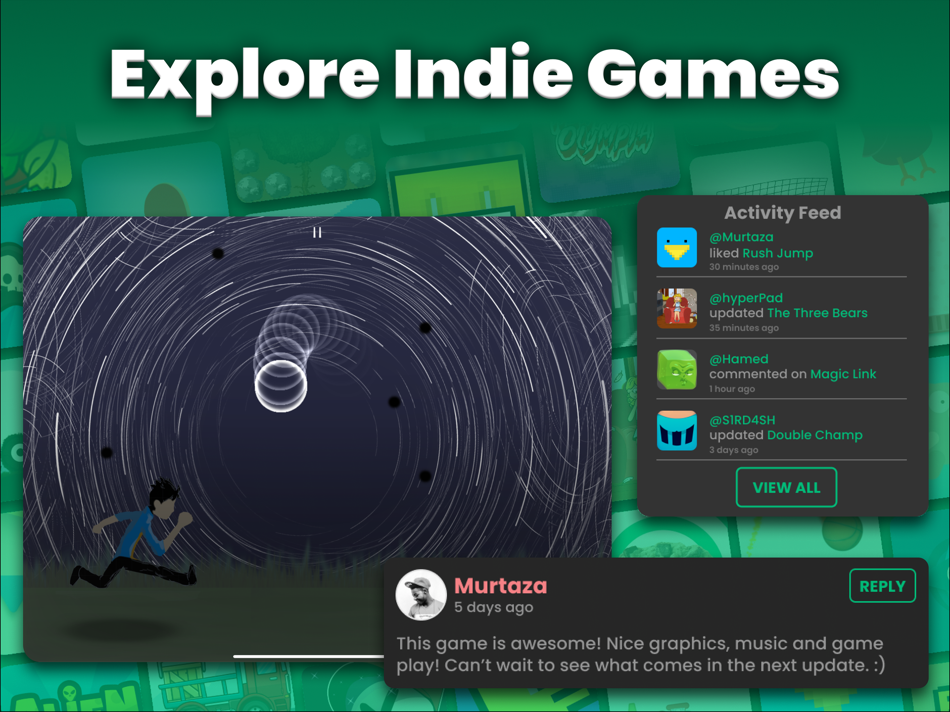
• Share instantly to the global hyperPad Hub and grow your audience
• One-time lifetime access with no subscriptions or royalties
All Yours:
------------------------------------------------------------------------------------------------------
• Import your own art, music, sound effects, and fonts
• Animate characters and scenes with powerful no-code tools
• Instantly test projects, no compiling required
Why Creators Love hyperPad:
------------------------------------------------------------------------------------------------------
• Visual game creation with no coding required
• Designed for iPad. Game dev with pro features
• Multiplayer, Physics, and Animation Built In
• Trusted by teachers for STEAM and coding for kids
• Perfect for classrooms, beginner developers, and indie developers
• Earn revenue by exporting XCode projects and publish to the App Store
• Join a Global Community of Creators
Perfect For:
------------------------------------------------------------------------------------------------------
• Game development on iPad
• No-code app creation
• Visual coding for kids and beginners
• Teachers using coding apps in class
• Parents introducing coding for kids
• Indie developers looking for a game engine alternative to Mimo, Unity, and Bloxel.
• Digital artists familiar with tools like Photoshop and Procreate will feel right at home with hyperPad.
Turn your iPad into a full game studio.
Just drag and drop to build your games.
Learn. Create. Explore. Start your game development journey today with hyperPad!
Tutorials & inspiration: YouTube @hyperPad
Privacy: https://www.hyperpad.com/privacy
Terms: https://www.hyperpad.com/legal
螢幕擷取畫面
新功能
- 版本: 2.5
- 發佈日期:
- Visual power just leveled up.
Shaders and shader animation are now in hyperPad, giving you advanced visual effects directly inside your projects. We’ve also expanded behaviors, improved animation controls, and fixed a long list of bugs and crashes to make everything smoother and more reliable.
This one’s big.
New Features
- Added shaders: apply shader effects to objects, layers, the background or the entire scene with the new Shader Effect behavior.
- Animate shaders: Animate shader properties over time with the new Automate Shader behavior.
- Added the option to spawn prefabs and templates in the Spawn Object behavior.
- You can now change the transition of opening and closing animations for the Text Bubble behavior.
- Added animation settings for the Set Health Bar behavior - you can animate the progress change over time by specifying a duration and transition type.
- Added animation settings for the Add to Score behavior - you can animate the score change over time by specifying a duration and transition type.
- Added the ability to change a label’s dimensions and alignment in the Set Label behavior.
- Added "Random Value" option in the Get Array Value behavior.
- Added a Network Status behavior that checks for internet connection.
Bug Fixes
- Fixed prefab and template files being unable to be imported from outside the app.
- Fixed the If behavior failing to recognize numbers in some cases.
- Fixed the Spawn Object behavior causing crash when object contained arrays and dictionaries.
- Fixed some Broadcast Message and Receive Message behaviors not working after switching scenes.
- Fixed global UI behaviors persisting through play sessions in the Hub.
- Fixed animated prefabs/templates displaying entire spritesheet instead of graphic.
- Fixed saving template/prefab of a prefab resulting in a blank object.
- Fixed cropping graphic not visually updating sprite in the editor.
- Fixed a visual bug in toggles that made it hard to distinguish between the on and off state.
- Fixed visual inconsistencies with the camera between the editor and preview.
- Setting camera position in Screen View settings now match exactly what is set from the preview.
- The Screen View screenshot now updates in real-time and maintains correct dimensions.
- Fixed crashes in some projects when playing in the Hub
- Fixed units and clear buttons not appearing on text fields in behaviors (iPadOS 26+)
- Fixed the status bar being visible on exported projects
- Fixed the Alert behavior not working in exported projects
- Fixed the top navigation bar bleeding behind the status bar in the main pages.
- Fixed the Get Velocity behavior not accounting for velocity applied by the Joystick Controlled behavior.
- Fixed importing hyperPad files removing the original .tap file.
- Fixed a crash with life indicators having empty sprites.
- Fixed a crash when email is blank in the confirmation page when signing up.
- Fixed a crash when picking assets.
- Fixed a crash with the Set Input Field behavior.
- Fixed crashes caused when opening object properties.
- Fixed a crash with the Edit Text Field behavior.
- Fixed a crash that occurred when switching between the player and editor.
價錢
- 今天: $14.99
- 最小值: 免費
- 最大值: $14.99
追蹤票價
點數
-

- 1 Nykyta Hanich
- +1
-
- 72 Mohammad Tayseer
- +1
-
- 2,757 Alan
- +1
-
- 258 dl
- +1
-
- 652 holy_braveheart
- +1
-
- 2,066 Luciole
- +1


排名
0 ☹️
清單
- hyperPad Visual Coding on iPad

評測
成為第一個評論 🌟
其他資訊
- 版本: 2.5
- 類別 :
iOS 應用程式›工具 - OS:
iPad,iOS 13.0 以上版本 - 大小:
276 Mb - 支援的語言 :
Arabic,Catalan,Chinese,Croatian,Czech,Danish,Dutch,English,Finnish,French,German,Greek,Hebrew,Hindi,Hungarian,Indonesian,Italian,Japanese,Korean,Malay,Norwegian,Persian,Polish,Portuguese,Romanian,Russian,Slovak,Spanish,Swedish,Thai,Turkish,Ukrainian,Vietnamese - 內容分級:
12+ - App Store 評分:
4.4(259) - 發佈日期:
- 發行日期:
聯絡人
- 個人網站:
 https://www.hyperpad.com
hyperPad Visual Coding on iPad 縮短網址: 已複製!- 🌟 分享
- App Store
你可能還喜歡
-
- Visual File Editor
- iOS 應用程式: 工具 由: Tevon Wallace
- 免費
- 清單: 1 + 0 排名: 0 評測: 0
- 點數: 6 + 21 (4.4) 版本: 1.3.1 Effortlessly edit files using either App Processing or Regular Expressions to suit your needs. Take advantage of Advanced Search to find files by name, type, added date, or modified ... ⥯
-
- Python Coding Editor & IDE App
- iOS 應用程式: 工具 由: Cloudbit d.o.o.
- 免費
- 清單: 1 + 0 排名: 0 評測: 0
- 點數: 2 + 1,940 (4.4) 版本: 1.12.8 Run Python code and learn Python on your mobile Device. Become a Pythonista with this AI powered mobile programming editor. Python coding on your mobile phone. You can run, execute, ... ⥯
-
- Python Coding Editor & IDE
- iOS 應用程式: 工具 由: Siddharth Siddhapura
- 免費
- 清單: 0 + 0 排名: 0 評測: 0
- 點數: 1 + 0 版本: 1.0.0 Learn Python Coding & IDE is a programming app designed to help users learn Python coding through structured lessons, practice tools, and an integrated Python IDE. The app supports ... ⥯
-
- Python Coding
- iOS 應用程式: 工具 由: 婉媚 邵
- 免費
- 清單: 0 + 1 排名: 0 評測: 0
- 點數: 17 + 754 (4.8) 版本: 2.0.4 Python Coding Code Python Anytime, Anywhere Code and learn Python on your iPhone and iPad with Python Coding a powerful Python IDE designed for learners, developers, and data ... ⥯
-
- Python Coding IDE
- iOS 應用程式: 工具 由: 志鹏 潘
- 免費
- 清單: 1 + 2 排名: 0 評測: 0
- 點數: 13 + 359 (4.8) 版本: 1.12 Python Coding IDE: Your Ultimate Python Coding Companion on iOS Python Coding IDE brings the power of Python programming right to your fingertips. Whether you're new to Python or ... ⥯
-
- RootCoder-Vibe Coding on Mobi
- iOS 應用程式: 工具 由: 启行 冉
- * 免費
- 清單: 0 + 0 排名: 0 評測: 0
- 點數: 7 + 0 版本: 1.5 RootCoder Vibe Coding is an AI-native programming tool designed for mobile devices, making coding incredibly accessible! 1. AI Smart Coding - Built-in AI assistant understands ... ⥯
-
- Dev AI – Learn Coding
- iOS 應用程式: 工具 由: Malik Hamza Khalid
- * 免費
- 清單: 0 + 0 排名: 0 評測: 0
- 點數: 2 + 39 (4.7) 版本: 3.0 Learn Coding the Easy Way Code AI helps beginners learn coding without confusion. No prior experience needed. - What You Can Do Write code with AI help Understand code line by line Fix ⥯
-
- JavaScript Coding Editor IDE
- iOS 應用程式: 工具 由: HurryApp LTD
- 免費
- 清單: 0 + 0 排名: 0 評測: 0
- 點數: 3 + 41 (4.4) 版本: 1.7 ntroducing Javascript Editor, the ultimate JavaScript editor ! Designed with the modern developer in mind, Javascript Editor provides you with a streamlined and efficient editing ... ⥯
-
- Python Coding Editor 3 IDE App
- iOS 應用程式: 工具 由: FREE AI UTILS COMPANY LIMITED
- 免費
- 清單: 0 + 0 排名: 0 評測: 0
- 點數: 1 + 105 (4.4) 版本: 1.5.1 The Ultimate Mobile Companion for Developers! Our app revolutionizes the way developers work by bringing the full power of python coding directly to your mobile device. Designed with ... ⥯
-
- Vibe Coding Toolkit
- iOS 應用程式: 工具 由: Nick Norris
- 免費
- 清單: 0 + 0 排名: 0 評測: 0
- 點數: 1 + 1 (3.0) 版本: 1.2.2 Transform Your Ideas Into Reality with AI-Powered Development Vibe Coding Toolkit is the ultimate companion for modern developers who want to build apps faster and smarter. Whether ... ⥯
-
- Course Vibe Coding AI
- iOS 應用程式: 工具 由: Cupido Technology Corporation Limited
- * 免費
- 清單: 0 + 0 排名: 0 評測: 0
- 點數: 1 + 0 版本: 1.0.1 Course Vibe Coding AI Generate Websites & Code Snippets with AI Bring your coding ideas to life through simple conversation. Course Vibe Coding AI introduces Vibe Coding, a new way to ... ⥯
-
- SteerCode: Vibe Coding Builder
- iOS 應用程式: 工具 由: Cognitic
- 免費
- 清單: 0 + 0 排名: 0 評測: 0
- 點數: 1 + 132 (4.4) 版本: 1.4.6 Create mobile apps and websites with AI, as easily as chatting with a friend! No coding required. SteerCode lets you effortlessly build mobile apps, websites and games using just your ... ⥯
- 全新
- Vibe Coding Studio
- iOS 應用程式: 工具 由: Sven Garnefeld
- * 免費
- 清單: 0 + 1 排名: 0 評測: 0
- 點數: 1 + 0 版本: 1.0 Transform your ideas into stunning websites instantly with Vibe Deck. Experience the future of "Vibe Coding." Just speak your vision, and our neural engine generates clean, responsive ... ⥯
-
- Spokesite - Vibe Coding
- iOS 應用程式: 工具 由: Treefarm Studio LLC
- * 免費
- 清單: 0 + 0 排名: 0 評測: 0
- 點數: 1 + 2 (3.0) 版本: 1.21.23 Spokesite: Vibe Code Your Website. Instantly. With AI. Please note: An active subscription to Spokesite Plus is required to access and utilize Spokesite's AI-powered website building ... ⥯