
已儲存
選擇要顯示在你的已儲存選單中的名稱。
完成!
描述

== KEY FEATURES==
• Over 25 Tools and Filters, including: Healing, Brush, Structure, HDR, Perspective (see list below)
• Opens JPG and RAW files
• Save your personal looks and apply them to new photos later
• Selective filter brush
• All styles can be tweaked with fine, precise control
== TOOLS, FILTERS AND FACE ==
• RAW Develop – open and tweak native camera files; save non-destructively or export as JPG
• Tune image – adjust exposure and color automatically or manually with fine, precise control
• Details – magically brings out surface structures in images
• Crop – crop to standard sizes or freely
• Rotate – rotate by 90°, or straighten a skewed horizon
• Perspective – fix skewed lines and perfect the geometry of horizons or buildings
• White Balance – adjust the colors so that the image looks more natural
• Brush – selectively retouch exposure, saturation, brightness or warmth
• Selective – the renown “Control Point” technology: Position up to 8 points on the image and assign enhancements, the algorithm does the rest magically
• Healing – remove the uninvited neighbor from a group picture
• Vignette – add a soft darkness around the corners like a beautiful, wide-aperture would do
• Text – add both stylized or plain text (38 predefined styles)
• Curves - have precise control over the brightness levels in your photos
• Expand - increase the size of your canvas and fill up the new space in smart ways with content of your image
• Lens Blur – add a beautiful Bokeh to images (background softening), ideal for photographic portraits
• Glamour Glow – add a fine glow to images, great for fashion or portraits
• Tonal Contrast – boost details selectively in the shadows, midtones and highlights
• HDR Scape – bring a stunning look to your images by creating the effect of multiple exposures
• Drama – add a hint of doomsday to your images
• Grunge – an edgy look with strong styles and texture overlays
• Grainy Film – get modern film looks with realistic grain
• Vintage – the style of color film photo from the 50’s, 60’s or 70’s
• Retrolux – go retro with light leaks, scratches, film styles
• Noir – Black and White film looks with realistic grain and the “wash” effect
• Black & White – classic Black and White look straight out of the darkroom
• Frames – add frames with adjustable size
• Double Exposure - blend two photos, choosing from blend modes that are inspired by shooting on film and by digital image processing
• Face Enhance – add focus to the eyes, add face-specific lighting, or smoothen skin
• Face Pose - correct the pose of portraits based on three dimensional models
螢幕擷取畫面
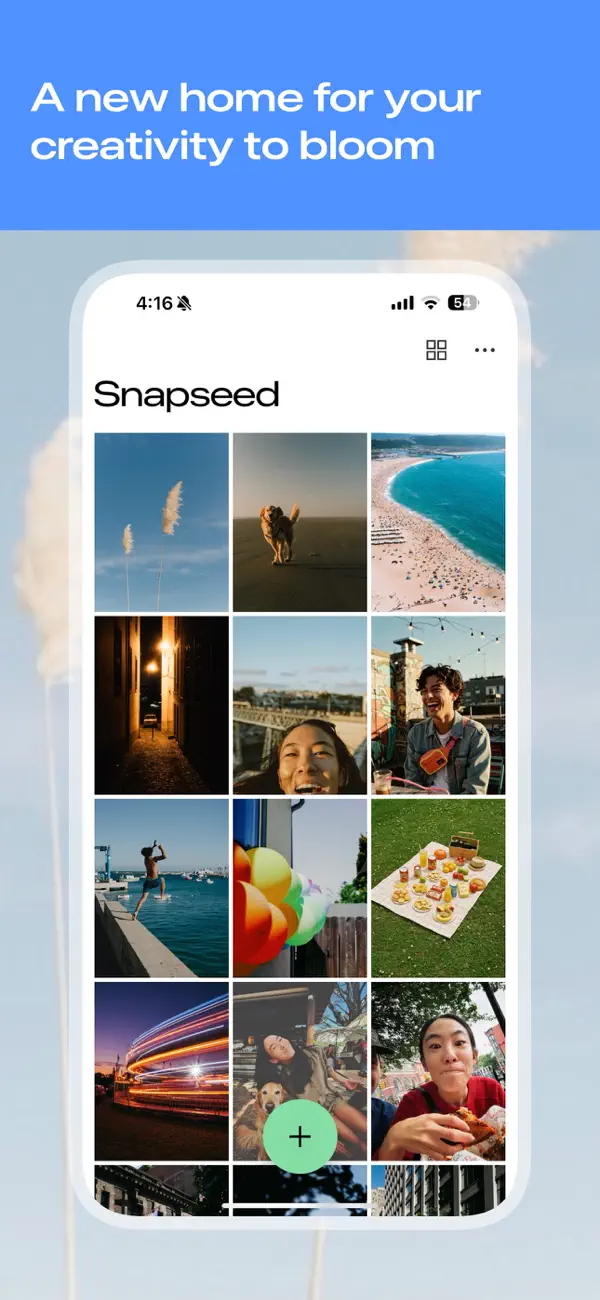
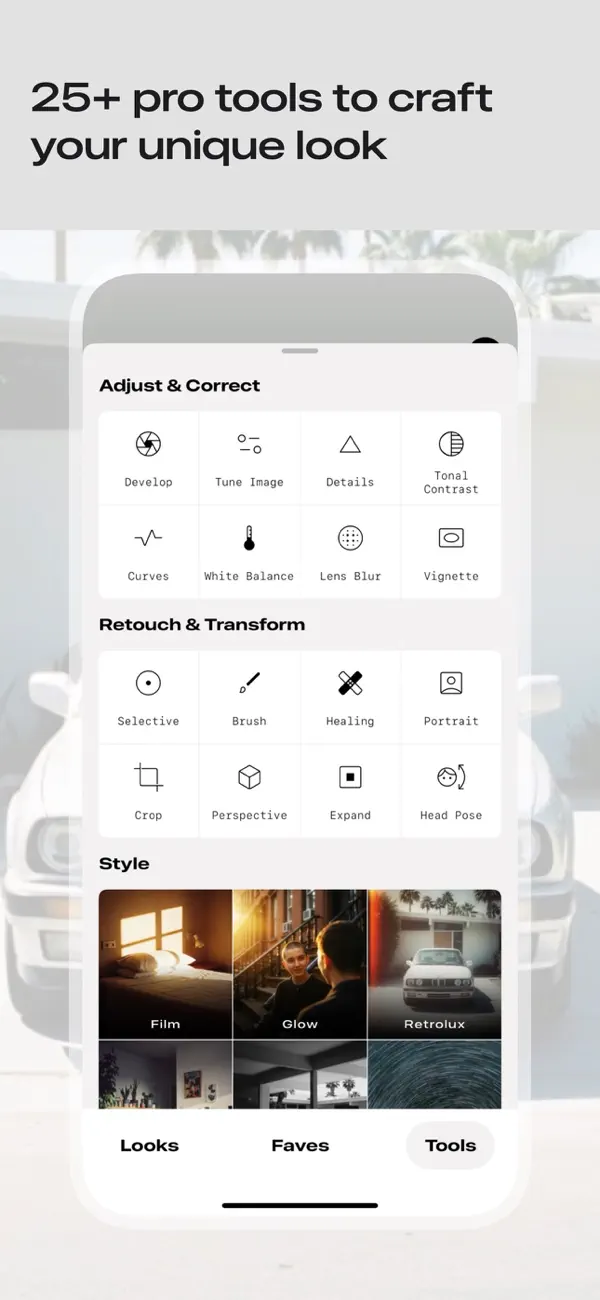
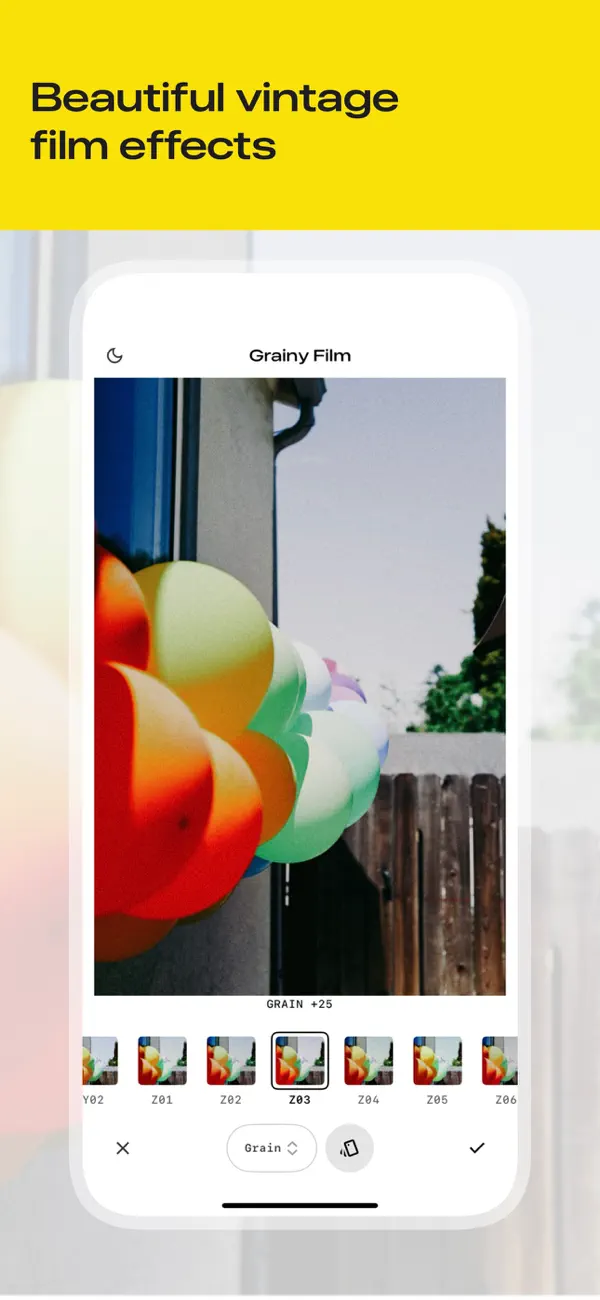
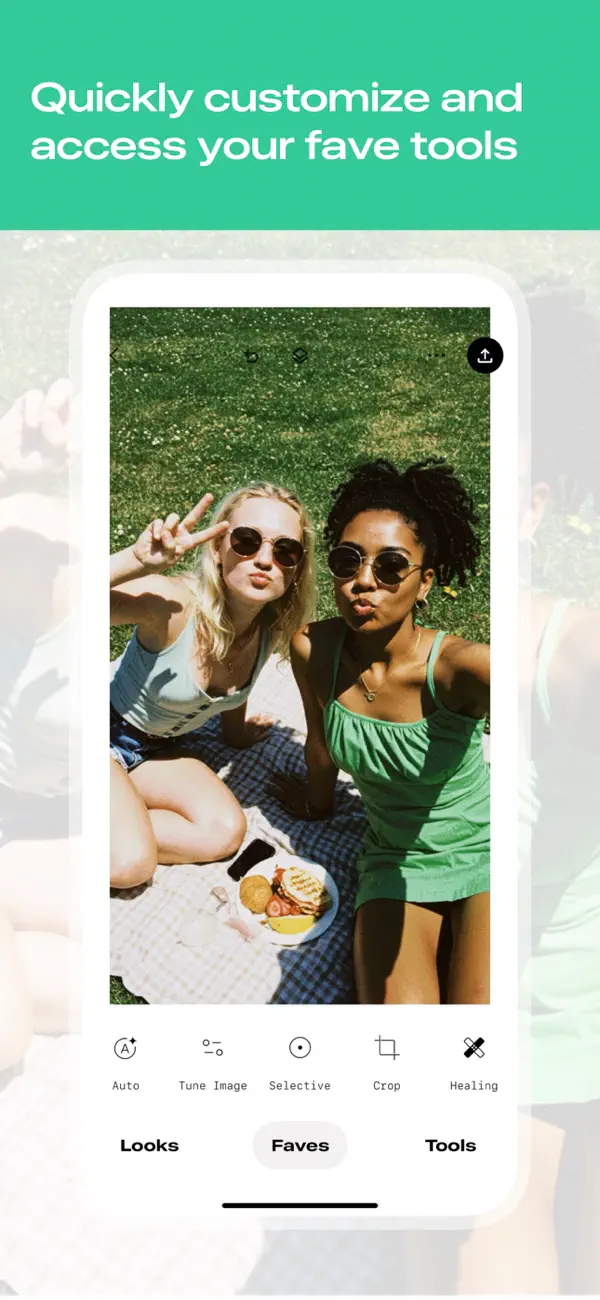


Ad
價格歷史
- 目前價格: 免費
- 最小值: 免費
- 最大值: 免費
追蹤票價
AppAgg 評價
97,700
AppAgg 預估評價:
Snapseed: Photo Editor
97,700 傳奇
評價越高,通常代表在 AppAgg 上的信號越強。
基於: 人氣 · 使用者評分 · 新鮮度 · 優惠 · 商店資料 · 社群活躍度
根據最新 AppAgg 資料每日重新計算。
縮短網址: 已複製!
新功能
- 版本: 4.0.1
- 最後更新:
- We’ve refreshed the Snapseed experience to make your editing process smoother and more intuitive. This milestone update also includes two powerful new tools designed to bring the soul of classic cinematography to your mobile photography:
• Refreshed Interface and Expanded Favorites: We’ve updated the look and feel of the app for a smoother, more intuitive workflow. You can now further customize your workspace by adding more favorited tools, keeping your most-used features right at your fingertips.
• Add a dreamlike glow with Bloom: Give your photos a soft, ethereal quality inspired by vintage haze filters. The Bloom tool expands light sources into a gentle glow—use Strength to control the intensity, Size to set the spread of the haze, and Range to target exactly which tones catch the light.
• Capture the cinematic warmth of Halation: Recreate the iconic red-orange fringe found in classic film stocks. This effect simulates light reflecting off the film base for a truly authentic look. Use Threshold to pick your light sources and Strength to dial in the perfect color intensity.
explore the new look and find your glow,
team snapseed
其他資訊
- 發行日期:
- 類別 :
iOS 應用程式›攝影 - OS:
iPad,iPhone,iOS 17.0 以上版本 - 大小:
202 Mb - 支援的語言 :
Arabic,Bengali,Bulgarian,Catalan,Chinese,Croatian,Czech,Danish,Dutch,English,Finnish,French,German,Greek,Hebrew,Hindi,Hungarian,Indonesian,Italian,Japanese,Kazakh,Korean,Lithuanian,Malay,Norwegian,Polish,Portuguese,Romanian,Russian,Slovak,Slovenian,Spanish,Swedish,Thai,Turkish,Ukrainian,Vietnamese - 內容分級:
4+ - App Store 評分:
4.9(12,258) - 個人網站:
 http://snapseed.com
開發人員
- 平台: iOS 應用程式 (67) macOS 應用程式 (1) Steam 遊戲 (7) Nintendo 遊戲 (1)
- 清單: 129 + 44
- 點數: 317 + 93,137,314 ¡
- 排名: 4.9 (17)
- 註釋: 0
- 折扣: 0
- 影片: 6
- RSS: 訂閱
清單 (6)
- Snapseed: Photo Editor


排名 (1)
-

- 119,120 AppAgg
- 5
註釋 (0)
成為第一個發表評論的人
簡要
Snapseed: Photo Editor 縮短網址: 已複製!- 分享
- App Store
«Snapseed: Photo Editor». 平台: iOS. 類別: 攝影. 開發商: «Google». 首次發布: . 最後更新: . 目前價格: 免費. 應用程式綜合評分: 5 / 5. 投票數: 1. 列表: 公開: 6, 私人: 3. 追蹤點: 已確認: 3, 間接: 12,258. 商店: App Store. 店家評價: 4.9. 投票數: 12,258. 可用語言: Arabic, Bengali, Bulgarian, Catalan, Chinese, Croatian, Czech, Danish, Dutch, English, Finnish, French, German, Greek, Hebrew, Hindi, Hungarian, Indonesian, Italian, Japanese, Kazakh, Korean, Lithuanian, Malay, Norwegian, Polish, Portuguese, Romanian, Russian, Slovak, Slovenian, Spanish, Swedish, Thai, Turkish, Ukrainian, Vietnamese. AppAgg 會追蹤 «Snapseed: Photo Editor»的價格歷史、評分和用戶回饋。 AppAgg 不託管應用程式或分發軟體。 所有商標、標誌和螢幕截圖均屬於其各自所有者。 關注未來折扣和更新: RSS
類似
-
- Body Tune - Face Photo Editor
- iOS 應用程式: 攝影 由: Face & Body Tune Photo Editor, Societatea cu Raspundere Limitata
- 免費
- 清單: 0 0 0
- 點數: 3 + 152,020 78K · 傳奇 版本: 2.6.5 Body Tune is a powerful body editor app with which you can easily get a slim and skinny body. Photo body reshaping has never been easier! Whether you want to slim, increase or ...
-
- LUMINS - Light Photo Editor
- iOS 應用程式: 攝影 由: AI Photo Editor Lab SRL
- 免費
- 清單: 0 0 0
- 點數: 5 + 2,037 32K · 白金 版本: 2.7 Create expressive, natural and cinematic light with LUMINS. LUMINS takes its name from the Latin word Lumen, Luminis , which means light . This origin reflects the purpose of the app: ...
-
- Photo Editor
- iOS 應用程式: 攝影 由: Maple Media Apps, LLC
- 免費
- 清單: 1 5 (1) 0
- 點數: 6 + 43,075 73K · 傳奇 版本: 5.5.8 Photo Editor, is one of the most powerful design studios that fits in the palm of your hands. With over 50 million installs, Photo Editor is the premier all-in-one editor to fulfill ...
-
- Photo Editor · Retouch & Edit
- iOS 應用程式: 攝影 由: Luni
- 免費
- 清單: 0 0 0
- 點數: 6 + 11,029 33K · 白金 版本: 2.0.9 #1 photo editor & pic collage maker on mobile to share your best memories! Use more than a 1000 fonts, stickers and layouts to transform any picture into a masterpiece! ° Clipping - ...
-
- Photo Editor Effects + Filters
- iOS 應用程式: 攝影 由: VINCI APPS
- 免費
- 清單: 0 5 (1) 0
- 點數: 6 + 1,351 30K · 白金 版本: 2.3.25 Simple yet powerful, Photo Editor makes it easy to edit your favorite pics the way you like. Our huge collection of filters and effects is designed to make any picture stand out: try ...
-
- Photo Splash photo editor app
- iOS 應用程式: 攝影 由: pixel force private limited
- 免費
- 清單: 0 0 0
- 點數: 4 + 6,305 41K · 傳奇 版本: 3.21.45 Photo splash , is a free application that lets users to make very nice photos with selective colorization effects popularly known as Photo Splash. Features: 1. Gesture detection, pinch
-
- Photomator – Photo Editor
- iOS 應用程式: 攝影 由: Apple
- 免費
- 清單: 15 + 16 0 0
- 點數: 31 + 3,609 98K · 傳奇 版本: 3.4.14 Photomator is the most powerful photo editing app ever designed for a mobile device. It includes an extensive collection of cutting-edge color adjustments, automatic selections powered
-
- Blur Photo Editor
- iOS 應用程式: 攝影 由: Sohel Ibna Saad
- 免費
- 清單: 1 5 (1) 0
- 點數: 5 + 10,389 46K · 傳奇 版本: 5.9.1 Blur Photo Editor is the best photo blurring and mosaic app for iPhone and iPad, designed to blur backgrounds and create professional-looking photos. Easily blur or pixelate faces, ...
-
- Filterloop: Photo Editor
- iOS 應用程式: 攝影 由: WONDER
- 免費
- 清單: 0 0 0
- 點數: 2 + 13,150 31K · 白金 版本: 4.0.5 Filterloop is a premium all-inclusive photo editor that you will fall in love with! MAKE ADJUSTMENTS Precisely adjust saturation, contrast, hue, exposure, brightness, and more. You ll ...
-
- Avatan – Photo Editor
- iOS 應用程式: 攝影 由: Avatan Studio, LLC
- 免費
- 清單: 0 0 0
- 點數: 2 + 5,747 35K · 傳奇 版本: 5.35 Avatan is a social photo editor. It enables people to edit photos interacting with each other, while using their own processing elements. All the elements are created and added by ...
-
- Colourtone: Photo Editor
- iOS 應用程式: 攝影 由: Bonnie Curtis
- 免費
- 清單: 2 0 0
- 點數: 4 + 6,866 31K · 白金 版本: 5.5.8 Make your photos and videos look like you have a creative team. You don't. You have Colourtone. Clean, vintage, film-inspired, or full analog chaos. Filters, grain, glow, and pro tools
-
- Canva: AI Video & Photo Editor
- iOS 應用程式: 攝影 由: Canva
- 免費
- 清單: 7 + 3 0 0
- 點數: 11 + 3,358,577 406K · 傳奇 版本: 4.208.0 CREATE ANYTHING WITH CANVA Canva is your all-in-one creative platform for stunning graphic design, photo editing, and video creation. From crafting presentations and building visual ...
-
- PicCollage: Magic Photo Editor
- iOS 應用程式: 攝影 由: Cardinal Blue
- * 免費
- 清單: 0 + 2 5 (1) 0
- 點數: 7 + 1,810,685 276K · 傳奇 版本: 8.62.1 PicCollage - the app that lets you create anything to celebrate everything! With PicCollage, you can turn your photos and videos into memories you want to save and share. Whether you ...
-
- Picsart AI Photo Editor, Video
- iOS 應用程式: 攝影 由: PicsArt, Inc.
- 免費
- 清單: 5 + 2 0 0
- 點數: 19 + 1,190,959 265K · 傳奇 版本: 29.9.4 Ignite your creative potential with Picsart the all-in-one AI photo editor, AI video editor, and design studio that s free and easy to use. From business designs to AI art, go from ...