
保存済み
保存済みメニューに表示する名前を選択してください。
完了
| デベロッパー: | BPMobile (12) | ||
| 価格: | フリー | ||
| ランキング: | 5 (1) | ||
| コメント: | 0 コメントを投稿する | ||
| リスト: | 3 + 3 | ||
| ポイント: | 5 + 1,370,241 (4.8) ¡ | ||
| App Store | |||
説明

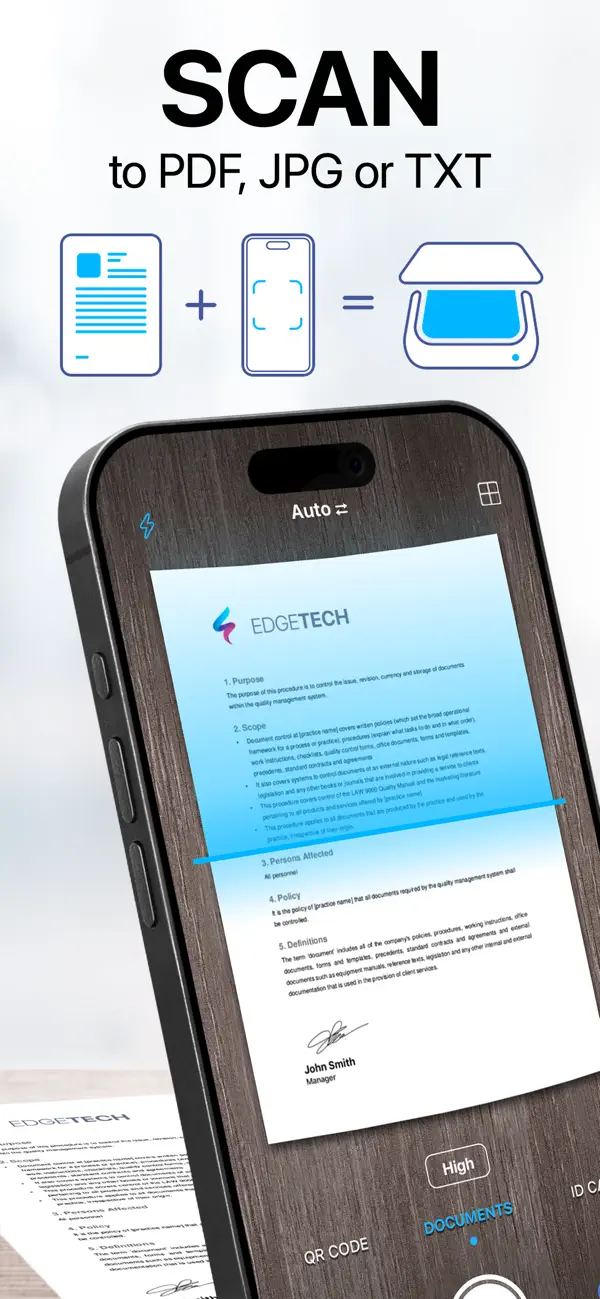
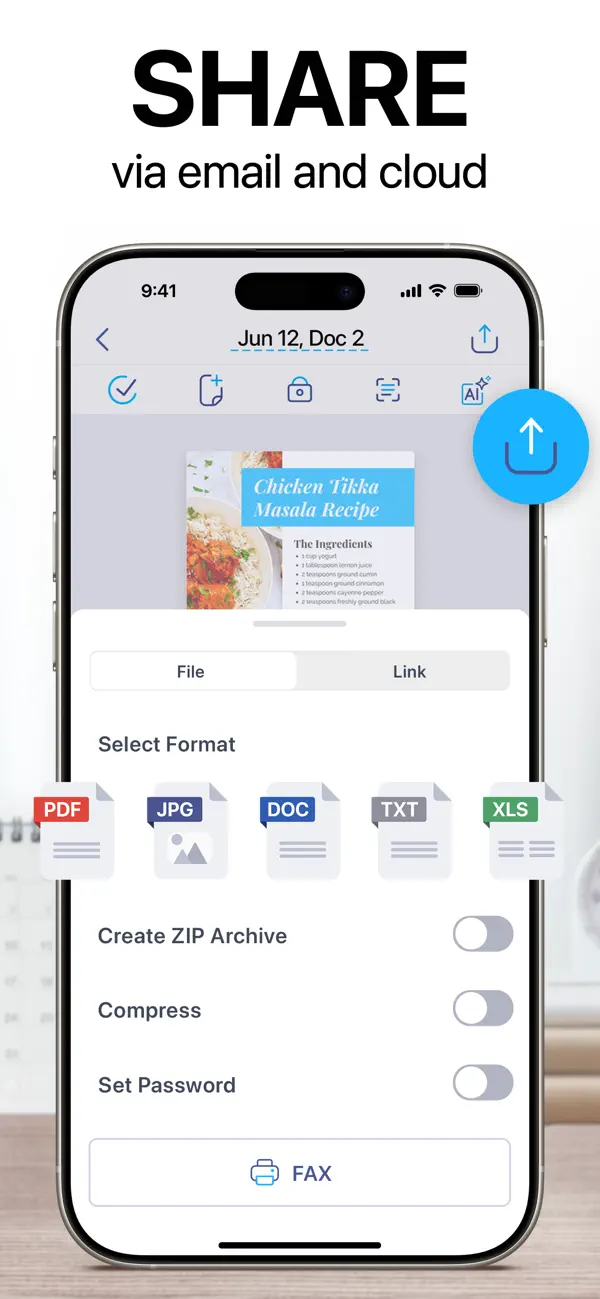
With this document scanner, you can scan everything, from receipts and ID cards to assignments and business contracts. Thanks to our in-house AI technology, it delivers clean, precise, and distortion-free results. Just scan your document and export it as a PDF, JPG, DOC, XLS, PPT, or TXT file. Whether you’re a remote worker, business professional, student, teacher, or anyone on the go, our scanner is built for you.
With over 125 million users worldwide, iScanner is a complete AI-powered digital office, right on your iPhone or iPad. Need a bigger screen? Use the web version to manage your scanned files.
Here’s what you’ll get:
AI-POWERED DOCUMENT SCANNER
– Improve scan quality with color correction and noise reduction
– Have document borders detected and adjusted automatically
– Straighten pages and fix curved or skewed scans
– Remove fingerprints, folds, and distortions
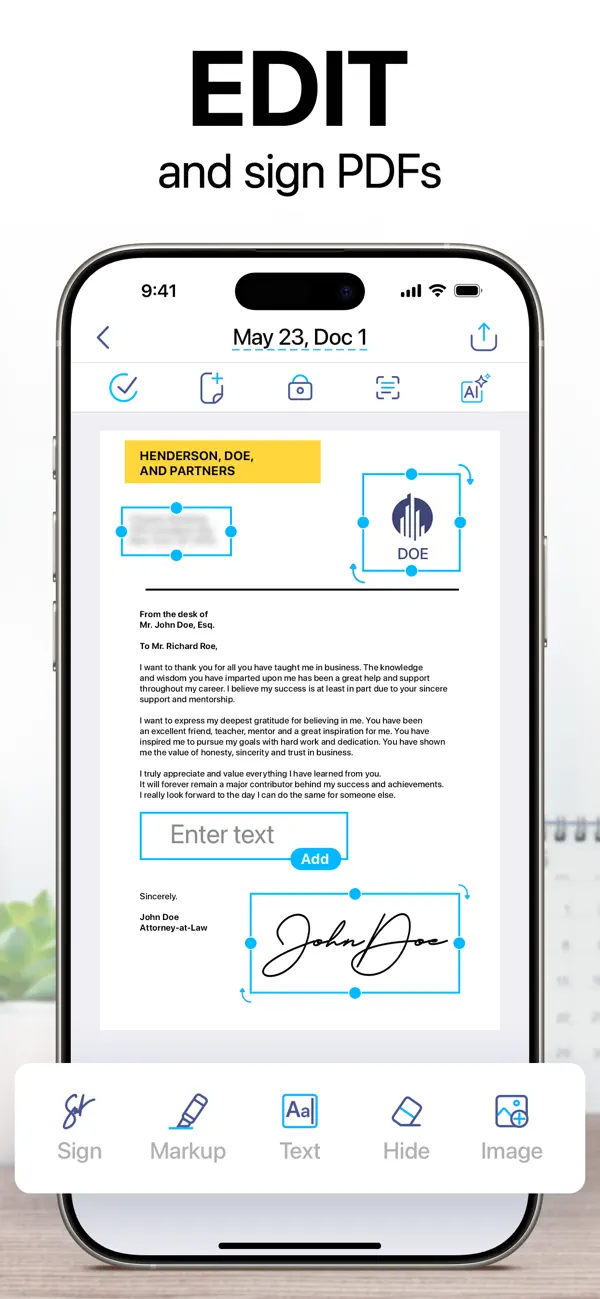
ALL-IN-ONE FREE DOCUMENT EDITOR AND FILE MANAGER
– Sign your scan manually or insert a signature from an image
– Mark up documents and blur or cover sensitive text
– Add text to forms or autofill documents using custom templates
– Split your scan into separate pages or merge documents into one
– Rotate and reorganise pages, number pages, and insert footers
– Organize files into folders and move them with drag & drop
IN-HOUSE OCR & AI PDF ASSISTANT
– Recognize text in 20+ languages, using fast, in-house OCR built into the scanner
– Instantly copy text and images from scanned paper documents
– Convert scans into editable DOC or TXT formats with one tap
– Search PDF files by file name or by text within the document
– Use AI Chat with your PDFs to summarize, translate, rewrite, or ask questions about scanned and recognized text
SECURE CROSS-PLATFORM ACCESS
– Store your documents in a secure AWS cloud
– Sync files and folders across all your devices
– Access, transfer, and view your files from any platform or web browser, anytime
– Use one subscription for our scanner across all your devices
– Import files from Gmail, Google Drive, and Apple Files
ON-DEVICE PRIVACY & PROTECTION
– Keep confidential documents stored directly on your device (with no access for developers or third parties)
– Protect the app and folders with a PIN, Face ID, or Touch ID
– Password-protect your PDFs and set custom expiration dates for shared links
– Set up a decoy password to block unwanted access with a fake login
MULTI-MODE SCANNER FOR EVERY TASK
– VARIOUS DOCUMENTS: Use the document scanner to scan business, school, or personal files like contracts, school assignments, or handwritten notes
– ID DOCUMENTS: Create secure copies of your passport, ID card, and driver’s license
– MATH: Solve complex equations using AI
– AREA: Measure object dimensions and calculate area
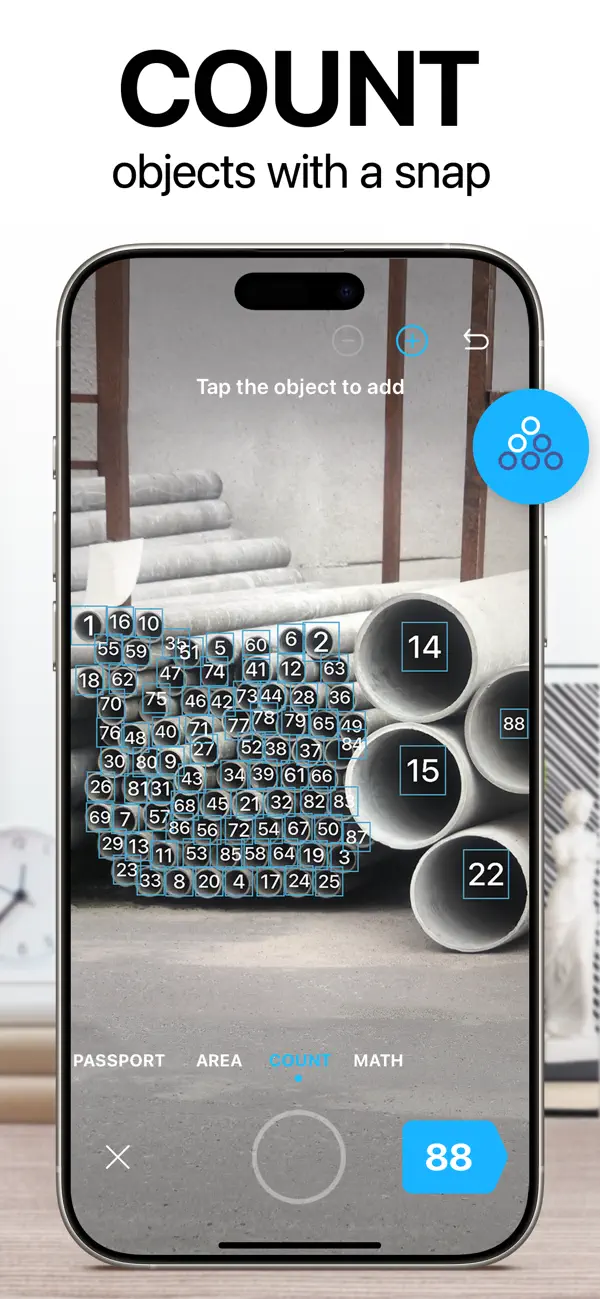
– COUNT: Automatically detect and count similar objects
– QR CODE: Instantly read any QR code with your device’s camera
SUSTAINABILITY IN ACTION
Since 2015, iScanner has helped millions cut paper use and build eco-conscious habits. With our scanner, users can track their actual impact on nature and save hundreds of trees every day by replacing prints with digital copies. Join them and earn eco certificates for going paperless!
SUBSCRIPTION DETAILS
• iScanner Pro unlocks all scanner features
• You won’t be charged until purchase confirmation
• Your subscription will auto-renew 24 hours before its expiration date
• Manage or cancel your subscription anytime in your App Store settings
Privacy policy: http://iscanner.com/mobileapp/privacy
Terms of use: http://iscanner.com/mobileapp/terms
We’d love to hear from you! Please leave a review to help us make our document scanner even better. You can also get in touch with us at http://iscannerapp.com/scanner/support.
Ad
スクリーンショット
価格履歴
- 現在の価格: フリー
- 最小値: フリー
- 最大: フリー
料金のチェック
新機能
- バージョン: 6.0
- アップデート:
- Thanks for using iScanner! In this version:
– Scan and straighten documents faster
– Minor design improvements for easier navigation
We love getting feedback from all of you! Please leave your reviews so we can keep making the app even better.
情報
- リリース日:
- カテゴリ:
iOS アプリ›ビジネス - オペレーティング システム:
iPad,iPhone,iOS 17.0 以上 - サイズ:
280 Mb - サポートされる言語:
Chinese,Danish,Dutch,English,French,German,Hindi,Indonesian,Italian,Japanese,Korean,Malay,Norwegian,Polish,Portuguese,Russian,Spanish,Swedish,Thai,Turkish - コンテンツのレーティング:
4+ - App Store 評価:
4.8(1,370,241) - ウェブサイト:
 http://bpmobile.com/
デベロッパー
リスト (3)
- iScanner: PDF Document Scanner


ポイント (5)
-

- 59 조계준
- +1
-
- 1,331 first241
- +1
-
- 97 yang xinqi
- +1
-
- 49 Samson
- +1
-
- 78 Dragon
- +1





ランキング (1)
-
- 119,190 AppAgg
- 5

コメント (0)
最初にコメントしてください 🌟
«iScanner: PDF Document Scanner». プラットフォーム: iOS. カテゴリ: ビジネス. 開発者: «BPMobile». 最初のリリース: . 最終更新日: . 現在の価格: 無料. AppAgg の評価: 5 / 5. 投票: 1. リスト: 公開: 3, 非公開: 3. 追跡ポイント: 確認済み: 5, 間接: 1,370,241. ストア: App Store. ストア評価: 4.8. 投票: 1,370,241. 利用可能な言語: Chinese, Danish, Dutch, English, French, German, Hindi, Indonesian, Italian, Japanese, Korean, Malay, Norwegian, Polish, Portuguese, Russian, Spanish, Swedish, Thai, Turkish. AppAgg は «iScanner: PDF Document Scanner»の価格履歴、評価、ユーザーフィードバックを追跡します。 今後の値下げと更新をフォロー: RSS で確認できます. AppAgg はアプリケーションをホストしたり、ソフトウェアを配布したりしません。 すべての商標、ロゴ、スクリーンショットはそれぞれの所有者に帰属します。
iScanner: PDF Document Scanner 短縮 URL: コピーしました!- 🌟 シェア
- App Store
類似
-
- Tiny Scanner - PDF Scanner App
- iOS アプリ: ビジネス 作者: TinyWork Apps
- フリー
- リスト: 0 0 0
- ポイント: 1 + 172,903 (4.8) バージョン: 8.16.1 Trusted by millions worldwide for more than 10 years. Simple, fast and professional. From seniors to students, from IDs to notes, anyone can get a perfect scan in seconds. Scan ... ⥯
-
- Scanner App: Genius Scan
- iOS アプリ: ビジネス 作者: The Grizzly Labs
- フリー
- リスト: 0 + 2 0 0
- ポイント: 3 + 1,319,283 (4.9) バージョン: 8.9 Genius Scan is a document scanner app in your pocket. Quickly scan your paper documents on the go and export them as multi-page PDF files. Apple App of the Week 20+ million users 1000s ⥯
-
- Scanner Pro・Scan PDF Documents
- iOS アプリ: ビジネス 作者: Readdle Technologies Limited
- * フリー
- リスト: 9 + 6 0 0
- ポイント: 7 + 327,523 (4.9) バージョン: 8.36.1 Effortlessly scan, organize, and share documents on the go to have everything you need at your fingertips. Scanner Pro brings you high-quality document scan technology in a convenient ... ⥯
-
- Adobe Scan: PDF & OCR Scanner
- iOS アプリ: ビジネス 作者: Adobe Inc.
- フリー
- リスト: 0 + 2 0 0
- ポイント: 4 + 1,538,438 (4.9) バージョン: 26.03.19 The new Straighten tool fixes pages that come out curved or tilted while you scan. It lines everything up automatically so your PDFs look neat and professional, with no extra steps ... ⥯
-
- TurboScan™ Pro: PDF scanner
- iOS アプリ: ビジネス 作者: Piksoft Inc.
- $9.99
- リスト: 5 + 8 0 5 (1)
- ポイント: 19 + 293,107 (4.9) バージョン: 3.4.0 TurboScan turns your iPhone into a full-featured and powerful scanner for documents, receipts, books, photos, whiteboards, and more. You can quickly and accurately scan your multipage ... ⥯
-
- Scan Hero: PDF Scanner
- iOS アプリ: ビジネス 作者: Mosaic S.r.l.
- フリー
- リスト: 0 0 0
- ポイント: 0 + 241,073 (4.7) バージョン: 4.24.35 Looking for a mobile assistant? Try the Scan Hero app to corral your paperwork and scan documents on the go! Scan Hero helps you run your business in the ever-changing digital world. ... ⥯
-
- FAX from iPhone: Send Doc App
- iOS アプリ: ビジネス 作者: Municorn Limited
- フリー
- リスト: 0 0 0
- ポイント: 0 + 362,541 (4.8) バージョン: 2.13.20 Send & receive faxes from iPhone or iPad on the go. Fast and easy! No Fax Machine Required! Send any document everywhere. NO need to use an old school fax machine or go to a fax ... ⥯
-
- QuickBooks Workforce
- iOS アプリ: ビジネス 作者: Intuit Inc.
- フリー
- リスト: 0 0 0
- ポイント: 0 + 183,772 (4.6) バージョン: 5.16.1 QuickBooks Workforce an app for QuickBooks Payroll and QuickBooks Time (formerly TSheets) lets teams view pay info and track time in one place. Pay features are available to businesses ⥯
-
- FaxFree: Send Fax From iPhone
- iOS アプリ: ビジネス 作者: BPMobile
- フリー
- リスト: 0 0 0
- ポイント: 1 + 159,693 (4.8) バージョン: 3.30 Turn your device into a fax machine! Scan docs with a camera and send faxes worldwide. Import files from Photos or clouds, sign pages, edit docs, and fax them in a few taps. FaxFree ... ⥯