
| Desarrollador: | Furnace Creek Software LLC (23) | ||
| Precio: | * Gratis | ||
| Clasificaciones: | 0 | ||
| Opiniones: | 0 Escribir una opinión | ||
| Comentarios: | 0 Publicar comentario | ||
| Listas: | 2 + 1 | ||
| Puntos: | 12 + 144 (4.7) ¡ | ||
| App Store | |||
Descripción

PROJECTS GALLERY
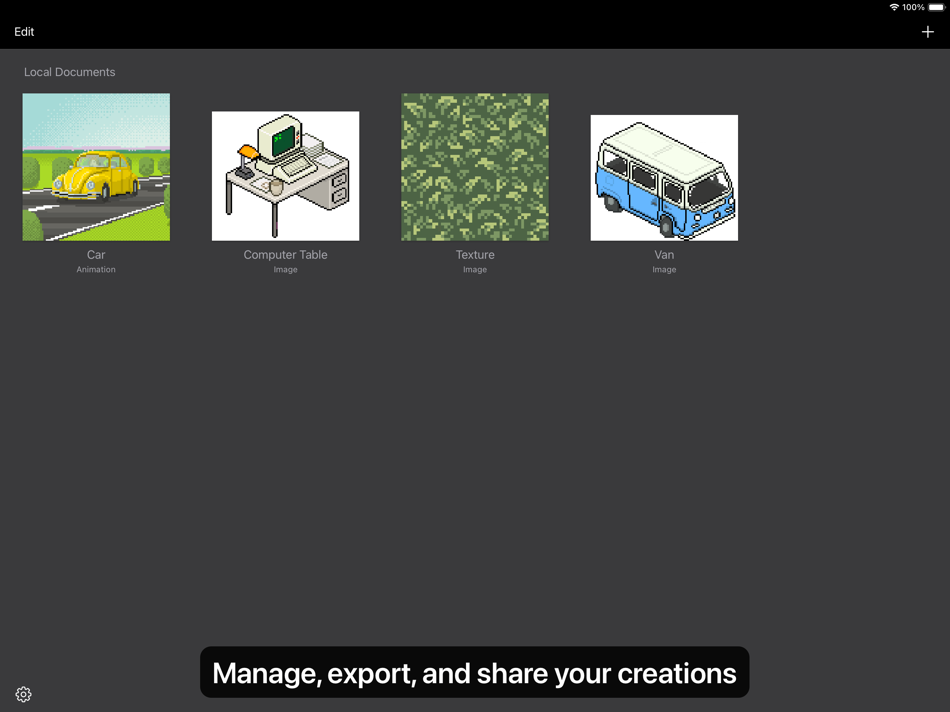
The Pixen experience starts in the projects gallery, which allows you to manage all of your creations in one place. You can import and export files in various file formats including PNG, JPEG, GIF, ICO, BMP, TIFF, SVG, and PSD. Files can be imported from your Photos library, the Files app, or the clipboard. Pixen for macOS users can take advantage of seamless iCloud sync. When you're ready, you can share your creations with friends.
TOOLS AND APPLE PENCIL
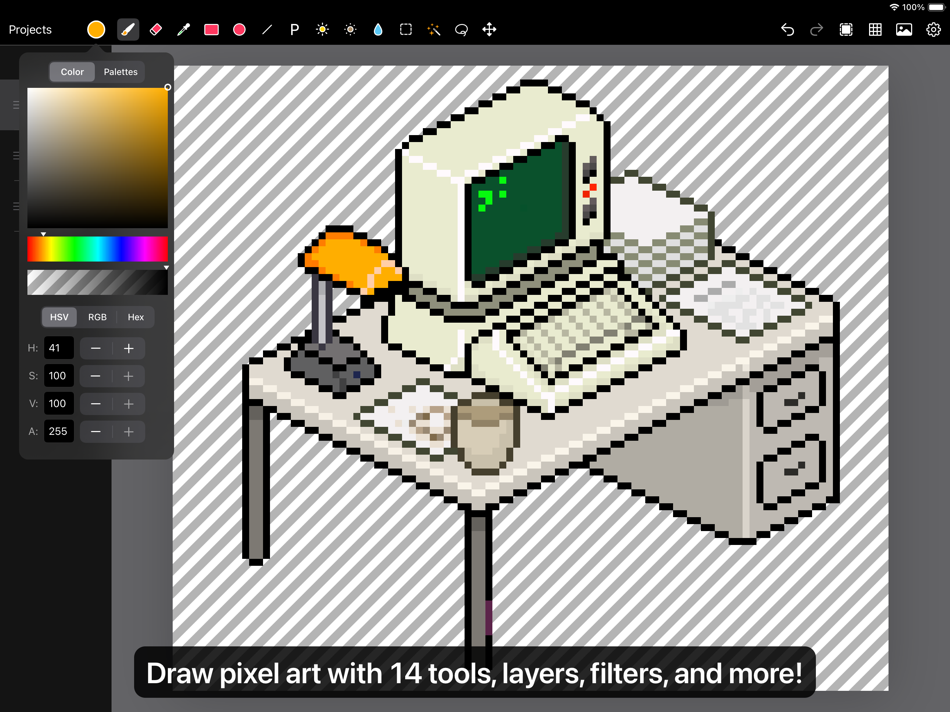
Leverage Pixen's wide array of tools when composing pixel art: Pencil, Eraser, Brightness, Text, Eyedropper, Zoom, Rectangular Selection, Magic Wand, Lasso, Move, Fill, Line, Rectangle, and Ellipse.
All of Pixen's tools are fully compatible with Apple Pencil on iPad. You can take advantage of the double-tap gesture on Apple Pencil 2 to quickly switch to your last tool, switch to the eraser, or bring up the color picker. Pixen even has hover support when using Apple Pencil Pro, so you can see a preview of what you're about to draw before your Apple Pencil touches the screen.
COLOR PALETTES
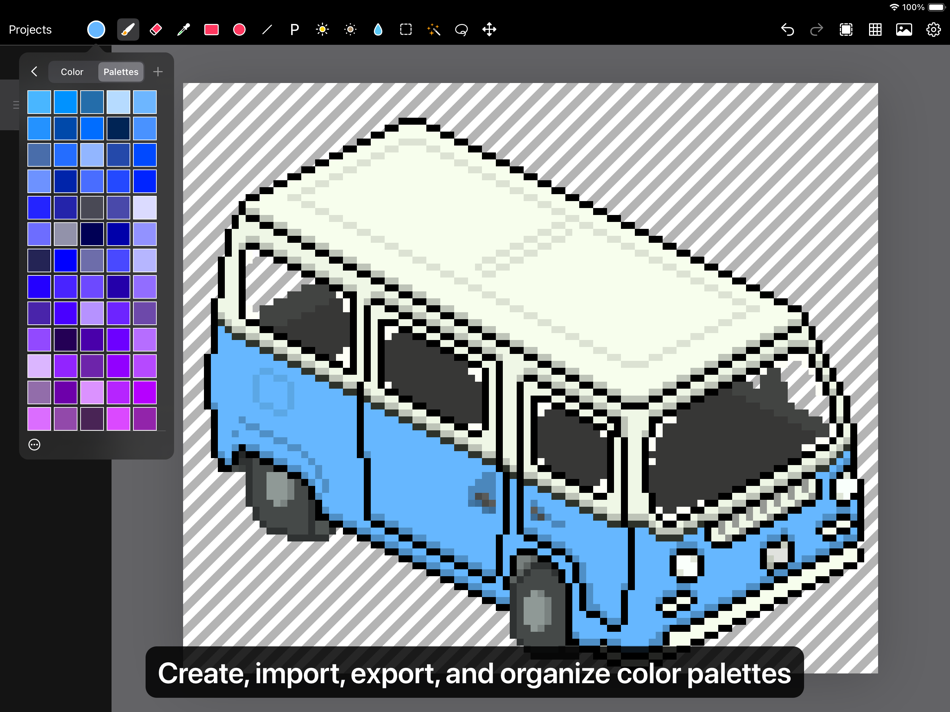
With Pixen, you can add and organize commonly-used colors into palettes. Pixen can also import and export color palettes in the Adobe Color Table, Microsoft Palette, JASC Palette, and GIMP Palette formats. You can even perform palette operations such as sorting colors and removing duplicate colors directly in the app.
ANIMATIONS
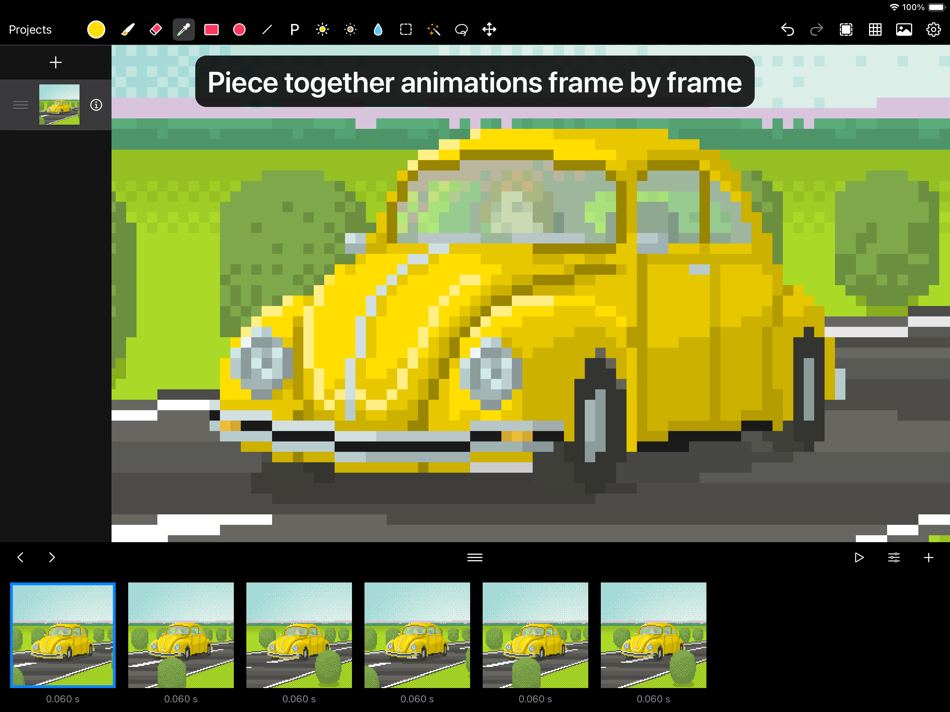
Create and arrange image frames in the filmstrip view to piece together animations. Pixen can import animated PNGs, animated GIFs, and sprite sheets. It can export animations as animated GIFs, animated PNGs, movies, image sequences, and sprite sheets!
GRID
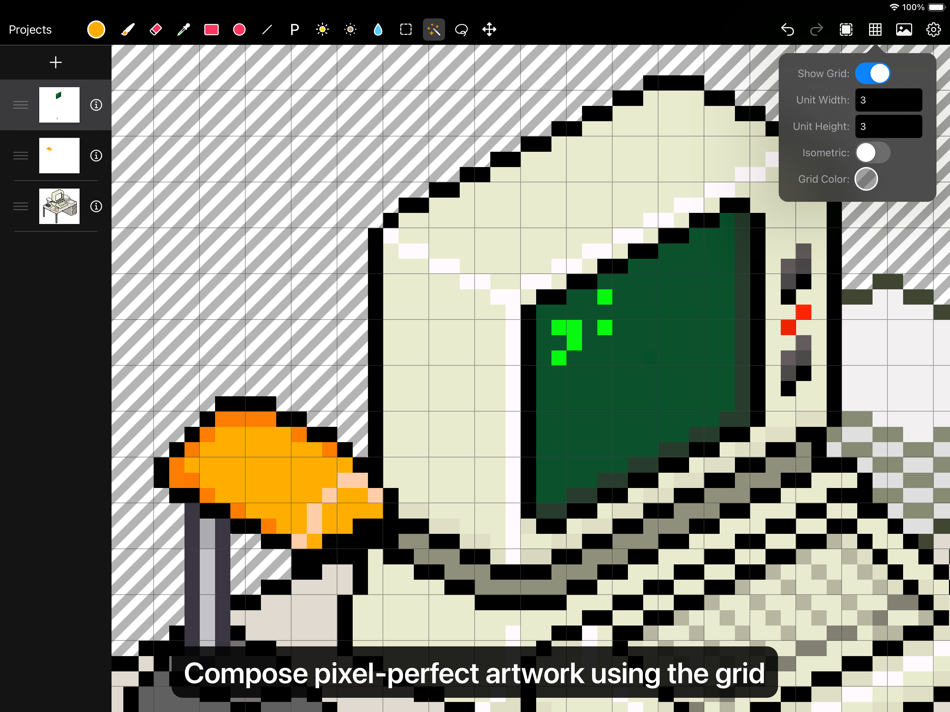
Take advantage of Pixen's grid and alignment tools and create pixel-perfect artwork.
PATTERNS
Define custom patterns to use while drawing with the Pencil, Line, or Eraser tool (instead of a single pixel). You can even import patterns from 1-bit images.
PREVIEW
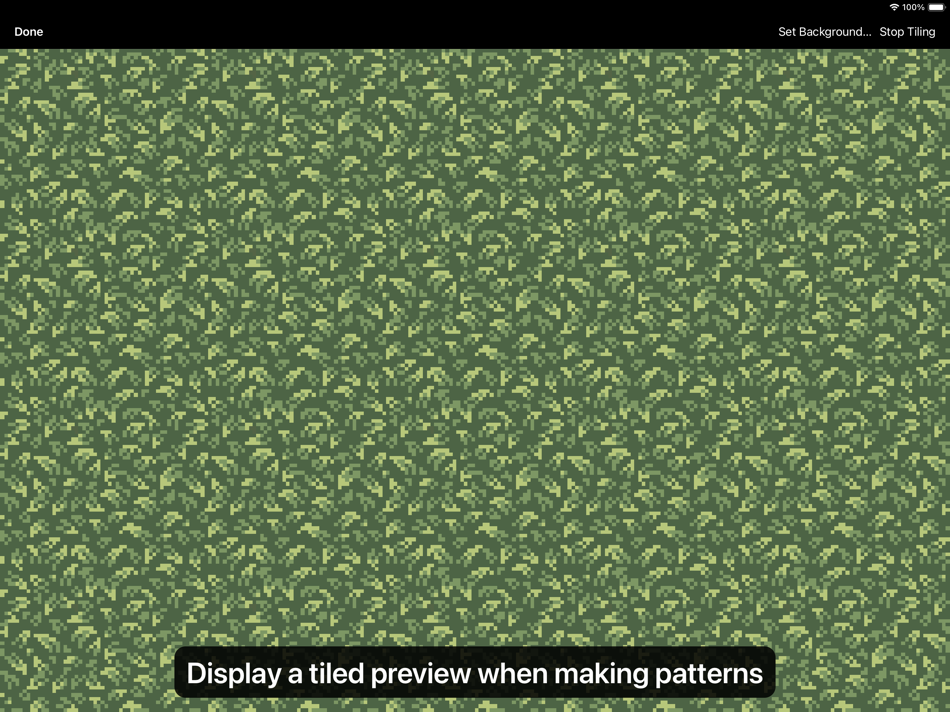
While editing at high zoom levels, use the Preview feature to view the canvas scaled out. You can play back animations and tile small images, useful when working on repeated patterns.
AND A LOT MORE...
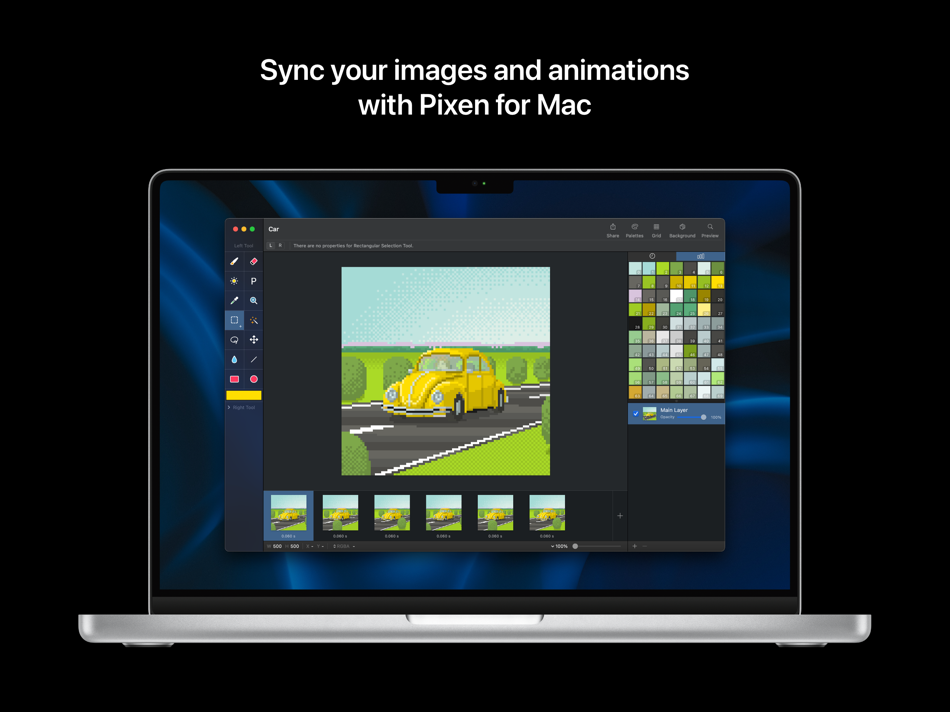
- Sync your creations with Pixen for Mac over iCloud and resume your work right where you left off, regardless of device.
- Take advantage of the flexibility of layers and change opacities, blend modes, and more to compose creative effects.
- Invert colors, convert to grayscale, apply sepia tone, remove alpha components, palettize, pixellate, adjust hue, exposure, brightness, contrast, and more.
- Pixel Perfect mode removes extra pixels while drawing such that any drawn paths are at most 1 pixel in width. In other words, it removes the middle pixel of an L shape.
- Pick a flat, striped, or checkered background to be drawn beneath the canvas, or set a reference image.
- If you use your iPad with a keyboard, increase productivity with Pixen's wide array of keyboard shortcuts.
- Export your artwork in PNG, JPEG, GIF, ICO, BMP, TIFF, SVG, and PSD file formats.
- Share your creations quickly and easily via AirDrop, Messages, email, and more!
- Adjust the size and position of Pixen's sidebars, customize the Apple Pencil 2 double-tap gesture, and more.
Pixen is also available for macOS and is the only pixel art maker of its class that syncs projects with iCloud!
Ad
Capturas...
Novedades
- Versión: 4.0
- Actualizado:
- Pixen 4 is a major update that introduces a fresh new design, iPhone support, and more advanced editing features.
- Enjoy a refreshed design on iOS 26 with Liquid Glass
- Run Pixen on iPhone for the first time and edit your projects on the go
- Manage your creations more easily with the new document browser
- Sync your work via third-party file providers like Dropbox
- Use the app in Light Mode if you prefer a lighter environment (instead of Dark Mode)
- Work in different documents in separate windows
- Discover and access Pixen's features from the menu bar
- Speed up drawing symmetrical objects with the Mirror X / Mirror Y options for the Pencil tool
- Use the new "Clone Layer to All Frames" command to propagate layer changes to all frames in an animation, perfect for updating a background that is shared across all frames
- Adjust the size of the layers / color palettes sidebar
- Hide and show the layers / color palettes sidebar to free up canvas space
- Hide and show tool properties to free up canvas space
- Customize the toolbar to access common commands more easily
- Added a new command for selecting visible pixels
- Improved thumbnail rendering in the Files app
Historial de precios
-
* Compras en la aplicación - Hoy: Gratis
- Mínimo: Gratis
- Máximo: $7.99
Realizar un seguimiento de los precios
Ad
Desarrollador
- Furnace Creek Software LLC
- Plataformas: iOS Aplicaciones (13) macOS Aplicaciones (10)
- Listas: 10 + 5
- Puntos: 79 + 202 ¡
- Clasificaciones: 0
- Opiniones: 0
- Comentarios: 0
- Descuentos: 0
- Vídeos: 0
- RSS: Suscribirse
Puntos (12)


Clasificaciones (0)
0 ☹️
Listas (2)
- Pixen - pixel art editor

Opiniones (0)
Sé el primero en escribir una reseña 🌟
Comentarios (0)
Sé el primero en comentar 🌟
Información adicional
- Versión: 4.0
- Categoría:
iOS Aplicaciones›Diseño gráfico - Sistemas operativos:
iPad,iPhone,iOS 18.0 y versiones posteriores - Tamaño:
9 Mb - Idiomas admitidos:
English - Clasificación de contenido:
4+ - App Store Puntuación:
4.7(144) - Actualizado:
- Fecha de lanzamiento:
Contactos
- Sitio:
 https://pixenapp.com/ios/
«Pixen - pixel art editor». Plataforma: iOS. Categoría: Diseño gráfico. Desarrollador: «Furnace Creek Software LLC». Primer lanzamiento: . Última actualización: . Precio actual: gratis. Este título aún no ha recibido calificaciones ni reseñas en AppAgg. Listas: públicas 2, privadas 1. Puntos rastreados: confirmados 12, indirectos 144. Tienda: App Store. Calificación de la tienda: 4.7. Votos: 144. Idiomas disponibles: English. AppAgg rastrea el historial de precios, las calificaciones y los comentarios de los usuarios para «Pixen - pixel art editor». Siga futuros descuentos y actualizaciones a través de RSS. AppAgg no aloja aplicaciones ni distribuye software. Todas las marcas comerciales, logotipos y capturas de pantalla pertenecen a sus respectivos propietarios.
Pixen - pixel art editor URL corta: Copiado!- 🌟 Compartir
- App Store
También te puede interesar
-
- Picell - Pixel Art Editor
- iOS Aplicaciones: Diseño gráfico De: Taalaybek Aslanbek uulu
- * Gratis
- Listas: 0 + 1 Clasificaciones: 0 Opiniones: 0
- Puntos: 4 + 1 (2.0) Comentarios: 0 Versión: 2.0.2 Unleash Your Pixel Artistry with Picell! PixelVerse is your all-in-one studio for creating stunning pixel art, captivating animations, and game-ready sprites. Perfect for beginners ... ⥯
- Nueva
- PixelForge - Pixel Art Editor
- iOS Aplicaciones: Diseño gráfico De: Mohamed Nagy
- * Gratis
- Listas: 0 + 0 Clasificaciones: 0 Opiniones: 0
- Puntos: 0 + 0 Comentarios: 0 Versión: 3 Transform Your Ideas into Pixel Perfect Art PixelForge is the ultimate pixel art creation and animation studio for iOS. Whether you're a professional game developer, aspiring pixel ... ⥯
-
- Diorite Pixel Art Editor
- iOS Aplicaciones: Diseño gráfico De: Shuhei Akiyama
- Gratis
- Listas: 0 + 0 Clasificaciones: 0 Opiniones: 0
- Puntos: 0 + 1 (1.0) Comentarios: 0 Versión: 1.8.0 Diorite is your go-to drawing app for painting pixel art in your spare moments. Store an unlimited number of pixel art creations on your smartphone as long as storage permits. With a ... ⥯
-
- PixelPencil - Pixel art editor
- iOS Aplicaciones: Diseño gráfico De: Yosuke Seki
- Gratis
- Listas: 0 + 0 Clasificaciones: 0 Opiniones: 0
- Puntos: 0 + 110 (4.6) Comentarios: 0 Versión: 1.11.10 PixelPencil is an app that was created to comfortably draw pixel art. In addition to the layer function, there are also functions such as layer grouping and blend mode. You can pinch ... ⥯
-
- Pixel Art Dev
- iOS Aplicaciones: Diseño gráfico De: Benjamin Harris Jr
- * Gratis
- Listas: 0 + 0 Clasificaciones: 0 Opiniones: 0
- Puntos: 0 + 2 (5.0) Comentarios: 0 Versión: 1.0 A pixel art editor with a focus on small canvas sizes used in retro game development. ⥯
-
- Pixel Studio for pixel art
- iOS Aplicaciones: Diseño gráfico De: Farida Yarullina
- Gratis
- Listas: 0 + 1 Clasificaciones: 0 Opiniones: 0
- Puntos: 5 + 5,257 (4.7) Comentarios: 0 Versión: 5.42 Pixel Studio is a new pixel art editor for artists and game developers. Simple, fast and portable. No matter whether you are a beginner or a professional. Create amazing pixel art ... ⥯
-
- Pixel Art Sticker Maker
- iOS Aplicaciones: Diseño gráfico De: Hiroyuki Sonozuka
- Gratis
- Listas: 0 + 0 Clasificaciones: 0 Opiniones: 0
- Puntos: 1 + 0 Comentarios: 0 Versión: 17.0 Create your own pixel art and turn it into stickers. Draw dot art with an intuitive editor, collect your creations, and share them as stickers. Pixel Art Sticker Maker is a simple app ... ⥯
- Nueva
- Pixel Art Maker PixelCanvas
- iOS Aplicaciones: Diseño gráfico De: Notake Shoji
- Gratis
- Listas: 0 + 0 Clasificaciones: 0 Opiniones: 0
- Puntos: 0 + 0 Comentarios: 0 Versión: 1.1.0 Create pixel art with ease. Pixel Art Maker PixelCanvas is a pixel art editor that lets you draw on grids from 8x8 to 64x64. With 5 drawing tools, a 64-color palette, and up to 3 ... ⥯
-
- Pixel Animation - Pixel Art
- iOS Aplicaciones: Diseño gráfico De: Nguyen Van Huu
- Gratis
- Listas: 0 + 0 Clasificaciones: 0 Opiniones: 0
- Puntos: 0 + 5 (4.6) Comentarios: 0 Versión: 1.0.2 Create Adorable Pixel Art Animations with Ease! Bring your pixel creations to life with Pixel Animation - Pixel Art the fun and easy way to make GIF animations, frame by frame! Whether ⥯
-
- Pixel Art Kit
- iOS Aplicaciones: Diseño gráfico De: harry bloch
- * Gratis
- Listas: 0 + 0 Clasificaciones: 0 Opiniones: 0
- Puntos: 0 + 2 (5.0) Comentarios: 0 Versión: 1.1.1 Pixel Art Kit redefines the way you create pixel art on iOS. Designed with both novice and seasoned artists in mind, this ad-free app offers a suite of powerful, intuitive tools that ... ⥯
-
- Pixel Art Converter
- iOS Aplicaciones: Diseño gráfico De: Hon Ching Li
- Gratis
- Listas: 0 + 0 Clasificaciones: 0 Opiniones: 0
- Puntos: 0 + 8 (5.0) Comentarios: 0 Versión: 2.4 Pixel Art Converter transforms your photos into beautiful pixel art masterpieces with just a few simple taps. Whether you're a digital artist, game developer, or just love the retro ... ⥯
-
- Pixel NoNo: 67 Pixel Art Maker
- iOS Aplicaciones: Diseño gráfico De: Hai Nam Trinh
- Gratis
- Listas: 0 + 0 Clasificaciones: 0 Opiniones: 0
- Puntos: 0 + 1 (5.0) Comentarios: 0 Versión: 8 Pixel NoNo Pixel Art Maker: Create Cute Pixel Art Just Tap & Enjoy! Unleash your creativity with Pixel NoNo the easiest and most delightful way to draw Pixel Art. Choose from 20 ... ⥯
- -100%
- Pixel Art 2D to Voxel 3D
- iOS Aplicaciones: Diseño gráfico De: A5 Multimedia
- ▼ * Gratis
$1.99-100% - Listas: 0 + 0 Clasificaciones: 0 Opiniones: 0
- Puntos: 2 + 0 Comentarios: 0 Versión: 2.0.2 Turn your 2D pixel art ideas into shareable 3D creations in seconds. PixelToVoxel transforms 2D designs into clean voxel models, so you can sketch fast, preview instantly, and export ... ⥯
-
- Pixel art maker - Inktica
- iOS Aplicaciones: Diseño gráfico De: Robert Filip Odrowaz-Sypniewski
- Gratis
- Listas: 0 + 0 Clasificaciones: 0 Opiniones: 0
- Puntos: 0 + 16 (4.6) Comentarios: 0 Versión: 1.52.141 Inktica is a powerful and easy-to-use pixel art maker and texture maker, perfect for creating retro-style pixel art and game textures. Whether you're designing sprites, game assets, or ⥯