
| مطوّر البرامج: | Georgios Trigonakis (20) | ||
| السعر: | $6.99 | ||
| لتصنيفات: | 0 | ||
| المراجعات: | 0 أكتب مراجعة | ||
| قوائم: | 1 + 2 | ||
| النقاط: | 3 + 0 ¡ | ||
| Mac App Store | |||
الوصف

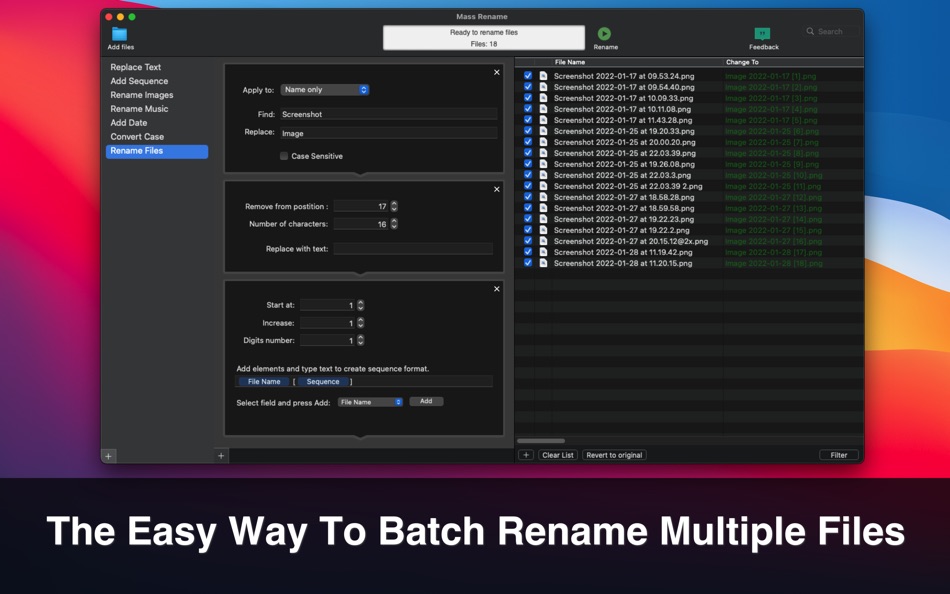
Create your custom rename workflows to rename your files.
New version: Use regular expressions to rename files!
Perfect for any kind of file renaming including music and photo files!
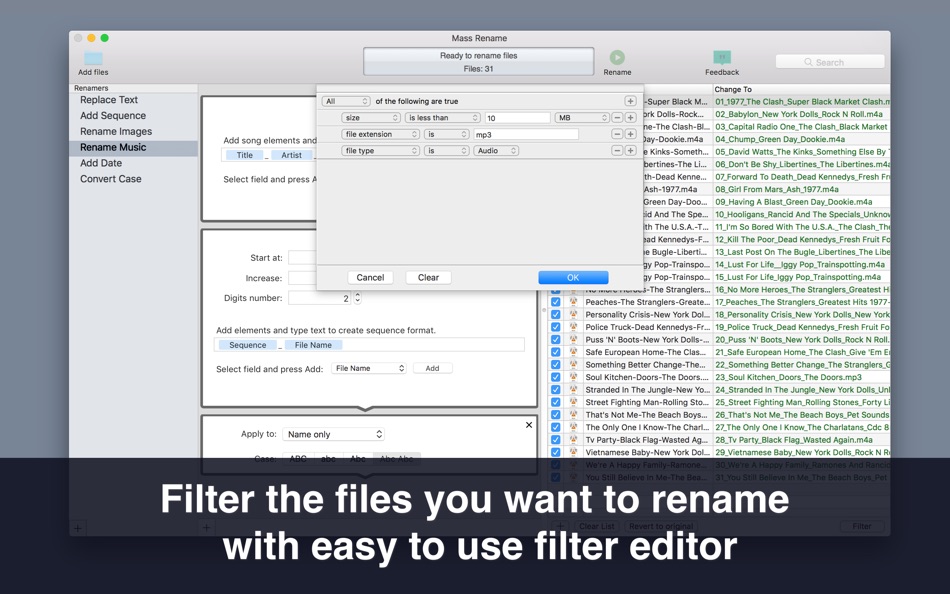
Just add the files you want to rename to the list and choose a rename action.
You can also create complex, multi-step rename sequences.
Rename files in many ways:
Convert case
Replace text
Add prefix
Add suffix
Remove specified number of characters
Insert characters to position
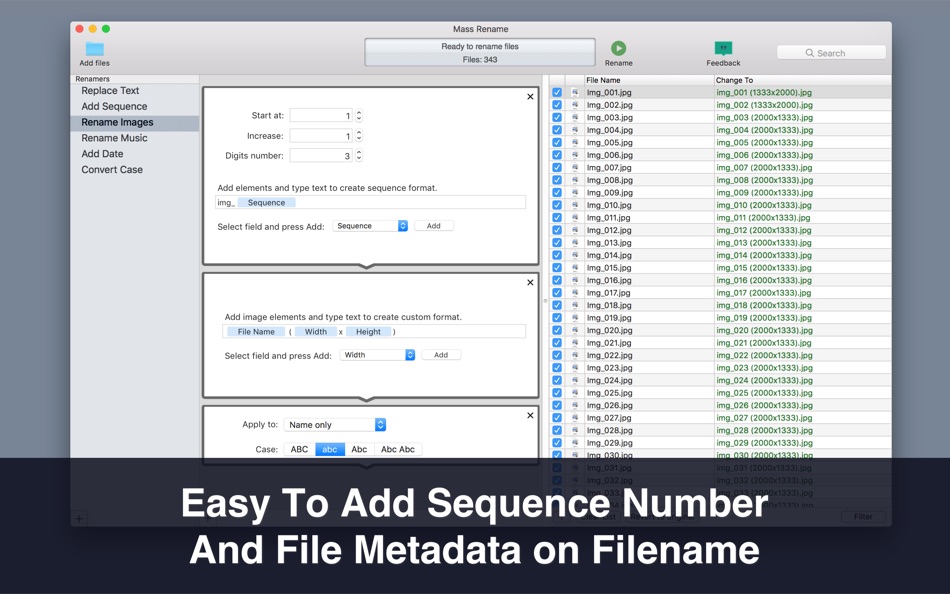
Add numbers
Add date
Use image metadata (EXIF) for file name
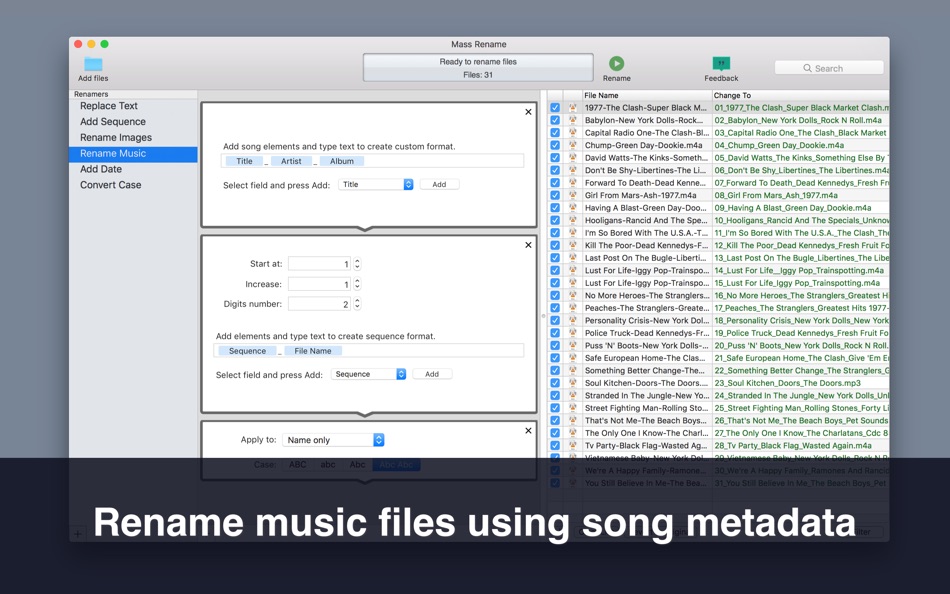
Use audio metadata for file name
Set file extension
لقطات


السعر
- اليوم: $6.99
- الحد الأدنى: $0.99
- الحد الأقصى: $8.99
تتبّع الأسعار
مطوّر البرامج
- Georgios Trigonakis
- المنصات: iOS تطبيقات (3) macOS تطبيقات (17)
- قوائم: 9 + 13
- النقاط: 55 + 434 ¡
- لتصنيفات: 0
- المراجعات: 0
- تخفيضات: 0
- أشرطة فيديو: 0
- RSS: اشتراك



لتصنيفات
0 ☹️

المراجعات
كن الأول لمراجعة هذا المنتج 🌟
معلومات إضافية
- الإصدار: 1.7.1
- الفئة:
macOS تطبيقات›الأدوات المساعدة - نظام التشغيل:
macOS,macOS 10.13 والأحدث - الحجم:
5 Mb - اللغة المعتمدة:
English - تقييم المحتوى:
4+ - Mac App Store تقييم:
0 - تم التحديث:
- تاريخ الإصدار:
جهات الاتصال
- الموقع الإلكتروني:
 https://www.gtrigonakis.com/mass-rename
Mass Rename: File Batch Rename عنوان URL مختصر: تم النسخ!- 🌟 مشاركة
- Mac App Store
قد يعجبك ايضا
-
- Batch Image Toolset
- macOS تطبيقات: الأدوات المساعدة بواسطة: 刚刚 孔
- $4.99
- قوائم: 0 + 0 لتصنيفات: 0 المراجعات: 0
- النقاط: 0 + 0 الإصدار: 6.1 * Batch rename images. * Batch resize/convert/merge/crop images. * Create Gif Animation. * Batch convert images to PDF format, and support to make PDF album and encrypt with password. ... ⥯
-
- File Cabinet Pro
- macOS تطبيقات: الأدوات المساعدة بواسطة: App Tyrant Corp
- $29.99
- قوائم: 0 + 1 لتصنيفات: 0 المراجعات: 0
- النقاط: 4 + 0 الإصدار: 8.8 File Cabinet Pro is the file manager for the macOS menu bar. Quickly navigate to files without cluttering your desktop. Open, move, rename, compress, tag, trash, copy and paste files, ... ⥯
-
- File Rename Pro
- macOS تطبيقات: الأدوات المساعدة بواسطة: Gavin Matthews
- * $12.99
- قوائم: 1 + 0 لتصنيفات: 0 المراجعات: 0
- النقاط: 1 + 0 الإصدار: 2025.3 File Rename Pro lets you rename a number of files quickly and easily, saving you time and effort. Drag and drop one or more files or folders from Finder onto the app and you're ready ... ⥯
-
- Rename It for Mac OS X
- macOS تطبيقات: الأدوات المساعدة بواسطة: Avery deGruchy
- $2.99
- قوائم: 0 + 0 لتصنيفات: 0 المراجعات: 0
- النقاط: 0 + 0 الإصدار: 1.4.1 Rename It is an easy-to-use batch file* renaming tool that saves you time and energy. Notable Features: A simple to use interface makes renaming your files easy. Save your customized ... ⥯
-
- Rename Pro - Powerful Renamer
- macOS تطبيقات: الأدوات المساعدة بواسطة: 宇 王
- $0.99
- قوائم: 0 + 0 لتصنيفات: 0 المراجعات: 0
- النقاط: 0 + 0 الإصدار: 1.3 Rename Pro: The Ultimate File Renaming Solution Rename Pro is a powerful yet intuitive file management utility designed specifically for macOS. Take control of your digital ... ⥯
-
- Rename X
- macOS تطبيقات: الأدوات المساعدة بواسطة: Gijs Raggers
- $1.99
- قوائم: 1 + 0 لتصنيفات: 0 المراجعات: 0
- النقاط: 3 + 0 الإصدار: 5.5.0 Rename X is simply the best program to easily rename your files. Easy to use The preview shows the results in advance Lots of possibilities Lightning fast Friendly priced Quick ... ⥯
-
- File Vortex
- macOS تطبيقات: الأدوات المساعدة بواسطة: Walter Tengler
- $3.99
- قوائم: 0 + 0 لتصنيفات: 0 المراجعات: 0
- النقاط: 0 + 0 الإصدار: 1.3 File Vortex lives in your menu bar and turns file chaos into order. Drag photos, documents, and videos onto the floating vortex window they're instantly organized into date-based ... ⥯
-
- File Content Finder
- macOS تطبيقات: الأدوات المساعدة بواسطة: GEO SYSTEMS DEV PTY LTD
- $12.99
- قوائم: 0 + 0 لتصنيفات: 0 المراجعات: 0
- النقاط: 2 + 0 الإصدار: 3.0 Highlights: - Searches files by their contents, not just names; - Supports all popular document types (PDF, MS Word, Excel, etc.); - Works in real time without indexing; - Advanced ... ⥯
-
- File Zip & Encryptor
- macOS تطبيقات: الأدوات المساعدة بواسطة: 成浩 吴
- $4.99
- قوائم: 1 + 2 لتصنيفات: 0 المراجعات: 0
- النقاط: 4 + 0 الإصدار: 1.0.6 If you need convenient encryption for your private files, try FileEncryption. FileEncryption provides you with the following convenient and useful features. - Normal mode: One-click ... ⥯
-
- Rename tools
- macOS تطبيقات: الأدوات المساعدة بواسطة: Pavel Epifanov
- $2.99
- قوائم: 0 + 0 لتصنيفات: 0 المراجعات: 0
- النقاط: 0 + 0 الإصدار: 1.1 Transform messy file names into perfect order with a sleek, modern interface. Whether you're organizing photos, documents, or downloads, Rename Tools gives you powerful tools to rename ⥯
-
- Rename
- macOS تطبيقات: الأدوات المساعدة بواسطة: Jonathan Clark
- $9.99
- قوائم: 0 + 0 لتصنيفات: 0 المراجعات: 0
- النقاط: 0 + 0 الإصدار: 2.4 Quickly rename multiple files/folders at once, formatting names by adding, removing, replacing text, and by numbering. It can be particularly useful at removing 'junk' from the names ... ⥯
-
- File Encoder
- macOS تطبيقات: الأدوات المساعدة بواسطة: Jarik Okkerman
- مجاني
- قوائم: 0 + 0 لتصنيفات: 0 المراجعات: 0
- النقاط: 0 + 0 الإصدار: 1.0 Experience seamless file conversion with File Encoder, the ultimate tool for transforming HEIC, PNG, JPEG, and PDF files. Whether you're a professional seeking precision or a casual ... ⥯
-
- File Manager For Dropbox
- macOS تطبيقات: الأدوات المساعدة بواسطة: Haroon Ahmad
- * مجاني
- قوائم: 0 + 0 لتصنيفات: 0 المراجعات: 0
- النقاط: 0 + 0 الإصدار: 1.0 Take full control of your Dropbox storage with an easy-to-use file management app. This app lets you manage all files and folders in your Dropbox account from one convenient place. ... ⥯
-
- File Renamer Lite: Batch file rename
- macOS تطبيقات: الأدوات المساعدة بواسطة: FMX CO., LTD.
- مجاني
- قوائم: 0 + 0 لتصنيفات: 0 المراجعات: 0
- النقاط: 0 + 0 الإصدار: 1.0 File Renamer it is quite easy to rename a number of files or folders quickly and easily, saving you time and effort. Drag one or more folders from Finder into the ring icon and you're ... ⥯