
Saved
Choose the name that will be shown in your Saved menu.
Done!
| Developer: | FIPLAB Ltd (29) | ||
| Price: | $7.99 | ||
| Score: | 7,180 Platinum | ||
| Rankings: | 0 | ||
| Comments: | 0 Add a comment | ||
| Lists: | 1 + 1 | ||
| Points: | 0 + 0 ¡ | ||
| +1 Points | |||
Description

No more holding files hostage with your mouse.
WHAT IT DOES:
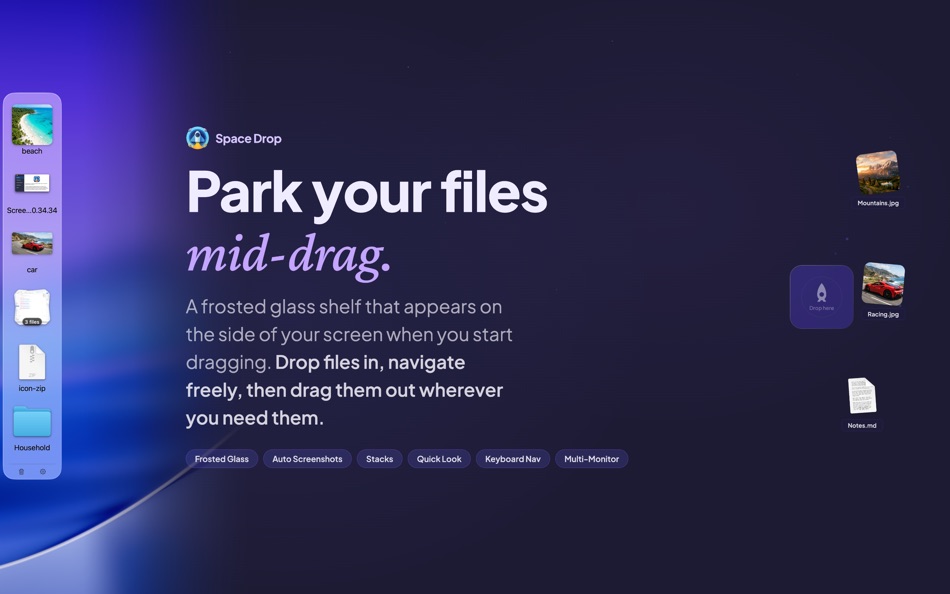
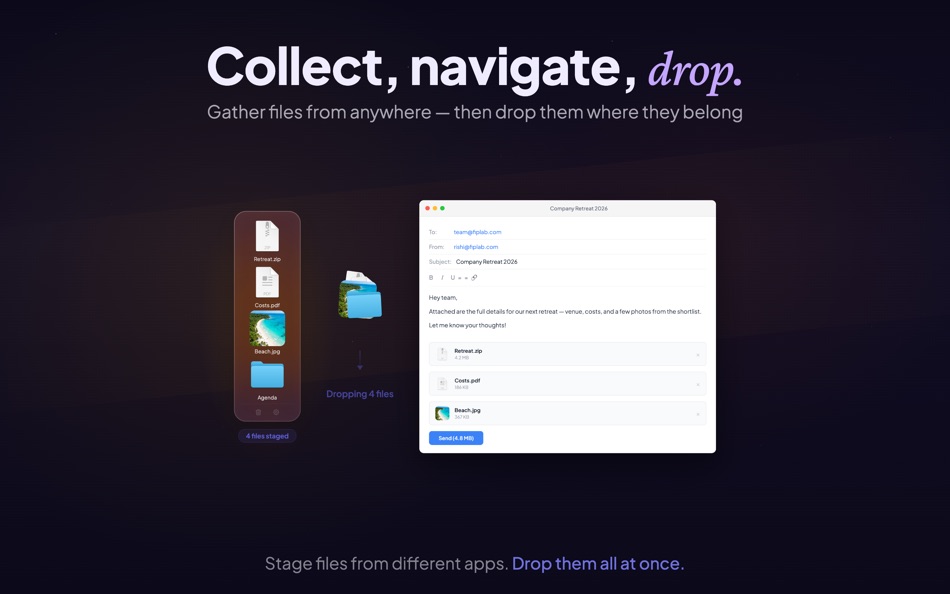
Drag files from any app onto the shelf. They stay there while you navigate. When you're ready, drag them out to their destination - a different folder, another app, an email, wherever.
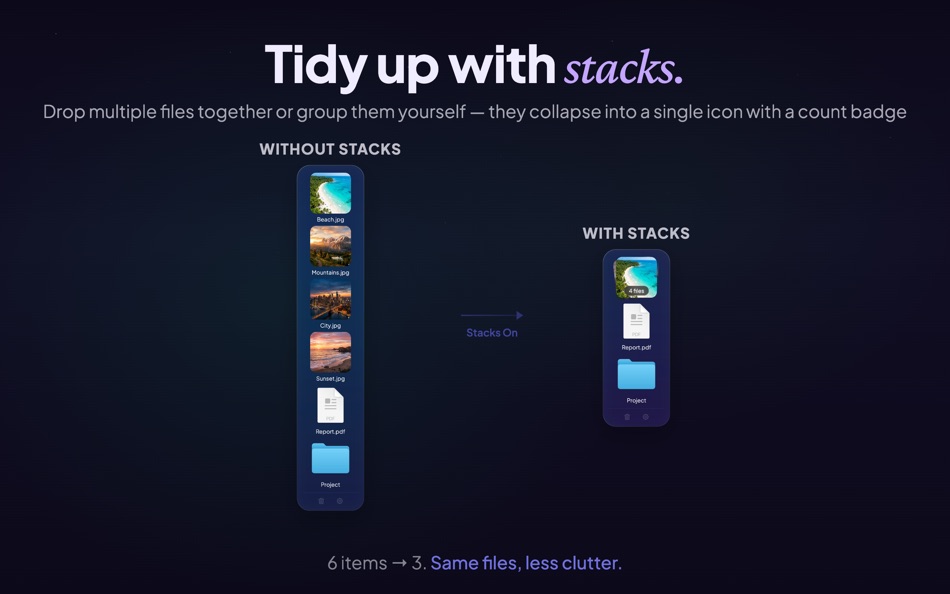
Drop multiple files together and they automatically form a stack, keeping your shelf tidy with a count badge.
FEATURES:
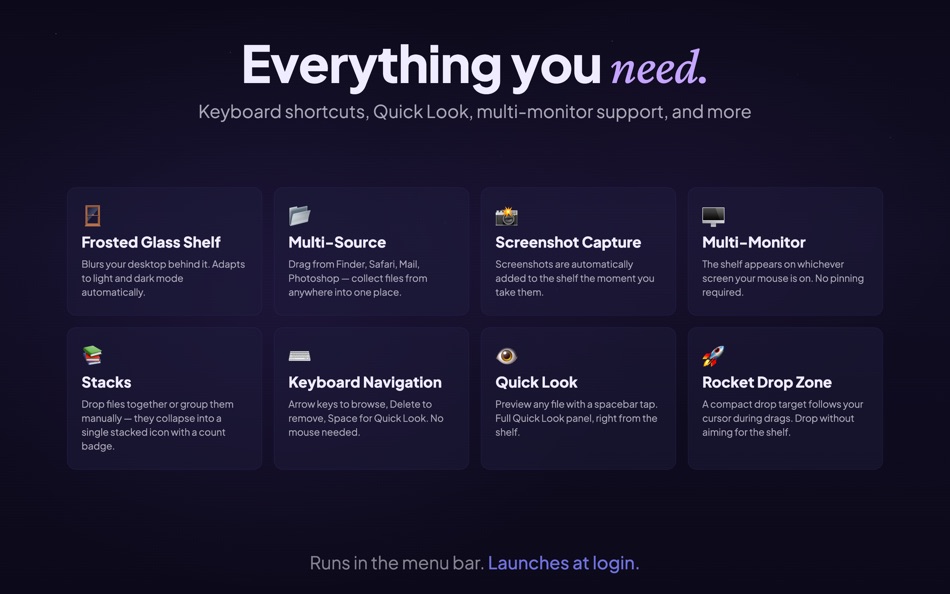
• Frosted glass shelf - blurs your desktop behind it, adapts to light and dark mode
• Stacks - drop files together or group them manually into a single icon
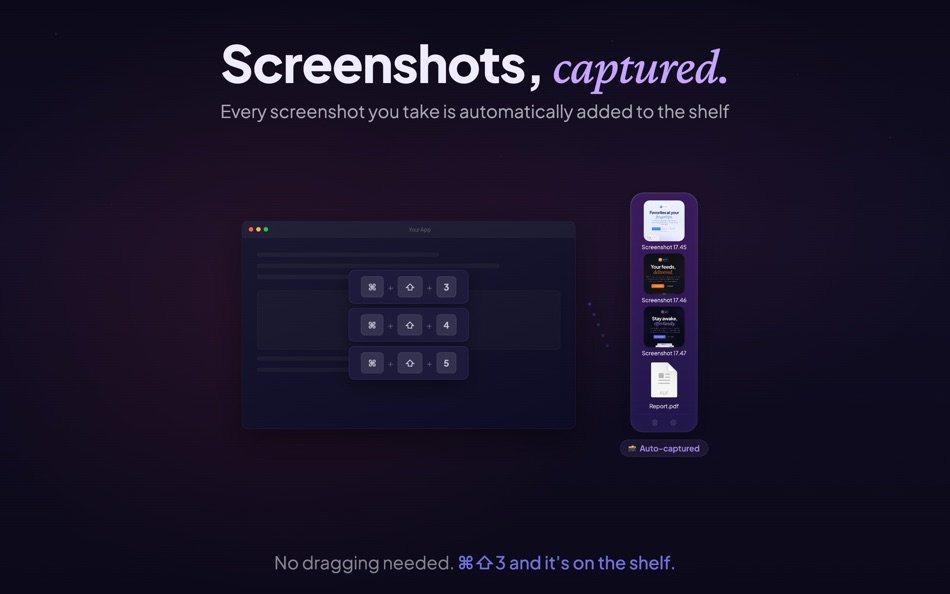
• Screenshot capture - every screenshot you take is automatically added to the shelf
• Keyboard navigation - arrow keys to browse, Delete to remove, Space for Quick Look
• Multi-monitor - the shelf appears on whichever screen your mouse is on
• Rocket Drop Zone - a compact drop target follows your cursor during drags
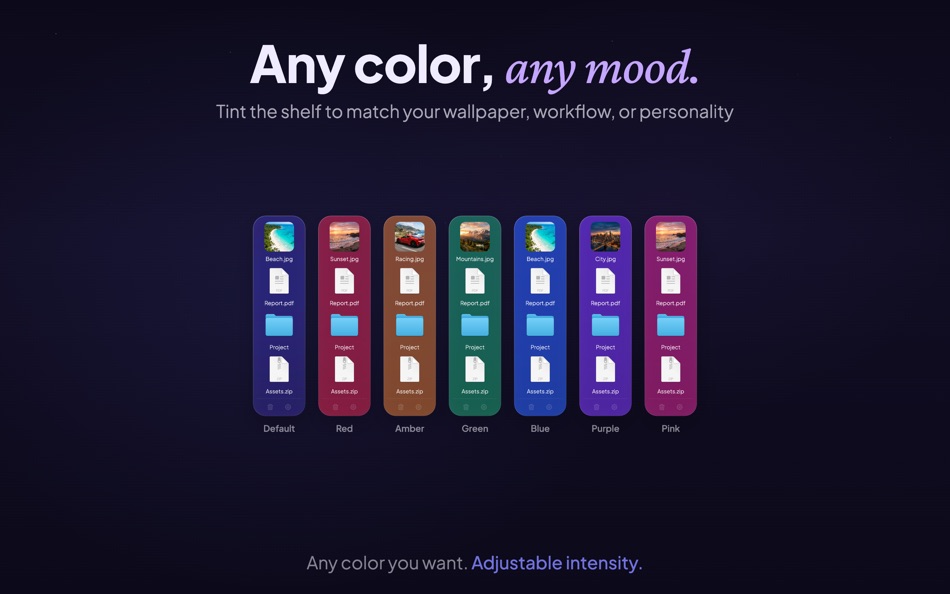
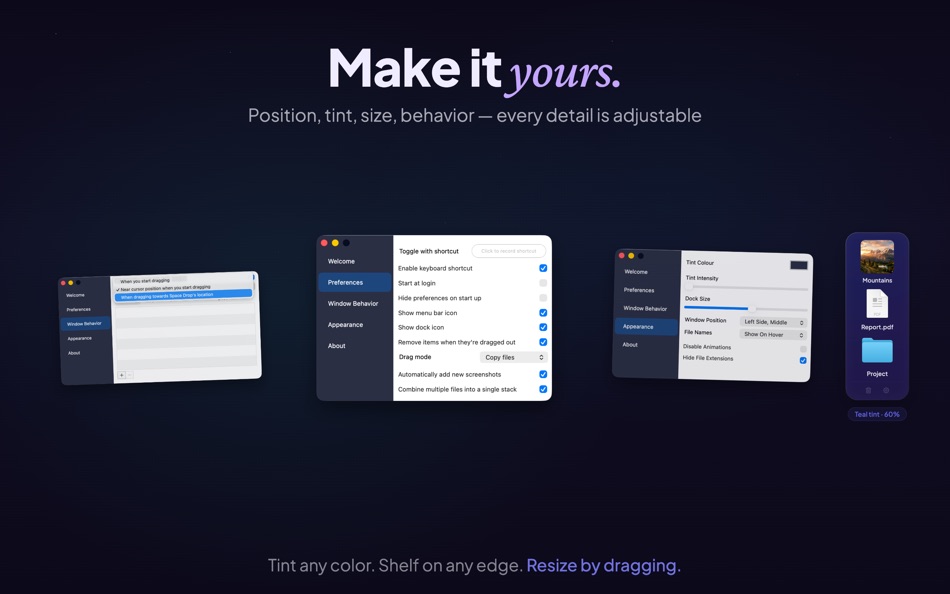
• Customizable - tint color, intensity, icon size, window position, file name display
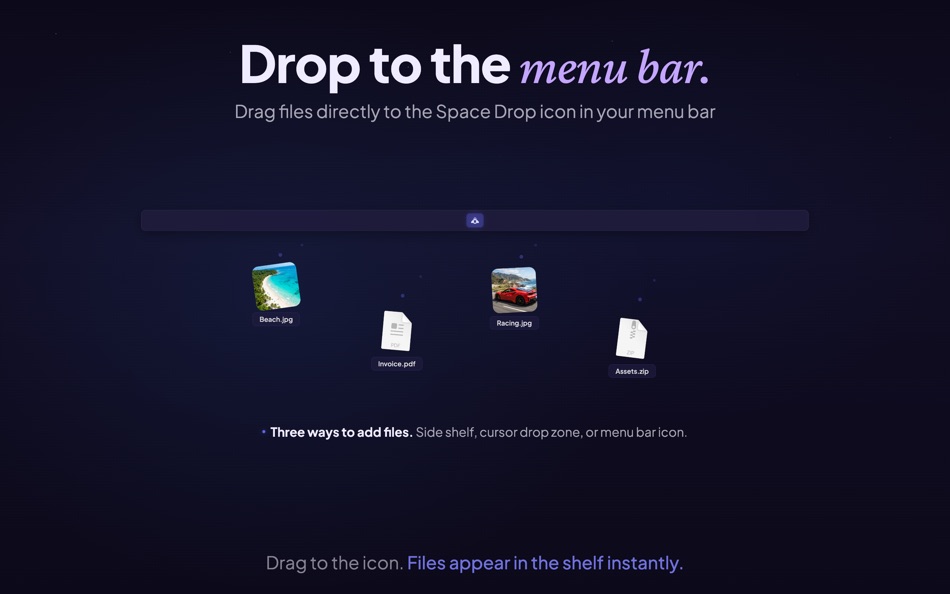
• Menu bar drop - drag files directly to the Space Drop icon in your menu bar
• Copy or move - choose whether files are copied or moved when dragged out
• Works everywhere - full screen apps, Spaces, and virtually every Mac app
• Quick Look - preview files without leaving the shelf
• Launch at login - always ready when you are
Some features above require you to enable them via the app's preferences/settings panel.
GETTING STARTED:
Start dragging any file and the shelf slides in from the side of your screen. Drop the file, let go, navigate to where it needs to be, then drag it back out from the shelf. That's it.
Customize everything from the preferences - shelf position, tint color, icon size, keyboard shortcuts, and more.
Questions or feedback? Visit support.fiplab.com
Screenshots
Ad
Price History
- Current price: $7.99
- Minimum: $7.99
- Maximum: $7.99
Track prices
AppAgg Score
7,180
Estimated AppAgg Score for
Space Drop - Drag, Store, Drop
7,180 Platinum
Higher scores usually mean stronger signals on AppAgg.
Based on: popularity · ratings · freshness · deals · store data · community signals
Recalculated daily using fresh AppAgg data.
Short URL: Copied!
What's new
- Version: 2.8
- Last Updated:
- Our biggest update ever for macOS Tahoe! Celebrating 10 years of Space Drop - please support us by leaving a review (it really helps) and writing in to us with your suggestions, we respond super quick! See changes below:
NEW
• Frosted glass shelf - the dock now blurs your desktop behind it with a beautiful glass effect
• Keyboard navigation - use arrow keys to browse files, Delete to remove, Space for Quick Look
• Edge-drag resize - drag the separator line to resize the shelf
IMPROVED
• New default settings - right-side positioning, larger icons, subtle tint
• Improved Stacks - badge count now displays how many files in a stack
• Larger file name labels across all dock sizes
• Better label spacing that scales proportionally with icon size
• Stack thumbnail aspect ratio - no more distorted images
• Adaptive colors for light and dark mode
• Footer icons (trash/gear) more visible
UNDER THE HOOD
• macOS Tahoe fully supported
• Bug fixes and performance improvements
Additional Information
- Release Date:
- Category:
macOS Apps›Productivity - OS:
macOS,macOS 11.5 and up - Size:
5 Mb - Supported Languages:
English - Content Rating:
4+ - Mac App Store Rating:
0 - Website:
 https://fiplab.com
Developer
- FIPLAB Ltd
- Platforms: macOS Apps (29)
- Lists: 6 + 13
- Points: 35 + 0 ¡
- Rankings: 5 (1)
- Comments: 0
- Deals: 0
- Videos: 0
- RSS: Subscribe
Lists (1)
- Space Drop - Drag, Store, Drop

Points (0)
0
Rankings (0)
0
Comments (0)
Be the first to comment
Summary
Space Drop - Drag, Store, Drop Short URL: Copied!- Share
- Mac App Store
«Space Drop - Drag, Store, Drop» is a Productivity app for macOS, developed by «FIPLAB Ltd». It was first released on and last updated on . The lowest historical price was $7.99, and the highest was $7.99. This app has not yet received any ratings on AppAgg. It has been added to 1 public lists and 1 private lists created by users. Available languages: English. AppAgg continuously tracks the price history, ratings, and user feedback for «Space Drop - Drag, Store, Drop». AppAgg does not host applications or distribute software. All trademarks, logos and screenshots belong to their respective owners. Subscribe to this app or follow its RSS feed to get notified about future deals or updates.
Similar
- New
- Drag & Drop Shelf - Clipboard
- macOS Apps: Productivity By: Shehroz Arshad
- * Free
- Lists: 0 0 0
- Points: 0 + 0 590 Version: 1.1 Clipboard Manager with Drag & Drop Files for Mac This app is a powerful clipboard manager and drag and drop file shelf designed to improve your daily workflow on macOS. Easily manage ... ⥯
-
- Drag and Drop to Open URL
- macOS Apps: Productivity By: Kashif Noorani
- Free
- Lists: 0 0 0
- Points: 0 + 0 550 Version: 1.0 Users can drag and drop URL links anywhere on a webpage to open them in a new background tab. Since Safari warns about enabling this extension, I ve limited it to enabling it on a ... ⥯
-
- Drag and Go
- macOS Apps: Productivity By: 永涛 宗
- $0.99
- Lists: 0 + 1 0 0
- Points: 2 + 0 1K Version: 1.0.1 Drag and Go is a Safari extension, you can drag and drop a link to open it in a new tab. ⥯
- -25%
- Drag Timer: Focus & Pomodoro
- macOS Apps: Productivity By: Yaroslav Mykhailov
- ▼ $2.99
$3.99-25% - Lists: 0 0 0
- Points: 1 + 0 800 Version: 1.0 A new way to set timers on your Mac. Just drag down from the menu bar - no clicks, no typing. The further you drag, the longer the timer. Release to start. INSTANT TIMER SETUP Drag ... ⥯
-
- Disk Space Saver
- macOS Apps: Productivity By: Mariia Shumska
- Free
- Lists: 0 + 1 0 0
- Points: 8 + 0 3K Version: 2.6.0 Disk Space Saver is a disk space analyzer, that will help you to find large space hogs on a hard drive in seconds! And free up disk space easily in a click! This tiny, flexible, ... ⥯
-
- Super Drag and Go
- macOS Apps: Productivity By: Wenzhang Zhu
- $1.99
- Lists: 0 0 0
- Points: 0 + 0 570 Version: 1.0 The Super Drag and Go extension enhances productivity by enabling effortless opening of links or searching selected text in a new browser tab, both in the foreground and background. It ⥯
-
- NotchBox - Easier Drag & Drop
- macOS Apps: Productivity By: 裕涛 兰
- * Free
- Lists: 2 + 1 0 0
- Points: 22 + 0 13K Version: 1.1.69 NotchBox Turn Your Mac s Notch into a Dynamic Hub NotchBox transforms your Mac s notch into a lively, interactive space just like the iPhone s Dynamic Island. From music playback to ... ⥯
-
- iLove Drag Dock
- macOS Apps: Productivity By: 平 吕
- * Free
- Lists: 0 + 1 0 0
- Points: 6 + 0 1K Version: 3.5.0 Mac users may find it cumbersome to drag and drop files between windows, apps, spaces and full-screen apps. iLove Drag Dock will make things easy. When you start dragging a file that ... ⥯
-
- Stretch It: Drag Gesture Timer
- macOS Apps: Productivity By: Clement Rousseau
- $4.99
- Lists: 0 + 2 0 0
- Points: 3 + 0 2K Version: 4.3 Transform your Mac's menu bar into an intuitive, gesture-controlled timer with Stretch It! Simply drag down from the menu bar to set your timer. The further you stretch, the more time ... ⥯
-
- Notch FileBox - Drag & Drop
- macOS Apps: Productivity By: HYPER DEV LTD
- * Free
- Lists: 0 0 0
- Points: 0 + 0 600 Version: 1.2.1 Your Mac s smartest corner for file transfer and productivity. Experience a new level of simplicity with Notch FileBox - Drag & Drop, proudly presented by HyperDev Ltd. This ... ⥯
- New
- FileBeam - Drag & Drop UFO
- macOS Apps: Productivity By: Hovhannes Shahnazaryan
- Free
- Lists: 0 0 0
- Points: 0 + 0 580 Version: 1.0 Stop the finger-twisting drag & drop gymnastics! Just drag to the floating UFO shelf, switch apps, and go. Moving files, images, or folders between apps, windows, or full-screen spaces ⥯
- New
- DragLess {Drag > Beam > Drop}
- macOS Apps: Productivity By: Filipe Sa
- $3.99
- Lists: 0 0 0
- Points: 1 + 0 600 Version: 1.0 Patent Pending. {Drag > Aim > Teleport > Drop} Start dragging > Select the destination > Magically teleport there > Drop the items. Any items that you can drag, Dragless can beam. - ... ⥯
-
- iNotch - Easier Drag & Drop
- macOS Apps: Productivity By: Rvira Apps
- Free
- Lists: 0 0 0
- Points: 0 + 0 570 Version: 1.0.1 iNotch Supercharge Your Notch Your MacBooks notch is more than a camera cutout its prime real estate waiting to be unlocked. iNotch transforms that dormant black bar into a living ... ⥯