
| Concepteur: | FIPLAB Ltd (29) | ||
| Prix: | $7.99 | ||
| Classements: | 0 | ||
| Avis: | 0 Rédiger un avis | ||
| Commentaires: | 0 Publier un commentaire | ||
| Listes: | 1 + 1 | ||
| Points: | 0 + 0 ¡ | ||
| Mac App Store | |||
Description

No more holding files hostage with your mouse.
WHAT IT DOES:
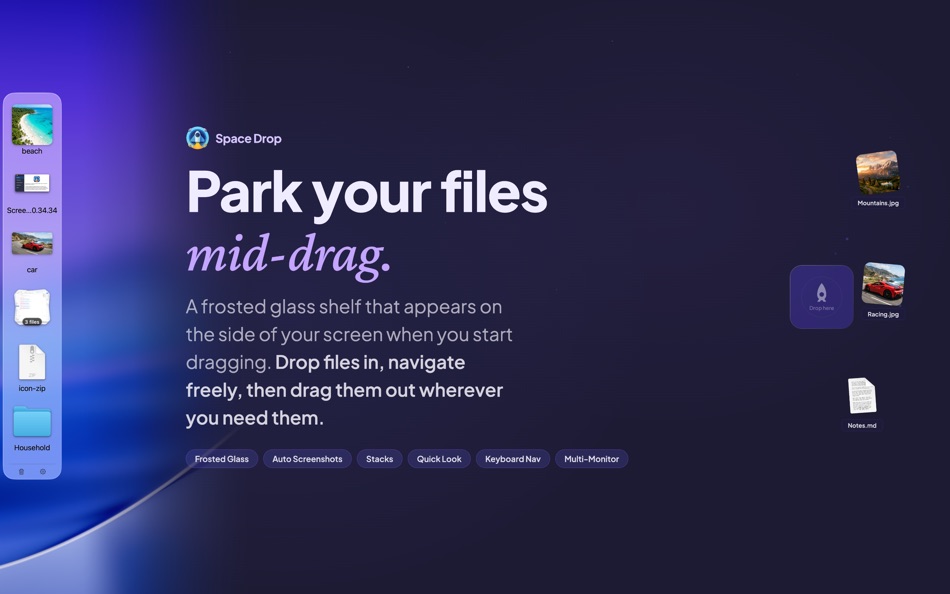
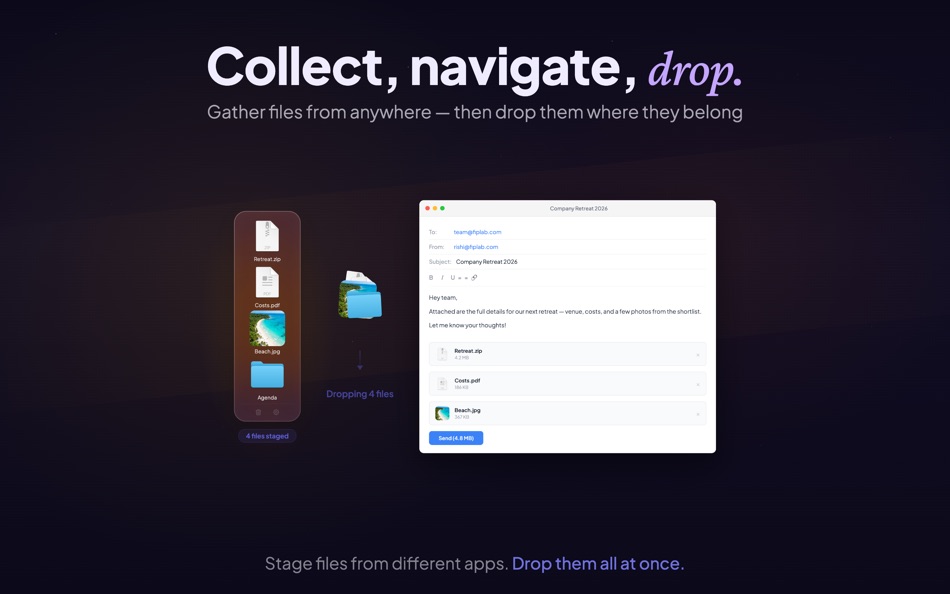
Drag files from any app onto the shelf. They stay there while you navigate. When you're ready, drag them out to their destination - a different folder, another app, an email, wherever.
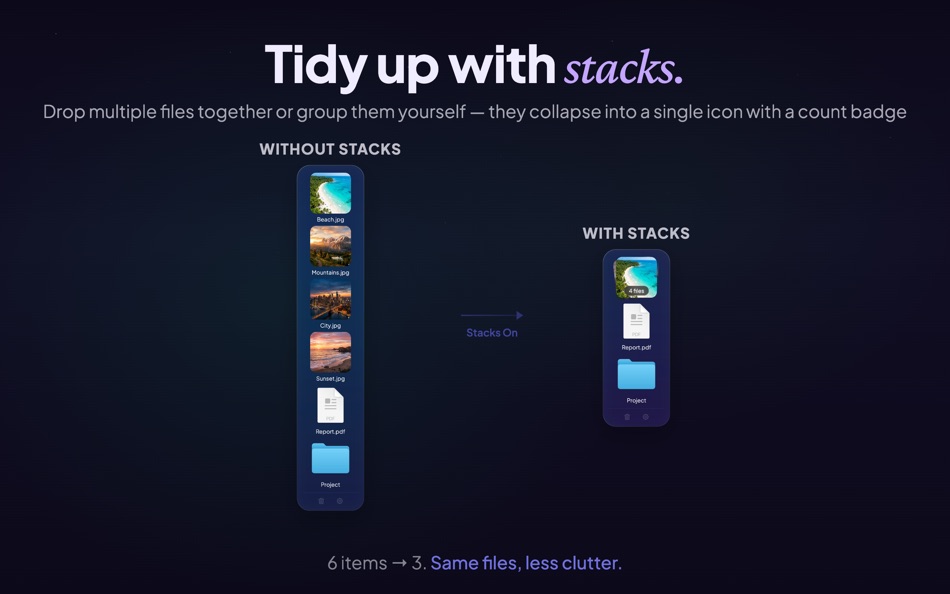
Drop multiple files together and they automatically form a stack, keeping your shelf tidy with a count badge.
FEATURES:
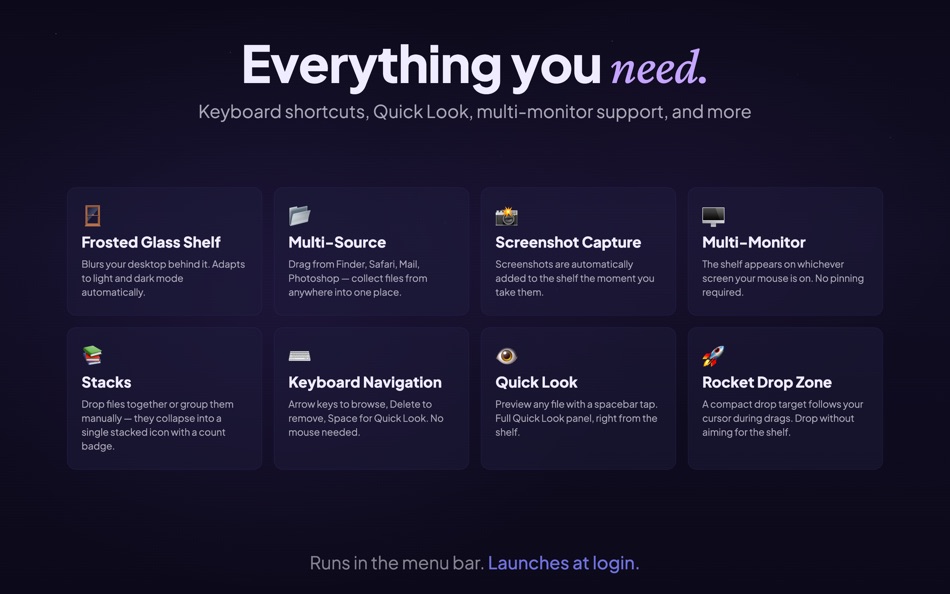
• Frosted glass shelf - blurs your desktop behind it, adapts to light and dark mode
• Stacks - drop files together or group them manually into a single icon
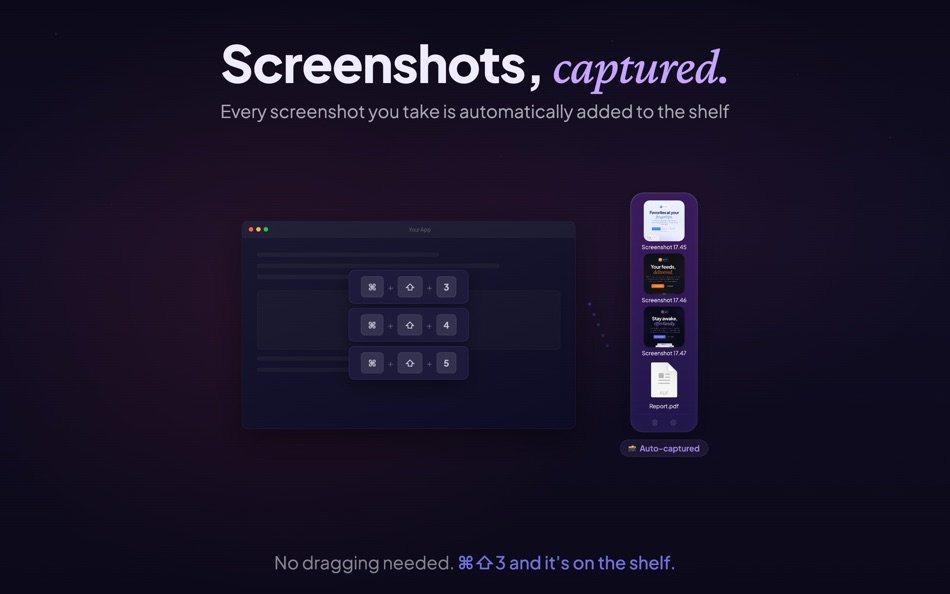
• Screenshot capture - every screenshot you take is automatically added to the shelf
• Keyboard navigation - arrow keys to browse, Delete to remove, Space for Quick Look
• Multi-monitor - the shelf appears on whichever screen your mouse is on
• Rocket Drop Zone - a compact drop target follows your cursor during drags
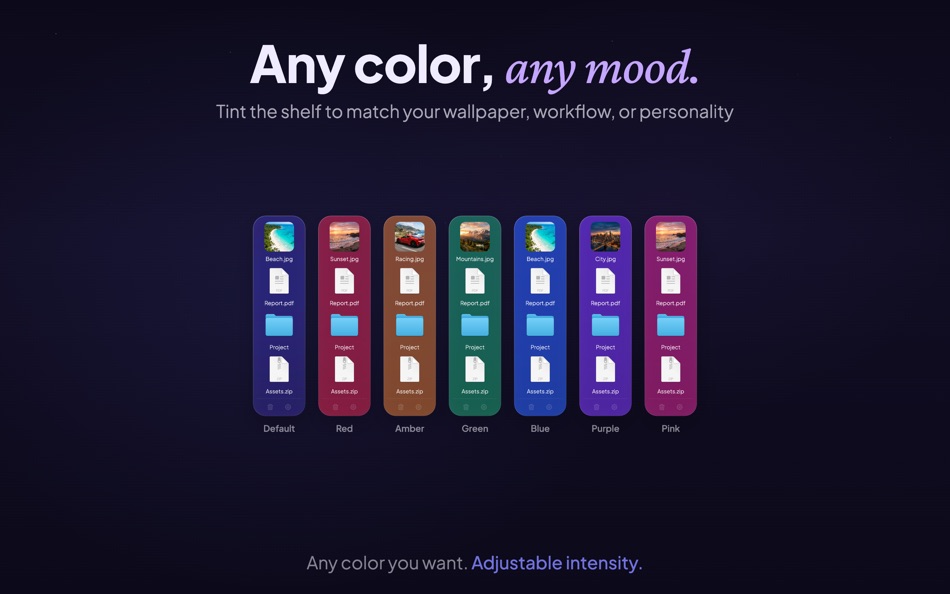
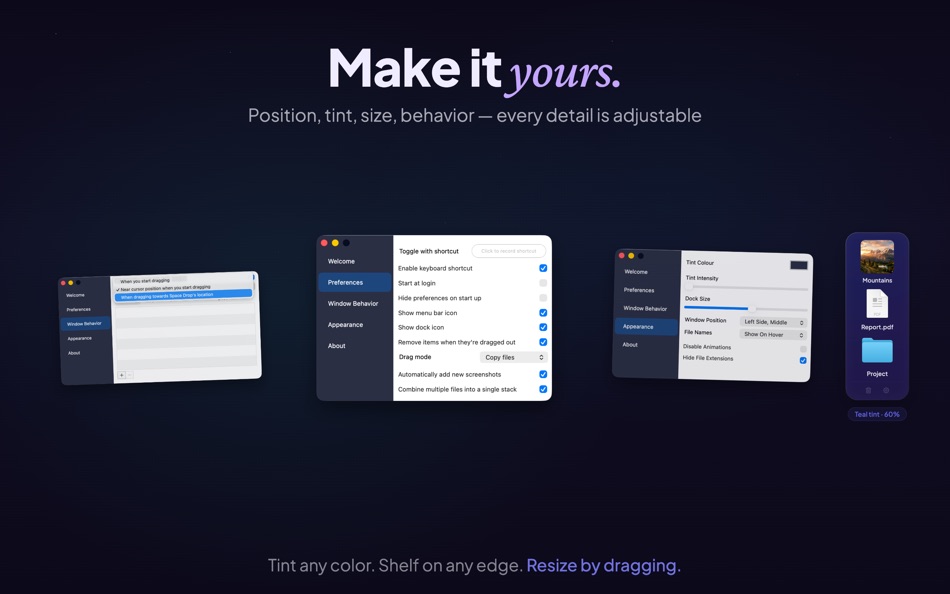
• Customizable - tint color, intensity, icon size, window position, file name display
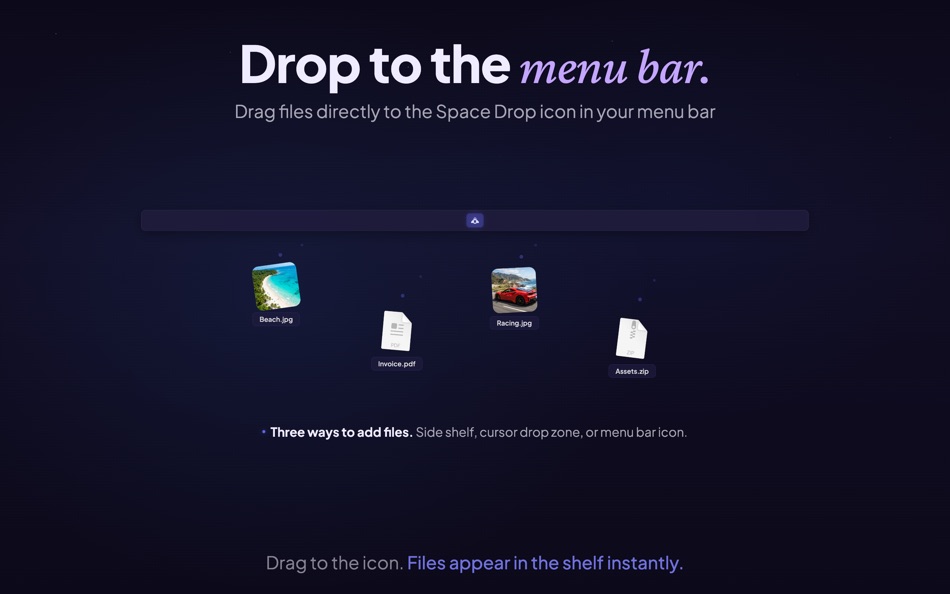
• Menu bar drop - drag files directly to the Space Drop icon in your menu bar
• Copy or move - choose whether files are copied or moved when dragged out
• Works everywhere - full screen apps, Spaces, and virtually every Mac app
• Quick Look - preview files without leaving the shelf
• Launch at login - always ready when you are
Some features above require you to enable them via the app's preferences/settings panel.
GETTING STARTED:
Start dragging any file and the shelf slides in from the side of your screen. Drop the file, let go, navigate to where it needs to be, then drag it back out from the shelf. That's it.
Customize everything from the preferences - shelf position, tint color, icon size, keyboard shortcuts, and more.
Questions or feedback? Visit support.fiplab.com
Ad
Captures d'écran
Historique des prix
- Aujourd’hui: $7.99
- Minimum: $7.99
- Maximum: $7.99
Suivre l'évolution des prix
Nouveautés
- Version: 2.8
- Mis à jour:
- Our biggest update ever for macOS Tahoe! Celebrating 10 years of Space Drop - please support us by leaving a review (it really helps) and writing in to us with your suggestions, we respond super quick! See changes below:
NEW
• Frosted glass shelf - the dock now blurs your desktop behind it with a beautiful glass effect
• Keyboard navigation - use arrow keys to browse files, Delete to remove, Space for Quick Look
• Edge-drag resize - drag the separator line to resize the shelf
IMPROVED
• New default settings - right-side positioning, larger icons, subtle tint
• Improved Stacks - badge count now displays how many files in a stack
• Larger file name labels across all dock sizes
• Better label spacing that scales proportionally with icon size
• Stack thumbnail aspect ratio - no more distorted images
• Adaptive colors for light and dark mode
• Footer icons (trash/gear) more visible
UNDER THE HOOD
• macOS Tahoe fully supported
• Bug fixes and performance improvements
Concepteur
- FIPLAB Ltd
- Plateformes: macOS Applications (29)
- Listes: 6 + 13
- Points: 35 + 0 ¡
- Classements: 5 (1)
- Avis: 0
- Commentaires: 0
- Remises: 1
- Vidéos: 0
- RSS: S'abonner
Points (0)
0 ☹️
Classements (0)
0 ☹️
Listes (1)
- Space Drop - Drag, Store, Drop

Avis (0)
Soyez le premier à donner votre avis 🌟
Informations supplémentaires
- Version: 2.8
- Catégorie:
macOS Applications›Productivité - Systèmes d'exploitation:
macOS,macOS 11.5 ou version ultérieure - Taille:
5 Mb - Langues prises en charge:
English - Classification du contenu:
4+ - Mac App Store Note:
0 - Mis à jour:
- Date de sortie:
Contacts
- Site Web:
 https://fiplab.com
«Space Drop - Drag, Store, Drop». Plateforme : macOS. Catégorie : Productivité. Développeur : «FIPLAB Ltd». Première version : . Dernière mise à jour : . Prix actuel : $7.99. Prix le plus bas enregistré : $7.99. Prix le plus élevé enregistré : $7.99. Ce titre n'a pas encore reçu de notes ou d'avis sur AppAgg. Listes : publiques 1, privées 1. Langues disponibles : English. AppAgg suit l'historique des prix, les notes et les commentaires des utilisateurs pour «Space Drop - Drag, Store, Drop». Suivez les futures réductions et mises à jour via RSS. AppAgg n'héberge pas d'applications et ne distribue pas de logiciels. Toutes les marques, logos et captures d'écran appartiennent à leurs propriétaires respectifs.
Commentaires (0)
Soyez le premier à commenter 🌟
Space Drop - Drag, Store, Drop URL courte: Copié!- 🌟 Partager
- Mac App Store
Ad
Similaires
-
- Drag and Drop to Open URL
- macOS Applications: Productivité De: Kashif Noorani
- Gratuit
- Listes: 0 + 0 Classements: 0 Avis: 0
- Points: 0 + 0 0 Version: 1.0 Users can drag and drop URL links anywhere on a webpage to open them in a new background tab. Since Safari warns about enabling this extension, I ve limited it to enabling it on a ... ⥯
-
- Drag and Go
- macOS Applications: Productivité De: 永涛 宗
- $0.99
- Listes: 0 + 1 Classements: 0 Avis: 0
- Points: 2 + 0 0 Version: 1.0.1 Drag and Go is a Safari extension, you can drag and drop a link to open it in a new tab. ⥯
-
- Drag Timer: Focus & Pomodoro
- macOS Applications: Productivité De: Yaroslav Mykhailov
- $3.99
- Listes: 0 + 0 Classements: 0 Avis: 0
- Points: 1 + 0 0 Version: 1.0 A new way to set timers on your Mac. Just drag down from the menu bar - no clicks, no typing. The further you drag, the longer the timer. Release to start. INSTANT TIMER SETUP Drag ... ⥯
-
- Disk Space Saver
- macOS Applications: Productivité De: Mariia Shumska
- Gratuit
- Listes: 0 + 1 Classements: 0 Avis: 0
- Points: 8 + 0 0 Version: 2.6.0 Disk Space Saver is a disk space analyzer, that will help you to find large space hogs on a hard drive in seconds! And free up disk space easily in a click! This tiny, flexible, ... ⥯
-
- Super Drag and Go
- macOS Applications: Productivité De: Wenzhang Zhu
- $1.99
- Listes: 0 + 0 Classements: 0 Avis: 0
- Points: 0 + 0 0 Version: 1.0 The Super Drag and Go extension enhances productivity by enabling effortless opening of links or searching selected text in a new browser tab, both in the foreground and background. It ⥯
-
- DragTime - Drag your time!
- macOS Applications: Productivité De: YoungHo Kim
- $4.99
- Listes: 0 + 0 Classements: 0 Avis: 0
- Points: 0 + 0 0 Version: 1.0.2 Drag your time! Create timers, reminders, and calendar events instantly with just a drag from the menu bar. No complicated setup one intuitive drag completes your time management. The ... ⥯
-
- NotchBox - Easier Drag & Drop
- macOS Applications: Productivité De: 裕涛 兰
- * Gratuit
- Listes: 2 + 1 Classements: 0 Avis: 0
- Points: 21 + 0 0 Version: 1.1.68 NotchBox Turn Your Mac s Notch into a Dynamic Hub NotchBox transforms your Mac s notch into a lively, interactive space just like the iPhone s Dynamic Island. From music playback to ... ⥯
-
- Tab Space
- macOS Applications: Productivité De: 渊 周
- $2.99
- Listes: 1 + 1 Classements: 0 Avis: 0
- Points: 0 + 0 0 Version: 3.13 Tab Space is a Safari extension app designed to enhance web browsing productivity. Tab Space includes the following features: 1. Save & Restore Tabs Save your browsing tabs with just ... ⥯
-
- iLove Drag Dock
- macOS Applications: Productivité De: 平 吕
- * Gratuit
- Listes: 0 + 1 Classements: 0 Avis: 0
- Points: 6 + 0 0 Version: 3.5.0 Mac users may find it cumbersome to drag and drop files between windows, apps, spaces and full-screen apps. iLove Drag Dock will make things easy. When you start dragging a file that ... ⥯
-
- Stretch It: Drag Gesture Timer
- macOS Applications: Productivité De: Clement Rousseau
- $4.99
- Listes: 0 + 2 Classements: 0 Avis: 0
- Points: 3 + 0 0 Version: 4.3 Transform your Mac's menu bar into an intuitive, gesture-controlled timer with Stretch It! Simply drag down from the menu bar to set your timer. The further you stretch, the more time ... ⥯
-
- Notch FileBox - Drag & Drop
- macOS Applications: Productivité De: HYPER DEV LTD
- * Gratuit
- Listes: 0 + 0 Classements: 0 Avis: 0
- Points: 0 + 0 0 Version: 1.2.1 Your Mac s smartest corner for file transfer and productivity. Experience a new level of simplicity with Notch FileBox - Drag & Drop, proudly presented by HyperDev Ltd. This ... ⥯
-
- Babylon Store and Sync
- macOS Applications: Productivité De: Babylon Cloud
- Gratuit
- Listes: 0 + 0 Classements: 0 Avis: 0
- Points: 0 + 0 0 Version: 3.6.17 Babylon Store&Sync is an all-in-one app that allows you to backup, sync and share all your documents, photos and videos at any time. Each user has an unlimited number of devices that ... ⥯
-
- Handool - Efficient Tools
- macOS Applications: Productivité De: Hangzhou Anmass Taobao Software Store
- Gratuit
- Listes: 1 + 1 Classements: 0 Avis: 0
- Points: 11 + 0 0 Version: 2.0.1 Support custom javacript develop for search window. Eenjoy it on Search window 【Ctrl+ Space】 - Settings Page. "Quick Search" default shorutkey is 【Ctrl + Space】 "Clipboard History" ... ⥯
-
- Popover Calendar
- macOS Applications: Productivité De: 钊 尹
- * Gratuit
- Listes: 0 + 1 Classements: 0 Avis: 0
- Points: 1 + 0 0 Version: 1.14.2 基础功能 日期基本信息 农历 节假日和节气 24小时制切换 日期跳转快捷键 更改主题 付费功能 液态玻璃效果 小组件所有功能 查看、更新、删除日程 假期和调休 设置一周第一天 显示周数 更改背景色 菜单栏日期样式 可显示农历 启动快捷键 付费方式 1. 一次性付费28元 2. 试用7天 之后按年订阅每年12元 订阅将会自动更新除非用户在到期24小时前取消 隐私政策 ... ⥯