
Guardados
Elige el nombre que se mostrará en tu menú Guardados.
Hecho!
| Desarrollador: | Parallels International GmbH (5) | ||
| Precio: | * Gratis | ||
| Clasificaciones: | 0 | ||
| Comentarios: | 0 Publicar comentario | ||
| Listas: | 2 + 1 | ||
| Puntos: | 8 + 0 ¡ | ||
| +1 Puntos | |||
Descripción

With Parallels Desktop, you get the advantages of macOS, Windows, and Linux on the same physical machine.
As the first Microsoft-authorized partner to run Windows on a Mac with Apple silicon, Parallels Desktop for Mac offers the ideal solution for running Windows 11 on your Apple silicon Mac.
Our App Store Edition runs in a sandbox. There are differences between our Parallels Desktop App Store and Standard and Pro editions. Learn more about the differences: https://kb.parallels.com/123796.
Try our Parallels Desktop App Store Edition for free with a 14-day trial. Scroll to in-app purchases for pricing.
Trusted by over 7+ million Mac users worldwide.
Named #1 best application for running Windows by About.com Reader's Choice.
PCMag: "The best and fastest emulation software for running Windows, Linux, and even older versions of macOS on Intel-based Macs."
Macworld: "The best option for Mac users who need to run Windows software on their Mac."
KEY FEATURES
— Play hundreds of popular games for Windows like Assassin's Creed, Age of Empires, Minecraft, Fall Guys, Rocket League, and Half-Life 2. (limitations apply)
— Run Windows 11 on Arm Pro and Enterprise via Apple Silicon on your Mac.
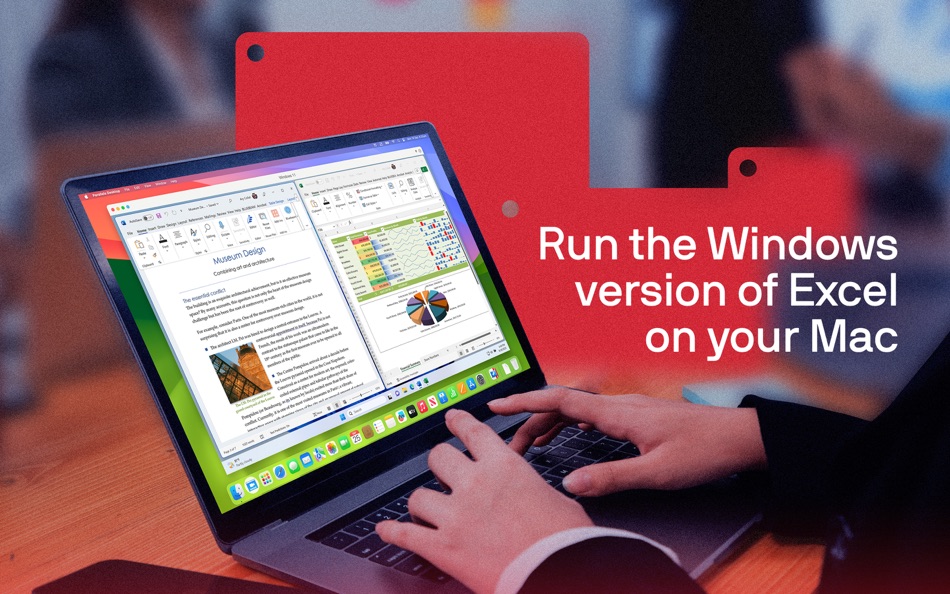
— Access apps for Windows like Microsoft Office 365, Excel, PowerPoint, Tableau, AutoCAD Map 3D, QuickBooks, ArcGIS Pro, Power BI, and more.
— Support for Intel-based and ARM-based Macs and the latest macOS and Windows versions.
— Adjust resources allocated to the virtual machine (VM) like CPU, GPU, and RAM for optimized performance.
— On a Mac with an Intel processor, you can run most versions of Windows, Linux, and macOS.
— On a Mac with Apple silicon, you can run Arm versions of Windows 11 Pro, Ubuntu Linux, Fedora Workstation, Debian GNU/Linux, Kali Linux, and more.
With Parallels Desktop, you can experience Windows as if it were designed for Mac. Download today and start running Linux and apps for Windows on your Mac!
SUPPORTED OPERATING SYSTEMS
— On a Mac with an Intel processor, you can run most Windows, Linux, and macOS versions
— On a Mac with an Apple silicon chip, the following operating systems (ARM-based only) are supported for running in a VM.
Windows 11 Pro and Enterprise editions (recommended)
Ubuntu Linux 24.04, 23.04, 22.04, 21.10, 21.04, 20.10, 20.04
Fedora Workstation 40, 39
Debian GNU/Linux 12, 11
Kali Linux 2024.2, 2023.1, 2022.2, 2022.1, 2021.3
Red Hat Enterprise Linux (RHEL) 9
macOS Sequoia 15
macOS Sonoma 14
macOS Ventura 13
macOS Monterey 12
See the complete list of supported operating systems and system requirements at https://kb.parallels.com/123800.
SUPPORT
Get 24/7 phone, chat, and email support if you purchase a Parallels Desktop App Store Edition subscription.
Upgrade to Parallels Desktop Standard Edition or Pro Edition and unlock more advanced features.
Learn more about the advanced features available in those versions at https://kb.parallels.com/123796.
ABOUT PARALLELS DESKTOP
Parallels Desktop is a powerful virtual desktop Mac application that enables users to run Windows, Linux, and macOS operating systems and applications on their Mac with Intel or Apple silicon chips.
Parallels Desktop makes this possible through desktop virtualization, utilizing software technology to create a virtual machine.
This VM functions as a virtual PC within your Mac, allowing you to install and operate operating systems just as they would on a physical computer.
If you enjoy using Parallels Desktop or have an idea you'd like to share with us, please leave a review.
DISCLAIMER
It is not recommended that existing Parallels Desktop on the Standard or Pro version users move to Parallels Desktop App Store Edition. Learn more: https://kb.parallels.com/en/123796.
Ad
Capturas...



Historial de precios
-
* Compras en la aplicación - Precio actual: Gratis
- Mínimo: Gratis
- Máximo: Gratis
Realizar un seguimiento de los precios
Información adicional
- Fecha de lanzamiento:
- Categoría:
macOS Aplicaciones›Economía y empresa - Sistemas operativos:
macOS,macOS 13.3 y versiones posteriores - Tamaño:
123 Mb - Idiomas admitidos:
Chinese,Czech,English,French,German,Italian,Japanese,Korean,Polish,Portuguese,Spanish - Clasificación de contenido:
4+ - Mac App Store Puntuación:
0 - Sitio:
 https://www.parallels.com
Novedades
- Versión: 1.26.2
- Actualizado:
- Parallels Desktop for Mac App Store Edition 1.26.2 (23919) update addresses the overall stability and security issues and includes the following additions and improvements:
General
* Fixes the issue that prevented users from changing the virtual hard drive size when creating a new virtual machine on Apple silicon Macs.
Windows
* Fixes the issue that caused Windows 11 virtual machines to crash with a BSOD when Norton 360 security software performed a scheduled smart scan.
* Fixes the issue that caused the game Vampyr on Windows 11 to freeze after 5 to 10 minutes of gameplay.
Linux
* Introduces the new, driverless version of Parallels Tools for Linux, designed to minimize installation and kernel compatibility issues.
* Adds several updated Linux distros (including Ubuntu 24.04.3, Kali 2025.2, and Debian 12.11) for quick installation on Apple silicon Macs.
* Fixes the issue that prevented virtual machines running Ubuntu 25.04 from sharing connected drives with the Mac.
* Fixes the issue that caused shared folders to appear empty on virtual machines running Fedora 41.
* Fixes the issue that prevented virtual machines running Debian 12 from connecting to the Internet after restarting the Mac.
* Fixes the issue that caused long delays when copying text from a Linux virtual machine and pasting it on your Mac.
* Fixes the issue that prevented Linux virtual machines from accessing the Internet after a Mac reboot.
* Fixes the issue that impeded the time sync function with SmartGuard snapshots enabled.
* Fixes compatibility issues between Parallels Tools for Linux and Debian 13.
Desarrollador
- Parallels International GmbH
- Plataformas: Android Aplicaciones (1) iOS Aplicaciones (1) macOS Aplicaciones (3)
- Listas: 2 + 1
- Puntos: 10 + 906 ¡
- Clasificaciones: 0
- Comentarios: 0
- Descuentos: 0
- Vídeos: 1
- RSS: Suscribirse
Listas (2)
- Parallels Desktop


Puntos (8)





Clasificaciones (0)
0 ☹️
Comentarios (0)
Sé el primero en comentar 🌟
«Parallels Desktop». Plataforma: macOS. Categoría: Economía y empresa. Desarrollador: «Parallels International GmbH». Primer lanzamiento: . Última actualización: . Precio actual: gratis. Este título aún no ha recibido calificaciones ni reseñas en AppAgg. Listas: públicas 2, privadas 1. Puntos rastreados: confirmados 8, indirectos 0. Idiomas disponibles: Chinese, Czech, English, French, German, Italian, Japanese, Korean, Polish, Portuguese, Spanish. AppAgg rastrea el historial de precios, las calificaciones y los comentarios de los usuarios para «Parallels Desktop». Siga futuros descuentos y actualizaciones a través de RSS. AppAgg no aloja aplicaciones ni distribuye software. Todas las marcas comerciales, logotipos y capturas de pantalla pertenecen a sus respectivos propietarios.
Parallels Desktop URL corta: Copiado!- 🌟 Compartir
- Mac App Store
Similares
-
- Parallels Client
- macOS Aplicaciones: Economía y empresa De: Parallels International GmbH
- Gratis
- Listas: 0 0 0
- Puntos: 2 Versión: 21.1.26688 Parallels Client, when connected to Parallels RAS (Remote Application Server), provides secure access to business applications, virtual desktops, and data from your device. Using ... ⥯
-
- Desktop Widget Launcher
- macOS Aplicaciones: Economía y empresa De: 金玲 李
- Gratis
- Listas: 0 + 1 0 0
- Puntos: 1 Versión: 5.1.3 Desktop Widget Launcher is a desktop widget and quick launcher that integrates commonly used micro-tools and system/application shortcuts, helping you efficiently complete daily tasks ... ⥯
-
- Desktop World Clock
- macOS Aplicaciones: Economía y empresa De: 栋梁 周
- $0.99
- Listas: 0 0 0
- Puntos: 0 Versión: 1.0.3 This is a simple and beautiful world clock Select the time zone you want to display You can adjust the size of the clock at will You can customize the dial image and pointer color You ... ⥯
-
- Desktop Reader
- macOS Aplicaciones: Economía y empresa De: Prima Systems d.o.o.
- Gratis
- Listas: 0 0 0
- Puntos: 2 Versión: 2.0.14 DesktopReader is an application used for reading and writing to RFID cards. ⥯
-
- Swyx Desktop
- macOS Aplicaciones: Economía y empresa De: Enreach GmbH
- Gratis
- Listas: 0 0 0
- Puntos: 0 Versión: 3.4.4 Swyx Desktop for macOS With Swyx Desktop for macOS you can seamlessly embed and easily integrate Apple OS-X work environments into your corporate communication with an innovative user ... ⥯
-
- Mattermost Desktop
- macOS Aplicaciones: Economía y empresa De: Mattermost, Inc.
- Gratis
- Listas: 0 0 0
- Puntos: 0 Versión: 6.1.2 Stay connected and collaborate securely with the Mattermost Desktop Client for Mac. Designed for modern teams, Mattermost empowers you to manage mission-critical work with confidence. ... ⥯
-
- Fax App: Send Fax from Desktop
- macOS Aplicaciones: Economía y empresa De: Rabia Majeed
- * Gratis
- Listas: 0 0 0
- Puntos: 0 Versión: 1.0.1 Transform your desktop into a complete fax solution with fast, reliable, and professional faxing. Scan documents using your mobile, edit images or PDFs, and prepare them for secure fax ⥯
- Nueva
- HarkenAI Desktop
- macOS Aplicaciones: Economía y empresa De: Philip Bradley Rosen
- Gratis
- Listas: 0 0 0
- Puntos: 0 Versión: 1.1.0 ** This is the companion app to HarkenAI for iOS ** HarkenAI Your AI Meeting Companion HarkenAI records, transcribes, and analyzes your conversations so you never miss an important ... ⥯
-
- Shout for Desktop
- macOS Aplicaciones: Economía y empresa De: Micro Enterprise Technologies LLC
- Gratis
- Listas: 0 0 0
- Puntos: 0 Versión: 1.1.3 Make Shout your central work hub for customer service, marketing, orders, invoicing, shipping, and team management. I m obsessed! Shout has transformed my business. Bots and ... ⥯
- Nueva
- RingQ Desktop
- macOS Aplicaciones: Economía y empresa De: RingQ Ltd
- Gratis
- Listas: 0 0 0
- Puntos: 0 Versión: 8.1.3 RingQ is a professional desktop softphone for VoIP calls. Make and receive calls directly from your Mac using your existing SIP/VoIP service. Features include: - High-quality voice ... ⥯
-
- Smartsheet Desktop DeepLinker
- macOS Aplicaciones: Economía y empresa De: Smartsheet Inc.
- Gratis
- Listas: 0 0 0
- Puntos: 1 Versión: 4.6 Desktop App Redirect extension. Smartsheet Desktop App deep linking redirector ⥯
-
- EisenVault Desktop
- macOS Aplicaciones: Economía y empresa De: Argali Knowledge Services Pvt. Ltd.
- Gratis
- Listas: 0 0 0
- Puntos: 0 Versión: 1.3.2 Desktop Application for EisenVault's Cloud DMS. Supports EisenVault's Angora Platform, and Alfresco 5.2 onwards. ⥯
-
- Jump Desktop (RDP, VNC, Fluid)
- macOS Aplicaciones: Economía y empresa De: Phase Five Systems
- $34.99
- Listas: 17 + 5 0 5 (1)
- Puntos: 9 Versión: 9.1.21 Enjoy the freedom to work from anywhere. Jump Desktop is a remote desktop application that lets you securely connect to any computer in the world. Compatible with both RDP and VNC, ... ⥯
-
- Avaza Timesheets Desktop
- macOS Aplicaciones: Economía y empresa De: Avaza
- Gratis
- Listas: 0 0 0
- Puntos: 1 Versión: 1.2.1 Avaza Timesheets Desktop app brings time tracking right onto your desktop. You can start and stop a timer from the menu bar, perform common functions with keyboard shortcuts, switch ... ⥯