
Enregistrés
Choisissez le nom qui sera affiché dans votre menu Enregistrés.
Terminé!
| Concepteur: | Apple (166) | ||
| Prix: | $49.99 | ||
| Classements: | 0 | ||
| Commentaires: | 0 Publier un commentaire | ||
| Listes: | 31 + 22 | ||
| Points: | 22 + 0 ¡ | ||
| Mac App Store | |||
Description

Edit and enhance
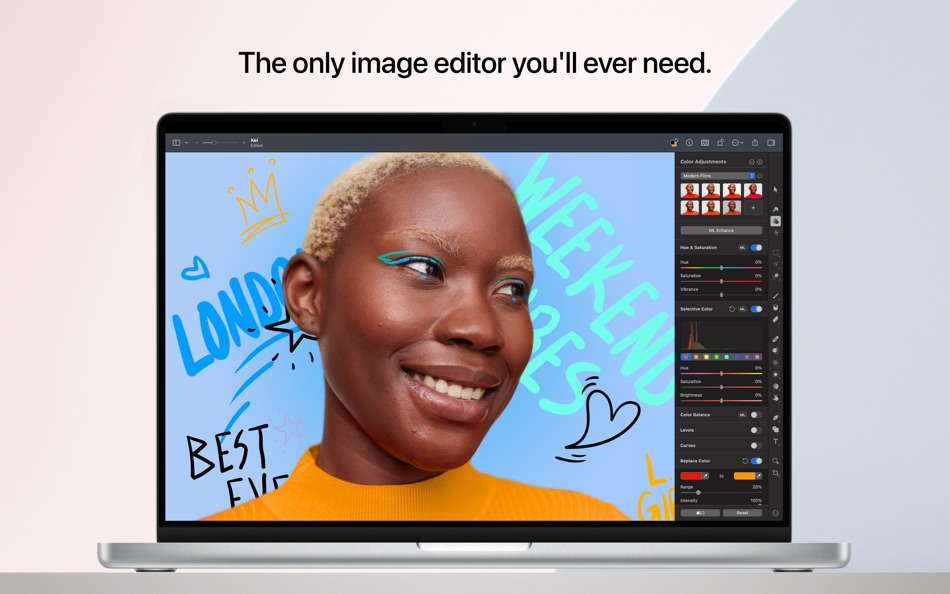
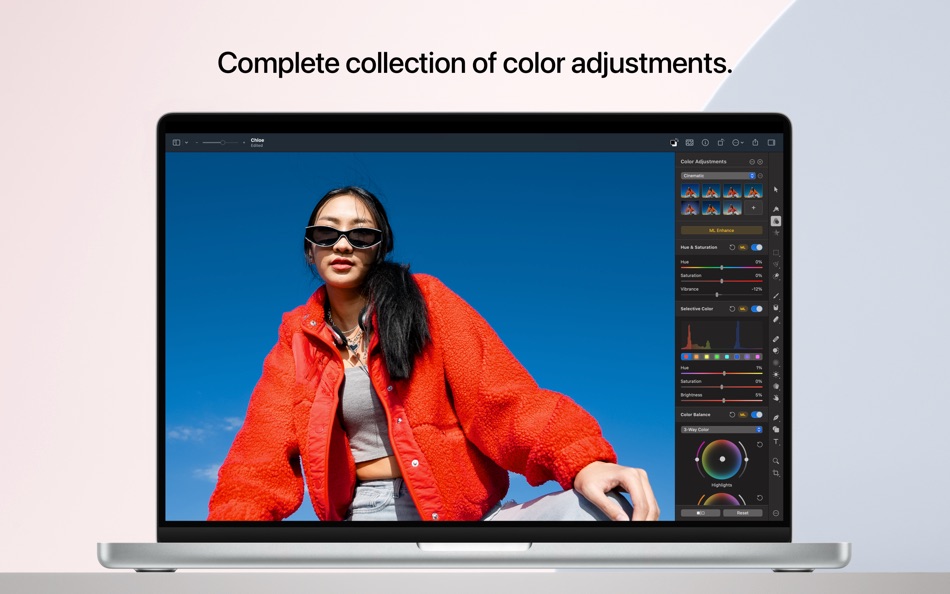
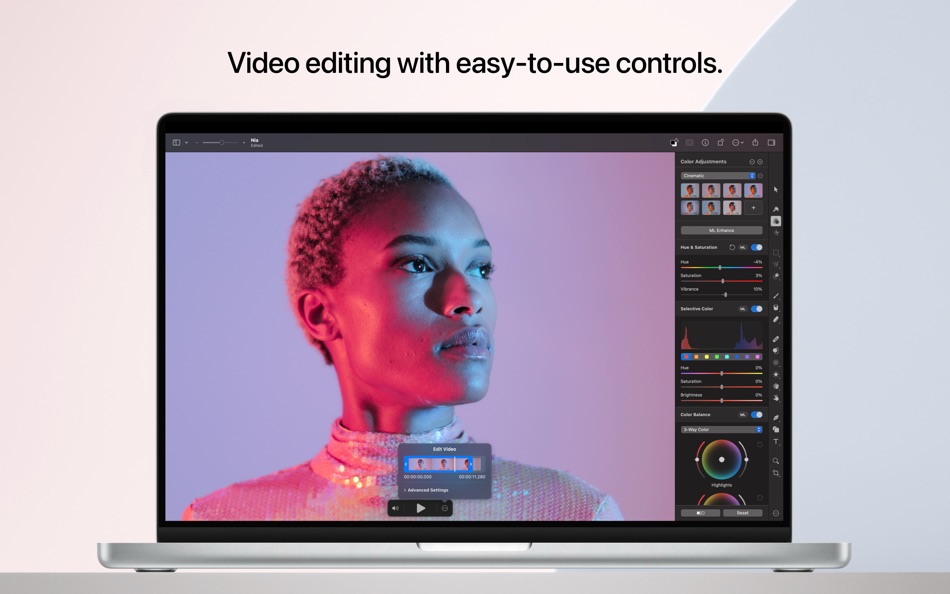
• Adjust the colors in your photos and even videos in any way you want using a powerful collection of pro-grade color adjustments
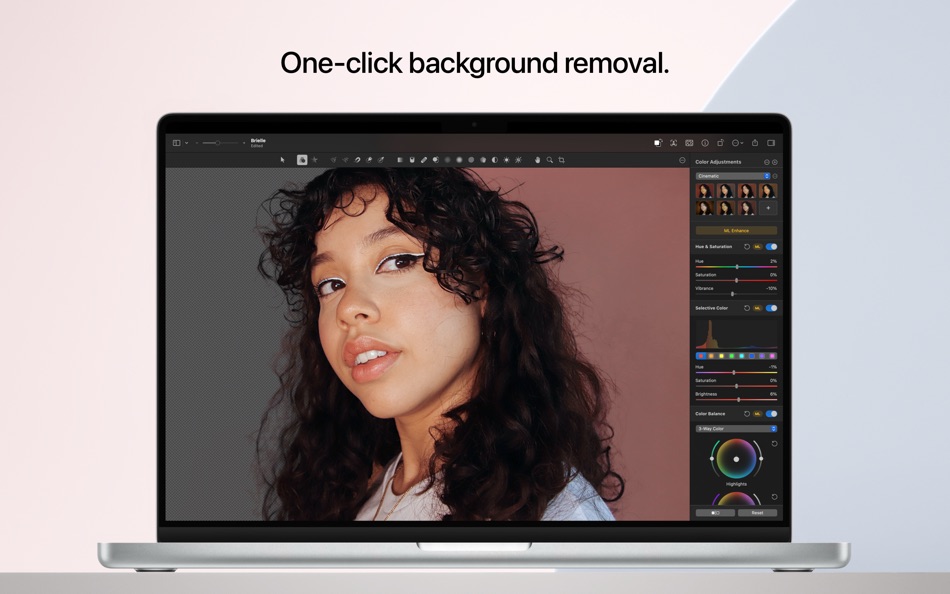
• Use machine learning-powered tools to automatically remove image background, enhance photos and videos, increase resolution, remove compression artifacts and noise, correct white balance, and more
• Magically remove unwanted objects from images using the incredible Repair tool
• Quickly make good-looking shots spectacular with over 40 presets that create cinematic, vintage, photographic film, and many other looks
• Enjoy full support for RAW photos from over 750 most popular digital cameras, including compressed Fujifilm RAWs
• Make precise selective edits using color adjustments layers
Create stunning designs
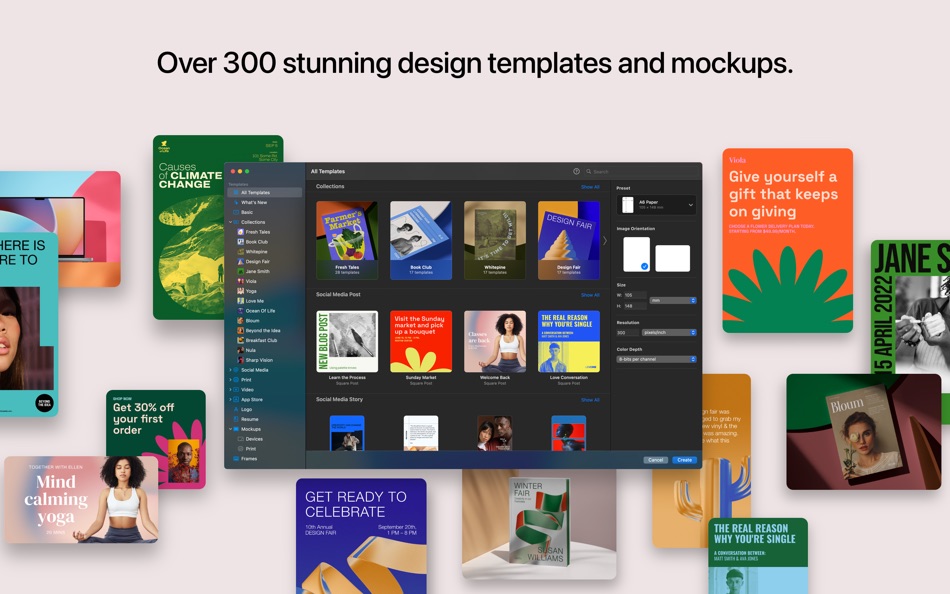
• Create beautiful designs in moments with over 200 templates
• Find templates for a range of different formats including posters, social media posts, resumes, and more
• Effortlessly replace placeholder content in templates and mockups using Smart Replace
• Harness the full power of layer-based editing to design posters, webpages, or apps from scratch
• Easily transform the look of templates using built-in alternative elements — lighting, shapes, effects, and illustrations
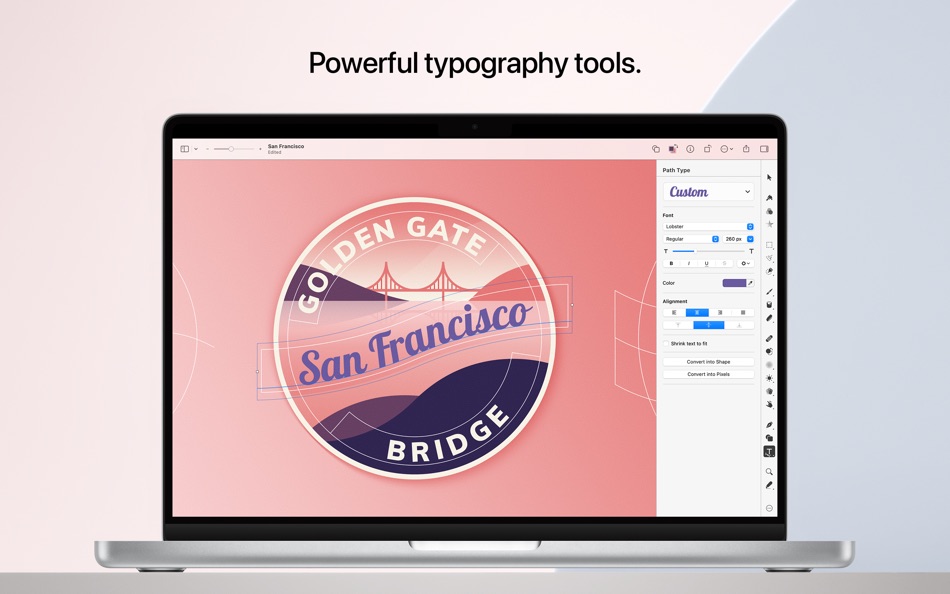
• Add text and customize all its typography features, including font, size, emphasis, alignment, ligatures, spacing, indents, and much more
• Quickly and effortlessly align objects using the intelligent Arrange tool
• Combine any of over 70 versatile, nondestructive effects to develop any artistic or special effects you can imagine
• Customize the look of layers using layer styles, such as Fill, Stroke, Drop Shadow, and Inner Shadow
• Showcase your designs in stunning, fully-customizable mockups
Draw and illustrate
• Create vector designs using a full set of vector tools, including Pen and Freeform Pen tools
• Speed up creating illustrations with over 200 stylish shapes designed by the Pixelmator Team
• Add customizable Smart Shapes to quickly create your custom shapes
• Import and export vector files in SVG and PDF formats
Sketch and paint
• Paint digital or traditional paintings with a collection of beautiful, handcrafted dual-texture brushes
• Take advantage of full support for graphics tablets to paint with pressure and tilt sensitivity
• Enjoy incredibly fast and responsive painting thanks to a cutting-edge painting engine powered by Metal graphics technology
Machine learning-powered editing
• Automatically enhance images with machine learning-powered features including ML Enhance, Match Colors, Super Resolution, Denoise, Deband, and Crop
• Quickly and easily make accurate selections using the Quick Selection tool
Compatibility
• Open files in popular image and video formats, including JPEG, TIFF, PNG, PSD, HEIF, SVG, AI, Illustrator EPS, PDF, GIF, BMP, TGA, WebP, JPEG-2000, AVIF, MP4, MOV, and more
• Open and export HDR images and videos
• Open and export Adobe Photoshop images with layers
• Share your images or videos to Photos, Mail, AirDrop, and other locations
Ad
Captures d'écran



Historique des prix
- Prix actuel : $49.99
- Minimum: $19.99
- Maximum: $49.99
Suivre l'évolution des prix
Informations supplémentaires
- Date de sortie:
- Catégorie:
macOS Applications›Graphisme et design - Systèmes d'exploitation:
macOS,macOS 12.0 ou version ultérieure - Taille:
545 Mb - Langues prises en charge:
Chinese,English,French,German,Italian,Japanese,Korean,Portuguese,Russian,Spanish - Classification du contenu:
4+ - Mac App Store Note:
0 - Site Web:
 https://www.pixelmator.com/pro/
Nouveautés
- Version: 3.8
- Mis à jour:
- • Enjoy full support for compressed RAW images from Sony Alpha ILCE-7M5, FUJIFILM GFX 100S II, and FUJIFILM GFX 100RF cameras
• Work with High Efficiency (HE) and High Efficiency Star (HE*) RAW images from Nikon Z5II and Nikon Z50II cameras
• Open and edit RAW images from Panasonic LUMIX DC-S1RM2 cameras captured in High Resolution mode
• Discover the updated template and mockup categories, including App Screenshot, Bento Grid, and Devices, now featuring new iPhone 17 mockups
Concepteur
- Apple
- Plateformes: Android Applications (7) iOS Applications (126) iOS Jeux (1) macOS Applications (32)
- Listes: 161 + 85
- Points: 358 + 41,703,091 ¡
- Classements: 4.5 (12)
- Commentaires: 0
- Remises: 0
- Vidéos: 1
- RSS: S'abonner
Listes (31)
- Pixelmator Pro


Points (22)
-

- 534 MichaelTheGeek
- +1
-
- 1 Anon
- +1
-
- 319 pantype
- +1
-
- 712 Leonard Hofstadter
- +1
-
- 200 Mailoneso
- +1
-
- 661 IMO FUCASHI
- +1


Classements (0)
0 ☹️
Commentaires (0)
Soyez le premier à commenter 🌟
«Pixelmator Pro». Plateforme : macOS. Catégorie : Graphisme et design. Développeur : «Apple». Première version : . Dernière mise à jour : . Prix actuel : $49.99. Prix le plus bas enregistré : $19.99 (). Prix le plus élevé enregistré : $49.99 (). Ce titre n'a pas encore reçu de notes ou d'avis sur AppAgg. Listes : publiques 31, privées 22. Points suivis : confirmés 22, indirects 0. Langues disponibles : Chinese, English, French, German, Italian, Japanese, Korean, Portuguese, Russian, Spanish. AppAgg suit l'historique des prix, les notes et les commentaires des utilisateurs pour «Pixelmator Pro». Suivez les futures réductions et mises à jour via RSS. AppAgg n'héberge pas d'applications et ne distribue pas de logiciels. Toutes les marques, logos et captures d'écran appartiennent à leurs propriétaires respectifs.
Pixelmator Pro URL courte: Copié!- 🌟 Partager
- Mac App Store
Similaires
-
- TMUTutorial for Pixelmator Pro
- macOS Applications: Graphisme et design De: Swanson Digital, LLC
- $5.99
- Listes: 0 0 0
- Points: 0 Version: 1.0.1 In this HD video tutorial see how to use all the tools and other essential elements of Pixelmator Pro. This will be a great tutorial for anyone that's new to Pixelmator Pro or ... ⥯
-
- Templates for Pixelmator
- macOS Applications: Graphisme et design De: Graphic Fiesta
- $19.99
- Listes: 0 + 1 0 0
- Points: 0 Version: 3.0 This app contains 60 Templates for Pixelmator image editor. To create an awesome Pixelmator document, just browse through categories, find the template that you like, open it with ... ⥯
-
- Pixave
- macOS Applications: Graphisme et design De: YoungHo Kim
- Gratuit
- Listes: 3 + 3 0 0
- Points: 10 Version: 2.3.13 ** BEST OF 2015 APP BY APPLE ** ** FEATURED WORLDWIDE 2015, 2016 AS "BEST NEW APPS" BY APPLE ** Stay Inspired. There is a whole world that we get from images. A single picture can fill ⥯
-
- Black Out
- macOS Applications: Graphisme et design De: Sindre Sorhus
- $4.00
- Listes: 1 + 4 0 0
- Points: 4 Version: 2.6.0 Black Out lets you quickly hide sensitive parts of an image. This can be useful when you want to post a screenshot or photo on the web that contains some information you don't want to ... ⥯
-
- Color Palette Converter
- macOS Applications: Graphisme et design De: Pavlo Liashenko
- $4.99
- Listes: 1 0 0
- Points: 0 Version: 1.4 This application will import color swatches created for use in Adobe applications in palette that you can use in other applications such as "Preview", "Pixelmator", "Affinity", etc. ... ⥯
-
- ScreenToLayers
- macOS Applications: Graphisme et design De: NeededApps
- * Gratuit
- Listes: 0 0 0
- Points: 2 Version: 2.1.1 ScreenToLayers transforms the way you capture screenshots by creating fully editable Photoshop documents with each screen element preserved as a separate layer. Whether you re ... ⥯