
Lagrede
Velg navnet som skal vises i menyen Lagrede.
Ferdig!
| Utvikler: | Apple (166) | ||
| Pris: | $49.99 | ||
| Rangeringer: | 0 | ||
| Kommentarer: | 0 Legg inn kommentar | ||
| Lister: | 31 + 22 | ||
| Poeng: | 22 + 0 ¡ | ||
| Mac App Store | |||
Beskrivelse

Edit and enhance
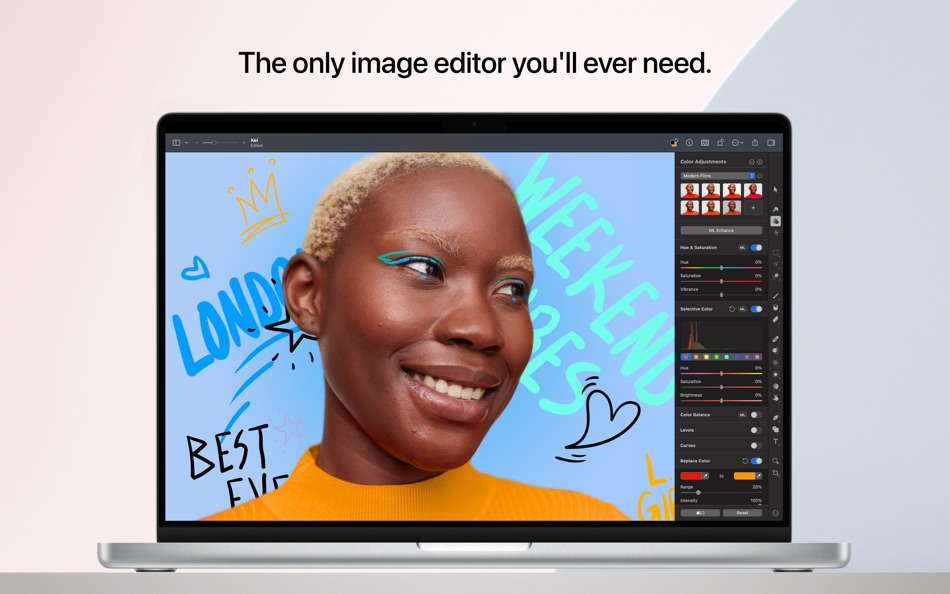
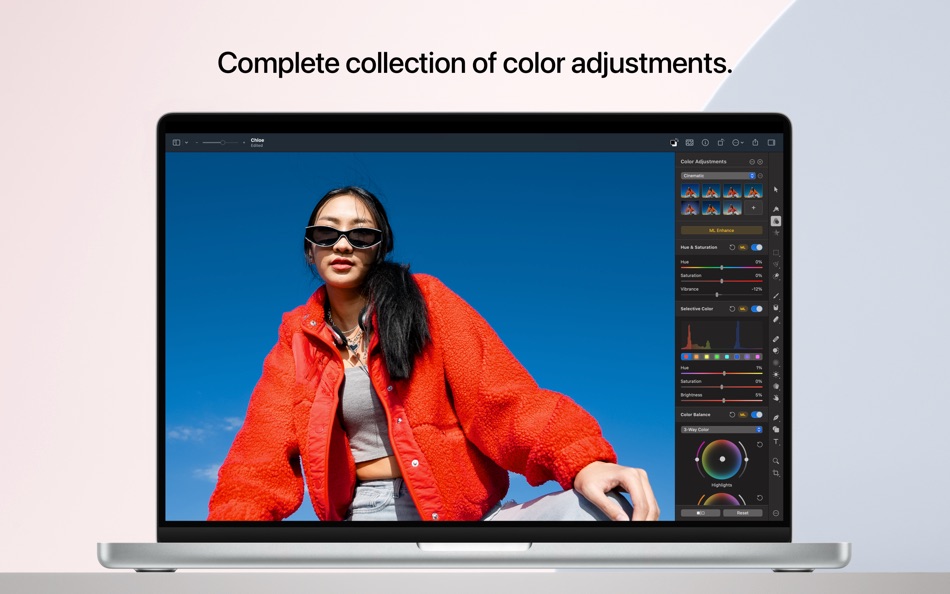
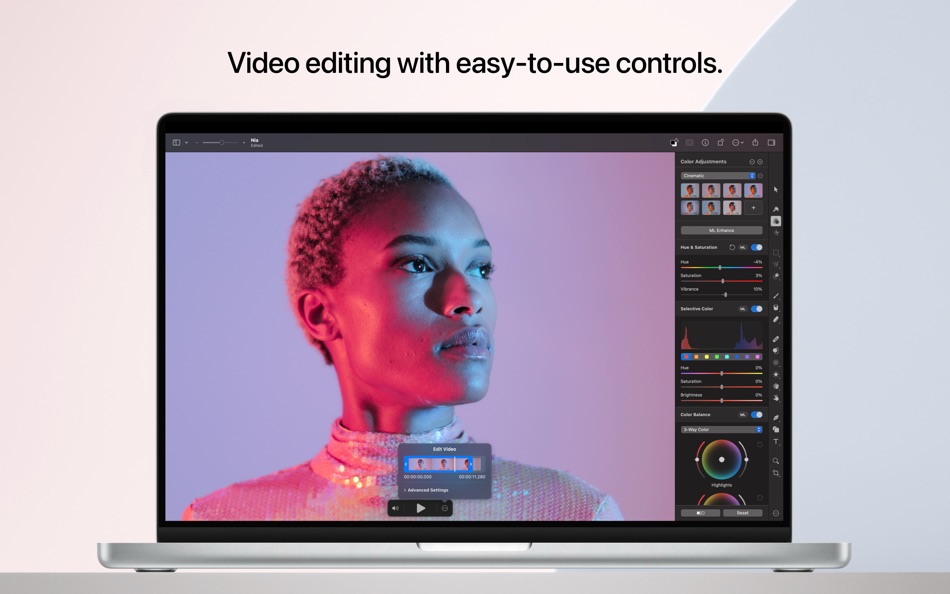
• Adjust the colors in your photos and even videos in any way you want using a powerful collection of pro-grade color adjustments
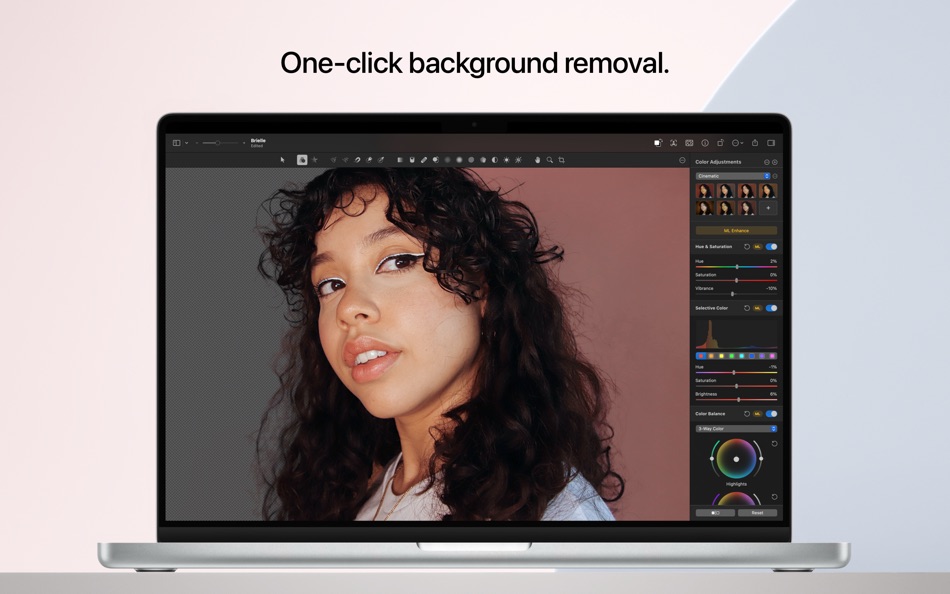
• Use machine learning-powered tools to automatically remove image background, enhance photos and videos, increase resolution, remove compression artifacts and noise, correct white balance, and more
• Magically remove unwanted objects from images using the incredible Repair tool
• Quickly make good-looking shots spectacular with over 40 presets that create cinematic, vintage, photographic film, and many other looks
• Enjoy full support for RAW photos from over 750 most popular digital cameras, including compressed Fujifilm RAWs
• Make precise selective edits using color adjustments layers
Create stunning designs
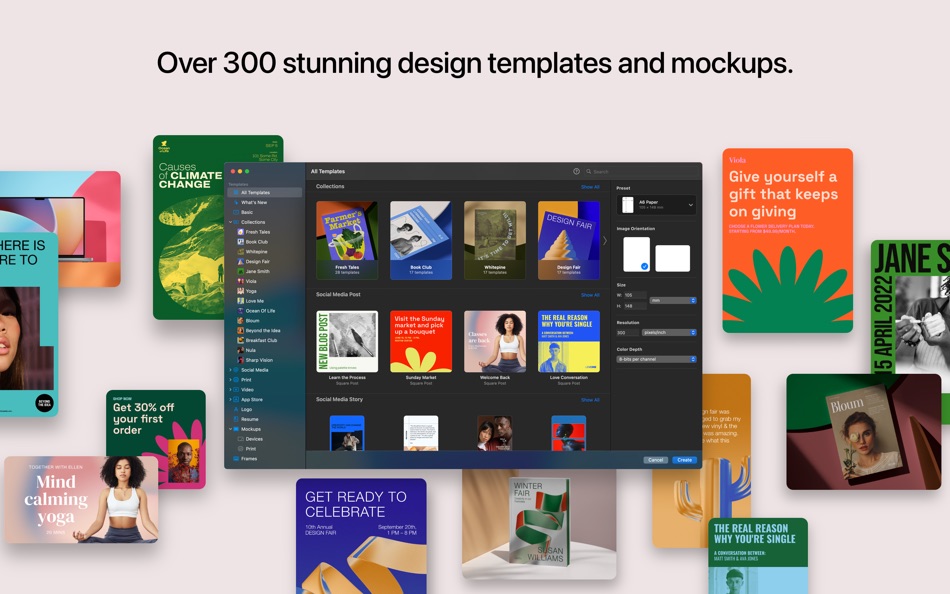
• Create beautiful designs in moments with over 200 templates
• Find templates for a range of different formats including posters, social media posts, resumes, and more
• Effortlessly replace placeholder content in templates and mockups using Smart Replace
• Harness the full power of layer-based editing to design posters, webpages, or apps from scratch
• Easily transform the look of templates using built-in alternative elements — lighting, shapes, effects, and illustrations
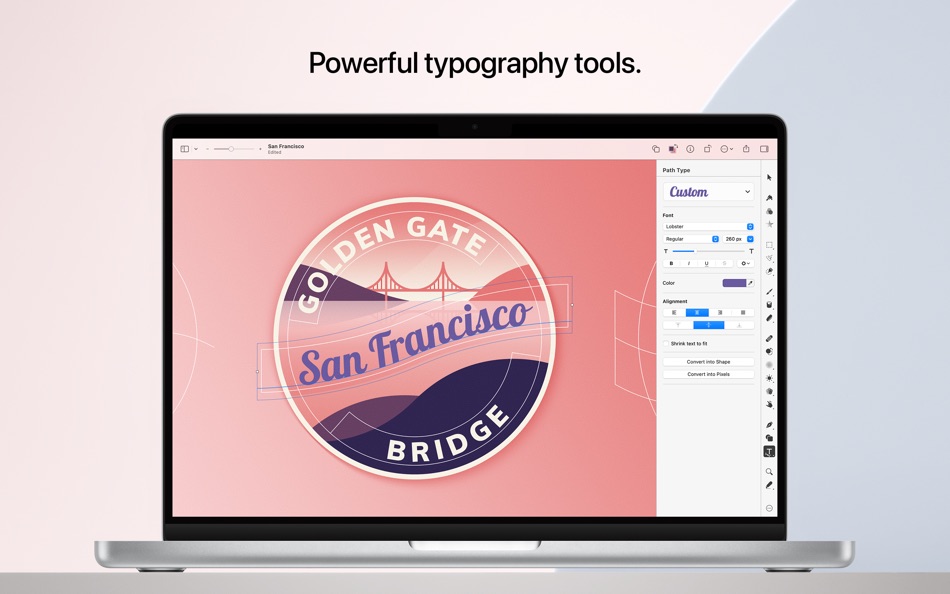
• Add text and customize all its typography features, including font, size, emphasis, alignment, ligatures, spacing, indents, and much more
• Quickly and effortlessly align objects using the intelligent Arrange tool
• Combine any of over 70 versatile, nondestructive effects to develop any artistic or special effects you can imagine
• Customize the look of layers using layer styles, such as Fill, Stroke, Drop Shadow, and Inner Shadow
• Showcase your designs in stunning, fully-customizable mockups
Draw and illustrate
• Create vector designs using a full set of vector tools, including Pen and Freeform Pen tools
• Speed up creating illustrations with over 200 stylish shapes designed by the Pixelmator Team
• Add customizable Smart Shapes to quickly create your custom shapes
• Import and export vector files in SVG and PDF formats
Sketch and paint
• Paint digital or traditional paintings with a collection of beautiful, handcrafted dual-texture brushes
• Take advantage of full support for graphics tablets to paint with pressure and tilt sensitivity
• Enjoy incredibly fast and responsive painting thanks to a cutting-edge painting engine powered by Metal graphics technology
Machine learning-powered editing
• Automatically enhance images with machine learning-powered features including ML Enhance, Match Colors, Super Resolution, Denoise, Deband, and Crop
• Quickly and easily make accurate selections using the Quick Selection tool
Compatibility
• Open files in popular image and video formats, including JPEG, TIFF, PNG, PSD, HEIF, SVG, AI, Illustrator EPS, PDF, GIF, BMP, TGA, WebP, JPEG-2000, AVIF, MP4, MOV, and more
• Open and export HDR images and videos
• Open and export Adobe Photoshop images with layers
• Share your images or videos to Photos, Mail, AirDrop, and other locations
Ad
Skjermbilder



Prishistorie
- Gjeldende pris: $49.99
- Minimum: $19.99
- Maksimalt: $49.99
Spor priser
Tilleggsinformasjon
- Utgivelsesdato:
- Kategori:
macOS Apper›Graphics & Design - OS:
macOS,macOS 12.0 og nyere - Størrelse:
545 Mb - Språk som støttes:
Chinese,English,French,German,Italian,Japanese,Korean,Portuguese,Russian,Spanish - Egnethet:
4+ - Mac App Store Vurdering:
0 - Nettsted:
 https://www.pixelmator.com/pro/
Dette er nytt
- Versjon: 3.8
- Oppdatert:
- • Enjoy full support for compressed RAW images from Sony Alpha ILCE-7M5, FUJIFILM GFX 100S II, and FUJIFILM GFX 100RF cameras
• Work with High Efficiency (HE) and High Efficiency Star (HE*) RAW images from Nikon Z5II and Nikon Z50II cameras
• Open and edit RAW images from Panasonic LUMIX DC-S1RM2 cameras captured in High Resolution mode
• Discover the updated template and mockup categories, including App Screenshot, Bento Grid, and Devices, now featuring new iPhone 17 mockups
Utvikler
- Apple
- Plattformer: Android Apper (7) iOS Apper (126) iOS Spill (1) macOS Apper (32)
- Lister: 161 + 85
- Poeng: 358 + 41,703,091 ¡
- Rangeringer: 4.5 (12)
- Kommentarer: 0
- Rabatter: 0
- Videoer: 1
- RSS: Abonner
Lister (31)
- Pixelmator Pro


Poeng (22)
-

- 534 MichaelTheGeek
- +1
-
- 1 Anon
- +1
-
- 319 pantype
- +1
-
- 712 Leonard Hofstadter
- +1
-
- 200 Mailoneso
- +1
-
- 661 IMO FUCASHI
- +1


Rangeringer (0)
0 ☹️
Kommentarer (0)
Vær den første til å kommentere 🌟
«Pixelmator Pro». Plattform: macOS. Kategori: Graphics & Design. Utvikler: «Apple». Første utgivelse: . Siste oppdatering: . Gjeldende pris: $49.99. Laveste registrerte pris: $19.99 (). Høyeste registrerte pris: $49.99 (). Denne tittelen har ennå ikke mottatt vurderinger eller anmeldelser på AppAgg. Lister: offentlige 31, private 22. Sporede punkter: bekreftede 22, indirekte 0. Tilgjengelige språk: Chinese, English, French, German, Italian, Japanese, Korean, Portuguese, Russian, Spanish. AppAgg sporer prishistorikk, rangeringer og tilbakemeldinger fra brukere for «Pixelmator Pro». Følg fremtidige rabatter og oppdateringer via RSS. AppAgg er ikke vert for applikasjoner eller distribuerer programvare. Alle varemerker, logoer og skjermbilder tilhører deres respektive eiere.
Pixelmator Pro Kort nettadresse: Kopiert!- 🌟 Dele
- Mac App Store
Lignende
-
- TMUTutorial for Pixelmator Pro
- macOS Apper: Graphics & Design Av: Swanson Digital, LLC
- $5.99
- Lister: 0 0 0
- Poeng: 0 Versjon: 1.0.1 In this HD video tutorial see how to use all the tools and other essential elements of Pixelmator Pro. This will be a great tutorial for anyone that's new to Pixelmator Pro or ... ⥯
-
- Templates for Pixelmator
- macOS Apper: Graphics & Design Av: Graphic Fiesta
- $19.99
- Lister: 0 + 1 0 0
- Poeng: 0 Versjon: 3.0 This app contains 60 Templates for Pixelmator image editor. To create an awesome Pixelmator document, just browse through categories, find the template that you like, open it with ... ⥯
-
- Pixave
- macOS Apper: Graphics & Design Av: YoungHo Kim
- Gratis
- Lister: 3 + 3 0 0
- Poeng: 10 Versjon: 2.3.13 ** BEST OF 2015 APP BY APPLE ** ** FEATURED WORLDWIDE 2015, 2016 AS "BEST NEW APPS" BY APPLE ** Stay Inspired. There is a whole world that we get from images. A single picture can fill ⥯
-
- Black Out
- macOS Apper: Graphics & Design Av: Sindre Sorhus
- $4.00
- Lister: 1 + 4 0 0
- Poeng: 4 Versjon: 2.6.0 Black Out lets you quickly hide sensitive parts of an image. This can be useful when you want to post a screenshot or photo on the web that contains some information you don't want to ... ⥯
-
- Color Palette Converter
- macOS Apper: Graphics & Design Av: Pavlo Liashenko
- $4.99
- Lister: 1 0 0
- Poeng: 0 Versjon: 1.4 This application will import color swatches created for use in Adobe applications in palette that you can use in other applications such as "Preview", "Pixelmator", "Affinity", etc. ... ⥯
-
- ScreenToLayers
- macOS Apper: Graphics & Design Av: NeededApps
- * Gratis
- Lister: 0 0 0
- Poeng: 2 Versjon: 2.1.1 ScreenToLayers transforms the way you capture screenshots by creating fully editable Photoshop documents with each screen element preserved as a separate layer. Whether you re ... ⥯