
| Nhà phát triển: | Christian Kappertz (3) | ||
| Giá bán: | $12.99 | ||
| Xếp hạng: | 0 | ||
| Đánh giá: | 0 Viết đánh giá | ||
| Bình luận: | 0 Đăng bình luận | ||
| Danh sách: | 1 + 0 | ||
| Điểm: | 1 + 6 (4.0) ¡ | ||
| App Store | |||
Mô tả

Also profit from the intuitively designed interface of the great and professional functions with which the Gimbse camera app makes your pictures even better.
PERSPECTIVE ASSISTANT
The Perspective Assistant ensures that your pictures are always straight, no matter from which angle they were taken. But “straight“ doesn‘t just mean that people stand upright in the picture and the horizon is really horizontal. With the help of the various modes, you can freely choose which additional perspective tools you want to use for your subject. Perspective alignment has never been so easy!
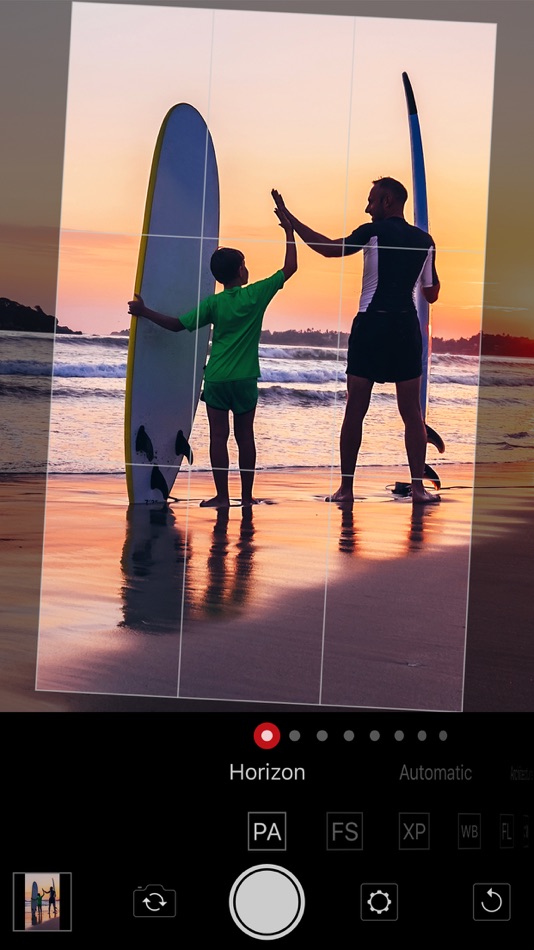
• Horizon
It automatically does what many photographers usually do by hand or with gimbals: Hold the camera straight.
• Automatic
Let the Perspective Assistant automatically select between Architecture and Horizon modes to avoid extreme distortion at the edges of the image.
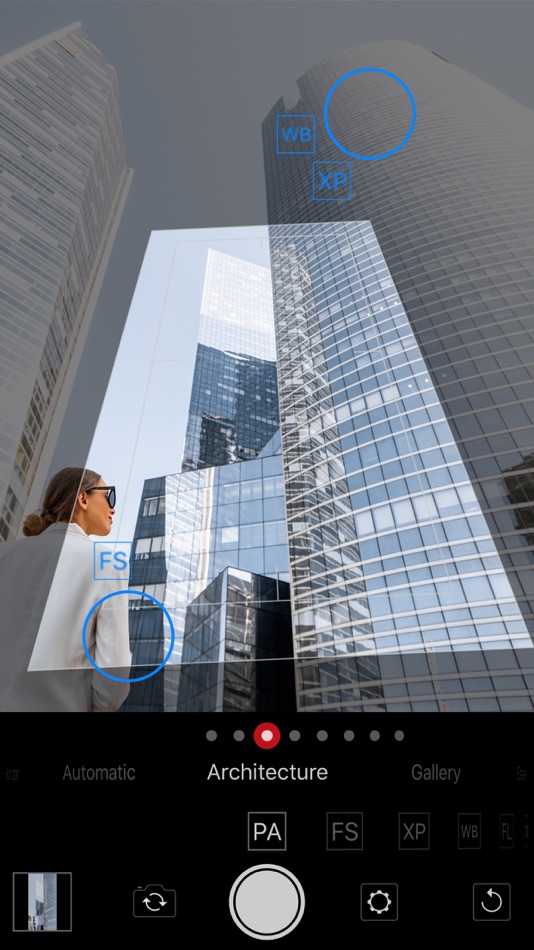
• Architecture
The mode for professional architectural photography – the perspective is automatically corrected to avoid falling lines.
• Gallery
In Gallery mode, photograph vertical or horizontal surfaces exactly from the front, even though the situation only allows a sloping shooting angle. The magnetic axis makes alignment easy and very accurate.
• Easel
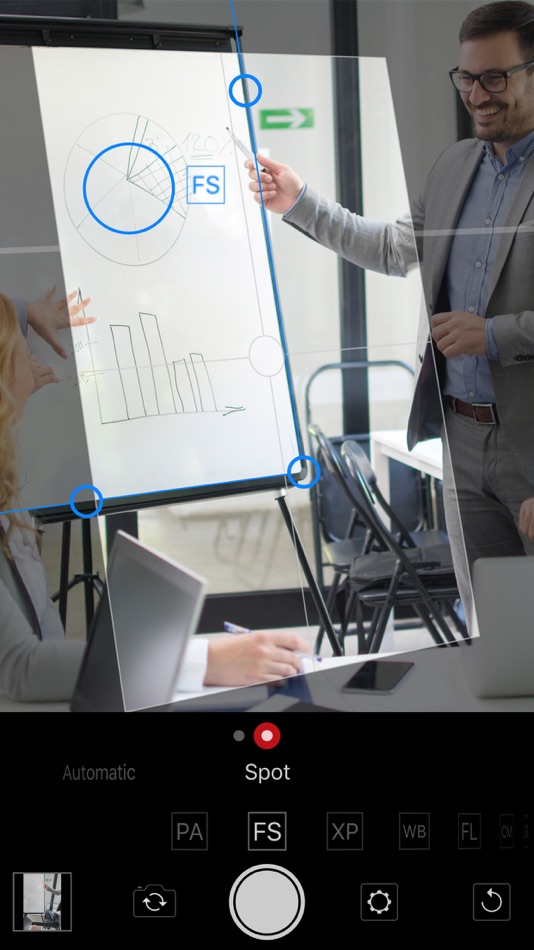
For inclined surfaces such as flipcharts, screens or simply easels, there is also the Easel mode with the practical magnetic angle.
• Rectangle
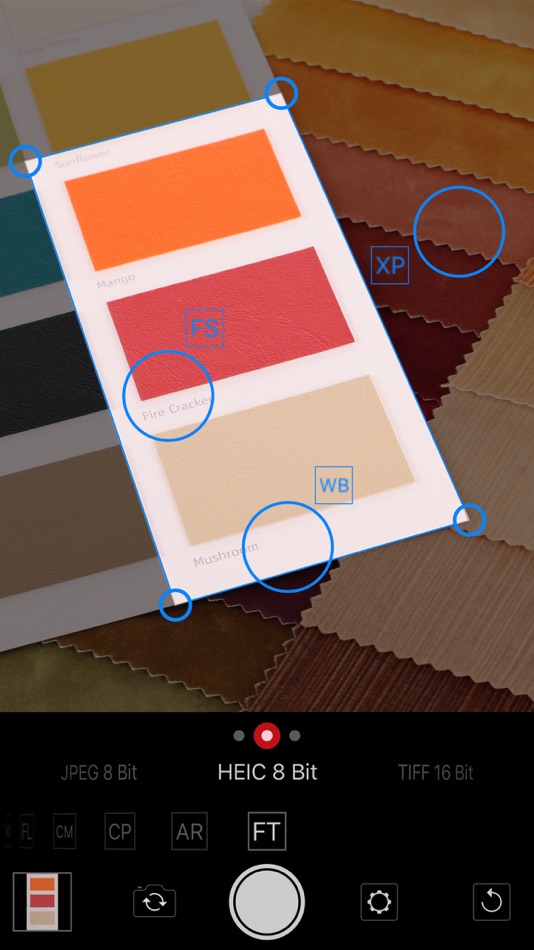
With the magnetic frame, you can shoot rectangular objects of any kind as if they were taken from the front and crop them in their original proportions, (almost) regardless of the shooting angle.
• Calibrate
Also use the Calibrate mode with its magnetic axes to achieve even more precision in aligning your photos. Once performed, the calibration is always maintained.
• Deactivated
With this you can also take really skewed pictures.
FOCUS
• Automatic
• Spot
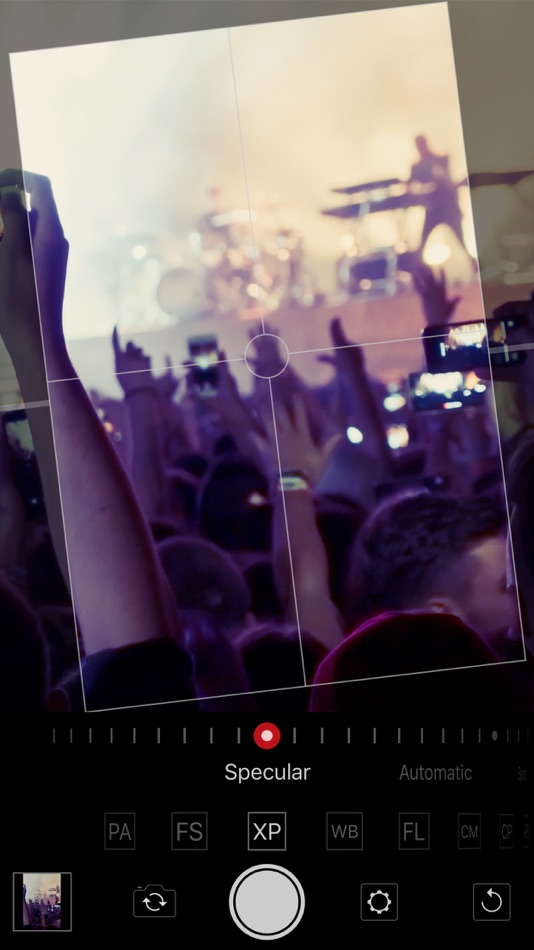
EXPOSURE
• Lights
• Automatic
• Spot
• Lock
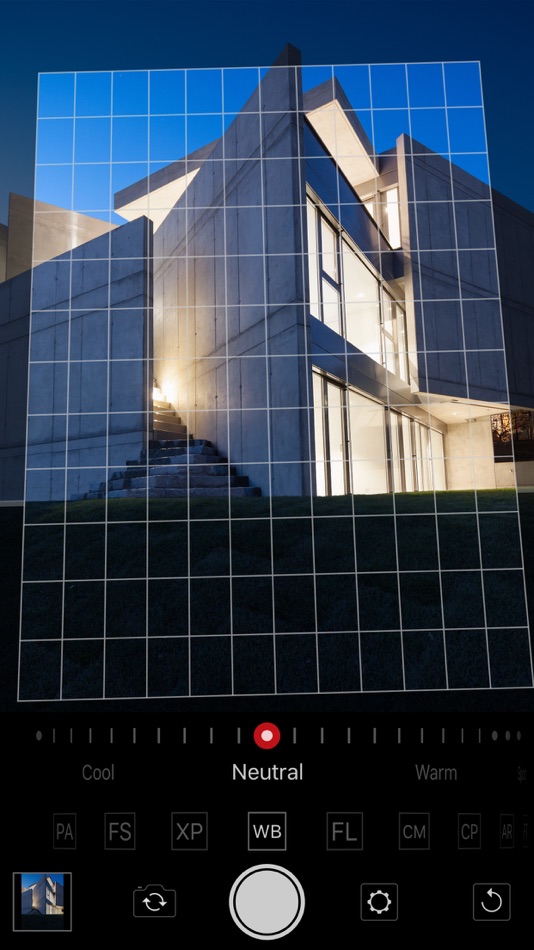
WHITE BALANCE
• Cold
• Neutral
• Warm
• Spot
• Lock
FOCAL LENGTH
• Ultra Wide Angle (if available)
• 20 mm (if available)
• Wide Angle
• 35 mm
• 50 mm
• Telephoto Lens (if available)
• 80 mm
• 135 mm
• 200 mm
• 300 mm
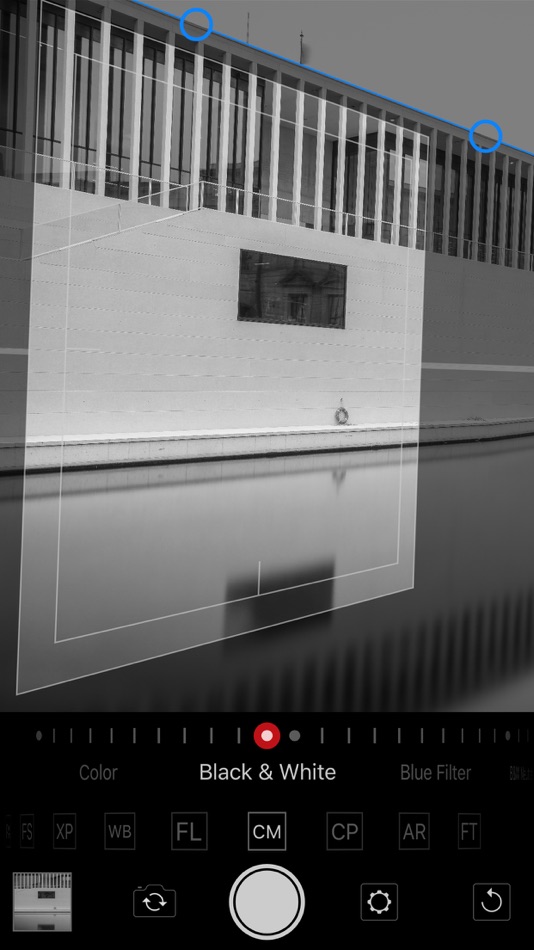
COLOR MODE
• Color (in gradations)
• Black & White
• Blue Filter
• BW Neutral
• Red Filter
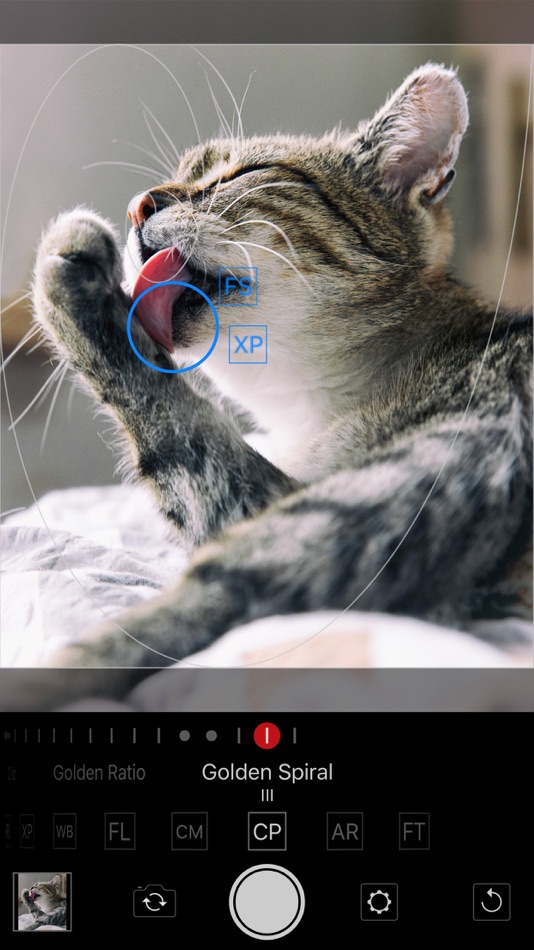
COMPOSITION
• Empty
• Frame
• Crosshair
• Grid
• Golden Section
• Golden Spiral
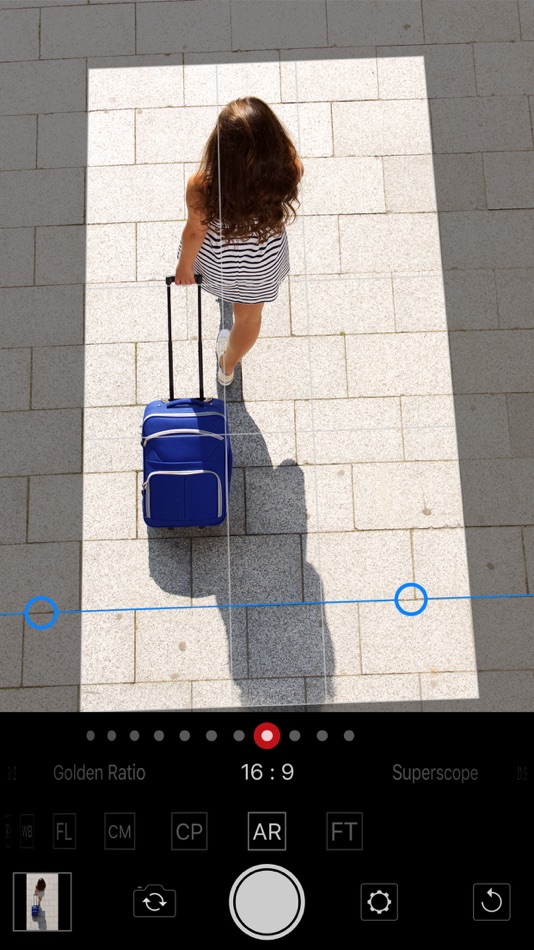
ASPECT RATIO
• Square
• 7 : 6
• 5 : 4
• 4 : 3
• DIN A Format
• 3 : 2
• Golden Section
• 16 : 9
• Superscope
• 21 : 9
• CinemaScope
FILE TYPE (iOS 13 and higher)
• L97JPEG 8 sRGB
• JPEG 8 P3
• TIFF 16 sRGB (high memory requirement!)
• TIFF 16 P3 (high memory requirement!)
With the practical reset button, you can quickly reset Gimbse at any time to be ready for the next snapshot. Configure Gimbse conveniently in the settings. You can also have a comparison image saved for each shot. This shows a before/after comparison between the captured image and the version created by Gimbse.
Discover the incredible new design options that Gimbse can offer you!
Ad
Ảnh chụp màn hình

Lịch sử giá
- Hôm nay: $12.99
- Tối thiểu: Miễn phí
- Tối đa: $24.99
Theo dõi giá
Bình luận (0)
Hãy là người đầu tiên nhận xét 🌟
Nhà phát triển
- Christian Kappertz
- Nền tảng: iOS Ứng dụng (2) iOS Trò chơi (1)
- Danh sách: 1 + 0
- Điểm: 20 + 6 ¡
- Xếp hạng: 0
- Đánh giá: 0
- Bình luận: 0
- Giảm giá: 0
- Video: 0
- RSS: Đăng ký
Điểm (1)
-

- 85 spacedog
- +1

Xếp hạng (0)
0 ☹️
Danh sách (1)
- Gimbse Camera

Đánh giá (0)
Hãy là người đầu tiên đánh giá 🌟
Thông tin bổ sung
- Phiên bản: 2.4.1
- Danh mục:
iOS Ứng dụng›Nhiếp ảnh - HĐH:
iPad,iPhone,iOS 13.0 trở lên - Kích thước:
2 Mb - Ngôn ngữ được hỗ trợ:
Danish,Dutch,English,Finnish,French,German,Italian,Norwegian,Portuguese,Spanish,Swedish - Xếp hạng nội dung:
4+ - App Store Xêp hạng:
4.0(6) - Cập nhật:
- Ngày phát hành:
«Gimbse Camera». Nền tảng: iOS. Thể loại: Nhiếp ảnh. Nhà phát triển: «Christian Kappertz». Bản phát hành đầu tiên: . Cập nhật lần cuối: . Giá hiện tại: $12.99. Giá thấp nhất được ghi nhận: $0.00 (). Giá cao nhất được ghi nhận: $24.99 (). Tiêu đề này chưa nhận được xếp hạng hoặc đánh giá trên AppAgg. Danh sách: công khai 1, riêng tư 0. Điểm được theo dõi: xác nhận 1, gián tiếp 6. Cửa hàng: App Store. Đánh giá cửa hàng: 4.0. Phiếu bầu: 6. Ngôn ngữ có sẵn: Danish, Dutch, English, Finnish, French, German, Italian, Norwegian, Portuguese, Spanish, Swedish. AppAgg theo dõi lịch sử giá, xếp hạng và phản hồi của người dùng cho «Gimbse Camera». Theo dõi ưu đãi và cập nhật trong tương lai qua RSS. AppAgg không lưu trữ ứng dụng hoặc phân phối phần mềm. Tất cả các nhãn hiệu, logo và ảnh chụp màn hình đều thuộc về chủ sở hữu tương ứng.
Gimbse Camera URL ngắn: Đã sao chép!- 🌟 Chia sẻ
- App Store
Ad
Tương tự
-
- Camera Kingston Prints Online
- iOS Ứng dụng: Nhiếp ảnh Bởi: CAMERA KINGSTON LIMITED
- Miễn phí
- Danh sách: 0 + 0 Xếp hạng: 0 Đánh giá: 0
- Điểm: 0 + 1 (5.0) 0 Phiên bản: 7.4.0 With the Camera Kingston App you can easily upload photos and order prints and creative photo products from camerakingston.com. Pick up prints from our convenient location in downtown ... ⥯
-
- Shutter - Sony Camera Remote
- iOS Ứng dụng: Nhiếp ảnh Bởi: Camera Control Apps sp. z o.o.
- Miễn phí
- Danh sách: 1 + 1 Xếp hạng: 0 Đánh giá: 0
- Điểm: 12 + 872 (4.3) 0 Phiên bản: 4.32 Remote control for Sony alpha and Cyber-shot cameras. Capture flawless self-portraits, breathtaking travel shots, professional real-estate photos, stunning time-lapses, and more. (See ... ⥯
-
- Camera M - Pro Manual Camera
- iOS Ứng dụng: Nhiếp ảnh Bởi: bxb
- $7.99
- Danh sách: 3 + 7 Xếp hạng: 0 Đánh giá: 0
- Điểm: 5 + 1,354 (4.5) 0 Phiên bản: 9.2.1 Camera M is a professional manual camera designed to do one thing exceptionally well help you capture beautiful photos at the highest possible quality with powerful, precise manual ... ⥯
-
- Camera Zoom 100x HD Lens
- iOS Ứng dụng: Nhiếp ảnh Bởi: Amiruddin Amiruddin
- Miễn phí
- Danh sách: 0 + 0 Xếp hạng: 0 Đánh giá: 0
- Điểm: 2 + 102 (4.3) 0 Phiên bản: 1.1 Camera Zoom 100x HD Lens The Ultimate Zoom Camera App Take your photography and videography to the next level with Camera Zoom 100x HD Lens, the perfect app for capturing extreme ... ⥯
-
- Camera Cluster for iPhone
- iOS Ứng dụng: Nhiếp ảnh Bởi: ALTMOBILE.AI, LLC
- Miễn phí
- Danh sách: 0 + 0 Xếp hạng: 0 Đánh giá: 0
- Điểm: 1 + 0 0 Phiên bản: 1.0 "Camera Cluster for iPhone" and the "Cluster Manager" app for Mac provide an AI clustering layer on top of Apple's hardware and software linking macOS, iOS, iPadOS, and other devices ... ⥯
-
- Camera Photo Editor Easy
- iOS Ứng dụng: Nhiếp ảnh Bởi: Phornsak Tibyakad
- Miễn phí
- Danh sách: 0 + 0 Xếp hạng: 0 Đánh giá: 0
- Điểm: 0 + 1 (1.0) 0 Phiên bản: 2.0 Many tools available like Filter, Brightness, Saturation, Contrast, Effects, Blur, Resize, Rotate, Stickers, Frames, Tone Curve, Splash color and Cool Text Fonts You can easily share ... ⥯
-
- Camera
- iOS Ứng dụng: Nhiếp ảnh Bởi: Apple
- Miễn phí
- Danh sách: 2 + 1 Xếp hạng: 0 Đánh giá: 0
- Điểm: 3 + 14,419 (3.4) 0 Phiên bản: 1.3 Take stunning photos and videos with true-to-life color in any situation from everyday moments to studio-quality portraits. Capture detailed shots in low-light situations, and unleash ... ⥯
-
- Leica LUX - Pro Manual Camera
- iOS Ứng dụng: Nhiếp ảnh Bởi: Leica Camera AG
- Miễn phí
- Danh sách: 2 + 1 Xếp hạng: 0 Đánh giá: 0
- Điểm: 5 + 5,454 (4.8) 0 Phiên bản: 1.11.7 Leica LUX is a professional camera app that brings the iconic Leica Look and its signature color, style, and feel to your iPhone. Developed in-house by Leica, it gives you the unique ... ⥯
-
- Camera+: Pro Camera & Editor
- iOS Ứng dụng: Nhiếp ảnh Bởi: Heavy Plumb Apps, SOCIEDAD LIMITADA
- Miễn phí
- Danh sách: 9 + 11 Xếp hạng: 0 Đánh giá: 0
- Điểm: 22 + 11,703 (4.5) 0 Phiên bản: 24.6.0 Camera+ is the most advanced and powerful photo capturing and editing app available. With intuitive camera presets, a variety of built-in filters, flexible editing tools, and ... ⥯
-
- Camera Files
- iOS Ứng dụng: Nhiếp ảnh Bởi: JOSE F DA SILVA NT
- * Miễn phí
- Danh sách: 0 + 1 Xếp hạng: 0 Đánh giá: 0
- Điểm: 7 + 2 (3.0) 0 Phiên bản: 2.3.2 Planning your shoot and unsure how much disk space you ll need? Camera Files is here to help! This app provides instant, accurate answers by exploring all the setup options available ... ⥯
-
- Camera BFF Auto Photoshoot App
- iOS Ứng dụng: Nhiếp ảnh Bởi: Bolandia Creative Inc.
- * Miễn phí
- Danh sách: 0 + 0 Xếp hạng: 0 Đánh giá: 0
- Điểm: 5 + 0 0 Phiên bản: 2.2 Capture your best self, without the filters. CAMERA BF is the easiest way to take perfect portraits, no AI, no beauty edits, just you. Tap once and get four effortless, vertical ... ⥯
-
- Camera Connect & Control
- iOS Ứng dụng: Nhiếp ảnh Bởi: Rupert Kurka
- Miễn phí
- Danh sách: 0 + 0 Xếp hạng: 0 Đánh giá: 0
- Điểm: 2 + 690 (3.9) 0 Phiên bản: 6.2.5 Connect your camera with your phone and bring your photography skills to a new level. This app is the reason why gps & wifi suddenly makes sense on your camera. Features: - View all ... ⥯
-
- Camera with Filters
- iOS Ứng dụng: Nhiếp ảnh Bởi: Gianluca Natalini
- $0.99
- Danh sách: 0 + 0 Xếp hạng: 0 Đánh giá: 0
- Điểm: 3 + 1 (1.0) 0 Phiên bản: 2.2 Need a professional camera with filters? Do you want to apply filters all together (one over the other) to get the right combination of filters you want? Do you want to edit the image ... ⥯
-
- Camera Capture Event
- iOS Ứng dụng: Nhiếp ảnh Bởi: 方 沈
- $0.99
- Danh sách: 1 + 0 Xếp hạng: 0 Đánh giá: 0
- Điểm: 0 + 1 (1.0) 0 Phiên bản: 2.5.9 Powerful and easy to manage the camera action. Enable the iCloud for our device album, the photo or video made from this app will be uploaded to our iCloud. The app could take photo or ⥯