
Opgeslagen
Kies de naam die in je menu Opgeslagen moet worden weergegeven.
Klaar!
| Ontwikkelaar: | EXAMaker windows (1) | ||
| Prijs: | Gratis | ||
| Beoordeling: | 550 Brons | ||
| Beoordelingen: | 0 | ||
| Reacties: | 0 Plaats reactie | ||
| Lijsten: | 1 + 0 | ||
| Punten: | 1 + 0 ¡ | ||
| +1 Punten | |||
Beschrijving

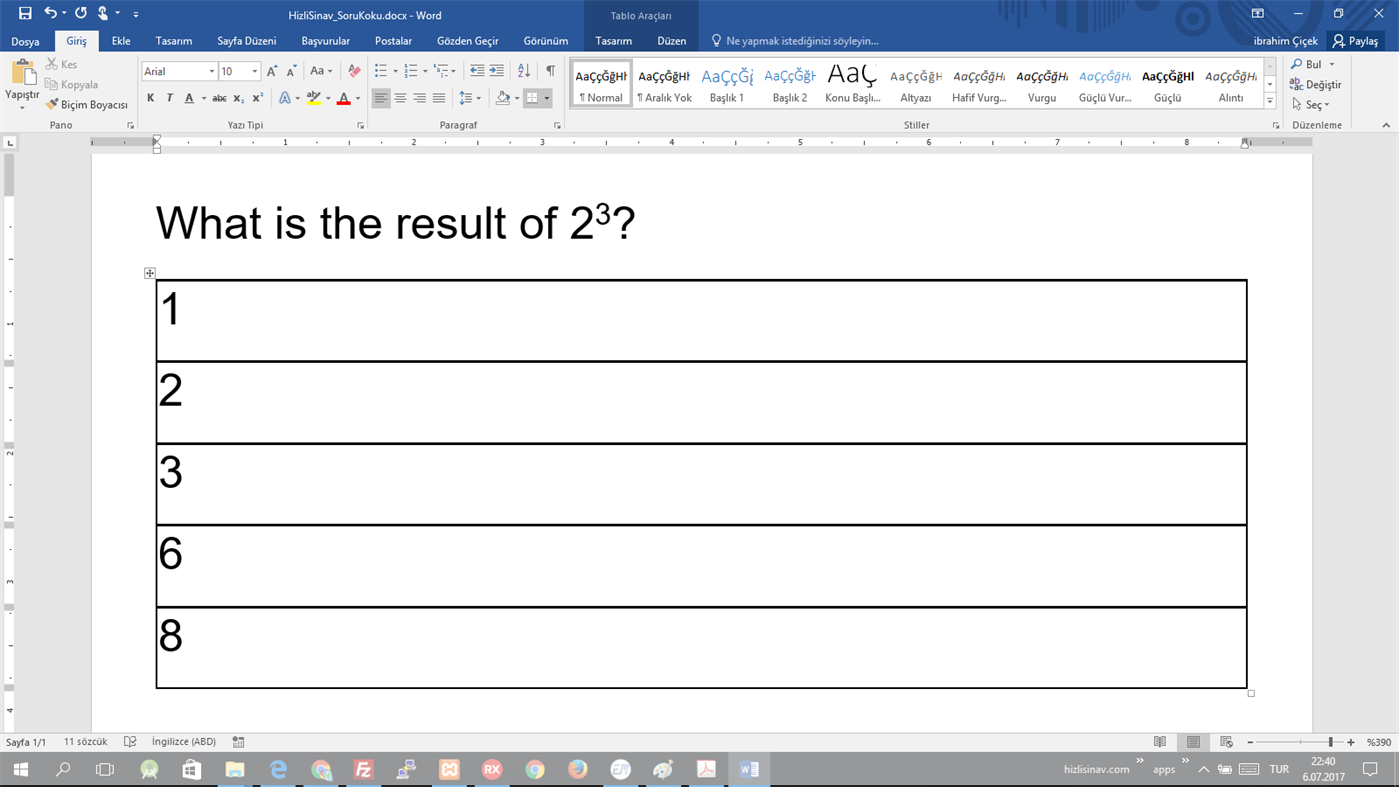
Some properties of the application are required Microsoft Word. Sending your question and adding header/footer to the exam need Microsoft Word.
Teachers can share their own questions and prepare exam by using the questions in the system.
Sharing Questions:
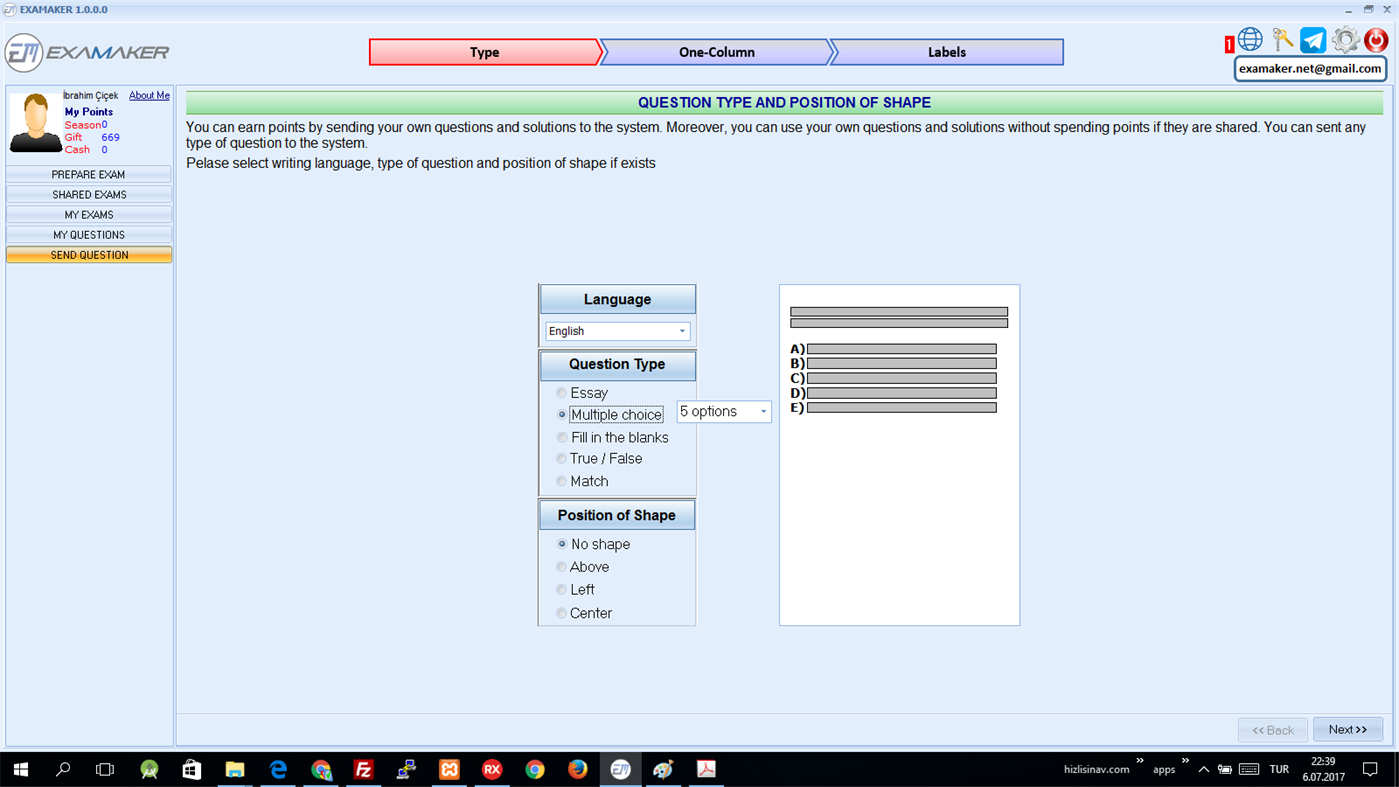
If MS Word is installed on their computer, then teachers can sent their questions to the system. The application can support five types of questions (Essay type, multiple choice, true/false, filling the blanks and matching).
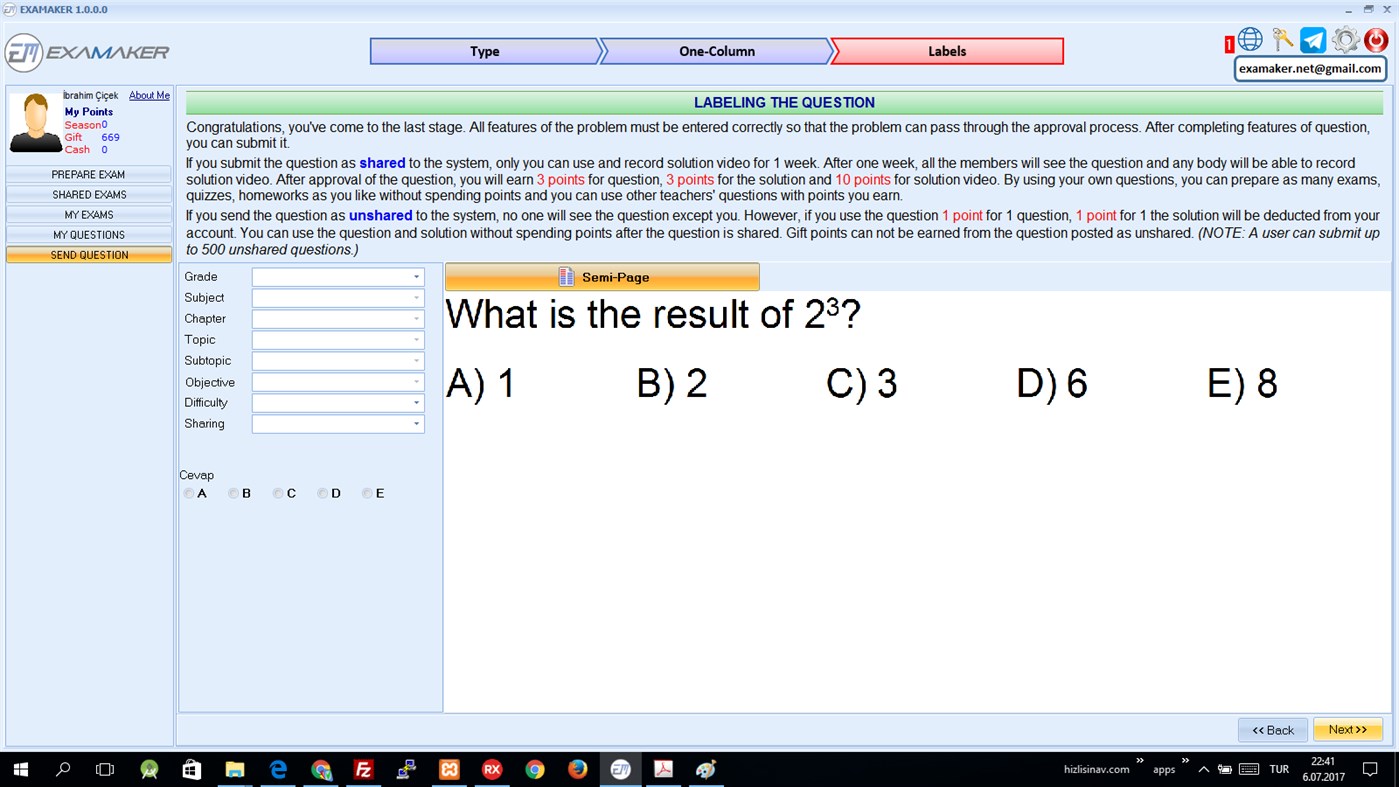
Firstly, the teacher chooses the type of question. Then, the application prepares a template by using MS Word and the teacher writes his/her question in this template. When MS Word is closed, the question is saved. In the same way, he/she writes the answer or the solution of the question. After that, the question is labeled by entering grade, subject, topic, objective etc. (This is necessary to search question while teachers prepare exam). Finally, the question, answer or solutions and labels are posted to the server and approval process starts.
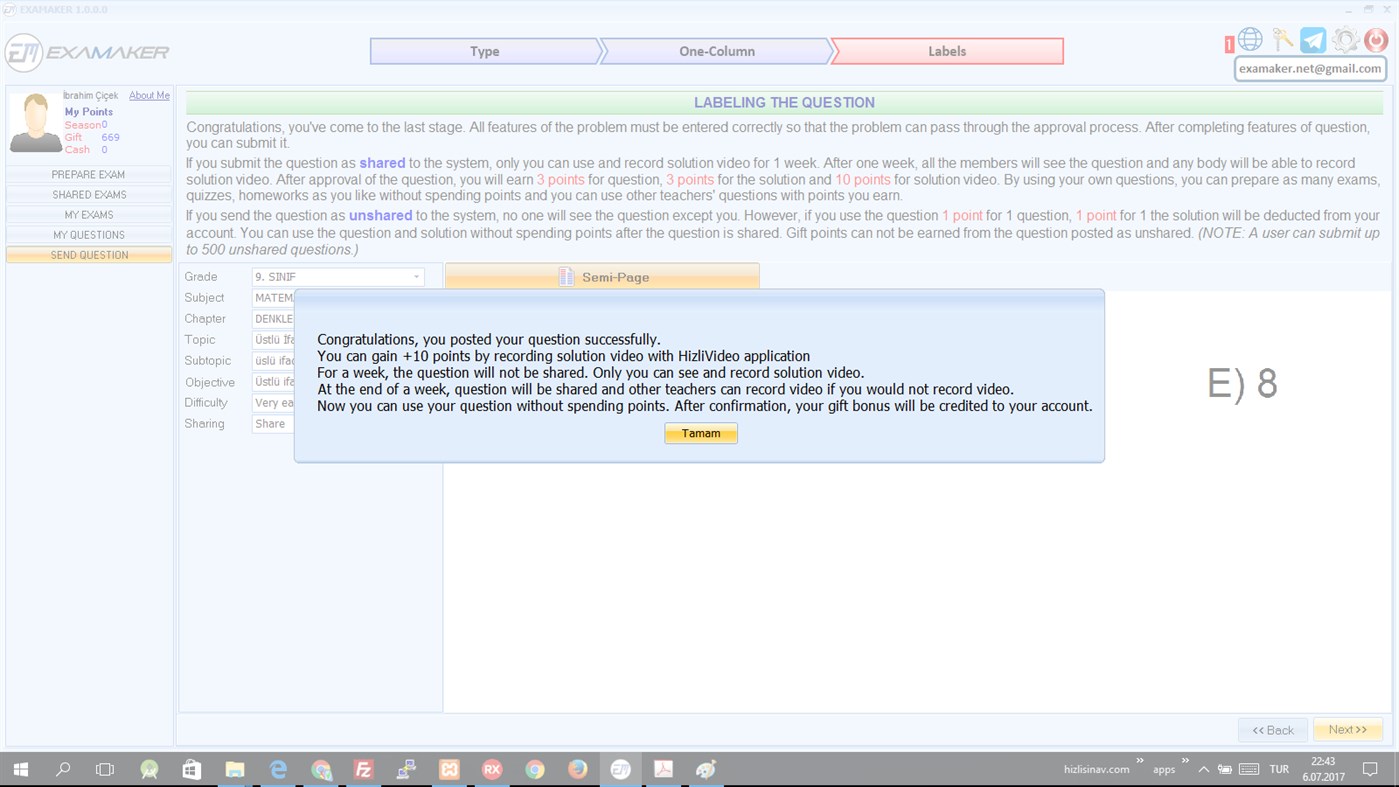
When the question is approved, the question is shared with all users in the system after 1 week and the teacher gains +3 points for question and +3 points for solution. He/she can use these points to use other teachers’ question (He/she can use his/her own question without using points)
Preparing Exam:
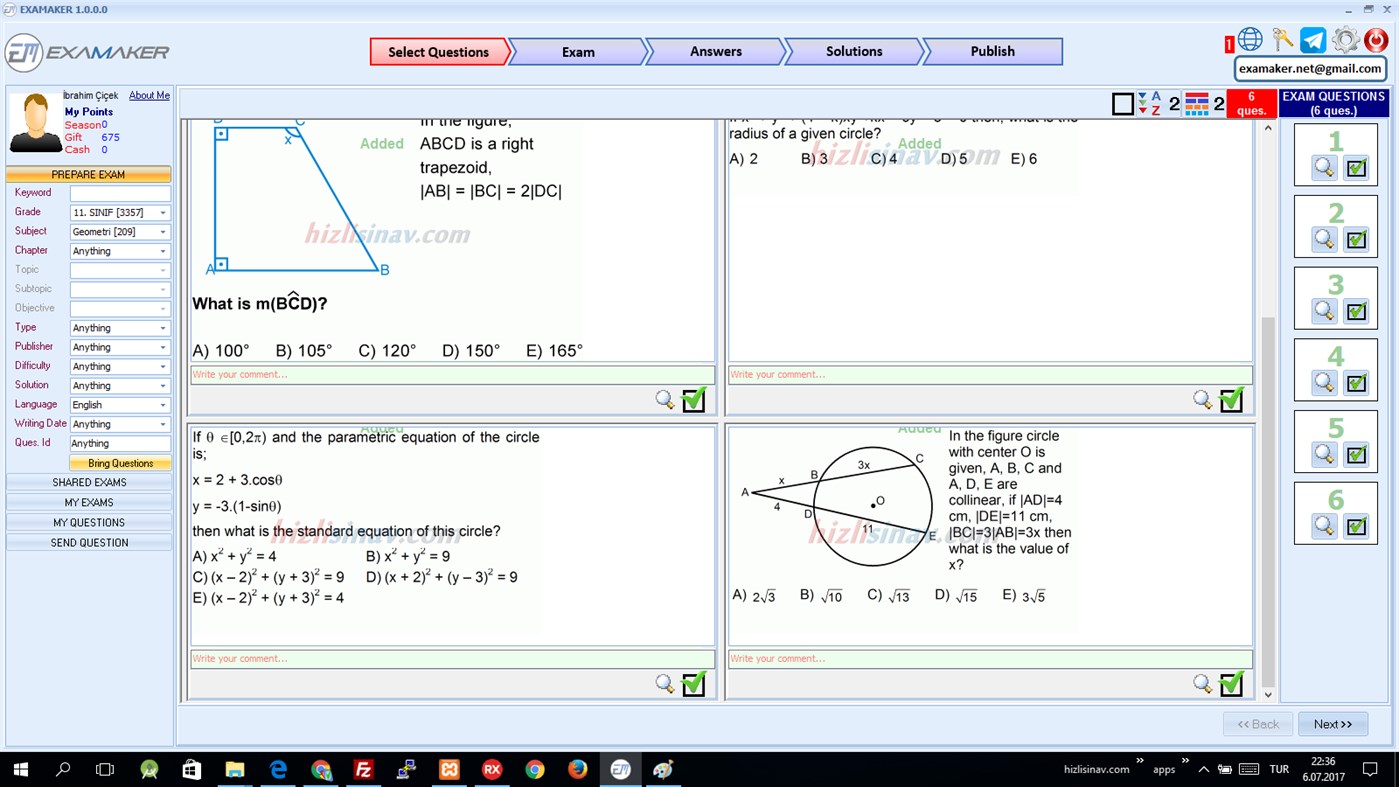
Teachers can prepare their exams quickly by using the application. There is no matter whether MS Word is installed or not. Firstly, the teacher chooses his/her criteria for search of question, the application brings question. After, he/she chooses his/her exam’s question, he/she adjust settings of exam papers.
He/she can
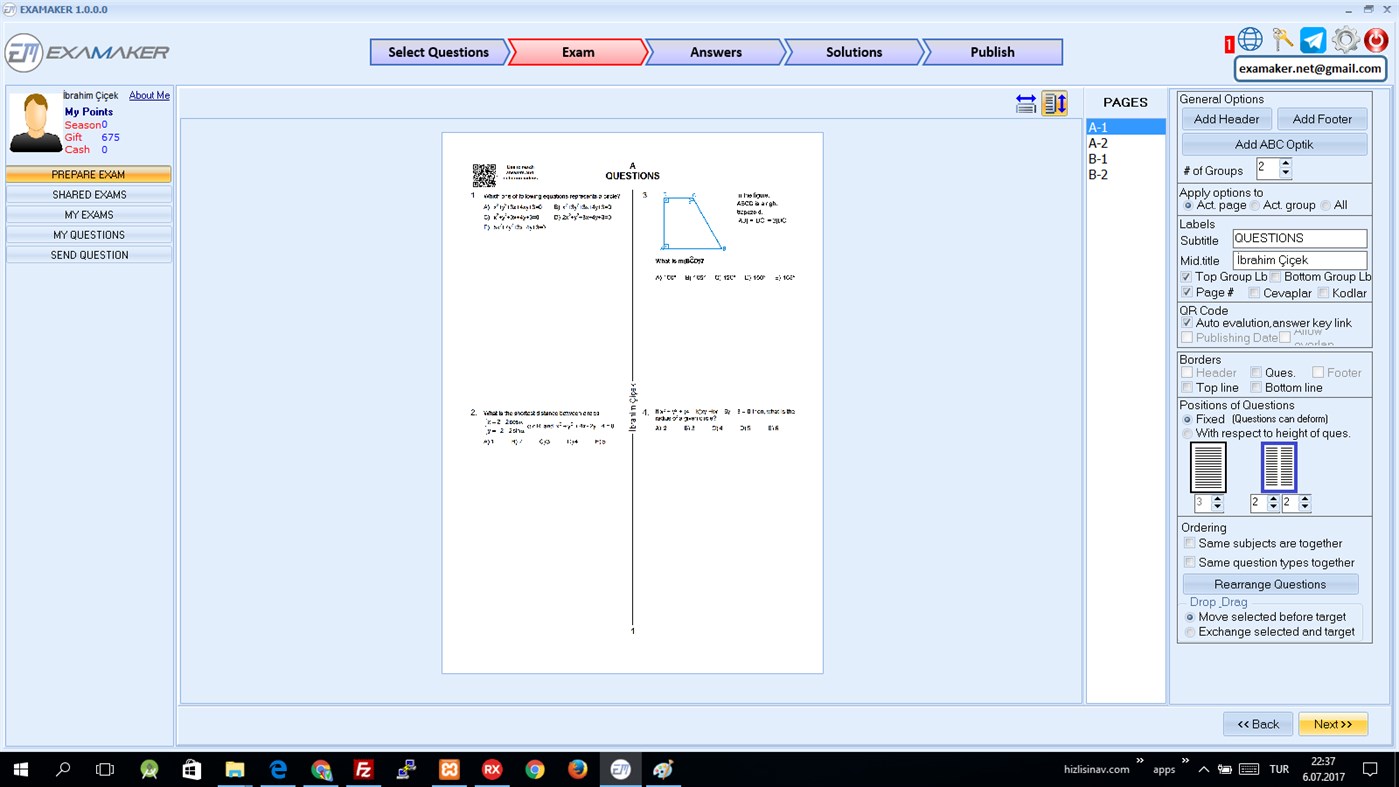
· add header and footer to the exam,
· change order of question by drag &drop,
· add QR code for answers and solution videos,
· choose placement of question
· add/remove labels of exam etc.
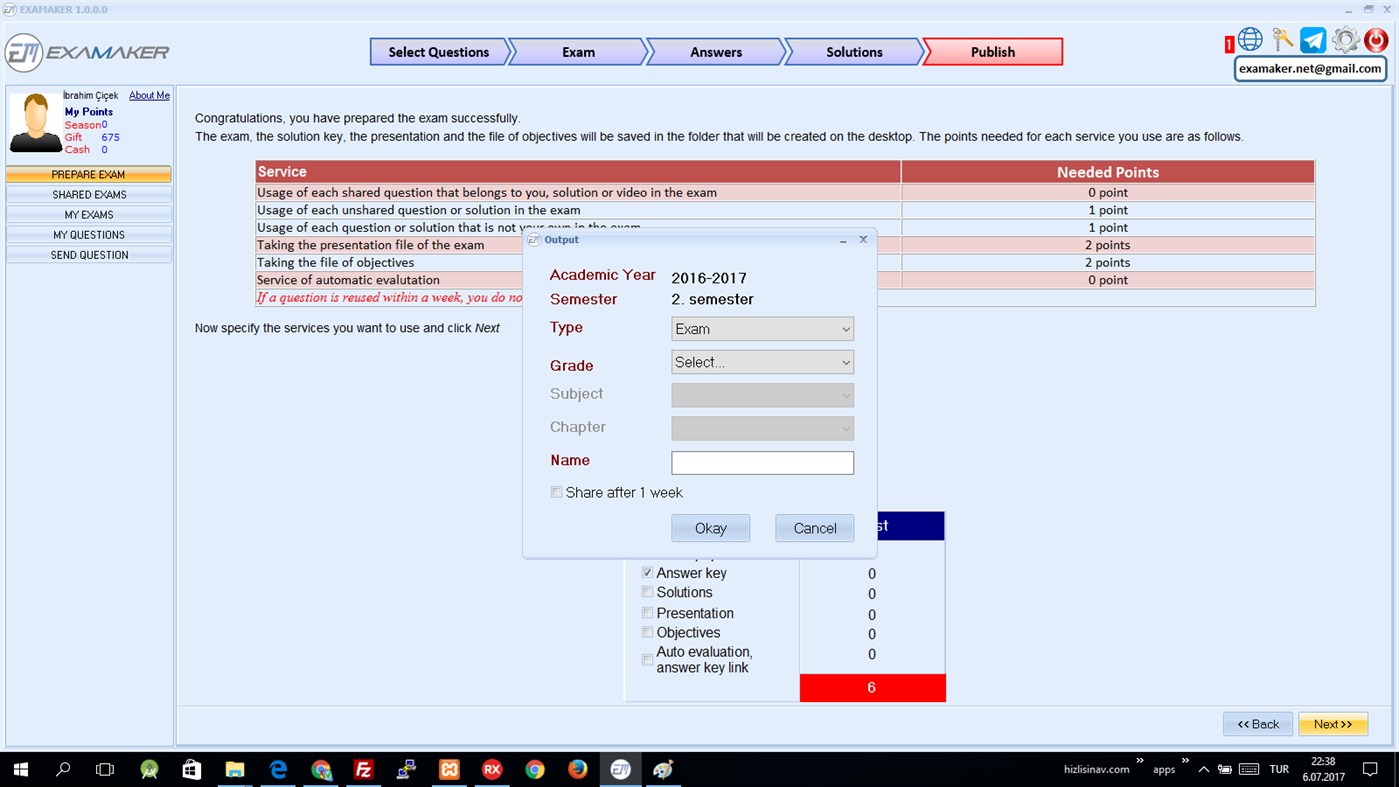
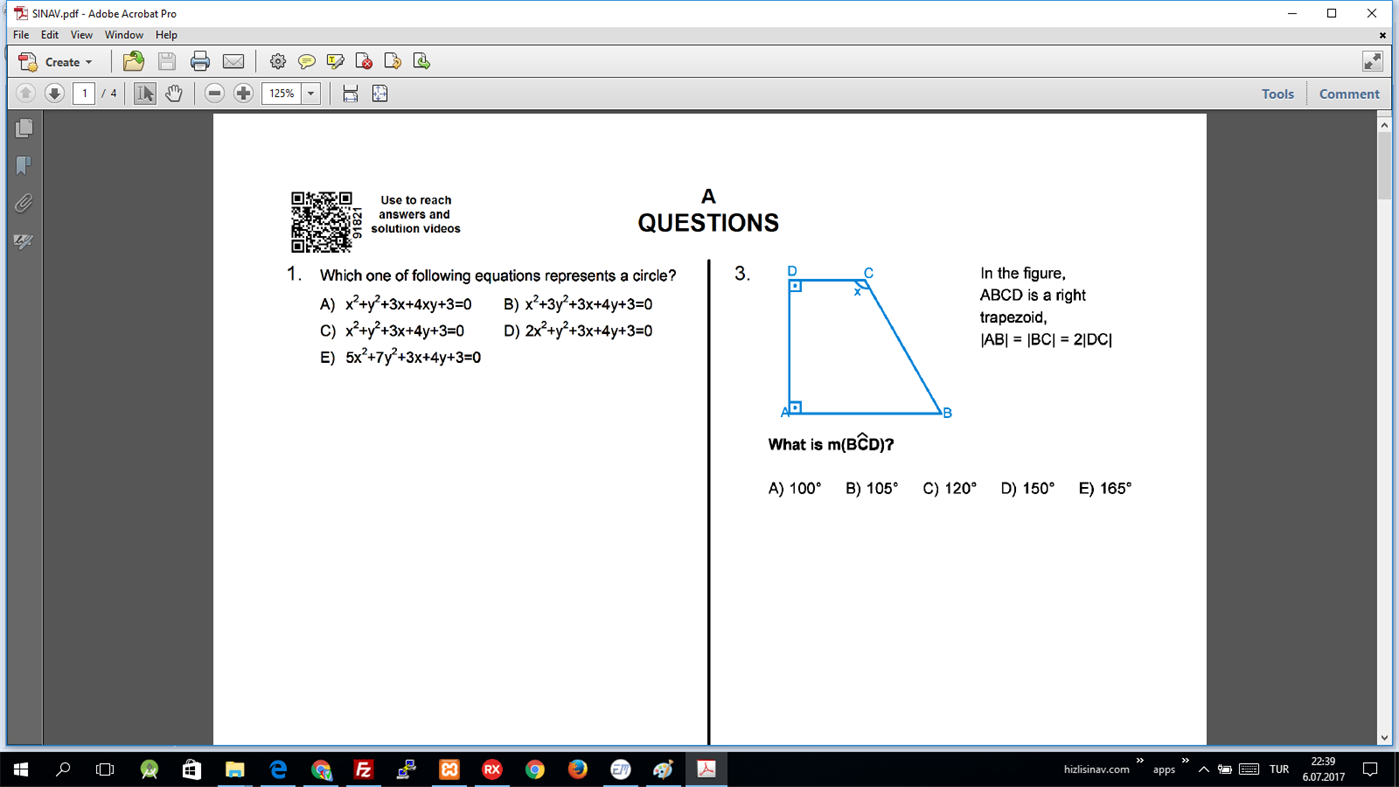
Finally, he/she can take output of the exam as pdf by spending points ( -1 points for each question belonging to other teachers).
Screenshots
Ad
Prijsgeschiedenis
- Huidige prijs: Gratis
- Minimum: Gratis
- Maximaal: Gratis
Prijzen volgen
AppAgg-beoordeling
550
Geschatte AppAgg-beoordeling voor
EXAMaker
550 Brons
Hogere beoordelingen betekenen meestal sterkere signalen op AppAgg.
Gebaseerd op: populariteit · gebruikersbeoordelingen · actualiteit · deals · winkelgegevens · community-activiteit
Wordt dagelijks opnieuw berekend met actuele AppAgg-gegevens.
Korte URL: Gekopieerd!
Wat is er nieuw?
- Versie: PC
- Laatst bijgewerkt:
Aanvullende informatie
Ontwikkelaar
- EXAMaker windows
- Platforms: Windows Apps (1)
- Lijsten: 1 + 0
- Punten: 1 + 0 ¡
- Beoordelingen: 0
- Reacties: 0
- Kortingen: 0
- Videos: 0
- RSS: Abonneren

Punten (1)
-

- 1 Yavuz ERTÜRK
- +1

Beoordelingen (0)
0
Reacties (0)
Reageer als eerste
Samenvatting
EXAMaker Korte URL: Gekopieerd!- Delen
- Windows Store
«EXAMaker». Platform: Windows. Categorie: Opleiding. Ontwikkelaar: «EXAMaker windows». Eerste uitgave: . Laatste update: . Huidige prijs: gratis. Deze titel heeft nog geen beoordelingen of recensies ontvangen op AppAgg. Lijsten: openbare 1, privé 0. Bijgehouden punten: bevestigde 1, indirecte 0. Beschikbare talen: English. AppAgg houdt de prijsgeschiedenis, beoordelingen en gebruikersfeedback bij «EXAMaker». AppAgg host geen applicaties en distribueert geen software. Alle handelsmerken, logo's en screenshots zijn eigendom van hun respectievelijke eigenaren. Volg toekomstige kortingen en updates via RSS
Vergelijkbare
-
- VitalSource Bookshelf
- Windows Apps: Opleiding Door: VitalSource Technologies Inc
- * Gratis
- Lijsten: 1 0 0
- Punten: 2 + 54,875 72K Versie: PC Use Bookshelf to enjoy a digital-first, comprehensive learning experience from the convenience of your Windows computer. Access all of your VitalSource textbooks and study anytime, ... ⥯
-
- Minecraft Education
- Windows Apps: Opleiding Door: Microsoft Studios
- Gratis
- Lijsten: 3 + 1 0 0
- Punten: 5 + 18,953 69K Versie: PC THIS APP IS FOR SCHOOL AND ORGANIZATIONAL USE. Minecraft Education is a game-based platform that inspires creative, inclusive learning through play. Explore blocky worlds that unlock ... ⥯
-
- Duolingo - Language Lessons
- Windows Apps: Opleiding Door: Duolingo Inc.
- * Gratis
- Lijsten: 1 0 0
- Punten: 4 + 13,510 25K Versie: PC Learn a new language with the world s most-downloaded education app! Duolingo is the fun, free app for learning 40+ languages through quick, bite-sized lessons. Practice speaking, ... ⥯
-
- Typing Fingers LT
- Windows Apps: Opleiding Door: Marek Ledvina
- * Gratis
- Lijsten: 0 0 0
- Punten: 0 + 3,626 23K Versie: PC Special sale: 40% OFF - Limited time only in Windows Store! - Ready for US/EN QWERTY keyboard layout - Great for homeschooling. Contains typing games. Typing Fingers uses a completely ... ⥯
-
- Hinkhoj Hindi English Dictionary
- Windows Apps: Opleiding Door: VISHISHT INFOLABS (OPC) PRIVATE LIMITED
- Gratis
- Lijsten: 0 0 0
- Punten: 1 + 3,610 15K Versie: PC HinKhoj Hindi to English and English to Hindi dictionary for Windows 8 provides both online and offline search facility. This dictionary has one of the largest database of words which ... ⥯
-
- Learn English Words
- Windows Apps: Opleiding Door: DamTech Designs
- * Gratis
- Lijsten: 0 0 0
- Punten: 0 + 3,508 31K Versie: PC Learn English words is a must have picture dictionary App. It is helpful to teach your Children lots of English words and make them smarter and intelligent. Children can also give Test ⥯
-
- Kids Toddler Learning Games
- Windows Apps: Opleiding Door: GREYSPRINGS SOFTWARE SOLUTIONS PRIVATE LIMITED
- * Gratis
- Lijsten: 0 0 0
- Punten: 1 + 2,841 16K Versie: PC Little kids learning games is a collection of games/puzzles for preschool children. To teach your pre-k kiddo color, shapes, fruits, vegetables, English Alphabet, abc phonics, counting ⥯
-
- Power Planner
- Windows Apps: Opleiding Door: BareBones Dev
- * Gratis
- Lijsten: 1 0 0
- Punten: 4 + 2,751 41K Versie: PC Power Planner is the ultimate homework planner for students, featuring online sync with iOS and Android apps, grade calculation, automatic reminders, and more. Power Planner is built ... ⥯
-
- Scratch 3
- Windows Apps: Opleiding Door: Scratch Foundation
- Gratis
- Lijsten: 0 0 0
- Punten: 1 + 2,611 30K Versie: PC With Scratch, you can program your own interactive stories, games, and animations. Scratch helps young people learn to think creatively, reason systematically, and work collaboratively ⥯
-
- Lexibird Translate: AI Translator
- Windows Apps: Opleiding Door: WebCatalog, Inc.
- * Gratis
- Lijsten: 1 + 1 0 0
- Punten: 2 + 2,558 35K Versie: PC Lexibird (formerly Translatium) Natural, accurate, and context-aware AI translator for business and personal use. Break language barriers with instant AI translations in 200+ ... ⥯
-
- Yuzu eReader
- Windows Apps: Opleiding Door: Barnes & Noble Edu
- * Gratis
- Lijsten: 0 0 0
- Punten: 0 + 2,501 20K Versie: PC BENEFITS OF eTEXTBOOKS ON YUZU Interactive Learning - eTextbooks can include videos and other multimedia content and links to related websites, to make the learning experience richer ... ⥯
-
- Type Master Pro - Fast Typing Lesson
- Windows Apps: Opleiding Door: Education Terra
- * Gratis
- Lijsten: 2 0 0
- Punten: 3 + 2,471 30K Versie: PC Type Master is a TOUCH TYPING tutor that helps you learn to type using all your 10 FINGERS without watching the keyboard. Touch typing ALLOWS you: - to SAVE time; - to REDUCE switching ⥯