
| Nhà phát triển: | Windows Notifications (2) | ||
| Giá bán: | Miễn phí | ||
| Xếp hạng: | 0 | ||
| Đánh giá: | 0 Viết đánh giá | ||
| Bình luận: | 0 Đăng bình luận | ||
| Danh sách: | 1 + 0 | ||
| Điểm: | 0 + 78 (4.8) ¡ | ||
| Windows Store | |||
Mô tả

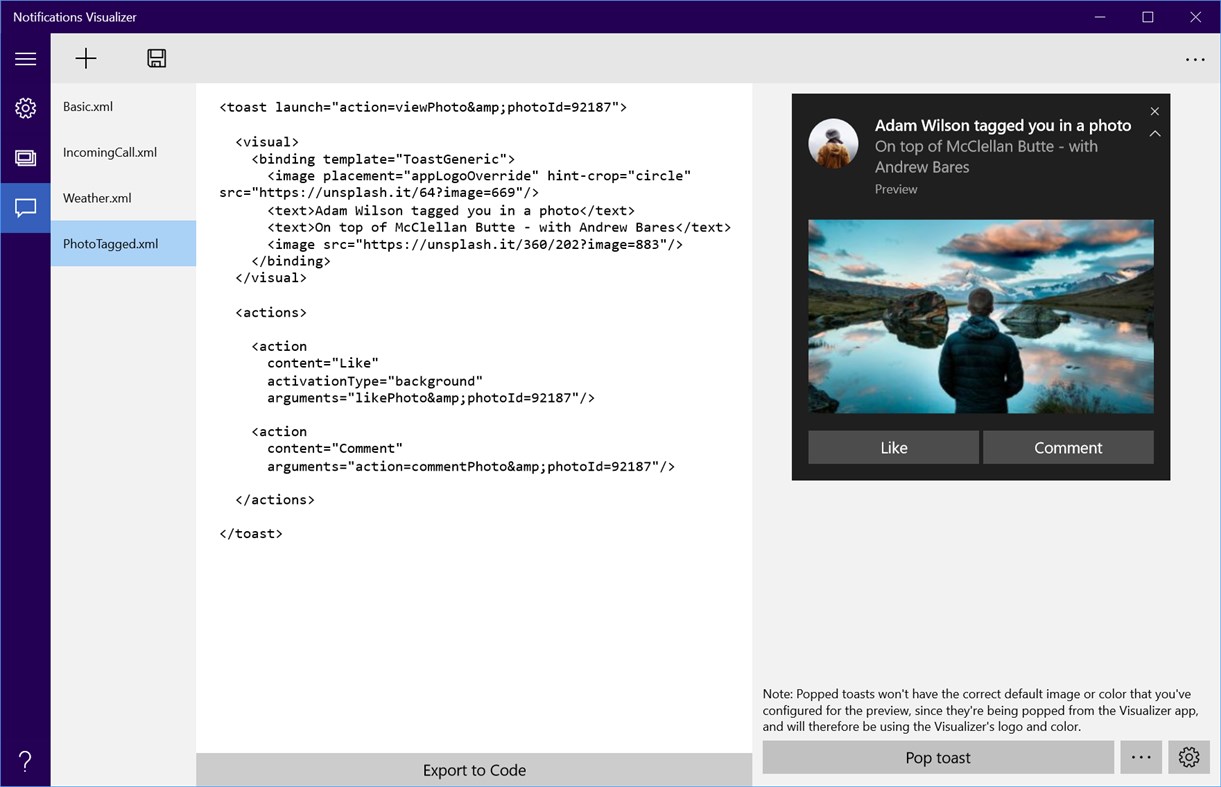
The app provides instant visual previews of your tile or toast while editing, similar to Visual Studio's XAML editor/design view. Your payload is also checked for errors, ensuring you create a valid payload.
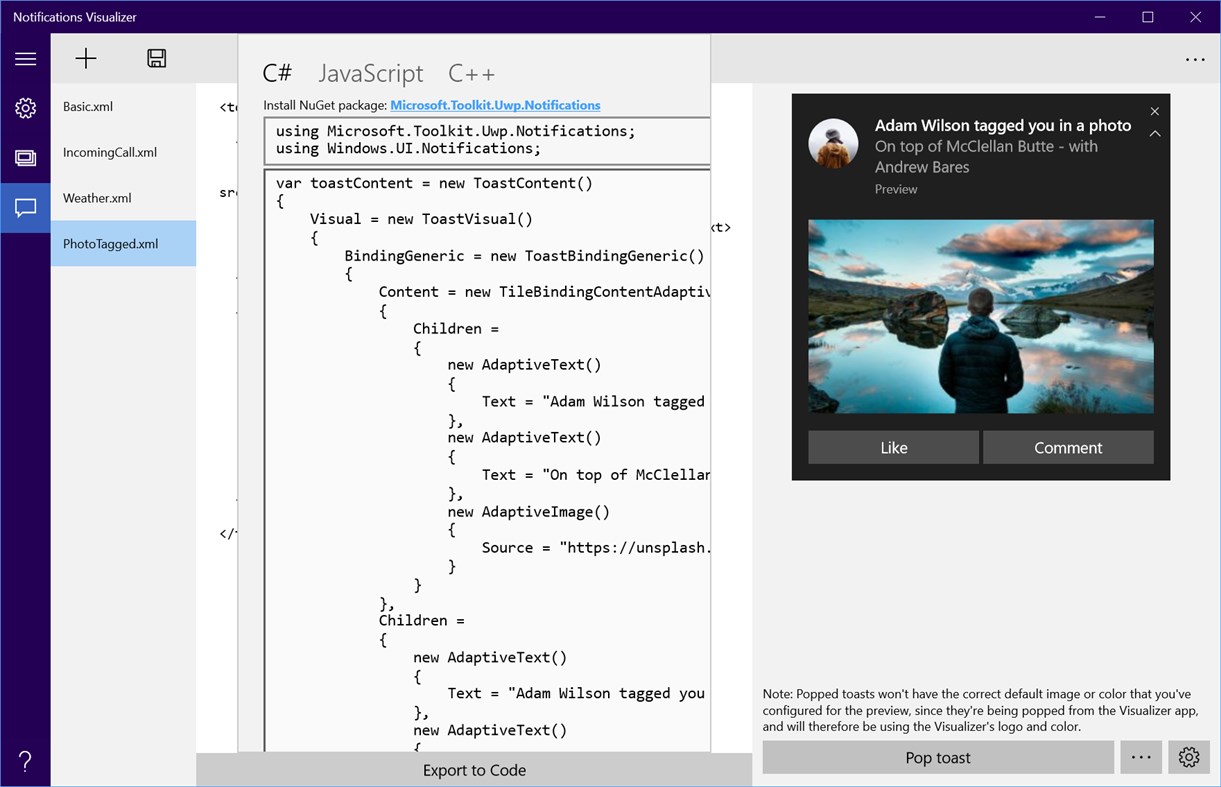
Developers will find Notifications Visualizer useful when they are looking at adding live tiles to their app. The Visualizer provides an easy way to create and test adaptive tile payloads, without having to edit and deploy your own app. Once you've created a payload with the perfect visual results, you can then integrate that payload into your own app (for generating notification payloads from code, check out NotificationsExtensions).
Notifications Visualizer comes pre-loaded with a number of sample payloads to showcase what's possible with adaptive.
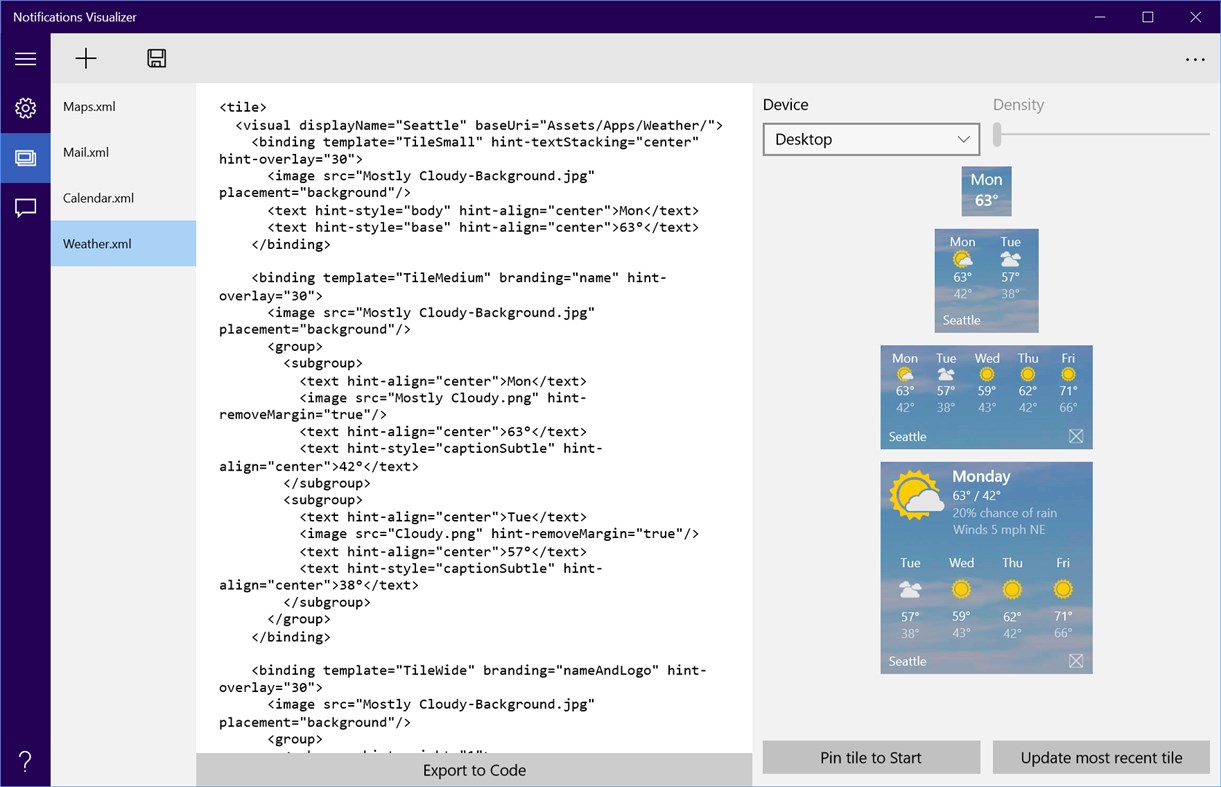
With the Visualizer, you can experiment with all the different text options, groups/subgroups, background images, etc. And you can even see how the tile "adapts" to different devices, like tablets or phones, where more content can be displayed. After you've made changes, you can save your updated payload to a file for future use.
Plus, you can even flip between builds 10240 and 10586 to instantly see how your tile behaves on the two different versions!
Note: The Visualizer is a replication of Start, and is not 100% accurate (and also does not support some payload properties like baseUri). Pin the tile to Start to verify your tile looks as expected.
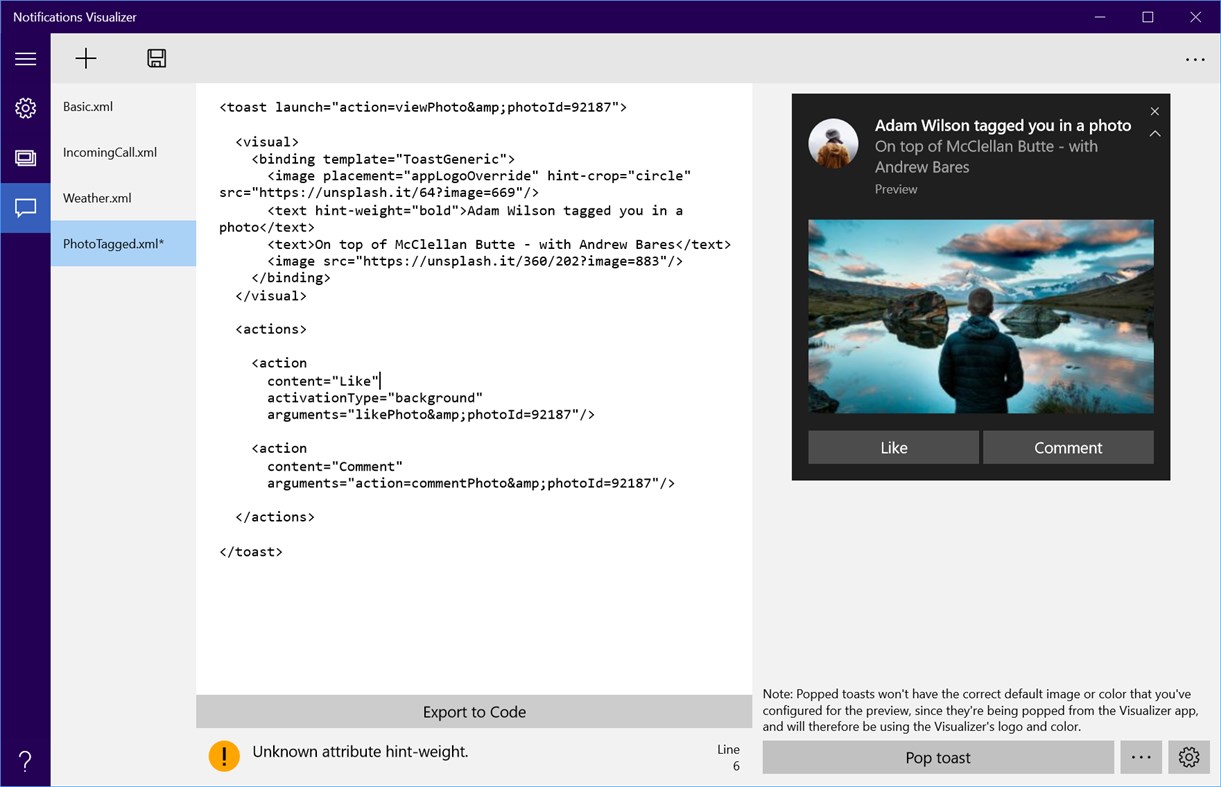
The editor also provides real-time errors and warnings. For example, your payload must be less than 5 KB in size (a platform limitation). The Visualizer will warn you if your payload exceeds that. It will also give you warnings about incorrect attribute names or values, helping you debug why your tile isn't appearing correctly.
You can also control base tile properties like display name, color, logos, and ShowName properties. And you can set a badge value too. All of these options help you instantly understand how your tile properties and tile notification payloads interact, and the results they produce.
Ad
Ảnh chụp màn hình
Lịch sử giá
- Hôm nay: Miễn phí
- Tối thiểu: Miễn phí
- Tối đa: Miễn phí
Theo dõi giá
Tính năng mới
- Phiên bản: PC
- Cập nhật:
Bình luận (0)
Hãy là người đầu tiên nhận xét 🌟
Nhà phát triển
- Windows Notifications
- Nền tảng: Windows Ứng dụng (2)
- Danh sách: 1 + 0
- Điểm: 0 + 79 ¡
- Xếp hạng: 0
- Đánh giá: 0
- Bình luận: 0
- Giảm giá: 0
- Video: 0
- RSS: Đăng ký
Điểm (0)
0 ☹️
Xếp hạng (0)
0 ☹️
Danh sách (1)
- Notifications Visualizer

Đánh giá (0)
Hãy là người đầu tiên đánh giá 🌟
Thông tin bổ sung
- Phiên bản: PC
- Danh mục:
Windows Ứng dụng›Công cụ cho nhà phát triển - HĐH:
HoloLens,Mobile,PC,Surface Hub,Xbox - Kích thước:
24 Mb - Ngôn ngữ được hỗ trợ:
English - Xếp hạng nội dung:
EVERYONE - Windows Store Xêp hạng:
4.8(78) - Cập nhật:
- Ngày phát hành:
Danh bạ
- Trang web:
 http://blogs.msdn.com/b/tiles_and_toasts/
«Notifications Visualizer». Nền tảng: Windows. Thể loại: Công cụ cho nhà phát triển. Nhà phát triển: «Windows Notifications». Bản phát hành đầu tiên: . Cập nhật lần cuối: . Giá hiện tại: miễn phí. Tiêu đề này chưa nhận được xếp hạng hoặc đánh giá trên AppAgg. Danh sách: công khai 1, riêng tư 0. Cửa hàng: Windows Store. Đánh giá cửa hàng: 4.8. Phiếu bầu: 78. Ngôn ngữ có sẵn: English. AppAgg theo dõi lịch sử giá, xếp hạng và phản hồi của người dùng cho «Notifications Visualizer». Theo dõi ưu đãi và cập nhật trong tương lai qua RSS. AppAgg không lưu trữ ứng dụng hoặc phân phối phần mềm. Tất cả các nhãn hiệu, logo và ảnh chụp màn hình đều thuộc về chủ sở hữu tương ứng.
Notifications Visualizer URL ngắn: Đã sao chép!- 🌟 Chia sẻ
- Windows Store
Ad
Tương tự
-
- Code Graph
- Windows Ứng dụng: Công cụ cho nhà phát triển Bởi: 淹死的鱼ysdy44
- Miễn phí
- Danh sách: 0 + 1 Xếp hạng: 0 Đánh giá: 0
- Điểm: 2 + 2 (5.0) 0 Phiên bản: PC Code Graph is a reference relationship visualizer that finds all the .csproj (C# project) files in a folder and draws the reference relationships between them. ⥯
-
- Wifi Scanner and Network Monitor
- Windows Ứng dụng: Công cụ cho nhà phát triển Bởi: Docco Labs
- Miễn phí
- Danh sách: 0 + 1 Xếp hạng: 0 Đánh giá: 0
- Điểm: 0 + 15 (4.7) 0 Phiên bản: PC Wi-Fi Network Monitor is a simple, yet effective app to track & monitor your network devices & traffic Few of the abilities provided by DL Network Monitor: - View Real-time info such ... ⥯
-
- CC2650SensorTag
- Windows Ứng dụng: Công cụ cho nhà phát triển Bởi: Sportronics
- Miễn phí
- Danh sách: 0 + 0 Xếp hạng: 0 Đánh giá: 0
- Điểm: 0 + 0 0 Phiên bản: PC This app requires the Texas Instruments CC2650 SensorTag asused in the Azure IoT Gatway SDK at https://github.com/azure/azure-iot-gateway-sdk. This version of the app does not access ... ⥯
-
- Process Monitor
- Windows Ứng dụng: Công cụ cho nhà phát triển Bởi: Chris Forte
- $0.99
- Danh sách: 0 + 0 Xếp hạng: 0 Đánh giá: 0
- Điểm: 0 + 1 (5.0) 0 Phiên bản: PC Monitor an application and select a number of options to perform if the application stops or is no longer working, including restarting the application, launching a new application, or ⥯