
Lagrede
Velg navnet som skal vises i menyen Lagrede.
Ferdig!
| Utvikler: | Microsoft Corporation (763) | ||
| Pris: | * Gratis | ||
| Rangeringer: | 0 | ||
| Kommentarer: | 0 Legg inn kommentar | ||
| Lister: | 1 + 1 | ||
| Poeng: | 4 + 0 ¡ | ||
| Mac App Store | |||
Beskrivelse

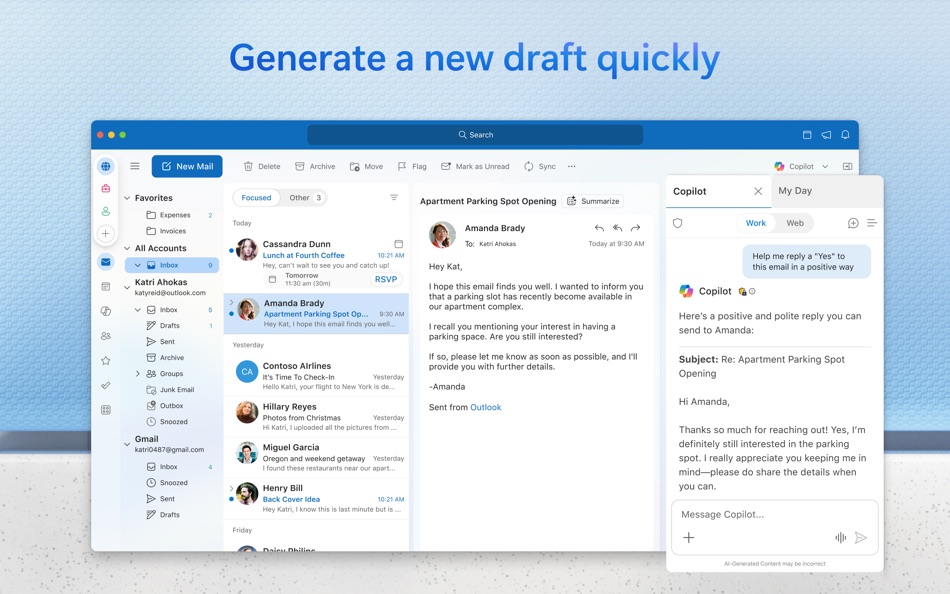
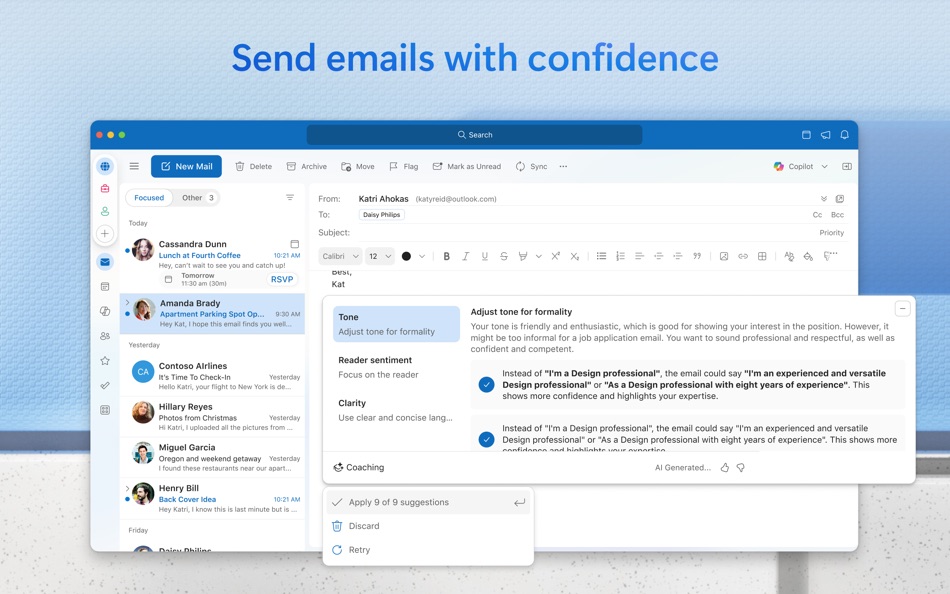
With Outlook for Mac, we have reimagined the experience that you know and love, bringing even more power and simplicity to the product.
Here’s what’s new with Outlook for Mac:
Now free with your personal email accounts
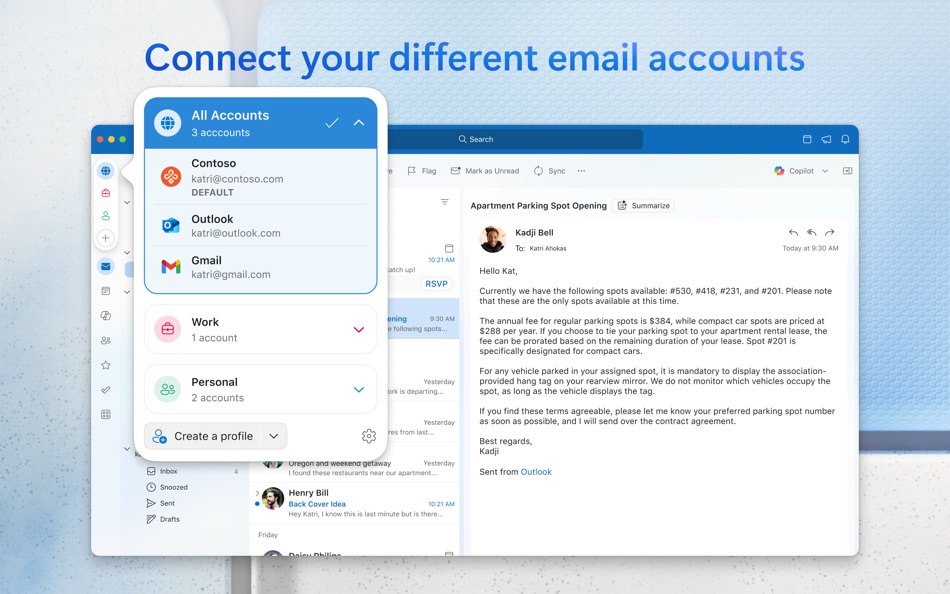
• Multi-account experience for email, calendar, and contacts, so you can focus and get things done without leaving the app
• Compatible with Microsoft 365, Outlook.com (including Hotmail and MSN), Gmail, Yahoo! Mail, iCloud, IMAP, and POP accounts
• Add a premium subscription to go ad-free
Fast, beautiful, and effortless
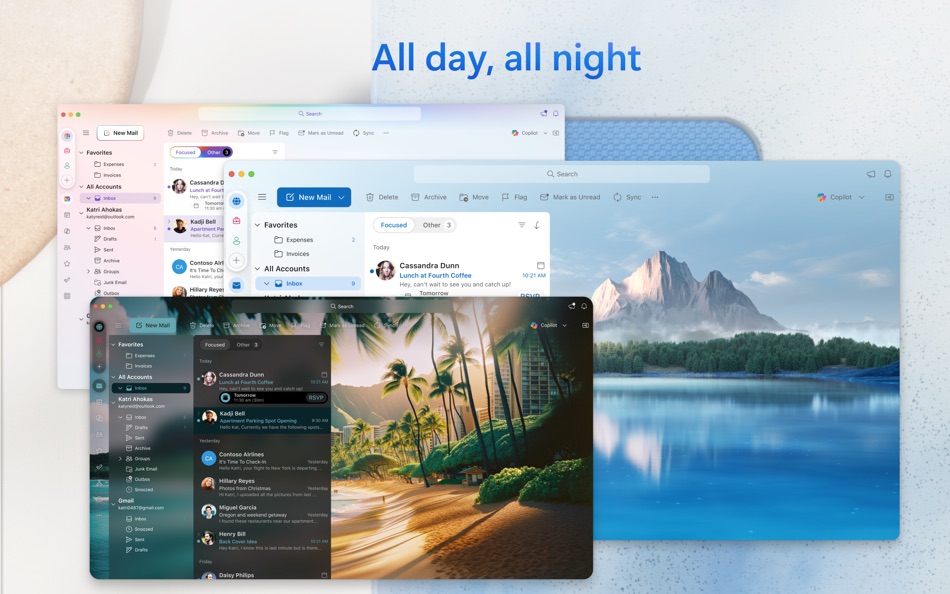
• Reimagined from the ground up and crafted natively for Mac so that it feels smooth, easy to use, and powerful
• End-to-end redesign brings simplicity and customization to your email and calendaring
Enhanced speed and performance
• Optimized for Apple Silicon
• Fast load times and quicker syncing of accounts with Microsoft sync technology
Personalized to fit your style
• A fully customizable toolbar with your most-used commands at your fingertips
• Personalize your workflow with swipe gestures, email pinning, hover actions, theming, display density, and much more
Search that works for you
• Find what you need quicker and more reliably with enhanced search suggestions, and more
An integrated calendar
• Make most of your time, plan meetings, check availability, track RSVPs, and share your calendar
• Use My Day to surface your agenda and a two-week calendar view alongside your inbox
• Set meetings to always-virtual and make your default meetings start or end early
Privacy and world-class security
• Help protect your data using Microsoft Information Protection
This app is provided by either Microsoft or a third-party app publisher and is subject to a separate privacy statement and terms and conditions. Data provided through the use of this store and this app may be accessible to Microsoft or the third-party app publisher, as applicable, and transferred to, stored, and processed in the United States or any other country where Microsoft or the app publisher and their affiliates or service providers maintain facilities.
Please refer to the Microsoft Software License Terms for Microsoft Office. See “License Agreement” link under Information. By installing the app, you agree to these terms and conditions.
Consumer Health Privacy Policy: https://go.microsoft.com/fwlink/?linkid=2259814
Ad
Skjermbilder



Prishistorie
-
* Kjøp i appen - Gjeldende pris: Gratis
- Minimum: Gratis
- Maksimalt: Gratis
Spor priser
Tilleggsinformasjon
- Utgivelsesdato:
- Kategori:
macOS Apper›Produktivitet - OS:
macOS,macOS 14.0 og nyere - Størrelse:
958 Mb - Språk som støttes:
Arabic,Chinese,Czech,Danish,Dutch,English,Finnish,French,German,Greek,Hebrew,Hungarian,Indonesian,Italian,Japanese,Korean,Norwegian,Polish,Portuguese,Russian,Slovak,Spanish,Swedish,Thai,Turkish - Egnethet:
4+ - Mac App Store Vurdering:
0 - Nettsted:
 https://outlook.live.com/
Dette er nytt
- Versjon: 16.108
- Oppdatert:
- Feature Updates:
• Settings: Outlook for Mac now features a completely redesigned Settings experience with a modern, intuitive user interface. The refreshed UX makes it easier to discover, navigate, and manage your account preferences and app configurations in one place.
• Mail: Outlook for Mac now supports opening and importing Outlook .msg files. You can seamlessly view messages saved outside of Outlook and import them directly into your mailbox for easier access and organization.
• Calendar: Outlook now allows you to duplicate appointments and events on your calendar.
Resolved Issues:
• MIP: Fixed the issue that Sent Items were not encrypted
• Mail: Fixed an issue where messages were not grouped correctly when sorting by subject in the message list, making it easier to keep related conversations organized and quickly find the emails you need.
• Delegation: Users now have the option to send permission summary email to delegate when configuring permissions.
Utvikler
- Microsoft Corporation
- Plattformer: Android Apper (66) Android Spill (5) iOS Apper (57) iOS Spill (5) macOS Apper (15) Windows Apper (570) Windows Spill (2) Steam Spill (1) PlayStation Spill (41) Xbox Spill (1)
- Lister: 244 + 46
- Poeng: 1,082 + 110,341,463 ¡
- Rangeringer: 4.8 (26)
- Kommentarer: 0
- Rabatter: 8
- Videoer: 45
- RSS: Abonner
Lister (1)
- Microsoft Outlook

Poeng (4)
-

- 6 Alain croizier
- +1
-
- 1 Nicholas Bornman
- +1
-
- 1 Param Deswal
- +1
-
- 11,291 Simon Chan
- +1


Rangeringer (0)
0 ☹️
Kommentarer (0)
Vær den første til å kommentere 🌟
«Microsoft Outlook». Plattform: macOS. Kategori: Produktivitet. Utvikler: «Microsoft Corporation». Første utgivelse: . Siste oppdatering: . Gjeldende pris: gratis. Denne tittelen har ennå ikke mottatt vurderinger eller anmeldelser på AppAgg. Lister: offentlige 1, private 1. Sporede punkter: bekreftede 4, indirekte 0. Tilgjengelige språk: Arabic, Chinese, Czech, Danish, Dutch, English, Finnish, French, German, Greek, Hebrew, Hungarian, Indonesian, Italian, Japanese, Korean, Norwegian, Polish, Portuguese, Russian, Slovak, Spanish, Swedish, Thai, Turkish. AppAgg sporer prishistorikk, rangeringer og tilbakemeldinger fra brukere for «Microsoft Outlook». Følg fremtidige rabatter og oppdateringer via RSS. AppAgg er ikke vert for applikasjoner eller distribuerer programvare. Alle varemerker, logoer og skjermbilder tilhører deres respektive eiere.
Microsoft Outlook Kort nettadresse: Kopiert!- 🌟 Dele
- Mac App Store
Lignende
-
- Microsoft Copilot
- macOS Apper: Produktivitet Av: Microsoft Corporation
- * Gratis
- Lister: 0 + 1 0 0
- Poeng: 4 Versjon: 25.6.440416001 Microsoft Copilot is your daily AI companion. Talking with Copilot is an easy way to learn, grow and gain confidence, all with the help of the latest OpenAI and Microsoft AI models. ... ⥯
-
- App for Microsoft ®
- macOS Apper: Produktivitet Av: EdgeAI Minds LLC
- * Gratis
- Lister: 1 0 0
- Poeng: 0 Versjon: 2.0.6 App for Microsoft and Microsoft 365: Empower Your macOS Experience with Seamless Microsoft Apps Integration This application is an independent tool developed by EdgeAI Minds LLC. It is ⥯
-
- App for Outlook & Hotmail
- macOS Apper: Produktivitet Av: Joacim Ståhl
- $2.99
- Lister: 2 0 0
- Poeng: 0 Versjon: 1.0 App for Outlook & Hotmail that gives you fast and instant access to Outlook, Hotmail and/or Live mail directly from your toolbar. Keep up to date with your mail faster than ever. Just ... ⥯
-
- CalendarPro for Outlook
- macOS Apper: Produktivitet Av: Sudip Bag
- $2.99
- Lister: 1 0 0
- Poeng: 0 Versjon: 1.1 CalendarPro for Outlook is a simple Calendar App for Mac where users will be able to access Outlook Calendar faster without the help of a web browser. This is one of the fastest way to ⥯
-
- App for Microsoft Apps ゜
- macOS Apper: Produktivitet Av: Rai Bilawal
- * Gratis
- Lister: 2 + 1 0 0
- Poeng: 0 Versjon: 2.0.3 App for Microsoft Apps: Your All in One Microsoft Hub for Mac! App for Microsoft gives Mac users fast, unified access to all their key Microsoft apps, services, and cloud storage. ... ⥯
-
- Templates - for Microsoft Word
- macOS Apper: Produktivitet Av: 顺华 吕
- * Gratis
- Lister: 1 0 0
- Poeng: 2 Versjon: 4.6 Templates - for Microsoft Word contains 160 high quality Microsoft Word template, colorful background with appropriate text layout. All of the templates have been well-designed so they ⥯
-
- OfficeDocs - Templates for Microsoft Office for Mac OS X
- macOS Apper: Produktivitet Av: Pocket Bits LLC
- $39.99
- Lister: 1 0 0
- Poeng: 0 Versjon: 1.3 The ultimate Bundle of MS Office templates. Suite for MS Office includes hundreds of templates for MS Word, MS Excel, and MS PowerPoint. This bundle of templates is not affiliated and ... ⥯
- -100%
- PST Viewer
- macOS Apper: Produktivitet Av: Enolsoft Co., Ltd.
- ▼ * Gratis
$9.99-100% - Lister: 0 + 1 0 0
- Poeng: 3 Versjon: 5.1.0 PST files (*.pst) are created and used by Microsoft® Windows based Outlook Application. Enolsoft PST Viewer not only a viewer help you to open and view .pst file without Outlook on the ⥯
-
- Spark Mail - AI Email & Inbox
- macOS Apper: Produktivitet Av: Readdle Technologies Limited
- * Gratis
- Lister: 0 0 0
- Poeng: 4 Versjon: 3.28.4 Reclaim your time and focus with Spark the AI-powered email app loved by millions. Declutter your inbox, manage your calendar, and move through emails faster than ever. Best of the App ⥯
-
- Winmail Reader-Lite
- macOS Apper: Produktivitet Av: RootRise Technologies Pvt. Ltd.
- * Gratis
- Lister: 0 0 0
- Poeng: 0 Versjon: 4.0 Winmail Reader is ultimate tool for reading "winmail.dat" attachment files. Winmail Reader is allows to open, view and save attachments from "winmail.dat" files. In addition, it also ... ⥯
-
- Email Extractor Vius
- macOS Apper: Produktivitet Av: Igor Uscov
- $89.99
- Lister: 1 0 0
- Poeng: 0 Versjon: 6.3 Email Extractor Vius - easy tool for collecting email addresses from local files and web pages. The ONLY our app work with latest version of Microsoft Outlook. The program has a ... ⥯
-
- MailRaider Pro
- macOS Apper: Produktivitet Av: Pascal Harris
- $14.99
- Lister: 0 0 0
- Poeng: 0 Versjon: 4.6.5 MailRaider Pro 4 is the latest version - it is significantly more capable and even faster than before. This is the latest iteration of a highly rated application that has been ... ⥯
-
- MsgToEml
- macOS Apper: Produktivitet Av: Julian Christopher Siebert
- $8.99
- Lister: 0 0 0
- Poeng: 0 Versjon: 2.4 Description Open, read, and convert Microsoft Outlook .msg files directly on your Mac fast, secure, and without Outlook. Msg to Eml is the ultimate tool for anyone switching from ... ⥯