
| مطوّر البرامج: | Sohel Ibna Saad (7) | ||
| السعر: | مجاني | ||
| لتصنيفات: | 5 (1) | ||
| المراجعات: | 5 (1) أكتب مراجعة | ||
| تعليقات: | 0 انشر تعليقًا | ||
| قوائم: | 1 + 0 | ||
| النقاط: | 5 + 10,277 (4.4) ¡ | ||
| App Store | |||
الوصف

Key Features of Blur Photo Editor:
• Wide range of blur effects for professional results
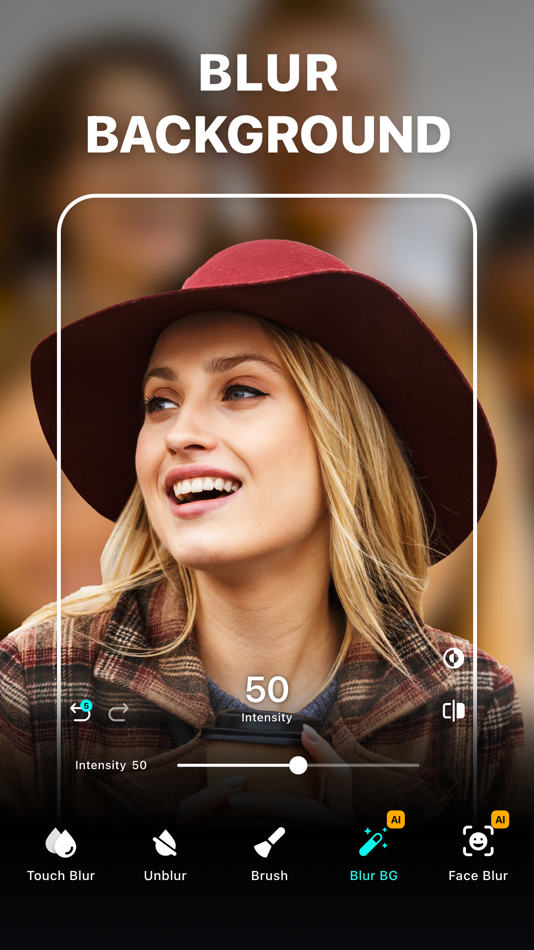
• One-tap background blur
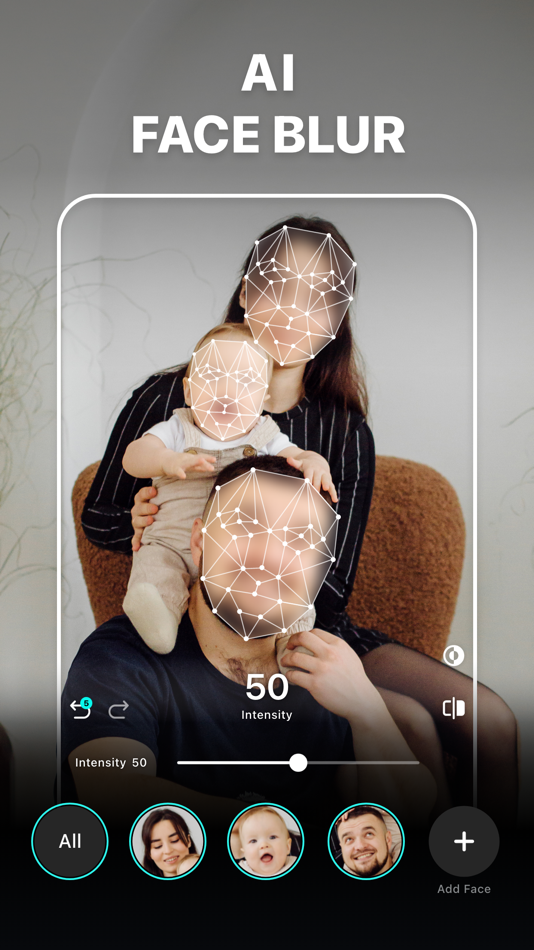
• AI-powered face censoring
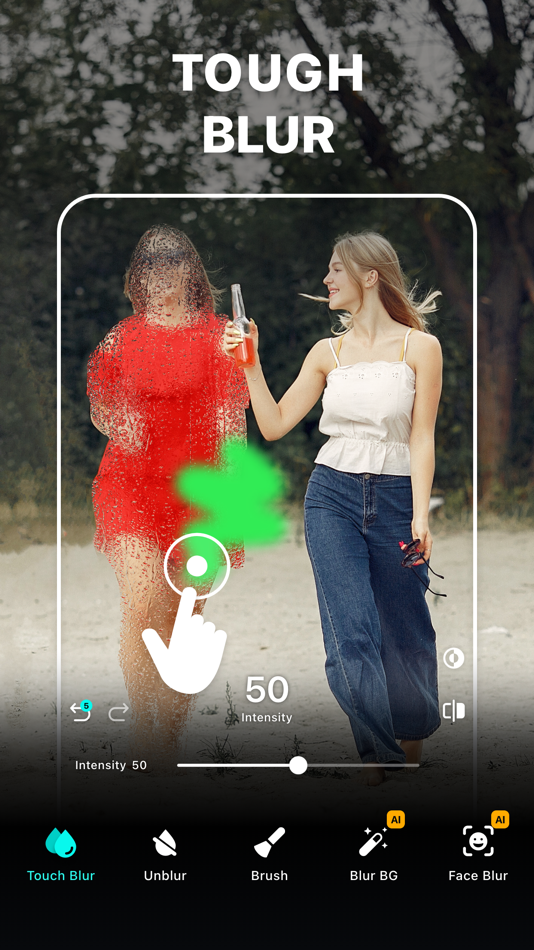
• Unblur part of the images that you accidentally blurred
• Zoom in for precise editing
• Apply depths using lens blur, featuring circle and linear blurs
• Use shape blurs to highlight or hide parts creatively
• Large catalog of photo filters
• Edit with tools like crop, rotate, and fine-tune using brilliance, denoise, etc.
• Photo collage maker with multiple layouts
• Add custom text to photos with fonts, colors, and styles.
• Blend images with artistic double exposure effects.
• "My Project" to save work in progress
Amazing Blur Effects
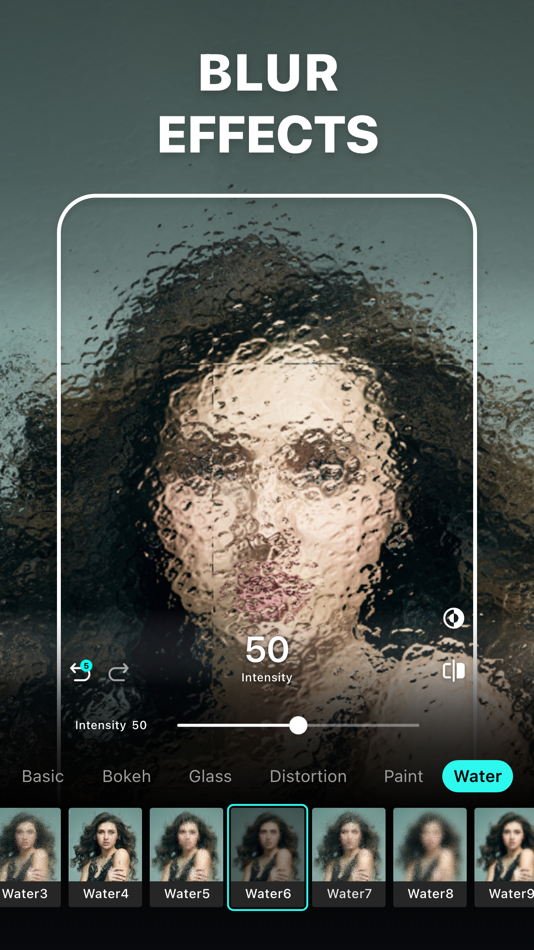
Effectively blur out the backgrounds or parts of an image that you want to hide using blur effects. Add Gaussian, bokeh, motion, and mosaic blur effects to make your selfies or photos stand out from the rest. You can also make fuzzy backgrounds by applying water, glass, distortion, and the paint blur effect.
Powerful Photo Blur tools
Using the Blur Photo Editor, make your photos more striking by applying the Lens Blur effect. Replicate DSLR-like shallow depth of field using the circle blur or linear blur. Shift the center of attention for any photos and create a cinematic look. You can also unblur part of a photo that may have been blurred unintentionally with the help of the unblurring feature.
Unique Photo Filters
Try out a huge collection of filters, including B&W, sepia, classic, portrait, vintage, and more, to give your clicks the desired effects. Tap into your creativity and add the desired artistic photo effects to already edited, blurred backgrounds.
How to blur a picture on iPhone or iPad using the Blur Photo Editor app?
To blur an object in a picture, follow these steps.
• Tap the (+) button and select a photo.
• Tap on Blur and swipe your finger across the photo to blur it.
• Go to Effects and select the desired blur effect.
• Adjust blur intensity as needed.
• Tap tick and then save the photo by using the save button in the top right corner.
Auto-Renewable Subscription Terms:
Subscribe to get unrestricted access to all the features outlined above.
• Subscription Length: Weekly, Yearly
• Subscription with a free trial period will automatically renew to a paid subscription unless it is canceled at least 24 hours before the end of the trial period.
• Payment will be charged to iTunes Account at confirmation of purchase.
• Your Apple ID account will be charged for renewal within 24 hours before the end of the trial period.
• You can manage and cancel your subscriptions by going to your account settings on the App Store.
• Any unused portion of a free trial period, if offered, will be forfeited when the user purchases a subscription to that publication, where applicable.
• By signing up for this subscription, you agree to our Terms of Use and Privacy Policy.
Terms of Use:
https://pixeltouch.net/legal/blurphoto/terms.html
Privacy Policy:
https://pixeltouch.net/legal/blurphoto/privacy.html
Disclaimer: This app is free to download, but you will be required to sign-up for an auto-renewing subscription to access the app's full functionality.
Ad
لقطات





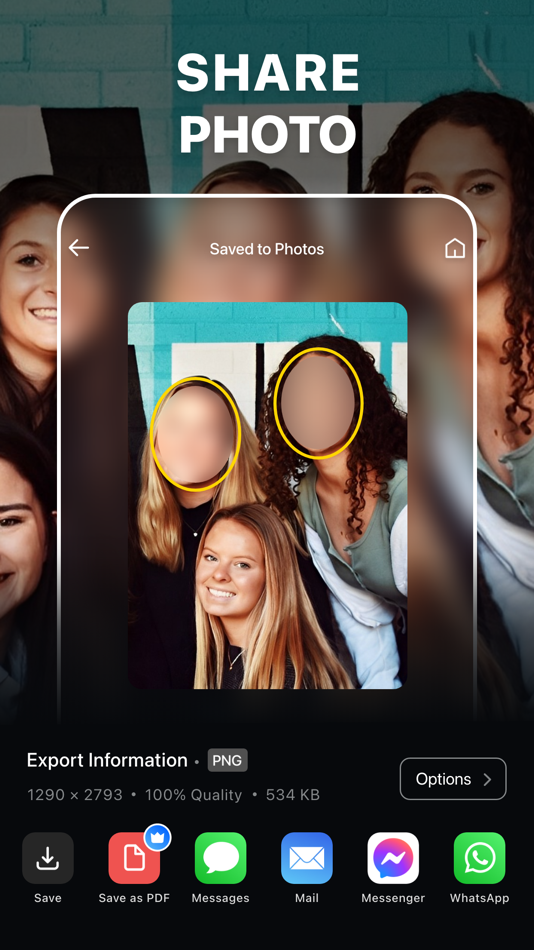
تاريخ الأسعار
- اليوم: مجاني
- الحد الأدنى: مجاني
- الحد الأقصى: مجاني
تتبّع الأسعار
الميزات الجديدة
- الإصدار: 5.9.0
- تم التحديث:
- [Optimized]
• Now the Collage feature comes with undo-redo, giving you more control for a smoother, more precise editing experience.
[Fixes]
• Bug fixes and performance improvements.
تعليقات (0)
كن أول من يعلق 🌟
مطوّر البرامج
- Sohel Ibna Saad
- المنصات: iOS تطبيقات (7)
- قوائم: 1 + 1
- النقاط: 10 + 12,734 ¡
- لتصنيفات: 5 (1)
- المراجعات: 5 (1)
- تعليقات: 0
- تخفيضات: 0
- أشرطة فيديو: 0
- RSS: اشتراك
النقاط (5)
-

- 29,676 Lance Eliakim Sotto
- +1
-
- 664 IMO FUCASHI
- +1
-
- 182 Tưởng Tran
- +1
-
- 49 Samson
- +1
-
- 4 Applavia
- +1



لتصنيفات (1)
-
- 4 Applavia
- 5
قوائم (1)
- Blur Photo Editor
المراجعات (1)
معلومات إضافية
- الإصدار: 5.9.0
- الفئة:
iOS تطبيقات›الصور الفوتوغرافية - نظام التشغيل:
iPad,iPhone,iOS 15.0 والأحدث - الحجم:
244 Mb - اللغة المعتمدة:
Arabic,Catalan,Chinese,Croatian,Czech,Danish,Dutch,English,Finnish,French,German,Greek,Hebrew,Hindi,Hungarian,Indonesian,Italian,Japanese,Korean,Malay,Norwegian,Polish,Portuguese,Romanian,Russian,Slovak,Spanish,Swedish,Thai,Turkish,Ukrainian,Vietnamese - تقييم المحتوى:
4+ - App Store تقييم:
4.4(10,277) - تم التحديث:
- تاريخ الإصدار:
«Blur Photo Editor». منصة: iOS. الفئة: الصور الفوتوغرافية. المطور: «Sohel Ibna Saad». الإصدار الأول: . التحديث الأخير: . السعر الحالي: مجانا. تصنيف AppAgg: 5 / 5. الأصوات: 1. مراجعات المستخدم: 1. القوائم: عامة 1, خاصة 0. النقاط المتعقبة: مؤكدة 5, غير مباشرة 10,277. المتجر: App Store. تقييم المتجر: 4.4. الأصوات: 10,277. اللغات المتاحة: Arabic, Catalan, Chinese, Croatian, Czech, Danish, Dutch, English, Finnish, French, German, Greek, Hebrew, Hindi, Hungarian, Indonesian, Italian, Japanese, Korean, Malay, Norwegian, Polish, Portuguese, Romanian, Russian, Slovak, Spanish, Swedish, Thai, Turkish, Ukrainian, Vietnamese. يتتبع AppAgg سجل الأسعار والتقييمات وتعليقات المستخدمين «Blur Photo Editor». متابعة الخصومات والتحديثات القادمة: RSS. لا يستضيف AppAgg التطبيقات أو يوزع البرامج. جميع العلامات التجارية والشعارات ولقطات الشاشة مملوكة لأصحابها.
Blur Photo Editor عنوان URL مختصر: تم النسخ!- 🌟 مشاركة
- App Store
Ad
مشابهة
-
- Blur Photo Editor Pro
- iOS تطبيقات: الصور الفوتوغرافية بواسطة: Loyal Foundry, Inc.
- مجاني
- قوائم: 0 + 1 لتصنيفات: 0 المراجعات: 0
- النقاط: 1 + 3,429 (4.3) 0 الإصدار: 2.0.11 Introducing Photo Editor: Blur Backgrounds, the ultimate iPhone app that revolutionizes the world of photography with its unparalleled suite of editing tools and features. Whether ... ⥯
-
- Blur Photo Editor: blur effect
- iOS تطبيقات: الصور الفوتوغرافية بواسطة: Ryoichi Fukugawa
- مجاني
- قوائم: 0 + 0 لتصنيفات: 0 المراجعات: 0
- النقاط: 0 + 1,378 (4.7) 0 الإصدار: 1.7.2 You can quickly blur a photo with a few taps. Features - Gaussian Blur - Pixelate - Hexagon Pixelate - Glitter Effect - Color Brush - Eraser - Undo & Redo - Save & Share ⥯
-
- Body Tune - Face Photo Editor
- iOS تطبيقات: الصور الفوتوغرافية بواسطة: Face & Body Tune Photo Editor, Societatea cu Raspundere Limitata
- مجاني
- قوائم: 0 + 0 لتصنيفات: 0 المراجعات: 0
- النقاط: 3 + 149,338 (4.6) 0 الإصدار: 2.6.5 Body Tune is a powerful body editor app with which you can easily get a slim and skinny body. Photo body reshaping has never been easier! Whether you want to slim, increase or ... ⥯
-
- LUMINS - Light Photo Editor
- iOS تطبيقات: الصور الفوتوغرافية بواسطة: AI Photo Editor Lab SRL
- مجاني
- قوائم: 0 + 0 لتصنيفات: 0 المراجعات: 0
- النقاط: 5 + 2,029 (4.3) 0 الإصدار: 2.7 Create expressive, natural and cinematic light with LUMINS. LUMINS takes its name from the Latin word Lumen, Luminis , which means light . This origin reflects the purpose of the app: ... ⥯
-
- Blur Photo Background
- iOS تطبيقات: الصور الفوتوغرافية بواسطة: SUNWOONG JANG
- مجاني
- قوائم: 0 + 0 لتصنيفات: 0 المراجعات: 0
- النقاط: 1 + 18,713 (4.3) 0 الإصدار: 3.0.0 Blur Background instantly with the easiest blur photo editor for iPhone. Blur faces, portraits, and unwanted objects in seconds. Create beautiful DSLR-style background blur photos with ⥯
-
- Blur Photo Background Editor
- iOS تطبيقات: الصور الفوتوغرافية بواسطة: 国媚 张
- مجاني
- قوائم: 0 + 0 لتصنيفات: 0 المراجعات: 0
- النقاط: 3 + 2,437 (4.9) 0 الإصدار: 3.9.14 With this app, you can blur your photos with just the touch of your finger quickly. With the power of AI, the app can automatically recognize the objects or regions you want to blur ... ⥯
-
- Photo Editor
- iOS تطبيقات: الصور الفوتوغرافية بواسطة: Maple Media Apps, LLC
- مجاني
- قوائم: 1 + 0 لتصنيفات: 5 (1) المراجعات: 0
- النقاط: 6 + 43,076 (4.6) 0 الإصدار: 5.5.8 Photo Editor, is one of the most powerful design studios that fits in the palm of your hands. With over 50 million installs, Photo Editor is the premier all-in-one editor to fulfill ... ⥯
-
- Blur Photo Effect Background
- iOS تطبيقات: الصور الفوتوغرافية بواسطة: Alan Cushway
- مجاني
- قوائم: 0 + 0 لتصنيفات: 0 المراجعات: 0
- النقاط: 1 + 26,376 (4.7) 0 الإصدار: 3.6.0 The ultimate Blur & Photo Editing App to blur out unwanted details, remove blemishes, enhance your photos, or create beautiful custom wallpapers all with precision and ease. Whether ... ⥯
-
- Photo Editor · Retouch & Edit
- iOS تطبيقات: الصور الفوتوغرافية بواسطة: Luni
- مجاني
- قوائم: 0 + 0 لتصنيفات: 0 المراجعات: 0
- النقاط: 6 + 11,034 (4.7) 0 الإصدار: 2.0.9 #1 photo editor & pic collage maker on mobile to share your best memories! Use more than a 1000 fonts, stickers and layouts to transform any picture into a masterpiece! ° Clipping - ... ⥯
-
- Photo Editor Effects + Filters
- iOS تطبيقات: الصور الفوتوغرافية بواسطة: VINCI APPS
- مجاني
- قوائم: 0 + 0 لتصنيفات: 5 (1) المراجعات: 0
- النقاط: 6 + 1,348 (4.7) 0 الإصدار: 2.3.25 Simple yet powerful, Photo Editor makes it easy to edit your favorite pics the way you like. Our huge collection of filters and effects is designed to make any picture stand out: try ... ⥯
-
- Blur Photo ◎
- iOS تطبيقات: الصور الفوتوغرافية بواسطة: Artur Darbinyan
- مجاني
- قوائم: 0 + 2 لتصنيفات: 0 المراجعات: 0
- النقاط: 1 + 2,249 (4.7) 0 الإصدار: 2.3 Easily blur backgrounds, faces, or any unwanted details that you don't want others to see. There are over 25 blur effects, and a lot of them are exclusive! Adjust brush size and zoom ... ⥯
-
- Photo Splash photo editor app
- iOS تطبيقات: الصور الفوتوغرافية بواسطة: pixel force private limited
- مجاني
- قوائم: 0 + 0 لتصنيفات: 0 المراجعات: 0
- النقاط: 4 + 6,251 (4.2) 0 الإصدار: 3.21.44 Photo splash , is a free application that lets users to make very nice photos with selective colorization effects popularly known as Photo Splash. Features: 1. Gesture detection, pinch ⥯
-
- Blur Photo
- iOS تطبيقات: الصور الفوتوغرافية بواسطة: Grey Desk SA
- مجاني
- قوائم: 0 + 0 لتصنيفات: 0 المراجعات: 0
- النقاط: 0 + 31,209 (4.4) 0 الإصدار: 13.6 With Photo Bur, quickly blur your pictures with just the touch of your finger! Features : Custom blur intensity & size Zoom & pan to work in detail Sharing: Photo Blur allows you to ... ⥯
-
- Blur Photo & Mosaic
- iOS تطبيقات: الصور الفوتوغرافية بواسطة: Yu Abe
- مجاني
- قوائم: 0 + 0 لتصنيفات: 0 المراجعات: 0
- النقاط: 3 + 4,935 (4.7) 0 الإصدار: 293.2 This app allows you to blur or pixelate areas of a photo by tracing with your finger. Several varieties of mosaic are available. You can also select from four different grades of ... ⥯