
Salvos
Escolha o nome que será mostrado no seu menu Salvos.
Feito!
| Desenvolvedor: | Cem Olcay (44) | ||
| Preço: | $4.99 | ||
| Pontuação: | 27,000 Platina | ||
| Classificações: | 0 | ||
| Comentários: | 0 Postar comentário | ||
| Listas: | 6 + 7 | ||
| Pontos: | 2 + 38 (4.4) ¡ | ||
| +1 Pontos | |||
Descrição

Add an unlimited number of steps to your sequencer.
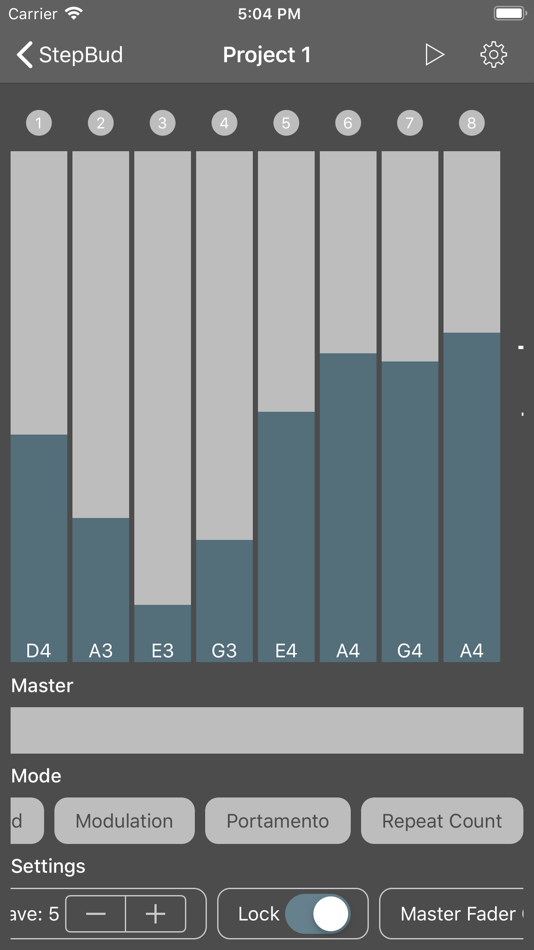
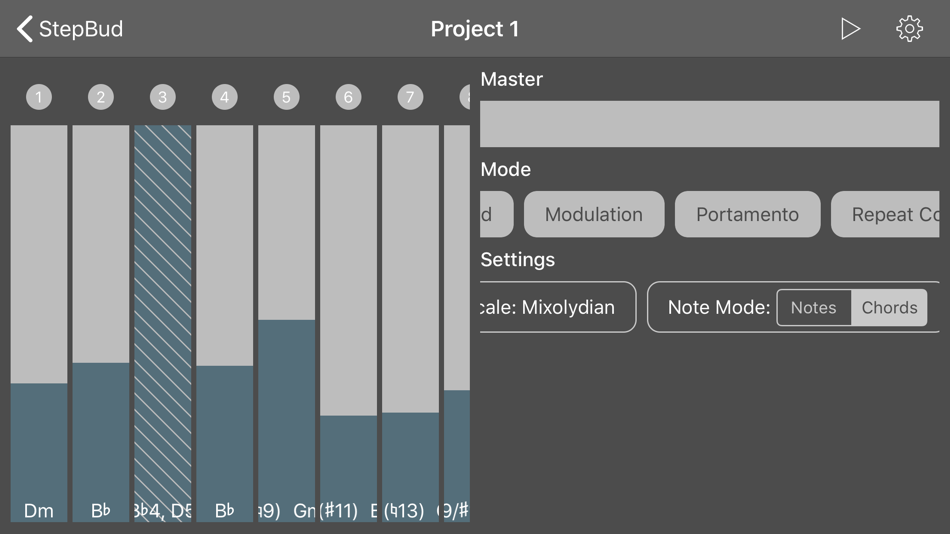
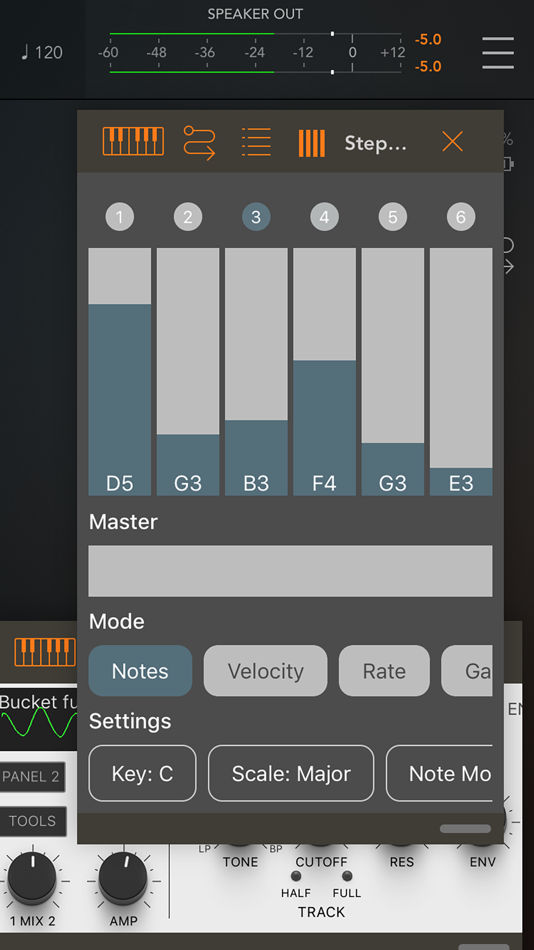
Your steps appear with a LED and a fader on top of your screen.
You can change the active mode that your step faders displaying/controlling.
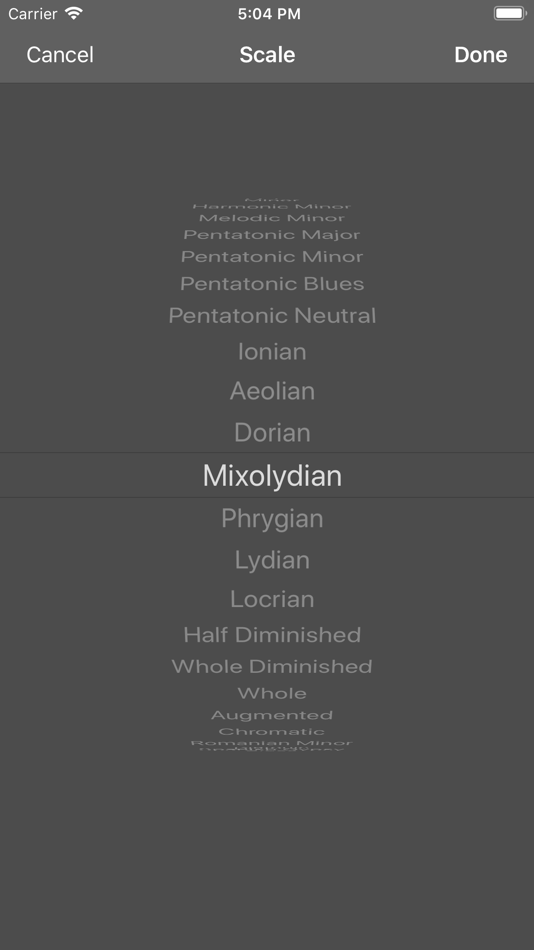
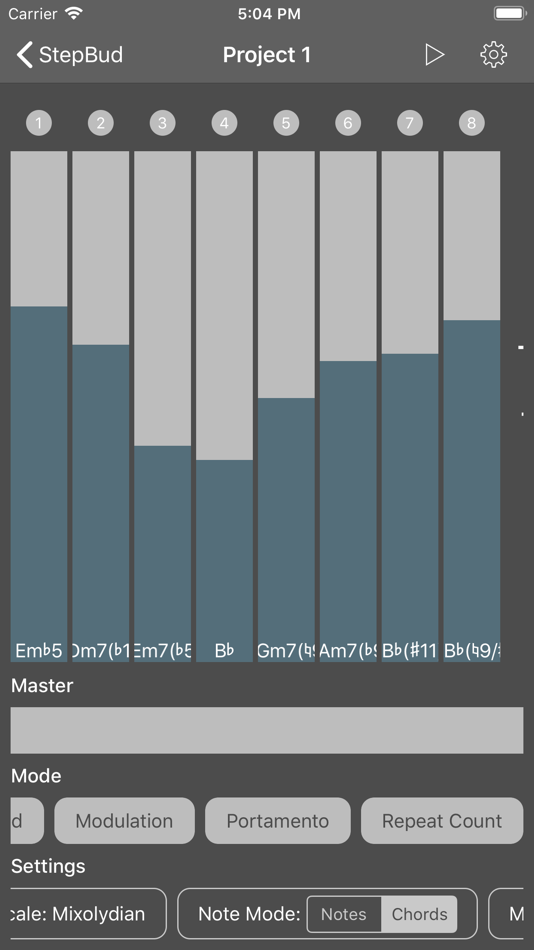
- Set the current note or chord in range of the scale and key you selected with respect the range of the octave you want to focus,
- Set the velocity, rate, gate time, modulation, pitch bend, portamento, probability and swing for each step,
- Try increasing the rate and repeat count your steps if you want to add more flavor.
- Send unlimited custom MIDI CC messages if you want to control your hardware or software synth parameters.
- Lock steps if you don't want them to change their value.
- Skip steps for creating interesting live performances.
Below the step faders, you have a master fader where you can control your entire sequencer. It has two modes which you can change from the settings strip on the bottom of the app.
- In copy mode, it assigns its value to each step.
- In shift mode, it shifts up or down each step.
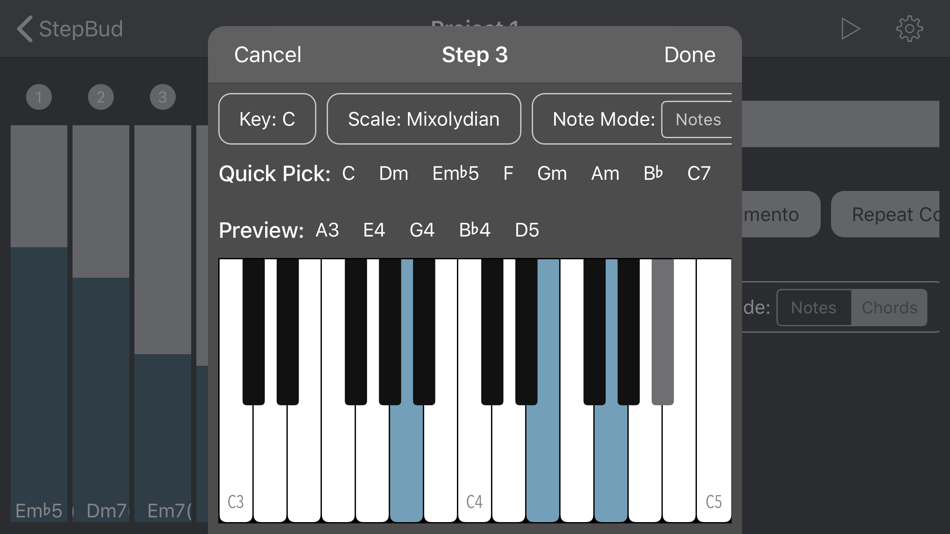
If you want to go off-scale or try some crazy chords on some of your steps, or maybe on all of them, you can go to the Step Editor by double tapping the LED of the step you want to edit.
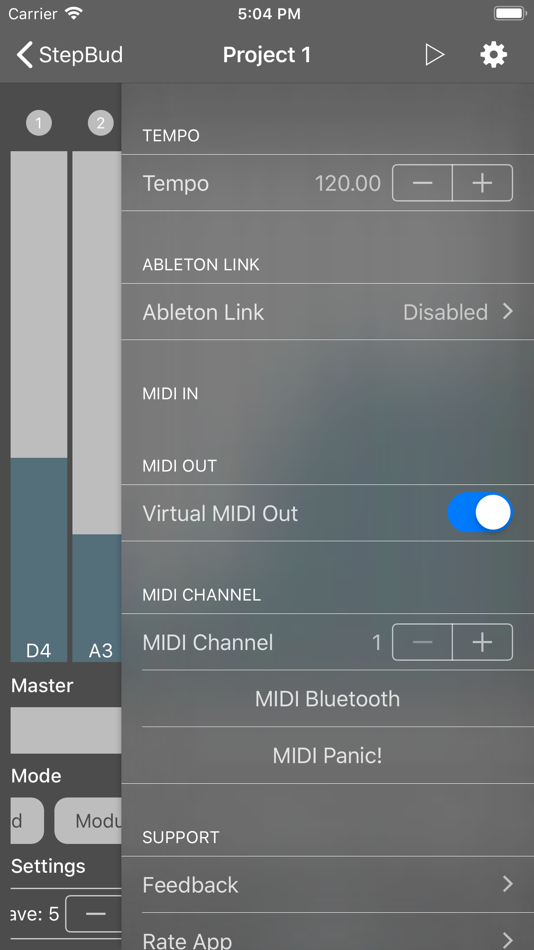
In StepBud's powerful Step Editor, you can set your step's notes either from the virtual keyboard or your connected MIDI keyboard. Don't forget to enable MIDI in port of your MIDI keyboard or the you want to receive MIDI from the settings menu. You may also preview the selected notes by pressing the preview button in Step Editor for making sure you created the perfect sound for your particular step.
You can also toggle the steps you want to disable by tapping its LED.
If you long-press the LED, you can access a menu where you may copy/paste the steps around, remove them or edit them.
If you enable the lock mode from the settings strip on the bottom of the app, you may adjust each visible step fader on the screen by a single swipe gesture without having to lift your finger up.
Try to change your arppegio mode from the settings strip. You can sequence your steps up, down, up-down or random order.
StepBud is a MIDI sequencer app and it does not generate sounds itself. You need to route its MIDI out port in the settings menu to the audio app you want to sequence.
Please note that you need to have an iOS 11+ device and an Audio Unit host application such as AUM, apeMatrix, Cubasis, BeatMaker or Audiobus in order to use the StepBud as an Audio Unit plugin. And don't forget to route StepBud's MIDI out to the app or audio unit you want to sequence.
StepBud's MIDI layer powered by free and open-source project AudioKit
https://github.com/AudioKit/AudioKit
Also, StepBud offers its core components for free on GitHub. Feel free to star, fork or contribute.
https://github.com/cemolcay/MusicTheory
https://github.com/cemolcay/LiveFader
https://github.com/cemolcay/MIDIEventKit
Anúncio
Capturas de tela
Histórico de preços
- Preço atual: $4.99
- Mínimo: $0.99
- Máximo: $4.99
Acompanhe os preços Adicione a uma lista para receber alertas de descontos por e-mail ou push
Pontuação AppAgg
27,000
Pontuação AppAgg estimada de
StepBud - AUv3 MIDI Sequencer
Desenvolvedor: Cem Olcay
27,000 Platina
Uma pontuação mais alta geralmente reflete resultados melhores nos indicadores do AppAgg.
Com base em: popularidade · avaliações dos usuários · atualidade · ofertas · dados das lojas · atividade da comunidade
Recalculado diariamente com dados AppAgg atualizados.
Compartilhar pontuação AppAgg
URL abreviado: Copiado! Selo para o seu site: Novidades
- Versão: 2.0
- Última atualização:
- This version,
- Updates the audio engine
- Updates the user interface
- Adds builtin sampler for the standalone app
- Adds iCloud based preset manager
- Adds online user manual to the settings menu
- Fixes MIDI bugs
Informações adicionais
- Data de lançamento:
- Categoria:
Aplicativos para iOS›Música - Sistemas operacionais:
iPad,iPhone,iOS 13.0 ou superior - Tamanho:
8 Mb - Idiomas disponíveis:
English,Turkish - Classificação do conteúdo:
4+ - App Store Nota: ¡
4.4(38)
 https://keybudapp.com/stepbud
Desenvolvedor
Listas (6)
- StepBud - AUv3 MIDI Sequencer





Pontos (2)
-

- 1,067 Marika
- +1
-
- 201 Taban Bovin
- +1
Classificações (0)
0
Comentários (0)
Seja o primeiro a comentar
Resumo
StepBud - AUv3 MIDI Sequencer URL abreviado: Copiado!- App Store
No AppAgg, você pode acompanhar “StepBud - AUv3 MIDI Sequencer”, um aplicativo de Cem Olcay para iOS na categoria Música. Pontuação AppAgg: 27,000 (Platina). Pontos AppAgg do aplicativo — confirmados: 2; indiretos: 38. Listas públicas que incluem o aplicativo: 6. Usuários que o salvaram em listas privadas: 7. Os usuários do AppAgg ainda não avaliaram este aplicativo. Os pontos confirmados registram os acessos à loja por usuários conectados ao AppAgg. Os indiretos se baseiam em dados das lojas. O AppAgg conta as listas públicas que incluem um aplicativo ou jogo e os usuários que o salvaram em listas privadas. O aplicativo foi lançado pela primeira vez em . Última atualização do aplicativo: . O aplicativo custa atualmente $4.99. O menor preço registrado para o aplicativo foi $0.99 (); o maior foi $4.99 (). Avaliação atual do aplicativo em App Store: 4.4. Número de votos: 38. O aplicativo está disponível nos seguintes idiomas: English, Turkish. Confira o histórico de preços, adicione o aplicativo a uma lista ou siga o desenvolvedor. Acompanhe as próximas promoções e atualizações do aplicativo pelo Feed RSS. O AppAgg não hospeda nem distribui este aplicativo. Todas as marcas, logotipos e capturas de tela relacionados ao aplicativo pertencem aos respectivos proprietários.

