
已儲存
選擇要顯示在你的已儲存選單中的名稱。
完成!
描述

* Dummy. you can do all the operation just with mouse
* Intuitive. Just do as you want without learning and help.
【Key Features】
* Support all popular image format, browse large images without lag.
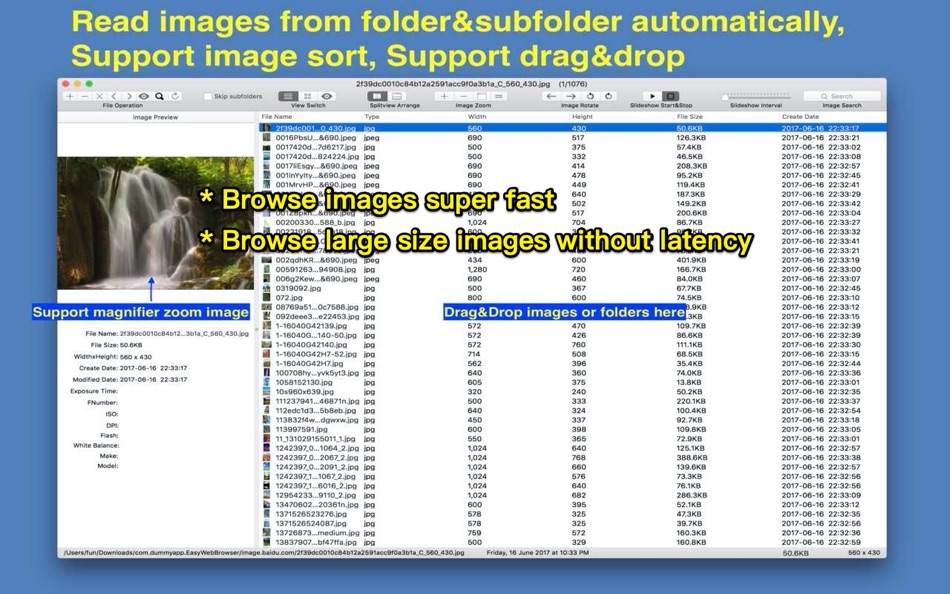
* Batch read all images fast in folders and subfolders automatically, NO need to import like iPhoto.
* live wallpaper&desktop support.
* Unpack Rar&Zip file, remember password automatically.
* Browse images by file list, thumbnail and full image size
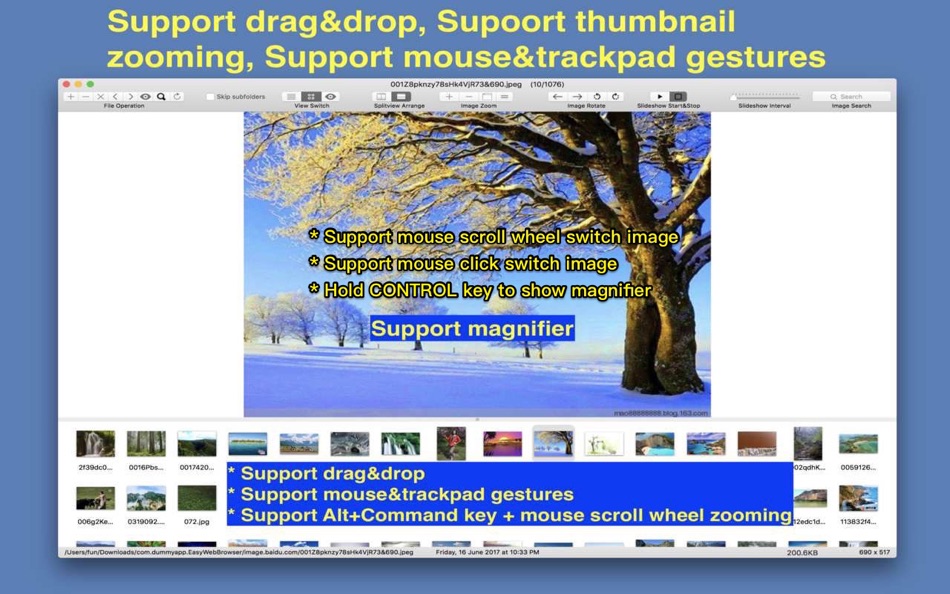
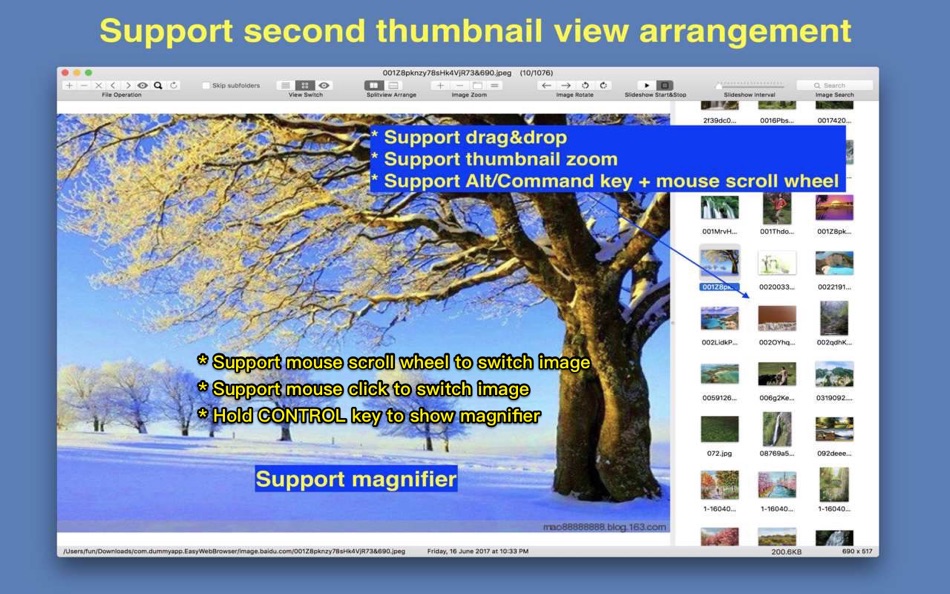
* Rich keyboard&mouse&Trackpad shortcuts, support mouse click and scroll to switch images forward and backward
* Support mark images
【App Shortcuts】
1. Switch to large image view mode: double click image file in file list or double click image thumbnail.
2. Zoom Image: "Alt/Option" key +mouse scroll wheel
3. Returen to previous view: double click full image view
4. Support to zoom in/out image by two finger tap.(require osx 10.8 or above)
5. Image rename: Select image file in image list table and press "enter" key
6. Show/Hide EXIF information: "Command +i"
7. Load all image in current folder of selected images : "Alt/Option+ O"
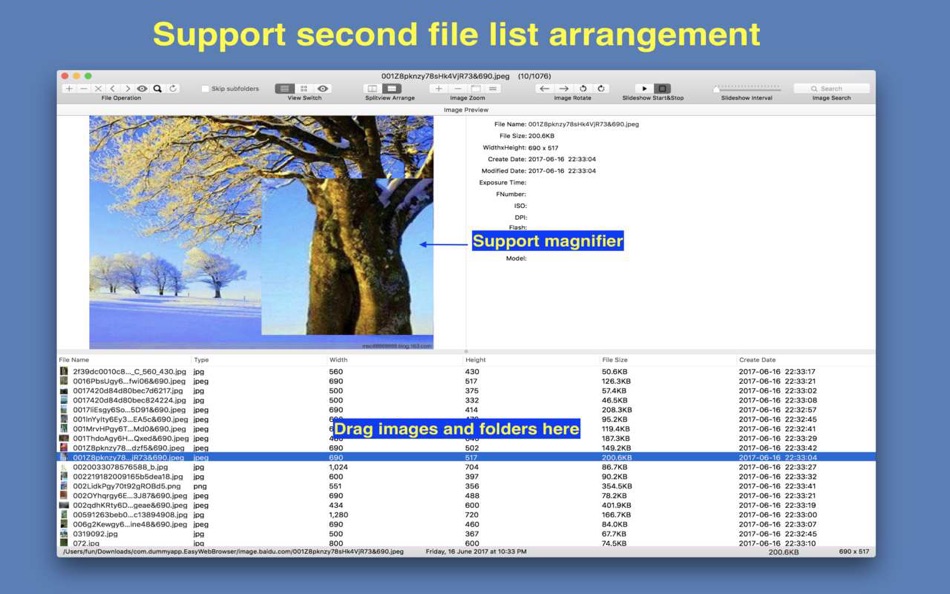
8. Enable/Disable magnifier: Hold/release Control key when scroll mouse/trackpad
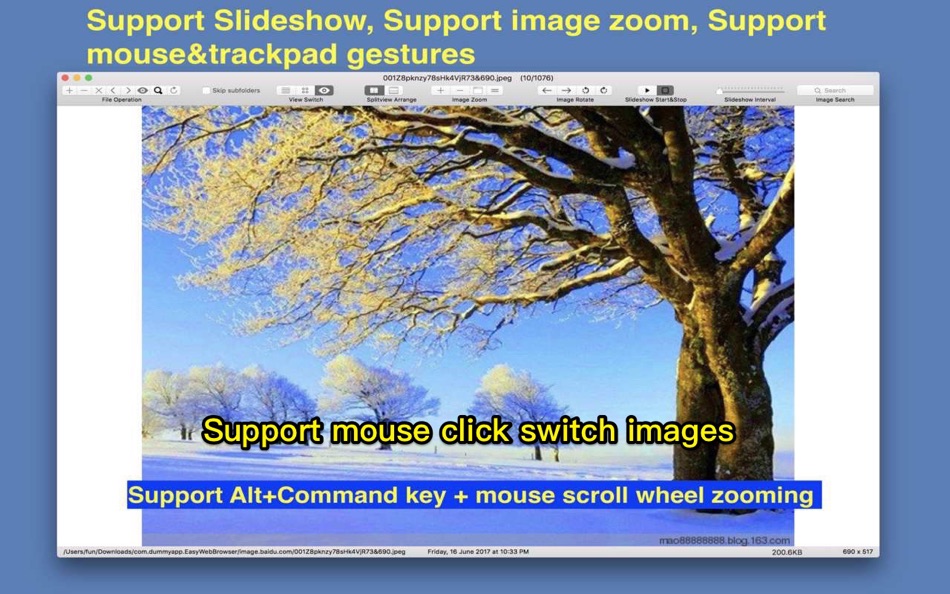
9. Switch image: mouse click left/right part of image view
10. Rotate image: Alt + mouse click left/right part of image view
Please refer to menu for other shortcuts
【Supper handy mouse operation】
[Switch image]
1. Mouse wheel scroll on thumbnail image can switch image fast
2. Mouse click left part of right part of thumbnail image can switch image
[Image Rotation]
1. Hold Alt(Option) or Command key, click left part or right part of thumbnail image
[Image Magnification]
1. Hold Control key, move mouse on the thumbnail image, a magnifier will display, scroll mouse wheel can magnify image
2. In large image view, hold Alt(Option) or Command key, scroll mouse wheel, can enlarge image
【Users FAQs 】
1. How to batch read all images in folders?
A:
1) Drag/Add folders to iSee, it will read all images automatically.
2) open one image in folder and press "Alt/Option + O" will load all image in current folder
3) Enable "Autoload images in the same folder" option, when add one image to app, it will read all images in the same folder automatically.
2. Why iSee sometimes refuse drag&drop when I drag images/folders into it?
A: iSee only accept drag&drop when you drag images/folders to file list table, thumbnail list view and the full image view, otherwise, iSee will refuse the drag&drop.
3. How to save images to specified folder?
A: Select image in image list or thumbnail list, and drag these image to the folder you want to save them. you can also drag selected image to other application.
4.How to sort image?
A: there are 3 methods to sort image:
1) Click image table list header
2) Click "left arrow" and "right arrow" button in the first segment button
3) Drag thumbnail in thumbnail list
5. How to skip prefetching images in sub-folders?
A: Please open preferences setting in "iSee" menu, and check "Skip sub-folders".
6. How to use magnifier?
A: when move mouse/trackpad over image, hode Control key, the magnifier will enable, scroll mouse wheel can zoom in/out image. release Control key will disable magnifier.
7.How to switch images by mouse click in full image view?
A: All image views in App support mouse click and mouse scroll to switch images
1) Enable "Mouse Click Switch Image" option
2) In full image view, click left half part of the window, switch to the previous image, click right half part of the window, switch to the next image
3) mouse wheel scroll can also switch images forward and backward
8. How to become a live wallpaper by single click:
A: please follow the steps below:
1) Load your favorite pics
2) Click "Live WallPaper" menu item from "File" menu or from status bar menu.
iSee will become a live wallpaper on your desktop, you can also enable slideshow to switch images regularly.
螢幕擷取畫面
Ad
價格歷史
-
* 應用內購買 - 目前價格: 免費
- 最小值: 免費
- 最大值: 免費
追蹤票價
AppAgg 評價
5,850
AppAgg 預估評價:
iSee Pro - Image Browser
5,850 白金
評價越高,通常代表在 AppAgg 上的信號越強。
基於: 人氣 · 使用者評分 · 新鮮度 · 優惠 · 商店資料 · 社群活躍度
根據最新 AppAgg 資料每日重新計算。
縮短網址: 已複製!
其他資訊
- 發行日期:
- 類別 :
macOS 應用程式›公用程式與工具 - OS:
macOS,macOS 12.0 以上版本 - 大小:
4 Mb - 支援的語言 :
Chinese,English - 內容分級:
4+ - Mac App Store 評分:
0
 https://www.jianshu.com/p/9b4aea7c775e
清單 (1)
- iSee Pro - Image Browser

點數 (3)
-

- 1 Kenneth I.
- +1
-
- 4 Steven Stryker
- +1
-
- 2,930 바람처어럼
- +1


排名 (0)
0
註釋 (0)
成為第一個發表評論的人
簡要
iSee Pro - Image Browser 縮短網址: 已複製!- 分享
- Mac App Store
«iSee Pro - Image Browser». 平台: macOS. 類別: 公用程式與工具. 開發商: «刚刚 孔». 首次發布: . 最後更新: . 目前價格: 免費. 此項目尚未在 AppAgg 上獲得評分或評論。 列表: 公開: 1, 私人: 2. 追蹤點: 已確認: 3, 間接: 0. 可用語言: Chinese, English. AppAgg 會追蹤 «iSee Pro - Image Browser»的價格歷史、評分和用戶回饋。 AppAgg 不託管應用程式或分發軟體。 所有商標、標誌和螢幕截圖均屬於其各自所有者。 關注未來折扣和更新: RSS
類似
-
- Image Browser
- macOS 應用程式: 公用程式與工具 由: Robert Novak
- 免費
- 清單: 0 0 0
- 點數: 0 + 0 500 · 青銅 版本: 0.8.2 The purpose of this program is to provide support for browsing and viewing images on the Apple OS X Operating System. This is currently a Beta release, as there are still several ...
-
- iSee - Image Browser
- macOS 應用程式: 公用程式與工具 由: 刚刚 孔
- $2.99
- 清單: 0 0 0
- 點數: 0 + 0 780 · 白銀 版本: 11.5 * Fast. preload images automatically, browse images without any lag. * Dummy. you can do all the operation just with mouse * Intuitive. Just do as you want without learning and help. ...
-
- Long Image Browser
- macOS 應用程式: 公用程式與工具 由: 光泉 尚
- $0.99
- 清單: 0 0 0
- 點數: 0 + 0 550 · 青銅 版本: 1.0 1.长图无缝拼接. 2.多层目录识别. 3.跟据文件名称自动排序. 4.记录查看历史和进度.
-
- PhotoOne- Image Browser Viewer
- macOS 應用程式: 公用程式與工具 由: 金鹏 王
- 免費
- 清單: 0 0 0
- 點數: 0 + 0 900 · 白銀 版本: 1.6.0 PhotoOne is a photo utility app. It can help you easily find all the images in a folder and all the subfolders. Features: 1. Open a folder or drag a folder into PhotoOne, it will ...
-
- Browser Insight
- macOS 應用程式: 公用程式與工具 由: 晓东 林
- * 免費
- 清單: 0 0 0
- 點數: 0 + 0 890 · 白銀 版本: 1.1 Browser Insight is a **professional-grade macOS analytics tool** for privacy conscious users who want real clarity about their browsing habits. After you grant access, the app reads ...
- 全新
- Image Worker: Batch Tools
- macOS 應用程式: 公用程式與工具 由: 焕杰 陈
- * 免費
- 清單: 0 0 0
- 點數: 0 + 0 880 · 白銀 版本: 1.0 Image Worker helps you turn everyday image files, design assets, screenshots, and sprite sheets into ready-to-use files without jumping between separate tools. Remove solid-color ...
-
- browser Menu
- macOS 應用程式: 公用程式與工具 由: MAJID ALKALBANI
- 免費
- 清單: 1 + 1 0 0
- 點數: 4 + 0 1K · 黃金 版本: 2.0 MBA Web Browser is a modern and efficient browser built for macOS, combining speed, simplicity, and security in one lightweight application. With a clean design and essential features,
-
- Browser Care
- macOS 應用程式: 公用程式與工具 由: Giovanni Maria Cusaro
- 免費
- 清單: 1 0 0
- 點數: 3 + 0 660 · 白銀 版本: 4.1.8 Hundreds of users have chosen the Pro Version! Thanks to all! The perfect app to take care your browsers and free up space. Browser Care keeps your browsers clean and under control ...
-
- Browser Jumper
- macOS 應用程式: 公用程式與工具 由: 亦伦 谢
- $0.99
- 清單: 0 0 0
- 點數: 0 + 0 560 · 青銅 版本: 1.1 Add the Browser Jump icon to your Safari toolbar, and with a single click on the icon while browsing any webpage, you can switch that webpage to display in Chrome.
-
- Image Extractor for Word Docs
- macOS 應用程式: 公用程式與工具 由: App Tyrant Corp
- $2.99
- 清單: 0 0 0
- 點數: 0 + 0 600 · 白銀 版本: 1.2.2 Do you have a Microsoft Word Document (.doc or .docx) filled with images you need to extract quickly? Look no further! Image Extractor for Microsoft Word Documents is your ultimate ...
-
- Image Converter: HEIC WebP PDF
- macOS 應用程式: 公用程式與工具 由: DRISH LABS
- $8.99
- 清單: 0 0 0
- 點數: 0 + 0 590 · 青銅 版本: 2.3 Drop in a folder of HEIC shots from your iPhone. Pick JPEG. Hit Convert. Done. No upload, no queue, no watermark. Image Converter is the no-nonsense macOS app for when you just need ...
-
- Image Guard - Data Blur
- macOS 應用程式: 公用程式與工具 由: Direct Solutions
- 免費
- 清單: 0 0 0
- 點數: 0 + 0 510 · 青銅 版本: 1.0 Introducing Image Guard: Your Ultimate Privacy Protector for Images! Key Features: - Detect Sensitive Information: Image Guard uses advanced AI technology to automatically detect and ...
-
- Image Optimizer - Compression
- macOS 應用程式: 公用程式與工具 由: 万林 彭
- 免費
- 清單: 0 + 1 0 0
- 點數: 7 + 0 1K · 黃金 版本: 3.0 Image Optimizer - Professional Lossless Image Compression Software. Batch Image Compression Tool for PNG, JPG, TIF, GIF, BMP, PSD, HEIC Formats 「Main Features」 Reduce image file size ...
-
- Image Resizer: Batch Convert
- macOS 應用程式: 公用程式與工具 由: Omer Kose
- * 免費
- 清單: 0 + 1 0 0
- 點數: 6 + 0 5K · 黃金 版本: 6 Image Resizer: Batch Convert helps you resize and convert images on your Mac without complicated workflows. Drop a folder or individual files, choose a target resolution, pick an ...