
| Ontwikkelaar: | Sindre Sorhus (55) | ||
| Prijs: | Gratis | ||
| Beoordelingen: | 0 | ||
| Recensies: | 0 Schrijf een review | ||
| Reacties: | 0 Plaats reactie | ||
| Lijsten: | 2 + 2 | ||
| Punten: | 10 + 0 ¡ | ||
| Mac App Store | |||
Beschrijving

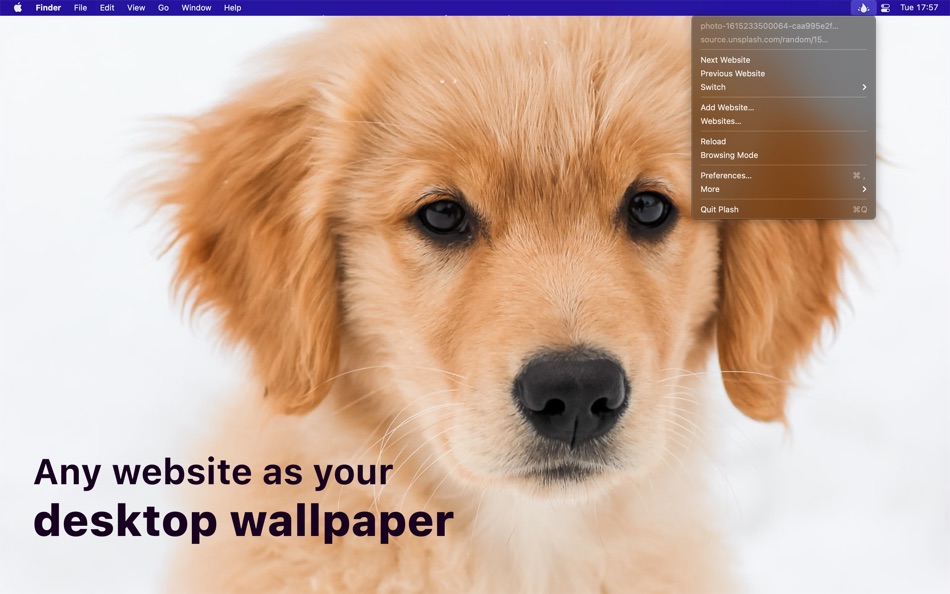
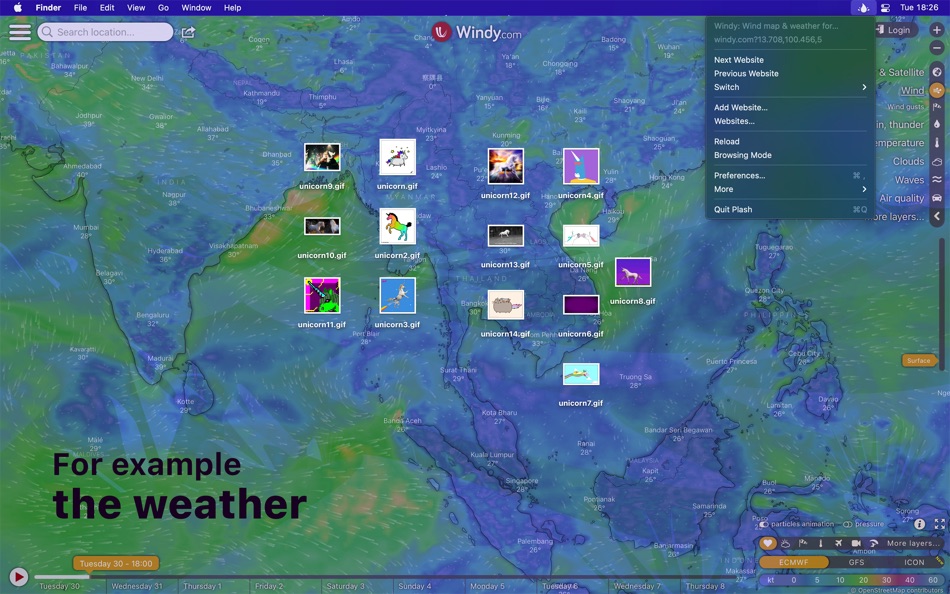
This enables you to have a highly dynamic desktop wallpaper. You could display your favorite news site, Facebook feed, or a random beautiful scenery photo. The use-cases are limitless. You could even set an animated GIF as wallpaper. You can even add multiple websites and easily switch between them.
■ Features
- Show a remote or local website
- Interact with the website (“Browsing Mode”)
- Automatically reload the website at a custom interval
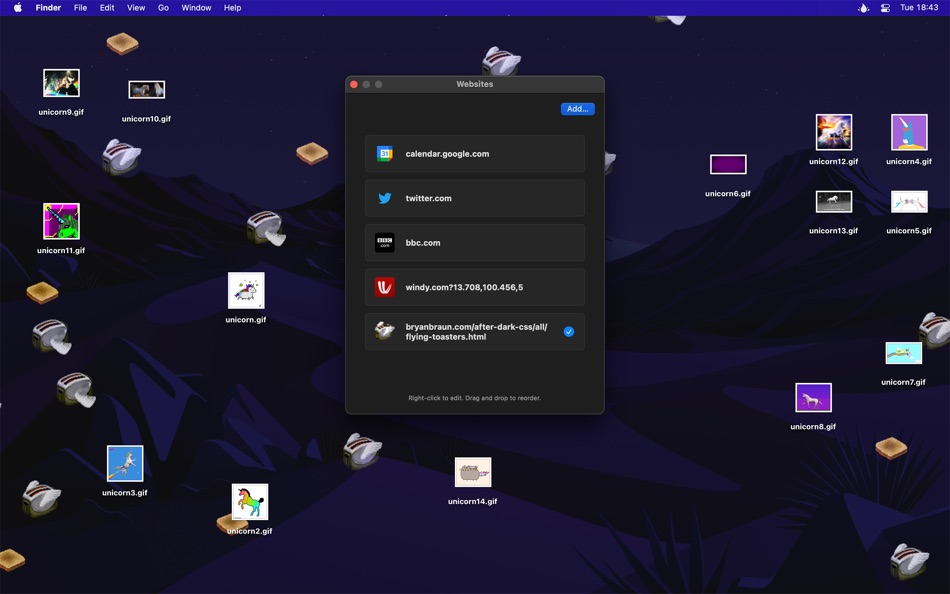
- Add multiple websites
- Show the website on a different display
- Invert website colors (fake dark mode)
- Add custom CSS and JavaScript to the website
- Lower the opacity
- Transparent background
If the website doesn't have a background color, your system wallpaper will show through.
- Automatically deactivate while on battery
- Audio is muted
- Single image will be aspect-filled to your screen
- Hide menu bar icon
- Shortcuts support
- Scriptable (see the Plash website)
- Share extension
Note: Support for multiple displays is currently limited to the ability to choose which display to show the website on. Support for setting a separate website for each display is planned.
■ Example use-cases
- Show a random puppy image
Example URL: https://source.unsplash.com/random/2880x1756?puppy
See the “Tips” on how to get exact screen size.
- Bing Photo of the Day
Read more: https://github.com/sindresorhus/plash-bing-photo-of-the-day
- Random street view image
https://randomstreetview.com/#slideshow
- Calendar
- Personal stats
- Random color
https://www.color.pizza
■ Tips
‣ Browsing mode
You can interact with the website by enabling “Browsing Mode”. When in this mode, you can right-click to be able to go back/forward, reload, and zoom in the page contents (the zoom level is saved). You can also pinch to magnify. This is different from zooming the page contents in that it will zoom in to a specific part of the page instead of just enlarging everything.
Plash injects a CSS class named “plash-is-browsing-mode” on the “html” element while browsing mode is active. You could use this class to customize the website for browsing mode.
If clicking a link opens it in a new window, you can hold the Option key while clicking the link to open it in the main Plash window.
‣ Zoom in website
To zoom in the website, activate “Browsing Mode”, right-click the website, and then select “Zoom In”.
‣ URL placeholders for screen width and height
Use `[[screenWidth]]` and `[[screenHeight]]` in any URL and Plash will substitute the right values for you. For example, `https://source.unsplash.com/random/[[screenWidth]]x[[screenHeight]]?puppy`.
If you have some cool use-case you want to share or some other feedback, please do send me an email through the “Send Feedback” button in the app.
■ FAQ
‣ How can I switch to a specific website with a keyboard shortcut?
Make a shortcut in the Shortcuts app that uses the “Set Current Website” action and then set a keyboard shortcut for the shortcut.
■ Support
Click the “Send Feedback” button in the app.
Ad
Screenshots

Prijsgeschiedenis
- Vandaag: Gratis
- Minimum: Gratis
- Maximaal: Gratis
Prijzen volgen
Wat is er nieuw?
- Versie: 2.17.0
- Bijgewerkt:
- - The app now requires macOS 26. You can get the last macOS 15 compatible version from the app's website.
Ontwikkelaar
- Sindre Sorhus
- Platforms: iOS Apps (21) macOS Apps (34)
- Lijsten: 18 + 19
- Punten: 215 + 2,083 ¡
- Beoordelingen: 1 (2)
- Recensies: 0
- Reacties: 0
- Kortingen: 0
- Videos: 0
- RSS: Abonneren
Punten (10)





Beoordelingen (0)
0 ☹️
Lijsten (2)
- Plash

Recensies (0)
Schrijf als eerste een review 🌟
Aanvullende informatie
- Versie: 2.17.0
- Categorie:
macOS Apps›Diensten - Besturingssystemen:
macOS,macOS 26.0 en hoger - Grootte:
3 Mb - Ondersteunde talen:
English - Beoordeling van content:
17+ - Mac App Store Beoordeling:
0 - Bijgewerkt:
- Releasedatum:
Contacten
- Website:
 https://sindresorhus.com/plash
«Plash». Platform: macOS. Categorie: Diensten. Ontwikkelaar: «Sindre Sorhus». Eerste uitgave: . Laatste update: . Huidige prijs: gratis. Deze titel heeft nog geen beoordelingen of recensies ontvangen op AppAgg. Lijsten: openbare 2, privé 2. Bijgehouden punten: bevestigde 10, indirecte 0. Beschikbare talen: English. AppAgg houdt de prijsgeschiedenis, beoordelingen en gebruikersfeedback bij «Plash». Volg toekomstige kortingen en updates via RSS. AppAgg host geen applicaties en distribueert geen software. Alle handelsmerken, logo's en screenshots zijn eigendom van hun respectievelijke eigenaren.
Reacties (0)
Reageer als eerste 🌟
Plash Korte URL: Gekopieerd!- 🌟 Delen
- Mac App Store
Ad
Vergelijkbare
-
- SwiftyMenu
- macOS Apps: Diensten Door: 圣罡 汤
- * Gratis
- Lijsten: 0 + 2 Beoordelingen: 0 Recensies: 0
- Punten: 23 + 0 0 Versie: 26.5.6 SwiftyMenu is a powerful macOS Finder extension that enhances your workflow with customizable context menus for quick file and folder operations. Key Features: Custom Context Menus: ... ⥯
-
- CrystalFetch ISO Downloader
- macOS Apps: Diensten Door: Turing Software, LLC
- Gratis
- Lijsten: 6 + 0 Beoordelingen: 0 Recensies: 0
- Punten: 20 + 0 0 Versie: 2.2.0 CrystalFetch is a macOS application that creates Windows® 11 installer ISO images. It can be used with UTM virtual machines as well as other VM solutions. Note: CrystalFetch is not ... ⥯
-
- Parallel Disk Scanner
- macOS Apps: Diensten Door: Pedro Yamada
- Gratis
- Lijsten: 0 + 1 Beoordelingen: 0 Recensies: 0
- Punten: 20 + 0 0 Versie: 1.2.2 FileSaver is a really fast disk usage scanner. It can scan a fully used SSD in a minute by scanning folder sizes in parallel. All information is displayed immediately with no waiting ... ⥯
-
- HotLaunch - App Launchpad
- macOS Apps: Diensten Door: 方 刘
- * Gratis
- Lijsten: 2 + 4 Beoordelingen: 0 Recensies: 0
- Punten: 20 + 0 0 Versie: 2.5.9 Efficiently switch and open apps, folders, files, URLs. characteristic: 1 Support Option, Control, Command, Shift,fn combination shortcut keys to display switching window view. 2 When ... ⥯
-
- Desktop Lens
- macOS Apps: Diensten Door: Pavel Kosykh
- Gratis
- Lijsten: 0 + 1 Beoordelingen: 0 Recensies: 0
- Punten: 19 + 0 0 Versie: 6.1.5 Desktop Lens is a lightweight desktop magnifier designed for simple and efficient zooming of on-screen content. The app provides a floating lens that magnifies any area of the screen ... ⥯
-
- Shortery
- macOS Apps: Diensten Door: Unit Numberfive oHG
- * Gratis
- Lijsten: 3 + 4 Beoordelingen: 1 (1) Recensies: 0
- Punten: 19 + 0 0 Versie: 8.6 Run your Shortcuts automatically with Shortery. Automate your workflows without lifting a finger. Shortery allows you to run shortcuts automatically in response to system events, ... ⥯
-
- Duplicate Files Sweeper
- macOS Apps: Diensten Door: Wise Tech Labs Private Limited
- * Gratis
- Lijsten: 0 + 1 Beoordelingen: 0 Recensies: 0
- Punten: 18 + 0 0 Versie: 3.1 Duplicate Files Sweeper is an ultimate Duplicate Files Cleaner that help you get rid of duplicate files from your Mac easily. Duplicate Files Sweeper helps you give a thorough scan to ... ⥯
-
- Max NTFS - NTFS Disk Helper
- macOS Apps: Diensten Door: 全利 谢
- * Gratis
- Lijsten: 0 + 0 Beoordelingen: 0 Recensies: 0
- Punten: 17 + 0 0 Versie: 2.7.7 Max NTFS is a small tool that can open NTFS format disks in read-write mode. We can support the read and write of NTFS format disks very effectively. Start the application, it will ... ⥯
-
- QuickFTP Server
- macOS Apps: Diensten Door: Leszek Szary
- Gratis
- Lijsten: 0 + 2 Beoordelingen: 0 Recensies: 0
- Punten: 16 + 0 0 Versie: 1.1.0 QuickFTP Server allows you to share files stored on your Mac with other devices. FTP is a standard network protocol supported by many applications available on almost any device with a ⥯
-
- nthLink
- macOS Apps: Diensten Door: nthLink
- Gratis
- Lijsten: 2 + 0 Beoordelingen: 0 Recensies: 0
- Punten: 16 + 0 0 Versie: 7.0.0 nthLink is a powerful VPN capable of getting through even the toughest network environment. Most importantly, it incorporates strong encryption to protect the users' information. ... ⥯
-
- Clip Log
- macOS Apps: Diensten Door: WARNER WEB DEVELOPMENT LLC
- * Gratis
- Lijsten: 0 + 1 Beoordelingen: 0 Recensies: 0
- Punten: 16 + 0 0 Versie: 3.3.84 Clip Log The Clipboard Manager You ve Been Waiting For! Say goodbye to losing important snippets of text and images! Clip Log is the ultimate clipboard manager, combining intelligent ... ⥯
-
- Disk Diag
- macOS Apps: Diensten Door: Rocky Sand Studio Ltd.
- * Gratis
- Lijsten: 4 + 1 Beoordelingen: 5 (1) Recensies: 0
- Punten: 16 + 0 0 Versie: 2.0.7 Disk Diag is an amazing all-in-one disk cleaner to help you clean up your hard drive with ease. First time I ve been speechless & husband is amazed" It works with just two clicks and ... ⥯