
| 開發人員: | Zoho Corporation (321) | ||
| 價錢: | * 免費 | ||
| 排名: | 0 | ||
| 評測: | 0 寫評論 | ||
| 清單: | 1 + 0 | ||
| 點數: | 0 + 0 ¡ | ||
| Mac App Store | |||
描述

SCAN
Use your iPhone or iPad to scan any document and let it appear instantly on the Zoho Scanner Mac app. Scan anything of your choice, ranging from business cards, receipts to multi-page documents. Zoho Scanner smartly identifies the paper document's edges and adds a crisp scan of the document. You can also add document images from your photo gallery and Finder.
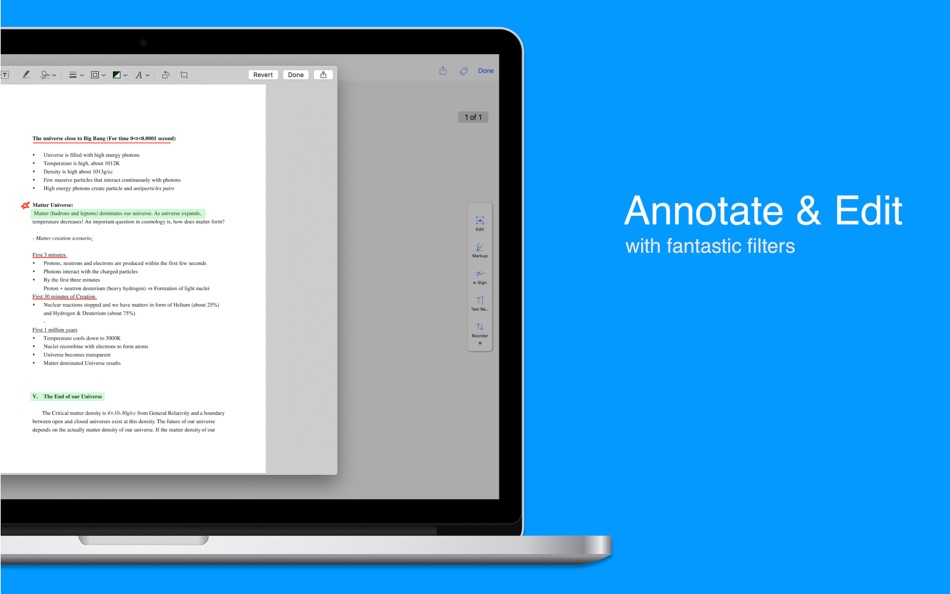
ANNOTATE AND FILTER
Crop, edit, rotate and annotate your scanned docs. Re-order pages within a document and choose from a variety of filters to apply for the scanned documents.
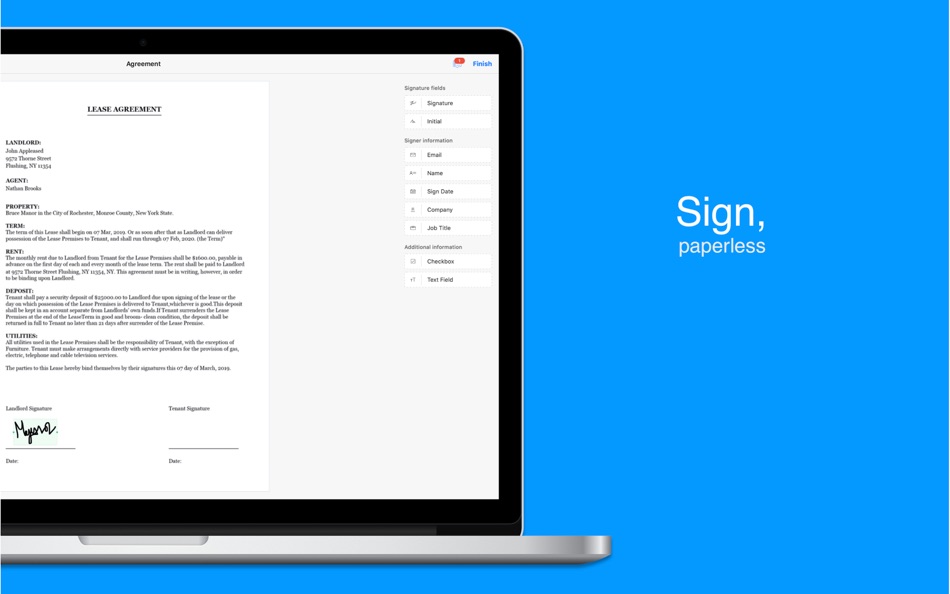
E-SIGNATURE
Verify your identity by adding your signature, powered by Zoho Sign. Digitally sign documents yourself and email the signed documents to others.
OCR AND TRANSLATE
Zoho Scanner uses Optical Character Recognition (OCR) to convert documents to text. OCR enables you to search for a document based on its content, so you can always find what you need. You can even translate the extracted content into 15 different languages in the app.
SHARE AND AUTOMATE
Set Zoho Scanner to automatically upload your scanned documents to other apps, so you can share and use them. Zoho Scanner integrates with Google Drive, Dropbox, OneDrive, Zoho WorkDrive, Zoho Expense, and more. Easily share scanned docs via email and other apps as well. Create workflows to automate tasks and save time.
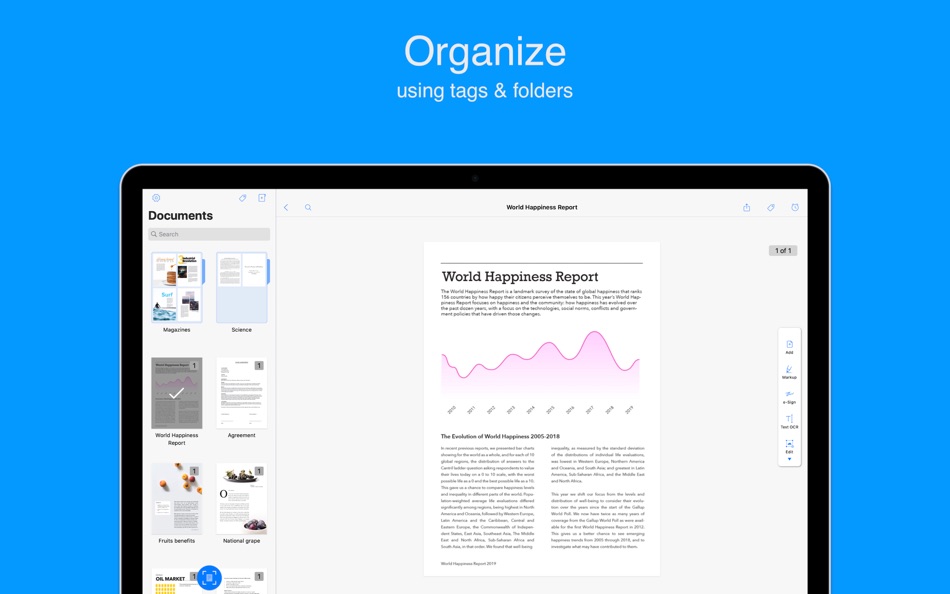
ORGANIZE
Stay organized by creating folders, setting reminders, and adding tags to categorize and find documents easily. Zoho Scanner intelligently recommends tags for your scanned docs based on their contents.
SYNC ACROSS DEVICES
Connect your iCloud account with Zoho Scanner to sync your documents across all your Apple devices. Scan a document on a device and see it appear on your other device automatically. You can also use iCloud Drive to back up and restore your documents securely.
ONLY ON MAC
- Initiate a scan, share documents, set reminders, and more, using Touch Bar on MacBook Pro devices.
- Use Sidecar to add your iPad as a secondary monitor.
- Zoho Scanner supports accessibility through Voice Control.
- The Finder extension lets you quickly add document images from Finder.
- Zoho Scanner automatically go dark for you when you set your Mac to Dark Mode.
- Quickly find and access your documents using Spotlight.
PREMIUM
Zoho Scanner's premium price levels are:
• Premium Monthly — 1.99 USD
• Premium Yearly — 19.99 USD
Sign up for a year's subscription and get 50% off!!
• Payment will be charged to your iTunes account after confirmation of purchase.
• Account will be charged for renewal within 24 hours before the end of the current subscription period.
• Subscriptions may be managed by the user and auto-renewal may be turned off by going to the user's Account Settings after the purchase.
• Any unused portion of a free trial period will be forfeited when the user purchases a subscription to that publication.
Privacy - zoho.com/privacy.html
Terms & Conditions - zoho.com/terms.html
If you have any questions, please reach out to us at support@zohoscanner.com
Additional information about the app is available at docscanner.app
Ad
螢幕擷取畫面



價錢
-
* 應用內購買 - 今天: 免費
- 最小值: 免費
- 最大值: 免費
追蹤票價
Ad
開發人員
- Zoho Corporation
- 平台: Android 應用程式 (158) iOS 應用程式 (150) macOS 應用程式 (13)
- 清單: 7 + 7
- 點數: 66 + 785,798 ¡
- 排名: 0
- 評測: 0
- 折扣: 0
- 影片: 22
- RSS: 訂閱
點數
0 ☹️
排名
0 ☹️
清單
- Zoho Scanner - Scan PDF

評測
成為第一個評論 🌟
其他資訊
- 版本: 3.0.2
- 類別 :
macOS 應用程式›生產應用 - OS:
macOS,macOS 13.5 以上版本 - 大小:
23 Mb - 支援的語言 :
Chinese,Dutch,English,French,German,Gujarati,Hindi,Italian,Japanese,Korean,Marathi,Norwegian,Polish,Portuguese,Russian,Spanish,Swedish,Tamil,Telugu,Turkish,Vietnamese - 內容分級:
4+ - Mac App Store 評分:
0 - 發佈日期:
- 發行日期:
聯絡人
- 個人網站:
 https://docscanner.app
Zoho Scanner - Scan PDF 縮短網址: 已複製!- 🌟 分享
- Mac App Store
你可能還喜歡
-
- Zoho Sheet
- macOS 應用程式: 生產應用 由: Zoho Corporation
- 免費
- 清單: 0 + 0 排名: 0 評測: 0
- 點數: 1 + 0 版本: 1.0.4 Seamlessly build both simple and complex spreadsheets from your MacBook using all the basic and advanced tools in Zoho Sheet. With an extensive range of analytics tools (like ... ⥯
-
- PDF Master - AI & PDF
- macOS 應用程式: 生產應用 由: PDF Technologies, Inc.
- 免費
- 清單: 0 + 0 排名: 0 評測: 0
- 點數: 6 + 0 版本: 1.3.0 PDF Master incorporates AI technology to empower your productivity. AI enables advanced features like AI translation, AI rewriting and AI error correction. Besides, PDF Master s rich ... ⥯
-
- PDF Editor ℠
- macOS 應用程式: 生產應用 由: Free PDF Inc
- * 免費
- 清單: 0 + 0 排名: 0 評測: 0
- 點數: 0 + 0 版本: 1.3.4 PDF Editor is a professional, efficient, and user-friendly PDF editing and management tool designed specifically for Mac users. Whether you are handling study materials, work reports, ... ⥯
-
- PDFelement – Edit & Scan PDF
- macOS 應用程式: 生產應用 由: Wondershare Technology Group Co.,LTD
- * 免費
- 清單: 1 + 0 排名: 0 評測: 0
- 點數: 5 + 0 版本: 12.1.8 PDFelement is a one-stop PDF solution powered by AI. Fast, affordable, and easy way to edit, convert, sign PDFs, and more Using PDFelement, you will become a real PDF expert. ... ⥯
-
- Prizmo 5 › Scanner to PDF
- macOS 應用程式: 生產應用 由: Creaceed SRL
- * 免費
- 清單: 0 + 0 排名: 0 評測: 0
- 點數: 0 + 0 版本: 5.0.2 ** Macworld editors award winner (San Francisco) Featured in an Apple Keynote ** Prizmo 5 lets you scan paper or import digital files, recognize text with OCR, and export everything as ⥯
-
- PDF Converter: Reader Editor ®
- macOS 應用程式: 生產應用 由: Netron
- * 免費
- 清單: 0 + 0 排名: 0 評測: 0
- 點數: 0 + 0 版本: 1.0.2 PDF Convertor is a modern and efficient PDF workspace built for macOS. With fast conversions, essential PDF tools, secure signing, OCR, and AI-powered PDF chat, it helps you manage ... ⥯
-
- PDF Photos - Converter
- macOS 應用程式: 生產應用 由: 崴 杨
- * 免費
- 清單: 0 + 0 排名: 0 評測: 0
- 點數: 0 + 0 版本: 1.3.2 "PDF Photos" is a special converter for PDF files and images. Supports batch conversion of PDF files to image files, supports image output quality customization, and image compression ... ⥯
-
- PDF Attributes
- macOS 應用程式: 生產應用 由: Alexey Nikitin & Alexandr Bondar
- 免費
- 清單: 1 + 1 排名: 0 評測: 0
- 點數: 2 + 0 版本: 2.1.2 PDF Attributes are perfect to view and edit basic information about a document Base featured * Edit basic attributes * Detail info about the document * Preview and read PDF document ... ⥯
-
- PDF Squeezer 4
- macOS 應用程式: 生產應用 由: Daniel Witt
- $19.99
- 清單: 2 + 3 排名: 0 評測: 0
- 點數: 2 + 0 版本: 4.6.2 PDF Squeezer for macOS makes compressing PDFs easier than ever. Simply drag and drop your file into the app, and it quickly reduces the file size without compromising quality. At the ... ⥯
-
- PDF to JPG - A Batch Converter
- macOS 應用程式: 生產應用 由: RootRise Technologies Pvt. Ltd.
- $2.99
- 清單: 0 + 0 排名: 0 評測: 0
- 點數: 0 + 0 版本: 9.0 PDF to JPG is as simple as effective conversion tool for fastest way to batch convert PDF documents into best quality images. PDF to JPG converts each PDF page into JPEG, JPEG2000, ... ⥯
-
- PDF Converter, Reader & Editor
- macOS 應用程式: 生產應用 由: Muhammad Afzal Noor Muhammad
- * 免費
- 清單: 0 + 1 排名: 0 評測: 0
- 點數: 5 + 0 版本: 6.4 PDF converter is for everyone who wants to convert File to PDF or into other formats or vice versa, without any hassle. This PDF Maker , PDF Reader, PDF Viewer comes with multiple ... ⥯
-
- PDF Shrink: Compress your PDFs
- macOS 應用程式: 生產應用 由: Erik Wegener
- $2.99
- 清單: 0 + 1 排名: 0 評測: 0
- 點數: 4 + 0 版本: 1.2.2 PDF Shrink makes it quick and easy to compress your PDF files! There are two presets (High and Medium) that should work for the majority of users, but you can also select custom ... ⥯
-
- PDF Editor - for Adobe PDF Annotate, Sign & Modify
- macOS 應用程式: 生產應用 由: Global Mobile Game Limited
- $29.99
- 清單: 0 + 0 排名: 0 評測: 0
- 點數: 0 + 0 版本: 1.0.2 PDF Editor is a must-have app for anyone who reads, annotates or edits PDF documents on Mac.PDF Editor is for those who want to go beyond PDF Editor to create interactive forms, add ... ⥯
-
- PDF Vault
- macOS 應用程式: 生產應用 由: 坤 刘
- 免費
- 清單: 0 + 1 排名: 0 評測: 0
- 點數: 1 + 0 版本: 3.0.1 PDF Vault is an easy to use utility to store and encrypt your PDF files. Store and encrypt PDF files - 2 Steps: 1. Launch "PDF Vault", set your password. (First time required). 2. ... ⥯