
Salvos
Escolha o nome que será mostrado no seu menu Salvos.
Feito!
| Desenvolvedor: | Maksym Cherniaiev (5) | ||
| Preço: | $14.99 | ||
| Pontuação: | 8,550 Platina | ||
| Classificações: | 0 | ||
| Comentários: | 0 Postar comentário | ||
| Listas: | 3 + 2 | ||
| Pontos: | 1 + 0 ¡ | ||
| +1 Pontos | |||
Descrição

“Swift, easy to use, thorough, analyzes specific libraries, can search according to various criteria, offers choices in photo handling” - TheNextWeb
"PhotoSweeper packs a powerful punch in de-cluttering any size collection. 9/10" - Mac.AppStorm
"PhotoSweeper is a simple and efficient utility for organizing photos. 4.5/5" - Macworld
“I like PhotoSweeper because you can tweak it to compare with different criteria… not a one-trick-pony.” - MacRumors forum user
"This tool does a great job of finding duplicates, not just exact duplicates, but photos that have been rotated, resized, or are even just very similar. It also has a great set of default rules for figuring out which image to keep automatically, which can save hours." - Mac App Store Review
PhotoSweeper is perfect for you if:
• You often take a series of shots to get the perfect image and want to remove the extras.
• You edit photos in apps like Photoshop or Capture One and create multiple versions or backups.
• You have photos spread across folders, external drives, and libraries like Apple Photos, Lightroom Classic, or Capture One.
• Your photo library feels messy, disorganized, or too full, and you want to reclaim space by removing unnecessary files.
Key Features
• Deep Integration with Popular Photo Libraries
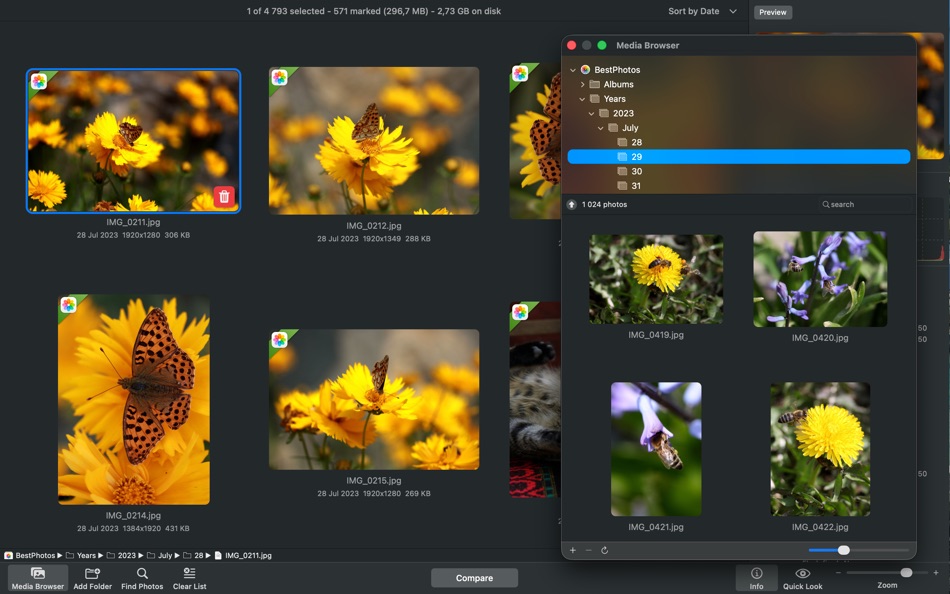
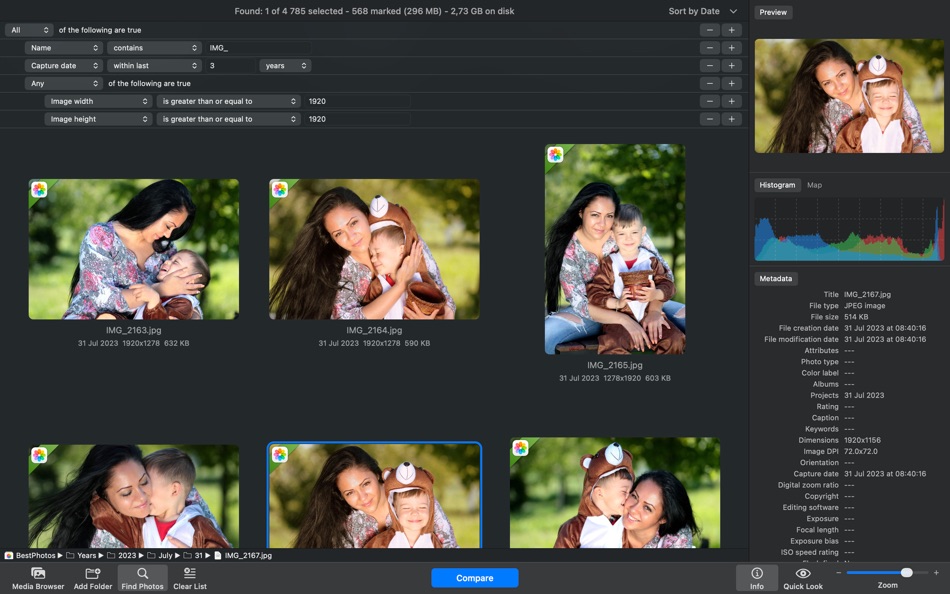
Works seamlessly with Apple Photos, Lightroom Classic, and Capture One. You can also scan any folder or external drive, with no need to move or reorganize your files beforehand.
• Fast and Accurate Comparison Engine
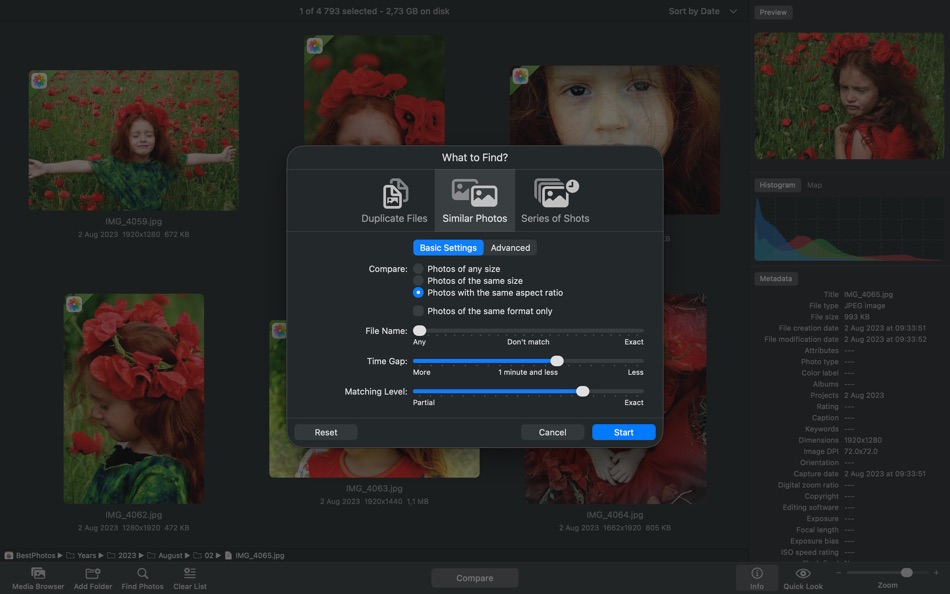
Under the hood is a lightning-fast engine that detects both exact duplicates and visually similar images. It goes beyond filenames by analyzing content, composition, and capture time. You can fine-tune the matching level to catch everything from identical copies to burst shots and edits.
• Flexible, User-Friendly Workflow
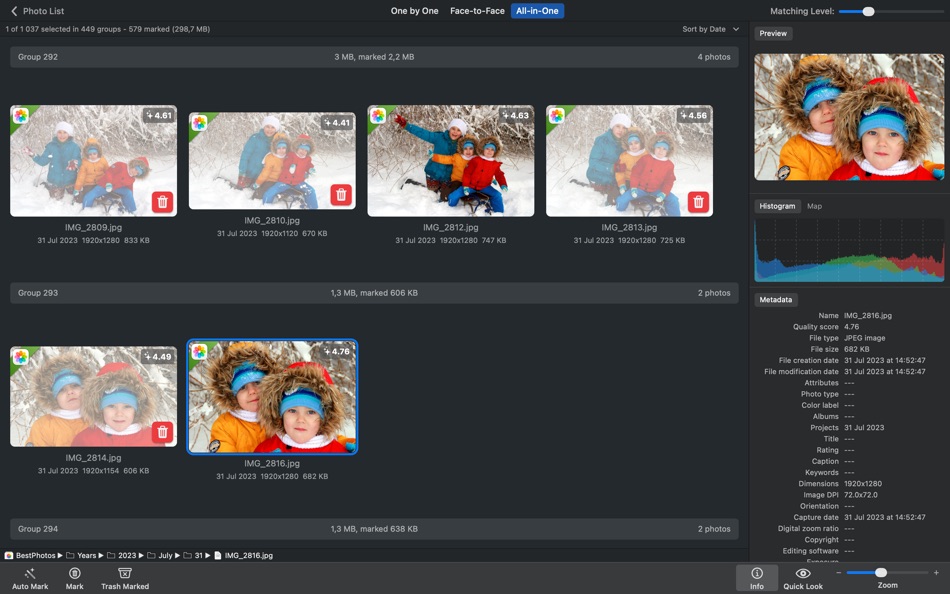
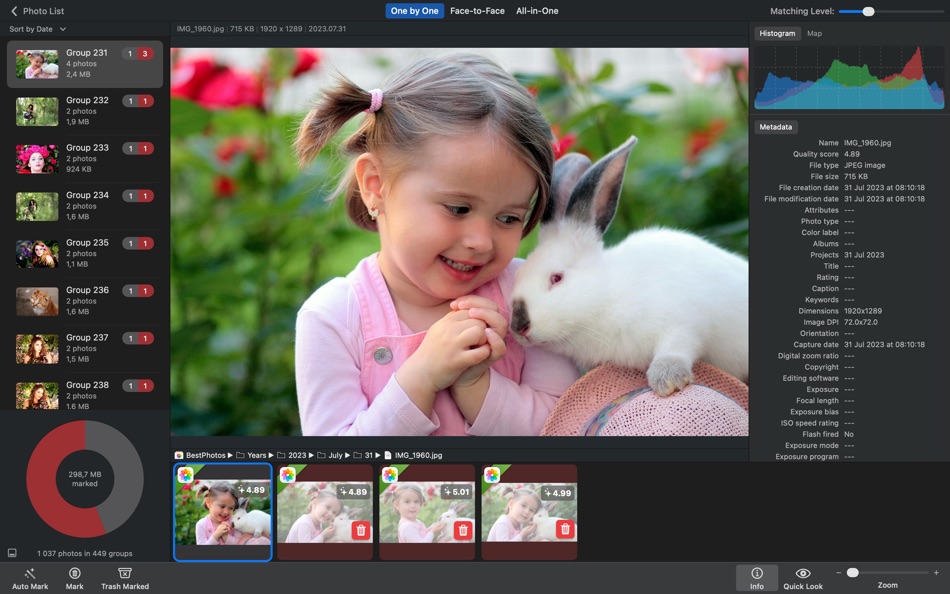
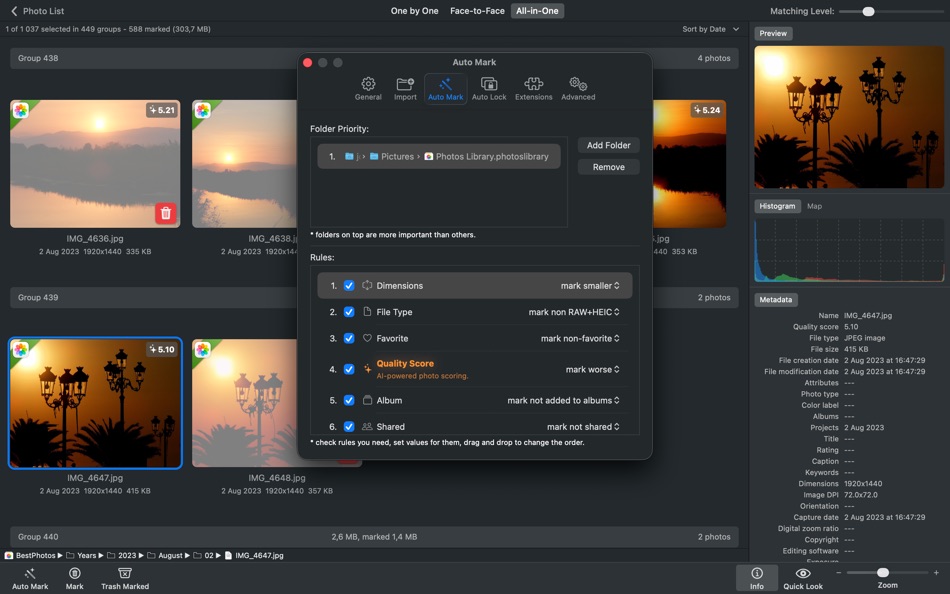
Clean up your library with ease. Similar photos are grouped side by side for quick visual comparison. Use Auto Mark to automatically select the best image in each group, or choose manually. Lock important photos, view EXIF data, preview with Quick Look, and apply customizable marking rules.
• AI-Powered Photo Scoring
Evaluates the visual quality of photos using AI and displays a visual badge on each image. Use the “Quality Score” auto mark rule to automatically keep the best shots.
• Smart Cleanup with Safety in Mind
You're always in control. Review all marked photos before deleting. Nothing is permanently erased. Photos go to the system Trash, are marked “Rejected” in Lightroom, or moved to a special album in Photos so you can recover them later if needed.
• Optimized for Performance / Handles Large Libraries
Whether you have thousands or hundreds of thousands of photos, PhotoSweeper runs fast and smooth. It's optimized for macOS and runs natively on Apple Silicon for top performance on your Mac.
Why Choose PhotoSweeper?
• Works with Photos, Lightroom Classic, Capture One, folders, and more
• Detects both exact duplicates and similar-looking photos
• Lets you compare side-by-side with clear previews and detailed info
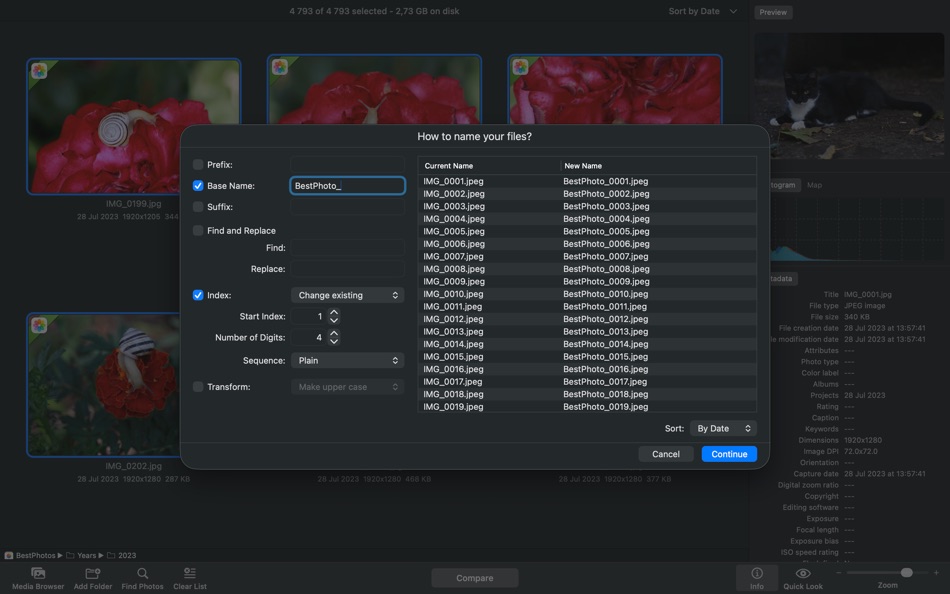
• Features Auto Mark, customizable rules, and flexible cleanup options
• Supports RAW, JPEG, HEIC, PNG, TIFF, and other popular formats
• Designed for both casual users and professionals
• Keeps your photo collection tidy, organized, and free of clutter
Declutter your photo library, free up disk space, and enjoy your best memories without the noise. With PhotoSweeper, cleaning up your Mac has never been so smart and satisfying.
Need help or want to learn more? Check out the full user manual at http://overmacs.com, or drop us a line at support@overmacs.com — we’re happy to help!
Anúncio
Capturas de tela

Histórico de preços
- Preço atual: $14.99
- Mínimo: $5.99
- Máximo: $14.99
Acompanhe os preços Adicione a uma lista para receber alertas de descontos por e-mail ou push
Pontuação AppAgg
8,550
Pontuação AppAgg estimada de
PhotoSweeper
Desenvolvedor: Maksym Cherniaiev
8,550 Platina
Uma pontuação mais alta geralmente reflete resultados melhores nos indicadores do AppAgg.
Com base em: popularidade · avaliações dos usuários · atualidade · ofertas · dados das lojas · atividade da comunidade
Recalculado diariamente com dados AppAgg atualizados.
Selo para o seu site:  Copiado!
Novidades
- Versão: 5.5.5
- Última atualização:
- + XMP sidecar files: support for reading metadata from sidecar files.
+ DNG extension: improved reading of Adobe DNG images.
+ Adobe Lightroom: improved handling of previews.
+ Import: new options to ignore hidden photos in Apple Photos and rejected ones in Adobe + Lightroom.
+ Bug fixes and performance improvements based on user feedback.
Informações adicionais
- Data de lançamento:
- Categoria:
Aplicativos para macOS›Fotografia e vídeo - Sistemas operacionais:
macOS,macOS 10.15 ou superior - Tamanho:
42 Mb - Idiomas disponíveis:
English,French,German,Italian,Russian,Spanish,Ukrainian - Classificação do conteúdo:
4+ - Mac App Store Nota: ¡
0 - Site:
 https://overmacs.com
Desenvolvedor
- Maksym Cherniaiev
- Seguidores: 0
- Plataformas: iOS Apps (1) macOS Apps (3) macOS Jogos (1)
- Promoções: 0
- Listas: 4 + 2
- Pontos: 3 + 37 ¡
- Classificações: 0
- Comentários: 0
- Vídeos: 0
- RSS: Assinar
Listas (3)
- PhotoSweeper



Pontos (1)
-

- 201 Taban Bovin
- +1
Classificações (0)
0
Comentários (0)
Seja o primeiro a comentar
Resumo
PhotoSweeper URL abreviado: Copiado!- Mac App Store
No AppAgg, você pode acompanhar “PhotoSweeper”, um aplicativo de Maksym Cherniaiev para macOS na categoria Fotografia e vídeo. Pontuação AppAgg: 8,550 (Platina). Pontos AppAgg do aplicativo — confirmados: 1; indiretos: 0. Listas públicas que incluem o aplicativo: 3. Usuários que o salvaram em listas privadas: 2. Os usuários do AppAgg ainda não avaliaram este aplicativo. Os pontos confirmados registram os acessos à loja por usuários conectados ao AppAgg. Os indiretos se baseiam em dados das lojas. O AppAgg conta as listas públicas que incluem um aplicativo ou jogo e os usuários que o salvaram em listas privadas. O aplicativo foi lançado pela primeira vez em . Última atualização do aplicativo: . O aplicativo custa atualmente $14.99. O menor preço registrado para o aplicativo foi $5.99 (); o maior foi $14.99 (). O aplicativo está disponível nos seguintes idiomas: English, French, German, Italian, Russian, Spanish, Ukrainian. Confira o histórico de preços, adicione o aplicativo a uma lista ou siga o desenvolvedor. Acompanhe as próximas promoções e atualizações do aplicativo pelo Feed RSS. O AppAgg não hospeda nem distribui este aplicativo. Todas as marcas, logotipos e capturas de tela relacionados ao aplicativo pertencem aos respectivos proprietários.

