
Guardados
Elige el nombre que se mostrará en tu menú Guardados.
¡Hecho!
| Desarrollador: | Phase Five Systems (2) | ||
| Precio: | $34.99 | ||
| Puntuación: | 26,000 Leyenda | ||
| Clasificaciones: | 5 (1) | ||
| Comentarios: | 0 Publicar comentario | ||
| Listas: | 17 + 5 | ||
| Puntos: | 9 + 0 ¡ | ||
| +1 Puntos | |||
Descripción

* Easy setup and reliable:
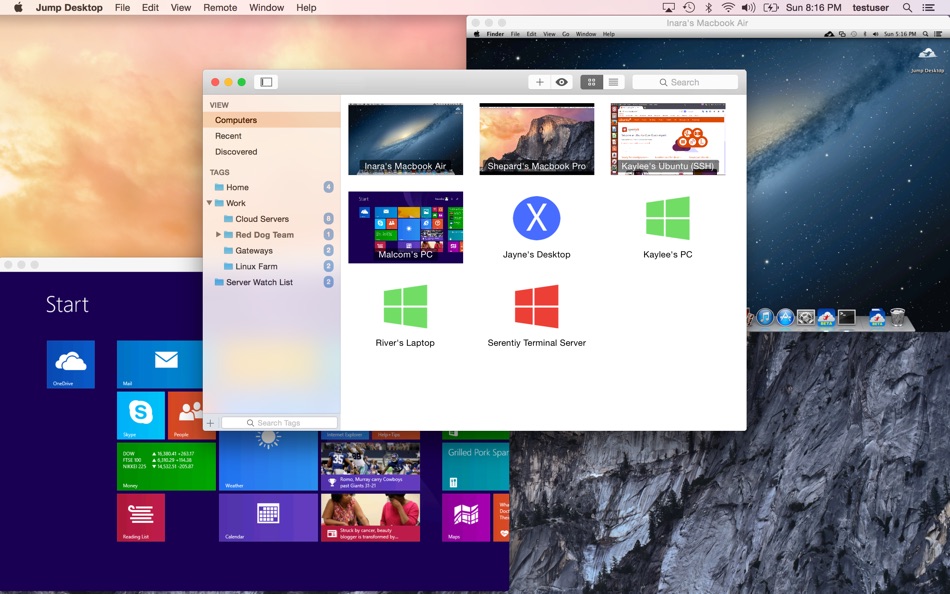
Jump Desktop is very easy to configure; anyone can do it! Just visit: https://www.jumpdesktop.com on your PC or Mac, click the ‘Automatic Setup’ link and follow step-by-step instructions. You’ll be up and running in no time.
* Secure:
Jump encrypts the connection between computers to ensure privacy and security. Automatic connections are always encrypted by default. Supports NLA, TLS/SSL encryption for RDP. SSH Tunnelling and SSL/TLS encryption for VNC. Fluid Remote Desktop uses DTLS for secure connections.
* Supercharged Productivity:
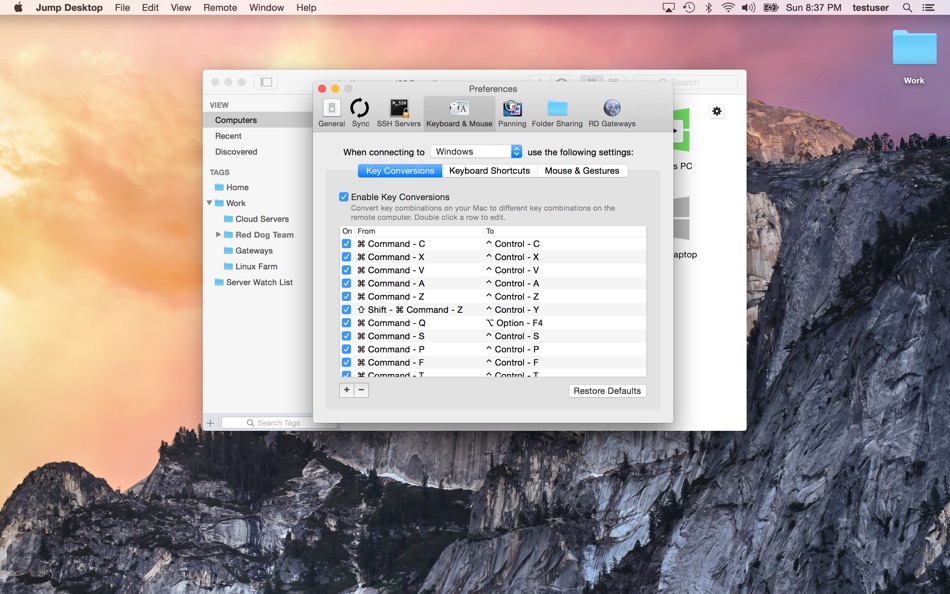
Use Mac keyboard shortcuts in Windows. Seamlessly switch between computers without changing the way you use the keyboard. Vastly improves productivity. Fully customizable: Configure your own shortcuts or use the built-in defaults. No other app comes close.
* Powerful Collaboration Features:
Collaborative screen sharing lets many users connect to the same desktop. Each user gets their own mouse cursor and can click and point without fighting over the same cursor. Great for editing documents with coworkers, tweaking designs with remote team members, creating presentations together, and teaching Grandma how to clean out her email.
* Remote Support
Connect and help anyone by asking them to install the free Jump Desktop Connect app and share a simple URL with you. It's simple, quick and very powerful.
* Integrated into macOS
Quickly search and launch computers directly from Spotlight. Full support for tabbed windows. Tightly integrated into macOS's power saving technology to give you the best battery life on the go.
* Super fast and beautiful:
Our next generation high performance Fluid Remote Desktop is optimized for low latency secure screen sharing. We also have our own in-house implementations of VNC and RDP protocols. Multi-core, hardware accelerated rendering for zippy performance. Optimized for MacBook Pros and iMacs with Retina display.
Features:
* Multi-protocol: supports RDP, VNC and Fluid Remote Desktop
* Collaborative screen sharing
* Remote support
* Full international keyboard support for RDP, VNC and ARD
* Dictation support (Mountain Lion and later)
* Tabs (macOS Sierra and later)
* 3 different ways to zoom and pan the remote screen (really useful when controlling multi-monitor remote systems from laptops)
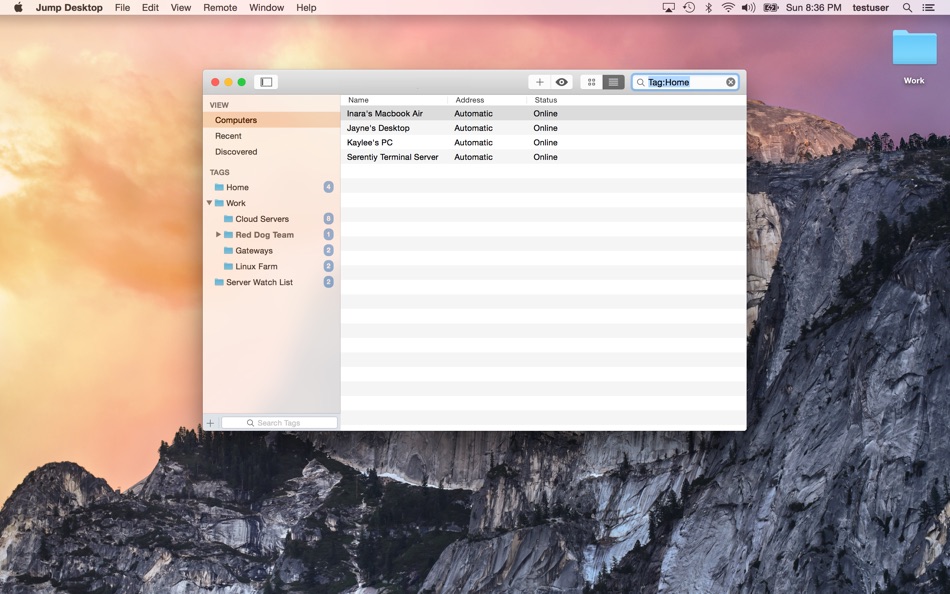
* Easy and secure setup: Automatically configure your PC or Mac for remote access without worrying about your router settings. Set up as many computers as you like and manage them all using your Google account (optional)
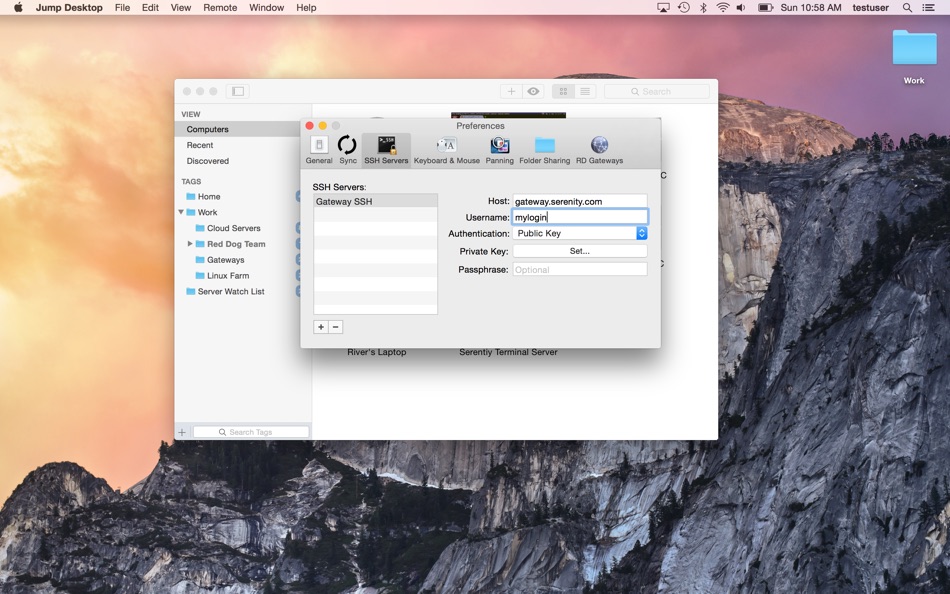
* Built-in SSH tunneling for RDP and VNC connections
RDP features:
* Tested on: Windows 2000, XP, Vista, Windows 7, Windows 8, Server 2003, Server 2008, Server 2008 R2, Server 2012/R2/2016/2019, SBS Server, Windows 10
* RD Broker and Load balancer support
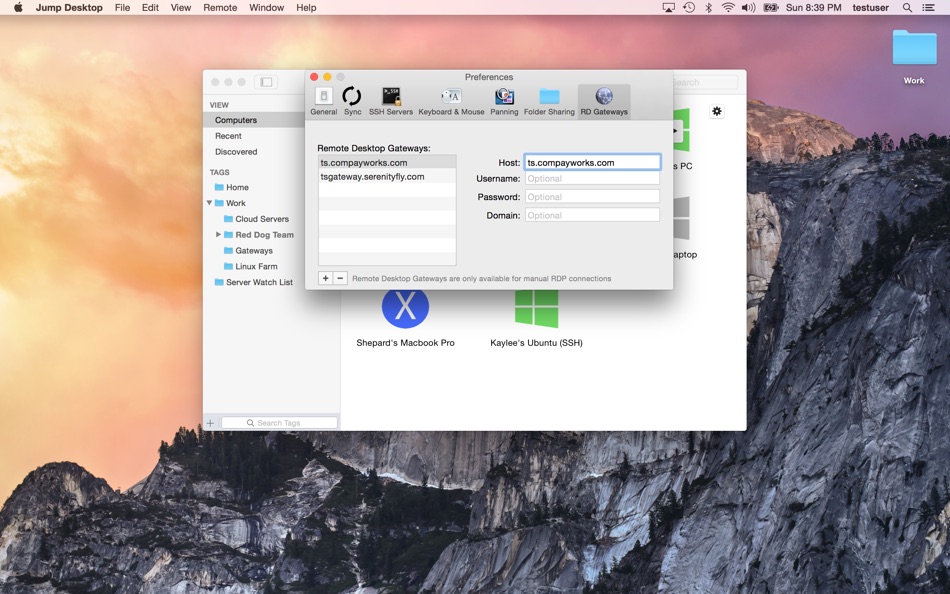
* RD Gateway support
* Dynamic resolution updates (Win 8.1/2012 R2+)
* Desktop Scaling (Win 8.1/2012 R2+)
* Multi monitor support
* Secure: 128-bit RDP, TLS/SSL, FIPS and NLA authentication supported
* Printing redirection support (including a optional , super-fast server side-driver)
* Audio streaming
* Console sessions
* Folder sharing
* International keyboard layouts
VNC features:
* Tested with macOS 10.5+, TightVNC, RealVNC, UltraVNC, Linux (Ubuntu Remote Desktop)
* Secure: Supports SSH tunneling as well as SSL encryption (SSL only available when using automatic setup)
* Black and white, Grayscale, 8-bit and 16-bit color modes to help manage bandwidth
* Clipboard syncing
* Multiple monitor support
Anuncio
Capturas de pantalla
Historial de precios
- Precio actual: $34.99
- Mínimo: $14.99
- Máximo: $34.99
Realizar un seguimiento de los precios Añádelo a una lista para recibir alertas de descuentos por email o push
Puntuación de AppAgg
26,000
Puntuación estimada de AppAgg para
Jump Desktop (RDP, VNC, Fluid)
Desarrollador: Phase Five Systems
26,000 Leyenda
Una puntuación más alta suele reflejar mejores resultados en los indicadores de AppAgg.
Basado en: popularidad · valoraciones de usuarios · actualidad · ofertas · datos de tiendas · actividad de la comunidad
Se recalcula a diario con datos actualizados de AppAgg.
Insignia para tu sitio web:  Copiado!
Novedades
- Versión: 10.15.31
- Última actualización:
- Jump Desktop 10 is a major update. Highlights for Mac:
• UP TO 480 FRAMES PER SECOND: games, scrolling and fast motion keep pace with high refresh rate screens. Leave Framerate on Auto to follow your screen.
• HARDWARE ENCODING: sharper detail at the same bandwidth, less CPU on the host and longer battery life on your Mac. Choose Codec > Hardware.
• HIGH-PERFORMANCE VIRTUAL DISPLAYS: save and switch presets, set an exact resolution, scale and refresh rate, and use Keep After Disconnect to leave displays on the host between visits.
• USB DEVICE SUPPORT: redirect the USB devices on your desk to a Windows or Mac host.
• GAME CONTROLLER SUPPORT: play your games from your Mac with the controller in your hands.
• CREATIVE WORK: Input Trail shows your stylus and mouse strokes right away on high-latency connections, and Color Passthrough shows the host's colors unprocessed on calibrated displays.
• EVERYDAY WORK: back and forward mouse buttons, pinch to zoom on a trackpad, and more reliable Chinese, Japanese and Korean text composition.
Full details: https://docs.jumpdesktop.com/whats-new
Información adicional
- Fecha de lanzamiento:
- Categoría:
Aplicaciones para macOS›Economía y empresa - Sistemas operativos:
macOS,macOS 11.0 y versiones posteriores - Tamaño:
33 Mb - Idiomas admitidos:
English - Clasificación de contenido:
4+ - Mac App Store Valoración: ¡
0 - Sitio:
 https://jumpdesktop.com
Desarrollador
- Phase Five Systems
- Seguidores: 0
- Plataformas: iOS Aplicaciones (1) macOS Aplicaciones (1)
- Ofertas: 0
- Listas: 30 + 11
- Puntos: 16 + 1,682 ¡
- Clasificaciones: 5 (1)
- Comentarios: 0
- Vídeos: 0
- RSS: Suscribirse
Listas (17)
- Jump Desktop (RDP, VNC, Fluid)




Puntos (9)
-

- 1 Berry Blue
- +1
-
- 69 mano
- +1
-
- 319 pantype
- +1
-
- 609 Leonard Hofstadter
- +1
-
- 2,821 바람처어럼
- +1
-
- 57 조계준
- +1




Clasificaciones (1)
-
- 117,250 🥇AppAgg
- 5

Comentarios (0)
Sé el primero en comentar
Resumen
Jump Desktop (RDP, VNC, Fluid) URL corta: Copiado!- Mac App Store
En AppAgg puedes seguir «Jump Desktop (RDP, VNC, Fluid)», una aplicación de Phase Five Systems para macOS en la categoría Economía y empresa. Puntuación de AppAgg: 26,000 (Leyenda). Puntos de AppAgg de la aplicación — confirmados: 9; indirectos: 0. Listas públicas que incluyen la aplicación: 17. Usuarios que la han guardado en listas privadas: 5. Valoración de los usuarios para la aplicación en AppAgg: 5/5. Número de votos: 1. Los puntos confirmados registran las visitas a la tienda de usuarios con sesión iniciada en AppAgg; los indirectos se basan en datos de las tiendas. Los dos contadores muestran las listas públicas y los usuarios que han guardado la aplicación o el juego en listas privadas. La aplicación se publicó por primera vez el . La última actualización de la aplicación fue el . La aplicación cuesta actualmente $34.99. El precio más bajo registrado de la aplicación fue $14.99 (); el más alto fue $34.99 (). La aplicación está disponible en estos idiomas: English. Consulta el historial de precios, añade la aplicación a una lista o sigue a su desarrollador. Sigue las próximas ofertas y actualizaciones de la aplicación a través de su Canal RSS. AppAgg no aloja ni distribuye esta aplicación. Todas las marcas comerciales, logotipos y capturas de pantalla relacionados con la aplicación pertenecen a sus respectivos propietarios.

