
| Ontwikkelaar: | Furnace Creek Software LLC (23) | ||
| Prijs: | * Gratis | ||
| Beoordelingen: | 0 | ||
| Recensies: | 0 Schrijf een review | ||
| Reacties: | 0 Plaats reactie | ||
| Lijsten: | 1 + 2 | ||
| Punten: | 16 + 0 ¡ | ||
| Mac App Store | |||
Beschrijving

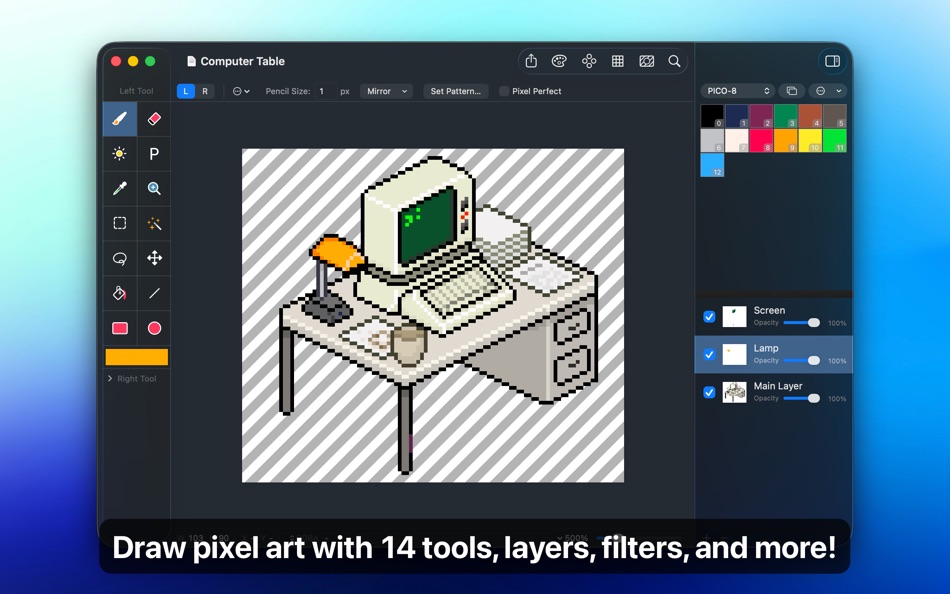
LAYERS AND FILTERS
Take advantage of the flexibility layers provide when working with complex pixel art. Change opacities, blend modes, and more to compose creative effects.
Use filters to adjust colors and post-process your artwork. Invert colors, convert to grayscale, dither, apply sepia tone, remove alpha components, palettize, pixellate, adjust hue, exposure, brightness, contrast, and more.
TOOLS
Leverage Pixen's wide array of tools when composing pixel art: Pencil, Eraser, Brightness, Text, Eyedropper, Zoom, Rectangular Selection, Magic Wand, Lasso, Move, Fill, Line, Rectangle, and Ellipse. You can even assign a different tool to the left and right mouse button. For example: pencil on the left; eraser on the right.
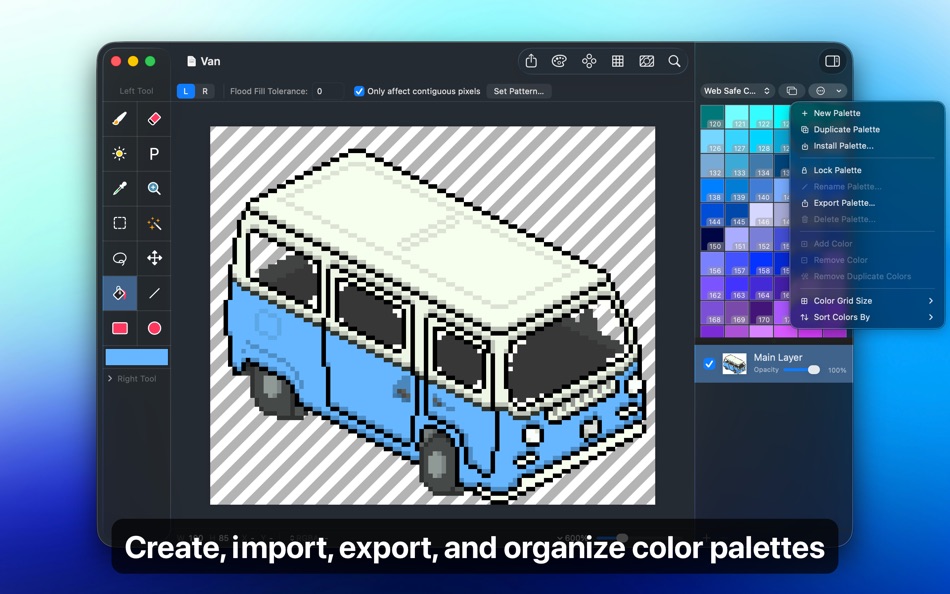
COLOR PALETTES
With Pixen, you can add and organize commonly-used colors into palettes. Pixen can also import and export color palettes in the Adobe Color Table, Microsoft Palette, JASC Palette, and GIMP Palette formats. You can even perform palette operations such as sorting colors and removing duplicate colors directly in the app.
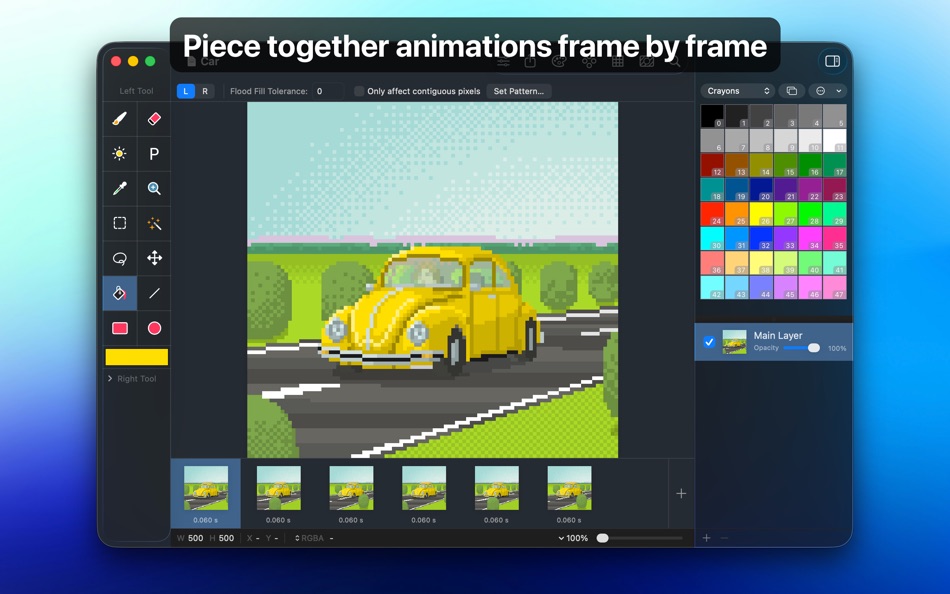
ANIMATIONS
Create and arrange image frames in the filmstrip view to piece together animations. Pixen can import animations from animated GIFs, animated PNGs, and sprite sheets! It can also export animations as animated GIFs, animated PNGs, movies, and sprite sheets.
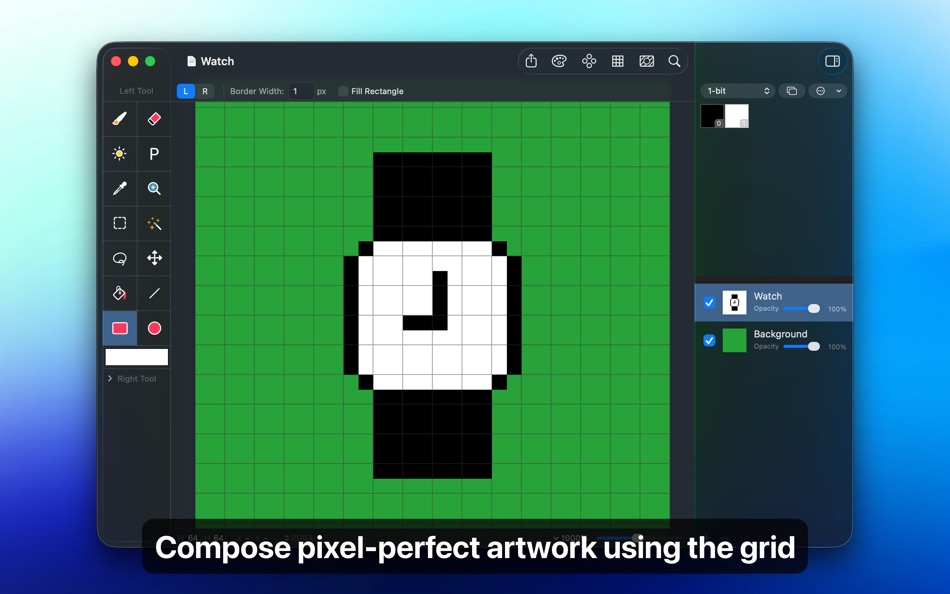
GRID AND ALIGNMENT CROSSHAIR
Take advantage of Pixen's grid and alignment tools and create pixel-perfect artwork.
PATTERNS
Define custom patterns to use while drawing with the Pencil, Line, or Eraser tool (instead of a single pixel). You can even import patterns from 1-bit images.
PREVIEW
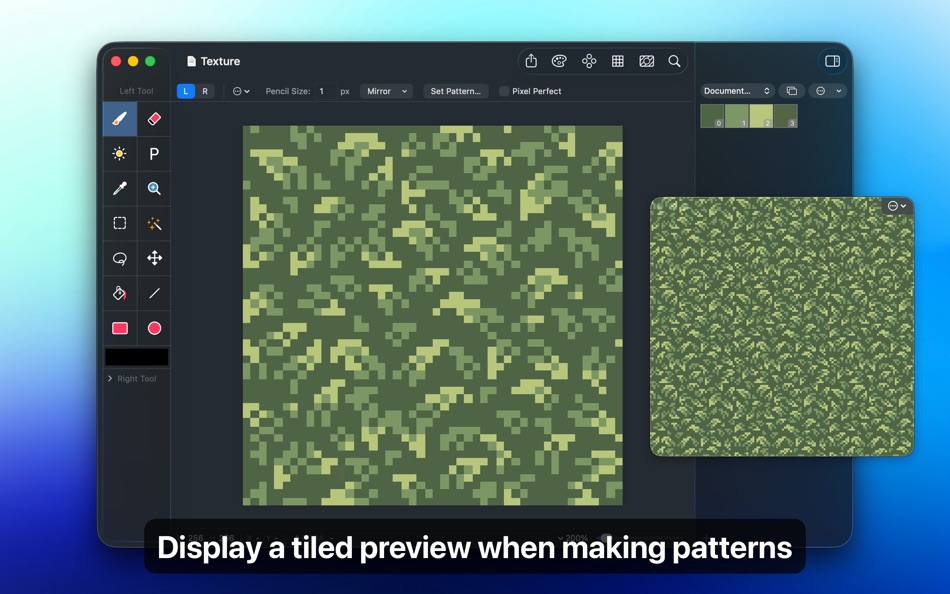
While editing at high zoom levels, use the Preview feature to view the canvas scaled out. You can play back animations and tile small images, useful when working on repeated patterns.
CUSTOM BACKGROUNDS
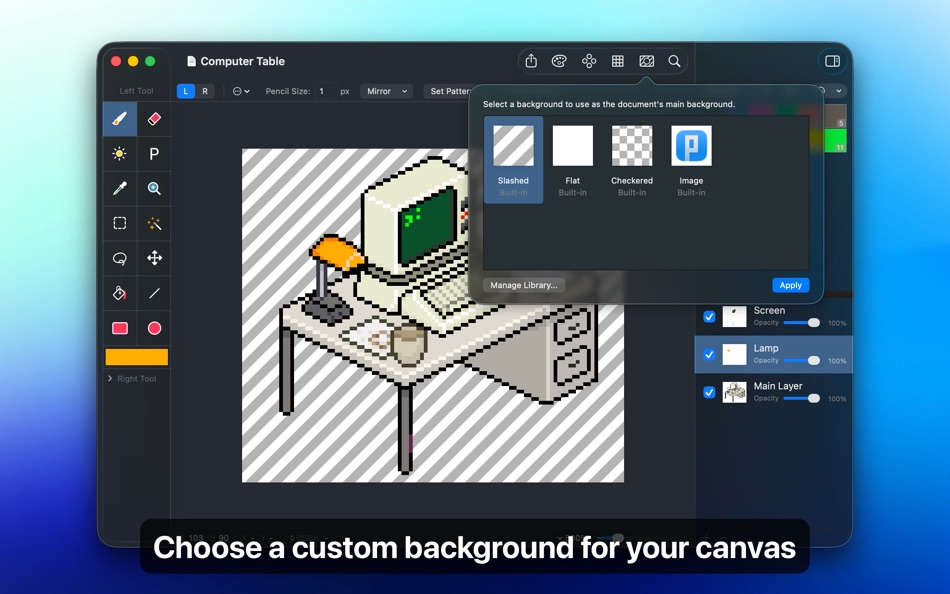
Pick a flat, striped, or checkered background to be drawn beneath the canvas. You can even set a reference image as a background.
AND A LOT MORE...
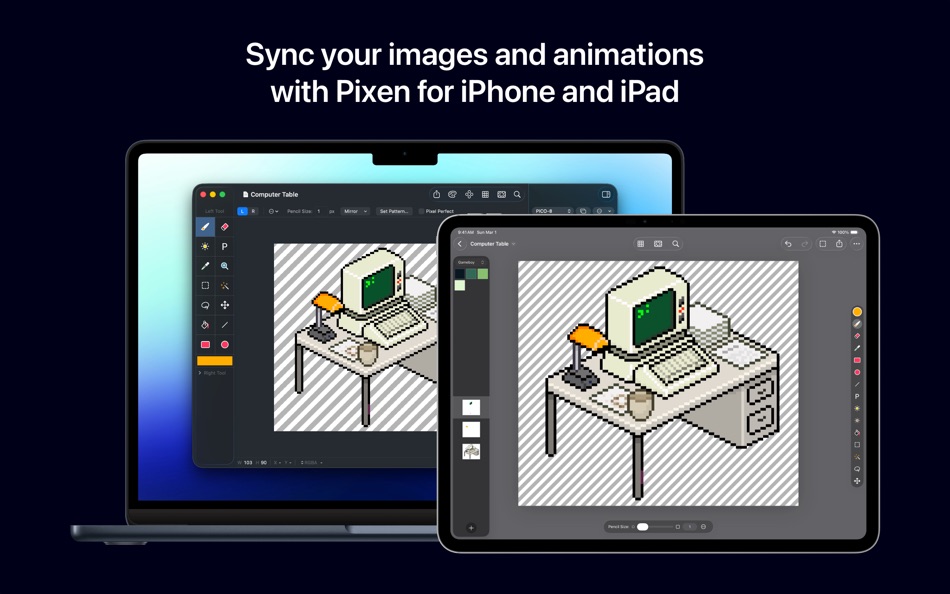
- Sync documents with Pixen for iOS over iCloud and resume your work right where you left off, regardless of device.
- Pixen works great with Sidecar and Apple Pencil. You can even customize the double tap gesture.
- Pixel Perfect mode removes extra pixels while drawing such that any drawn paths are at most 1 pixel in width. In other words, it removes the middle pixel of an L shape.
- The Welcome window makes it easy to start a new image or animation project, open recent documents, browse the documentation, and more.
- Focus on your content with Dark Mode in Pixen.
- Work with all your favorite tools in full screen mode.
- Customize tool hotkeys to ease the transition from other image editors.
- Export your artwork in PNG, JPEG, GIF, ICO, BMP, TIFF, SVG, and PSD file formats.
- Share your creations quickly and easily via AirDrop, Messages, email, and more!
- Pixen has been around for over 15 years as a native Mac app and we'd like to keep it that way.
- Pixen is compatible with both Intel and Apple Silicon Macs and takes full advantage of what macOS has to offer.
Pixen is also available for iPhone and iPad and syncs documents over iCloud!
Ad
Screenshots

Prijsgeschiedenis
-
* In-app aankopen - Vandaag: Gratis
- Minimum: Gratis
- Maximaal: $14.99
Prijzen volgen
Wat is er nieuw?
- Versie: 6.1.1
- Bijgewerkt:
- - Pixen is now available on the iPhone!
- Various interface improvements
Reacties (0)
Reageer als eerste 🌟
Ontwikkelaar
- Furnace Creek Software LLC
- Platforms: iOS Apps (13) macOS Apps (10)
- Lijsten: 10 + 5
- Punten: 79 + 203 ¡
- Beoordelingen: 0
- Recensies: 0
- Reacties: 0
- Kortingen: 0
- Videos: 0
- RSS: Abonneren
Punten (16)
-

- 187 Brendon Cromwell
- +1
-
- 1,100 眰恦(眰恦)
- +1
-
- 387 gilbert
- +1
-
- 35 Mustafa Bağcivan
- +1
-
- 110 Олег
- +1
-
- 527 박영준
- +1


Beoordelingen (0)
0 ☹️
Lijsten (1)

Recensies (0)
Schrijf als eerste een review 🌟
Aanvullende informatie
- Versie: 6.1.1
- Categorie:
macOS Apps›Graphics en ontwerp - Besturingssystemen:
macOS,macOS 12.0 en hoger - Grootte:
5 Mb - Ondersteunde talen:
English - Beoordeling van content:
4+ - Mac App Store Beoordeling:
0 - Bijgewerkt:
- Releasedatum:
Contacten
- Website:
 https://pixenapp.com/mac/
«Pixen». Platform: macOS. Categorie: Graphics en ontwerp. Ontwikkelaar: «Furnace Creek Software LLC». Eerste uitgave: . Laatste update: . Huidige prijs: gratis. Deze titel heeft nog geen beoordelingen of recensies ontvangen op AppAgg. Lijsten: openbare 1, privé 2. Bijgehouden punten: bevestigde 16, indirecte 0. Beschikbare talen: English. AppAgg houdt de prijsgeschiedenis, beoordelingen en gebruikersfeedback bij «Pixen». Volg toekomstige kortingen en updates via RSS. AppAgg host geen applicaties en distribueert geen software. Alle handelsmerken, logo's en screenshots zijn eigendom van hun respectievelijke eigenaren.
Pixen Korte URL: Gekopieerd!- 🌟 Delen
- Mac App Store
Ad
Vergelijkbare
-
- Creative Convert
- macOS Apps: Graphics en ontwerp Door: Splash Colors
- Gratis
- Lijsten: 1 + 1 Beoordelingen: 0 Recensies: 0
- Punten: 35 + 0 0 Versie: 1.4.3 Creative Convert is a simple, beautiful app for converting JPG, JPEG, BMP, TIFF, PNG, PDF, Ai, SVG, PSD and/or EPS, PS (PostScript) files into separate Graphic file formats. Creative ... ⥯
-
- Initiater
- macOS Apps: Graphics en ontwerp Door: Abdusodiq Saidov
- * Gratis
- Lijsten: 1 + 3 Beoordelingen: 0 Recensies: 0
- Punten: 30 + 0 0 Versie: 1.1.4 Capture Text and Graphics! Upgrade your productivity to the next level! Create text and graphic notes from captured parts! Initiater is an easy to use small macOS OCR (Optical ... ⥯
- -100%
- QR Creator Mini
- macOS Apps: Graphics en ontwerp Door: Pavel Kosykh
- ▼ Gratis
$1.99-100% - Lijsten: 0 + 1 Beoordelingen: 0 Recensies: 0
- Punten: 26 + 0 0 Versie: 3.1.0 QR Creator Mini is a quick and effective solution to create QR-Codes. Features: Live creation QR-Codes; Save to image file; Resolution setting. ⥯
- -100%
- My PaintBrush: Paint and Edit
- macOS Apps: Graphics en ontwerp Door: effectmatrix
- ▼ Gratis
$2.99-100% - Lijsten: 0 + 1 Beoordelingen: 0 Recensies: 0
- Punten: 16 + 0 0 Versie: 2.4.5 My PaintBrush is a useful multilayer paint and image editor. Use inspiring tools and brushes to create smooth images. My PaintBrush features highlights: 1 ) Familiar preset tools ... ⥯
-
- PhotoStage Professional
- macOS Apps: Graphics en ontwerp Door: NCH Software
- * Gratis
- Lijsten: 0 + 1 Beoordelingen: 0 Recensies: 0
- Punten: 13 + 0 0 Versie: 12.11 PhotoStage Professional Whether a home project or a business presentation, PhotoStage Professional allows you to create a dynamic slideshow from your photos and video clips in a quick ... ⥯
-
- Pixave
- macOS Apps: Graphics en ontwerp Door: YoungHo Kim
- Gratis
- Lijsten: 3 + 3 Beoordelingen: 0 Recensies: 0
- Punten: 10 + 0 0 Versie: 2.3.13 ** BEST OF 2015 APP BY APPLE ** ** FEATURED WORLDWIDE 2015, 2016 AS "BEST NEW APPS" BY APPLE ** Stay Inspired. There is a whole world that we get from images. A single picture can fill ⥯
-
- Harmony of Colors
- macOS Apps: Graphics en ontwerp Door: Herve Noury
- Gratis
- Lijsten: 2 + 2 Beoordelingen: 0 Recensies: 0
- Punten: 9 + 0 0 Versie: 3.2 "Harmony of Colors" is a software program designed for designers, architects, graphic designers, artists, and anyone who needs a tool to choose and experiment with color palettes in ... ⥯
-
- Master Dock
- macOS Apps: Graphics en ontwerp Door: SECKIN SEFA DURASI
- * Gratis
- Lijsten: 0 + 1 Beoordelingen: 0 Recensies: 0
- Punten: 9 + 0 0 Versie: 1.9 MasterDock revolutionizes how you interact with your dock. Whether you're a power user seeking maximum productivity or someone who loves personalizing their workspace, MasterDock ... ⥯