
Đã lưu
Chọn tên sẽ hiển thị trong menu Đã lưu của bạn.
Làm xong!
| Nhà phát triển: | Jonas Myren Ribe (1) | ||
| Giá bán: | Miễn phí | ||
| Xếp hạng: | 0 | ||
| Bình luận: | 0 Đăng bình luận | ||
| Danh sách: | 2 + 0 | ||
| Điểm: | 5 + 1,544 (4.5) ¡ | ||
| App Store | |||
Mô tả

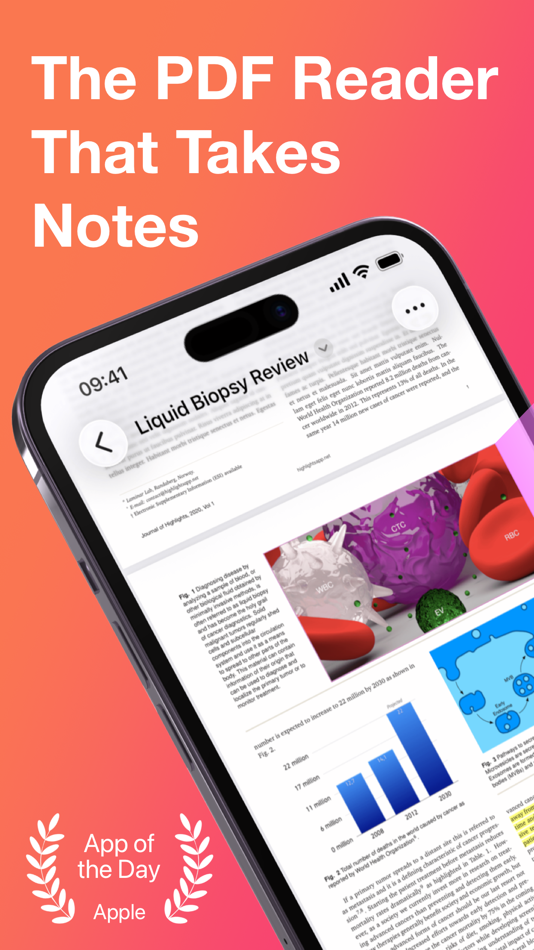
"It’s the novel approach to PDF annotation that makes this app a cut above the rest"- TapSmart.com
*** "App of the Day" - App Store, US ***
USE HIGHLIGHTS FOR FREE
Highlights is a fast and lightweight PDF reader (under 10MB) packed with features to help you do your best research.
Free users have access to standard PDF reader features including document browsing, reading and annotating. There are NO ADS, time limits or tracking.
READ PDF DOCUMENTS
• Open PDF documents from anywhere
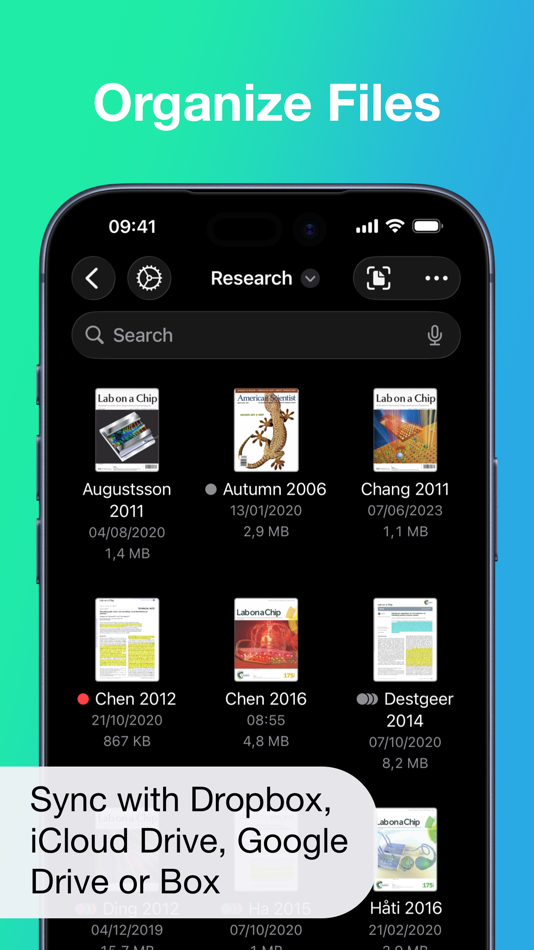
• Browse files using the familiar document browser
• Open PDFs in Single Page or Two Page scroll mode
• Double tap to Smart Zoom in on a paragraph or figure
• Scrub smoothly to the desired page
• Search the entire document in an instant
• Navigate using any connected keyboard or mouse
STORE YOUR FILES WHERE YOU WANT
• Full support for "Open In Place" lets you make edits to the file where it is
• Access your files from iCloud Drive, Dropbox, Google Drive, OneDrive or Box using the document browser
• Or keep them privately on device only
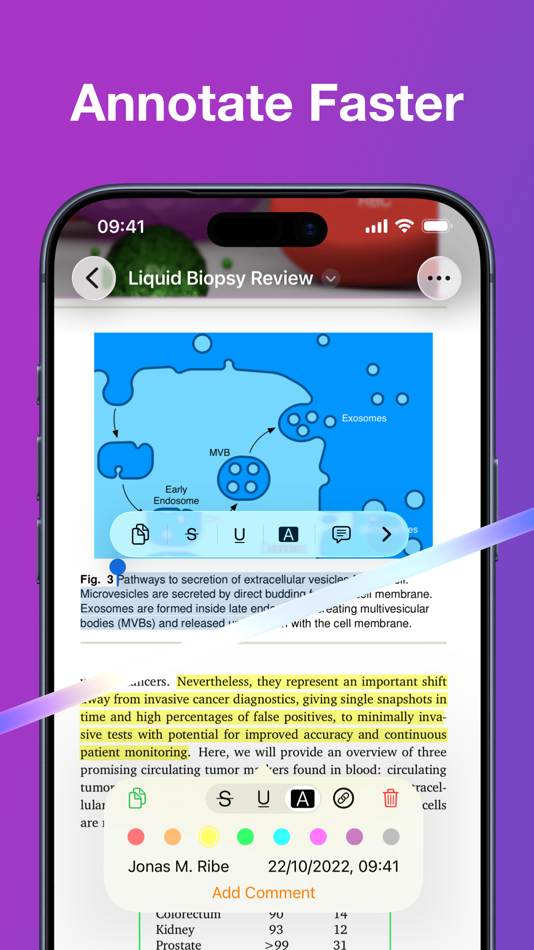
HIGHLIGHT AND ANNOTATE FASTER
• Select text with your finger, Apple Pencil or mouse pointer
• Highlight, underline, strikethrough text and make image selections
• Add comments to annotations or as individual sticky notes
• Annotate with fewer taps using context aware popovers
• Default annotation colors prevents you from having to repeatedly setting the color for the same type of annotation every time
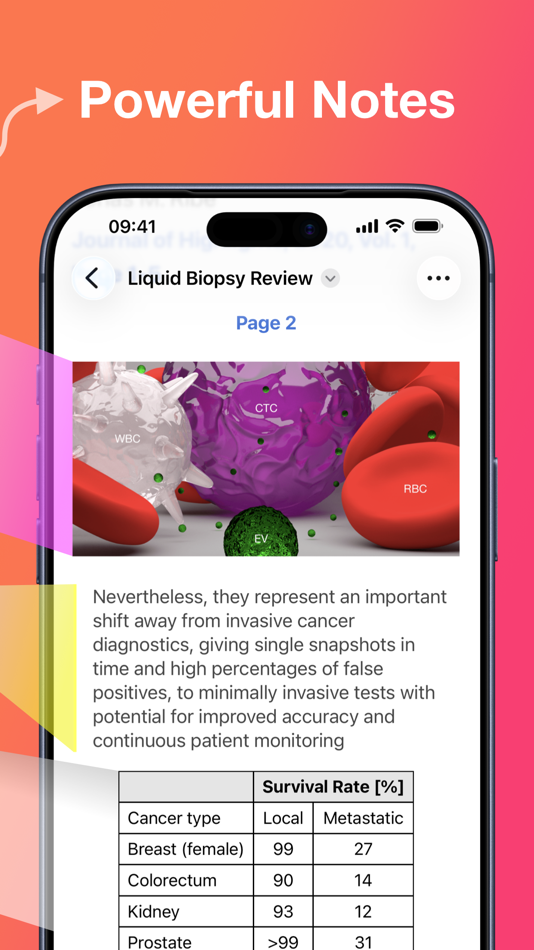
TURN ANNOTATIONS INTO NOTES
• As you markup text and images the contents are extracted and sorted into notes
• Customize the formatting and contents of your notes
• Sort the annotations chronologically or create your own color coding
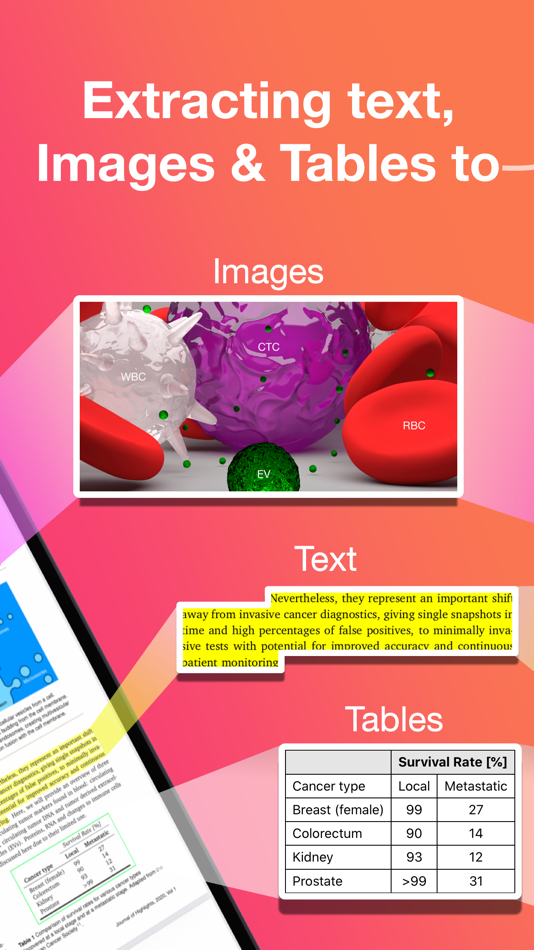
EXTRACT TABLE DATA AND RECOGNIZE TEXT
• Convert images containing text or tables to actual text and tables using machine learning - letting you get to the underlying data with a single tap
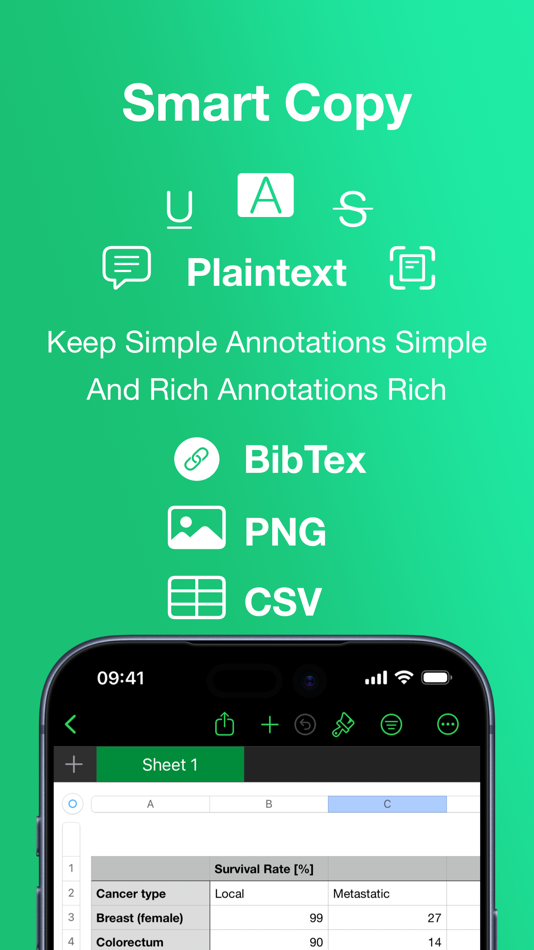
SMART COPY
Copy annotations to the desired format with one tap:
• Text markup as text
• Image selections as images
• Tables as CSV
• Citations as BibTex
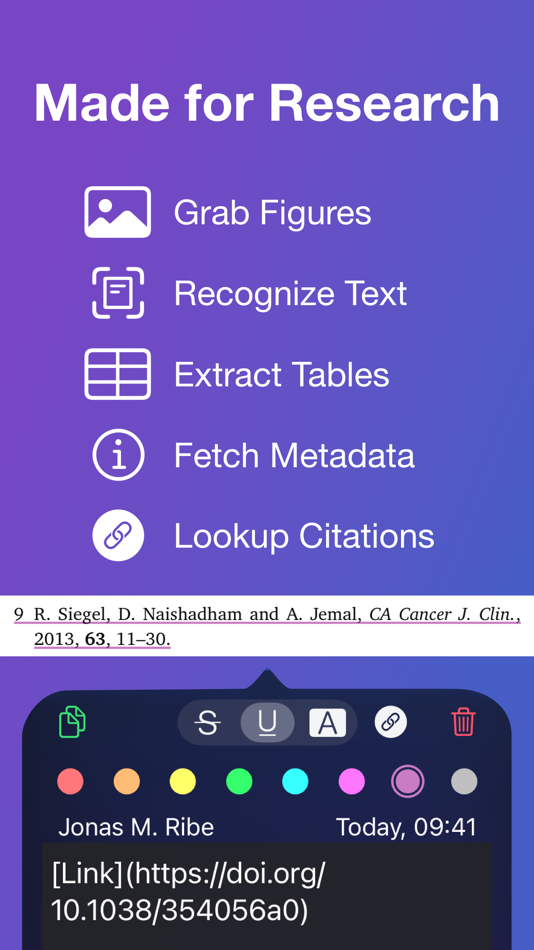
LOOKUP CITATIONS
• Highlights will fetch DOI-links and metadata
• Markup any reference and tap the link icon to look it up
• If you have read the work already or have it in your reference manager library, Highlights will link you to it
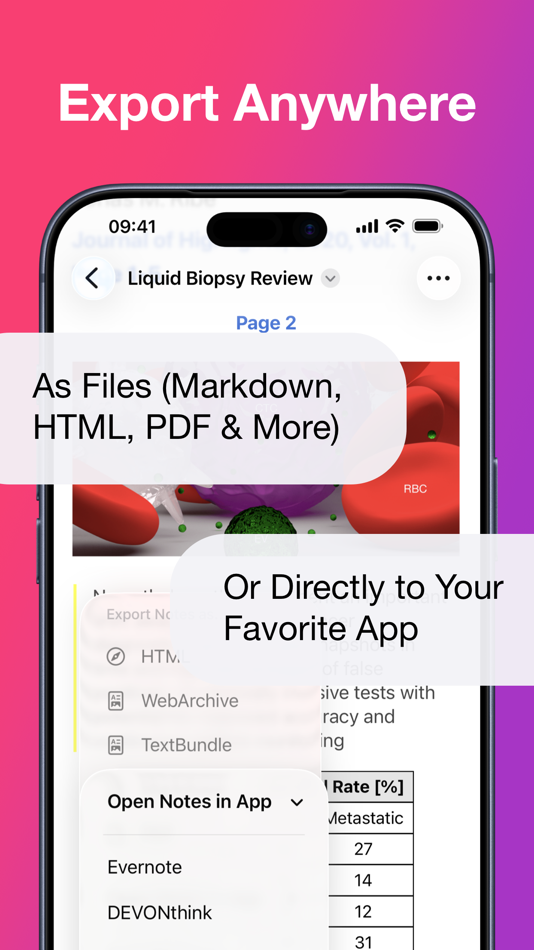
EXPORT ANYWHERE
• Save or share your notes as portable files: Markdown, TextBundle, HTML, WebArchive or PDF
• Share them to your favorite notes app: Apple Notes, Bear, Craft, Evernote, DEVONThink, Keep It, MindNode, Notion, Obsidian, Roam Research or Ulysses
• Or send them to a colleague via mail. It's your notes, you decide where they go
MUCH MORE
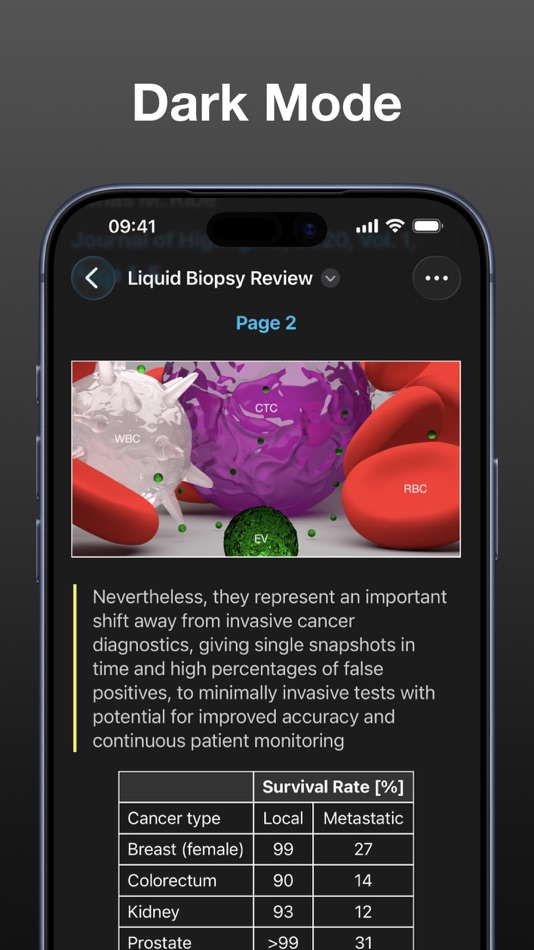
• Dark mode
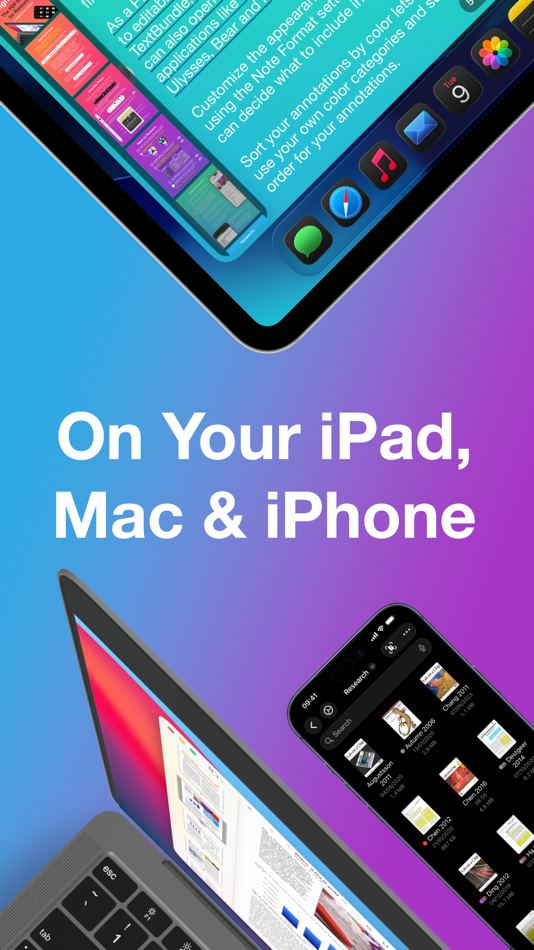
• Multi-window support on iPadOS
• Keyboard shortcuts and navigation
• Support for system Copy and Undo gestures
• Alternative app icons
• Custom accent colors
• Apple Pencil double-tap gestures
• Power annotation tools
For a full list of features see: highlightsapp.net/features
HIGHLIGHTS PRO
The Highlights Pro subscription unlocks advanced features on your iPhone, iPad and Mac:
• Export options for other apps and easily editable formats
• Extract information using table and text recognition
• Customize accent colors and alternative app icons
• Power annotation tools
• Citation lookups
• Smart Copy
Highlights Pro includes a 14-day free trial. You can cancel your subscription at any time. The subscription will automatically renew unless auto-renew is turned off within 24-hour prior to the end of of the current period.
Payments will be charged to your iTunes account and your account will be charged within 24-hours prior to the end of the current period. Any unused portion of a free trial period will be forfeited when you purchase a subscription.
For more information about Highlights Pro: highlightsapp.net/pro
Privacy Policy: highlightsapp.net/privacy
Terms: highlightsapp.net/terms
Ad
Ảnh chụp màn hình
Lịch sử giá
- Giá hiện tại: Miễn phí
- Tối thiểu: Miễn phí
- Tối đa: Miễn phí
Theo dõi giá
Thông tin bổ sung
- Ngày phát hành:
- Danh mục:
iOS Ứng dụng›Năng suất - HĐH:
iPad,iPhone,macOS,iOS 13.4 trở lên - Kích thước:
33 Mb - Ngôn ngữ được hỗ trợ:
English - Xếp hạng nội dung:
4+ - App Store Xêp hạng:
4.5(1,544) - Trang web:
 https://highlightsapp.net/features/
Tính năng mới
- Phiên bản: 2026.1
- Cập nhật:
- Dark appearance for PDFs! Smart content handling gives your PDFs light text on a dark background without changing images and annotations. This can reduce eye strain and improve readability in dark environments while conserving battery life. To try it out: open a PDF document and go to Settings from the More menu in the top right corner, then set Auto Dark as your Appearance. The setting is also available in the menu bar on iPad under View. The Auto Dark setting will automatically match the PDF appearance to the system appearance. No more glaring white pages in Dark Mode!
The new dark appearance for PDFs requires a device running iOS 26 and iPadOS 26 set to Dark Mode.
Nhà phát triển
- Jonas Myren Ribe
- Nền tảng: iOS Ứng dụng (1)
- Danh sách: 2 + 0
- Điểm: 5 + 1,544 ¡
- Xếp hạng: 0
- Bình luận: 0
- Giảm giá: 0
- Video: 0
- RSS: Đăng ký
Danh sách (2)
- Highlights: PDF Reader & Notes





Xếp hạng (0)
0 ☹️
Bình luận (0)
Hãy là người đầu tiên nhận xét 🌟
«Highlights: PDF Reader & Notes». Nền tảng: iOS. Thể loại: Năng suất. Nhà phát triển: «Jonas Myren Ribe». Bản phát hành đầu tiên: . Cập nhật lần cuối: . Giá hiện tại: miễn phí. Tiêu đề này chưa nhận được xếp hạng hoặc đánh giá trên AppAgg. Danh sách: công khai 2, riêng tư 0. Điểm được theo dõi: xác nhận 5, gián tiếp 1,544. Cửa hàng: App Store. Đánh giá cửa hàng: 4.5. Phiếu bầu: 1,544. Ngôn ngữ có sẵn: English. AppAgg theo dõi lịch sử giá, xếp hạng và phản hồi của người dùng cho «Highlights: PDF Reader & Notes». Theo dõi ưu đãi và cập nhật trong tương lai qua RSS. AppAgg không lưu trữ ứng dụng hoặc phân phối phần mềm. Tất cả các nhãn hiệu, logo và ảnh chụp màn hình đều thuộc về chủ sở hữu tương ứng.
Highlights: PDF Reader & Notes URL ngắn: Đã sao chép!- 🌟 Chia sẻ
- App Store
Tương tự
-
- PDF Reader - OCR Scan Edit
- iOS Ứng dụng: Năng suất Bởi: Fuzhou Jiange Technology Co., Ltd.
- Miễn phí
- Danh sách: 0 0 0
- Điểm: 0 + 158 (4.5) Phiên bản: 1.2.2 PDF Reader - OCR Scan Edit: Your mobile PDF office assistant. Supports editing, scanning, and OCR recognition, making document management easy and efficient. Key Features: PDF Editing ... ⥯
-
- PDF Reader – PDFelement
- iOS Ứng dụng: Năng suất Bởi: Wondershare Technology (Hunan) Co.,Ltd.
- Miễn phí
- Danh sách: 1 0 0
- Điểm: 1 + 3,923 (4.3) Phiên bản: 6.0.6 PDFelement - PDF Reader is a PDF reader using the latest technology. The newly connected Liquid Mode function allows you to enjoy the best reading experience. In addition, there are ... ⥯
-
- PDF Reader : Document Reader
- iOS Ứng dụng: Năng suất Bởi: Rajanibhai Sheladiya
- Miễn phí
- Danh sách: 0 0 0
- Điểm: 0 + 395 (4.3) Phiên bản: 1.8 Looking for a simple and easy-to-use PDF Reader : Document Reader app? Document Reader is exactly what you need! It can auto scan, find, and list all PDF files on your phone, allows ... ⥯
-
- Flexcil Note & Good PDF Reader
- iOS Ứng dụng: Năng suất Bởi: Flexcil Inc.
- Miễn phí
- Danh sách: 2 + 1 0 0
- Điểm: 8 + 375 (4.4) Phiên bản: 1.5.24 Flexcil: The world s ultimate iOS note-taking app Loved by Apple Editors - Editor's Choice, App of the Day, Note-taking on the next level, College Life, Apple Pencil Enhanced, New Apps ⥯
-
- Text to Speech PDF Reader
- iOS Ứng dụng: Năng suất Bởi: Bret Lester
- Miễn phí
- Danh sách: 0 0 0
- Điểm: 0 + 541 (4.5) Phiên bản: 2.9.8 Read along to enhance comprehension or just kick back and listen to any PDF. * Dozens of high-quality voices in multiple languages to choose from with additional voices available to ... ⥯
-
- PDF Expert: Editor & Converter
- iOS Ứng dụng: Năng suất Bởi: Readdle Technologies Limited
- Miễn phí
- Danh sách: 6 + 5 0 0
- Điểm: 11 + 214,504 (4.7) Phiên bản: 7.25.4 Unlock your potential with a fast and easy PDF Expert app with all the features you need in a well-designed and intuitive user interface. BEST FOR iPHONE, iPAD, MAC & VISION PRO Read ... ⥯
-
- PDF Editor, Files Converter.
- iOS Ứng dụng: Năng suất Bởi: Taras Bublyk
- Miễn phí
- Danh sách: 0 0 0
- Điểm: 1 + 507 (4.7) Phiên bản: 1.0.8 Edit, compress, convert, and organize PDFs effortlessly all in one app. With this all-in-one PDF converter and PDF editor, you can handle any document task with ease. Whether you need ... ⥯
-
- Notes Writer Pro 2026
- iOS Ứng dụng: Năng suất Bởi: Kairoos Solutions SL
- $9.99
- Danh sách: 8 + 6 0 0
- Điểm: 28 + 3,129 (4.6) Phiên bản: 18.7.0 You have lecture notes to take, a story to tell, article to publish, whether it s today s journal entry, tomorrow s thesis, highlight important things in ebooks and PDFs, fill out a ... ⥯
-
- PDF Viewer: Reader and Editor
- iOS Ứng dụng: Năng suất Bởi: Andrew Lee
- Miễn phí
- Danh sách: 0 + 1 0 0
- Điểm: 0 + 220 (4.8) Phiên bản: 1.04 PDF Viewer makes file conversions easy, fast, and completely free. Convert files like JPG, Word, Excel, PPT, and more to PDF or convert PDFs back to other formats all from your iPhone. ⥯
-
- PDF Converter. Photo to PDF
- iOS Ứng dụng: Năng suất Bởi: VIDMA
- Miễn phí
- Danh sách: 0 0 0
- Điểm: 1 + 661 (4.7) Phiên bản: 1.3.3 Quickly convert image, Word, JPG, Photo to PDF! PDF Converter Master is your go-to solution for converting PDF files. Secure, fast, and easy to use. You can easily convert your photos ... ⥯
-
- PDF Converter - Word to PDF
- iOS Ứng dụng: Năng suất Bởi: Minimodev Technologies LTD
- Miễn phí
- Danh sách: 0 0 0
- Điểm: 3 + 31,553 (4.7) Phiên bản: 1.8.2 Convert your documents from and to PDF in a 3 steps! 1. Select your input file 2. Choose output format from available ones 3. Convert! It will take only a few seconds It's just as easy ⥯
-
- PDF to Word Converter - Docx
- iOS Ứng dụng: Năng suất Bởi: Asad Ahsan
- Miễn phí
- Danh sách: 0 0 0
- Điểm: 3 + 250 (4.6) Phiên bản: 1.0.10 Do you want to convert your PDF files into word files? Convert PDF files and images to editable Word documents with this PDF to Word converter app. This pages to word converter app ... ⥯
-
- PDF Converter -
- iOS Ứng dụng: Năng suất Bởi: 晓珍 胡
- Miễn phí
- Danh sách: 0 0 0
- Điểm: 0 + 414 (4.8) Phiên bản: 1.0.3 This is a PDF conversion application, professional and convenient, freeing you from the hassle of file conversion work. Import and Merge from Photo Album to PDF You can easily import ... ⥯