
保存済み
保存済みメニューに表示する名前を選択してください。
完了
説明

Revolutionary Video Editing
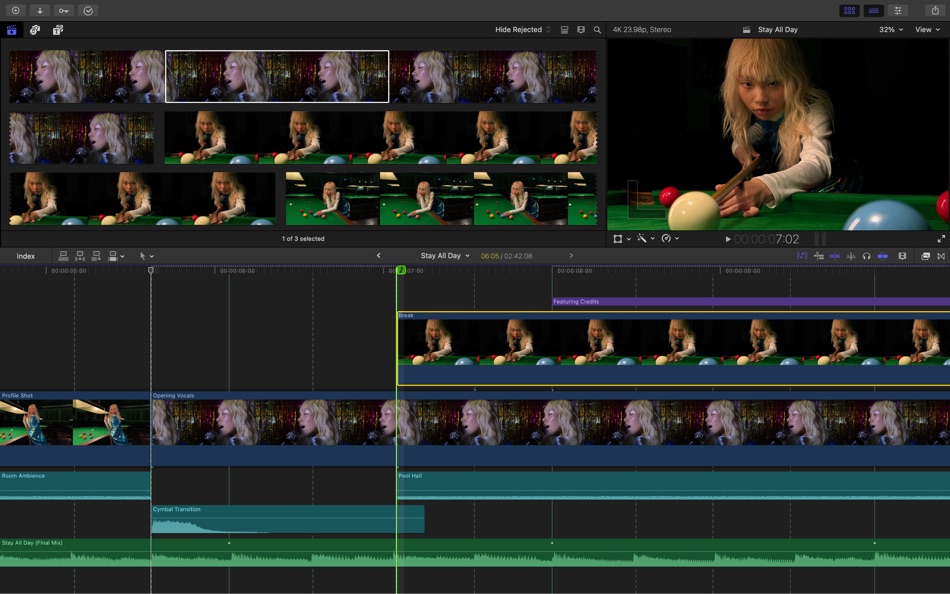
• The Magnetic Timeline uses advanced metadata and Clip Connections for faster, easier editing
• Transcribe to Captions uses AI to generate closed captions in the timeline by analyzing spoken audio
• AI-powered Magnetic Mask automatically tracks and isolates people, objects, and shapes in any footage
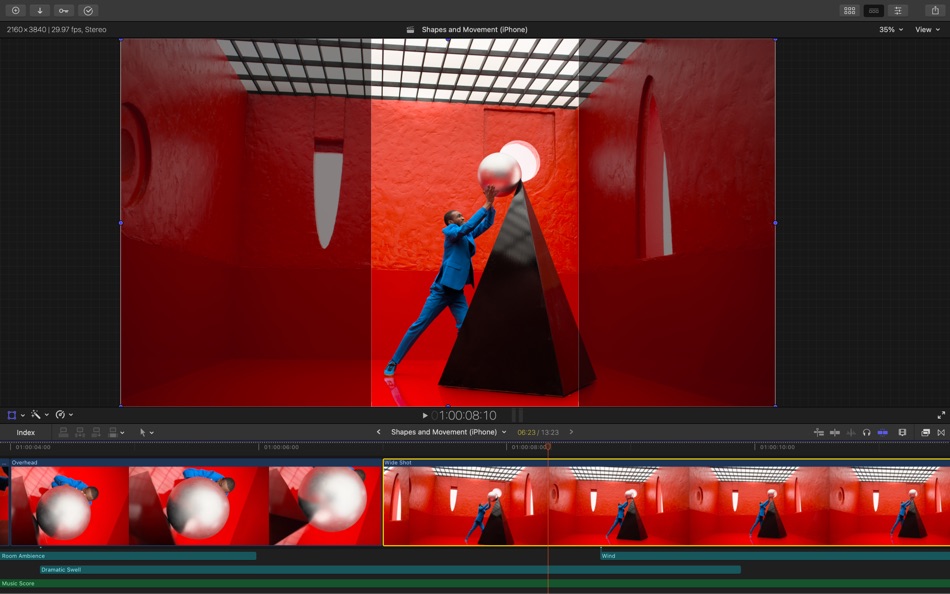
• Automatically transform projects for square or vertical delivery with Smart Conform
Powerful Media Organization
• Organize your work within libraries for efficient media management
• Apply custom keywords or favorites on the fly as you select clip ranges
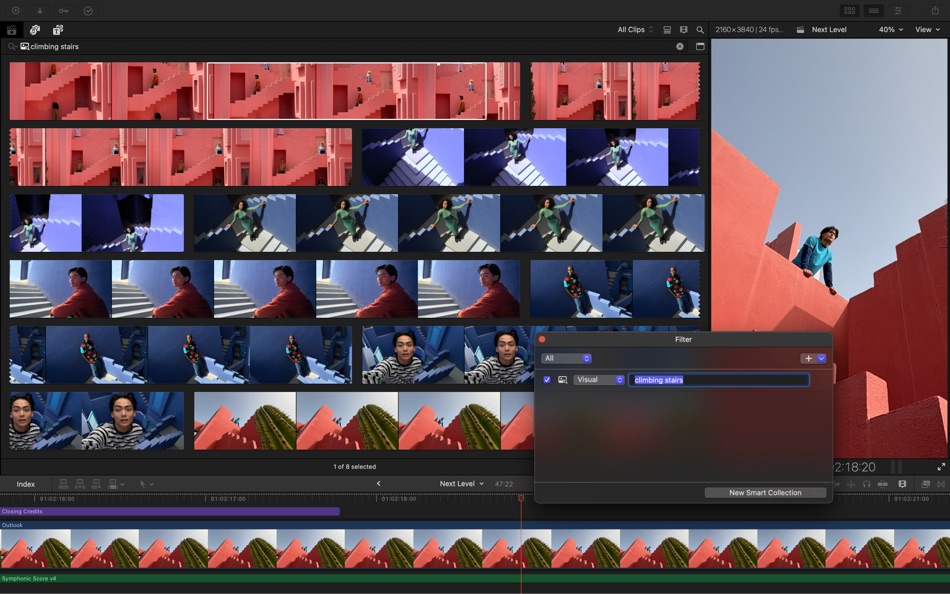
• Smart Collections dynamically organize content for you to quickly find any shot in a few clicks
Incredible Performance
• Unrivaled speed and efficiency with optimizations for the latest generation of Apple silicon
• Work with a broad range of formats including ProRes, ProRes RAW, RED, XAVC, AVCHD, Avid DNxHR®, Avid DNxHD®, H.264, HEVC, and more
Compelling, Customizable Effects
• Beautifully animated, easily customizable 2D and 3D titles
• Change the look of titles, transitions, and effects using intuitive controls
• Choose from an ecosystem of third-party FxPlug plug-ins with custom interfaces
Integrated Audio Editing
• Assign roles during import to easily track and organize your project
• Expand and edit multichannel audio files directly in the timeline
• Apply audio effects and reduce background noise to isolate vocals using powerful plug-ins and technology from Logic Pro
Intuitive Color Grading
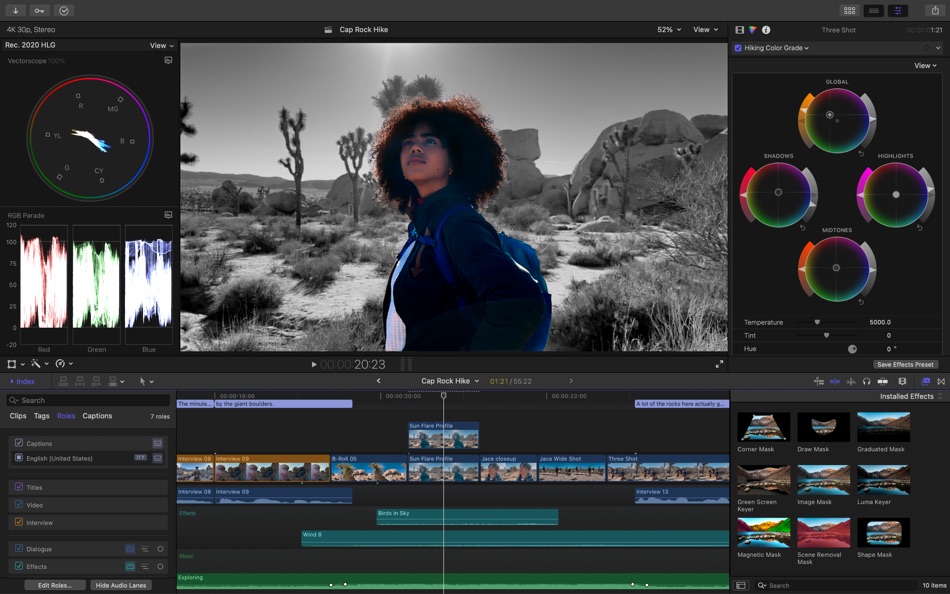
• Powerful color wheels and curves for precise adjustments with keying and masks
• Automatically tone-map clips to match HDR or SDR color space
• Take advantage of ProRes RAW video shot on iPhone 17 Pro or later for even more grading flexibility
One-Step, Optimized Output
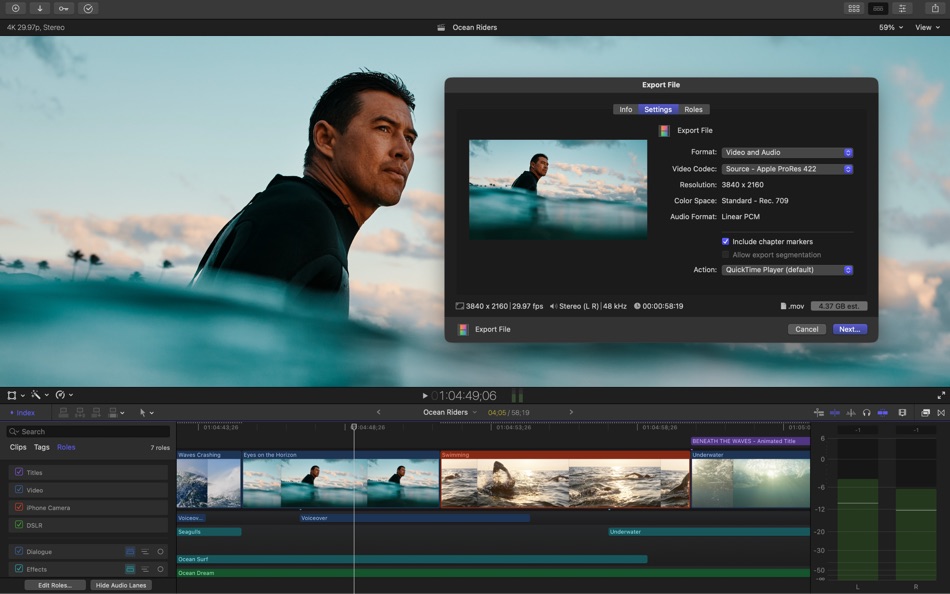
• Incredibly fast export for playback on Apple devices and upload to platforms such as Instagram and YouTube
• Export audio stems and multiple versions of a finished video using roles metadata
• Import and export XML for third-party workflows like color grading and sound mixing
System Requirements: macOS 15.6 or later, 8 GB of memory (16 GB recommended), Metal-capable graphics card (Intel-based Mac computers only), 7.2 GB of available disk space. Some features require a Mac with Apple silicon. Some features require internet access; fees may apply.
Ad
スクリーンショット


価格履歴
- 現在の価格: $299.99
- 最小値: $299.99
- 最大: $299.99
料金のチェック
情報
 http://www.apple.com/finalcutpro/
新機能
- バージョン: 12.2
- アップデート:
- • This update includes stability improvements and bug fixes
Also Recently Added:
Powerful Intelligence
• Use Transcript Search to quickly find spoken words or phrases in your footage by searching for exact matches or using natural language descriptions*
• Discover Visual Search, a fast and easy way to locate moments in your footage, including objects and actions, using natural language*
• Let Beat Detection analyze any song to reveal its bars and beats, enabling you to easily align your video edits to the music’s rhythm
Get Started Fast
• Dive into editing with a special demo project featuring the talented singer-songwriter Allie Sherlock, and explore the exciting new features of Final Cut Pro firsthand
• Accelerate your next edit with in-app guides on how to create a new library, import media, and add clips to a new timeline
* Requires a Mac with Apple silicon
デベロッパー
リスト (5)
- Final Cut Pro


ポイント (3)
-

- 534 MichaelTheGeek
- +1
-
- 9 HT
- +1
-
- 2,979 바람처어럼
- +1



ランキング (0)
0 ☹️
コメント (0)
最初にコメントしてください 🌟
«Final Cut Pro». プラットフォーム: macOS. カテゴリ: 写真/ビデオ. 開発者: «Apple». 最初のリリース: . 最終更新日: . 現在の価格: $299.99. 記録された最低価格: $299.99. 記録された最高価格: $299.99. このタイトルはまだ AppAgg で評価やレビューを受けていません。 リスト: 公開: 5, 非公開: 6. 追跡ポイント: 確認済み: 3, 間接: 0. 利用可能な言語: Chinese, English, French, German, Japanese, Korean, Spanish. AppAgg は «Final Cut Pro»の価格履歴、評価、ユーザーフィードバックを追跡します。 今後の値下げと更新をフォロー: RSS で確認できます. AppAgg はアプリケーションをホストしたり、ソフトウェアを配布したりしません。 すべての商標、ロゴ、スクリーンショットはそれぞれの所有者に帰属します。
Final Cut Pro 短縮 URL: コピーしました!- 🌟 シェア
- Mac App Store
類似
-
- CoreMelt Motion Templates for Final Cut Pro 1
- macOS アプリ: 写真/ビデオ 作者: CoreMelt Pty Ltd
- フリー
- リスト: 0 0 0
- ポイント: 0 バージョン: 1.0.1 A set of 10 free Motion Templates for Final Cut Pro X users. After Installation please run the Application "CoreMelt FCP X Motion Templates 1" from your Applications folder and save ... ⥯
-
- Simplified! Final Cut Pro X Edition
- macOS アプリ: 写真/ビデオ 作者: ANTHONY PETER WALSH
- $6.99
- リスト: 0 0 0
- ポイント: 0 バージョン: 1.0 Final Cut Pro X is the Industry Standard Video Editing Software used by designers and computer users all over the World. Create professional video / dvd with amazing effects and ... ⥯
-
- Star Wizard for Final Cut Pro
- macOS アプリ: 写真/ビデオ 作者: ReelPath LLC
- $9.99
- リスト: 0 0 0
- ポイント: 0 バージョン: 1.0.2 Final Cut Pro X 10.0.6 or later required. Animate Your Universe! Create fantastically surreal star fields, sparkles and amorphous animated effects for your next Final Cut Pro X ... ⥯
-
- Cleaner for Final Cut Pro
- macOS アプリ: 写真/ビデオ 作者: Goran Johansson
- $2.99
- リスト: 0 0 0
- ポイント: 0 バージョン: 1.1.2 This tool helps you too FREE UP huge amounts of disk space in your Final Cut Pro Library! In most cases, this tool can FREE UP to 500 GB on a 1 TB disk! Once in a while your hard disk ... ⥯
-
- TitleBridge for Final Cut
- macOS アプリ: 写真/ビデオ 作者: Brian Bustin
- $24.99
- リスト: 0 0 0
- ポイント: 0 バージョン: 1.1.2 TitleBridge for Final Cut is a workflow extension that creates precisely timed titles from captions all without leaving Final Cut. NEVER LEAVE FINAL CUT There is no longer a need to ... ⥯
-
- Speech Bubbles for Final Cut
- macOS アプリ: 写真/ビデオ 作者: PopTop Production, LLC
- $30.00
- リスト: 0 0 0
- ポイント: 0 バージョン: 2.0 This app installs 45 highly customizable, animated speech bubbles into the titles browser of Final Cut Pro 10.6 or newer. Customize the look of any Speech Bubble in Final Cut Pro for a ⥯
-
- Templates for Final Cut Pro
- macOS アプリ: 写真/ビデオ 作者: Code Vision Labs
- $19.99
- リスト: 0 0 0
- ポイント: 0 バージョン: 1.0 Unlock the full potential of Final Cut Pro with our exclusive, high-quality templates. Whether you're a beginner or a seasoned editor, this app offers a comprehensive collection of ... ⥯
- -40%
- SubtitlePro for Final Cut
- macOS アプリ: 写真/ビデオ 作者: Hyeran Kim
- ▼ $5.99
$9.99-40% - リスト: 0 0 0
- ポイント: 0 バージョン: 1.0.1 SubtitlePro for Final Cut is a macOS utility for editors who already have subtitle text and need it placed cleanly on a Final Cut Pro timeline. Import existing subtitle documents ... ⥯
-
- Curves for Final Cut
- macOS アプリ: 写真/ビデオ 作者: Joseph Ravichandran
- $19.99
- リスト: 0 0 0
- ポイント: 0 バージョン: 1.1.2 Curves for Final Cut brings powerful animation tools right into the Final Cut Pro timeline. With Curves, you can easily create fluid animations, adjusting the position, rotation, and ... ⥯
-
- Captioner for Final Cut Pro
- macOS アプリ: 写真/ビデオ 作者: Mansoer Walizada
- * フリー
- リスト: 0 0 0
- ポイント: 0 バージョン: 1.0.1 Captioner makes it simple to generate captions and subtitles for your videos and audio files. Import your media, choose a language, and the app automatically detects speech and creates ⥯
-
- Tilt Shift for Final Cut Pro
- macOS アプリ: 写真/ビデオ 作者: RgbHouse.com
- $1.99
- リスト: 0 0 0
- ポイント: 0 バージョン: 1.2 What it is ? This is a Tilt Shift Effect aka Miniaturize for FInal Cut Pro X How it works ? click the launch button. Motion 5 will start itself. When Motion is open click save as. ... ⥯
-
- Captionator for Final Cut
- macOS アプリ: 写真/ビデオ 作者: Brian Murray
- $19.99
- リスト: 0 0 0
- ポイント: 1 バージョン: 2.1.4 Captions for Final Cut Pro uses the hardware inside your Mac to automatically generate captions and high energy titles like you see on all the biggest YouTube and TikTok videos. You ... ⥯
-
- Wipster for Final Cut Pro
- macOS アプリ: 写真/ビデオ 作者: WIP APP LIMITED
- フリー
- リスト: 0 0 0
- ポイント: 0 バージョン: 1.0.2 The Wipster companion app brings reviewer feedback directly into Final Cut Pro. - View Wipster projects, media files and reviewer comments - Reply to reviewers or discuss edits ... ⥯
-
- MovieDrops for Final Cut Pro
- macOS アプリ: 写真/ビデオ 作者: Ralph Hubner
- $7.99
- リスト: 0 0 0
- ポイント: 0 バージョン: 1.0.1 Get this premium clip-collection in crispy HD quality and add style to your projects! Use MovieDrops to create amazing compositions, awesome titles, inserts, credits, presentations, ... ⥯