
Opgeslagen
Kies de naam die in je menu Opgeslagen moet worden weergegeven.
Klaar!
| Ontwikkelaar: | Wojciech Kulik (7) | ||
| Prijs: | $29.99 | ||
| Beoordelingen: | 0 | ||
| Reacties: | 0 Plaats reactie | ||
| Lijsten: | 1 + 1 | ||
| Punten: | 8 + 63 (4.8) ¡ | ||
| App Store | |||
Beschrijving

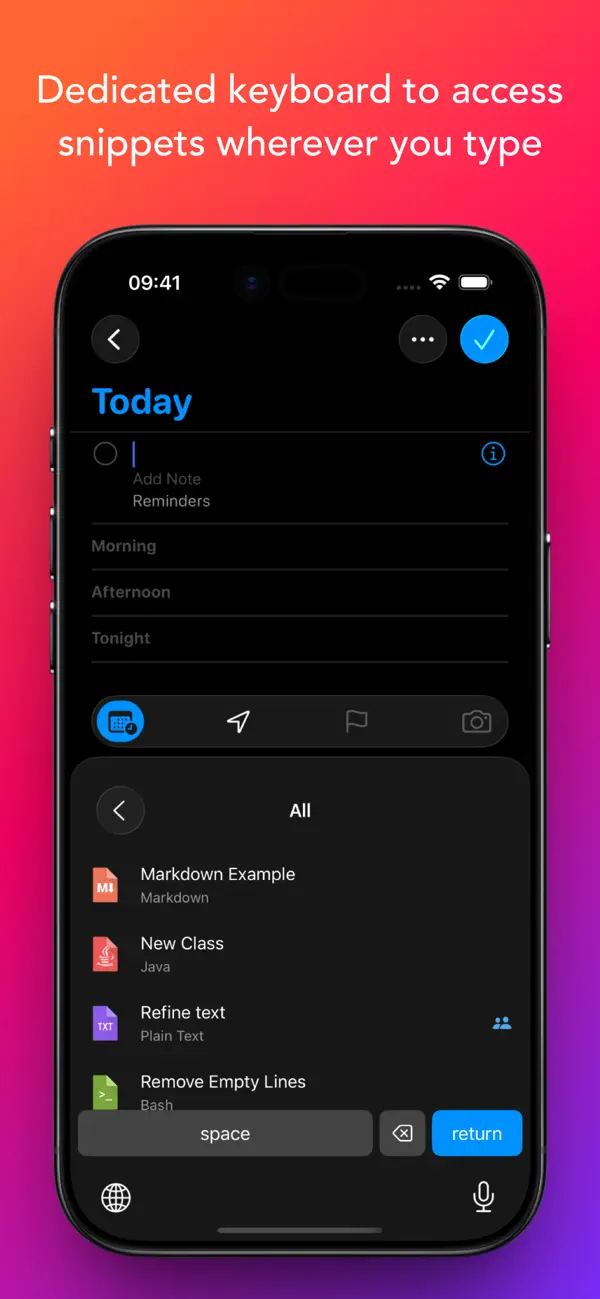
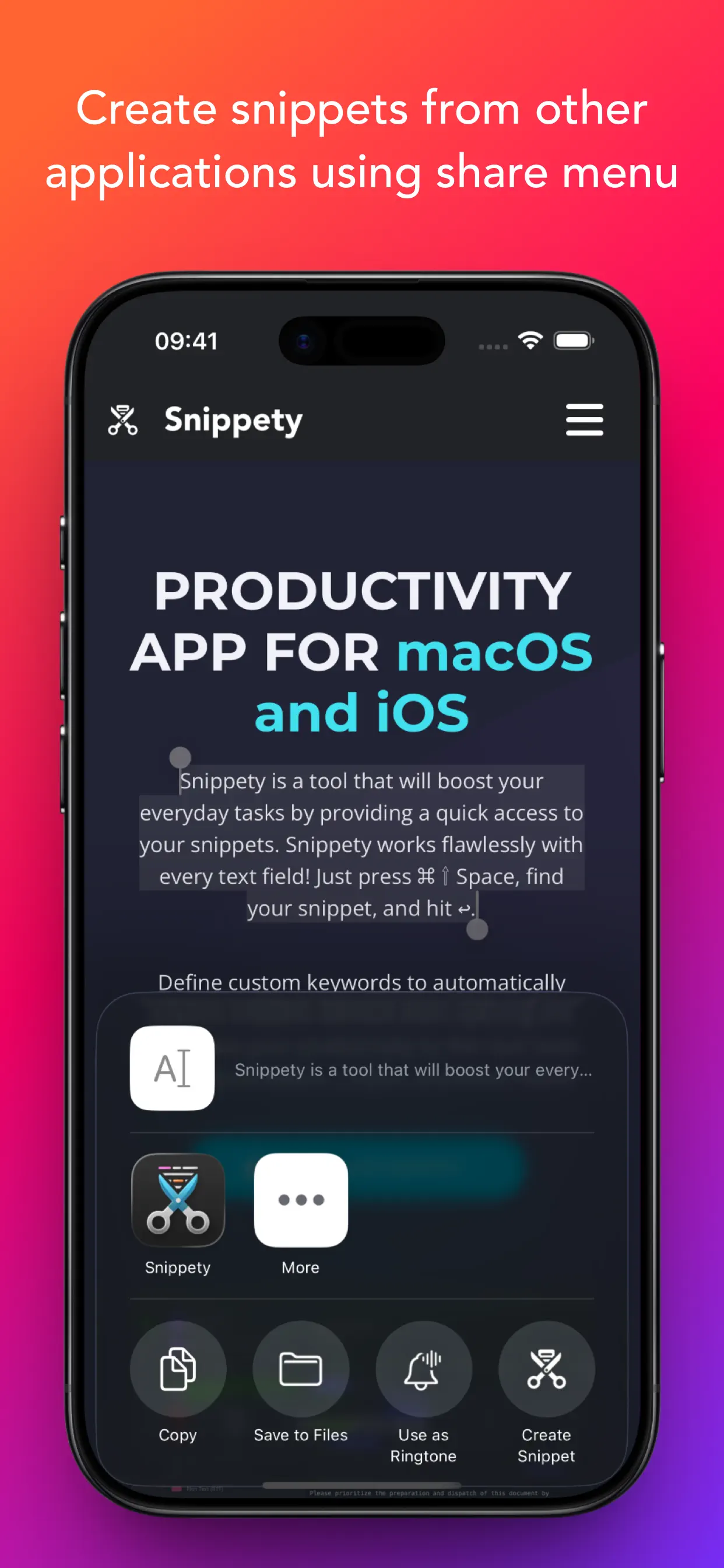
Snippety integrates seamlessly with any text field. Simply install the Snippety Keyboard and switch to it while typing. You can also create snippets directly from selected text using the share menu.
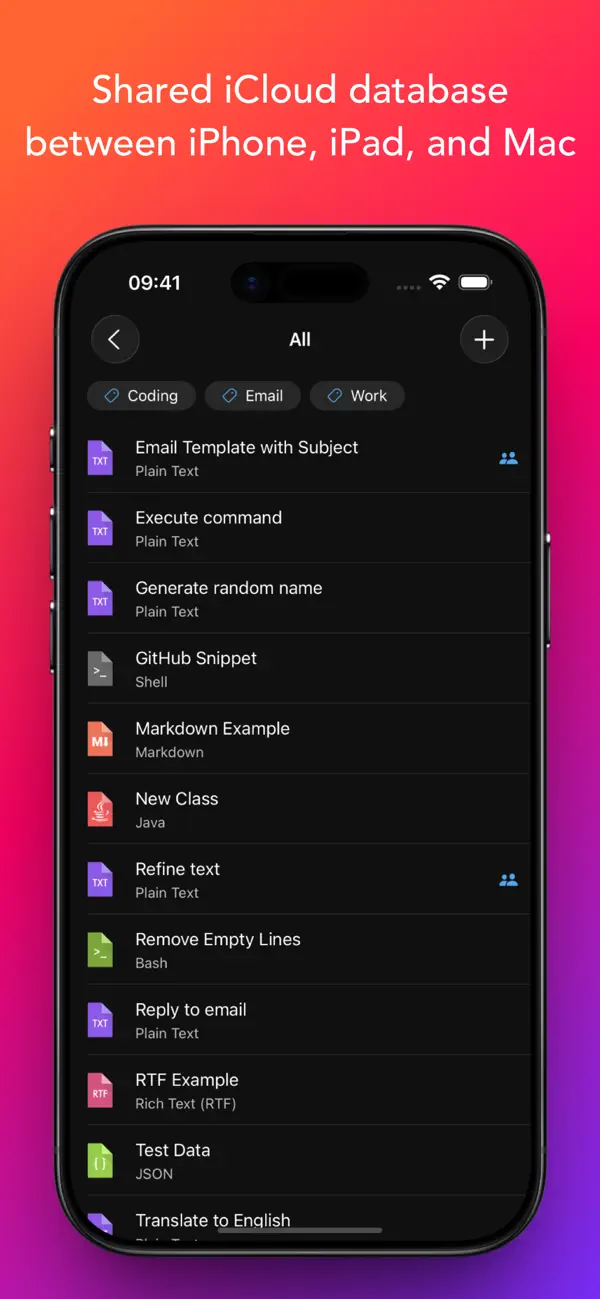
The app uses iCloud to synchronize your database across all devices: iPhone, iPad, and Mac. Install Snippety on all your devices and experience an immediate productivity boost!
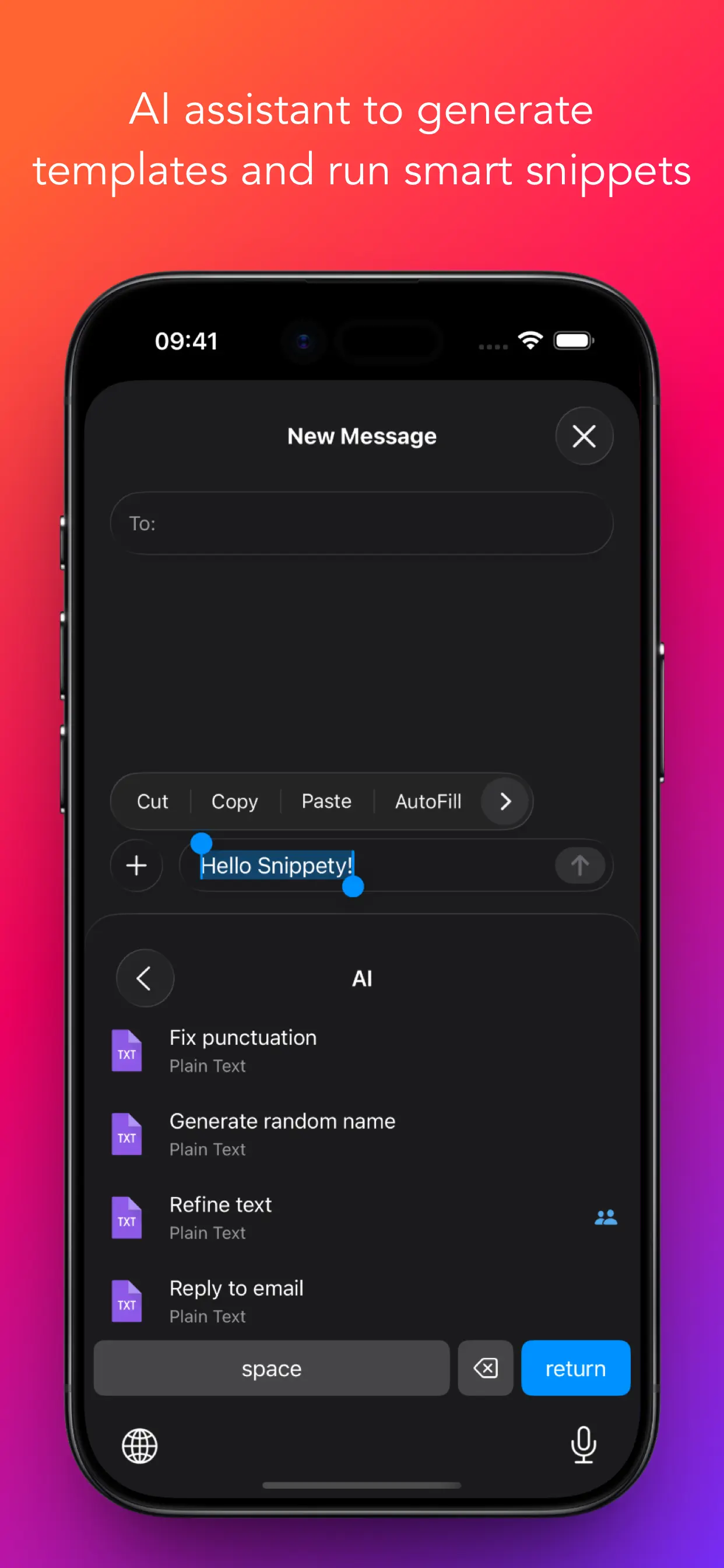
Instruct Snippety to generate templates or insert placeholders automatically. Create smart snippets with the AI Assistant, and have it fix typos, summarize text, translate, or even reply to emails. Soon, you won't be able to live without your personalized collection of smart snippets.
NOTE: Snippety Keyboard works with snippets in any language, but the keyboard itself allows typing English letters only. Keyboard input is used to fill placeholders, search, or expand snippets by keyword, and these features are limited to the English alphabet. These limitations do NOT affect the app - only the Snippety Keyboard.
Seamless Integration:
• Dedicated Snippety Keyboard to let you access your snippets wherever you type.
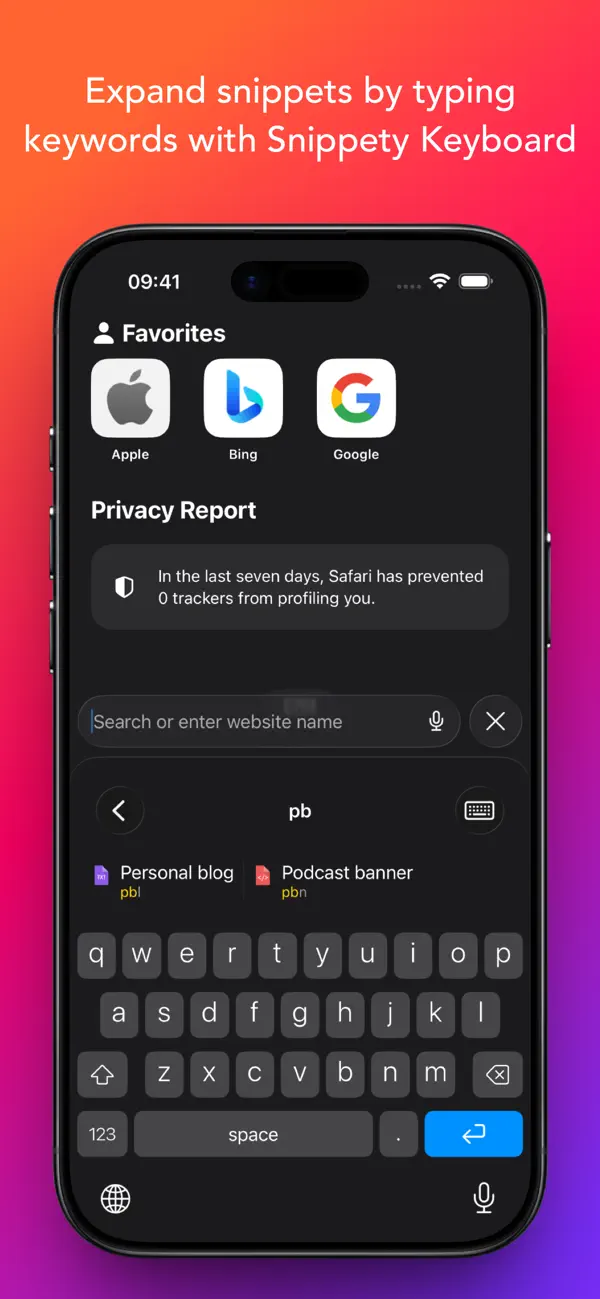
• Snippety Keyboard lets you easily switch between typing and expanding keywords. Select Snippet Expander, type a predefined keyword, and the snippet will expand automatically.
• Snippety Keyboard supports QWERTY, QWERTZ, AZERTY, and Dvorak layouts, allowing you to search snippets and fill placeholders directly from the keyboard.
• Share menu extension to create text snippets from any application.
• Minimalistic and beautiful design adjusted to light and dark mode.
Smart Placeholders:
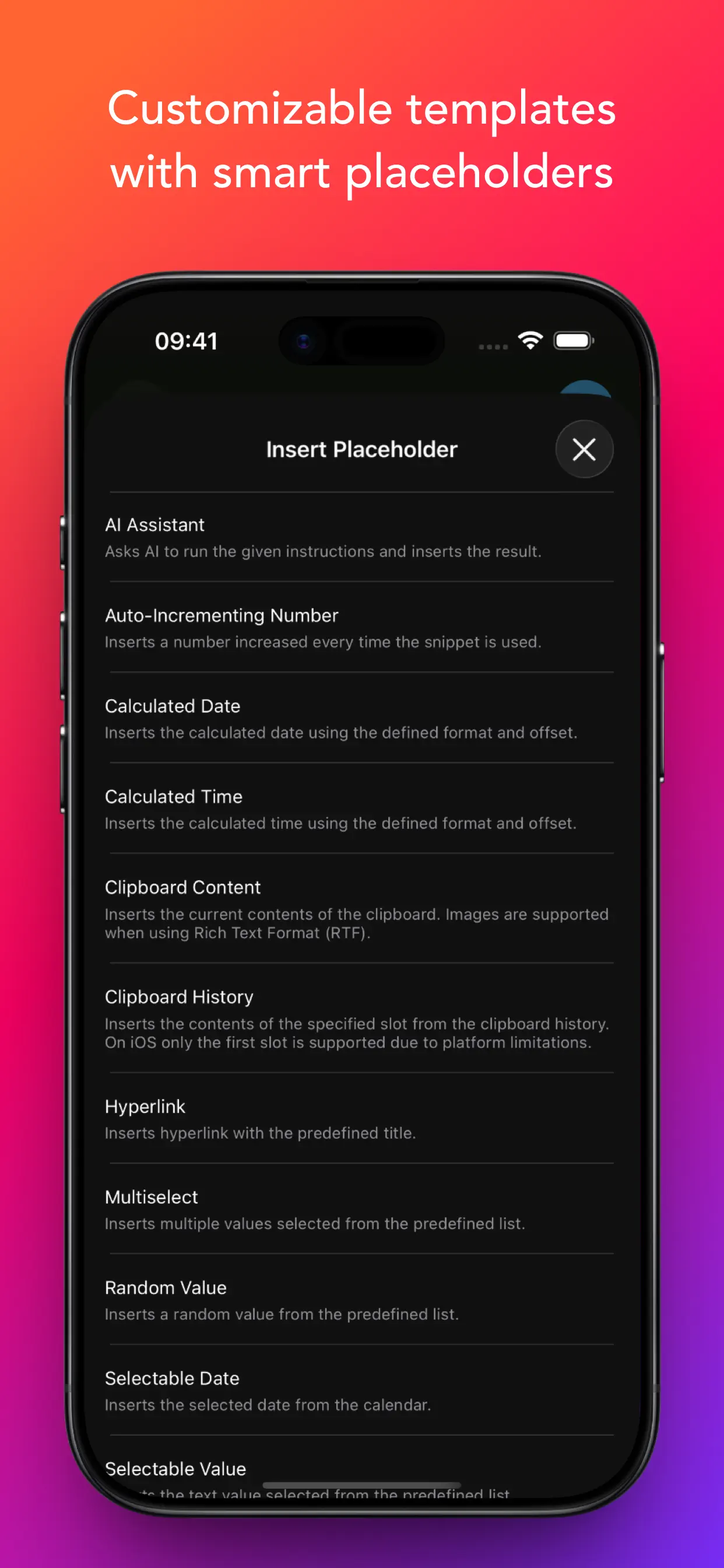
• Create reusable templates by replacing customizable parts with smart placeholders.
• Take advantage of 19 smart placeholders: auto-incrementing number, AI assistant, calculated date, calculated time, clipboard content, random value, hyperlink, selectable date, selectable value, multiselect, selected text, snippet reference, text transformation, text variable, text variable reference, and multiline text variable. MacOS application supports also script, clipboard history, and file content placeholders.
• Avoid repeating the same parameters, with Snippety you can insert the same value into multiple places of your template.
User-friendly:
• Snippety is always focused on its users. Many of the features that you can see in the application were suggested by users. Snippety is always open to great ideas!
• No subscriptions and hidden fees! You pay once and you get Snippety for iOS, iPad, and Mac with lifetime access and updates!
• Easy contact to provide feedback, ask questions, or share your ideas. Most emails are replied to within one day.
AI Integration:
• Enable AI features in all your applications by using AI placeholders.
• Access AI directly from Snippety Keyboard without opening the app.
• Ask Snippety to generate templates and insert placeholders using AI computing power.
• Smart AI assistant placeholder is ready to perform any task for you using the selected text or clipboard content.
iCloud Collaboration:
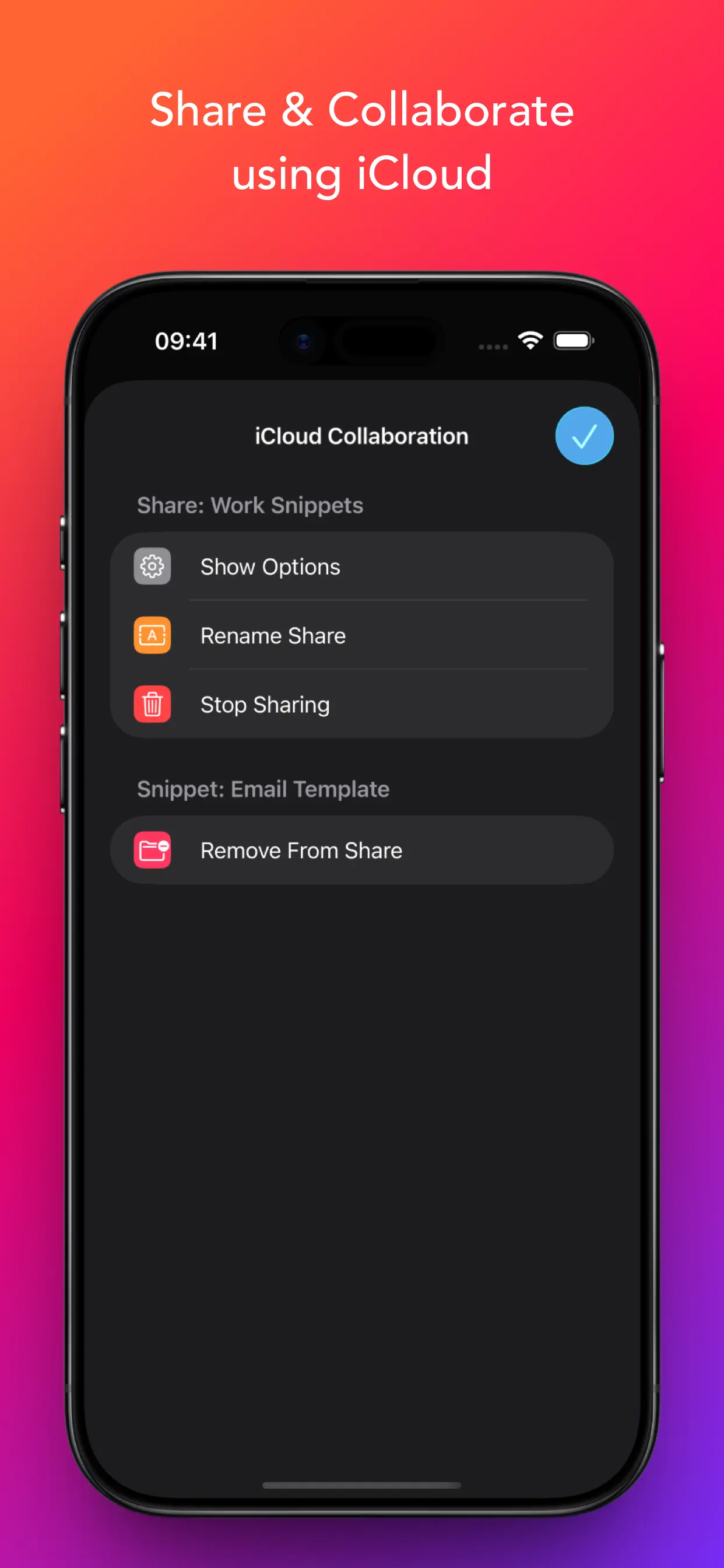
• Share selected snippets with co-workers, friends, or across your personal devices, even if they use different Apple IDs.
• The new collaboration is built using native Apple technologies, ensuring your data remains secure and never passes through third-party servers.
• Control who can access each shared snippet and choose between read-only or write permissions.
Flexible:
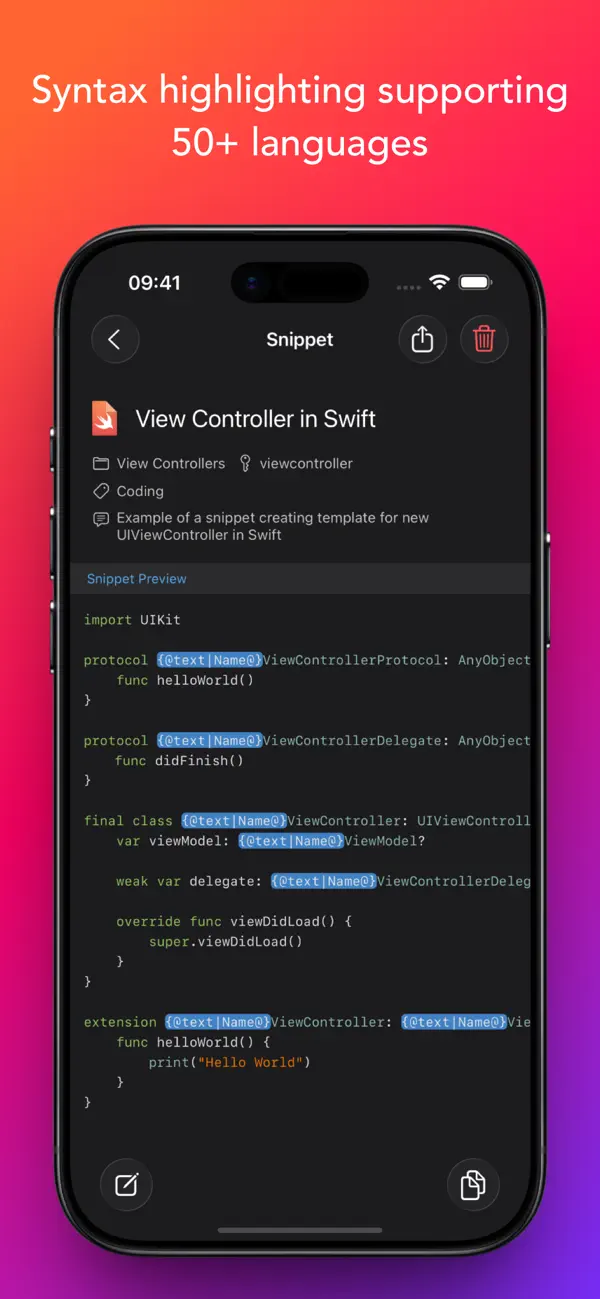
• Syntax highlighting supporting 50+ formats.
• Rich Text (RTF), HTML, and Markdown support (with images).
Unlimited access:
• Enable iCloud synchronization to share your snippets between Mac, iPhone, and iPad.
• Share snippets using secure links.
Ad
Screenshots
Prijsgeschiedenis
- Huidige prijs: $29.99
- Minimum: Gratis
- Maximaal: $29.99
Prijzen volgen
Aanvullende informatie
- Releasedatum:
- Categorie:
iOS Apps›Productiviteit - Besturingssystemen:
iPad,iPhone,macOS,iOS 15.0 en hoger - Grootte:
28 Mb - Ondersteunde talen:
English - Beoordeling van content:
4+ - App Store Beoordeling:
4.8(63) - Website:
 https://snippety.app
Wat is er nieuw?
- Versie: 9.1.48
- Bijgewerkt:
- Improved cursor positioning when using "{@cursor@}" placeholder.
Ontwikkelaar
- Wojciech Kulik
- Platforms: Android Apps (3) iOS Apps (4)
- Lijsten: 1 + 1
- Punten: 8 + 198 ¡
- Beoordelingen: 0
- Reacties: 0
- Kortingen: 0
- Videos: 0
- RSS: Abonneren
Lijsten (1)
- Snippety - Snippets Manager

Punten (8)
-

- 18,723 cahiba7911@agenra.com
- +1
-
- 794 Rocky4812
- +1
-
- 126 Murat L.
- +1
-
- 534 MichaelTheGeek
- +1
-
- 319 pantype
- +1
-
- 217 Carlos V
- +1




Beoordelingen (0)
0 ☹️
Reacties (0)
Reageer als eerste 🌟
«Snippety - Snippets Manager». Platform: iOS. Categorie: Productiviteit. Ontwikkelaar: «Wojciech Kulik». Eerste uitgave: . Laatste update: . Huidige prijs: $29.99. Laagste geregistreerde prijs: $0.00 (). Hoogst geregistreerde prijs: $29.99 (). Deze titel heeft nog geen beoordelingen of recensies ontvangen op AppAgg. Lijsten: openbare 1, privé 1. Bijgehouden punten: bevestigde 8, indirecte 63. Winkel: App Store. Winkelbeoordeling: 4.8. Stemmen: 63. Beschikbare talen: English. AppAgg houdt de prijsgeschiedenis, beoordelingen en gebruikersfeedback bij «Snippety - Snippets Manager». Volg toekomstige kortingen en updates via RSS. AppAgg host geen applicaties en distribueert geen software. Alle handelsmerken, logo's en screenshots zijn eigendom van hun respectievelijke eigenaren.
Snippety - Snippets Manager Korte URL: Gekopieerd!- 🌟 Delen
- App Store
Vergelijkbare
-
- Snippets: Quick Markdown Notes
- iOS Apps: Productiviteit Door: Ming Li
- Gratis
- Lijsten: 0 0 0
- Punten: 1 + 1 (5.0) Versie: 1.0.1 Snippets Journal is a fast, local-first markdown note-taking app designed for capturing daily thoughts, ideas, and notes. YOUR NOTES, YOUR FILES Notes are plain .md files stored in a ... ⥯
- Nieuw
- Manager for VirtueMart
- iOS Apps: Productiviteit Door: Digisys Web Services
- * Gratis
- Lijsten: 0 0 0
- Punten: 0 Versie: 1.0.1 The Manager for VirtueMart App is a powerful mobile solution that allows administrators to manage their Virtuemart stores directly from their phone. Designed for speed, clarity, and ... ⥯
-
- Manager PDF
- iOS Apps: Productiviteit Door: LLC Poison Studio
- * Gratis
- Lijsten: 0 0 0
- Punten: 1 Versie: 8 A powerful and easy-to-use application for comprehensive work with PDF files. It combines all the necessary functions in one tool, from creating documents to protecting and editing ... ⥯
-
- Shop Manager App
- iOS Apps: Productiviteit Door: Shop Manager App
- Gratis
- Lijsten: 0 + 1 0 0
- Punten: 0 + 2 (3.0) Versie: 2.0.8 What is Shop Manager App? Shop Manager App is a software designed to streamline the processes of your automotive shop and increase efficiency in the shop. Shop Manager App is capable ... ⥯
-
- Night Manager
- iOS Apps: Productiviteit Door: Night Manager
- Gratis
- Lijsten: 0 0 0
- Punten: 0 Versie: 1.0.1 Night Manager The Booking Platform for Dancers & Clubs Tired of managing bookings through scattered WhatsApp messages, emails, and agency calls? Night Manager brings everything ... ⥯
-
- SLATE Campaign Manager
- iOS Apps: Productiviteit Door: SLATE Lead Manager
- Gratis
- Lijsten: 0 0 0
- Punten: 0 + 1 (5.0) Versie: 4.10.1 SLATE Campaign Manager is an all in one platform where agents can manage leads and clients, access a full-feature soft-phone dialer, compliantly record and store enrollment ... ⥯
-
- Manager 360 - TeamTrak
- iOS Apps: Productiviteit Door: Essential-Advice.com Ltd
- Gratis
- Lijsten: 0 0 0
- Punten: 0 Versie: 1.1.3 This app will be used by Managers to manager their employees in TeamTrak, see their work, generate timesheet and invoice. ⥯
-
- MANAGER AI
- iOS Apps: Productiviteit Door: Proton Technology, LLC
- Gratis
- Lijsten: 0 0 0
- Punten: 0 + 1 (4.0) Versie: 1.3.0 AI Manager aims to help restaurant owners manage their daily operations and user assets through an AI assistant. ⥯
-
- Hector Asset Manager
- iOS Apps: Productiviteit Door: Hector Asset Manager
- Gratis
- Lijsten: 0 0 0
- Punten: 0 Versie: 1.6.582 Check out Hector, a comprehensive asset and inventory management application. Keep track of your assets with our solution whether you are a small business or a big company. Our asset ... ⥯
-
- Documents: File Manager & Docs
- iOS Apps: Productiviteit Door: Readdle Technologies Limited
- Gratis
- Lijsten: 6 + 3 0 0
- Punten: 12 + 614,558 (4.8) Versie: 8.19.12 Documents by Readdle is a super app for iPhone and iPad. It s your all-in-one solution for working with files at home, in the office, at university, or on the go. Whether you edit, ... ⥯
-
- Smart Home Manager
- iOS Apps: Productiviteit Door: AT&T Services, Inc.
- Gratis
- Lijsten: 0 0 0
- Punten: 1 + 438,122 (4.8) Versie: 2.2603.260 ⥯
-
- Keeper Password Manager
- iOS Apps: Productiviteit Door: Callpod Inc.
- Gratis
- Lijsten: 1 0 0
- Punten: 0 + 224,392 (4.9) Versie: 17.8.0 Keeper Password Manager keeps your passwords and data secure on any device. The Keeper app maximizes your password security and strengthens your password protection, keeping your ... ⥯
-
- Dashlane Password Manager
- iOS Apps: Productiviteit Door: Dashlane
- Gratis
- Lijsten: 1 + 1 0 0
- Punten: 4 + 102,546 (4.8) Versie: 6.2616.0 Dashlane is more than just a password manager. It s automated protection that stays on guard, so you don't have to. Dashlane actively monitors for password leaks and scams so you can ... ⥯
-
- NordPass: Password Manager
- iOS Apps: Productiviteit Door: Nordvpn S.A.
- Gratis
- Lijsten: 0 0 0
- Punten: 2 + 11,881 (4.7) Versie: 4.12 NordPass is a secure and easy-to-use password manager that helps you generate, store, and autofill your passwords and private information across your Apple devices. Keep your ... ⥯