
| Nhà phát triển: | Craft Docs Limited (2) | ||
| Giá bán: | Miễn phí | ||
| Xếp hạng: | 0 | ||
| Đánh giá: | 0 Viết đánh giá | ||
| Bình luận: | 0 Đăng bình luận | ||
| Danh sách: | 2 + 0 | ||
| Điểm: | 6 + 6,506 (4.8) ¡ | ||
| App Store | |||
Mô tả

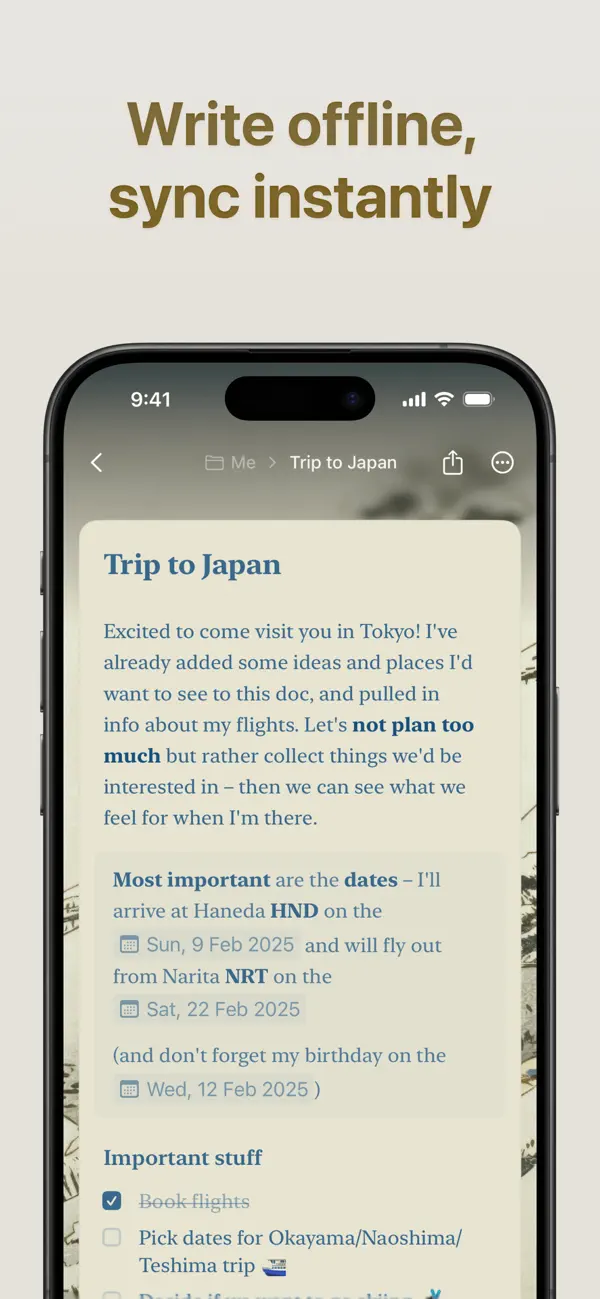
WRITE ANYWHERE, ANYTIME
Your best ideas don’t wait for an internet connection. Work seamlessly offline with full access to all features, then let your changes sync automatically when you reconnect. Whether you’re on iPhone, iPad, or Mac, Craft keeps your writing experience consistent and powerful.
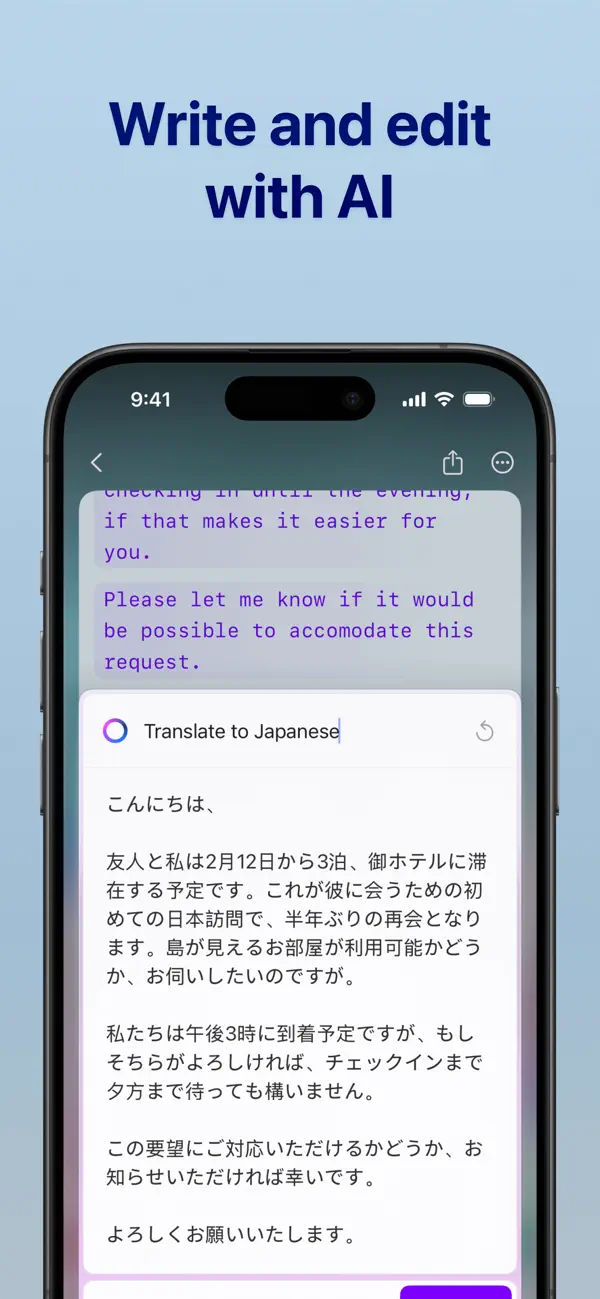
AI ASSISTANT IS THERE TO HELP
For seamless research, text editing, or searching across your entire knowledge base, Craft’s AI Assistant keeps you in flow on every device you use Craft on. Powered by advanced large language models, it finds any note, answers questions based on your content, and helps you stay on top of your knowledge without making you maintain a strict organizational system.
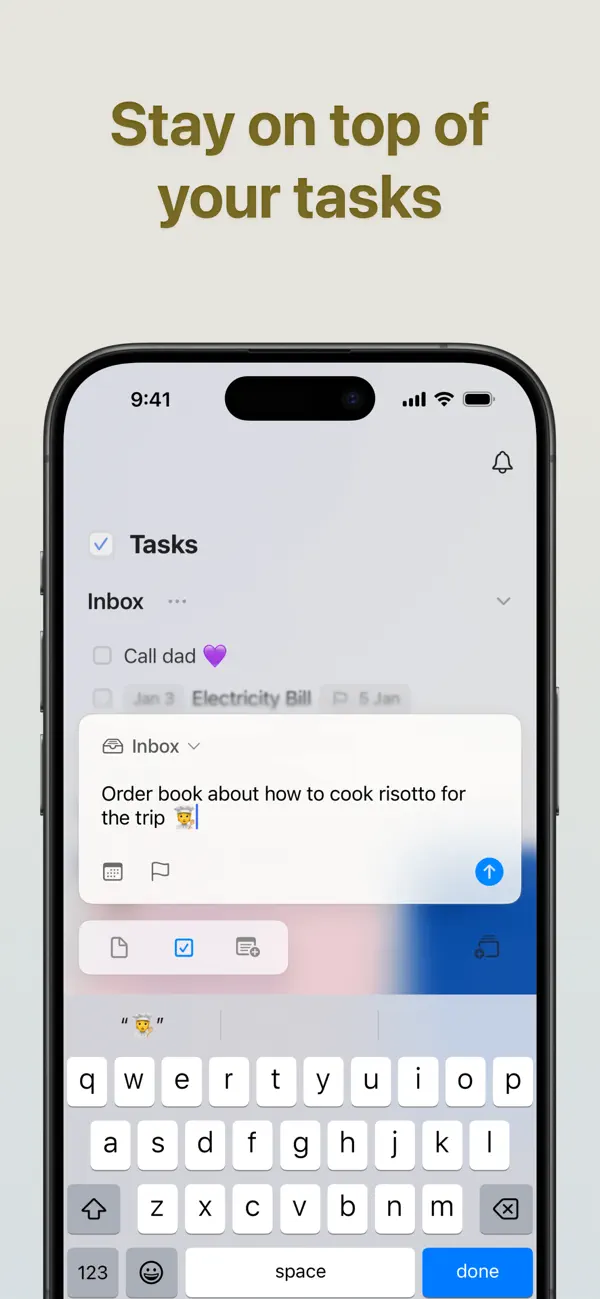
BUILT-IN TASK MANAGEMENT
Turn your ideas into action with our native Tasks system. Capture tasks as they emerge in your notes, manage them in a dedicated Inbox, and access them from any page with the Assistant’s help. Set target dates, due dates, and reminders to stay on track. With a unified tasks view, it’s the perfect balance between AI-powered fluidity and a dedicated, always-available space.
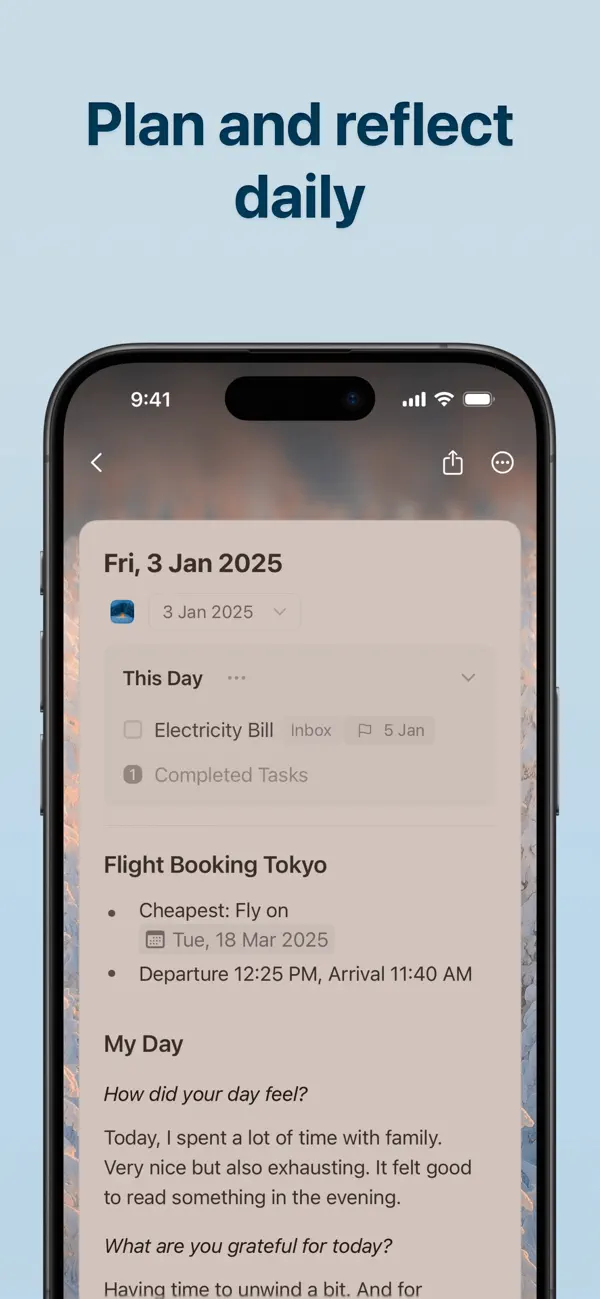
STAY ON TOP OF YOUR DAY
Make daily planning effortless with Daily Notes. Capture quick thoughts, plan your schedule, track tasks, or maintain your personal journal, all in one dedicated space. Switch to the calendar view to visualize your progress, reflect on your week, and understand how your days are shaping up.
CONNECT YOUR DOCS TO OTHER TOOLS
Turn Craft into the home for your whole workflow. Connect your documents to popular AI chat tools and productivity apps using deep integrations and APIs. Save conversations into Craft, pull in tasks, events, or other content from your existing tools, or even use your Craft documents as a CMS for powering a blog or website.
EVERYTHING YOU NEED
- Available on iPhone, iPad, Mac, and the web
- Markdown and keyboard shortcuts
- Link sharing and web publishing
- Version history
- Fast, reliable sync
- Advanced integrations and API support
- AI-powered Assistant
- Incredible customer support
WHAT’S NEW
Craft Assistant: your smart partner to brainstorm, research, and write. It can help you find your notes across your space, rewrite and summarize documents, all while keeping you in the flow.
MCP & API: connect Craft to AI models and other tools in your productivity stack, turning it into an organizational layer and live memory.
Whiteboards: turn thoughts into visuals with a spacious canvas for sketching ideas, mapping projects, and collaborating creatively.
QUESTIONS?
Contact us on X at @craftdocs or email feedback@craft.do
SUBSCRIPTION DETAILS
If you purchase a Craft subscription, you’ll be charged via the payment method associated with your Apple ID. Your account will be charged for renewal within 24 hours of the end of the current period.
You can turn off auto-renewal at any time in your account settings on the App Store. Craft subscriptions are available as one-month and 12-month packages.
Prices may vary depending on country and are subject to change without notice. Current subscriptions cannot be canceled during the active subscription period. If you don’t choose to purchase a Craft subscription, you can continue using Craft for free.
Terms of service: https://www.craft.do/terms
Privacy policy: https://www.craft.do/privacy
Ad
Ảnh chụp màn hình
Lịch sử giá
- Hôm nay: Miễn phí
- Tối thiểu: Miễn phí
- Tối đa: Miễn phí
Theo dõi giá
Tính năng mới
- Phiên bản: 3.3.12
- Cập nhật:
- This update brings a major upgrade to Craft Assistant and several improvements across the app.
Craft Assistant
Craft Assistant now supports editing and background modes. It can edit, update, and style your existing documents, create brand new ones, and work in the background while you continue writing.
Import from other tools
Moving to Craft is easier than ever. You can now import content from Evernote, Notion, and Google Docs through our new import microsite.
Widget improvements
We’ve rebuilt parts of the widget system for better reliability and performance. The Today Tasks widget now also shows ongoing tasks, not just tasks scheduled for today.
Collections Gallery
Various UX improvements and bug fixes for the Gallery view in Collections.
Copy & Paste improvements
Copying and pasting content is now faster and more reliable, with improved formatting support.
Bình luận (0)
Hãy là người đầu tiên nhận xét 🌟
Nhà phát triển
- Craft Docs Limited
- Nền tảng: iOS Ứng dụng (2)
- Danh sách: 2 + 0
- Điểm: 7 + 6,511 ¡
- Xếp hạng: 0
- Đánh giá: 0
- Bình luận: 0
- Giảm giá: 0
- Video: 0
- RSS: Đăng ký
Điểm (6)
-

- 29,660 Lance Eliakim Sotto
- +1
-
- 96 Roman
- +1
-
- 543 MichaelTheGeek
- +1
-
- 91 Ca
- +1
-
- 2,056 Luciole
- +1
-
- 17 San-Samych
- +1



Xếp hạng (0)
0 ☹️
Danh sách (2)
- Craft: Notes, Documents, AI

Đánh giá (0)
Hãy là người đầu tiên đánh giá 🌟
Thông tin bổ sung
Danh bạ
- Trang web:
 https://www.craft.do/
«Craft: Notes, Documents, AI». Nền tảng: iOS. Thể loại: Năng suất. Nhà phát triển: «Craft Docs Limited». Bản phát hành đầu tiên: . Cập nhật lần cuối: . Giá hiện tại: miễn phí. Tiêu đề này chưa nhận được xếp hạng hoặc đánh giá trên AppAgg. Danh sách: công khai 2, riêng tư 0. Điểm được theo dõi: xác nhận 6, gián tiếp 6,506. Cửa hàng: App Store. Đánh giá cửa hàng: 4.8. Phiếu bầu: 6,506. Ngôn ngữ có sẵn: Chinese, English, French, German, Hungarian, Italian, Japanese, Korean, Spanish. AppAgg theo dõi lịch sử giá, xếp hạng và phản hồi của người dùng cho «Craft: Notes, Documents, AI». Theo dõi ưu đãi và cập nhật trong tương lai qua RSS. AppAgg không lưu trữ ứng dụng hoặc phân phối phần mềm. Tất cả các nhãn hiệu, logo và ảnh chụp màn hình đều thuộc về chủ sở hữu tương ứng.
Craft: Notes, Documents, AI URL ngắn: Đã sao chép!- 🌟 Chia sẻ
- App Store
Ad
Tương tự
-
- AI Chat Assistant - ChatAI Bot
- iOS Ứng dụng: Năng suất Bởi: AI Creative Studio
- Miễn phí
- Danh sách: 0 + 0 Xếp hạng: 0 Đánh giá: 0
- Điểm: 2 + 5,466 (4.7) 0 Phiên bản: 2.5.18 Welcome to the innovative communication app, powered by cutting-edge technology! With our app, you can easily chat, find information, solve problems, and create content anytime, ... ⥯
-
- AI Assistant Ask & Chat
- iOS Ứng dụng: Năng suất Bởi: My Ai
- Miễn phí
- Danh sách: 0 + 0 Xếp hạng: 0 Đánh giá: 0
- Điểm: 2 + 2,271 (4.8) 0 Phiên bản: 2.0.17 This #1 AI assistant that helps you get more done, find entertainment, or express yourself and your creativity. Try our FREE plan and see why millions of people love our app! Real ... ⥯
-
- AI Chatbot & Design Assistant
- iOS Ứng dụng: Năng suất Bởi: SevenSeas AI Studio
- * Miễn phí
- Danh sách: 0 + 0 Xếp hạng: 0 Đánh giá: 0
- Điểm: 3 + 3,819 (4.3) 0 Phiên bản: 1.4.1 From AI chatbot conversations to AI-generated content, AI Chat is the ultimate AI assistant for productivity, creativity, and learning. AI Chat is built on GPT-5 & GPT-4o, Grok, ... ⥯
-
- Documents: File Manager & Docs
- iOS Ứng dụng: Năng suất Bởi: Readdle Technologies Limited
- Miễn phí
- Danh sách: 6 + 3 Xếp hạng: 0 Đánh giá: 0
- Điểm: 12 + 614,014 (4.8) 0 Phiên bản: 8.19.9 Documents by Readdle is a super app for iPhone and iPad. It s your all-in-one solution for working with files at home, in the office, at university, or on the go. Whether you edit, ... ⥯
-
- Notes
- iOS Ứng dụng: Năng suất Bởi: Apple
- Miễn phí
- Danh sách: 2 + 1 Xếp hạng: 0 Đánh giá: 0
- Điểm: 3 + 564,865 (4.8) 0 Phiên bản: 2.0 Notes is the best place to jot down quick thoughts or to save longer notes filled with checklists, images, web links, scanned documents, handwritten notes, or sketches. And with ... ⥯
-
- Perplexity - AI Search & Chat
- iOS Ứng dụng: Năng suất Bởi: Perplexity AI, Inc.
- Miễn phí
- Danh sách: 1 + 2 Xếp hạng: 0 Đánh giá: 0
- Điểm: 2 + 438,450 (4.8) 0 Phiên bản: 26.12.1 Perplexity Where Knowledge Begins. Accurate answers to any question, backed by sources and citations. Cut through the clutter and get straight to credible, up-to-date answers. This ... ⥯
-
- Freenotes®: AI Notes Taking
- iOS Ứng dụng: Năng suất Bởi: Free Notes (Hangzhou) Ltd.
- Miễn phí
- Danh sách: 0 + 2 Xếp hạng: 2 (1) Đánh giá: 0
- Điểm: 9 + 49,202 (4.7) 0 Phiên bản: 3.28.0 Freenotes: Freedom to write, organize, and shine Transform your iPad into a powerful AI-driven digital notepad. Freenotes is an all-in-one workspace designed for students and ... ⥯
-
- Otter Transcribe Voice Notes
- iOS Ứng dụng: Năng suất Bởi: Otter.ai, Inc.
- Miễn phí
- Danh sách: 3 + 1 Xếp hạng: 0 Đánh giá: 0
- Điểm: 1 + 49,693 (4.7) 0 Phiên bản: 3.95.0 Never take meeting notes again. Otter AI is the fastest way to transcribe voice in real time. Get a meeting assistant that records audio, writes notes, automatically captures slides, ... ⥯
-
- AI Chatbot: Pixi
- iOS Ứng dụng: Năng suất Bởi: 44pixels
- Miễn phí
- Danh sách: 0 + 0 Xếp hạng: 0 Đánh giá: 0
- Điểm: 2 + 13,495 (4.7) 0 Phiên bản: 0.51.48 Welcome to Pixi, your AI toolkit and assistant - Built on GPT-4o and the latest AI models Introducing Pixi, the ultimate AI-powered chat app that integrates cutting-edge artificial ... ⥯
-
- AI Chat Assistant – ChatNow
- iOS Ứng dụng: Năng suất Bởi: tappz
- Miễn phí
- Danh sách: 0 + 0 Xếp hạng: 0 Đánh giá: 0
- Điểm: 5 + 128,185 (4.8) 0 Phiên bản: 5.6.0 ChatNow - Make AI Your Advantage Get more done with ChatNow, the #1 AI assistant designed for busy people. Write emails and reports, check facts, compare products, create images or ... ⥯
-
- AI Clean-Fast Storage Cleaner
- iOS Ứng dụng: Năng suất Bởi: 希望移动科技(深圳)有限公司
- Miễn phí
- Danh sách: 0 + 0 Xếp hạng: 0 Đánh giá: 0
- Điểm: 1 + 1,057 (4.5) 0 Phiên bản: 2.9.1 AI Clean helps you free up space, boost speed, and keep your iPhone perfectly organized. With advanced AI technology, it cleans photos, videos, contacts, and hidden files in seconds ... ⥯
-
- Fireflies: AI notetaker
- iOS Ứng dụng: Năng suất Bởi: Fireflies.ai
- Miễn phí
- Danh sách: 0 + 0 Xếp hạng: 0 Đánh giá: 0
- Điểm: 1 + 3,603 (4.8) 0 Phiên bản: 0.5.41 Fireflies.ai helps your team transcribe, summarize, search, and analyze voice conversations. Automatically record and transcribe meetings - Transcribe meetings across several ... ⥯
-
- Le Chat by Mistral AI
- iOS Ứng dụng: Năng suất Bởi: Mistral AI
- * Miễn phí
- Danh sách: 0 + 0 Xếp hạng: 0 Đánh giá: 0
- Điểm: 2 + 922 (4.8) 0 Phiên bản: 1.16.0 Le Chat is the perfect AI assistant to enhance both your professional productivity and personal life, seamlessly integrating into how you work and play. It combines the power of deep ... ⥯
-
- AI-Story: Write, Talk & Chat
- iOS Ứng dụng: Năng suất Bởi: Dreamsands Inc.
- Miễn phí
- Danh sách: 2 + 0 Xếp hạng: 0 Đánh giá: 5 (1)
- Điểm: 2 + 1,151 (4.5) 0 Phiên bản: 4.1 Frank is an GPT-4o powered search & chat AI bot, a multimodal audio, vision, & text helper that you can write or talk to. He is fast, friendly and easy to talk to. Built on ... ⥯