
已儲存
選擇要顯示在你的已儲存選單中的名稱。
完成!
| 開發人員: | Craft Docs Limited (2) | ||
| 價錢: | 免費 | ||
| 評價: | 43,300 傳奇 | ||
| 排名: | 0 | ||
| 註釋: | 0 發表評論 | ||
| 清單: | 2 + 0 | ||
| 點數: | 6 + 6,546 (4.8) ¡ | ||
| +1 點數 | |||
描述

WRITE ANYWHERE, ANYTIME
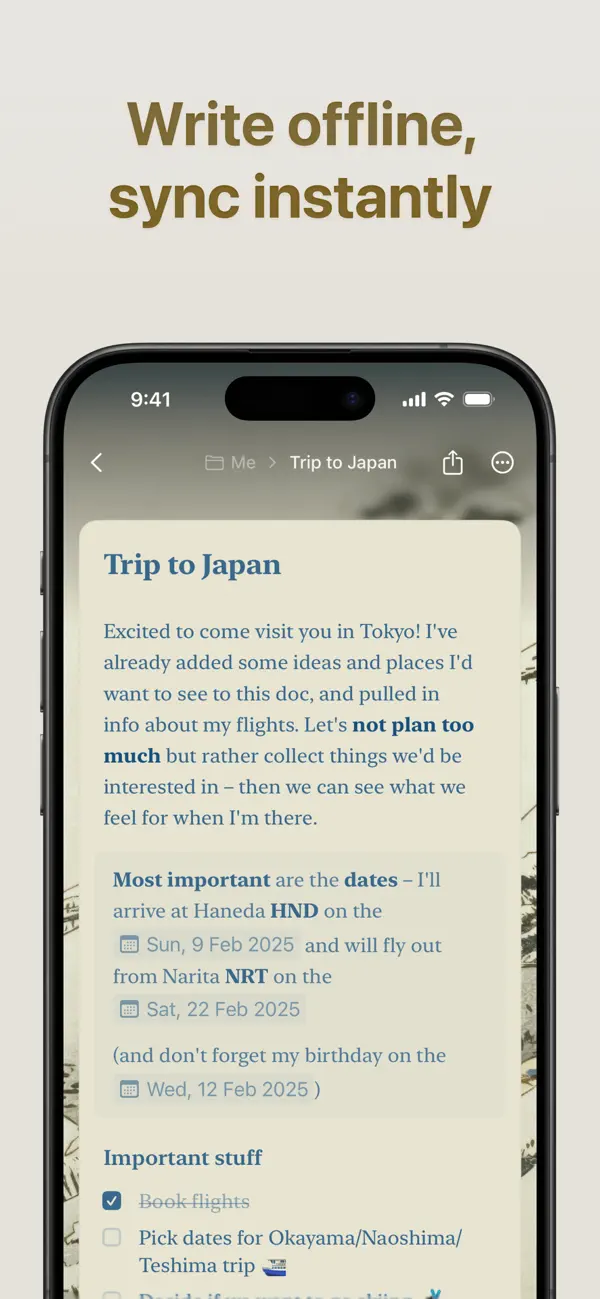
Your best ideas don’t wait for an internet connection. Work seamlessly offline with full access to all features, then let your changes sync automatically when you reconnect. Whether you’re on iPhone, iPad, or Mac, Craft keeps your writing experience consistent and powerful.
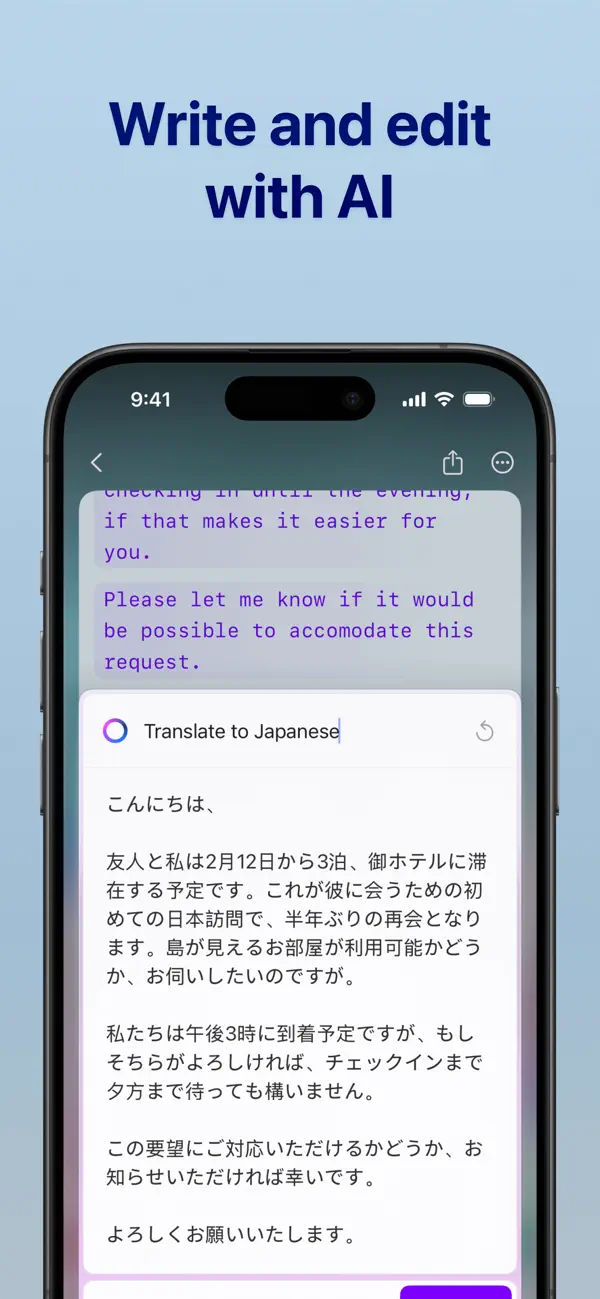
AI ASSISTANT IS THERE TO HELP
For seamless research, text editing, or searching across your entire knowledge base, Craft’s AI Assistant keeps you in flow on every device you use Craft on. Powered by advanced large language models, it finds any note, answers questions based on your content, and helps you stay on top of your knowledge without making you maintain a strict organizational system.
BUILT-IN TASK MANAGEMENT
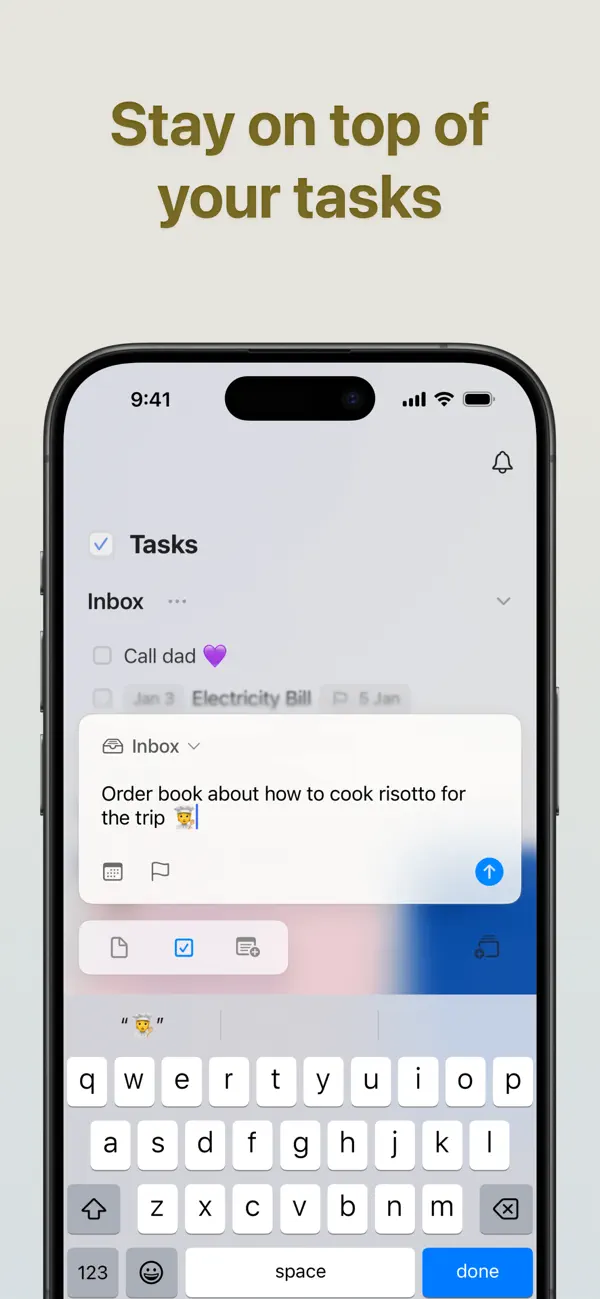
Turn your ideas into action with our native Tasks system. Capture tasks as they emerge in your notes, manage them in a dedicated Inbox, and access them from any page with the Assistant’s help. Set target dates, due dates, and reminders to stay on track. With a unified tasks view, it’s the perfect balance between AI-powered fluidity and a dedicated, always-available space.
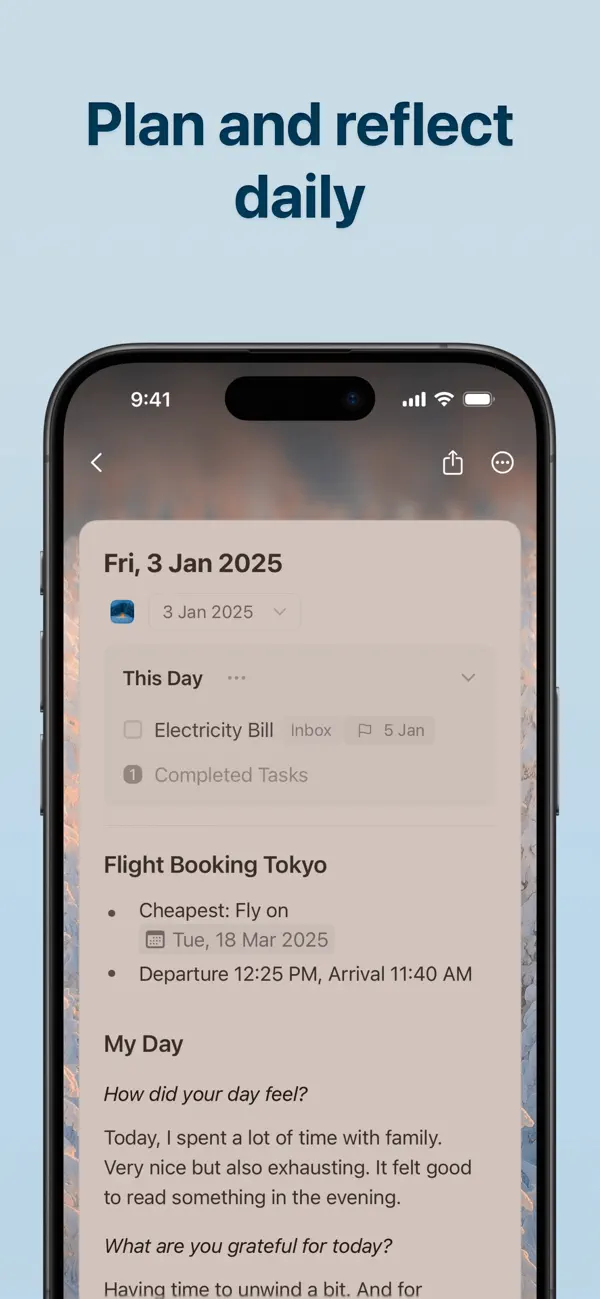
STAY ON TOP OF YOUR DAY
Make daily planning effortless with Daily Notes. Capture quick thoughts, plan your schedule, track tasks, or maintain your personal journal, all in one dedicated space. Switch to the calendar view to visualize your progress, reflect on your week, and understand how your days are shaping up.
CONNECT YOUR DOCS TO OTHER TOOLS
Turn Craft into the home for your whole workflow. Connect your documents to popular AI chat tools and productivity apps using deep integrations and APIs. Save conversations into Craft, pull in tasks, events, or other content from your existing tools, or even use your Craft documents as a CMS for powering a blog or website.
EVERYTHING YOU NEED
- Available on iPhone, iPad, Mac, and the web
- Markdown and keyboard shortcuts
- Link sharing and web publishing
- Version history
- Fast, reliable sync
- Advanced integrations and API support
- AI-powered Assistant
- Incredible customer support
WHAT’S NEW
Craft Assistant: your smart partner to brainstorm, research, and write. It can help you find your notes across your space, rewrite and summarize documents, all while keeping you in the flow.
MCP & API: connect Craft to AI models and other tools in your productivity stack, turning it into an organizational layer and live memory.
Whiteboards: turn thoughts into visuals with a spacious canvas for sketching ideas, mapping projects, and collaborating creatively.
QUESTIONS?
Contact us on X at @craftdocs or email feedback@craft.do
SUBSCRIPTION DETAILS
If you purchase a Craft subscription, you’ll be charged via the payment method associated with your Apple ID. Your account will be charged for renewal within 24 hours of the end of the current period.
You can turn off auto-renewal at any time in your account settings on the App Store. Craft subscriptions are available as one-month and 12-month packages.
Prices may vary depending on country and are subject to change without notice. Current subscriptions cannot be canceled during the active subscription period. If you don’t choose to purchase a Craft subscription, you can continue using Craft for free.
Terms of service: https://www.craft.do/terms
Privacy policy: https://www.craft.do/privacy
螢幕擷取畫面
Ad
價格歷史
- 目前價格: 免費
- 最小值: 免費
- 最大值: 免費
追蹤票價
AppAgg 評價
43,300
AppAgg 預估評價:
Craft: Notes, Documents, AI
43,300 傳奇
評價越高,通常代表在 AppAgg 上的信號越強。
基於: 人氣 · 使用者評分 · 新鮮度 · 優惠 · 商店資料 · 社群活躍度
根據最新 AppAgg 資料每日重新計算。
縮短網址: 已複製!
新功能
- 版本: 3.4.2
- 最後更新:
- This update brings a redesigned Reminders experience, more flexible sidebar customization, smoother editing, and a range of visual polish across Craft.
You can now keep Craft cleaner by hiding Imagine and Shared with Me from the sidebar on Mac and iPad, or from the Home Screen on iPhone. Reminders are easier to manage with grouped sections for Overdue, Upcoming, and Resolved items. On Mac, you can also pin the Craft Assistant panel to the side of your window so it stays open while you write.
We’ve also improved styling interactions, math formulas, exports, slash menu labels, and fixed several small visual glitches across the app.
Highlights
Home, Sidebar & Navigation
- You can now hide Imagine and Shared with Me from the sidebar on Mac and iPad, and from the Home Screen on iPhone via Customize Sidebar. This is especially useful if you prefer a cleaner, more focused mobile experience.
- We also cleaned up several small visual details across the app, including sidebar alignment, selected Calendar states, and card style modal behavior.
Reminders
- The Reminders list has been redesigned with grouped Overdue, Upcoming, and Resolved sections. Resolved reminders are hidden by default, and a new 3-dot menu lets you show or hide resolved reminders, resolve all overdue reminders at once, or delete all resolved reminders with confirmation.
- On iPhone and iPad, the plus button has moved to the bottom-left toolbar. Reminder icons now clearly indicate whether a reminder is overdue, upcoming, or resolved. To resolve or unresolve a reminder, use its context menu.
Slash Menu
- We added a Custom Reminder option to the slash menu and block Edit menu, making it faster to add reminders without leaving the keyboard.
- Reminder, table, and separator labels in the slash menu are now clearer too.
Tags
- Tags hidden in workspace settings no longer appear as badges in block previews.
Document Editing & Styling
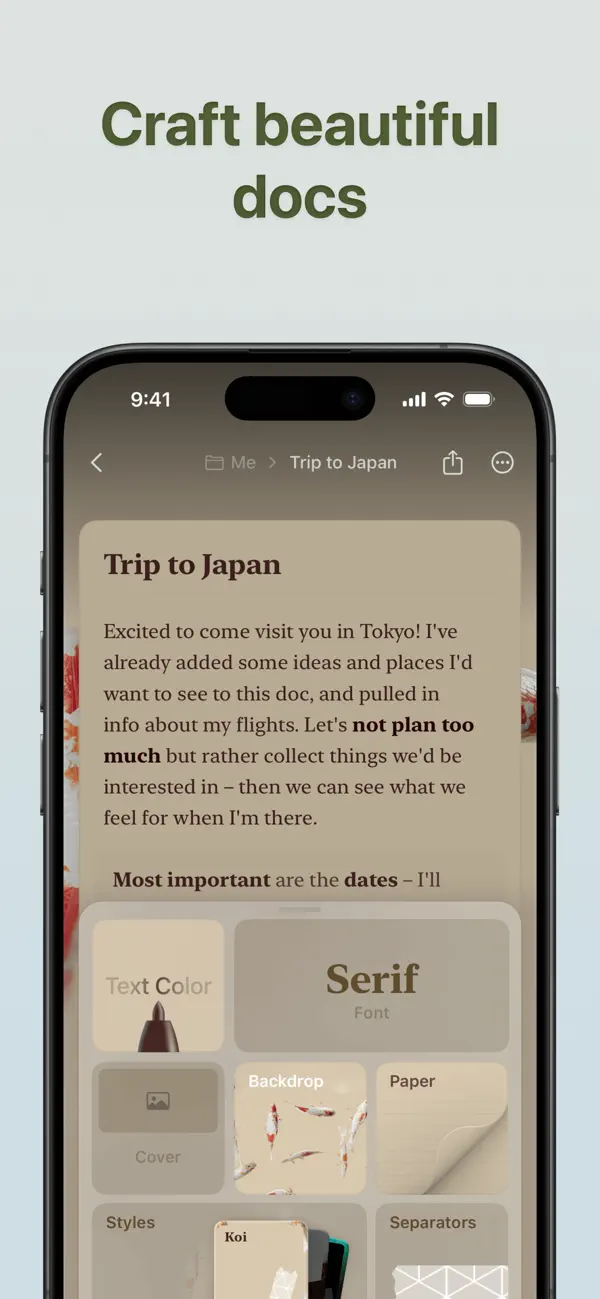
- You can now drag colors, color pairs, hex strings, and images directly onto the styling panel and color targets. The dropped value applies immediately, without needing to open a picker.
- Math formulas now support non-Latin characters and symbols typed directly, including emojis. We also improved spacing around \dots to better match standard mathematical typesetting.
- On Mac, scrolling past a focused block no longer jumps back to it for certain block types.
Export
- Mermaid XY chart axis labels, titles, and legends now render correctly in PDF and PNG exports.
Assistant
- On Mac, you can now pin the Craft Assistant panel to the right side of the window so it stays open while you write. Drag it to snap, or use Pin to Side from the chat menu.
- The Assistant can now also reorder rows and columns in tables, including transposing tables or moving rows to the top.
- Card background colors set by the Assistant now preserve both light and dark variants correctly.
其他資訊
 https://www.craft.do/
開發人員
- Craft Docs Limited
- 平台: iOS 應用程式 (2)
- 清單: 2 + 0
- 點數: 7 + 6,551 ¡
- 排名: 0
- 註釋: 0
- 折扣: 0
- 影片: 0
- RSS: 訂閱
清單 (2)
- Craft: Notes, Documents, AI

點數 (6)
-

- 29,443 Lance Eliakim Sotto
- +1
-
- 98 Roman
- +1
-
- 530 MichaelTheGeek
- +1
-
- 52 Ca
- +1
-
- 2,019 Luciole
- +1
-
- 17 San-Samych
- +1



排名 (0)
0
註釋 (0)
成為第一個發表評論的人
簡要
Craft: Notes, Documents, AI 縮短網址: 已複製!- 分享
- App Store
«Craft: Notes, Documents, AI». 平台: iOS. 類別: 生產應用. 開發商: «Craft Docs Limited». 首次發布: . 最後更新: . 目前價格: 免費. 此項目尚未在 AppAgg 上獲得評分或評論。 列表: 公開: 2, 私人: 0. 追蹤點: 已確認: 6, 間接: 6,546. 商店: App Store. 店家評價: 4.8. 投票數: 6,546. 可用語言: Chinese, English, French, German, Hungarian, Italian, Japanese, Korean, Spanish. AppAgg 會追蹤 «Craft: Notes, Documents, AI»的價格歷史、評分和用戶回饋。 AppAgg 不託管應用程式或分發軟體。 所有商標、標誌和螢幕截圖均屬於其各自所有者。 關注未來折扣和更新: RSS
類似
-
- Notion: Notes, Tasks, AI
- iOS 應用程式: 生產應用 由: Notion Labs, Incorporated
- 免費
- 清單: 0 0 0
- 點數: 0 + 83,639 85K 版本: 1.7.304 Notion is an AI-powered all-in-one workspace that helps individuals and teams write notes, manage tasks, organize projects, and collaborate in one place. Whether you re tracking ... ⥯
-
- AI Chat Assistant - ChatAI Bot
- iOS 應用程式: 生產應用 由: AI Creative Studio
- * 免費
- 清單: 0 0 0
- 點數: 3 + 5,477 41K 版本: 3.0.1 Welcome to the innovative communication app, powered by cutting-edge technology! With our app, you can easily chat, find information, solve problems, and create content anytime, ... ⥯
-
- AI Assistant Ask & Chat
- iOS 應用程式: 生產應用 由: My Ai
- 免費
- 清單: 0 0 0
- 點數: 2 + 2,270 34K 版本: 2.0.17 This #1 AI assistant that helps you get more done, find entertainment, or express yourself and your creativity. Try our FREE plan and see why millions of people love our app! Real ... ⥯
-
- AI Chatbot & Design Assistant
- iOS 應用程式: 生產應用 由: SevenSeas AI Studio
- 免費
- 清單: 0 0 0
- 點數: 3 + 4,457 33K 版本: 1.4.4 From AI chatbot conversations to AI-generated content, AI Chat is the ultimate AI assistant for productivity, creativity, and learning. AI Chat is built on GPT-5 & GPT-4o, Grok, ... ⥯
-
- Documents: File Manager & Docs
- iOS 應用程式: 生產應用 由: Readdle Technologies Limited
- 免費
- 清單: 6 + 3 0 0
- 點數: 12 + 614,772 203K 版本: 8.19.14 Documents by Readdle is a super app for iPhone and iPad. It s your all-in-one solution for working with files at home, in the office, at university, or on the go. Whether you edit, ... ⥯
-
- Perplexity - AI Search & Chat
- iOS 應用程式: 生產應用 由: Perplexity AI, Inc.
- 免費
- 清單: 1 + 2 0 0
- 點數: 2 + 461,675 148K 版本: 26.18.0 Perplexity Where Knowledge Begins. Accurate answers to any question, backed by sources and citations. Cut through the clutter and get straight to credible, up-to-date answers. This ... ⥯
-
- Freenotes®: AI Notes Taking
- iOS 應用程式: 生產應用 由: Free Notes (Hangzhou) Ltd
- * 免費
- 清單: 0 + 2 2 (1) 0
- 點數: 9 + 51,661 67K 版本: 3.33.1 Freenotes: Freedom to write, organize, and shine Transform your iPad into a powerful AI-driven digital notepad. Freenotes is an all-in-one workspace designed for students and ... ⥯
-
- Otter Transcribe Voice Notes
- iOS 應用程式: 生產應用 由: Otter.ai, Inc.
- 免費
- 清單: 3 + 1 0 0
- 點數: 1 + 50,875 52K 版本: 3.99.0 Never take meeting notes again. Otter AI is the fastest way to transcribe voice in real time. Get a meeting assistant that records audio, writes notes, automatically captures slides, ... ⥯
-
- AI Chatbot: Pixi
- iOS 應用程式: 生產應用 由: 44pixels
- 免費
- 清單: 0 0 0
- 點數: 2 + 13,667 48K 版本: 0.51.48 Welcome to Pixi, your AI toolkit and assistant - Built on GPT-4o and the latest AI models Introducing Pixi, the ultimate AI-powered chat app that integrates cutting-edge artificial ... ⥯
-
- AI Chat Assistant – ChatNow
- iOS 應用程式: 生產應用 由: tappz
- 免費
- 清單: 0 0 0
- 點數: 5 + 131,880 95K 版本: 5.8.0 ChatNow - Make AI Your Advantage Get more done with ChatNow, the #1 AI assistant designed for busy people. Write emails and reports, check facts, compare products, create images or ... ⥯
-
- AI Clean-Fast Storage Cleaner
- iOS 應用程式: 生產應用 由: 希望移动科技(深圳)有限公司
- 免費
- 清單: 0 0 0
- 點數: 1 + 1,094 24K 版本: 2.9.1 AI Clean helps you free up space, boost speed, and keep your iPhone perfectly organized. With advanced AI technology, it cleans photos, videos, contacts, and hidden files in seconds ... ⥯
-
- Fireflies: AI notetaker
- iOS 應用程式: 生產應用 由: Fireflies.ai
- 免費
- 清單: 0 0 0
- 點數: 1 + 3,966 45K 版本: 0.5.45 Fireflies.ai helps your team transcribe, summarize, search, and analyze voice conversations. Automatically record and transcribe meetings - Transcribe meetings across several ... ⥯
-
- Le Chat by Mistral AI
- iOS 應用程式: 生產應用 由: Mistral AI
- 免費
- 清單: 0 0 0
- 點數: 2 + 1,034 41K 版本: 1.20.0 Le Chat is the perfect AI assistant to enhance both your professional productivity and personal life, seamlessly integrating into how you work and play. It combines the power of deep ... ⥯