
| Nhà phát triển: | Superace Software Technology Co., Ltd. (4) | ||
| Giá bán: | * Miễn phí | ||
| Xếp hạng: | 0 | ||
| Đánh giá: | 0 Viết đánh giá | ||
| Bình luận: | 0 Đăng bình luận | ||
| Danh sách: | 1 + 0 | ||
| Điểm: | 6 + 591 (4.6) ¡ | ||
| App Store | |||
Mô tả

Amazing features of UPDF for iOS:
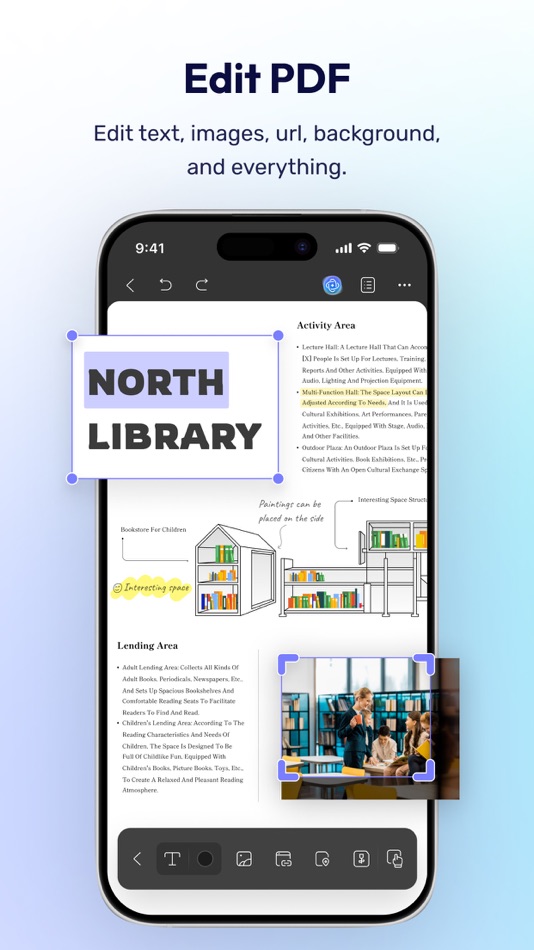
Edit PDF
- Edit text in PDF (change color, font style, font size)
- Edit images in PDF (rotate, extract, replace, and crop images)
- Edit watermark in PDF (add, edit, delete and favor watermark)
- Edit links in PDF (add, edit, copy, and delete)
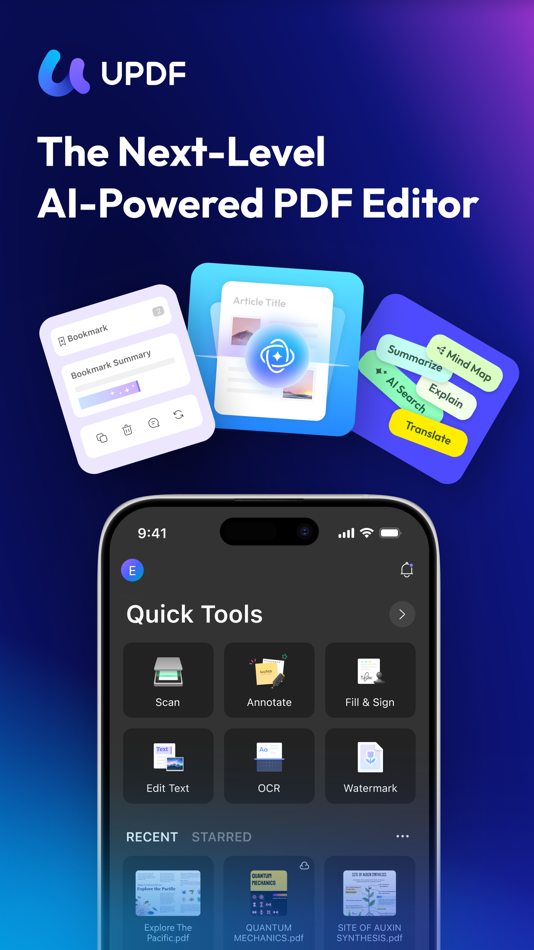
AI Assistant
- Summarize, translate, explain, and rephrase lengthy PDFs in minutes.
- Engage in a chat with UPDF AI and ask it any questions you have.
- Summarize or translate PDF by pages.
- Export conversations to Markdown or TXT files.
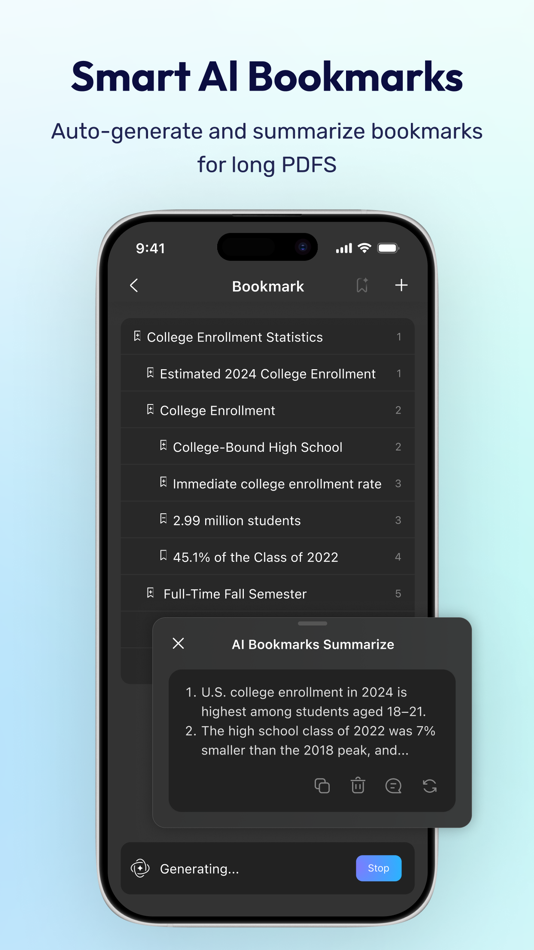
- NEW AI Bookmark Agent: Auto-generate bookmarks and get instant section summaries for any PDF.
- NEW AI Semantic Search: Search your PDF by meaning, not just exact words.
- NEW AI Editing Suite: Rewrite, refine tone, or correct grammar directly.
Read PDF
- Flexible reading: vertical and horizontal scrolling, single page or two-page view
- Dark mode to protect your eyes
- Add and manage bookmarks with AI Bookmark Agent's help
- Search text in PDF
- Present PDF as a slideshow
- Text-to-speech support
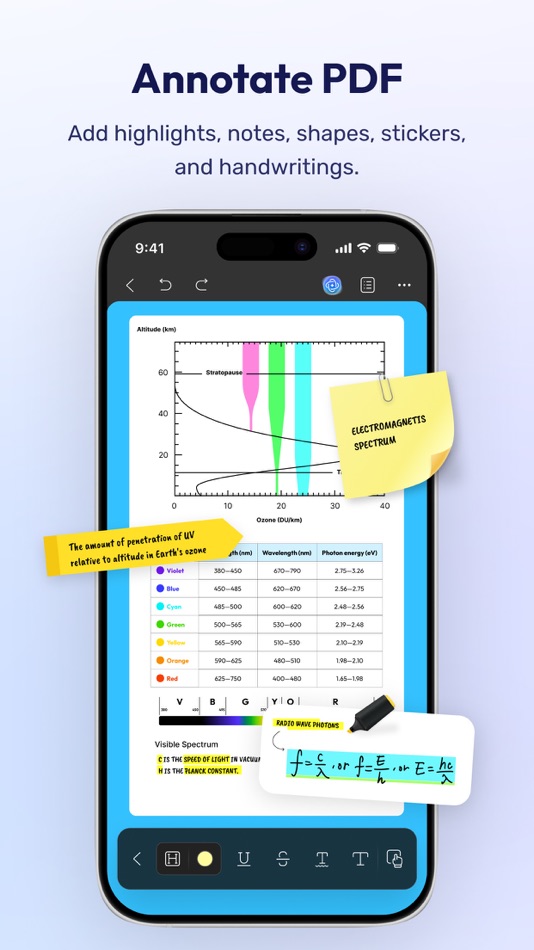
Annotate PDF
- Annotate PDFs using markup tools: pencil, highlight, underline, strikethrough, squiggly line
- Add text boxes, text comments, callouts, sticky notes
- Add shapes, stamps, and stickers to PDFs
- Free-hand drawing on PDF pages
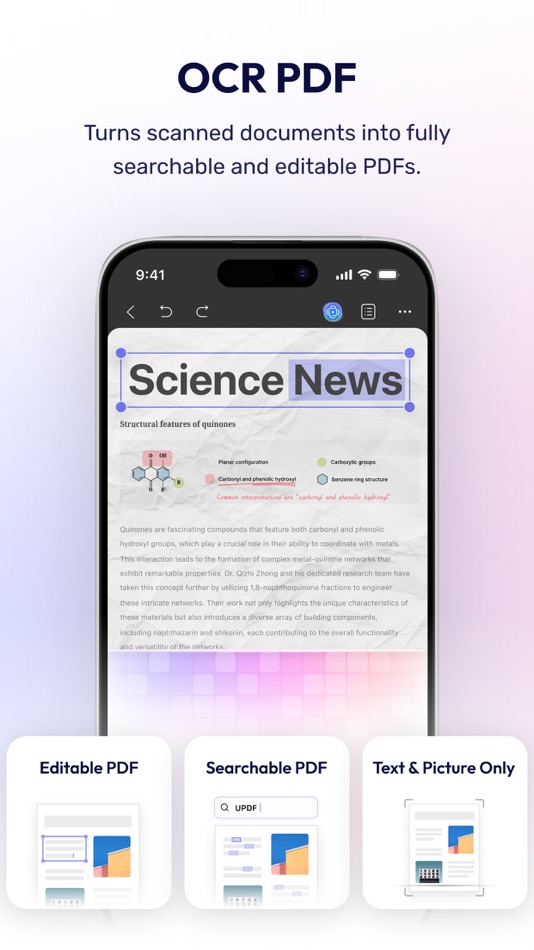
OCR PDF
- Convert scanned documents and images into searchable and editable PDFs
- Recognize text in 38 languages
Scan to PDF
- Scan physical documents to PDF with your camera
- Scan ID cards onto one page
- Crop, rotate, and filter scanned images
Convert PDF
- Convert PDF to Word, Excel, PPT, and images
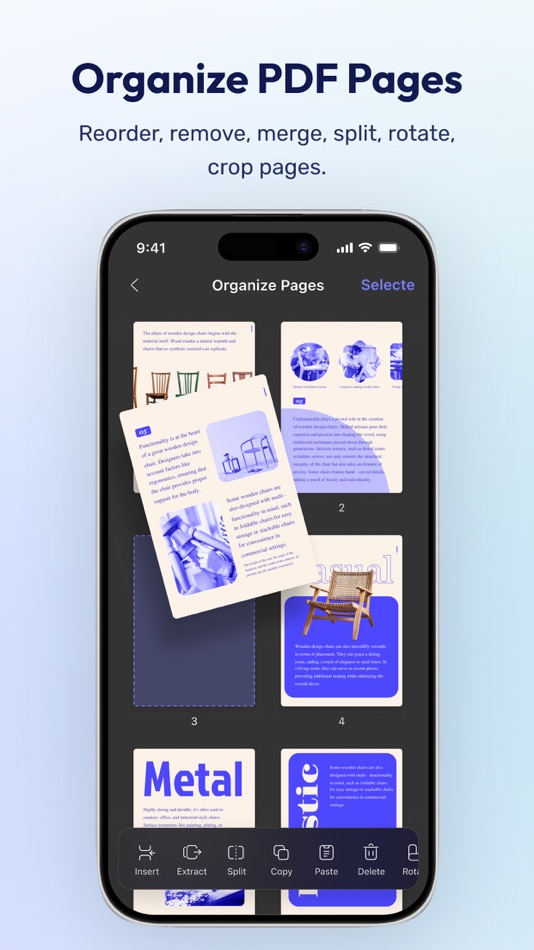
Organize PDF Pages
- Insert, replace, extract, split, rotate, remove, and reorder pages in PDFs
- Merge multiple PDFs into one file
- Copy, paste, and share specific pages in a PDF
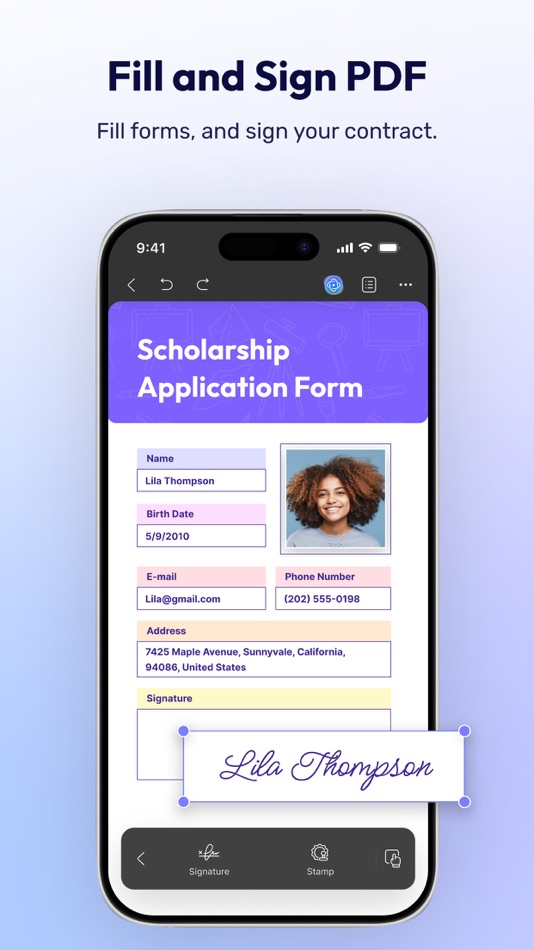
Sign PDF & Fill PDF Form
- Create handwritten signatures
- Import and add image signatures
- Fill PDF form and add e-signatures
- Save signatures to cloud for cross-platform use
Create PDF
- Create PDF with blank, lined, dotted, grid, and graph papers
- Combine multiple files/images into one PDF
Protect PDF
- Password-protect PDFs to restrict opening, editing, and printing
- Add or remove watermarks
- Add digital signatures
Manage Files
- Upload, create, rename, move, copy, duplicate, and organize files or folders
- Unzip files by simply tapping .zip files
- Search for files
- Supports two-finger multiple selections and operations
- Move files or folders to trash, and find deleted items in the trash
- Protect PDF files with a password or unlock protected PDF files
- Compress one or multiple files into a zip file
Security Space
- Protect your privacy by moving files or folders to Security Space
- Enable Face ID & Passcode to access your Security Space
Import File
- Import files from Photos albums
- Import files from the Files App
- Transfer files from a computer over the same Wi-Fi
View files in All Formats
- Browse dozens of different file formats including PDFs, Office documents (.doc, .docx, .ppt, .pptx, .xls, .xlsx), Pages, Keynotes, and Numbers with a single app
- Open other formats such as text, HTML, XML, Web Archive, Images (JPG, JPEG, GIF, PNG, TIFF, SVG, BMP), video, audio
*** Pro Features of In-App Purchase ***
- Use UPDF across all platforms including desktops and mobiles
- Free Users will get 1 GB of Cloud Storage; Paid users will get 10 GB of Cloud Storage for free
- Advanced PDF features such as Convert PDF with OCR, batch process, etc. are available on the desktop
- Unlimited use of Scan to PDF (Free trial only scans up to 5 pages)
- Unlimited use of Security Space (Trial version stores up to 10 items)
- Secure App with passcode/TouchID/FaceID
Need help? Email us at support@superace.com
Ad
Ảnh chụp màn hình



Lịch sử giá
-
* Trong ứng dụng mua hàng - Hôm nay: Miễn phí
- Tối thiểu: Miễn phí
- Tối đa: Miễn phí
Theo dõi giá
Tính năng mới
- Phiên bản: 2.5.0
- Cập nhật:
- UPDF 2.5 — Three Powerful AI Upgrades for Your PDF Reader.
Work smarter with your documents: read faster, edit with precision, and find anything instantly.
• AI Bookmark Agent: Auto-generate smart bookmarks and get instant 3-sentence summaries for every section. Stop scrolling — navigate any PDF document in seconds.
• AI Semantic Search: Find what you mean, not just what you type. Your AI-powered PDF editor now understands concepts, not just keywords — 95% concept accuracy.
• AI Editing Suite: Rewrite, refine tone, or correct grammar directly inside the PDF editor. Professional-grade writing tools, zero copy-pasting.
Plus: general performance improvements and stability fixes.
Bình luận (0)
Hãy là người đầu tiên nhận xét 🌟
Nhà phát triển
- Superace Software Technology Co., Ltd.
- Nền tảng: Android Ứng dụng (1) iOS Ứng dụng (1) macOS Ứng dụng (2)
- Danh sách: 1 + 1
- Điểm: 14 + 2,682 ¡
- Xếp hạng: 0
- Đánh giá: 0
- Bình luận: 0
- Giảm giá: 0
- Video: 0
- RSS: Đăng ký
Điểm (6)
-

- 29,676 Lance Eliakim Sotto
- +1
-
- 2,357 Kras-s-savchiK
- +1
-
- 169 Dawn
- +1
-
- 1,344 first241
- +1
-
- 182 Issam Rekik
- +1
-
- 49 Samson
- +1






Xếp hạng (0)
0 ☹️
Danh sách (1)
- UPDF - AI-Powered PDF Editor
Đánh giá (0)
Hãy là người đầu tiên đánh giá 🌟
Thông tin bổ sung
- Phiên bản: 2.5.0
- Danh mục:
iOS Ứng dụng›Năng suất - HĐH:
iPad,iPhone,iOS 14.0 trở lên - Kích thước:
189 Mb - Ngôn ngữ được hỗ trợ:
Chinese,Dutch,English,French,German,Italian,Japanese,Korean,Portuguese,Russian,Spanish - Xếp hạng nội dung:
4+ - App Store Xêp hạng:
4.6(591) - Cập nhật:
- Ngày phát hành:
Danh bạ
- Trang web:
 https://updf.com/updf-for-ios/
«UPDF - AI-Powered PDF Editor». Nền tảng: iOS. Thể loại: Năng suất. Nhà phát triển: «Superace Software Technology Co., Ltd.». Bản phát hành đầu tiên: . Cập nhật lần cuối: . Giá hiện tại: miễn phí. Tiêu đề này chưa nhận được xếp hạng hoặc đánh giá trên AppAgg. Danh sách: công khai 1, riêng tư 0. Điểm được theo dõi: xác nhận 6, gián tiếp 591. Cửa hàng: App Store. Đánh giá cửa hàng: 4.6. Phiếu bầu: 591. Ngôn ngữ có sẵn: Chinese, Dutch, English, French, German, Italian, Japanese, Korean, Portuguese, Russian, Spanish. AppAgg theo dõi lịch sử giá, xếp hạng và phản hồi của người dùng cho «UPDF - AI-Powered PDF Editor». Theo dõi ưu đãi và cập nhật trong tương lai qua RSS. AppAgg không lưu trữ ứng dụng hoặc phân phối phần mềm. Tất cả các nhãn hiệu, logo và ảnh chụp màn hình đều thuộc về chủ sở hữu tương ứng.
UPDF - AI-Powered PDF Editor URL ngắn: Đã sao chép!- 🌟 Chia sẻ
- App Store
Ad
Tương tự
-
- PDF Editor Docs files scanner
- iOS Ứng dụng: Năng suất Bởi: OFFIWIZ, S.L.
- * Miễn phí
- Danh sách: 0 + 0 Xếp hạng: 0 Đánh giá: 0
- Điểm: 3 + 18 (4.1) 0 Phiên bản: 2.2.1 PDF Editor - Sign PDF, Create PDF & Edit PDF Sign, edit, read, create, draw, protect and modify any PDF file PDF Editor - Sign PDF, Create PDF & Edit PDF is a document editor that ... ⥯
-
- PDF Editor - Reader&Converter
- iOS Ứng dụng: Năng suất Bởi: Shenzhen Miguo Qudong Technology Co., Ltd
- * Miễn phí
- Danh sách: 1 + 0 Xếp hạng: 0 Đánh giá: 0
- Điểm: 2 + 7 (3.9) 0 Phiên bản: 1.1.7 PDF Editor - Reader&Converter: PDF Edit is your all-in-one PDF toolkit to scan, edit, convert, and manage PDF documents effortlessly. Whether you're editing contracts, filling forms, ... ⥯
-
- PDF Editor, Files Converter.
- iOS Ứng dụng: Năng suất Bởi: Taras Bublyk
- Miễn phí
- Danh sách: 0 + 0 Xếp hạng: 0 Đánh giá: 0
- Điểm: 1 + 507 (4.7) 0 Phiên bản: 1.0.8 Edit, compress, convert, and organize PDFs effortlessly all in one app. With this all-in-one PDF converter and PDF editor, you can handle any document task with ease. Whether you need ... ⥯
-
- PDF Editor-PDFCore
- iOS Ứng dụng: Năng suất Bởi: Poh Earr Tan
- Miễn phí
- Danh sách: 0 + 1 Xếp hạng: 0 Đánh giá: 0
- Điểm: 1 + 0 0 Phiên bản: 1.1 Unlock the full potential of your digital documents with PDFCore, the comprehensive PDF editor designed to elevate your document management experience. Whether you're a professional ... ⥯
-
- PDF Editor - PDF4.com
- iOS Ứng dụng: Năng suất Bởi: Mobotechnology LLC
- * Miễn phí
- Danh sách: 0 + 0 Xếp hạng: 0 Đánh giá: 0
- Điểm: 0 + 2 (5.0) 0 Phiên bản: 1.0.5 PDF4 Editor All-in-One PDF Editor, Scanner & Form Filler Edit, Sign, Scan & Annotate PDFs Anytime, Anywhere. PDF4 Editor is your ultimate PDF toolkit designed for productivity on the ... ⥯
- mới
- PDF Editor — AI Summarize
- iOS Ứng dụng: Năng suất Bởi: NOVA APPS TEKNOLOJI LIMITED SIRKETI
- * Miễn phí
- Danh sách: 0 + 0 Xếp hạng: 0 Đánh giá: 0
- Điểm: 1 + 0 0 Phiên bản: 1.4 PDF Editor AI-powered PDF Tools Take full control of your PDFs with PDF Editor the ultimate all-in-one app for editing, annotating, signing, and summarizing documents on your iPhone. ... ⥯
-
- PDF Editor : PDF Reader,Signer
- iOS Ứng dụng: Năng suất Bởi: AppDash LLC
- Miễn phí
- Danh sách: 0 + 1 Xếp hạng: 0 Đánh giá: 0
- Điểm: 7 + 74 (4.2) 0 Phiên bản: 1.4.4 PDF Editor is a powerful and user-friendly tool specifically designed for handling PDF files. It integrates a wealth of features that empower you when dealing with PDF files. Here is a ⥯
-
- PDF Editor - Expert Edit Sign
- iOS Ứng dụng: Năng suất Bởi: Rainbow Factory LTD - Sticky Notes
- Miễn phí
- Danh sách: 0 + 1 Xếp hạng: 0 Đánh giá: 0
- Điểm: 4 + 20 (4.7) 0 Phiên bản: 1.3 PDF Editor is a powerful PDF annotator for Mac and iOS . It allows you to add notes, highlights, comments, and annotations to your PDF documents with ease. With a user-friendly ... ⥯
-
- PDF Editor: Converter files
- iOS Ứng dụng: Năng suất Bởi: HRHELPERG LLC
- Miễn phí
- Danh sách: 0 + 0 Xếp hạng: 0 Đánh giá: 0
- Điểm: 1 + 60 (4.7) 0 Phiên bản: 2.0.1 All-in-One PDF Editor Your Complete Document Solution Transform any device into a professional PDF workspace. Our comprehensive app combines all essential tools in one place, letting ... ⥯
-
- HappiNest | AI Powered Leasing
- iOS Ứng dụng: Năng suất Bởi: HappiNest.AI, Inc.
- Miễn phí
- Danh sách: 0 + 1 Xếp hạng: 0 Đánh giá: 0
- Điểm: 2 + 3 (5.0) 0 Phiên bản: 1.0.9 HappiNest.ai is the modern way to manage leasing from lead to lease. Our AI-powered platform helps property managers save time, lower costs, and lease faster by automating the entire ... ⥯
- mới
- PDF Editor, Scanner & CV Maker
- iOS Ứng dụng: Năng suất Bởi: Hasnain Ahmad
- * Miễn phí
- Danh sách: 0 + 0 Xếp hạng: 0 Đánh giá: 0
- Điểm: 0 + 0 0 Phiên bản: 1.0.3 The only PDF editor with a built-in resume builder, OCR scanner, e-signature & QR code generator works 100% offline. Edit, convert, sign & scan documents in seconds. Trusted by ... ⥯
-
- PDF Editor & Files Converter
- iOS Ứng dụng: Năng suất Bởi: HALLY SHARP
- Miễn phí
- Danh sách: 0 + 0 Xếp hạng: 0 Đánh giá: 0
- Điểm: 2 + 76 (4.6) 0 Phiên bản: 1.0.4 Manage your documents effortlessly using a powerful and intuitive PDF editing app. Whether you're reviewing contracts, filling out forms, or annotating files, this tool offers ... ⥯
-
- PDF Editor & Converter App
- iOS Ứng dụng: Năng suất Bởi: Habiba Rashid
- * Miễn phí
- Danh sách: 0 + 0 Xếp hạng: 0 Đánh giá: 0
- Điểm: 1 + 0 0 Phiên bản: 1.0 Looking for a fast, simple, and reliable way to manage your documents on iPhone or iPad? This all-in-one PDF Converter makes it easy to create, edit, and share professional files in ... ⥯
-
- PDF Editor Reader
- iOS Ứng dụng: Năng suất Bởi: SENRONG
- Miễn phí
- Danh sách: 0 + 0 Xếp hạng: 0 Đánh giá: 0
- Điểm: 0 + 1,350 (4.0) 0 Phiên bản: 1.3.0 PDF Editor Reader: Free All-in-One Tool for Work & Life CORE FEATURES Convert to PDF: Turn documents (Word, Excel, ppt, ...), images, and more into PDFs in one tap. Split PDF by Page: ... ⥯