
Lagrede
Velg navnet som skal vises i menyen Lagrede.
Ferdig!
| Utvikler: | Skylum Software USA, Inc. (2) | ||
| Pris: | * Gratis | ||
| Rangeringer: | 0 | ||
| Kommentarer: | 0 Legg inn kommentar | ||
| Lister: | 2 + 1 | ||
| Poeng: | 3 + 1,086 (4.8) ¡ | ||
| Windows Store | |||
Beskrivelse

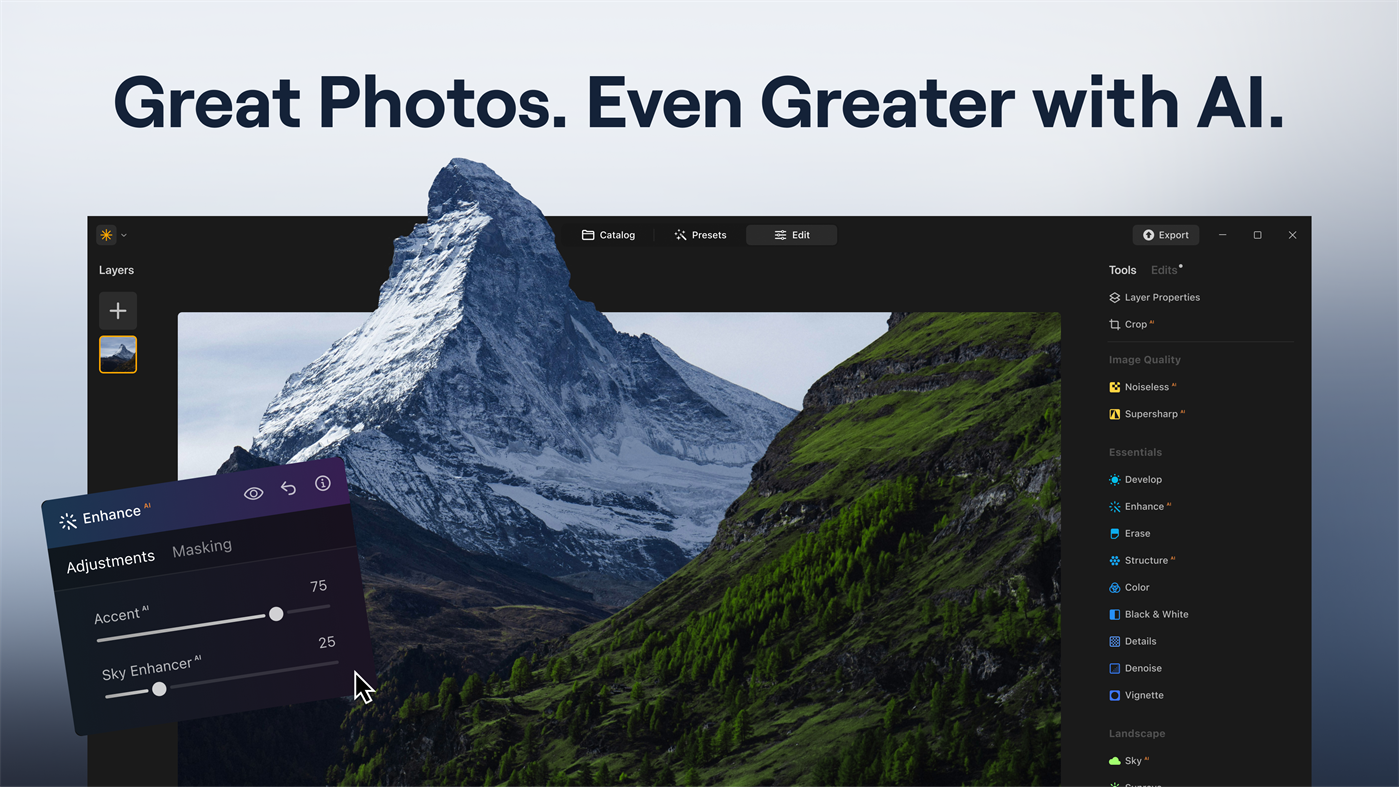
Use Gen AI tech to remove unwanted elements in your shots, expand the frame of your photos, and try out new ways to bring your vision to life. Plus, explore features such as the object remover and background eraser to declutter images. This image editor offers maximum performance.
Luminar Neo also works as a plugin in Lightroom, and Photoshop.
Key Features:
GENERATIVE TOOLS:
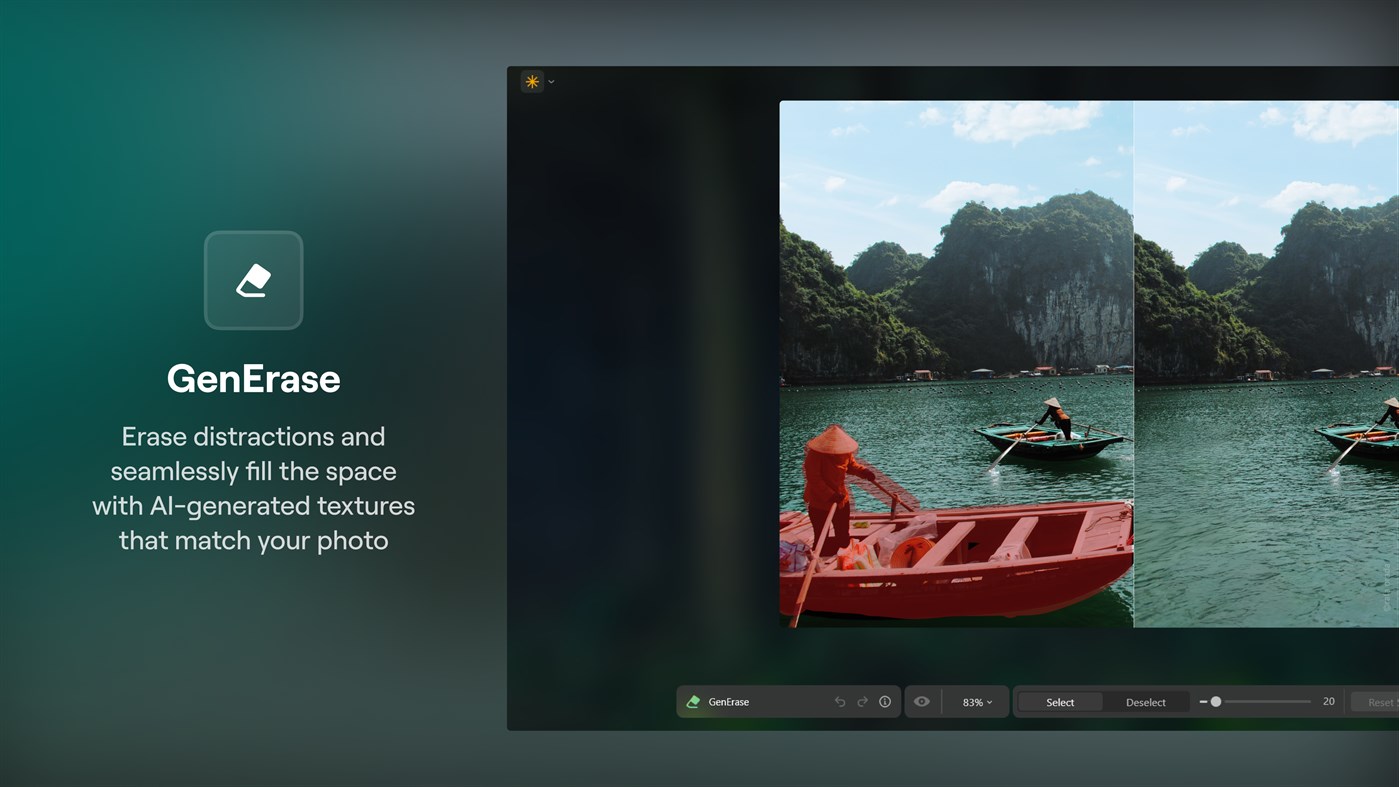
• GenErase: Eliminate distractions and seamlessly fill gaps with AI-generated elements that match the surrounding area
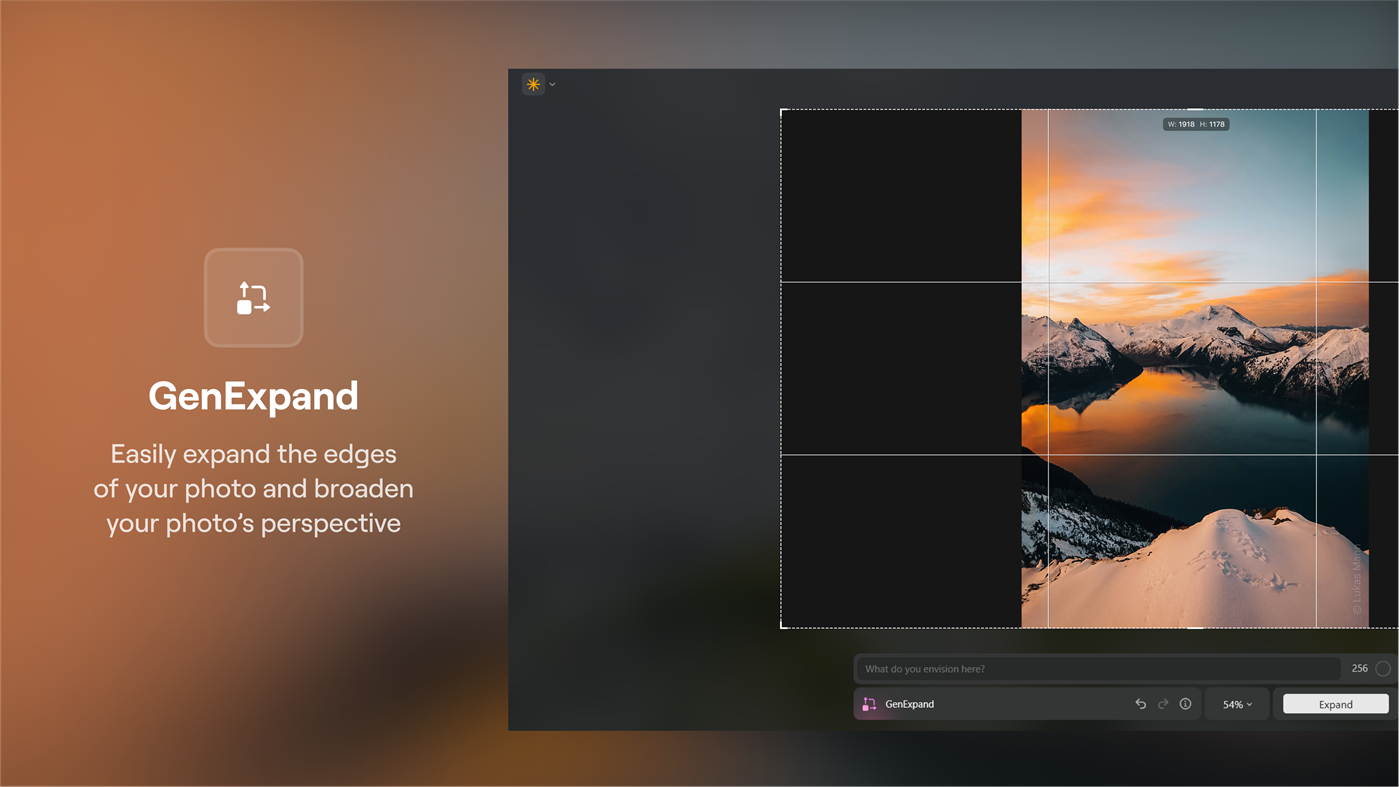
• GenExpand: Extend the boundaries of your photos and fill the new space with realistic AI-generated visuals
• GenSwap: Replace specific elements in your photos with AI-generated visuals that seamlessly integrate with the rest of your image
LANDSCAPE TOOLS:
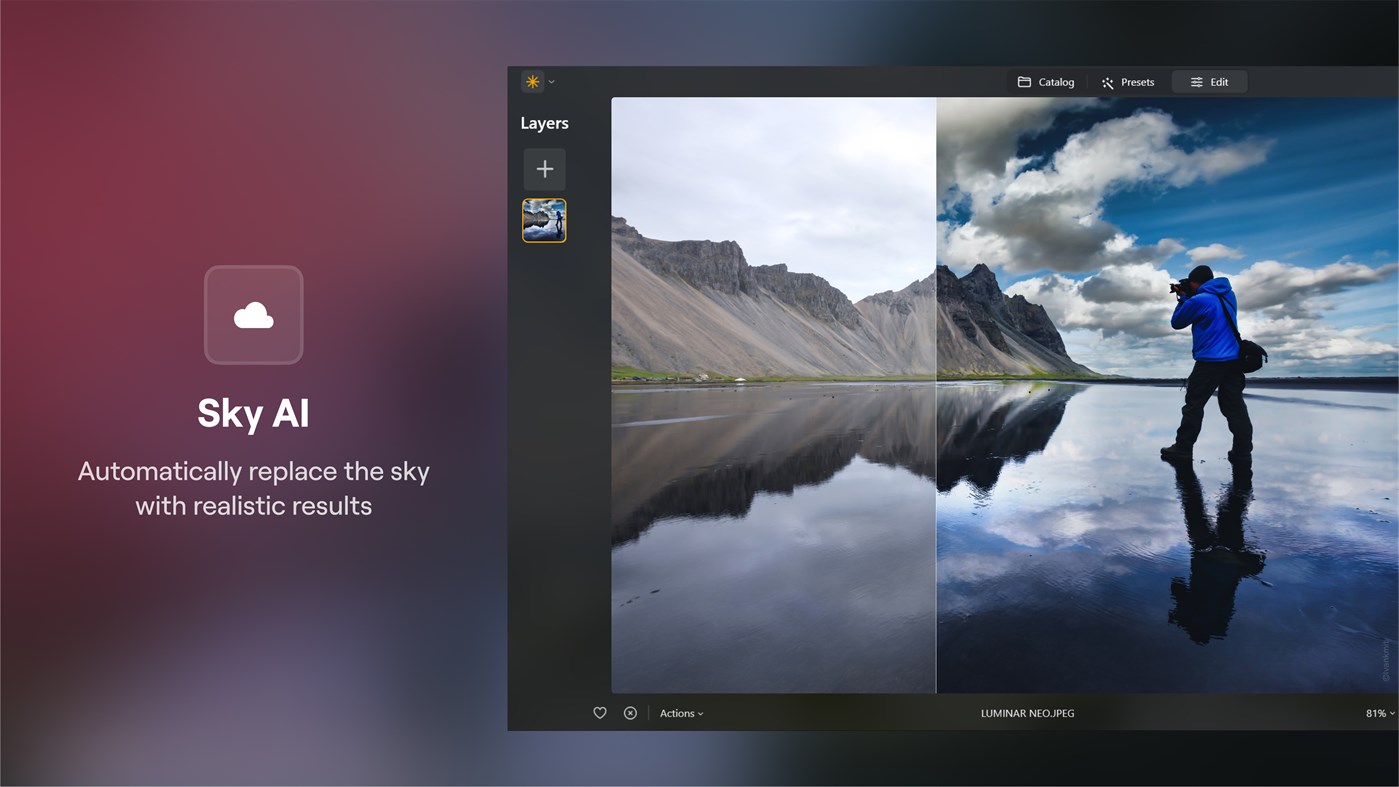
• Sky AI: Automatic sky replacement — make dull, cloudy days look brilliant
• Atmosphere AI: Realistically simulate weather effects like fog, mist, and haze using advanced 3D depth reconstruction
• Sunrays: Emulate the natural illumination and effects of sunlight
• Twilight Enhancer AI: Emulate the ambiance of the blue and golden hours around sunrise and sunset
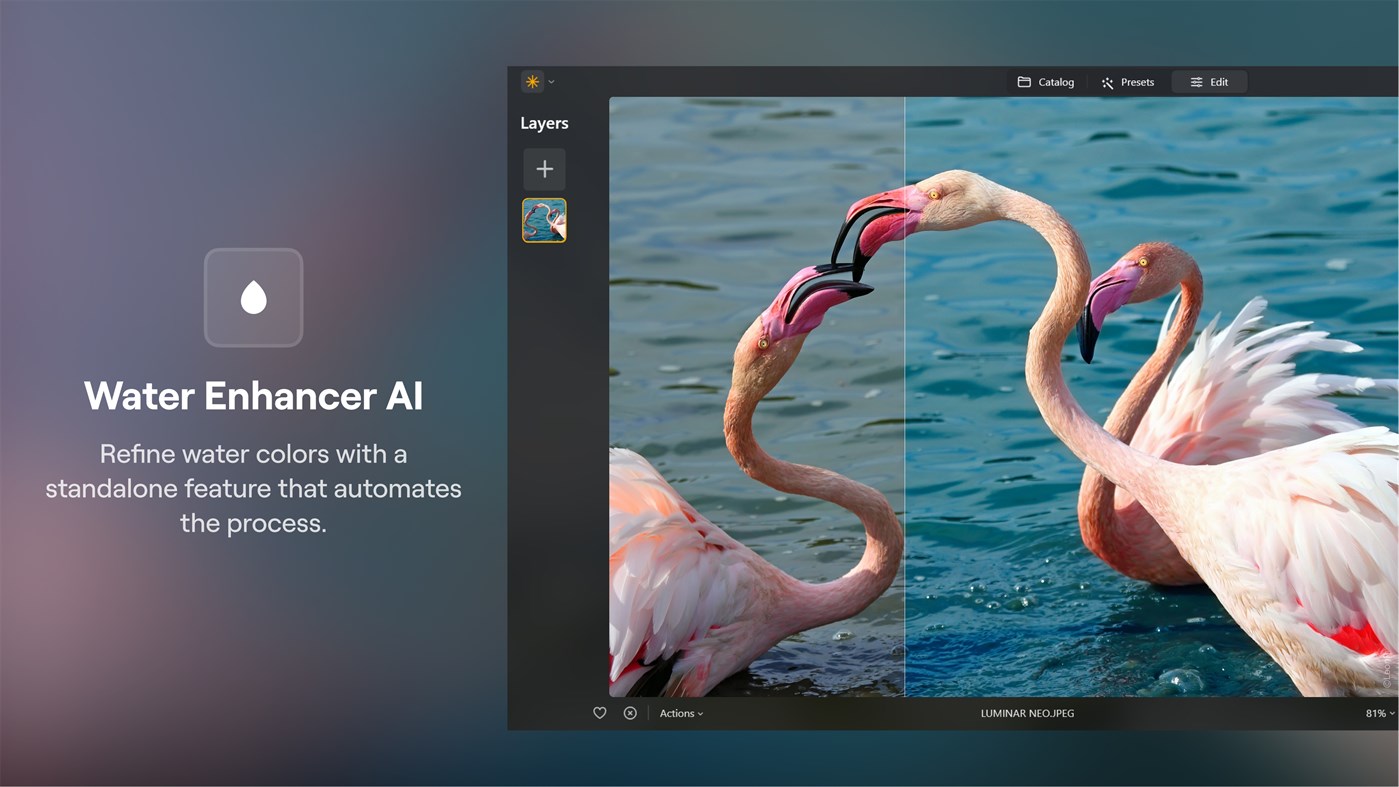
• Water Enhancer AI: Adjust and refined the color, depth and reflective quality of any body of water
PORTRAIT TOOLS:
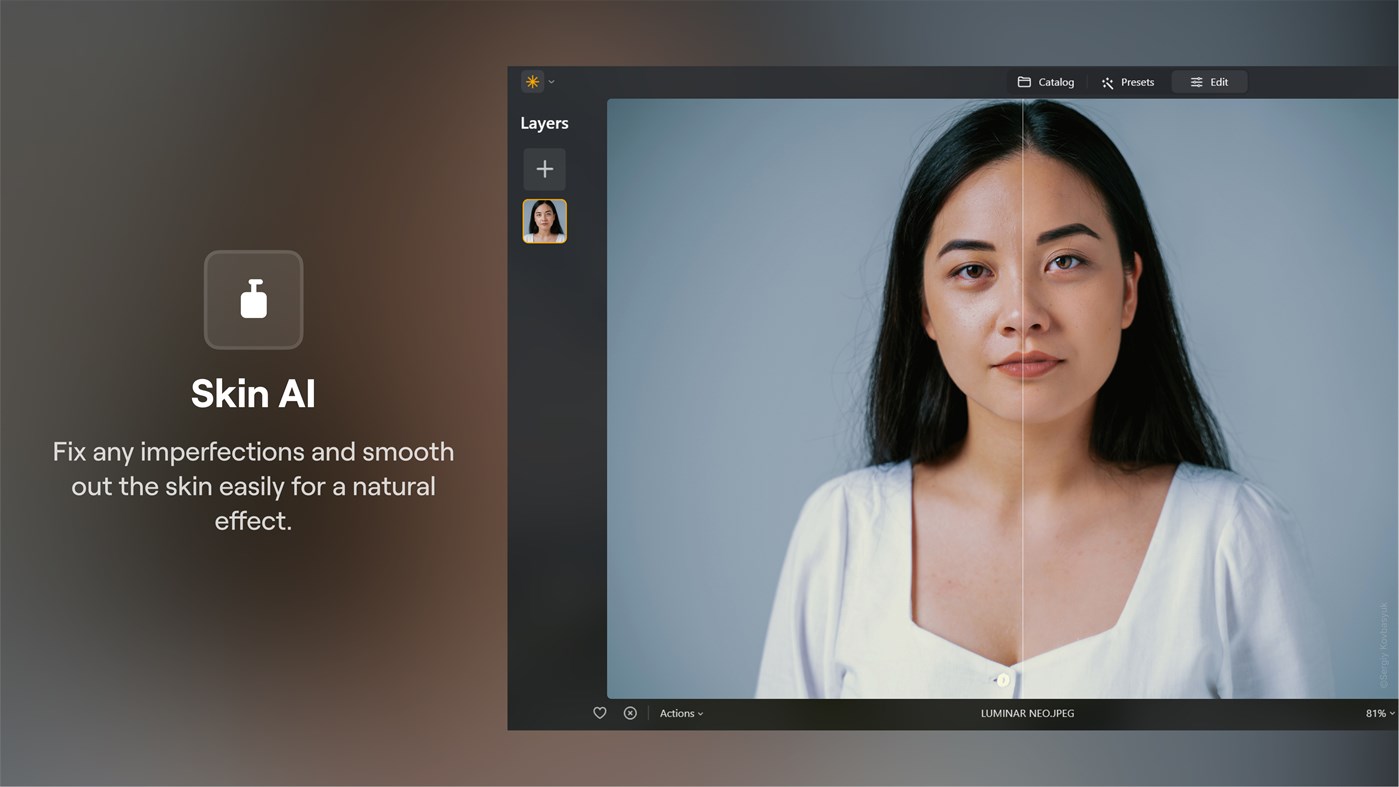
• Skin AI: Automatically detect and remove skin imperfections while preserving texture and detail
• Face AI: Retouch facial features with precision
• Body AI: Adjust body proportions by removing or adding volume to a subject’s midsection to achieve the desired look
• Studio Light: Replicate studio lighting effects with a photo brightener, typically achieved with expensive studio equipment
• Portrait Bokeh AI: Create bokeh effects in portrait photos based on image depth reconstruction
OTHER TOOLS:
• Neon & Glow: Add captivating lighting effects and blend neon elements for added visual appeal
• Supercontrast: Precisely adjust tonal contrast in different ranges to enhance image depth and detail
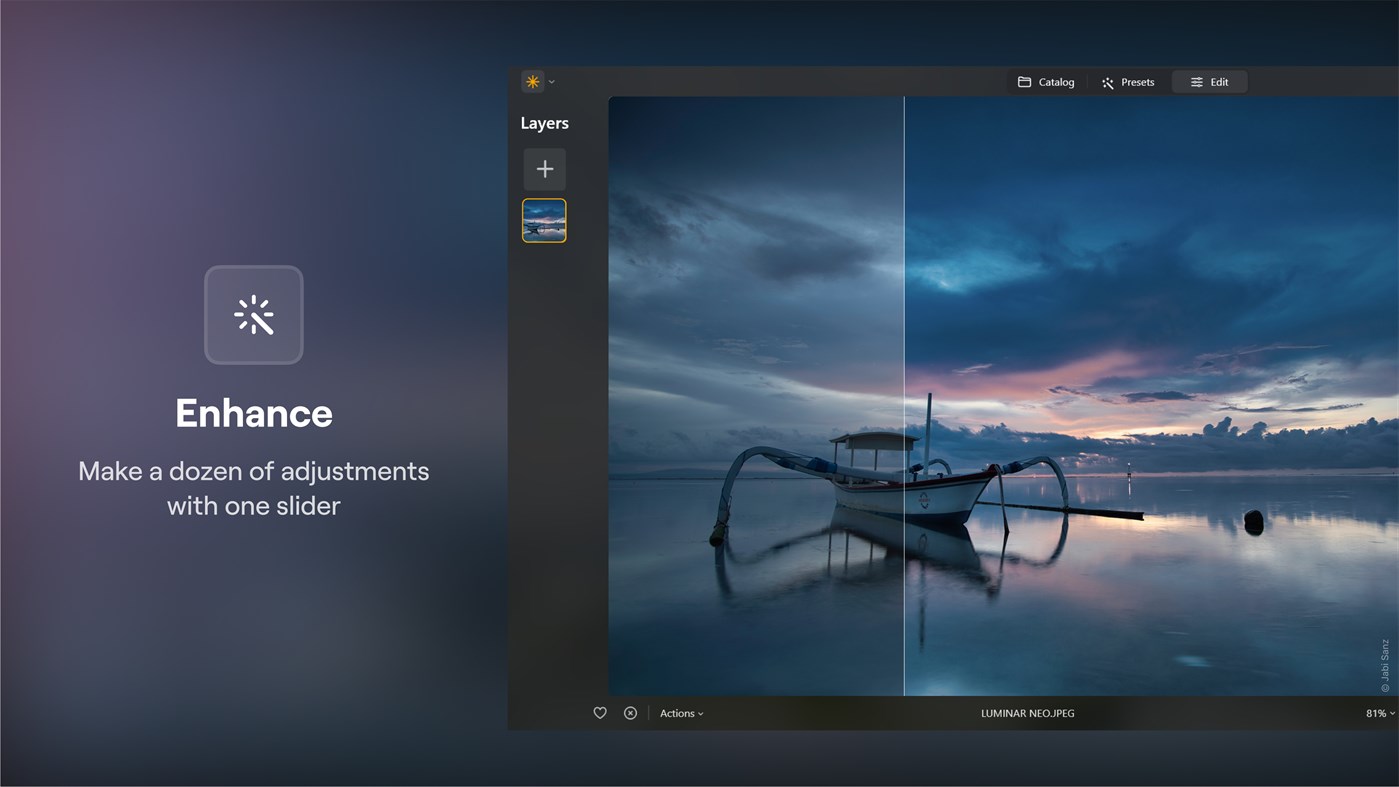
• Enhance AI: With one slider, automatically adjust up to a dozen elements including shadows, highlights, contrast, tone, saturation, and exposure
• Relight AI: Emulate a 3D light source (flash) to dynamically adjust lighting conditions
• Noiseless AI: Advanced noise reduction that keeps details intact
• Supersharp AI: Unblur photos and enhance details with this image sharpening tool
• Upscale: This photo resizer allows you to increase resolution up to 6X
• Panorama Stitching: Create stunning panoramas from your photos and videos
• Focus Stacking: Achieve incredible detail with seamless blending of multiple depths of field
• Background Removal AI: Automatic background remover for any object
• HDR Merge: Batch HDR processing allows you to merge up to 1000 images using brackets
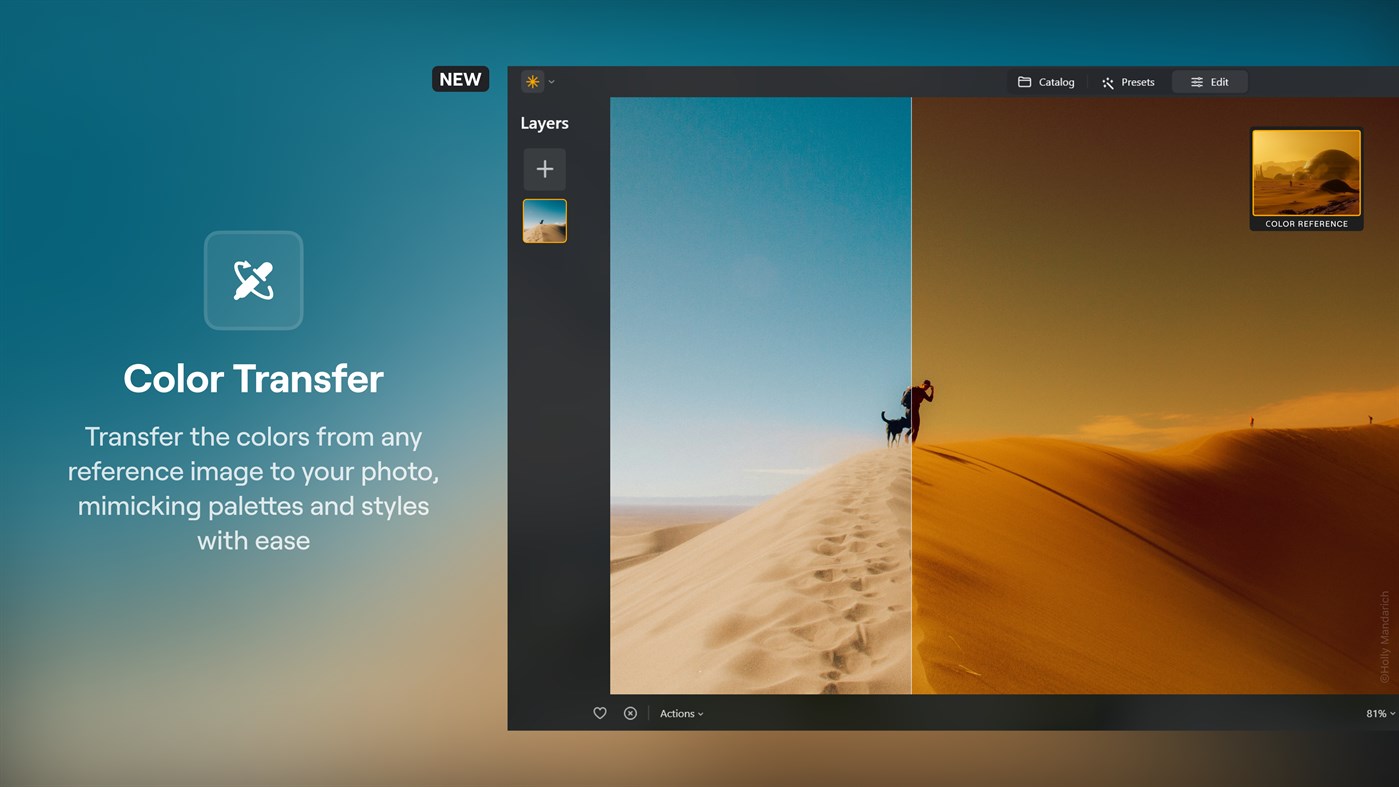
• Color Transfer: Transfer the colors from any reference image to your photo, mimicking palettes and styles with ease.
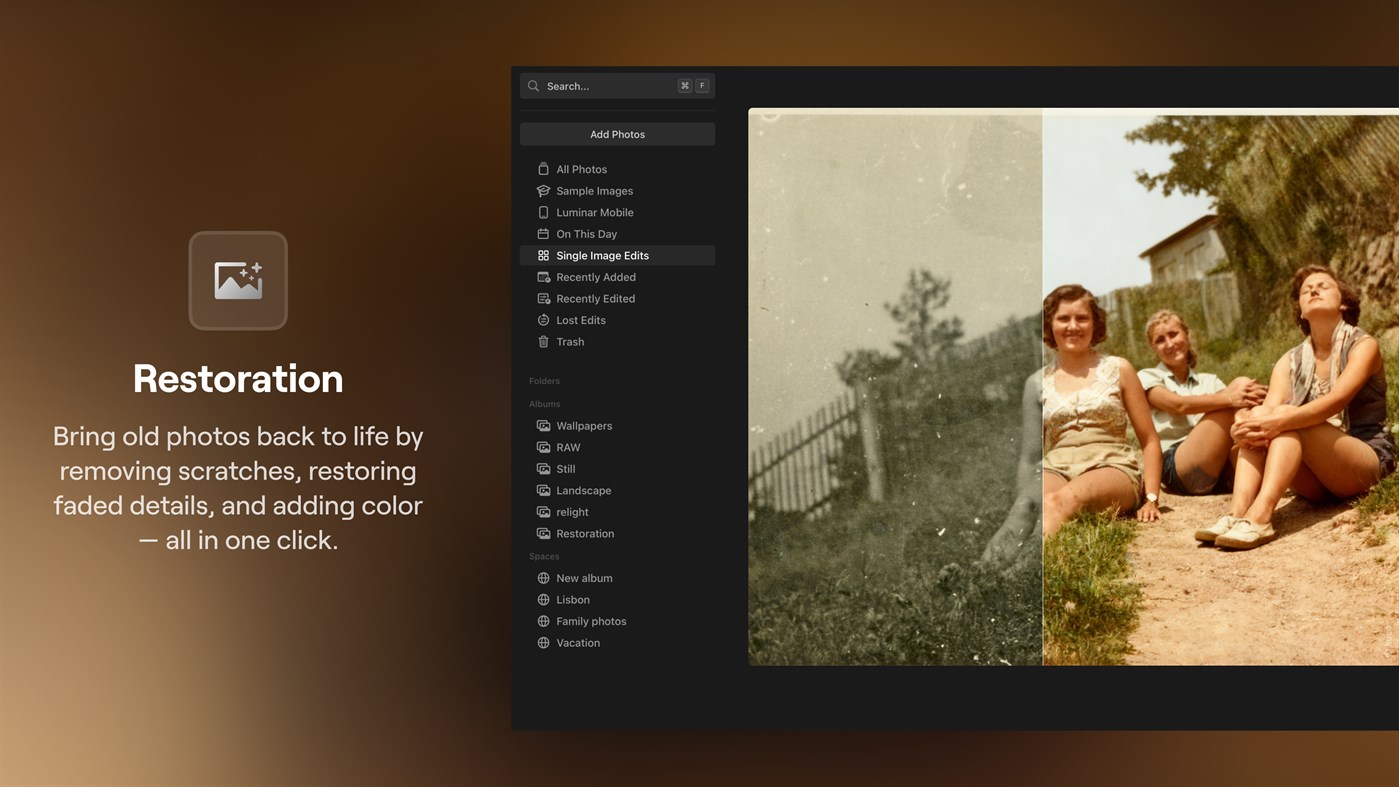
• Restoration: Bring old photos back to life by removing scratches, restoring faded details, and adding color — all in one click.
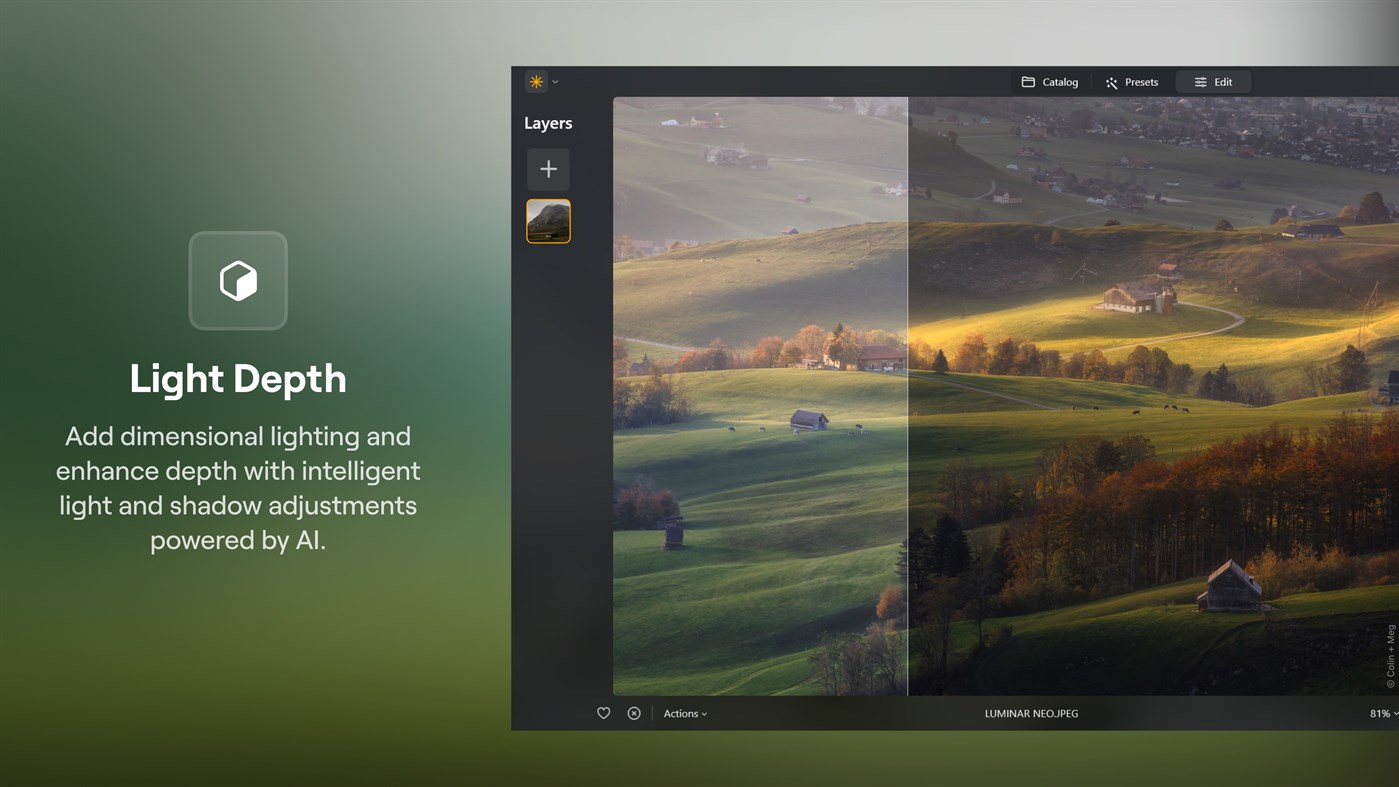
• Light depth: Add dimensional lighting and enhance depth with intelligent light and shadow adjustments powered by AI.
• Ecosystem: Start on mobile and finish on desktop in one seamless editing flow. Share your photos effortlessly through online Spaces.
FLEXIBLE WORKFLOW:
• Apply multiple layers for unlimited creativity
• Apply any tool to any layer with photo Overlays
• Save all adjustments in Presets for quick reuse
• Effortlessly photo edit without losing original information
ADDITIONAL FUNCTIONALITY:
• Work with RAW images from over 1000 camera types, including CR2, CR3, NEF, ORF and RAF formats
• Also works with JPEG, PNG, TIFF, and many more file formats
• Copy and paste adjustments across multiple images
Terms of use: https://skylum.com/terms-of-use
Privacy policy: https://skylum.com/legal
Ad
Skjermbilder
Prishistorie
-
* Kjøp i appen - Gjeldende pris: Gratis
- Minimum: Gratis
- Maksimalt: Gratis
Spor priser
Dette er nytt
- Versjon: PC
- Oppdatert:
Tilleggsinformasjon
- Utgivelsesdato:
- Kategori:
Windows Apper›Foto og video - OS:
PC - Størrelse:
5 Gb - Språk som støttes:
English - Egnethet:
EVERYONE - Windows Store Vurdering:
4.8(1,086) - Nettsted:
 https://skylum.com/luminar-neo
Utvikler
- Skylum Software USA, Inc.
- Plattformer: Windows Apper (2)
- Lister: 2 + 1
- Poeng: 3 + 1,094 ¡
- Rangeringer: 0
- Kommentarer: 0
- Rabatter: 0
- Videoer: 0
- RSS: Abonner
Lister (2)
- Luminar Neo - AI Photo Editor





Rangeringer (0)
0 ☹️
Kommentarer (0)
Vær den første til å kommentere 🌟
«Luminar Neo - AI Photo Editor». Plattform: Windows. Kategori: Foto og video. Utvikler: «Skylum Software USA, Inc.». Første utgivelse: . Siste oppdatering: . Gjeldende pris: gratis. Denne tittelen har ennå ikke mottatt vurderinger eller anmeldelser på AppAgg. Lister: offentlige 2, private 1. Sporede punkter: bekreftede 3, indirekte 1,086. Butikk: Windows Store. Butikkvurdering: 4.8. Stemmer: 1,086. Tilgjengelige språk: English. AppAgg sporer prishistorikk, rangeringer og tilbakemeldinger fra brukere for «Luminar Neo - AI Photo Editor». Følg fremtidige rabatter og oppdateringer via RSS. AppAgg er ikke vert for applikasjoner eller distribuerer programvare. Alle varemerker, logoer og skjermbilder tilhører deres respektive eiere.
Luminar Neo - AI Photo Editor Kort nettadresse: Kopiert!- 🌟 Dele
- Windows Store
Lignende
-
- AI Photo Editor and Montage
- Windows Apper: Foto og video Av: PicsCanvas
- * Gratis
- Lister: 0 0 0
- Poeng: 1 + 10 (3.2) Versjon: PC Welcome to AI Photo Editor Montage, the all-in-one photo editing app designed to unleash your creativity and transform your ordinary snapshots into stunning masterpieces. Whether ... ⥯
-
- Picsart AI Photo Editor
- Windows Apper: Foto og video Av: PicsArt Inc.
- * Gratis
- Lister: 4 + 1 0 0
- Poeng: 15 + 17,158 (3.4) Versjon: PC Get Picsart Windows Photo Editor and join a global community of over 150 million creators. Download free photos editor to bring your creativity to life with a full suite of AI-powered ... ⥯
-
- Mossaik XDR Pro: AI Photo Editor - Filters, Overlays, Collage
- Windows Apper: Foto og video Av: Ayush Aggarwal
- $39.99
- Lister: 0 0 0
- Poeng: 1 Versjon: PC Camera cannot capture your mood or sentiment, leaving the real message in the photo you wanted to convey. Mossaik XDR helps bridge that with a wide gamut of tools to liven up your ... ⥯
-
- Irix HDR Pro - AI Photo Editor
- Windows Apper: Foto og video Av: Binaire Private Limited
- $49.99
- Lister: 1 0 0
- Poeng: 0 + 7 (3.6) Versjon: PC Irix HDR brings true to life HDR photo editing offering one click edits to full scale pro editing toolset. Sky Replacement (SkyXpress)- Replace skies and introduce weather. Import ... ⥯
-
- Ultimate Photo Editor
- Windows Apper: Foto og video Av: Photo Cool Apps
- * Gratis
- Lister: 0 0 0
- Poeng: 1 + 4,479 (4.7) Versjon: PC Want to edit your pics and create mesmerizing photos? If yes, then this is the app for you. Ultimate Photo Editor is a small but powerful photo editing application. Even if you don't ... ⥯
-
- Movie Maker - Video Editor
- Windows Apper: Foto og video Av: AI Photo Editor Lab
- * Gratis
- Lister: 0 + 1 0 0
- Poeng: 1 + 18,353 (4.4) Versjon: PC Video Editor - Movie Maker for Windows 10 & 11. The fastest way to make video for YouTube, TikTok, or Instagram - no experience needed. Trusted by millions of users worldwide. Create ... ⥯
-
- AI Photo Restore - Enhancement & Restoration
- Windows Apper: Foto og video Av: HIG
- $19.99
- Lister: 0 0 0
- Poeng: 0 + 12 (1.8) Versjon: PC AI Photo Restore is the best and most modern photo restoration software available as it uses the latest machine learning technology. The technology behind the app is a state-of-the-art ⥯
-
- Photo Editor-Photo Studio
- Windows Apper: Foto og video Av: Express Apps
- * Gratis
- Lister: 0 0 0
- Poeng: 1 + 445 (3.7) Versjon: PC Photo Editor Photo Studio is an all-in-one photo and video editing app designed to transform your media effortlessly. With a wide range of powerful tools, you can enhance, customize, ... ⥯
-
- Photo Editor - Picture Editor
- Windows Apper: Foto og video Av: Best Game Studio
- * Gratis
- Lister: 0 0 0
- Poeng: 1 + 129 (3.2) Versjon: PC Photo Editor offers everything you want to edit pictures. A host of stylish effects, filters and draw tools help you create an eye-catcher, even if you've never edited a photo before. ... ⥯
-
- Photo to PDF - Photo Editor & Image Converter
- Windows Apper: Foto og video Av: White Peacock
- * Gratis
- Lister: 0 0 0
- Poeng: 0 Versjon: PC Photo Editor offers a comprehensive suite of tools to enhance your images. With adjustable settings for brightness, contrast, and saturation, you can fine-tune your photos to ... ⥯
-
- Photo Lab Photo Editor
- Windows Apper: Foto og video Av: Queenloft
- * Gratis
- Lister: 0 0 0
- Poeng: 1 + 1,218 (3.6) Versjon: PC See the best in you with Photo Lab Photo Editor, a complete and easy-to-use photo editing app for Windows. Enhance your pictures, apply creative effects, and personalize them with ... ⥯
-
- Photo Editor - Pinnacle
- Windows Apper: Foto og video Av: Pinnacle Labs
- * Gratis
- Lister: 0 0 0
- Poeng: 1 + 7 (2.7) Versjon: PC Enhance your photos with Photo Editor Pinnacle, an all-in-one image editing app designed to give your pictures a professional touch. Whether you want to fine-tune your photos or create ⥯
-
- AI Photo & Video Colorizer
- Windows Apper: Foto og video Av: Arkadium Apps
- $3.34
- Lister: 0 0 0
- Poeng: 2 Versjon: PC Bring your black-and-white memories back to life with AI Photo & Video Colorizer, the most advanced AI-powered colorization tool for Windows. Transform old family photos, vintage ... ⥯
-
- Photo editor for windows 10
- Windows Apper: Foto og video Av: 韵华软件
- * Gratis
- Lister: 0 0 0
- Poeng: 0 + 25 (2.1) Versjon: PC Use the Photo editor to modify your images. Advanced editing features like custom cropping, text and shape annotations, and image transformation tools enable you to bring your creative ⥯