
保存済み
保存済みメニューに表示する名前を選択してください。
完了
| デベロッパー: | MR A D HODGKINSON (4) | ||
| 価格: | フリー | ||
| ランキング: | 0 | ||
| コメント: | 0 コメントを投稿する | ||
| リスト: | 2 + 0 | ||
| ポイント: | 0 + 0 ¡ | ||
| Mac App Store | |||
説明
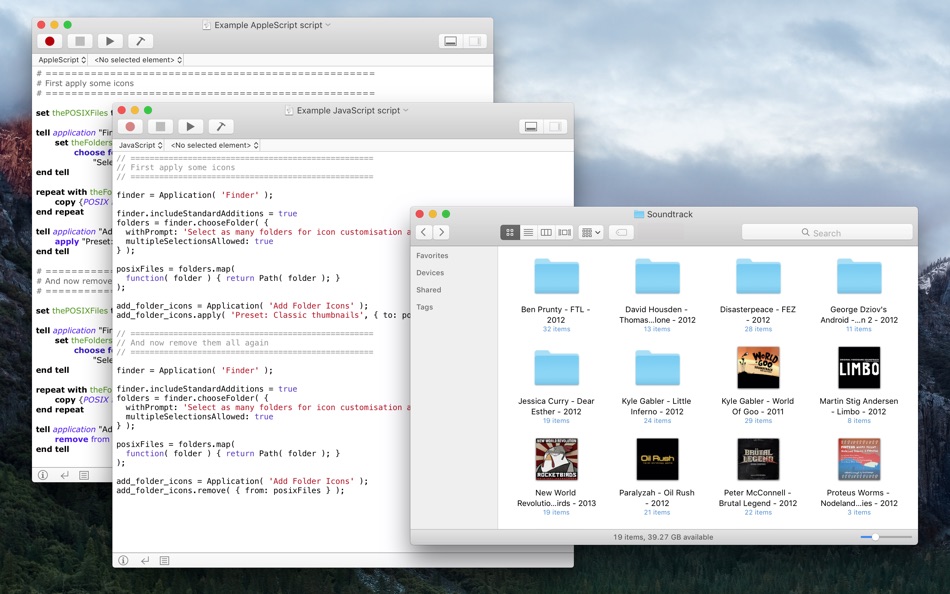
Sometimes you might want to liven this up. Perhaps you browse a music collection through the Finder as well as in Apple Music, or have photos that you browse in the Finder as well as in Photos. You might create artwork, or own a collection of home movie files. Whatever things you have, one thing is for sure — the standard blue folder icon doesn't give you many clues about the folder's contents!
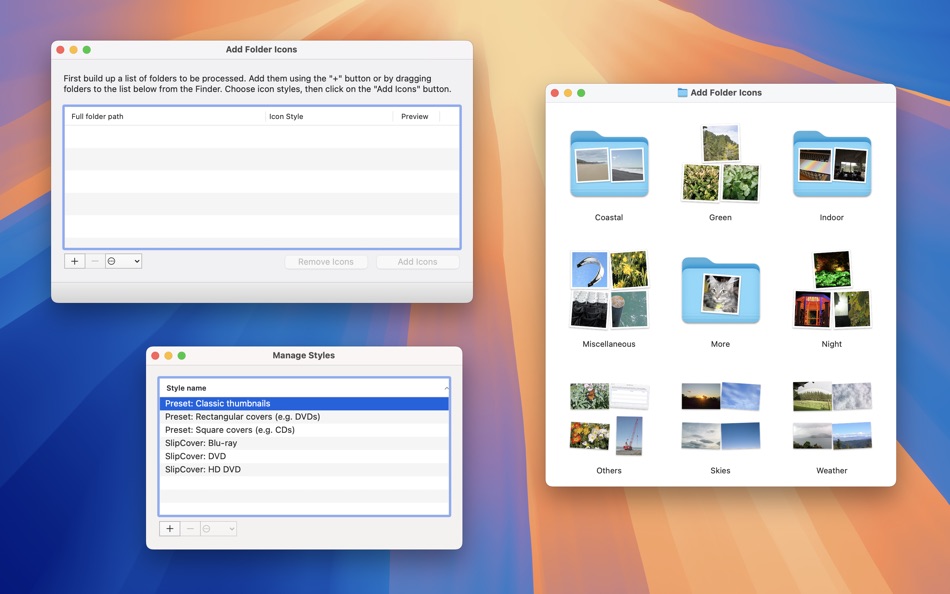
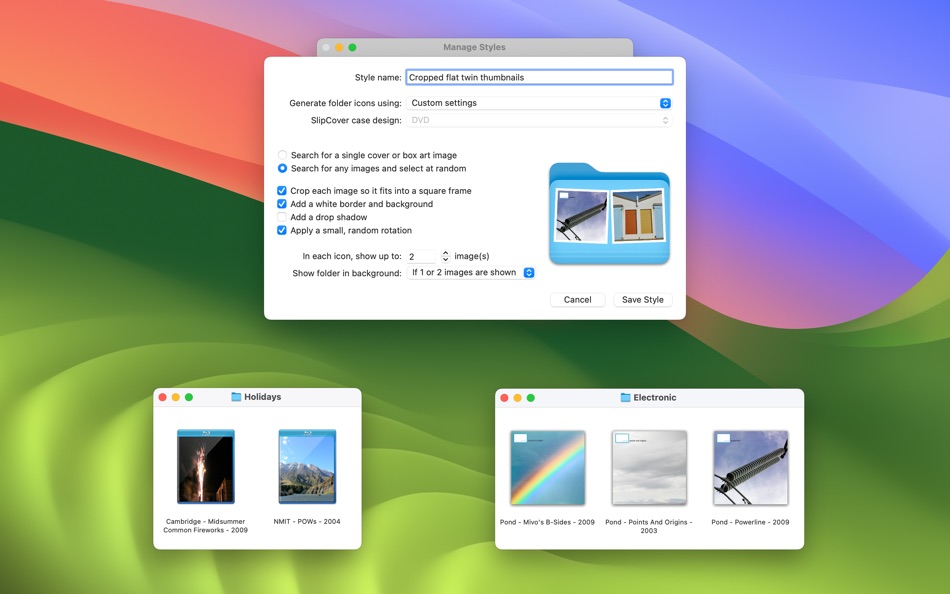
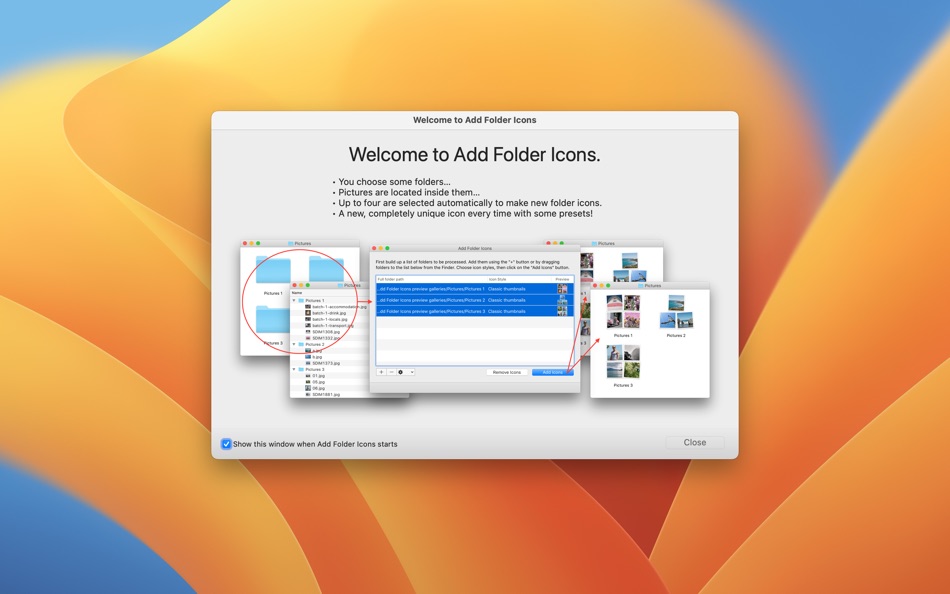
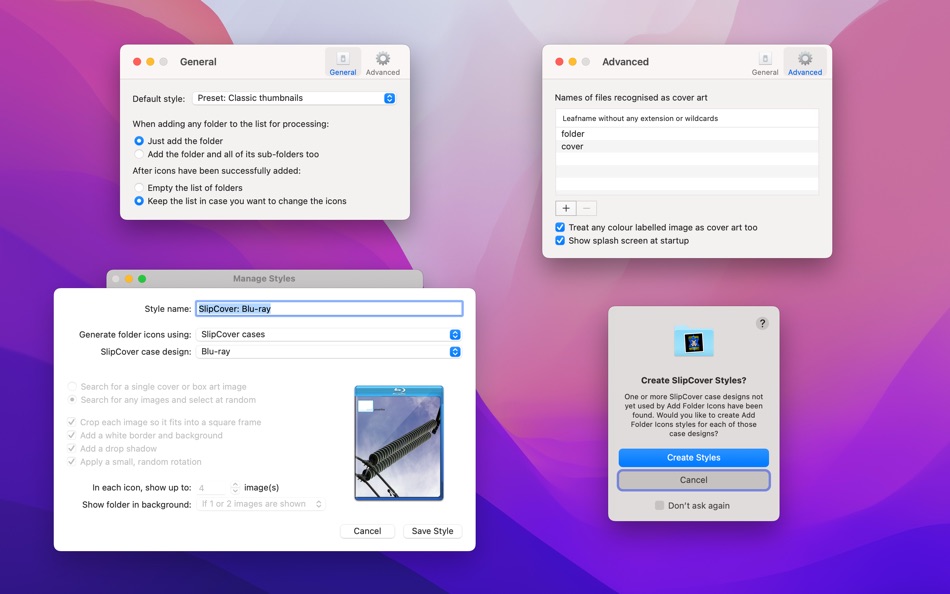
This is where Add Folder Icons comes in. It uses any pictures found inside a given folder to create a customised icon based on a configurable icon style. There is a set of built-in icon styles and you can create your own.
Ad
スクリーンショット
価格履歴
- 現在の価格: フリー
- 最小値: フリー
- 最大: フリー
料金のチェック
新機能
- バージョン: 3.1.1
- アップデート:
- • Update for Apple Silicon - better late than never!
• Universal binary for Intel machines too
• Requires macOS 11 or later
• v3.1.1 assumes the presence of an intermittent OS X bug and always engages its work-around to avoid faulty icon display in the Finder
• SlipCover cases can still be imported even though SlipCover itself won't run on Catalina or later, so long as the application is present in the Applications folder
情報
- リリース日:
- カテゴリ:
macOS アプリ›ユーティリティ - オペレーティング システム:
macOS,macOS 11.5 以上 - サイズ:
7 Mb - サポートされる言語:
English - コンテンツのレーティング:
4+ - Mac App Store 評価:
0 - ウェブサイト:
 http://hipposoft.pond.org.uk/
デベロッパー
- MR A D HODGKINSON
- プラットフォーム: iOS アプリ (3) macOS アプリ (1)
- リスト: 2 + 0
- ポイント: 0 + 0 ¡
- ランキング: 0
- コメント: 0
- 割引: 0
- 動画: 0
- RSS: 購読する
リスト (2)
- Add Folder Icons


ポイント (0)
0 ☹️
ランキング (0)
0 ☹️
コメント (0)
最初にコメントしてください 🌟
«Add Folder Icons». プラットフォーム: macOS. カテゴリ: ユーティリティ. 開発者: «MR A D HODGKINSON». 最初のリリース: . 最終更新日: . 現在の価格: 無料. このタイトルはまだ AppAgg で評価やレビューを受けていません。 リスト: 公開: 2, 非公開: 0. 利用可能な言語: English. AppAgg は «Add Folder Icons»の価格履歴、評価、ユーザーフィードバックを追跡します。 今後の値下げと更新をフォロー: RSS で確認できます. AppAgg はアプリケーションをホストしたり、ソフトウェアを配布したりしません。 すべての商標、ロゴ、スクリーンショットはそれぞれの所有者に帰属します。
Add Folder Icons 短縮 URL: コピーしました!- 🌟 シェア
- Mac App Store
類似
-
- Folder by Color - Change color
- macOS アプリ: ユーティリティ 作者: 清碧 饶
- フリー
- リスト: 1 + 1 0 0
- ポイント: 6 バージョン: 1.8.2 [Folder by Color] is a folder color changing tool. Using different colored folder icons can keep your files well organized, thereby increasing the efficiency of file management. you ... ⥯
-
- Folder - Colorful folder maker
- macOS アプリ: ユーティリティ 作者: 余 张
- * フリー
- リスト: 1 + 1 0 0
- ポイント: 12 バージョン: 1.3.1 How many folders do you have on your computer? Scores of them? Hundreds? Thousands? Are all of them are alike: default folder, default folder, default folder, default folder... It's so ⥯
-
- Folder Factory
- macOS アプリ: ユーティリティ 作者: UAB Macmanus
- $3.99
- リスト: 1 + 1 0 0
- ポイント: 3 バージョン: 4.0 Folder Factory is a neat little app for changing the design of your folder icons. It will help you to match similar folders by the color, text or picture and this will keep your Mac ... ⥯
-
- Folder Theme - Change icon
- macOS アプリ: ユーティリティ 作者: 哲颖 孙
- * フリー
- リスト: 0 0 0
- ポイント: 0 バージョン: 1.0 Folder Theme - Customize Your Mac Folders Like Never Before! Folder Theme (百变文件夹) is a powerful macOS app designed to transform your desktop with stunning custom folder icons. Say ... ⥯
-
- Folder Factory Pro
- macOS アプリ: ユーティリティ 作者: 鑫 金
- $1.99
- リスト: 1 0 0
- ポイント: 0 バージョン: 1.0 Folder Factory Pro changes the design of your folder icons. It will help you to match similar folders by the color, text or picture and this will keep your Mac organised. The most ... ⥯
-
- Folder - Custom your folder
- macOS アプリ: ユーティリティ 作者: 玉 李
- $0.99
- リスト: 0 0 0
- ポイント: 2 バージョン: 1.0.1 Folder App is an app for customizing folders on macOS. You can set folders to different colors, and you can also add text, emoji, or icons to folders. Of course, the colors of text and ⥯
-
- Folder Snapshot Utility
- macOS アプリ: ユーティリティ 作者: David Gradwell
- $4.99
- リスト: 0 0 0
- ポイント: 0 バージョン: 2021.06.11 Folder Snapshot Utility will make a rapid backup copy (a snapshot ) of anything you throw at it. This is much faster than a traditional backup copy (think ~1200x faster) and uses ... ⥯
-
- Folder Dater
- macOS アプリ: ユーティリティ 作者: Dalamser
- $2.99
- リスト: 1 0 0
- ポイント: 0 バージョン: 2.3.2 Folder Dater sets a folder s modification date or creation date attributes based on the attributes of its descendants. All changes can be previewed in the Finder and undone before ... ⥯
-
- Folder Rack – File Manager
- macOS アプリ: ユーティリティ 作者: Ivo Wessel
- * フリー
- リスト: 0 0 0
- ポイント: 1 バージョン: 1.26 FOLDER RACK Manage your files and folders The Finder was always my most-used tool. However, there were many functions that I missed in my day-to-day work or that I would have done ... ⥯
-
- Folder Previewer Pro
- macOS アプリ: ユーティリティ 作者: Nikhil Anshuman
- $1.99
- リスト: 0 0 0
- ポイント: 0 バージョン: 1.0 Folder Previewer Pro lets you instantly preview the contents of any folder or archive (ZIP) directly in Finder s Quick Look, without opening or extracting files. Just select a folder ... ⥯
-
- Folder Designer - Custom icons
- macOS アプリ: ユーティリティ 作者: Marcin Chojnacki
- $1.99
- リスト: 0 0 0
- ポイント: 0 バージョン: 1.0.0 Introducing Folder Designer, the ultimate macOS app that empowers you to redefine your desktop aesthetics. Unleash your creativity by choosing custom colors, symbols, and adding ... ⥯
-
- Folder Engine - color & icon
- macOS アプリ: ユーティリティ 作者: 纪伟 韩
- * フリー
- リスト: 0 0 0
- ポイント: 0 バージョン: 1.2 Are you troubled that the folder icons all look the same? Folder Engine is a tool that allows you to quickly change folder icons. * Built-in hundreds of beautiful folder icons Built-in ⥯
-
- Folder Icon Customizer
- macOS アプリ: ユーティリティ 作者: Akira Hattori
- $2.99
- リスト: 0 0 0
- ポイント: 0 バージョン: 1.3 Transform your Mac desktop with FolderCustomizer, an innovative app that lets you personalize your folder icons like never before. Effortlessly customize text, font size, colors, and ... ⥯
-
- Folder Peek
- macOS アプリ: ユーティリティ 作者: Sindre Sorhus
- $4.00
- リスト: 4 + 3 0 0
- ポイント: 9 バージョン: 1.13.0 Quickly access documents, files, folders, and apps from the menu bar. Think of it as an alternative to Dock folders, just more powerful and customizable. Each folder you add gets its ... ⥯