
保存済み
保存済みメニューに表示する名前を選択してください。
完了
| デベロッパー: | BRIDGETECH SOLUTIONS LIMITED (34) | ||
| 価格: | $14.99 | ||
| ランキング: | 0 | ||
| コメント: | 0 コメントを投稿する | ||
| リスト: | 1 + 1 | ||
| ポイント: | 1 + 0 ¡ | ||
| Mac App Store | |||
説明

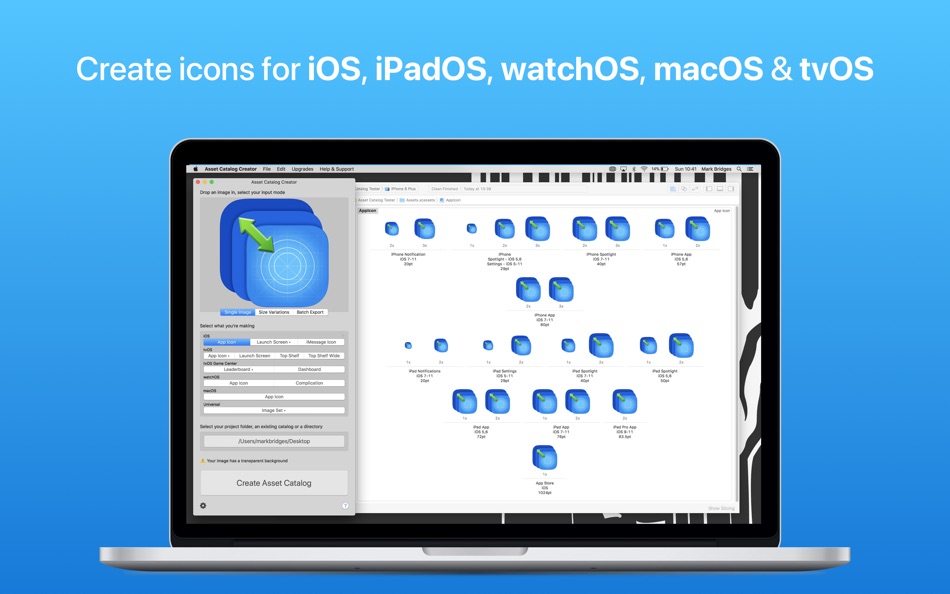
It doesn't just do app icons. It can make any icon within your app; converting your image into all the required 1x, 2x & 3x formats. If you're using vector-based iconography you can preserve all your vector data during the conversion & output your icons as pdfs, while still having control over the size of the image. It even includes a list of preset sizes for standard interface elements, such as tab bar icons, navbar icons etc.
As well as in-app icons, it also supports creating everything you need for Complications, iMessage, & Game Center.
As of iOS 15, there are 25 different image sizes required to make an iPhone/iPad app! Asset Catalog Creator is configured with well over 100 image dimension requirements. You’ll never need to look a size up again.
Asset Catalog Creator is designed to be quick & easy to use & fit seamlessly into your workflow. All you need to do is drag in an image, point the app to where your project is, pick your icon type & export. The app finds the existing asset catalog(s) & has advanced merging abilities that allow it to append or overwrite based on your choices.
If you’ve never used Asset Catalogs in your apps before, now is a great time to start. You’ll find managing & organising your image files much easier & you’ll also benefit from improved performance & reduced app install size, thanks to the smarter way asset catalogs are compiled & archived into binaries.
LIST OF SUPPORTED ASSET TYPES
iOS
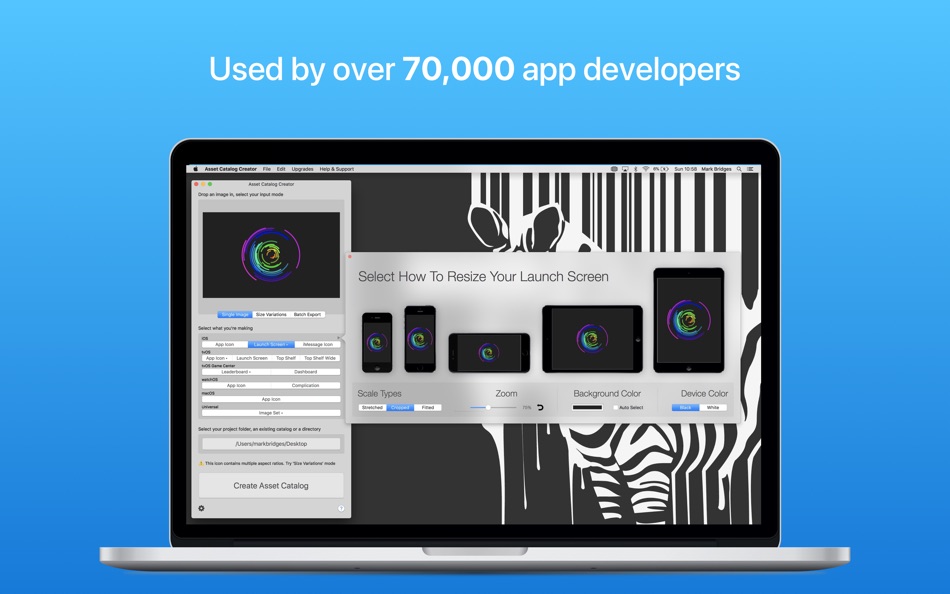
App Icon, Launch Screen, iMessage Icon, CarPlay
watchOS
App Icon, Complication (including vector based complications)
tvOS
App Icon, Launch Screen, Top Shelf, Top Shelf Wide
tvOS Game Centre
Leaderboard, Dashboard
macOS
App Icon
Universal
Universal & device-specific image sets, in @1x, @2x (Retina) & @3x (Retina HD variants or as single vectors )
Catalyst Icons
FEATURES
Up-to-date for all the latest devices iOS 15 with iPhone 13, Apple Watch Series 7, iPad Pro & 4K Apple TV icons, macOS Catalina etc.
Support for importing images in numerous formats: png, jpg, bmp, pdf, svg & more
Batch exporting
Automatic best image variant selection: add images at multiple sizes & have the closest match used for each asset
Advanced image validations, letting you know when images are to be upscaled etc.
Retaining vector images; automatically converting vector-based PDFs & SVGs into PDF assets
Support for merging new assets into existing catalogs whilst maintaining your existing folder hierarchy
Automatic image naming & renaming
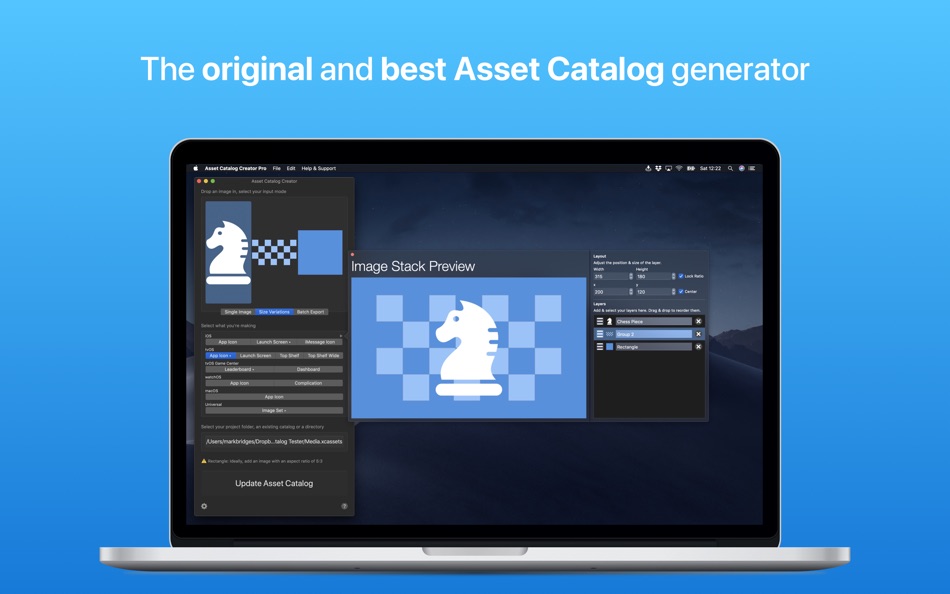
tvOS parallax icon editing
Preset image sizes for assets used in-app, i.e. tab bar button size, nav title size etc.
Automatic alpha removal handling, removing alpha channels where necessary to ensure App Store Connect acceptance
Fully featured command-line interface
Shadow & corner rounding effects
Adjustable image padding
You can watch a demo of the app here http://youtu.be/UEy-Bphy28c
STANDARD & PRO APP VERSIONS
The app is available in two different versions, Asset Catalog Creator & Asset Catalog Creator Pro. Both versions have an identical set of features but have different pricing structures to suit your preference. Asset Catalog Creator gives you the ability to make iOS app icons out-of-the-box & you need to unlock the ability to create each additional type of icon via in-app purchases. The in-app purchases are all non-consumable so will be unlocked permanently & can be used across all of your computers. The difference with the Pro version is that every type of icon etc. is unlocked out-of-the-box & there is nothing additional in the app for you to purchase.
For the latest news, updates & promotions follow me on Twitter @MarkBridgesApps
Terms of Use
http://bit.ly/2KylV0Y
Ad
スクリーンショット

動画
価格履歴
- 今日: $14.99
- 最小値: $0.99
- 最大: $14.99
料金のチェック
情報
 https://www.bridgetech.io/Asset%20Catalog%20Creator.html
デベロッパー
リスト (1)
- Asset Catalog Creator Pro

ポイント (1)
-

- 2,979 바람처어럼
- +1

ランキング (0)
0 ☹️
コメント (0)
最初にコメントしてください 🌟
«Asset Catalog Creator Pro». プラットフォーム: macOS. カテゴリ: 開発ツール. 開発者: «BRIDGETECH SOLUTIONS LIMITED». 最初のリリース: . 最終更新日: . 現在の価格: $14.99. 記録された最低価格: $0.99 (). 記録された最高価格: $14.99 (). このタイトルはまだ AppAgg で評価やレビューを受けていません。 リスト: 公開: 1, 非公開: 1. 追跡ポイント: 確認済み: 1, 間接: 0. 利用可能な言語: English. AppAgg は «Asset Catalog Creator Pro»の価格履歴、評価、ユーザーフィードバックを追跡します。 今後の値下げと更新をフォロー: RSS で確認できます. AppAgg はアプリケーションをホストしたり、ソフトウェアを配布したりしません。 すべての商標、ロゴ、スクリーンショットはそれぞれの所有者に帰属します。
Asset Catalog Creator Pro 短縮 URL: コピーしました!- 🌟 シェア
- Mac App Store
類似
-
- Asset Catalog Creator
- macOS アプリ: 開発ツール 作者: BRIDGETECH SOLUTIONS LIMITED
- * フリー
- リスト: 2 + 1 0 0
- ポイント: 0 + 0 バージョン: 3.13 Asset Catalog Creator takes any image & turns it into a complete & ready-to-use app icon. It supports every type of icon you'll ever need for any of Apple's platforms; iOS, iPadOS, ... ⥯
-
- Icon Maker (Asset Catalog for App Store Icons) for Mac OS X
- macOS アプリ: 開発ツール 作者: Nirmala T V
- フリー
- リスト: 1 + 0 0 0
- ポイント: 0 + 0 バージョン: 1.5 Easy way to resize iOS, OS X, Android, Watch App icons and Asset Catalogs in just two clicks. Features: - iOS & Android App Icons - OS X App - Watch App - Custom size Icons Drag and ... ⥯
-
- Asset Tools
- macOS アプリ: 開発ツール 作者: Suayip Tavus
- フリー
- リスト: 0 + 0 0 0
- ポイント: 0 + 0 バージョン: 1.0 Asset tools takes any image and creates a full set of icons, ios icons or pretty much any other type of image that you ll need to make an app on any of Apple and Android platforms. ... ⥯
-
- Asset Exporter
- macOS アプリ: 開発ツール 作者: Aryaman Sharda
- フリー
- リスト: 0 + 1 0 0
- ポイント: 5 + 0 バージョン: 1.0 Introducing the ultimate tool for macOS and iOS developers looking to streamline their workflow and simplify the process of creating app assets. Our app allows you to easily generate ... ⥯
- Ad
-
- Asset Resizer for Android Devs
- macOS アプリ: 開発ツール 作者: Armchair Engineering
- $2.99
- リスト: 0 + 0 0 0
- ポイント: 0 + 0 バージョン: 1.2.3 Easily resize your Android image assets! Asset Resizer quickly scales your Android app artwork to the targeted resolution sizes (ldpi, tvdpi, mdpi, hdpi, xhdpi, xxhdpi, xxxhpi). To ... ⥯
-
- String Catalog – AI Translate
- macOS アプリ: 開発ツール 作者: Siarhei Razanau
- * フリー
- リスト: 0 + 0 0 0
- ポイント: 0 + 0 バージョン: 1.7 String Catalog is an AI tool designed for developers looking to efficiently localize their apps without overspending. Powered by OpenAI API, this app allows you to quickly translate ... ⥯
-
- Particle Creator Studio
- macOS アプリ: 開発ツール 作者: Fifth Battery, LLC
- * フリー
- リスト: 0 + 1 0 0
- ポイント: 2 + 0 バージョン: 1.5 Transform your visual effects from ordinary to extraordinary with Particle Creator Studio. Built specifically for Cocos2d and Axmol developers but flexible enough to power any creative ⥯
-
- App Icon Set Creator
- macOS アプリ: 開発ツール 作者: Erik Wegener
- フリー
- リスト: 1 + 1 0 0
- ポイント: 7 + 0 バージョン: 1.6 App Icon Set Creator makes it easier than ever before to generate your app icons. Simply drag and drop your large icon, select your platform and let us do the magic. We'll resize your ... ⥯
-
- GenIcon: Asset Resizer
- macOS アプリ: 開発ツール 作者: Logan Voss
- * フリー
- リスト: 0 + 1 0 0
- ポイント: 1 + 0 バージョン: 1.2 GenIcon makes it easy to produce icon assets for iOS, macOS, and watchOS. Simply drag and drop your 1024x1024 icon into the drop zone, select the platform you're building for, and ... ⥯
-
- App Explorer: Homebrew Catalog
- macOS アプリ: 開発ツール 作者: Harshad Jadav
- $0.99
- リスト: 1 + 0 0 0
- ポイント: 2 + 0 バージョン: 1.3 [Introduction] Easily search and explore apps from the Homebrew Cask catalog perfect for discovering new tools and learning more about their usage. App Explorer gives you full control ... ⥯
-
- Color Assets Creator
- macOS アプリ: 開発ツール 作者: Alexey Ledovskiy
- $5.99
- リスト: 0 + 1 0 0
- ポイント: 0 + 0 バージョン: 1.0.1 Generate your color system for Xcode project! With few click create your own color system from iOS, Mac OS, watch OS, tvOS development. The app generate aa assets catalog along with ... ⥯
-
- AppList: App Catalog
- macOS アプリ: 開発ツール 作者: Jahn Bertsch
- フリー
- リスト: 0 + 1 0 0
- ポイント: 2 + 0 バージョン: 1.0 Search for macOS® apps in the homebrew cask catalog. App descriptions are maintained by thousands of homebrew-cask contributors. -- macOS is a trademark of Apple Inc., registered in ... ⥯
-
- XCStrings Catalog Docx Convert
- macOS アプリ: 開発ツール 作者: Alexander Tech
- * フリー
- リスト: 0 + 1 0 0
- ポイント: 0 + 0 バージョン: 1.0.6 XCStrings Catalog Docx Converter is a localization tool which connects developers and translators. In a nutshell, the app has the following features: - Convert XCStrings to Docx: ... ⥯
-
- String Catalog Translation
- macOS アプリ: 開発ツール 作者: Enes Bugra Yenidunya
- * フリー
- リスト: 0 + 0 0 0
- ポイント: 0 + 0 バージョン: 1.0.1 Immerse into effortless string catalog translations with String Catalog Translation, the only tool you'll need to localize your projects with precision and ease. Designed for ... ⥯