
お気に入り
お気に入りメニューに表示する名前を選択してください。
完了
| デベロッパー: | Herve Noury (6) | ||
| 価格: | フリー | ||
| ランキング: | 0 | ||
| コメント: | 0 コメントを投稿する | ||
| リスト: | 2 + 2 | ||
| ポイント: | 9 + 0 ¡ | ||
| Mac App Store | |||
説明
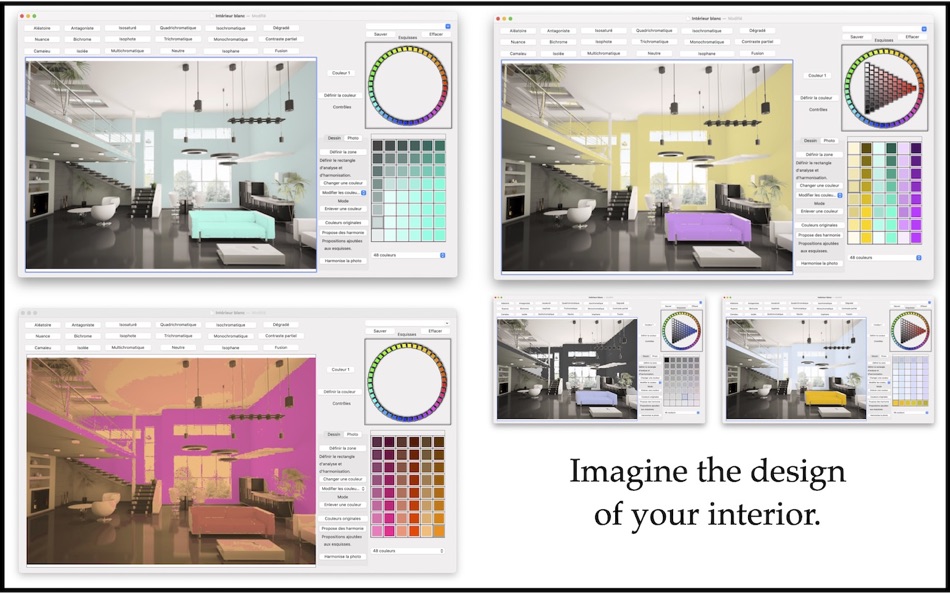
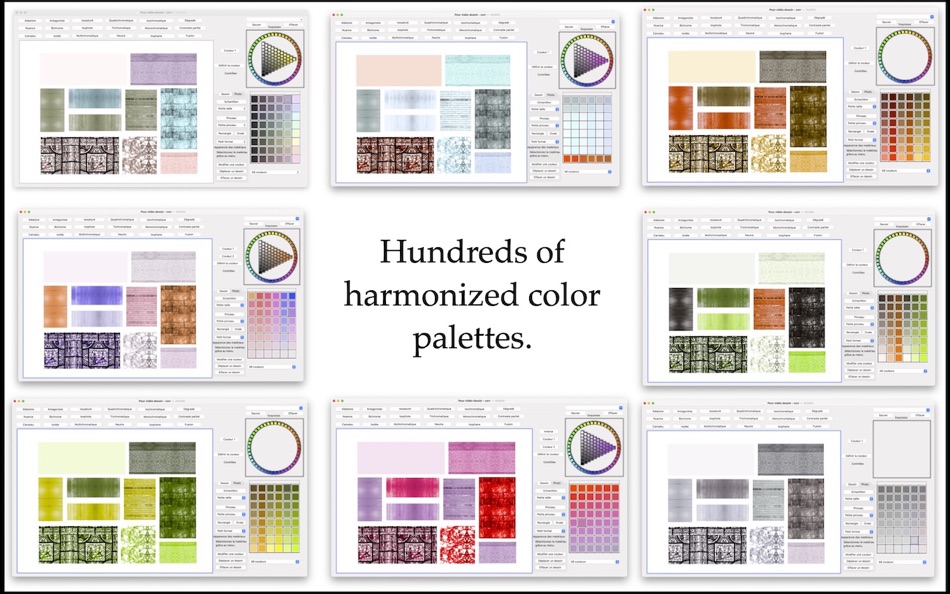
These palettes are automatically harmonized by the software using various methods. When you like a sketch, don't hesitate to save it using the "Sketch" menu. "Harmony of Colors" is designed so that you can quickly experiment with a large number of solutions, and with this menu, you can easily compare them.
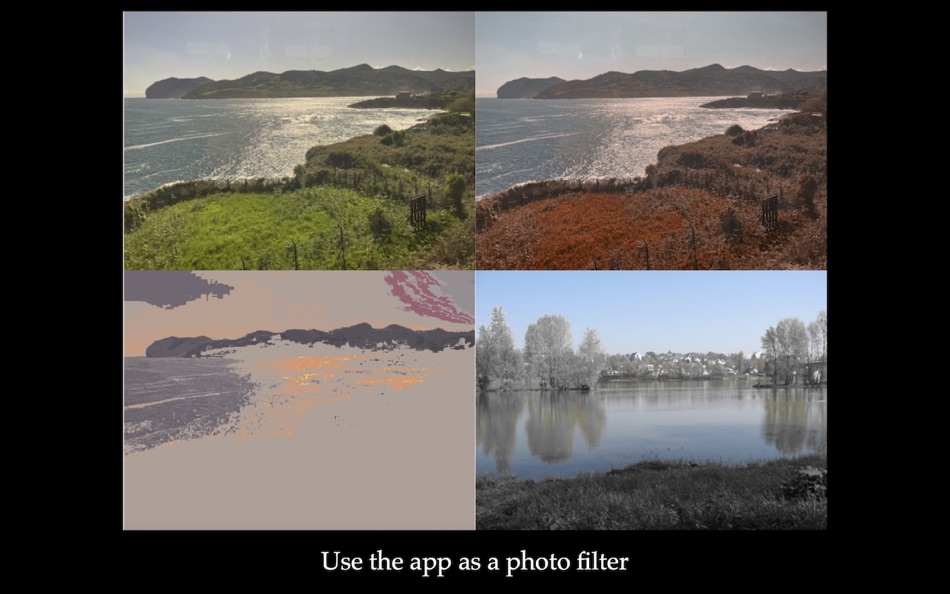
You can repaint over the photo with the colors from the palette: these layers sufficiently respect the brightness of the photo to preserve the textured effects. These colors change with the newly chosen palette: you can quickly test several ideas.
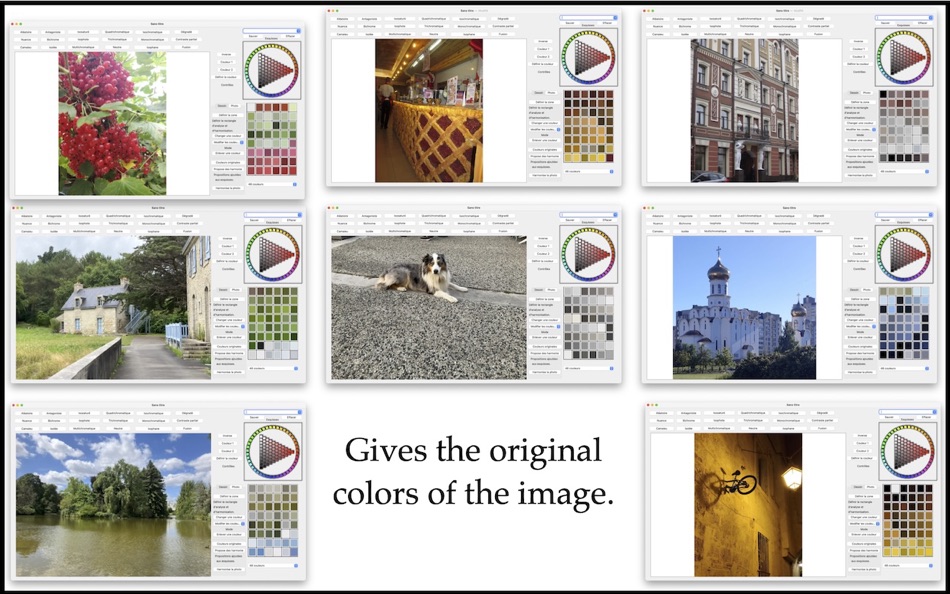
The software allows you to automatically harmonize the colors of your photo, across the entire photo or just a portion of it, or even modify the color of individual elements in the image: simply choose a color from the palette and click on the object you want to modify!
You can add drawings to the photo, including samples with material effects, to more accurately judge your harmonies in situ.
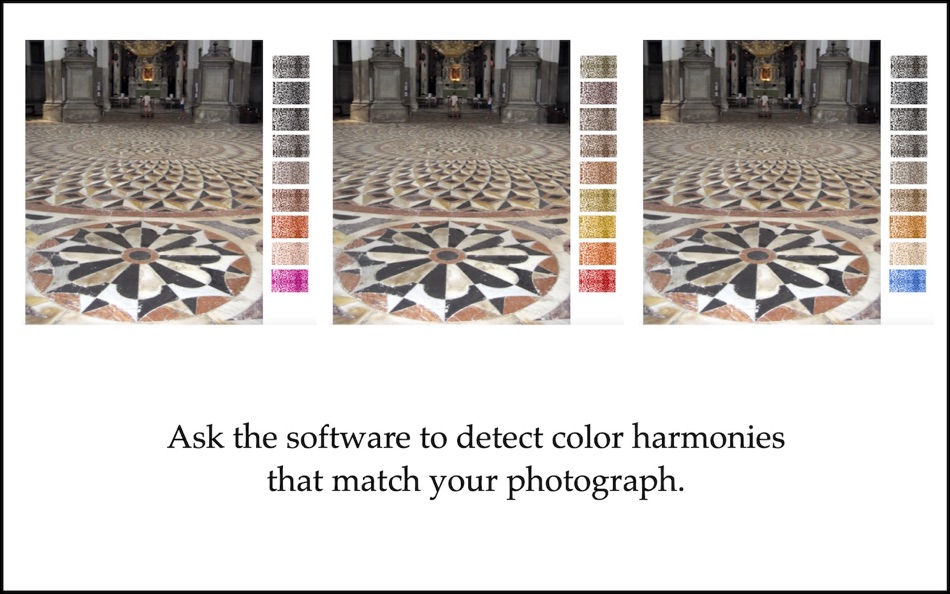
If your project needs to fit into a context, "Harmony of Colors" helps you find solutions. Take a photo of your project's location and set it as your desktop background. The software automatically detects different possibilities for harmonized palettes that match or complement the colors in the image. Often, the software offers a large number of palettes, which will undoubtedly stimulate your creativity and imagination.
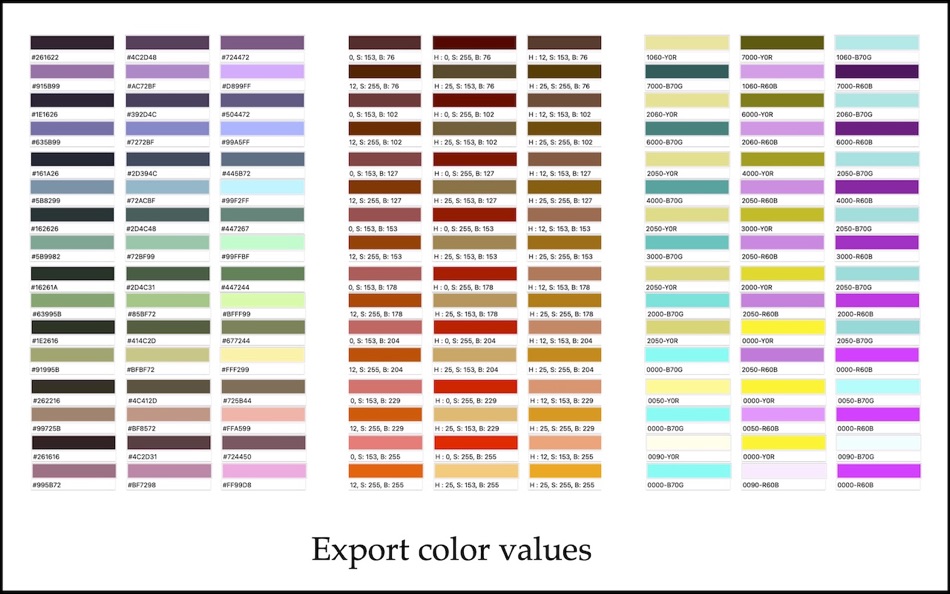
"Harmony of Colors" provides the RGB, HSB, CMYK, and NCS values, approximated by the current palettes. The software also allows you to export extended color palettes as digital files: act or acb.
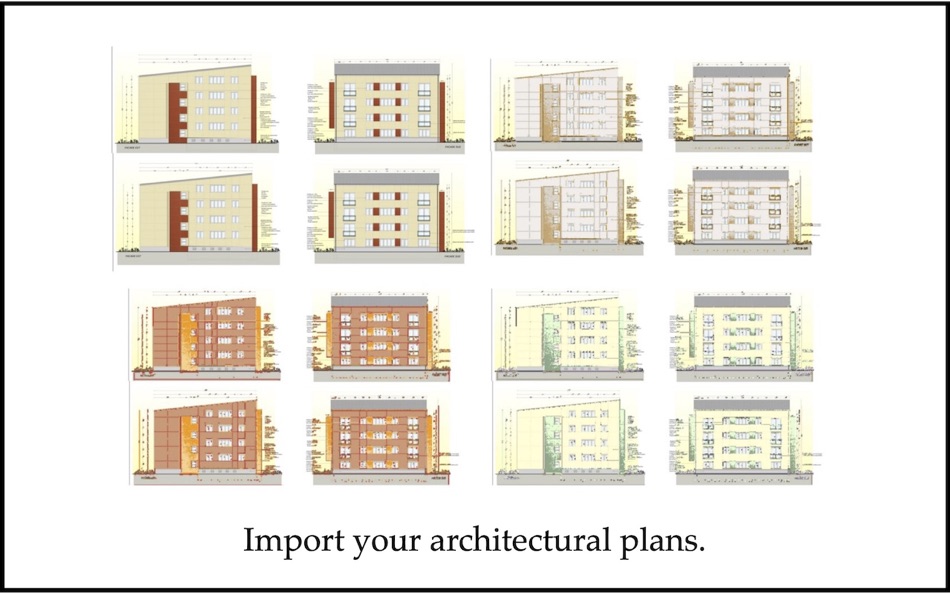
"Harmony of Colors" is based on Dr. Larissa Noury's research in the field of architectural polychromy.
Ad
スクリーンショット
価格履歴
- 今日: フリー
- 最小値: フリー
- 最大: $2.99
料金のチェック
新機能
- バージョン: 3.2
- アップデート:
- Changed the "Define the Zone" function: when you release the mouse, this function now remains active. The software no longer reverts to the "Rectangle" function.
情報
- リリース日:
- カテゴリ:
macOS アプリ›グラフィック&デザイン - オペレーティング システム:
macOS,macOS 11.5 以上 - サイズ:
196 Mb - サポートされる言語:
English,French,Spanish - コンテンツのレーティング:
4+ - Mac App Store 評価:
0
 https://hervenoury.com/harmony-of-colors
デベロッパー
リスト (2)
- Harmony of Colors


ポイント (9)
-

- 4 Matt
- +1
-
- 9,655 Pui Hang Choi
- +1
-
- 2,126 Lu Chin
- +1
-
- 225 Attila Szucs
- +1
-
- 2,903 Alan
- +1
-
- 3,690 Dragon
- +1


ランキング (0)
0 ☹️
コメント (0)
最初にコメントしてください 🌟
«Harmony of Colors». プラットフォーム: macOS. カテゴリ: グラフィック&デザイン. 開発者: «Herve Noury». 最初のリリース: . 最終更新日: . 現在の価格: 無料. このタイトルはまだ AppAgg で評価やレビューを受けていません。 リスト: 公開: 2, 非公開: 2. 追跡ポイント: 確認済み: 9, 間接: 0. 利用可能な言語: English, French, Spanish. AppAgg は «Harmony of Colors»の価格履歴、評価、ユーザーフィードバックを追跡します。 今後の値下げと更新をフォロー: RSS で確認できます. AppAgg はアプリケーションをホストしたり、ソフトウェアを配布したりしません。 すべての商標、ロゴ、スクリーンショットはそれぞれの所有者に帰属します。
Harmony of Colors 短縮 URL: コピーしました!- 🌟 シェア
- Mac App Store
類似
-
- Kasedral in COLORS
- macOS アプリ: グラフィック&デザイン 作者: Fernando Soto
- $0.99
- リスト: 0 + 0 0 0
- ポイント: 0 + 0 バージョン: 1.0 KASEDRAL in COLORS es la herramienta definitiva para diseñadores que quieren dominar el color sin complicaciones. Basada en la regla profesional 60-30-10, esta app te ayuda a ... ⥯
-
- Color Picker: Stay in harmony
- macOS アプリ: グラフィック&デザイン 作者: Mikael Sundell
- フリー
- リスト: 0 + 0 0 0
- ポイント: 1 + 0 バージョン: 1.1.0 Color picker is a powerful Mac application that simplifies the process of selecting and capturing colors from any screen. It boasts an intuitive color wheel visualizer, which assists ... ⥯
-
- Separation Studio
- macOS アプリ: グラフィック&デザイン 作者: Splash Colors
- $9.99
- リスト: 0 + 2 0 0
- ポイント: 15 + 0 バージョン: 2.2.6 Separation Studio is powerful, easy to use color separation and artwork generator tool designed exclusively for Mac. Separation Studio is an application that allows you to create ... ⥯
-
- Color Studio
- macOS アプリ: グラフィック&デザイン 作者: Paul Nettle
- $13.99
- リスト: 1 + 0 0 0
- ポイント: 0 + 0 バージョン: 2.8 Color Studio is a color selection tool on steroids. Here's a quick feature breakdown: - Color selection using a UI as intuitive and powerful as it is beautiful - Alpha channel support ... ⥯
-
- Pixelmator Pro
- macOS アプリ: グラフィック&デザイン 作者: Apple
- $49.99
- リスト: 31 + 22 0 0
- ポイント: 22 + 0 バージョン: 3.7.1 Pixelmator Pro is an incredibly powerful, beautiful, and easy-to-use image editor designed exclusively for Mac. With over 50 image editing tools, Pixelmator Pro has everything you need ⥯
-
- Pixen
- macOS アプリ: グラフィック&デザイン 作者: Furnace Creek Software LLC
- * フリー
- リスト: 1 + 2 0 0
- ポイント: 16 + 0 バージョン: 6.1.1 Pixen is a native pixel art editor designed for working with low-resolution raster art, such as those 8-bit sprites found in old-school video games. Pixen packs all the tools pixel ... ⥯
-
- Hexo - Color Palette Manager
- macOS アプリ: グラフィック&デザイン 作者: CARLOS FERNANDEZ PLAZA
- * フリー
- リスト: 0 + 1 0 0
- ポイント: 7 + 0 バージョン: 1.2.1 Hexo is the ultimate color palette management tool for macOS, designed for designers, developers, and creative professionals who demand precision and efficiency in their color ... ⥯
-
- Art Text 4 - AI Graphic Design
- macOS アプリ: グラフィック&デザイン 作者: Belight Software, ltd
- * フリー
- リスト: 3 + 3 0 0
- ポイント: 9 + 0 バージョン: 4.5.8 Design eye-catching text based graphics, logos, postcards and greetings with Art Text - a graphic design app that powers up typography and lettering in your desktop publishing, social ... ⥯
-
- Typeface 4
- macOS アプリ: グラフィック&デザイン 作者: Floor Steeg
- * フリー
- リスト: 1 + 2 0 0
- ポイント: 8 + 0 バージョン: 4.2.3 Typeface is a beautiful font manager that helps you pick the perfect font for your designs. Effortlessly organize your library with flexible tags and improve your design workflow by ... ⥯
-
- Master Dock
- macOS アプリ: グラフィック&デザイン 作者: SECKIN SEFA DURASI
- * フリー
- リスト: 0 + 1 0 0
- ポイント: 9 + 0 バージョン: 1.9 MasterDock revolutionizes how you interact with your dock. Whether you're a power user seeking maximum productivity or someone who loves personalizing their workspace, MasterDock ... ⥯
-
- Sweet Home 3D Plan Your House
- macOS アプリ: グラフィック&デザイン 作者: AI Photo Editor Lab SRL
- * フリー
- リスト: 2 + 1 0 0
- ポイント: 7 + 0 バージョン: 7.5.37 Since its launch in 2006, Sweet Home 3D has become a trusted choice for millions worldwide, with over 50 million downloads. Sweet Home 3D combines ease of use with professional-grade ... ⥯
-
- Palette Studio
- macOS アプリ: グラフィック&デザイン 作者: Cederic Schmid
- * フリー
- リスト: 0 + 0 0 0
- ポイント: 0 + 0 バージョン: 1.0 Create beautiful, harmonious color palettes for your design projects with Palette Studio. Whether you're a designer, developer, or creative professional, generate perfect color ... ⥯
-
- Home Planner: Room Design 3D
- macOS アプリ: グラフィック&デザイン 作者: Room Planner Ltd
- * フリー
- リスト: 3 + 0 0 0
- ポイント: 6 + 0 バージョン: 26.14 If you just bought a house or an apartment or want to decorate your existing property, we can help you do it easier, with less hustle and achieve better results in less time for the ... ⥯
-
- AI Color Assistant
- macOS アプリ: グラフィック&デザイン 作者: Phantom Particle
- フリー
- リスト: 0 + 0 0 0
- ポイント: 0 + 0 バージョン: 1 AI Color Assistant transforms how designers and creatives discover color palettes by combining natural language with Apple Intelligence. Simply describe your design context in plain ... ⥯