
已儲存
選擇要顯示在你的已儲存選單中的名稱。
完成!
描述

Meet Acorn — an award-winning, beloved image editor crafted exclusively for the Mac. Whether you’re touching up photos, creating detailed designs, or experimenting with artistic edits, Acorn offers the tools and power you need to make your vision a reality.
Why Choose Acorn?
Acorn is your all-in-one image editor, designed to combine simplicity with professional-grade features. Add text and shapes, create stunning collages, retouch photos, or start something entirely new — all with ease.
What’s New in Acorn 8?
Unleash your creativity with Acorn 8’s latest enhancements:
• AI Subject Selection & Background Removal: Isolate subjects in your images with incredible precision using AI.
• Live Text Tool: Detect and copy text directly in your images.
• Data-Driven Graphics: Automate personalized designs using our powerful Data Merge feature.
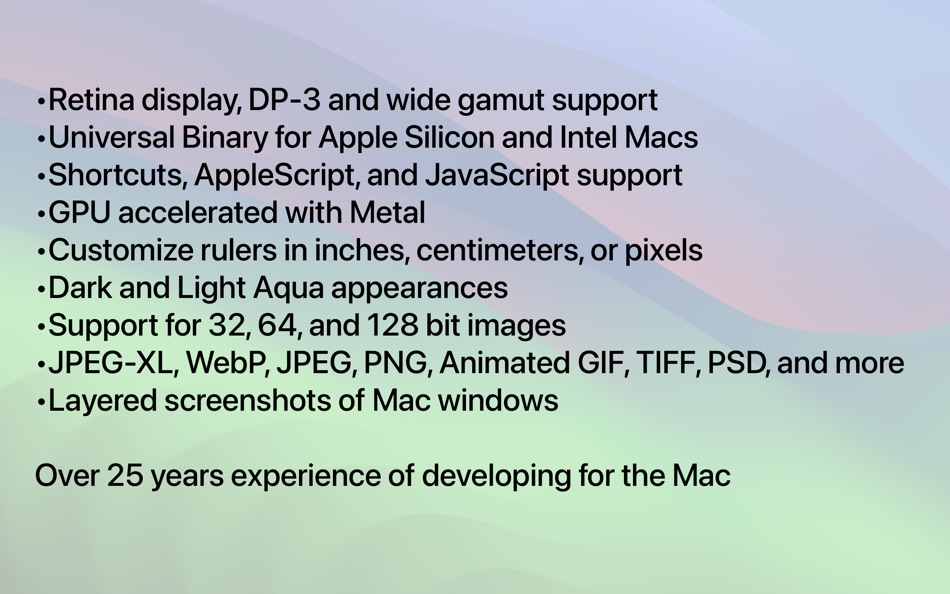
• Expanded Format Support: Import/export JPEG-XL, WebP, Animated GIF, and Animated PNG with new presets.
• Enhanced Shortcuts Integration: Streamline your workflow with Apple Shortcuts.
• On-Canvas Ruler: Align and measure with pixel-perfect accuracy.
• Look-Up Tables (LUTs): Instantly elevate your photo and video aesthetics with advanced color grading tools.
• Improved Vector Tools: Includes a new polygon tool and enhanced vector shape capabilities.
• Optimized for Speed: Fully compatible with Metal, ensuring fast and smooth performance.
What Can Acorn Do?
Explore a world of possibilities:
• Add text to paths or shapes to design logos and custom typography.
• Remove backgrounds with tools like Magic Wand and Instant Alpha Eraser.
• Combine images to create collages and layouts.
• Retouch images with tools like Clone, Dodge, and Burn.
• Adjust contrast, highlights, and shadows using Levels and Curves.
• Export like a pro with customizable color profiles, file formats, and precise size control.
Image & Layer Capabilities
• Create layered screenshots of open windows.
• Work with unlimited layers and over 25 blending modes.
• Use features like snap-to-grid, guides, and precise transformations.
• Handle image depths of 8, 16, and 32 bits per channel.
Filters, Effects & Styles
• Enjoy non-destructive editing with unlimited combinations of effects.
• Apply tilt shifts, vignettes, blurs, distortions, and more.
• Fine-tune color channels with curves and levels.
Powerful Tools for Every Task
• Utilize brushes for cloning, blurring, erasing, and more.
• Select precisely with polygonal, elliptical, or magic wand tools.
• Design custom brushes with the built-in brush designer.
Vector Excellence
• Create stars, arrows, circles, and Bézier curves with Acorn’s vector tools.
• Combine shapes using Boolean operations like union, intersect, and exclude.
• Use the Shape Processor to tweak, adjust, and perfect vector designs.
Extensive File Support
Seamlessly import and export a wide array of formats:
• Import: JPEG, PNG, TIFF, GIF, PSD, RAW, WebP, SVG, AI (with PDF compatibility), and more.
• Export: JPEG, PNG, TIFF, GIF, PSD, WebP, JPEG-XL, Animated PNG/GIF, CMYK files, and beyond.
Learn and Grow with Acorn
From detailed online documentation and tutorials to an active user forum, Acorn makes it easy to master new skills. Our responsive support team is always ready to help — reach out anytime at support@flyingmeat.com.
Take your creative projects to the next level with Acorn. Ready to get started?
螢幕擷取畫面


Ad
價格歷史
- 目前價格: $29.99
- 最小值: $19.99
- 最大值: $29.99
追蹤票價
AppAgg 評價
7,590
AppAgg 預估評價:
Acorn 8
7,590 白金
評價越高,通常代表在 AppAgg 上的信號越強。
基於: 人氣 · 使用者評分 · 新鮮度 · 優惠 · 商店資料 · 社群活躍度
根據最新 AppAgg 資料每日重新計算。
縮短網址: 已複製!
新功能
- 版本: 8.5.1
- 最後更新:
- New in Acorn 8.5:
# New Shape Things
• Arrows have a new style: Bendable. With this option selected in the new Arrow shape palette, you can make your arrows curve across the canvas. We’ve also added the option to have an arrow head at either end of your line (and much rejoicing was had).
• There is a new Shape Processor named Random Location from Circle which will either randomly move all shapes inside, outside, or along the edge of the adjustable circle. This is handy if you are making abstract art or custom wallpapers for your phone or desktop.
# New SVG Things
• The SVG parser for Acorn has been updated to support more element types, styles, and other SVG goodies.
• Text on a path is now supported.
• Embedded images are now supported.
• Poly lines and referenced elements are now supported.
• Improvements to the path importer, now supporting rarely used path instructions.
• Drop shadows on elements are now supported.
• Element transforms have been greatly improved.
• Opening a SVG as a single layer bitmap: Holding down the option key when opening a SVG will render your image as a bitmap. This uses the WebKit (aka, Safari) framework to rasterize the SVG, and it should look just like it does on the web.
• Lots of other little things. Acorn’s importer is much improved, but if you come across a SVG that it can’t import and you think it should, make sure to send it to us: support@flyingmeat.com
# New Other Things
• The Linear Multi-Stop Gradient and Radial Multi-Stop Gradient filters now support a couple of different color interpolations: Document, sRGB, Perceptual (Oklab), and Linear. Oklab is a great choice, and it’s now the default when creating a new filter.
• When exporting an image as TGA you can now set the compression options.
• You can now toggle the window UI by pressing the keys Option-Tab. Pro tip: Did you know pressing the Tab key will toggle all the palettes?
• The RAW Import and New View windows now have overscroll and better zooming capabilities.
• Drop shadows from layer effects are now imported from PSD files, and exported to layered PSD if you have a drop shadow layer style in an Acorn image.
• New “Clear All Measurement Rulers” Action Bar item that will remove all the on canvas measurement rulers.
• Clicking down on your scroll wheel mouse button (if you have one) will now let you pan your image around.
# Other
• Renamed the Shape ▸ Align ▸ “Vertical / Horizontal Distribute Center” menu items to “Vertical / Horizontal Distribute Bounds”, which more accurately reflects what it does.
• New Command Bar actions: Horizontal Distribute Left Edges, Horizontal Distribute Right Edges, Vertical Distribute Top Edges, Vertical Distribute Bottom Edges.
• The Zoom tool now defaults to having the pref “Scrub zoom” turned on. You can change this back to the previous default in the Zoom palette.
• Updated German, French, and Spanish localizations.
# Changes
• General performance improvements with Bézier paths and arrows. And they use less memory now as well (which is awesome because we’re in the middle of a global memory shortage and we need to save all the bits we can).
# Changes in 8.5.1
• Added a Data Merge… menu item to the File ▸ Export menu. (You’ll still need to setup a Data Merge first via the Image ▸ Data Merge Settings… menu item.
# Fixes in 8.5.1
• Fixed a problem where images were no longer opening in tabs.
• The tool palette lays out a little nicer when in full screen and edge to edge canvas is turned on.
• Fixed a problem where the rotation handles for selected shapes were not always showing up.
And more. Check the full release notes on our website.
If you like Acorn, we’d love it if you could take a moment and give it a nice review. It helps Acorn get noticed, which helps everyone in the long run.
其他資訊
 https://flyingmeat.com/acorn/
開發人員
- Flying Meat Inc.
- 平台: macOS 應用程式 (2)
- 清單: 2 + 1
- 點數: 1 + 0 ¡
- 排名: 0
- 註釋: 0
- 折扣: 0
- 影片: 0
- RSS: 訂閱
清單 (2)
- Acorn 8


點數 (1)
-

- 1 Kaíque Ladeia
- +1
排名 (0)
0
註釋 (0)
成為第一個發表評論的人
簡要
Acorn 8 縮短網址: 已複製!- 分享
- Mac App Store
«Acorn 8». 平台: macOS. 類別: 多媒體設計. 開發商: «Flying Meat Inc.». 首次發布: . 最後更新: . 目前價格: $29.99. 最低記錄價格: $19.99 (). 最高記錄價格: $29.99 (). 此項目尚未在 AppAgg 上獲得評分或評論。 列表: 公開: 2, 私人: 0. 追蹤點: 已確認: 1, 間接: 0. 可用語言: English, French, German, Italian, Polish, Russian, Spanish. AppAgg 會追蹤 «Acorn 8»的價格歷史、評分和用戶回饋。 AppAgg 不託管應用程式或分發軟體。 所有商標、標誌和螢幕截圖均屬於其各自所有者。 關注未來折扣和更新: RSS
類似
-
- Acorn Personal Intelligence
- macOS 應用程式: 生產應用 由: Gabriel Roberts
- $9.99
- 清單: 0 0 0
- 點數: 1 + 0 610 · 白銀 版本: 1.0 ACORN PERSONAL INTELLIGENCE Your mind, your data, your privacy offline. Acorn is a self-contained, offline personal intelligence that lives entirely on your Mac. No cloud servers. No ...
-
- Pixave
- macOS 應用程式: 多媒體設計 由: YoungHo Kim
- 免費
- 清單: 3 + 3 0 0
- 點數: 10 + 0 5K · 白金 版本: 2.3.13 ** BEST OF 2015 APP BY APPLE ** ** FEATURED WORLDWIDE 2015, 2016 AS "BEST NEW APPS" BY APPLE ** Stay Inspired. There is a whole world that we get from images. A single picture can fill
-
- Linea Link
- macOS 應用程式: 生產應用 由: The Iconfactory
- 免費
- 清單: 0 0 0
- 點數: 5 + 0 1K · 黃金 版本: 4.4.1 Linea Link is the easiest way to get sketches drawn on your iPad or iPhone over to your macOS desktop. Using iCloud sync, all your Linea projects and sketches are instantly available ...
-
- ScreenToLayers
- macOS 應用程式: 多媒體設計 由: NEEDEDAPPS PTE. LTD.
- * 免費
- 清單: 0 0 0
- 點數: 2 + 0 600 · 白銀 版本: 2.1.1 ScreenToLayers transforms the way you capture screenshots by creating fully editable Photoshop documents with each screen element preserved as a separate layer. Whether you re ...