
Đã lưu
Chọn tên sẽ hiển thị trong menu Đã lưu của bạn.
Làm xong!
| Nhà phát triển: | ESTsoft corp. (12) | ||
| Giá bán: | * Miễn phí | ||
| Xếp hạng: | 0 | ||
| Bình luận: | 0 Đăng bình luận | ||
| Danh sách: | 1 + 0 | ||
| Điểm: | 1 + 4 (4.5) ¡ | ||
| App Store | |||
Mô tả

Get free PDF conversion, editing, and AI-powered summaries on your smartphone, tablet, and Mac with ALPDF!
· All core features free: PDF viewer, PDF editing, PDF conversion, AI PDF summarizer, file locking, splitting, merging, signing, and more
· AI & cloud integration: AI PDF Summary & Chat, plus OneDrive account connection to boost productivity
-
● Key Features
[PDF Editor – Read, Edit, Merge & Split]
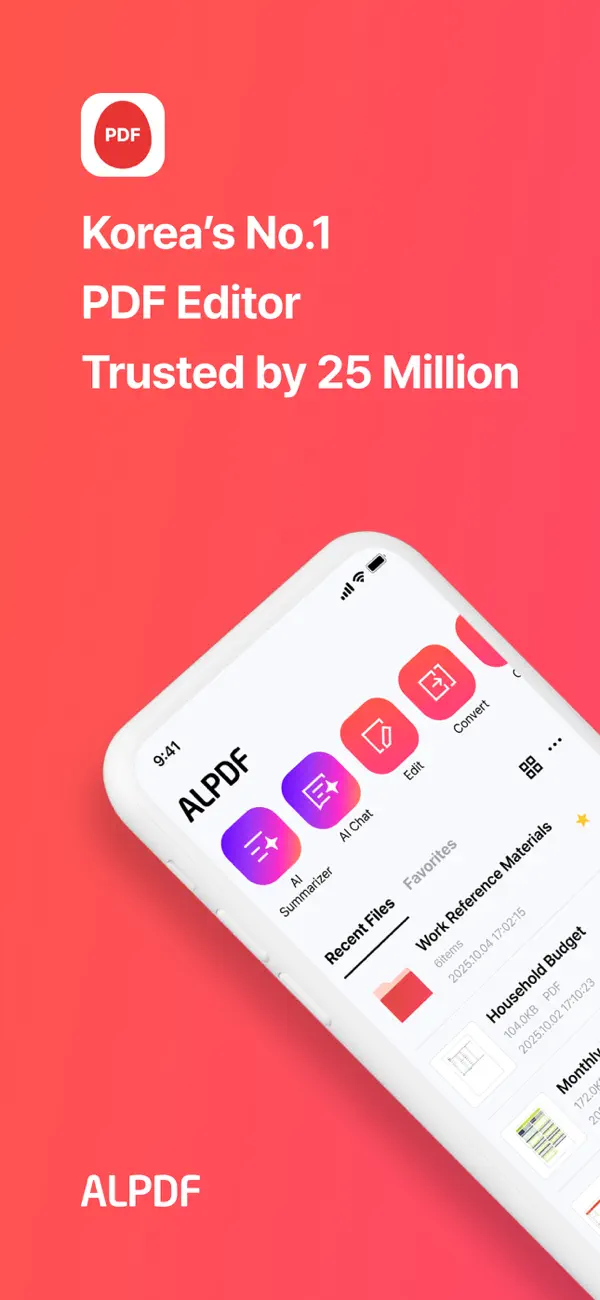
ALPDF brings powerful, PC-proven PDF editing features to mobile devices.
· PDF Viewer: Optimized PDF reader for smartphones and tablets (including iPad)
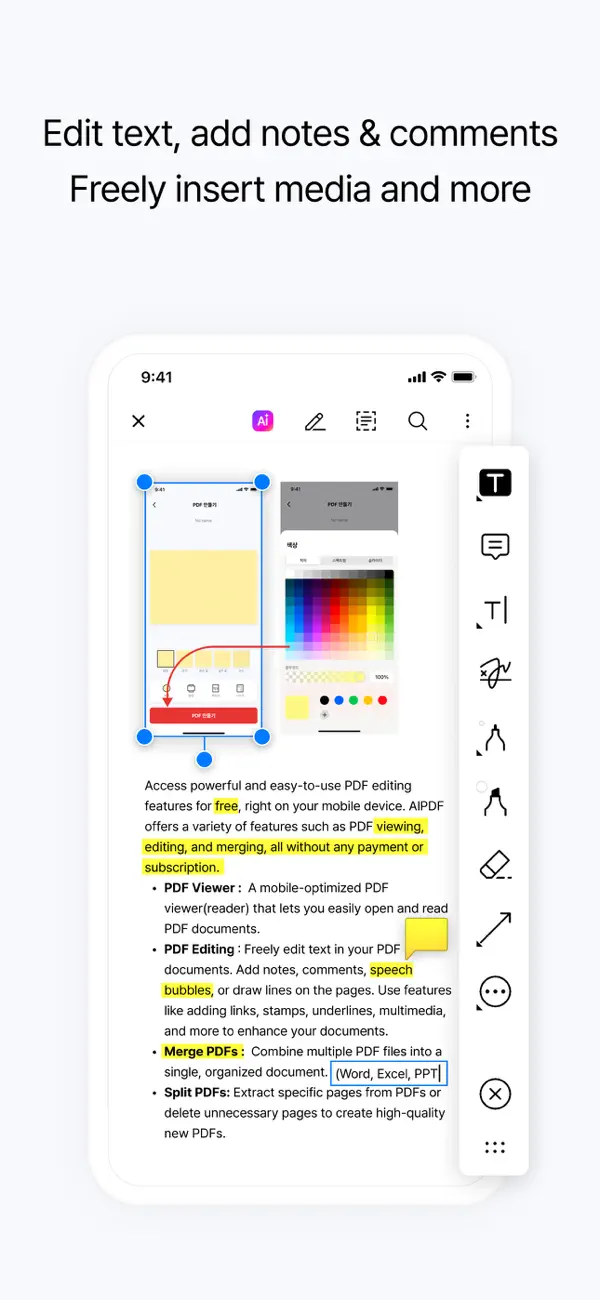
· PDF Editing: Edit text, add notes, comments, callouts, lines, links, stamps, highlights, and multimedia
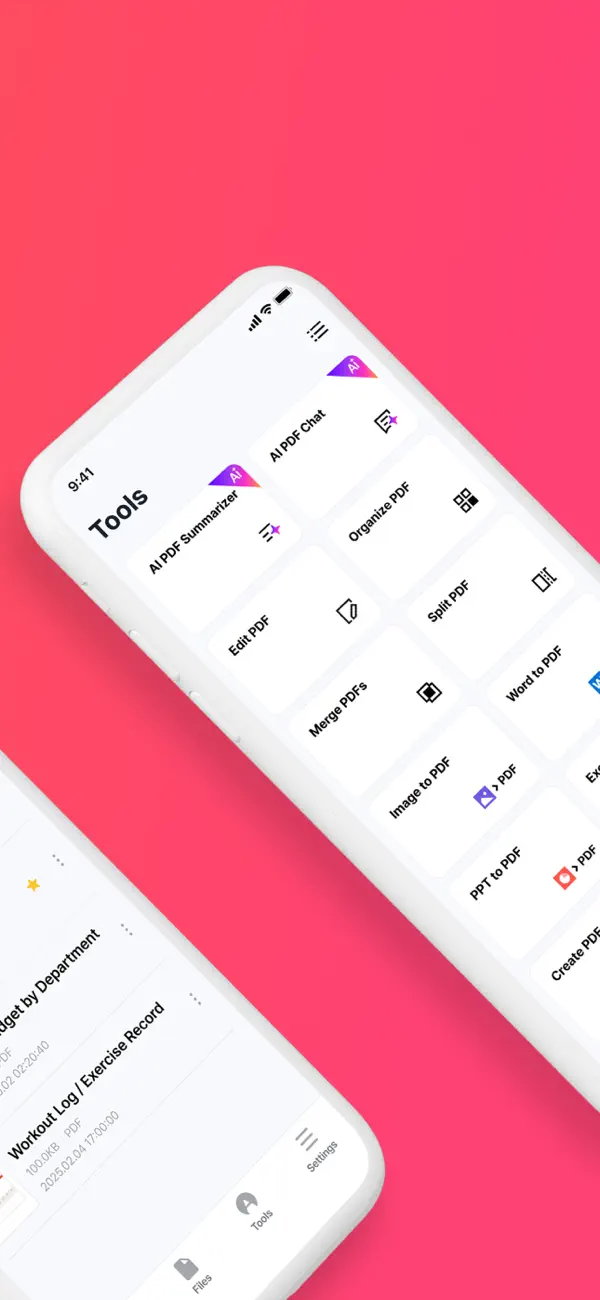
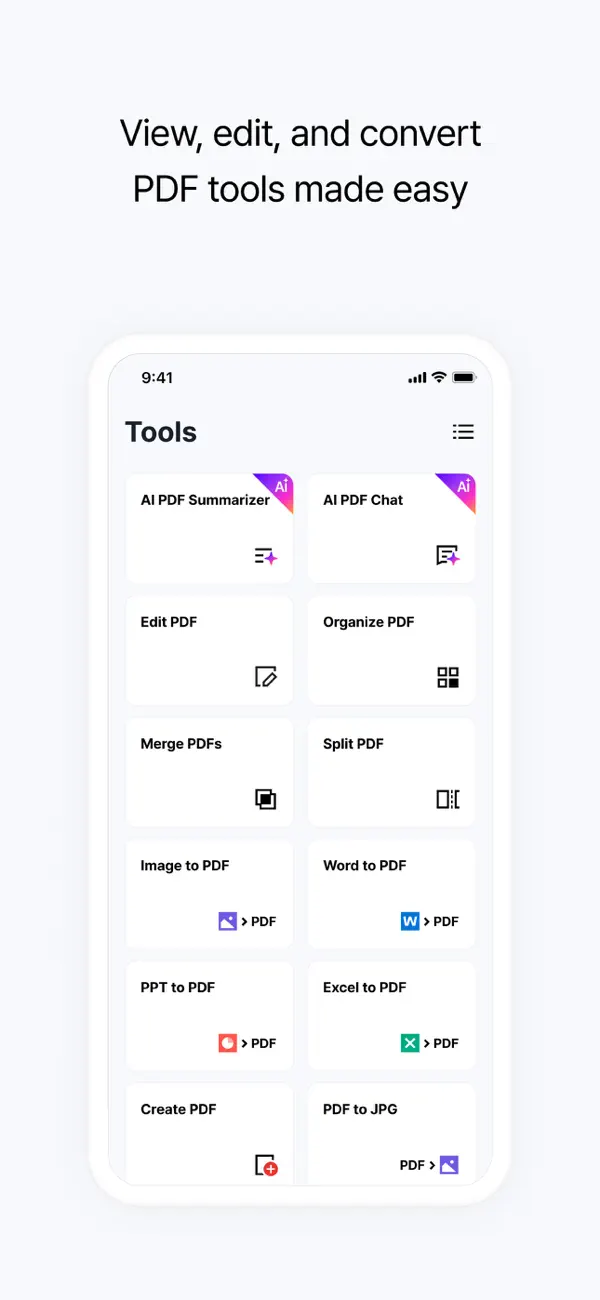
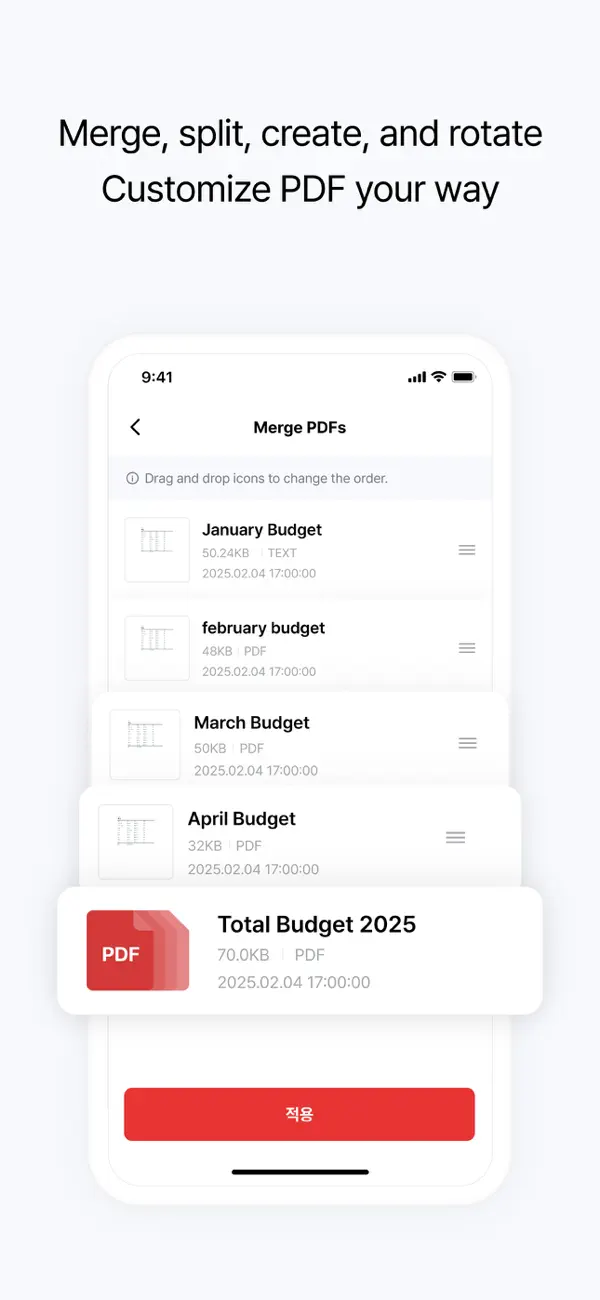
· Merge PDFs: Combine multiple PDF files into one
· Split PDFs: Split or delete pages and export high-quality individual PDFs
· Create PDFs: Generate new PDFs with custom size, color, and page count
· Rotate Pages: Rotate pages horizontally or vertically
· Page Numbers: Insert page numbers with custom position, size, and font
[PDF Converter – File Format Conversion]
Convert documents and images to PDF, or turn PDFs into other formats for free.
MS Office file(Word, PowerPoint, Excel, Image etc)
· PDF to other formats: PDF to JPG, Word, PPT, Excel, TXT
· Other formats to PDF: JPG/PNG, Word, PPT, Excel to PDF
[AI PDF Analyzer – Summary & Chat[
Quickly understand long and complex documents with AI.
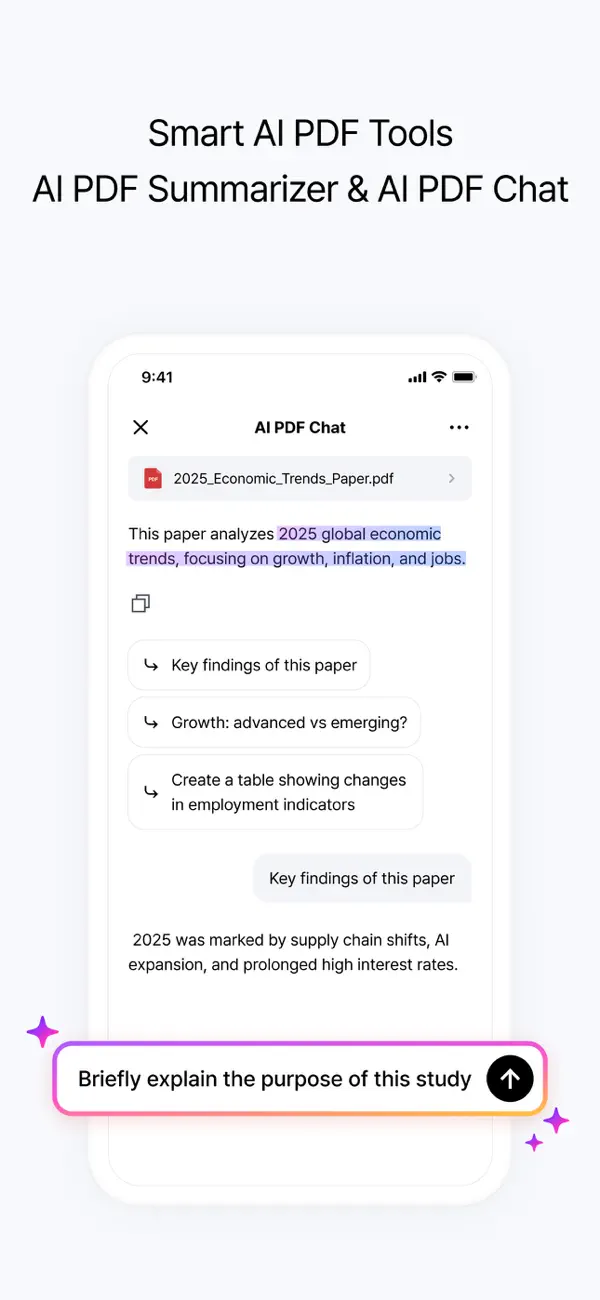
· AI PDF Summarizer: Instantly summarize long PDFs into key points
· AI PDF Chat: Ask questions and get answers directly from your PDF
※ ALTools AI Subscription: When you register an AI subscription on the ALTools website, you can use the AI function of ALPDF at a more generous usage.
[Cloud Integration – OneDrive]
Access and edit your cloud documents seamlessly.
· Open from OneDrive: Instantly open and edit PDFs stored in the cloud
· Multiple account support: Connect two or more OneDrive accounts at the same time
[PDF Security – Lock & Watermark]
Keep your important documents safe.
· Set PDF Password & Remove PDF Password: Add or remove passwords to control access
· Watermark: Protect copyright by adding text or image watermarks
· Organize PDF: Rearrange, delete, or insert pages into your documents.
-
● When we recommend using ALPDF
Professionals who need to edit or convert PDFs on the go
· Edit contracts, reports, and proposals directly on your smartphone or tablet during business trips or field work.
University students and graduate students managing lectures and academic papers
· Summarize PDFs, add annotations, read research papers, and convert files for assignments with ease.
Anyone handling tax, finance, or personal documents
· Merge, split, and password-protect PDF documents such as receipts and certificates right from your mobile device.
Users who want to handle all PDF tasks without a PC
· View, edit, and convert PDFs seamlessly on smartphones and tablets, including iPad.
For anyone who wants to freely use ALPDF’s editing features in the Mac environment.
-
[App Permissions]
Optional Permissions
· Camera: Add photos while editing PDFs
· Microphone: Add voice notes to PDFs
· Tracking: Provide personalized ads and offers
※ You can use the app without granting optional permissions, but features that require them may be limited until permission is granted.
-
[Customer Support]
Email: altools@estsoft.com
Terms of Use: [https://www.apple.com/legal/internet-services/itunes/dev/stdeula/](https://www.apple.com/legal/internet-services/itunes/dev/stdeula/)
Ad
Ảnh chụp màn hình
Lịch sử giá
-
* Trong ứng dụng mua hàng - Giá hiện tại: Miễn phí
- Tối thiểu: Miễn phí
- Tối đa: Miễn phí
Theo dõi giá
Tính năng mới
- Phiên bản: 2.7.0
- Cập nhật:
- - AI Summary & Chat now support your app's set language.
(Support: English, Korean, Japanese, Chinese (Simp/Trad), Spanish, Portuguese)
- More > 'Reader View' for a text-optimized reading experience.
- Improved Korean text editing in PDFs with a new input bar.
Thông tin bổ sung
- Ngày phát hành:
- Danh mục:
iOS Ứng dụng›Năng suất - HĐH:
iPad,iPhone,iOS 16.0 trở lên - Kích thước:
280 Mb - Ngôn ngữ được hỗ trợ:
Chinese,English,Japanese,Korean,Portuguese,Spanish - Xếp hạng nội dung:
4+ - App Store Xêp hạng:
4.5(4) - Trang web:
 https://altools.co.kr/
Nhà phát triển
- ESTsoft Corp.
- Nền tảng: Android Ứng dụng (6) iOS Ứng dụng (5) Windows Ứng dụng (1)
- Danh sách: 3 + 1
- Điểm: 2 + 370,417 ¡
- Xếp hạng: 0
- Bình luận: 0
- Giảm giá: 0
- Video: 2
- RSS: Đăng ký
Danh sách (1)
- ALPDF:Edit, View & Convert PDF

Điểm (1)
-

- 512 expat4i
- +1
Xếp hạng (0)
0 ☹️
Bình luận (0)
Hãy là người đầu tiên nhận xét 🌟
«ALPDF:Edit, View & Convert PDF». Nền tảng: iOS. Thể loại: Năng suất. Nhà phát triển: «ESTsoft corp.». Bản phát hành đầu tiên: . Cập nhật lần cuối: . Giá hiện tại: miễn phí. Tiêu đề này chưa nhận được xếp hạng hoặc đánh giá trên AppAgg. Danh sách: công khai 1, riêng tư 0. Điểm được theo dõi: xác nhận 1, gián tiếp 4. Cửa hàng: App Store. Đánh giá cửa hàng: 4.5. Phiếu bầu: 4. Ngôn ngữ có sẵn: Chinese, English, Japanese, Korean, Portuguese, Spanish. AppAgg theo dõi lịch sử giá, xếp hạng và phản hồi của người dùng cho «ALPDF:Edit, View & Convert PDF». Theo dõi ưu đãi và cập nhật trong tương lai qua RSS. AppAgg không lưu trữ ứng dụng hoặc phân phối phần mềm. Tất cả các nhãn hiệu, logo và ảnh chụp màn hình đều thuộc về chủ sở hữu tương ứng.
ALPDF:Edit, View & Convert PDF URL ngắn: Đã sao chép!- 🌟 Chia sẻ
- App Store
Tương tự
-
- PDF Converter & Convert PDF
- iOS Ứng dụng: Năng suất Bởi: Bhavnaben Rupareliya
- * Miễn phí
- Danh sách: 0 0 0
- Điểm: 0 Phiên bản: 1.0 Turn your files into professional PDF documents quickly and effortlessly. PDF Converter is a simple yet powerful iOS app that allows you to convert images, documents, spreadsheets, ... ⥯
-
- Convert PDF to PowerPoint
- iOS Ứng dụng: Năng suất Bởi: Tu Phan
- Miễn phí
- Danh sách: 0 0 0
- Điểm: 0 + 2 (3.0) Phiên bản: 4.7 Convert a PDF to PowerPoint PDF to PowerPoint Converter allows you to convert your PDF to PowerPoint file on your device easily. Easily and quickly convert PDF to PowerPoint from ... ⥯
- mới
- Convert PDF to PPT
- iOS Ứng dụng: Năng suất Bởi: Antonio Gonzalez de la aleja german
- * Miễn phí
- Danh sách: 0 0 0
- Điểm: 0 Phiên bản: 1.0 Convert PDF files into editable PowerPoint presentations from your iPhone or iPad. PDF to PPT is designed for those who need to transform a document into slides quickly, easily and ... ⥯
-
- Convert PDF: Photos to PDF
- iOS Ứng dụng: Năng suất Bởi: Kevin Rupareliya
- * Miễn phí
- Danh sách: 0 0 0
- Điểm: 1 Phiên bản: 1.0 Convert PDF Photos to PDF Creator & Image Scanner Transform your photos into professional PDFs with just a tap! Convert PDF is the fastest, easiest way to turn images, scans, and photo ⥯
-
- Pdf Studio : Edit & Convert
- iOS Ứng dụng: Năng suất Bởi: Free Vpn Fast
- * Miễn phí
- Danh sách: 0 0 0
- Điểm: 0 Phiên bản: 1.1 PDF Studio is your all-in-one solution to scan, edit, convert, organize, and sign PDF documents directly from your iPhone. Designed with a clean, modern interface and powerful ... ⥯
-
- Convert It Marketing
- iOS Ứng dụng: Năng suất Bởi: Convert It Marketing, LLC
- Miễn phí
- Danh sách: 0 0 0
- Điểm: 0 Phiên bản: 4.7.0 This app allows you to view al of your marketing data in one easy to use dashboard. You will also be able to view and interact with all of the leads that have been generated from your ... ⥯
-
- View 360 Business Hub
- iOS Ứng dụng: Năng suất Bởi: View 360 Marketing
- Miễn phí
- Danh sách: 0 0 0
- Điểm: 0 Phiên bản: 4.2.1 View 360 Business Hub is a powerful, all-in-one CRM and marketing automation platform built to help small and local businesses grow. Designed as a fully branded version of HighLevel, ... ⥯
-
- HTML Viewer Editor Convert PDF
- iOS Ứng dụng: Năng suất Bởi: Marouane Baid
- Miễn phí
- Danh sách: 0 0 0
- Điểm: 0 + 1 (1.0) Phiên bản: 1.0.0 Meet HTML Viewer a fast, elegant html viewer built for people who work with HTML every day. Open local files instantly, switch JS on/off, read comfortably in dark mode, convert to PDF ... ⥯
-
- View Dynamic Glass
- iOS Ứng dụng: Năng suất Bởi: VIEW, Inc.
- Miễn phí
- Danh sách: 0 0 0
- Điểm: 0 + 48 (2.3) Phiên bản: v2.3.3 Situated at the intersection of human wellness, smart connectivity, and energy efficiency, View manufactures View Dynamic Glass, a new generation of architectural glass that ... ⥯
-
- PDFTOJPG: Convert PDF to Image
- iOS Ứng dụng: Năng suất Bởi: Monali Paghadal
- Miễn phí
- Danh sách: 0 0 0
- Điểm: 0 + 12 (4.3) Phiên bản: 1.0.3 Convert all pages in a PDF to Image or extract all images in a PDF to JPG. Convert or extract PDF to JPG online, easily and free. How to convert a PDF to Image Converter easily and ... ⥯
-
- Scan & Convert: PDF, Excel
- iOS Ứng dụng: Năng suất Bởi: GUNEY BERKAY ATES
- * Miễn phí
- Danh sách: 0 0 0
- Điểm: 0 Phiên bản: 1.0.4 Scan & Convert: PDF, Excel is your ultimate mobile scanning companion, designed to turn your iPhone into a powerful and reliable scanner. Quickly digitize documents, seamlessly convert ⥯
-
- Smart PDF: Edit, Scan, Convert
- iOS Ứng dụng: Năng suất Bởi: Ahmad Hamzeh
- * Miễn phí
- Danh sách: 0 0 0
- Điểm: 1 Phiên bản: 1.1.0 Smart PDF AI The Complete PDF Toolkit for Mobile Professionals Smart PDF AI is your all-in-one PDF editor, reader, scanner, converter, and AI assistant. Built for speed, privacy, and ... ⥯
-
- PDFin PDF Edit Convert PDF PNG
- iOS Ứng dụng: Năng suất Bởi: 玺 章
- * Miễn phí
- Danh sách: 0 0 0
- Điểm: 0 + 1 (5.0) Phiên bản: 6.4.6 Digital Signature Add a Digital Signature to PDF by p12, etc format file Add a Digital Signature to the PDF by My Number Card (Japanese ID card, supports iPhone, does not support iPad) ⥯
-
- Smart Scanner: Convert PDF Doc
- iOS Ứng dụng: Năng suất Bởi: ZEE BROTHERS PTV. LIMITED
- * Miễn phí
- Danh sách: 0 0 0
- Điểm: 1 Phiên bản: 1.2 Document Scanner: Scan PDF is your all-in-one mobile scanner & PDF converter. Easily transform your iPhone into a portable document scanner that can scan and convert documents anytime, ⥯