
保存済み
保存済みメニューに表示する名前を選択してください。
完了
| デベロッパー: | Neuron Software (13) | ||
| 価格: | $9.99 | ||
| 評価: | 9,660 ゴールド | ||
| ランキング: | 0 | ||
| コメント: | 0 コメントを投稿する | ||
| リスト: | 1 + 0 | ||
| ポイント: | 0 + 7 (3.3) ¡ | ||
| +1 ポイント | |||
説明

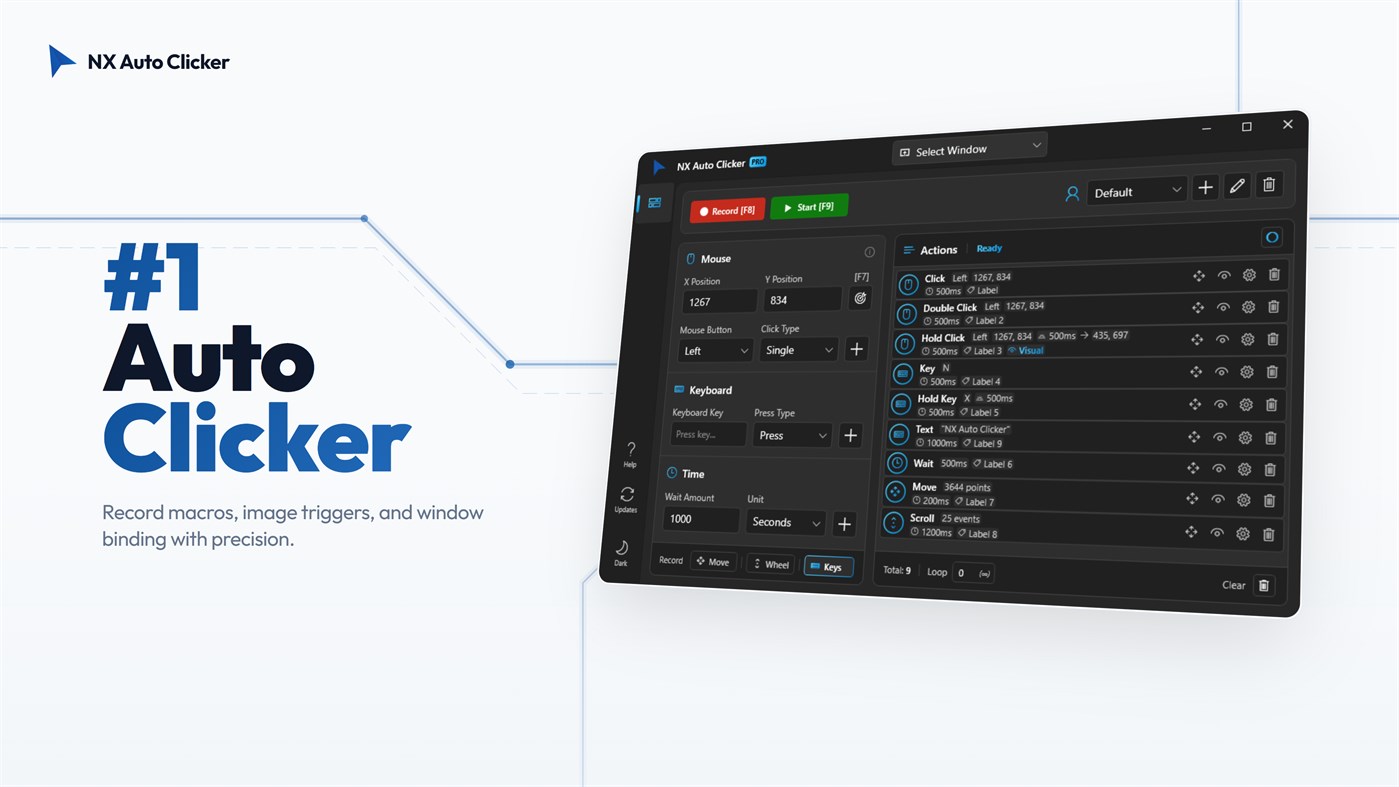
NX Auto Clicker is the #1 rated auto clicker and macro recorder designed for gamers and power users. Dominate your favorite games and streamline your daily workflow with the ultimate automation tool for Windows 10 and Windows 11 on the Microsoft Store.
NX is more than just a basic mouse clicker. It is a premium, all-in-one automation suite combining a High-Speed Auto Clicker, a powerful Keyboard Macro Recorder, and Smart Visual Triggers. Whether you need an extreme CPS (Clicks Per Second) boost for Minecraft, background farming in Roblox, or data entry automation for your job, NX Auto Clicker delivers unmatched precision and reliability.
WHY CHOOSE NX AUTO CLICKER?
Step away from clunky, legacy software. NX features a sleek, modern Windows 11 Glassmorphism interface loaded with exclusive capabilities like Background Mode and Image Recognition, allowing your PC to do the heavy lifting while you multitask.
CORE FEATURES FOR ULTIMATE AUTOMATION:
• Extreme Speed & Stability: Fully optimized engine delivering up to 1000 Clicks Per Second (CPS). Achieve rapid-fire clicking without crashing your game or lagging your system.
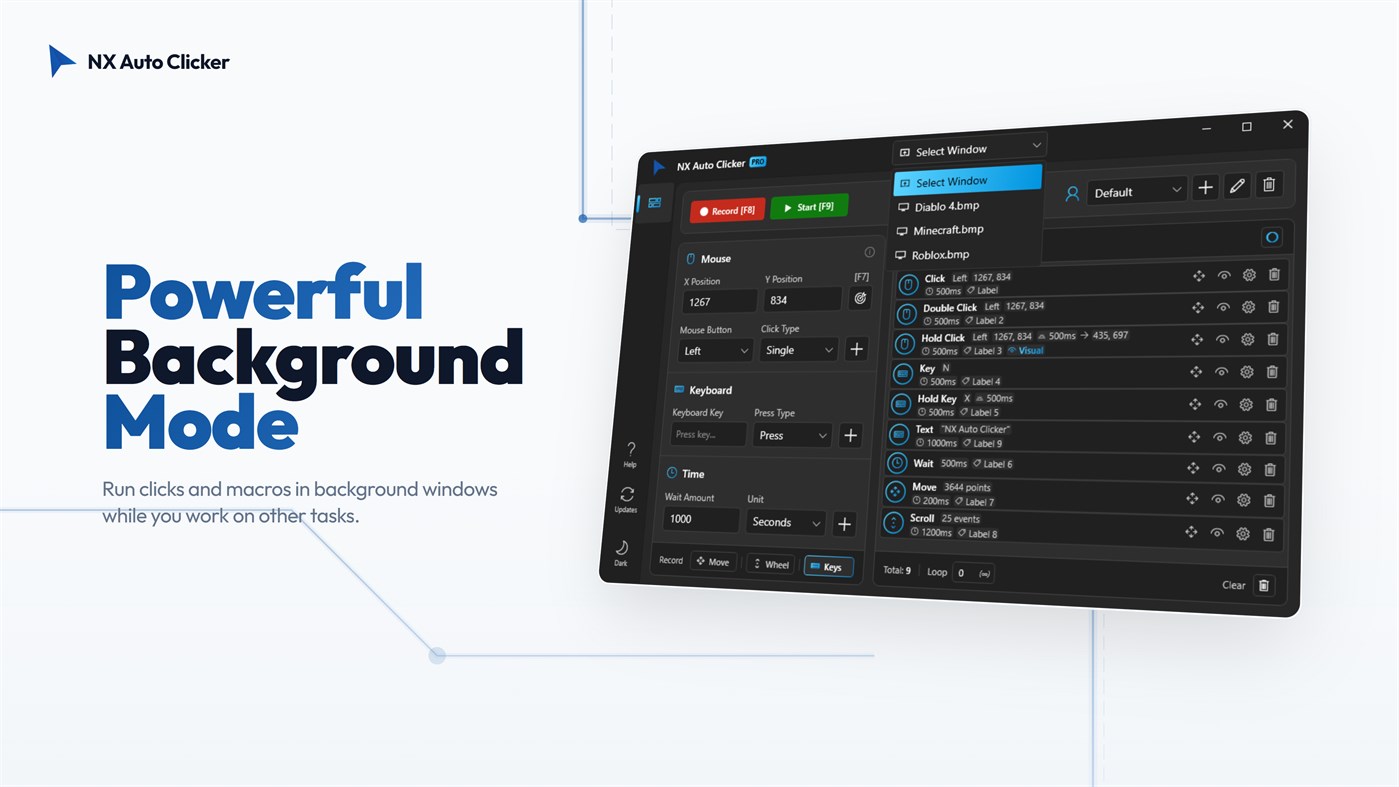
• True Background Mode: Multitask like a pro! Run your macros in background windows. Automate farming in games like Roblox or Minecraft while you watch YouTube, browse the web, or work on another monitor.
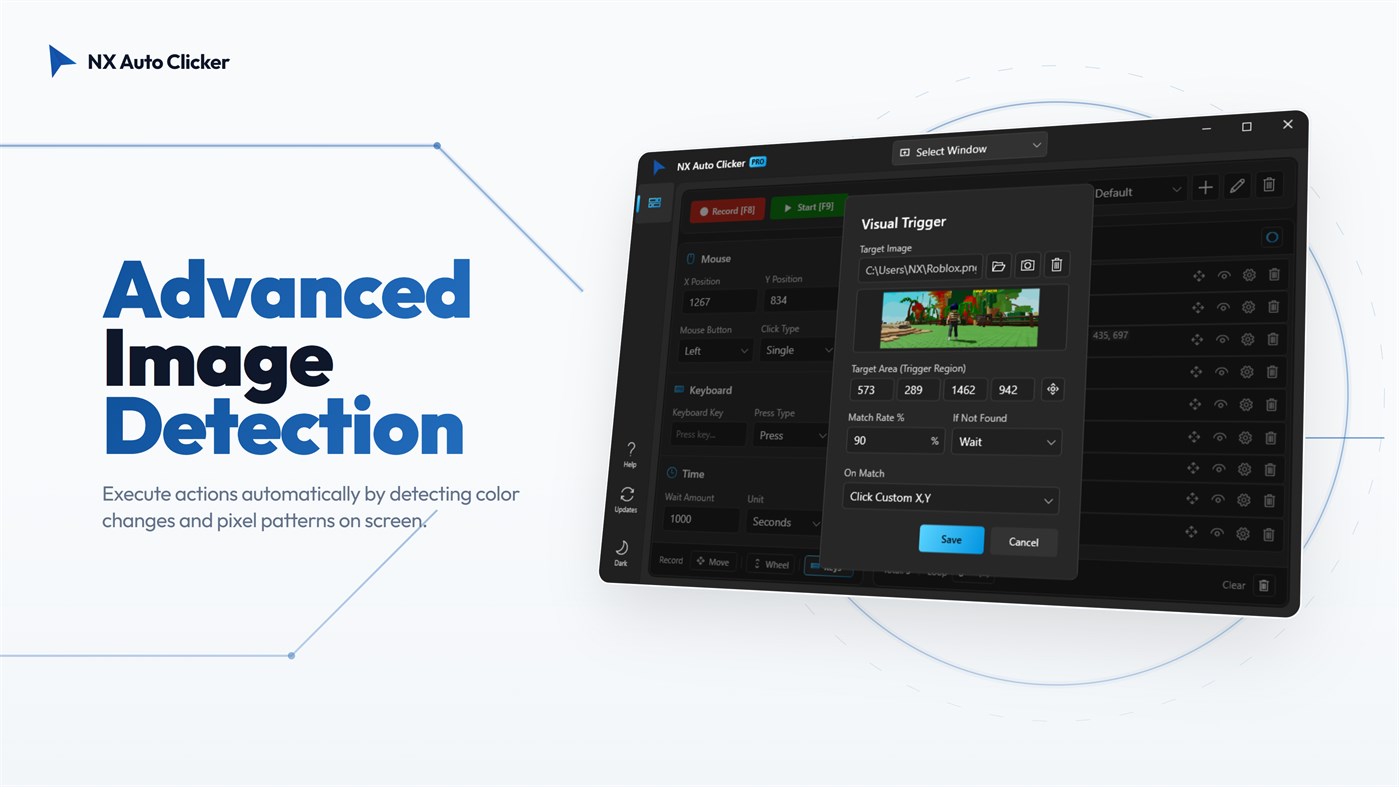
• Smart Visual Triggers (Image Recognition): NX scans your screen for specific images and instantly triggers actions. You can configure it to click precisely on the detected image's location, click a custom X/Y coordinate, or press a specific keyboard key. This powerful system allows you to create highly diverse and complex scenarios for reactive gaming, auto-healing, or smart workflows.
• Advanced Macro Recorder: Easily record complex mouse movements, clicks, and keyboard strokes (Space, Enter, etc.) with a single hotkey (F8). Create infinite loops and timed sequences with zero coding required.
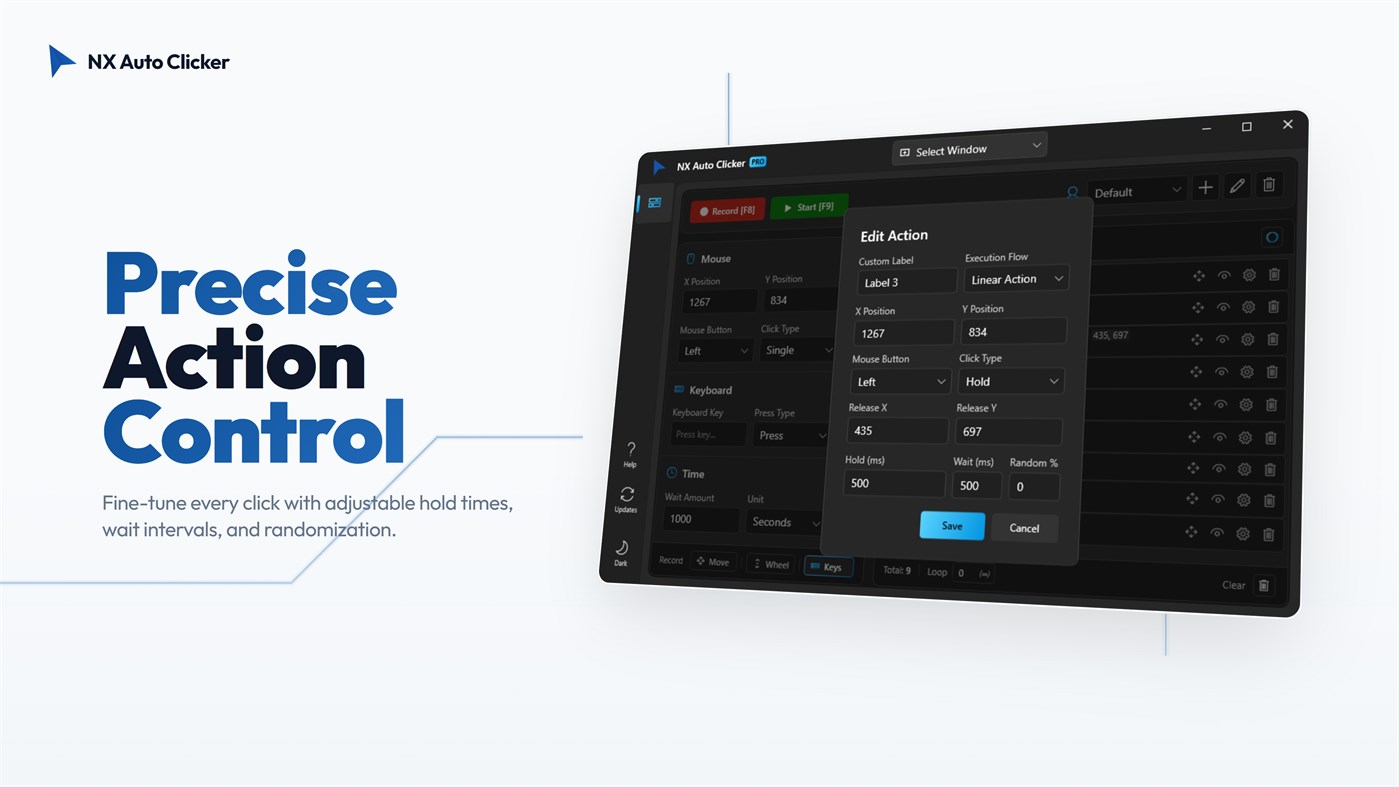
• Precision Editing: Fine-tune every single click, key press, and delay with advanced editing settings. Adjust X/Y coordinates and execution flows down to the millisecond.
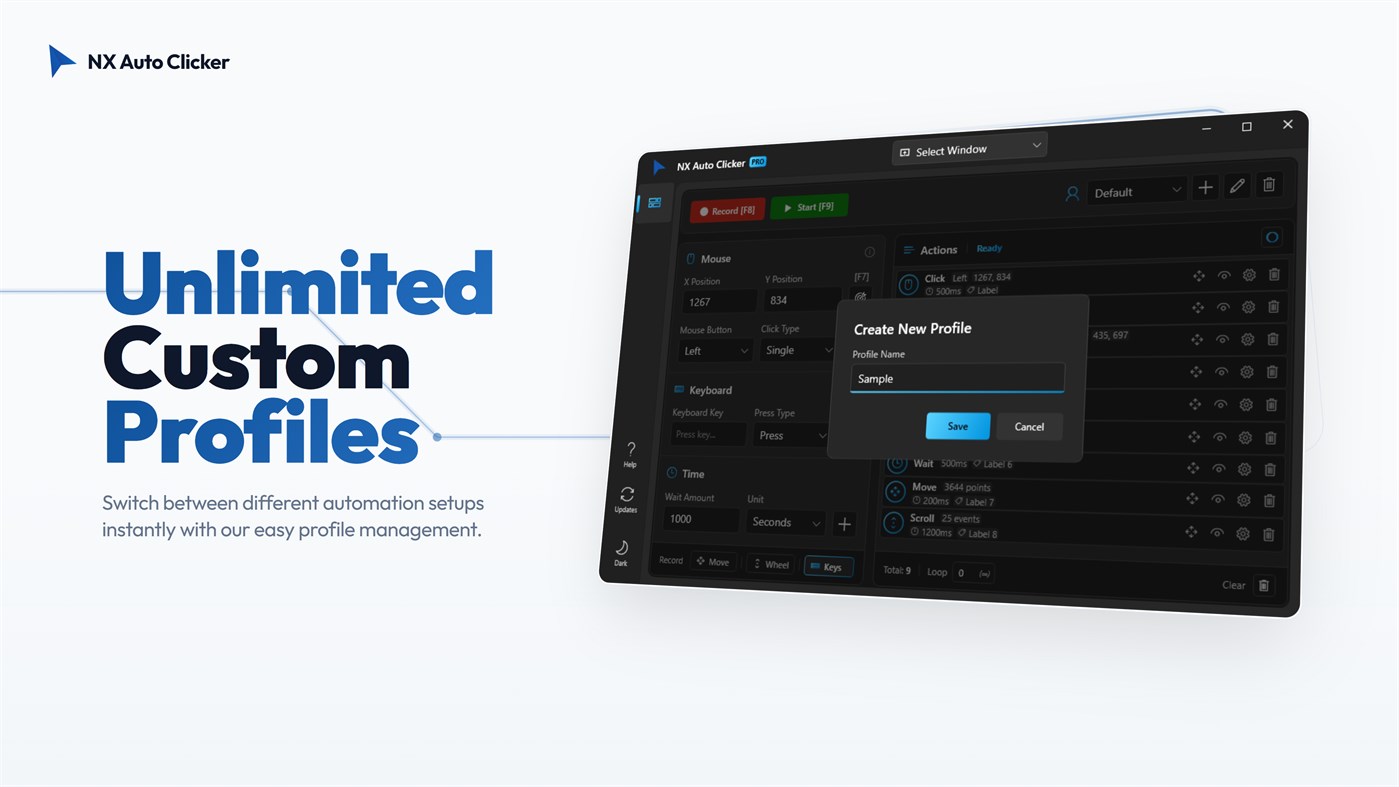
• Profile Management: Save your custom setups for different games or tasks and switch between them instantly. No need to recreate macros every time!
• Human-Like Interaction (Anti-Ban): Prevent detection with the "Random Interval" feature. By slightly varying click delays and hold times, NX perfectly mimics natural human behavior.
OPTIMIZED FOR YOUR FAVORITE GAMES:
• Roblox Auto Clicker: The perfect companion for AFK farming in Anime Fighters, Pet Simulator 99, Blox Fruits, and Tycoon games.
• Minecraft: Ideal for AFK fishing farms, mob grinders, PvP bridging, and rapid block building.
• MMORPGs: Automate crafting, looting, and skill leveling in World of Warcraft (WoW), Final Fantasy XIV, Lost Ark, and RuneScape.
• Idle & Clicker Games: Dominate Cookie Clicker and Clicker Heroes with stable, ultra-fast CPS.
FREQUENTLY ASKED QUESTIONS (FAQ):
Q: Can NX Auto Clicker work while minimized?
A: Yes! Our powerful Background Mode allows you to target specific background windows, letting you use your computer normally while the auto clicker runs silently.
Q: What is a Visual Trigger?
A: It is an advanced feature that scans your screen for a specific image. Once found, it can automatically click the exact location of that image, click a custom coordinate, or press a key, allowing you to build countless automation scenarios.
Q: Is it safe for my PC and accounts?
A: Absolutely. NX operates locally on your machine, and features humanized random click intervals for secure usage. It is a one-time purchase with no hidden subscriptions.
Stop grinding and start automating. Download NX Auto Clicker today and experience the smartest, most powerful auto clicker on the Microsoft Store!
広告
スクリーンショット
価格履歴
- 現在の価格: $9.99
- 最小値: $9.69
- 最大: $19.99
AppAgg評価
9,660
AppAgg推定評価:
NX Auto Clicker
デベロッパー: Neuron Software
9,660 ゴールド
評価が高いほど、AppAgg 上のシグナルが強い傾向があります。
基準: 人気 · ユーザー評価 · 新しさ · セール · ストアデータ · コミュニティ活動
最新のAppAggデータに基づいて毎日再計算されます。
短縮 URL: コピーしました!
新機能
- バージョン: PC
- 最終更新:
情報
- リリース日:
- カテゴリ:
Windows向けアプリ›ユーティリティ & ツール - オペレーティング システム:
PC - サイズ:
103 Mb - サポートされる言語:
English - コンテンツのレーティング:
EVERYONE - Windows Store 評価:
3.3(7)
デベロッパー
- Neuron Software
- フォロワー: 0
- プラットフォーム: Windows アプリ (13)
- 割引: 4
- リスト: 1 + 1
- ポイント: 1 + 7 ¡
- ランキング: 0
- コメント: 0
- 動画: 0
- RSS: 購読する
リスト (1)
- NX Auto Clicker

ポイント (0)
0
ランキング (0)
0
コメント (0)
最初にコメントしてください
概要
NX Auto Clicker 短縮 URL: コピーしました!- シェア
- Windows Store
AppAggでは、Neuron Softwareが開発したアプリ「NX Auto Clicker」の情報を確認できます。対応プラットフォーム:Windows。カテゴリ:ユーティリティ & ツール。 AppAgg評価:9,660(ゴールド)。 このアプリのAppAggポイント:確認済み 0、間接 7。 このアプリを含む公開リスト:1件。非公開リストに保存しているユーザー:0人。 このアプリには、AppAggユーザーからの評価はまだありません。 確認済みポイントは、ログインしたAppAggユーザーのストアへのアクセスを記録します。間接ポイントはストアのデータに基づきます。 2つの数字は、公開リストの数と、非公開リストに保存したユーザー数を表します。 このアプリの初回リリースはです。 このアプリの最終更新はです。 このアプリの現在の価格は$9.99です。 このアプリの記録上の最低価格は$9.69 ()、最高価格は$19.99 ()です。 このアプリのWindows Storeでの現在の評価は3.3で、投票数は7です。 このアプリは次の言語に対応しています:English。 価格履歴を確認したり、アプリをリストに追加したり、開発者をフォローしたりできます。 このアプリの今後のセールや更新はRSS フィードで確認できます。 AppAggはこのアプリをホストまたは配布していません。 このアプリに関連する商標、ロゴ、スクリーンショットはすべて各権利者に帰属します。

