
保存済み
保存済みメニューに表示する名前を選択してください。
完了
| デベロッパー: | Chun Chen (2) | ||
| 価格: | $1.99 | ||
| 評価: | 6,220 ゴールド | ||
| ランキング: | 0 | ||
| コメント: | 0 コメントを投稿する | ||
| リスト: | 1 + 0 | ||
| ポイント: | 1 + 0 ¡ | ||
| +1 ポイント | |||
説明

KEY FEATURES
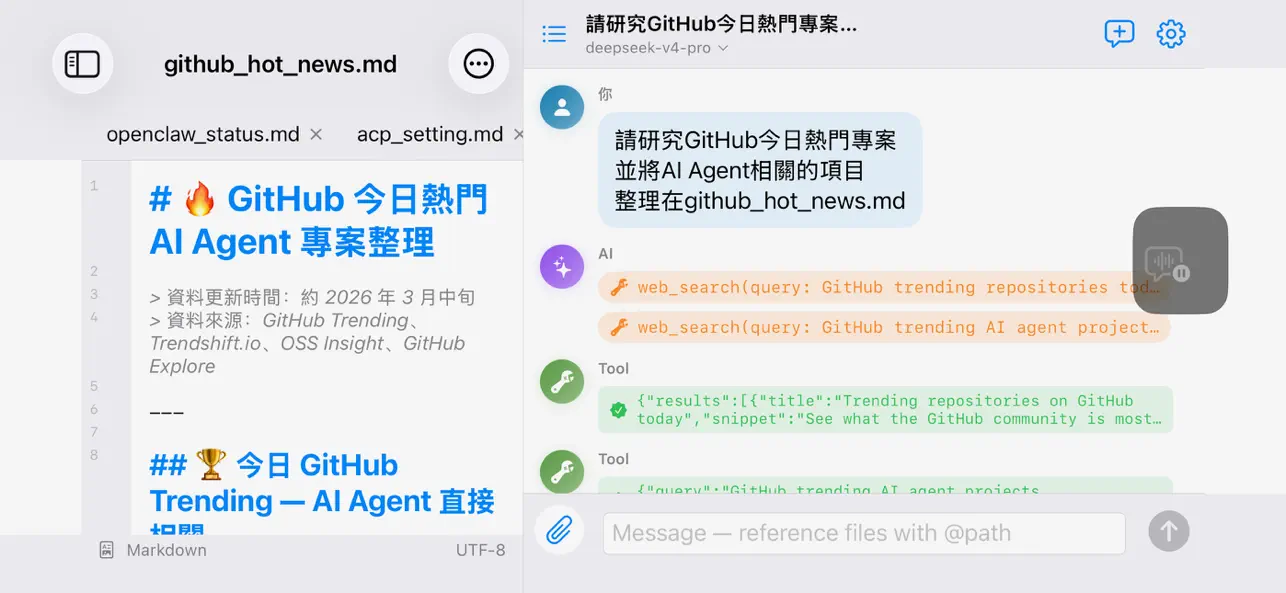
• Mark up the preview, let AI edit — Tap a spot or select a passage and say what to change. Queue marks across the document, send one batch, review one diff.
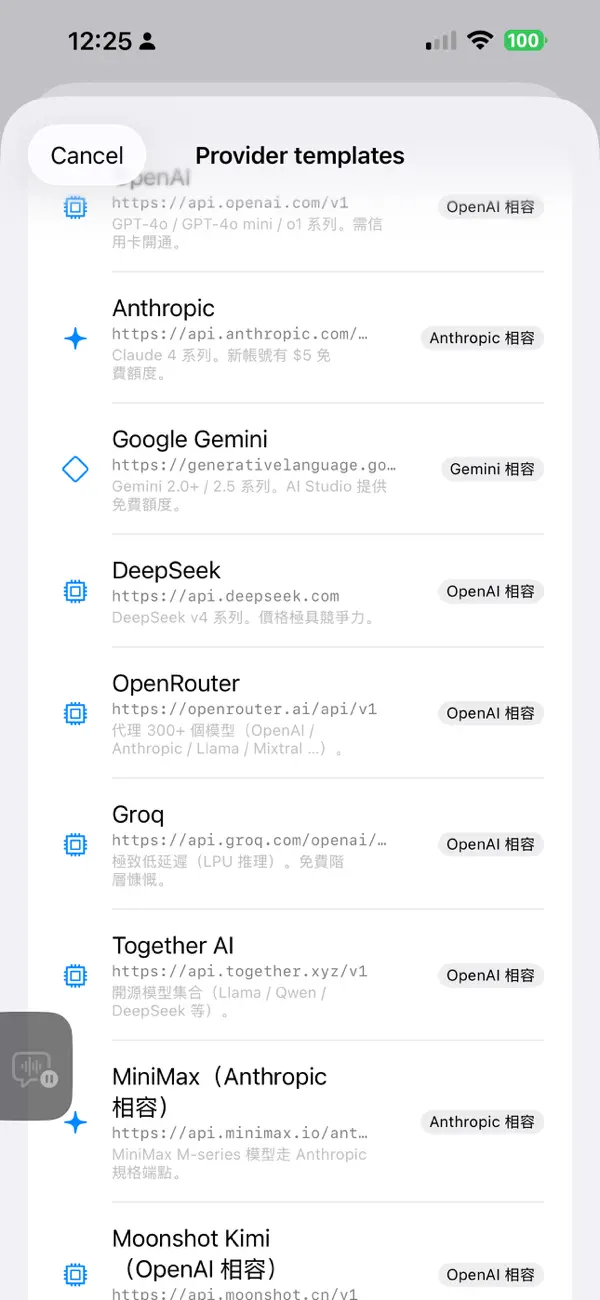
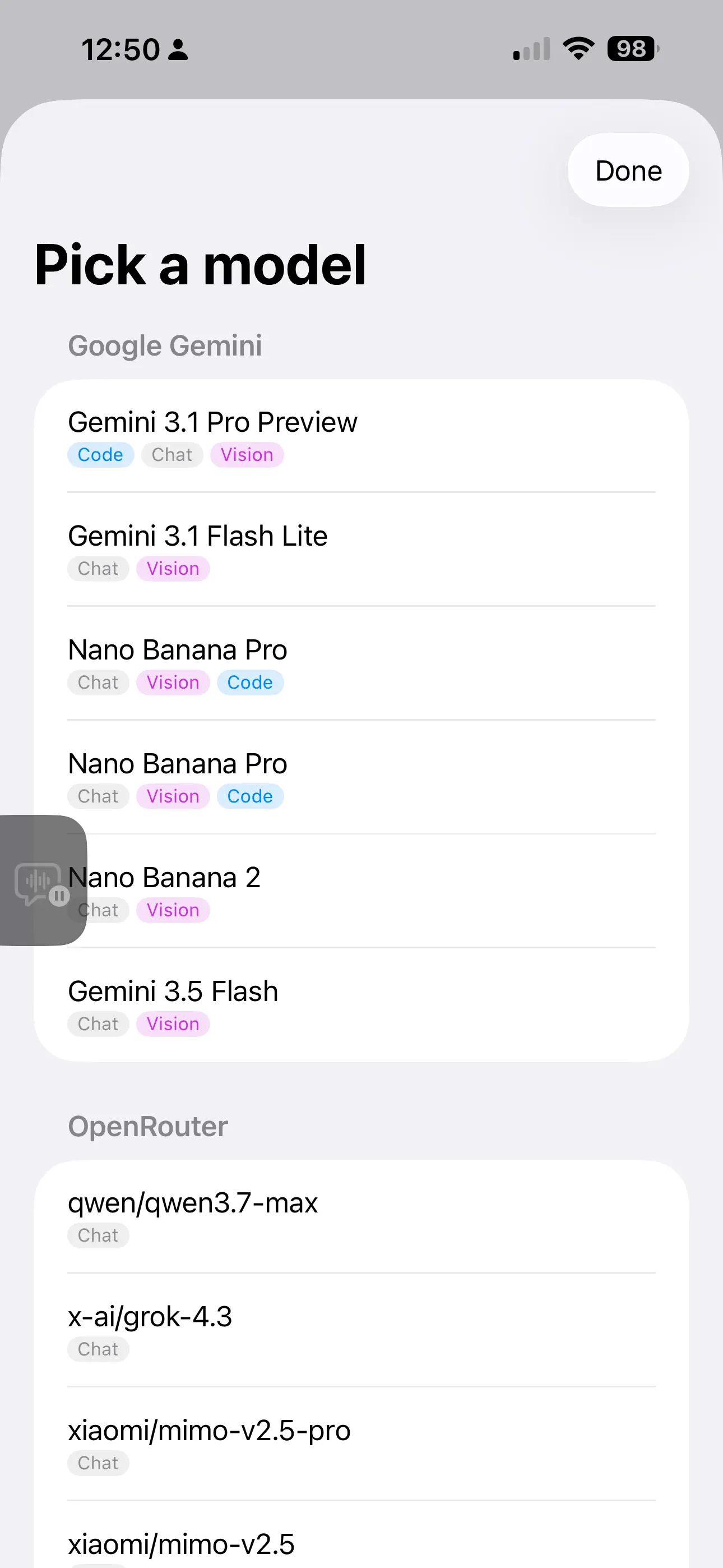
• Bring your own AI — OpenAI, Anthropic, Google Gemini, DeepSeek, AISA (one key for GPT / Claude / Gemini / Grok / Qwen and 70+ models), OpenRouter, Groq, Cerebras, Mistral, NVIDIA NIM, Together, MiniMax, Moonshot, Qwen, or local Ollama. 16 one-tap presets, multiple profiles.
• You approve every change — Edits show a diff card first; nothing is written until you tap Apply, and every overwrite is snapshotted for rollback.
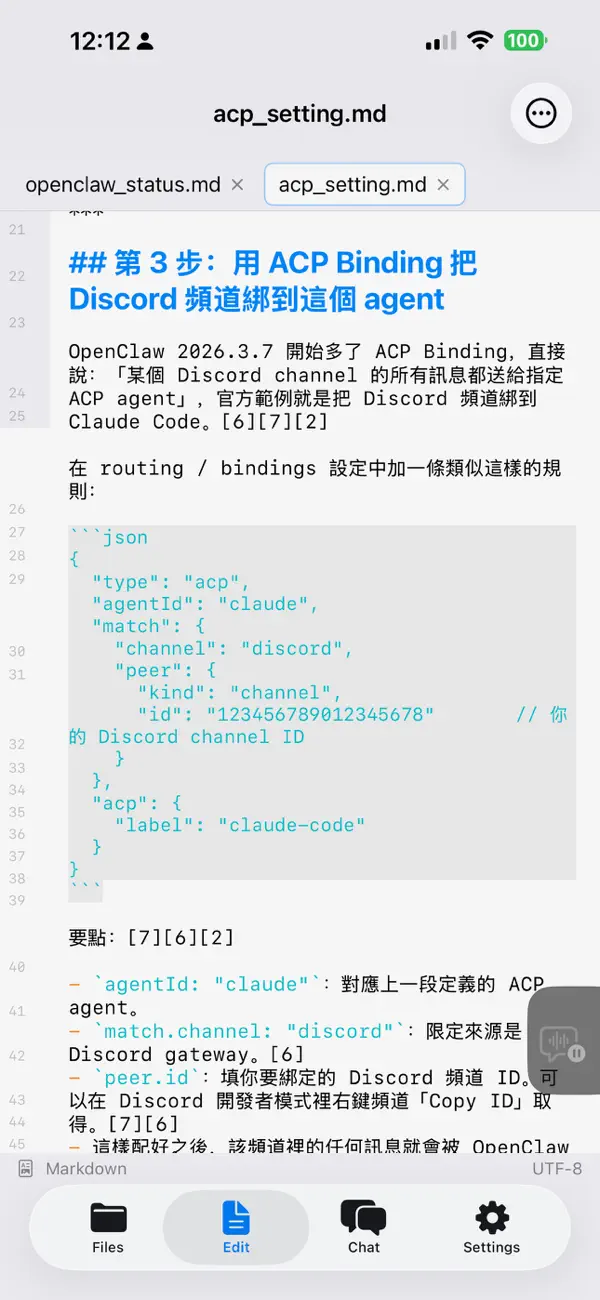
• Multi-tab editor — Syntax highlighting for 10 languages, line numbers, autosave, find & replace, adjustable font size.
• Rich Markdown preview — Outline navigation, in-document search, reading progress with resume, highlighted code with one-tap copy, tables as cards on phones, collapsible lists, task checkboxes, GitHub-style alerts, light/dark themes.
• Export to PDF, Word, Excel & PowerPoint — Generated entirely on device. "AI Refine" turns a document into slides (cover / section / two-column / quote); import your own .pptx to reuse its master and theme. Brand Kits apply your colours, fonts, logo, and cover art everywhere; four layout modes (Reading, Report, Academic, Manual) tune the typography.
• AI illustrations — One prompt generates an illustration (OpenAI gpt-image or Gemini) at the cursor; it flows into PDF, Word, and PowerPoint. Decks can auto-illustrate slides or render each slide as one designed image.
• AISA Skills — Browse 41 official skills in Settings (web & scholar search, US stocks, crypto, prediction markets, X/Twitter, YouTube, SEO, media generation), grouped with localized summaries; preview the full SKILL.md, then import picks into the Prompt Library. One AISA key unlocks the LLM gateway, data skills, and AISA web search. Calls go through a locked-down http_request tool: HTTPS-only, host-whitelisted, key injected on device — never visible to the model.
• Prompt Library — Activate several presets at once, merged in your order with a size meter. Search and origin groups keep big libraries tidy; import skills from GitHub or built-in catalogs; switch from the chat header.
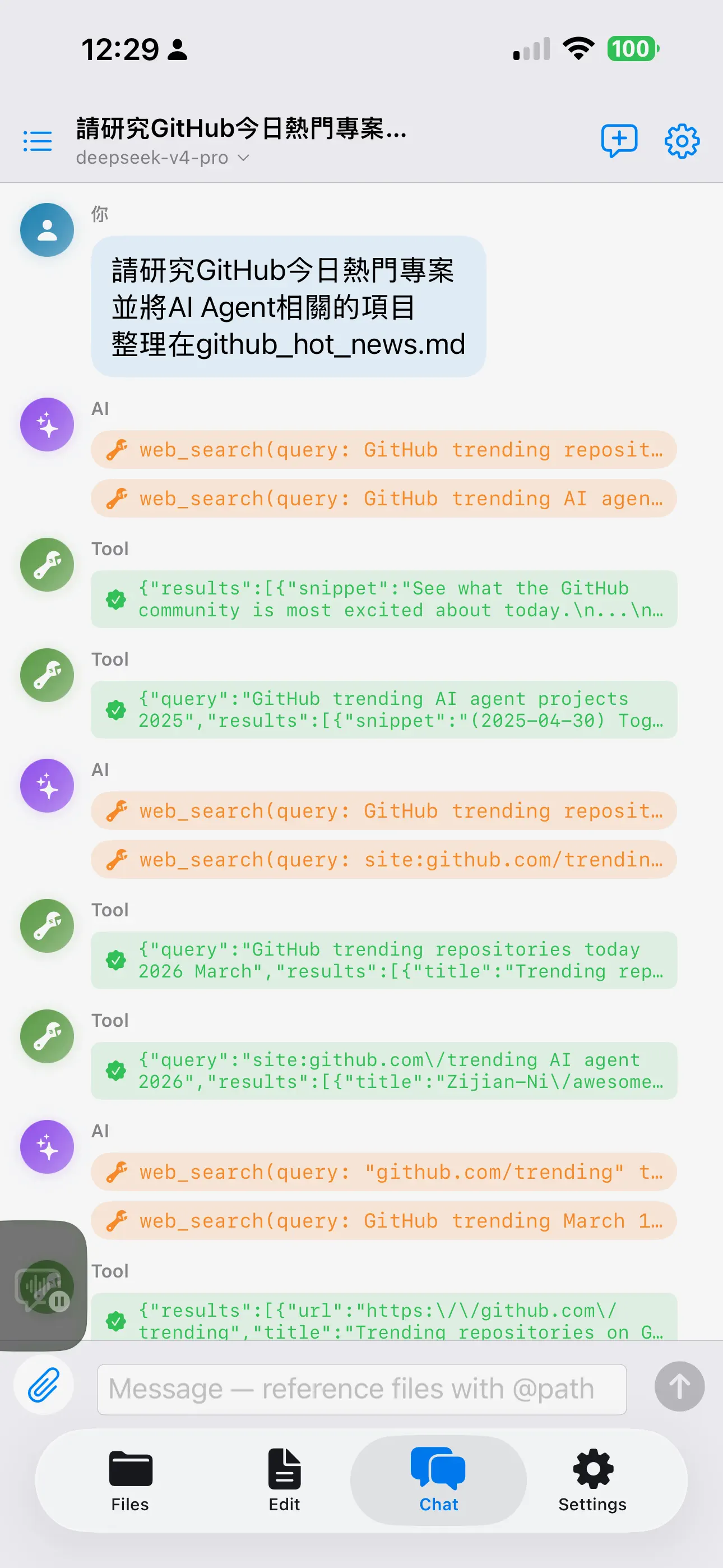
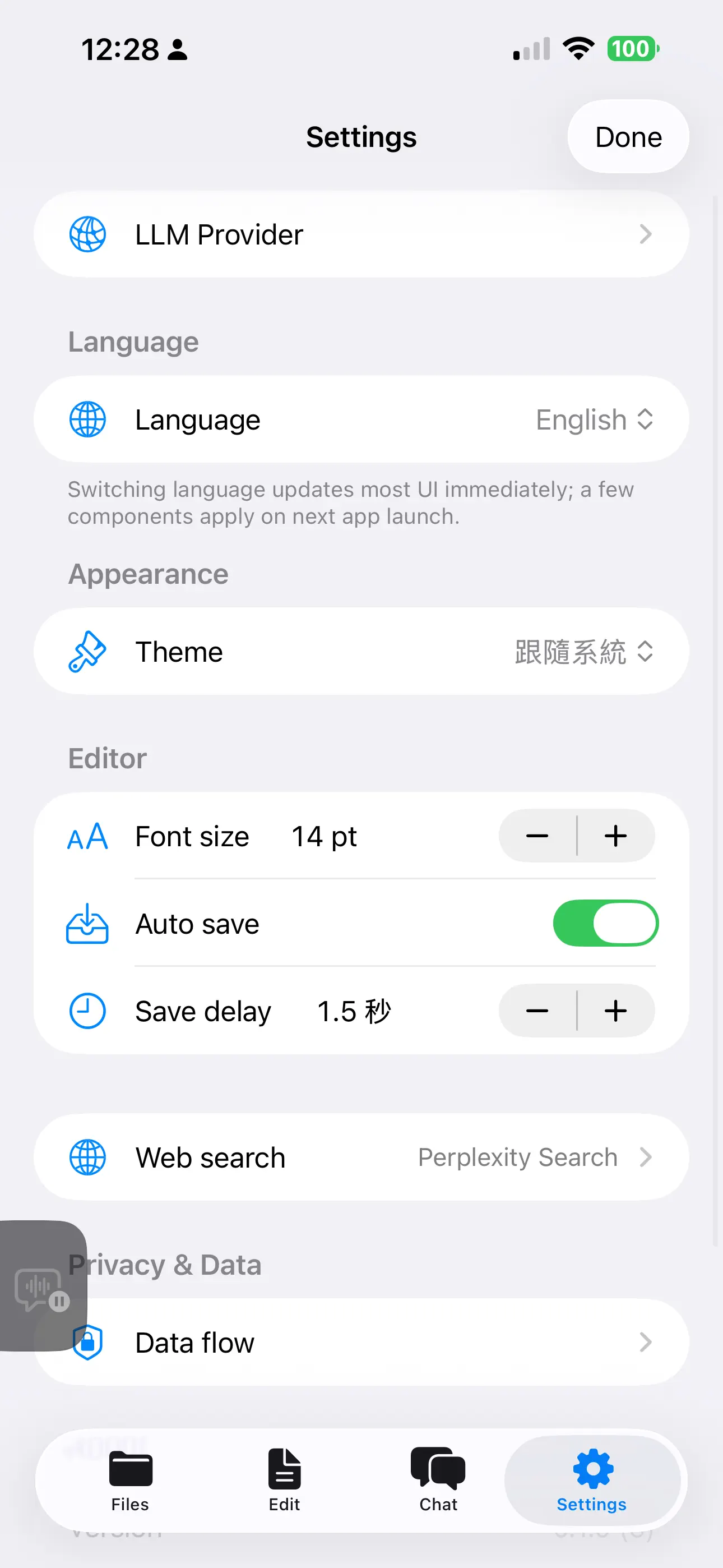
• Tool-using AI — Reads, searches, and writes workspace files. Optional web search via Brave, Tavily, Perplexity, or AISA relays (web / scholar / hybrid / Tavily), each with its own key.
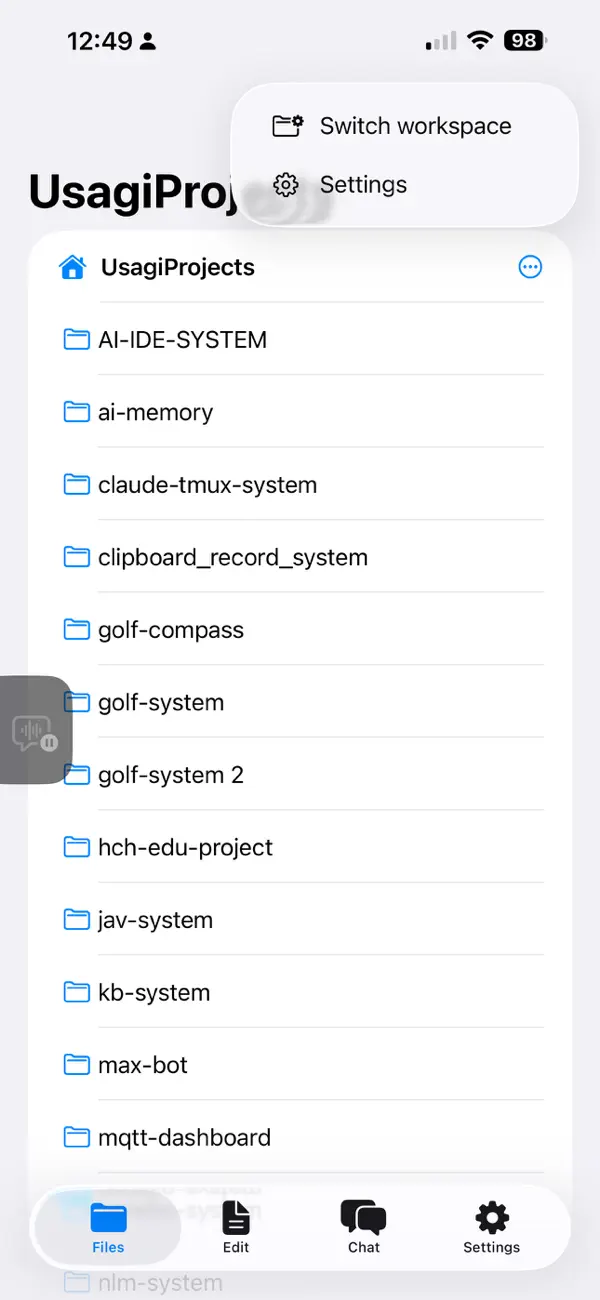
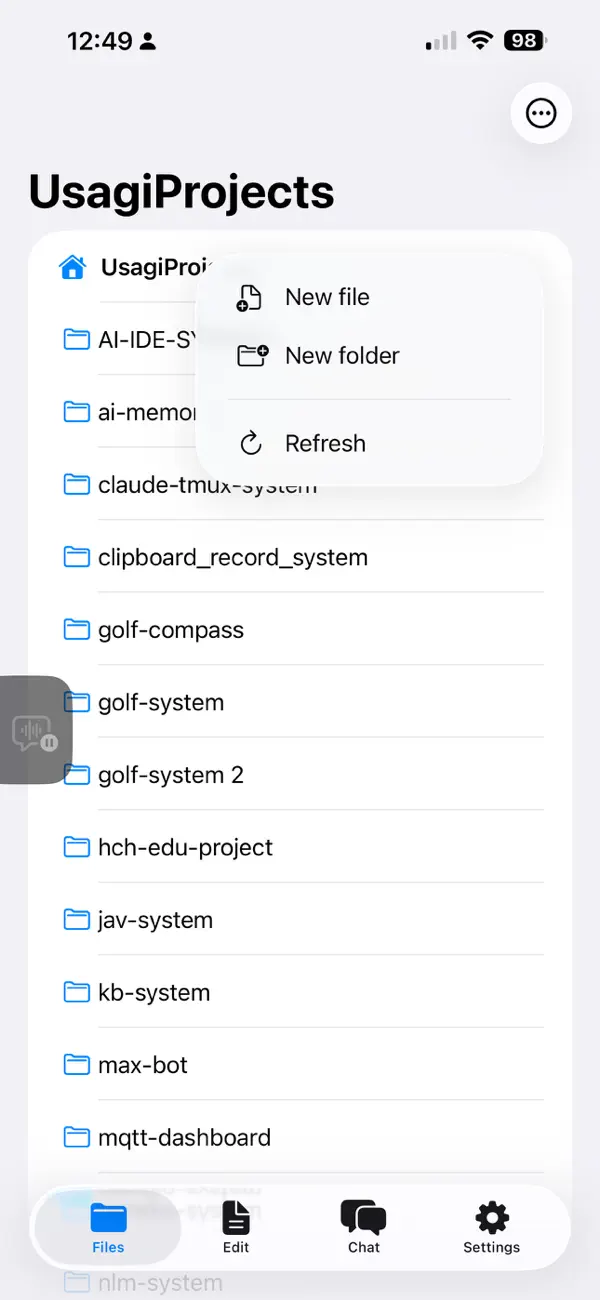
• Files done right — Open .md files from anywhere in iOS; create, rename, move, duplicate, share, and delete in the file tree; multiple pinned workspaces with security-scoped bookmarks.
• Local version control — Snapshot, diff, and revert on device — no git or GitHub account, history never touches iCloud, instant even in huge folders. Optional auto-commit for approved AI changes.
• Smart model routing — Suggests the right model for coding, chat, long context, or vision.
• Multimodal — Attach files, photos, or clipboard images. Vision models get images directly; PDF / DOCX / PPTX / XLSX are transcribed for the LLM.
• Resilient chat — Dropped streams retry with backoff and continue without re-growing the conversation; manual Resume remains.
• Trilingual — Full UI in English, 繁體中文, 简体中文; switch without restart.
• iPad-friendly — Three-pane Split View on iPad, tabs on iPhone, keyboard shortcuts (⌘S, ⌘P, ⌘⇧N, ⌘,).
PRIVACY
• API keys live in the iOS Keychain (device-only). Your content goes directly to the endpoints you configure — no proxy, no telemetry, no analytics. Chat history stays local; delete it anytime.
REQUIREMENTS
• iPadOS / iOS 17.0 or later. You provide the API keys for the LLM services you use.
For support, send mail to sportusagi@gmail.com.
Ad
スクリーンショット

価格履歴
- 現在の価格: $1.99
- 最小値: $1.99
- 最大: $1.99
料金のチェック
AppAgg評価
6,220
AppAgg推定評価:
AI-IDE: Code & Markdown Editor
6,220 ゴールド
評価が高いほど、AppAgg 上のシグナルが強い傾向があります。
基準: 人気 · ユーザー評価 · 新しさ · セール · ストアデータ · コミュニティ活動
最新のAppAggデータに基づいて毎日再計算されます。
短縮 URL: コピーしました!
新機能
- バージョン: 1.10
- 最終更新:
- Demo scripts, plus steadier editing and chat
New: Demo scripts (.aiide)
- Automate the app with a line-by-line script and reproduce a whole flow — create a file, chat with AI, annotate the preview, batch-edit, export a deck — as if an agent were driving AI-IDE on screen.
- Choreography: automatic tab switching, typewriter input, a top step banner (pause / stop), and the screen stays awake for the whole run.
- Cached offline mode: replace AI calls with pre-recorded content — zero network, zero tokens, identical every time — ideal for recordings and stage demos.
- First run asks you to accept a risk notice; the editor syntax-highlights .aiide (commands / comments / strings / variables).
Fixes & stability
- Version control: fixed "phantom changes" — files reclaimed by iCloud (to save space) or deleted no longer keep reappearing as uncommitted changes.
- Editor: fixed files starting with a "#" that couldn't scroll right after opening; scrolling and editing are smooth throughout.
- Chat: quota / rate-limit / auth errors now fail fast instead of retrying pointlessly (which slowed things down and worsened rate limits).
- Tool calls: fixed an "Unknown tool" caused by some providers' streaming, so AI tools are more reliable.
- Continued polish for 0.9's file management, AISA Skills, and multi-prompt library.
情報
 https://www.lovelyduck.cc/usagiweb/app/ai-ide
デベロッパー
リスト (1)
- AI-IDE: Code & Markdown Editor

ポイント (1)
-

- 4,942 Sam
- +1

ランキング (0)
0
コメント (0)
最初にコメントしてください
概要
AI-IDE: Code & Markdown Editor 短縮 URL: コピーしました!- シェア
- App Store
«AI-IDE: Code & Markdown Editor». プラットフォーム: iOS. カテゴリ: 開発ツール. 開発者: «Chun Chen». 最初のリリース: . 最終更新日: . 現在の価格: $1.99. 記録された最低価格: $1.99. 記録された最高価格: $1.99. このタイトルはまだ AppAgg で評価やレビューを受けていません。 リスト: 公開: 1, 非公開: 0. 追跡ポイント: 確認済み: 1, 間接: 0. 利用可能な言語: Chinese, English. AppAgg は «AI-IDE: Code & Markdown Editor»の価格履歴、評価、ユーザーフィードバックを追跡します。 AppAgg はアプリケーションをホストしたり、ソフトウェアを配布したりしません。 すべての商標、ロゴ、スクリーンショットはそれぞれの所有者に帰属します。 今後の値下げと更新をフォロー: RSS で確認できます
類似
-
- Markdown Editor for Safari
- iOS アプリ: 開発ツール 作者: Coffee & Fun LLC
- $2.99
- リスト: 1 0 0
- ポイント: 5 + 1 9K · ゴールド バージョン: 2.2 Create and view markdown files easily from anywhere with our simple and easy, GitHub-flavored markdown editor. Say hello to your new favorite Markdown editor, designed to make your ...
-
- Markdown Editor MDQuill
- iOS アプリ: 開発ツール 作者: 献慧 陈
- * フリー
- リスト: 1 0 0
- ポイント: 2 + 2 8K · ゴールド バージョン: 1.1.8 MDQuill Studio is a local Markdown writing app for iPhone, iPad, and Mac. Open .md, .markdown, or .txt files, read them in a clean preview, then switch back to editing whenever you ...
-
- Markdown Editor and Reader
- iOS アプリ: 開発ツール 作者: Julian Lau
- フリー
- リスト: 0 0 0
- ポイント: 2 + 2 860 · シルバー バージョン: 1.3.0 Create Markdown files or import exiting .md files and preview them directly in the App and share the files with other people.
-
- Slim Markdown Editor
- iOS アプリ: 開発ツール 作者: Jan Ameli
- フリー
- リスト: 0 0 0
- ポイント: 0 + 1 1K · シルバー バージョン: 1.0.3 Slim Markdown Editor is a fast, clean, and privacy-focused Markdown editor built for those who value simplicity and focus. Easily import and export Markdown files directly within the ...
- 新着
- TradeScript AI - Algo Code
- iOS アプリ: 開発ツール 作者: METECAN DUYAL
- * フリー
- リスト: 0 + 1 0 0
- ポイント: 0 + 0 1K · シルバー バージョン: 1.2 TradeScript AI helps you create, understand, evaluate, convert, and improve trading strategy scripts with AI. Describe your strategy idea in plain language, choose your target script ...
-
- AI Translate - Photo Translate
- iOS アプリ: 開発ツール 作者: VNSolution AI Limited
- フリー
- リスト: 0 0 0
- ポイント: 4 + 0 1K · シルバー バージョン: 1.8.2 AI Translate - Photo Translate is a smart translation app powered by advanced AI OCR technology, designed to translate text directly from photos, images, or documents in seconds. Just ...
-
- Python IDE - Code & Run
- iOS アプリ: 開発ツール 作者: 文禄 张
- * フリー
- リスト: 0 + 1 0 0
- ポイント: 4 + 30 15K · プラチナ バージョン: 1.6.8 PythonIDE is a mobile coding workspace built for iPhone and iPad. Run Python 3.14 and JavaScript locally, write scripts, manage files, view results, and connect to remote servers from ...
-
- Marky Mark Markdown Editor
- iOS アプリ: 開発ツール 作者: 4Utopia, Inc.
- $4.99
- リスト: 0 + 1 0 0
- ポイント: 1 + 0 1K · シルバー バージョン: 1.0.4 Transform your markdown writing experience with Marky Mark - a modern WYSIWYG editor designed for iOS and macOS. KEY FEATURES: Live Preview - See your formatted text as you type with ...
-
- WonderChat AI - Vibe Code App
- iOS アプリ: 開発ツール 作者: Tim Chen
- * フリー
- リスト: 0 + 1 0 0
- ポイント: 2 + 2 6K · ゴールド バージョン: 1.3.1 WonderChat is the best way to create and ship real projects, apps, games, and more right from your phone. With WonderChat, you can create anything, anywhere. Make apps & sites with ...
-
- AI App Localization: xcstrings
- iOS アプリ: 開発ツール 作者: Sparrow Code
- フリー
- リスト: 0 + 1 0 0
- ポイント: 2 + 3 1K · シルバー バージョン: 1.5.31 The localizer supports XLIFF XCLOC and Xcstrings files. You can export in any of these formats to edit the localization. Pluralization and all file versions are supported. The ...
-
- Nudge - Swipe AI, Ship Code
- iOS アプリ: 開発ツール 作者: EnterX LLC
- * フリー
- リスト: 0 0 0
- ポイント: 0 + 0 850 · シルバー バージョン: 1.1.0 Run AI coding from your phone. Your AI coding agent stops dead at every "approve this command?" prompt so you can't actually walk away. Even when the AI does the typing, you stay ...
-
- Vulk - AI App Builder
- iOS アプリ: 開発ツール 作者: Code Ahead Lda
- * フリー
- リスト: 0 0 0
- ポイント: 1 + 0 1K · シルバー バージョン: 1.0.3 VULK is an AI-powered app builder. Describe what you want to build and VULK generates a working web application then preview it live and refine it through chat. HOW IT WORKS 1. ...
-
- AI Website Builder
- iOS アプリ: 開発ツール 作者: Writecream
- * フリー
- リスト: 0 0 0
- ポイント: 0 + 2 9K · ゴールド バージョン: 2.4 AI Builder is an AI-powered website creation tool that transforms plain text prompts into fully functional, responsive websites. Using natural language instructions, users can design, ...
-
- Code App
- iOS アプリ: 開発ツール 作者: thebaselab Ltd
- $6.99
- リスト: 2 + 5 0 0
- ポイント: 10 + 299 26K · プラチナ バージョン: 1.12.1 Code App is a MIT-licensed desktop-class code editor for iPadOS with built-in Node.js, Python, C, C++, PHP and Java runtime. We built it because there is nothing else on the App Store ...