
Guardados
Elige el nombre que se mostrará en tu menú Guardados.
Hecho!
| Desarrollador: | Joshua Langberg (6) | ||
| Precio: | $29.99 | ||
| Evaluación: | 7,450 Platino | ||
| Clasificaciones: | 0 | ||
| Comentarios: | 0 Publicar comentario | ||
| Listas: | 1 + 0 | ||
| Puntos: | 0 + 0 ¡ | ||
| +1 Puntos | |||
Descripción

Point it at your folders and the built-in AI files every document by subject, learning the categories from YOUR collection instead of forcing a fixed list. Research papers are recognized and filed by field with clean titles. Invoices, manuals, receipts, and books each get handled on their own terms.
MORE THAN PDFs
Alongside your PDFs, Bibliome reads Word (.docx), OpenDocument (.odt, .ods), Excel (.xlsx), Rich Text, Markdown, and plain-text files — turn each format on in Settings and the original file is classified, filed, and searched as itself, never converted or copied.
BRING YOUR OLD NOTES WITH YOU
Import an Evernote export (.enex) and choose what comes in, by type, before anything is written. Images and unreadable formats are off by default, damage is named before you commit, stopping keeps what it did, and importing again recognizes what it already brought in. Evernote is a trademark of Evernote Corporation; Bibliome is not affiliated with or endorsed by Evernote.
THE AI LIVES ON YOUR MAC
Built with Llama. A full large language model ships inside the app — classification, semantic search, and "Ask Your Library" answers run entirely on your machine, with no Apple Intelligence required. Requires an Apple silicon Mac (M1 or later). Llama 3.1 is licensed under the Llama 3.1 Community License, © Meta Platforms, Inc.
PRIVATE BY CONSTRUCTION
• The app ships without the network entitlement — macOS makes it impossible for Bibliome to open a connection. Not a promise; a property.
• No accounts, no sign-ins, no API keys, no analytics.
• Optional iCloud sync is performed by macOS inside your own Apple account.
TWO WAYS IN, AND THE SAFE ONE IS THE DEFAULT
• Index & Organize reads every document where it already is and organizes it into searchable categories. Nothing is moved or renamed, and you get the whole app with your folders exactly as you left them.
• Auto-File into Folders is there when you do want the filing done for you, and everything it does is reversible.
WORKS WITH YOUR OTHER TOOLS
Bibliome speaks MCP, an open standard — so any tool that supports it (Claude, Cursor, Zed, editor extensions, your own client) can search, ask and cite your documents. It's read-only, there's nothing to install, and answers come from Bibliome itself, so nothing leaves your Mac.
CHOOSE THE MODEL
The bundled model is the default and the one everything is measured on, but you can point Bibliome at another you've downloaded. It checks the folder before trusting it and tells you plainly whether that model has been tested.
A REAL LIBRARY ENGINE
• Ask a question in plain language. Bibliome finds the passages in your own documents that bear on it, cites them, and writes its answer from them — so you can always check the answer against the source.
• Search by meaning or by keyword — even inside scanned documents (built-in OCR, with a depth you control).
• Highlight as you read, in four colors, with notes — and undo takes one back. They are written into the PDF itself, so Preview and other readers see them, and export as text, Markdown, or CSV.
• Mark up a document: pen, arrows, shapes, text boxes, stamps, images, and a reusable signature.
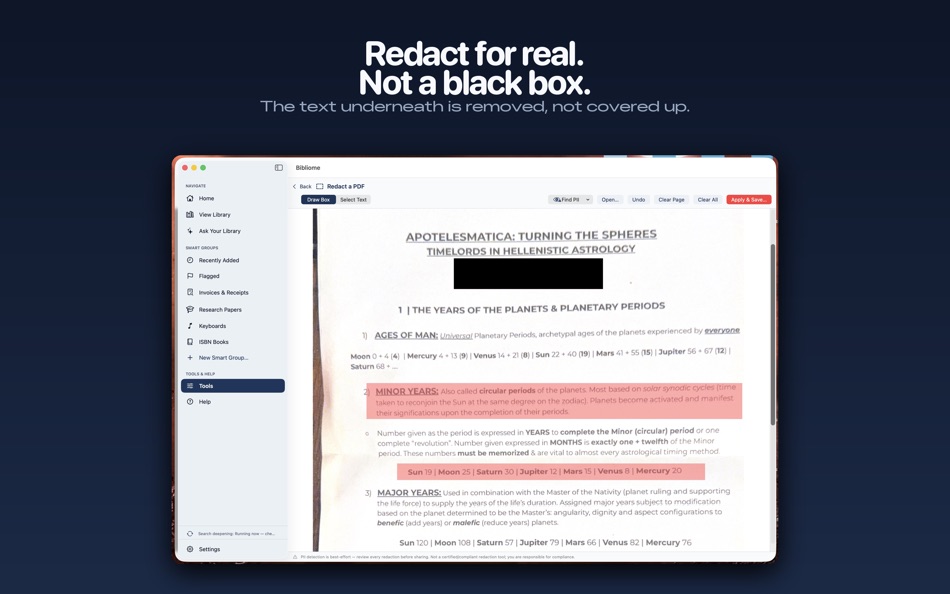
• Redact sensitive content with true rasterization; auto-detect personal info first.
• Merge folders, hunt duplicates, batch-rename cryptic files.
• Page tools, compression, Word-to-PDF, scan-with-iPhone, scheduled overnight runs.
• Smart Groups keep invoices, manuals, and recent additions one click away.
ONE LIBRARY, ALL YOUR DEVICES
The free Bibliome companion for iPhone and iPad lets you read, mark up, bookmark, and file into the same library anywhere — synced through your own iCloud.
One price. No subscription. Your documents never leave your Mac unless you say so.
Anuncio
Capturas...




Historial de precios
- Precio actual: $29.99
- Mínimo: $29.99
- Máximo: $29.99
Realizar un seguimiento de los precios Añádelo a una lista para recibir alertas de descuentos por email o push
Puntuación de AppAgg
7,450
Evaluación AppAgg estimada de
Bibliome Library
Desarrollador: Joshua Langberg
7,450 Platino
Las evaluaciones más altas suelen indicar señales más fuertes en AppAgg.
Basado en: popularidad · valoraciones de usuarios · actualidad · ofertas · datos de tiendas · actividad de la comunidad
Se recalcula a diario con datos actualizados de AppAgg.
URL corta: Copiado!
Novedades
- Versión: 1.7
- Última actualización:
- Folders you can actually manage. In the Library's Folders pane, Cmd-click or Shift-click to select several folders, then right-click for Merge Into, Reassess Category, Rename, New Folder Inside, and Move to Trash. Every one of them can be undone from Edit > Undo, with the operation named. Merging moves every document across, keeps folder structure, and sends emptied folders to the Trash rather than deleting them.
Tags merge the same way. In the Tags pane, select two or more tags and choose Merge Into: every document under the other tags gets the surviving tag, nothing moves, and Undo puts each one back.
Drop documents in from the Finder. Drag PDFs onto a folder in the Library to copy them in and start a scan right away, so they show up in search without a manual scan. Undo removes the copies; your originals are never touched.
Find your library from Spotlight. Every document is listed in Spotlight by title and category, and choosing a hit opens it in Bibliome. Nothing leaves your Mac.
Información adicional
- Fecha de lanzamiento:
- Categoría:
Aplicaciones para macOS›Productividad - Sistemas operativos:
macOS,macOS 14.0 y versiones posteriores - Tamaño:
4 Gb - Idiomas admitidos:
Chinese,English,French,German,Italian,Spanish - Clasificación de contenido:
4+ - Mac App Store Valoración: ¡
0
 https://psychosonicconsulting.com/bibliome
Desarrollador
- Joshua Langberg
- Seguidores: 0
- Plataformas: iOS Aplicaciones (5) macOS Aplicaciones (1)
- Descuentos: 0
- Listas: 1 + 0
- Puntos: 1 + 3 ¡
- Clasificaciones: 0
- Comentarios: 0
- Vídeos: 0
- RSS: Suscribirse
Listas (1)
- Bibliome Library

Puntos (0)
0
Clasificaciones (0)
0
Comentarios (0)
Sé el primero en comentar
Resumen
Bibliome Library URL corta: Copiado!- Mac App Store
En AppAgg puedes seguir «Bibliome Library», una aplicación de Joshua Langberg para macOS en la categoría Productividad. Evaluación AppAgg: 7,450 (Platino). Puntos de AppAgg de la aplicación — confirmados: 0; indirectos: 0. Listas públicas que incluyen la aplicación: 1. Usuarios que la han guardado en listas privadas: 0. Los usuarios de AppAgg aún no han valorado esta aplicación. Los puntos confirmados registran las visitas a la tienda de usuarios con sesión iniciada en AppAgg; los indirectos se basan en datos de las tiendas. Los dos contadores muestran las listas públicas y los usuarios que han guardado la aplicación o el juego en listas privadas. La aplicación se publicó por primera vez el . La última actualización de la aplicación fue el . La aplicación cuesta actualmente $29.99. La aplicación está disponible en estos idiomas: Chinese, English, French, German, Italian, Spanish. Consulta el historial de precios, añade la aplicación a una lista o sigue a su desarrollador. Sigue las próximas ofertas y actualizaciones de la aplicación a través de su Fuente RSS. AppAgg no aloja ni distribuye esta aplicación. Todas las marcas comerciales, logotipos y capturas de pantalla relacionados con la aplicación pertenecen a sus respectivos propietarios.

