
Bookmarks
| Developer: | Doc Picks (1) | ||
| Price: | $9.99 | ||
| Score: | 7,110 Gold | ||
| Rankings: | 0 | ||
| Comments: | 0 Add a comment | ||
| Lists: | 1 1 | ||
| Points: | 1 | ||
| +1 Point | |||
Summary
Meet Split Screen for Windows - Reserve a Side of Desktop - Always On Dock, an app from Doc Picks in the Productivity category.
It’s $9.99 now, but it went for $0.99 . Patience pays off.
Released , still pretty fresh.
1 AppAgg user is keeping watch on its price.
The Microsoft Store is built into Windows, so it installs in a couple of clicks.
Its AppAgg Score is 7,110. That’s Gold.
Rated “EVERYONE”, so it’s fine for kids too.
Only one language, and it’s English.
It’s made it into 1 list. Someone’s clearly building a top list.
1 person has already headed to the store from here. Those are its Points on AppAgg.
It’s the developer’s only app on AppAgg. For now.
Want to hear about deals, updates and new apps first? Set a price alert, follow the developer or subscribe to the RSS feed. Push alerts come through the AppAgg Alerts app for Android and iOS.
Screenshots 9
Video 1
Your own feed on the home page
Description

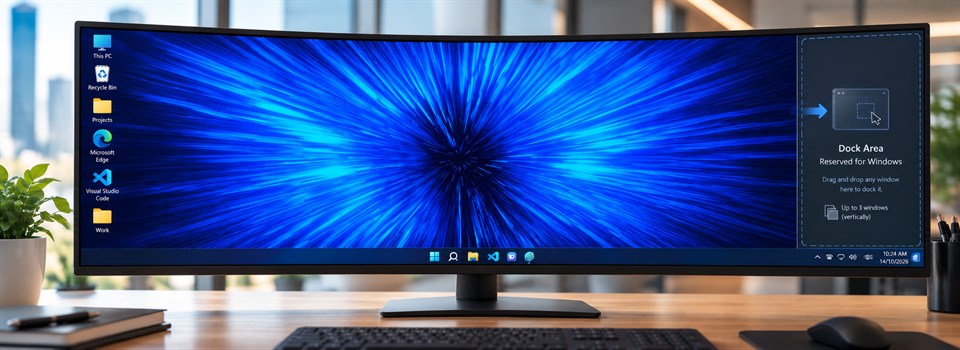
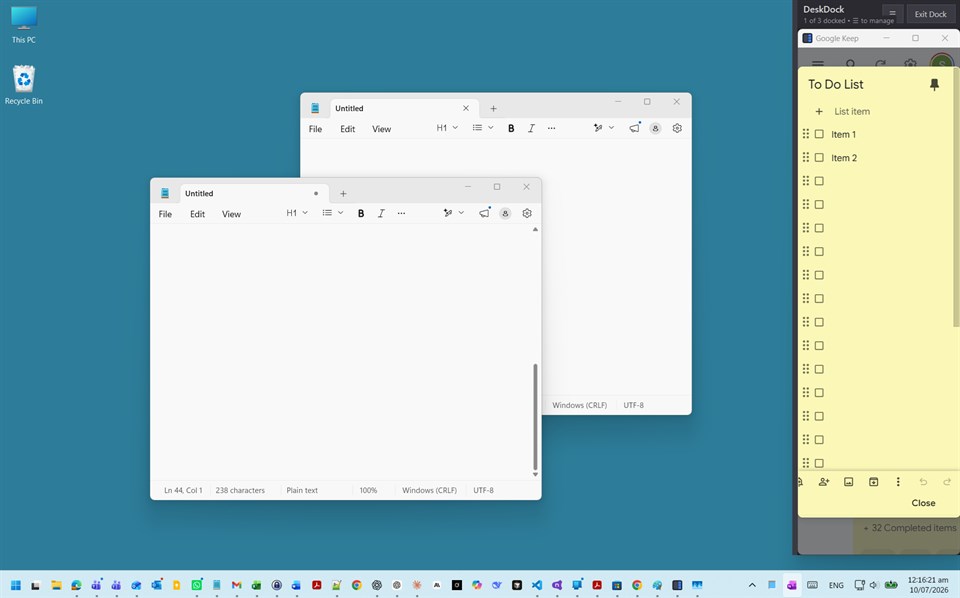
Pin any app to reserved side of desktop — just like OneNote docks your notes.
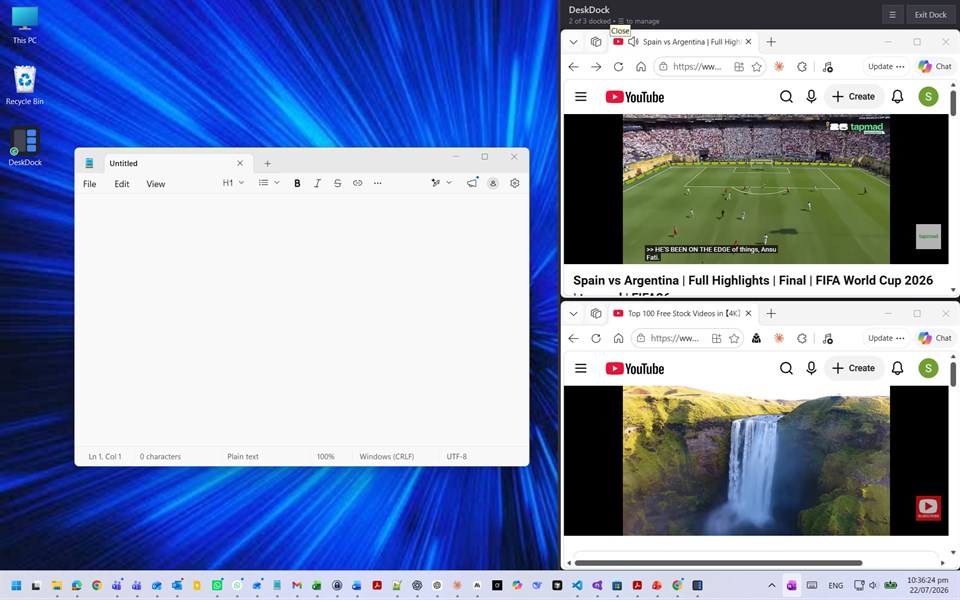
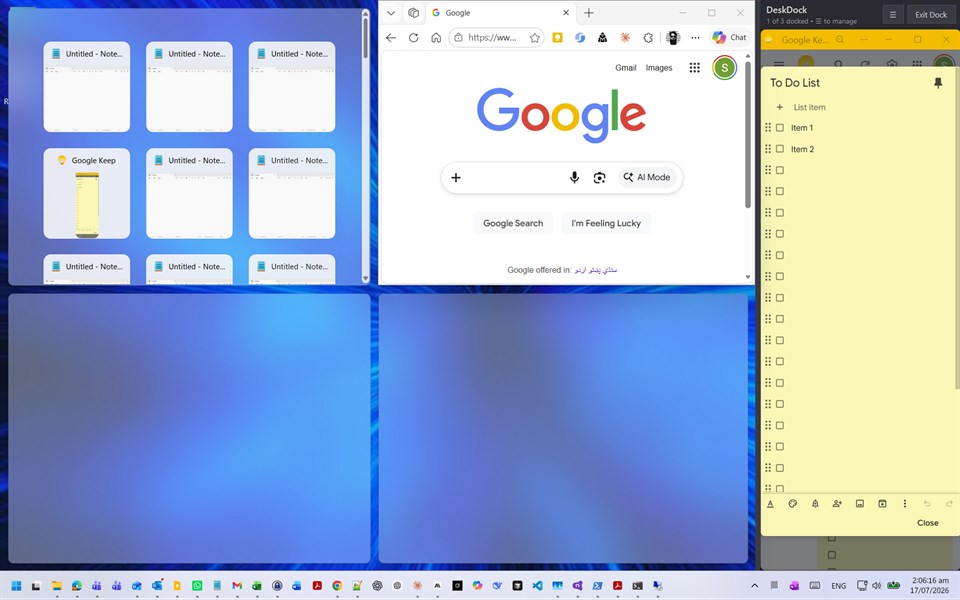
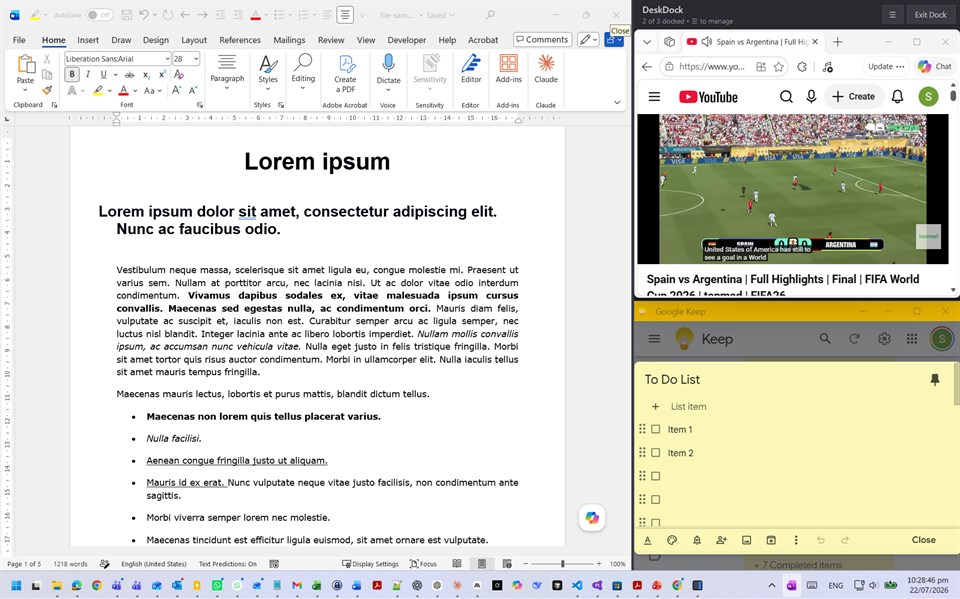
Always On Dock reserves a strip on the right edge of your screen where you can snap (dock) your apps, while Windows uses the rest as your regular desktop. No more windows hiding your notes, chats, or video calls.
USAGES:
💼 For Office Work
• Keep a notes app or to-do list permanently visible while you work
🏠 For Home Use
• Watch videos from the dock, uninterrupted, while you browse or do other things
💻 For Developers
• Keep Teams chat visible while you code
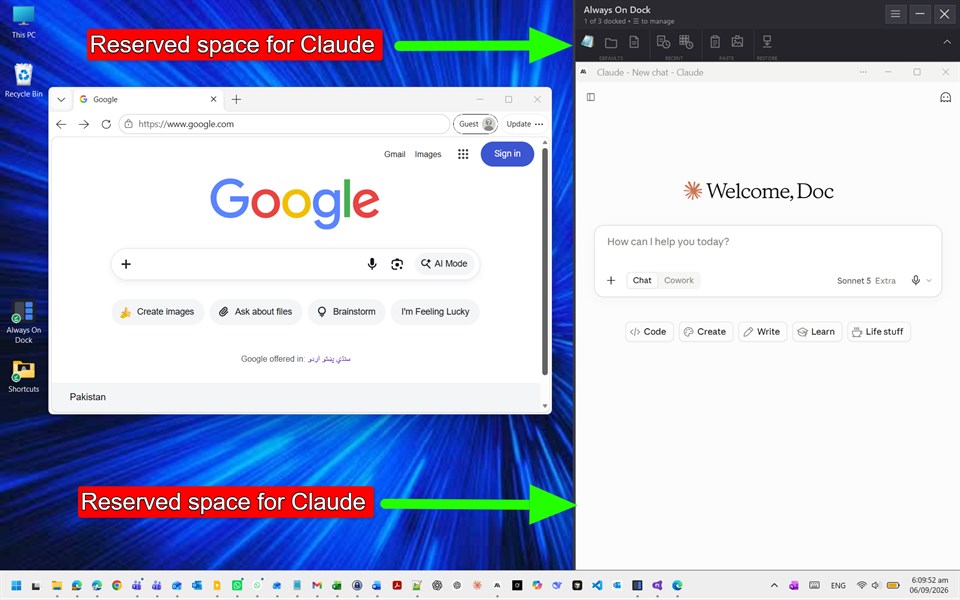
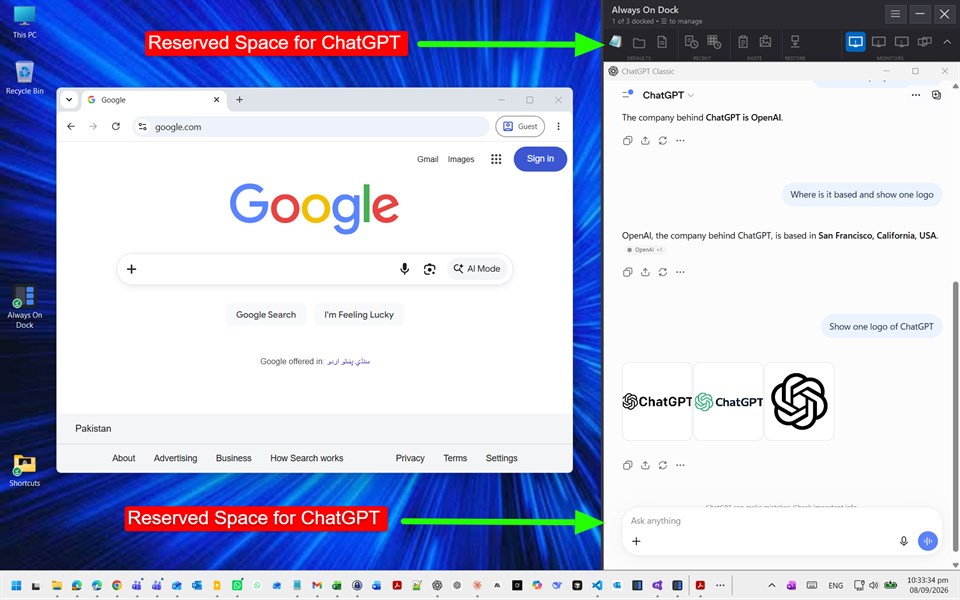
• Keep ChatGPT or Claude visible while you program
• Pin a YouTube tutorial while you follow along step-by-step
📊 For Accountants
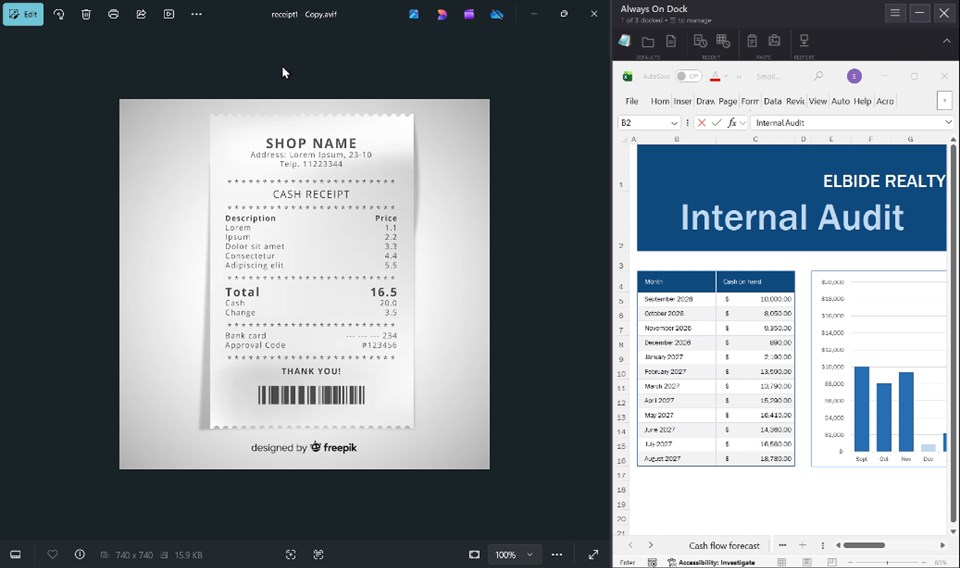
• Keep Outlook visible while working in Excel
• Keep TradingView visible while placing orders
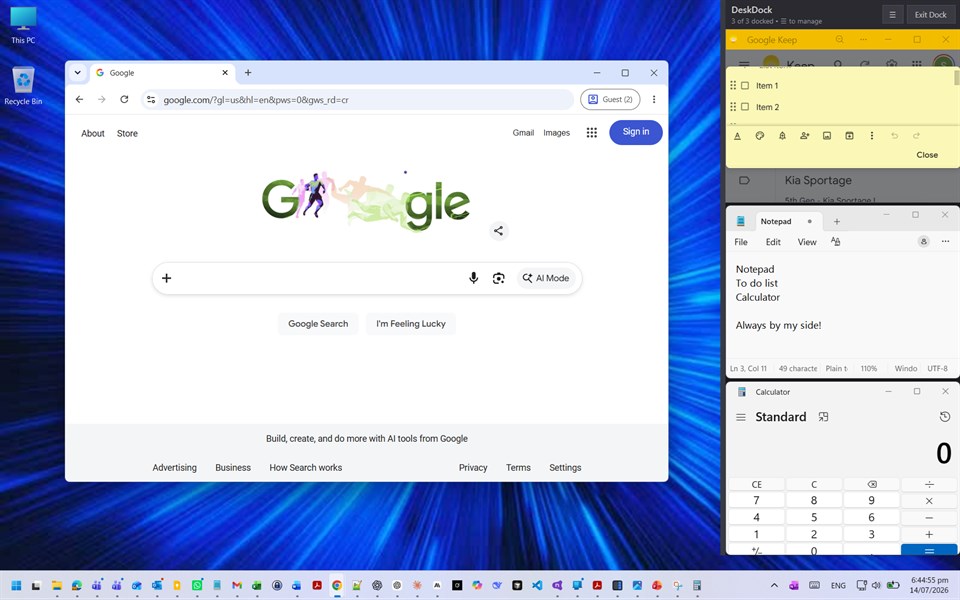
• Keep Calculator and Notepad always on the side
How It Works
🪟 Drag any window onto the dock — it snaps in instantly
📚 Dock up to 3 programs — they stack vertically, sharing the space evenly
↩️ Drag a docked window back out to undock it
🔀 Drag within the dock to reorder your windows
↔️ Resize the dock by dragging its left edge — everything reflows live
🙈 Hide the dock from the tray icon whenever you need the full screen back
🔁 Exit and every window is restored exactly where it was
🔒 Your privacy, respected
Always On Dock never restarts your programs — it only repositions their windows. Your browser keeps every tab and every login, exactly as you left it. Nothing is collected, nothing phones home: Always On Dock has no network access and runs entirely on your PC.
From the developer
Other platforms 0
| Split Screen for Windows - Reserve a Side of Desktop - Always On DockWindows Store7K GoldWindows | $9.99Minimum: $0.99 |
Only in this store right now.
Price History 6
- Current price: $9.99
- Minimum: $0.99
- Maximum: $19.99
Lists 1
-
 Split Screen for Windows - Reserve a Side of Desktop - Always On Dock


Points 1
-

- +1 Point
-
- 26 Doc
- +1

Rankings 0
-
- Your rating
Comments 0 ¡
Developer 1
What's new
- Version: PC
- Last Updated:
- What's New in v1.4.2
* Improvements in menu and quick launch bar
* Added about section
* Bug fixes
Additional Information
- Release Date:
- Category:
Windows Apps›Productivity - OS:
PC - Size:
80 Mb - Supported Languages:
English - Content Rating:
EVERYONE - Windows Store Rating: ¡
0 - Website:
 https://alwaysondock.com
AppAgg Score
Estimated AppAgg Score for
Split Screen for Windows - Reserve a Side of Desktop - Always On Dock
Developer: Doc Picks
Higher scores usually reflect better results across AppAgg’s indicators.
Based on: popularity · ratings · freshness · deals · store data · community signals
Recalculated daily using fresh AppAgg data.
Share
Split Screen for Windows - Reserve a Side of Desktop - Always On Dock Short URL: Copied!- Windows Store
You may also like
Recent discussionsMore →
 AppGame4Class Game4Class makes lesson review fun and interactive. I like how easily students can join from their o...
 Mehdi Gateway62
 AppAniMate Waifu - AI Anime Desktop Pet This is the best anime desktop pets I have ever had, The dancing feature is amazing.
 shaw chaney34
 AppSpark Motion Create 26 The graphics are amazing! Now I can design my ball layouts and watch then spin in 3D animation.
 Jim Kirker40
 AppLocalDub – Real-Time Game Dubbing Hello Kırtay Interactive, I am using LocalDub - Real-Time Game Dubbing. I would like to know if Hind...
 rashid game53
 AppNauticPlayer This app is absolute cinema. Honestly, it’s one of the best media players I’ve ever tried, and I’m s...
 Manuel92
 AppScreen Beings - Interactive Accessibility Companion This is my app so I’m a little bias but as someone from the ADHD community that teaches ADHD and neu...
 Tarelle Irwin54
 AppAadi vault good it ia a encrypter and good you my work on office
 Aditya Rai50
 AppTyping 365 | Daily Typing Trainer The best typing app ever. With Typing 365 you don’t have to force yourself for couple minutes traini...
 Ahmad Mozaffar50
 AppZefir Calendar — Calendar in the Taskbar excelente app! Superando todas as espectativas!
 Diógenes Magnus50
 AppBlazin IPTV Player This compact IPTV player is amazing. I threw multiple playlists at it and it handles it with no issu...
 Mike Anderson40

