
保存済み
保存済みメニューに表示する名前を選択してください。
完了
| デベロッパー: | Nicolas Kick (9) | ||
| 価格: | $17.99 | ||
| ランキング: | 0 | ||
| コメント: | 0 コメントを投稿する | ||
| リスト: | 2 + 1 | ||
| ポイント: | 3 + 0 ¡ | ||
| Mac App Store | |||
説明

* To find out if SyncTime is the right solution for you, you can download and use SyncTime Lite for free. The only limitation of SyncTime Lite is that it discards any previous sync settings when closing and opening the app again. *
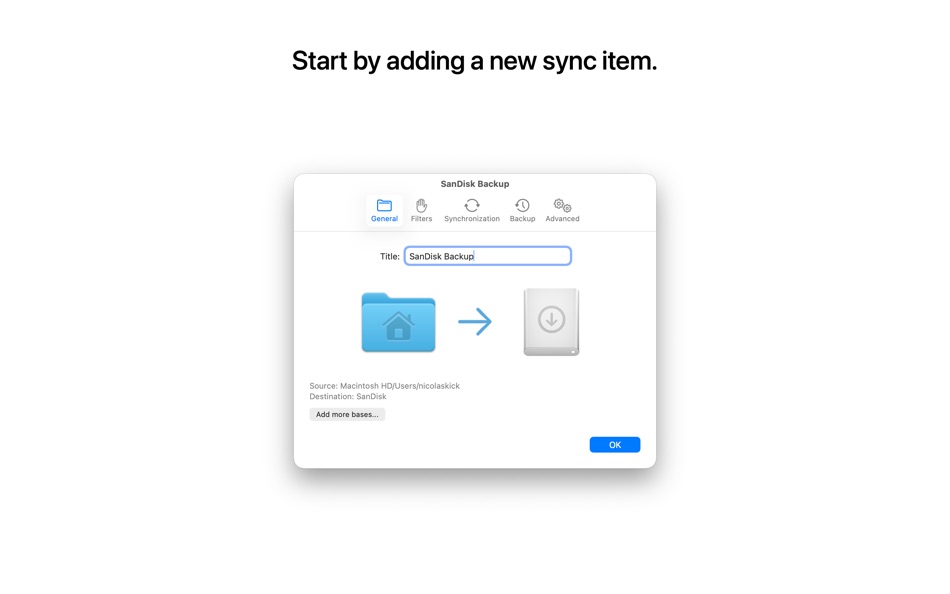
You can create as many sync items as you need and customize each one individually. In the standard configuration, a sync item consists of two directories: a source and a destination. You can choose any directory reachable in the Finder: it can be located on your Mac, on an external drive, or on a remote server.
Among the possible options you will find:
• select several sources and destinations: all the sources will be virtually merged and copied to every destination
• overwrite policy: overwrite only if the source file is newer than the destination file, overwrite if the source file has a different timestamp or size, always overwrite or never overwrite
• sync type: one-way sync (copy source to destination), two-way sync (merge source and destination) and one-way move (delete the source files after a successful copy to the destination)
• remove files that don’t exist on the source anymore
• add file filters with names or tags containing specific words or matching a regular expression, or modification dates or sizes in a specific range. Matching files can be excluded or included
• track moved and renamed files
• background syncing: files on your Mac are monitored for changes in real time
• start to sync automatically whenever source and destination become available or set up a custom sync schedule
• dependencies: a sync item will first trigger all its dependencies (if any) and run automatically when they are completed
• backup strategy: files to be overwritten or removed can be moved to the trash, or to a custom directory, or a full, incremental copy of the destination can be made, linking unchanged files
• skip the confirmation dialog once you're confident that the sync behaves correctly
• install AppleScripts (or create your own) to be executed when a specific sync has completed or after all syncs have completed. By default you can install scripts that shut down your Mac, send an email with the sync results, and more.
If you have any requests, suggestions or bug reports, please visit the website by clicking the Support button.
Ad
スクリーンショット



価格履歴
- 現在の価格: $17.99
- 最小値: $4.99
- 最大: $17.99
料金のチェック
情報
新機能
- バージョン: 5.4.4
- アップデート:
- • Fixed an issue that caused the “Browse Backups” menu item to open the destination folder rather than the backup folder when the backup strategy was set to “Move old files to…”
• Fixed an error that happened when the option “Temporarily unlock locked files before overwriting/removing them” was enabled and a sync needed to remove a nested locked directory.
• Fixed an issue that caused a file removed from one of the Remove/Overwrite/Add lists in the confirmation dialog via the “Add Selected Files to the Filter” menu item to remain present in the other lists.
デベロッパー
リスト (2)
- SyncTime


ポイント (3)
-

- 3,762 Dragon
- +1
-
- 2 Timothy Fletcher
- +1
-
- 1,121 m374
- +1


ランキング (0)
0 ☹️
コメント (0)
最初にコメントしてください 🌟
«SyncTime». プラットフォーム: macOS. カテゴリ: ユーティリティ. 開発者: «Nicolas Kick». 最初のリリース: . 最終更新日: . 現在の価格: $17.99. 記録された最低価格: $4.99 (). 記録された最高価格: $17.99 (). このタイトルはまだ AppAgg で評価やレビューを受けていません。 リスト: 公開: 2, 非公開: 1. 追跡ポイント: 確認済み: 3, 間接: 0. 利用可能な言語: Arabic, Chinese, Dutch, English, French, German, Hindi, Italian, Japanese, Korean, Polish, Portuguese, Russian, Spanish, Swedish, Turkish. AppAgg は «SyncTime»の価格履歴、評価、ユーザーフィードバックを追跡します。 今後の値下げと更新をフォロー: RSS で確認できます. AppAgg はアプリケーションをホストしたり、ソフトウェアを配布したりしません。 すべての商標、ロゴ、スクリーンショットはそれぞれの所有者に帰属します。
SyncTime 短縮 URL: コピーしました!- 🌟 シェア
- Mac App Store
類似
-
- Sync - Backup & Restore
- macOS アプリ: ユーティリティ 作者: Miciniti Technologies
- * フリー
- リスト: 0 0 0
- ポイント: 1 バージョン: 2.0.4 Sync is a personal file sync app with built-in file manager and web server. With Sync, you can sync, backup, and restore your files to/from local drives and several cloud storage ... ⥯
-
- Sync - Backup and Restore
- macOS アプリ: ユーティリティ 作者: Miciniti Nigeria Ltd
- フリー
- リスト: 0 0 0
- ポイント: 0 バージョン: 2.0.2 Sync is a personal file sync app with built-in file manager and web server. With Sync, you can sync, backup, and restore your files to/from local drives and several cloud storage ... ⥯
-
- Time Calibrator
- macOS アプリ: ユーティリティ 作者: Atomtime Suisse S.A.
- フリー
- リスト: 0 0 0
- ポイント: 1 バージョン: 1.0.5 This app is designed for i-Atomic watches users Welcome to Time Calibrator! Time Calibrator has been specifically designed to deliver accurate time information to people all around the ⥯
-
- Time Progress X
- macOS アプリ: ユーティリティ 作者: 银 杨
- $1.99
- リスト: 0 0 0
- ポイント: 0 バージョン: 1.1.0 Time Progress - Your Menu Bar Time Companion Monitor time progress effortlessly without leaving your workflow. Perfect for developers, designers, and productivity seekers. Key Features ⥯
-
- Time, Left
- macOS アプリ: ユーティリティ 作者: 翔 黄
- フリー
- リスト: 0 0 0
- ポイント: 1 バージョン: 1.0.5 Time, Left helps you see the passage of time in a simple and visual way. By showing how much time remains in your life, year, or month, it offers a quiet reminder that time is finite ... ⥯
-
- Time Follows Mouse
- macOS アプリ: ユーティリティ 作者: Sai Saran Goda
- $0.99
- リスト: 0 0 0
- ポイント: 0 バージョン: 0.2 Time Follows Mouse is a sleek, lightweight macOS utility that displays the current time right next to your cursor no matter where you move. It s designed for creators, coders, and ... ⥯
-
- Time Utils
- macOS アプリ: ユーティリティ 作者: Well Duns, Inc.
- $4.99
- リスト: 0 0 0
- ポイント: 0 バージョン: 1.3 Time, your way. TimeUtils is a powerful yet simple time utility that lives on your desktop. Create beautiful, customizable timer widgets that help you stay on track, whether you're ... ⥯
- 新着
- Time Zone Status Menu
- macOS アプリ: ユーティリティ 作者: Corey OBrien
- $0.99
- リスト: 0 0 0
- ポイント: 0 バージョン: 1.0.5 Time Zone Status Menu displays multiple world clocks in your menu bar. Add clocks for any time zone, customize them with names and country flags, and use the time travel slider to see ... ⥯
-
- Time to Paste
- macOS アプリ: ユーティリティ 作者: Filipe Sa
- $2.99
- リスト: 1 + 2 0 0
- ポイント: 15 バージョン: 1.2 Paste the current date and/or time anywhere you like, Easily. No copy-paste. Just press Cmd+Option+V anywhere, to generate the time stamp... Then paste it (cmd+v). Or... Just launch ... ⥯
-
- Sync for iTunes
- macOS アプリ: ユーティリティ 作者: Oktoid
- $2.99
- リスト: 0 0 0
- ポイント: 0 バージョン: 3.0 With Sync for iTunes you can easily keep all your iTunes media synchronized across multiple devices, external disks, network drives, etc. Sync for iTunes is very easy to set up, simply ⥯
-
- Sync Files
- macOS アプリ: ユーティリティ 作者: Harmen Reichert
- $4.99
- リスト: 0 0 0
- ポイント: 0 バージョン: 2.3 Without a doubt you have had the issue to copy a large set of files over the network or to a disk card or stick and seen it fail. Or when copying a lot of files, you know 95% of them ... ⥯
-
- Time Remaining
- macOS アプリ: ユーティリティ 作者: Rafael Mikayelyan
- フリー
- リスト: 0 0 0
- ポイント: 1 バージョン: 1.1.2 Stay ahead of your battery life - right from the status bar! This lightweight, no-nonsense app sits quietly in your status bar, giving you instant insight into how much battery time ... ⥯
-
- Time Zone: Menu Bar
- macOS アプリ: ユーティリティ 作者: Maria Hollweck
- $0.99
- リスト: 0 0 0
- ポイント: 0 バージョン: 1.0 Keep track of time around the world, right from your menu bar. Time Zone shows the current time in up to five cities at a glance. Add your most important locations, see how they ... ⥯