
| Developer: | kazuki oinuma (1) | ||
| Price: | * Free | ||
| Rankings: | 0 | ||
| Reviews: | 0 Write a review | ||
| Comments: | 0 Add a comment | ||
| Lists: | 0 + 0 | ||
| Points: | 0 + 0 ¡ | ||
| App Store | |||
Description

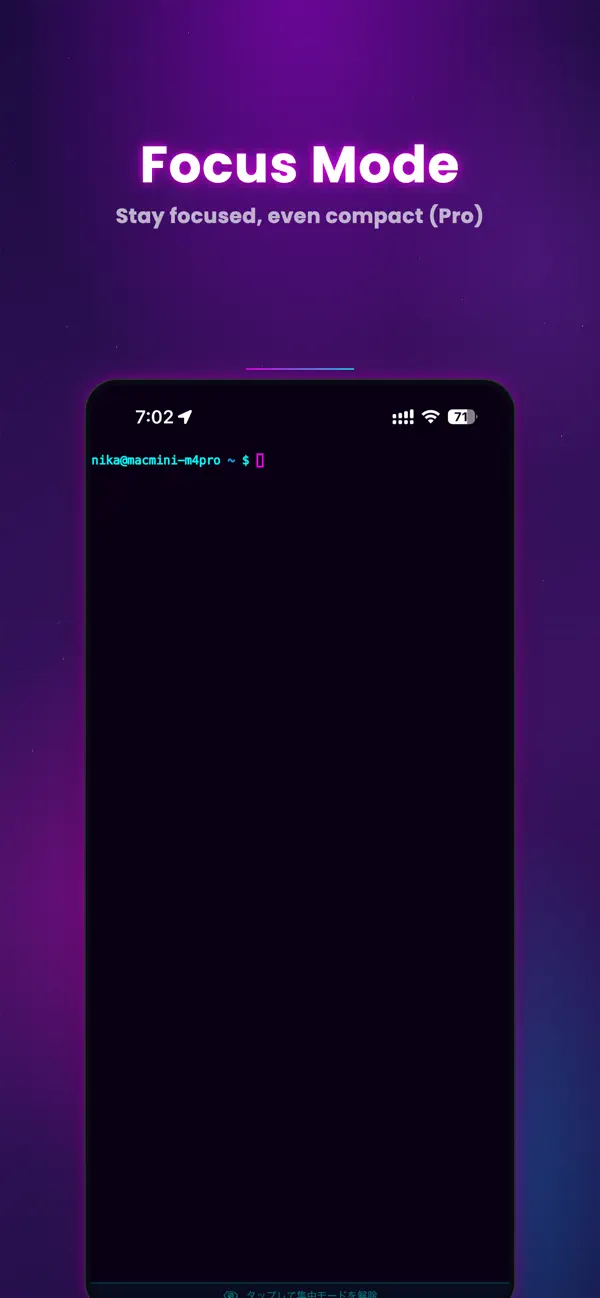
MTerm is a professional SSH client and iOS terminal emulator built specifically for AI-driven remote development. If you need serious developer tools on mobile, MTerm delivers a stable, persistent, and fully featured terminal environment for modern workflows.
Designed for developers who manage Linux, Mac, and cloud servers, MTerm combines a powerful SSH terminal, remote IDE, workspace persistence, and AI-focused tooling into one seamless experience.
PERFECT FOR DEVELOPERS WHO
- Run Claude Code, Codex, or other AI CLI tools remotely
- Search for a professional SSH client for iPad or iPhone
- Need a reliable iOS terminal emulator
- Work in remote development environments
- Manage servers via SSH daily
- Build AI-driven workflows on the go
MTerm is optimized for uninterrupted AI coding and serious remote development.
――――――――――――
AI DEVELOPMENT WORKSPACE
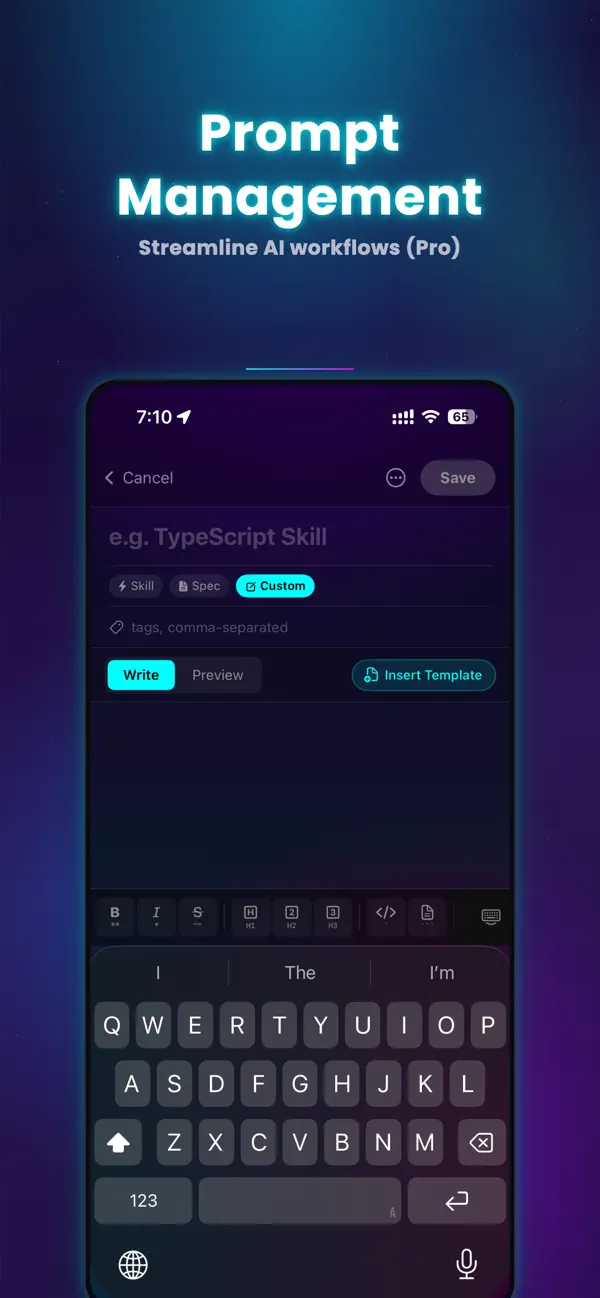
- Integrated SSH terminal + remote IDE + prompt manager
- Multi-window and multi-pane support for parallel AI workflows
- Workspace saving with CMD + S
- Restore native pane layouts instantly on reconnect
- Built for long-running development sessions
PERSISTENT SSH SESSIONS
- Keep SSH sessions alive when switching apps
- Designed for sustained remote development
- Active sessions visible in Notification Center
ADVANCED SSH CLIENT
- Password, SSH Key, and Keychain authentication
- Jump Host (bastion) support
- Local and Remote Port Forwarding
- Secure, stable connections for Linux, macOS, and cloud servers
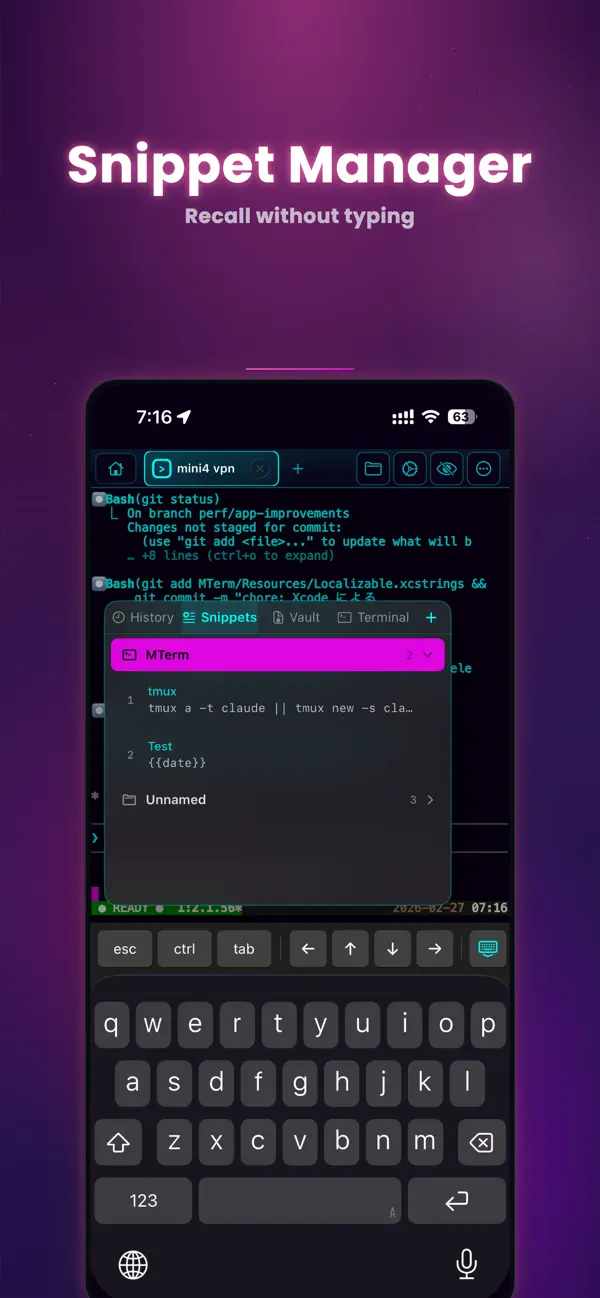
SNIPPETS & CLIPBOARD HISTORY
- Save commands and code as reusable snippets
- Quickly paste from clipboard history
- Ideal for repetitive development and AI prompt workflows
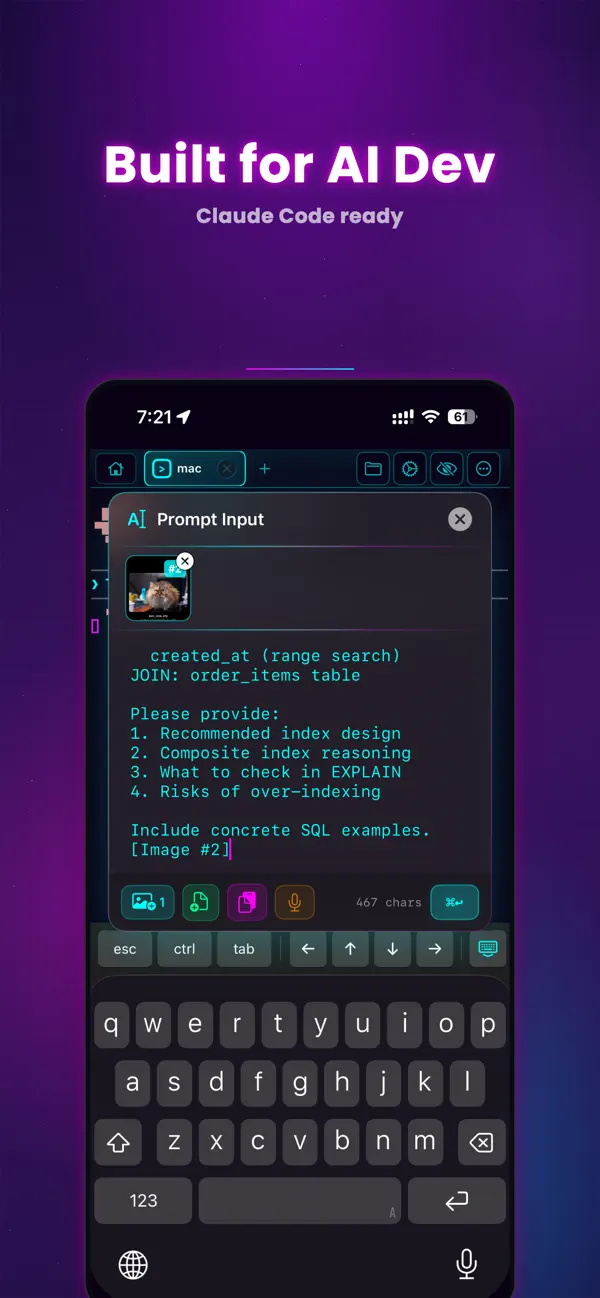
ENHANCED AI PROMPT INPUT
- Attach images and files directly in the prompt editor
- Optimized for Claude Code and AI CLI usage
- Seamless integration with the SSH terminal
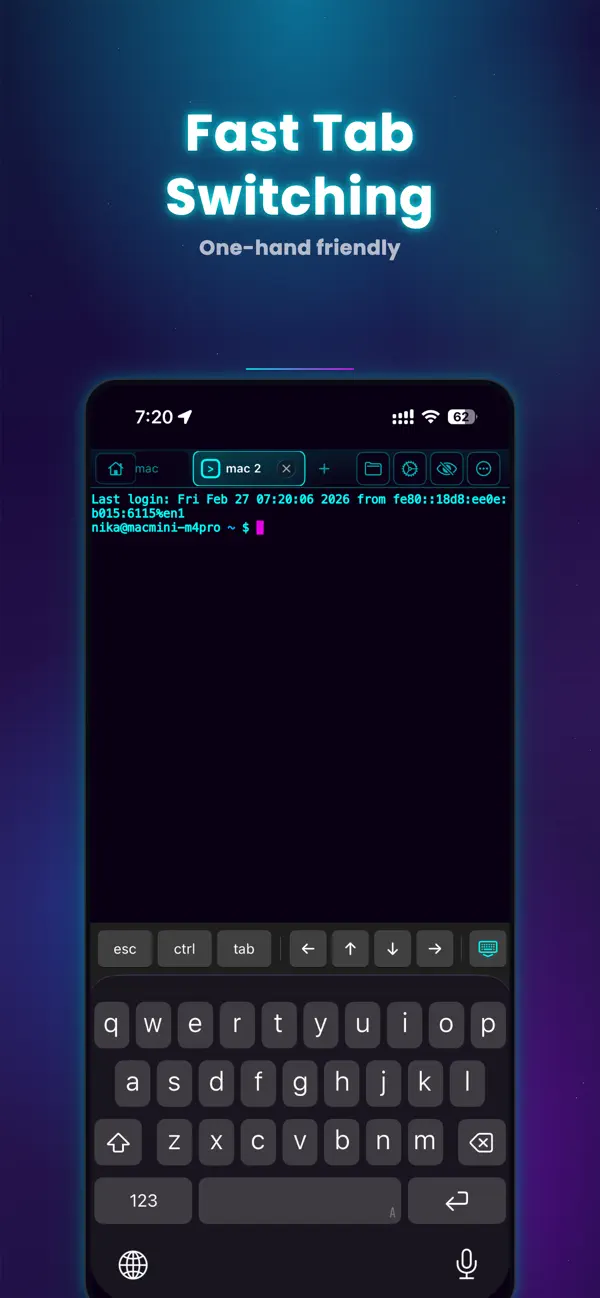
MULTI-PANE & TAB MANAGEMENT
- Native split-view terminal emulator
- Connect to multiple servers simultaneously
- Organize sessions with tabs
- Independent layouts per tab
- Unlimited panes (Pro)
CUSTOMIZABLE ACCESSORY BAR
- Configure shortcut buttons in the software keyboard toolbar
- Improve command efficiency without external tools
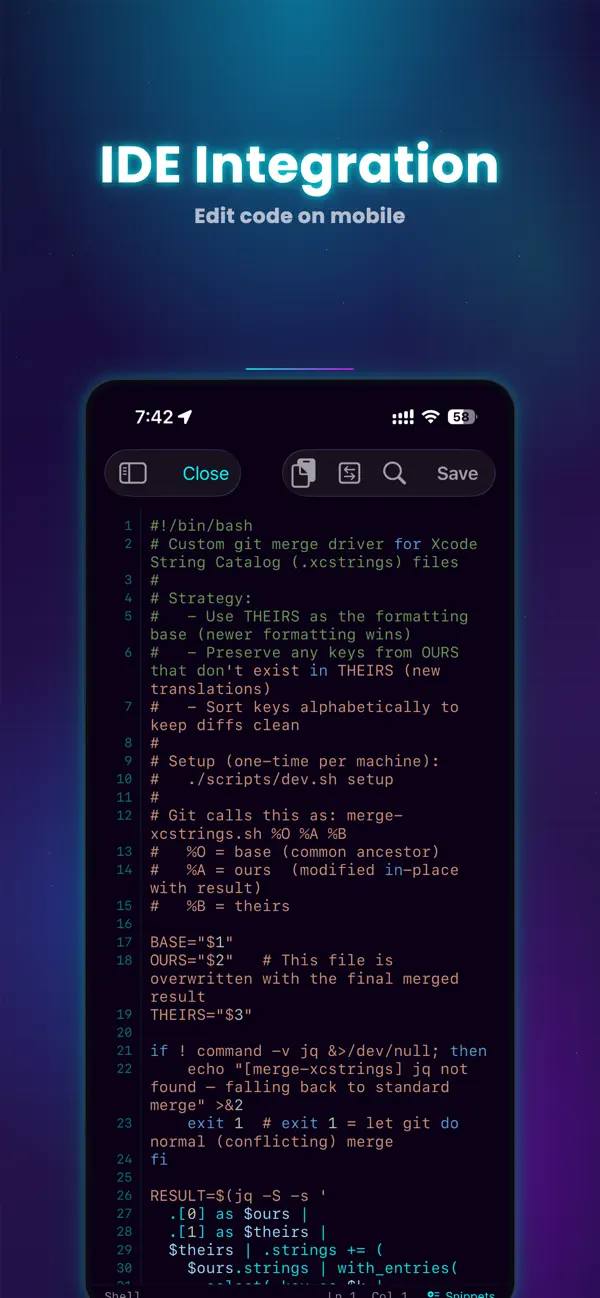
BUILT-IN REMOTE EDITOR (Pro)
- Edit code, JSON, and Markdown directly on remote servers
- Designed for uninterrupted development
IMAGE PREVIEW (Pro)
- Instantly preview files
- Useful for reviewing AI-generated assets
MAGIC KEYBOARD & HARDWARE KEYBOARD SUPPORT
- Full keyboard shortcuts
- Optimized for professional iPad development
- Turn your iPad or iPhone into a serious developer workstation
――――――――――――
MTerm is not just another SSH client.
It’s an AI-focused iOS terminal built for real remote development.
Advanced features are unlocked with Pro.
Privacy Policy: https://mterm.app/en/privacy
Terms of Use: https://www.apple.com/legal/internet-services/itunes/dev/stdeula/
Ad
Screenshots
What's new
- Version: 1.4.1
- Updated:
- Version 1.4.1
MTerm is now more stable and even closer to a true iPad development environment.
New
• Session Persistence
SSH sessions remain active even when switching apps. Active sessions can be viewed from the Notification Center.
• Enhanced Workspace
Save native pane layouts with CMD + S and restore them upon reconnection.
• Customizable Accessory Bar
Shortcut buttons in the software keyboard toolbar can now be customized.
Improvements
• Fixed Magic Keyboard “Hide Keyboard” button issue in IDE mode
• Updated Host Edit screen (edit and delete support)
Comments (0)
Be the first to comment 🌟
Price History
-
* In-App Purchases - Today: Free
- Minimum: Free
- Maximum: Free
Track prices
Ad
Developer
- kazuki oinuma
- Platforms: iOS Apps (1)
- Lists: 0 + 0
- Points: 0 + 0 ¡
- Rankings: 0
- Reviews: 0
- Comments: 0
- Discounts: 0
- Videos: 0
- RSS: Subscribe
Points (0)
0 ☹️
Rankings (0)
0 ☹️
Lists (0)
0 ☹️
- MTerm - SSH Terminal
Reviews (0)
Be the first to review 🌟
Additional Information
«MTerm - SSH Terminal» is a Developer Tools app for iOS, developed by «kazuki oinuma». It was first released on and last updated on . This app is currently free. This app has not yet received any ratings or reviews on AppAgg. Available languages: Chinese, English, French, German, Hindi, Italian, Japanese, Korean, Portuguese, Russian, Spanish, Thai, Vietnamese. AppAgg continuously tracks the price history, ratings, and user feedback for «MTerm - SSH Terminal». Subscribe to this app or follow its RSS feed to get notified about future discounts or updates. AppAgg does not host applications or distribute software. All trademarks, logos and screenshots belong to their respective owners.
MTerm - SSH Terminal Short URL: Copied!- 🌟 Share
- App Store
You may also like
-
- SSH Terminal+
- iOS Apps: Developer Tools By: 志鹏 潘
- Free
- Lists: 1 + 2 Rankings: 0 Reviews: 0
- Points: 4 + 191 (4.8) Comments: 0 Version: 2.3 SSH Terminal+: Terminal & Stats is a comprehensive SSH dashboard and terminal tool designed for developers and system administrators. Experience seamless server management with ... ⥯
-
- SSH Terminal - Client & SFTP
- iOS Apps: Developer Tools By: Moon Technolabs Pvt Ltd
- Free
- Lists: 1 + 2 Rankings: 0 Reviews: 0
- Points: 5 + 393 (3.5) Comments: 0 Version: 4.9.5 Here is one of the most intelligent & advanced SSH Client apps to manage and connect remote servers for your iOS and Mac devices About SSH Client: SSH Client is an on-the-go SSH-Telnet ⥯
- New
- NetShell - SSH Terminal
- iOS Apps: Developer Tools By: Wellington Mukahiwa
- Free
- Lists: 0 + 0 Rankings: 0 Reviews: 0
- Points: 1 + 1 (5.0) Comments: 0 Version: 1.2.0 NetShell is a professional SSH terminal client designed for developers, sysadmins, and network engineers who need secure remote access on the go. POWERFUL TERMINAL Full-featured ... ⥯
-
- Anubis - SSH Terminal
- iOS Apps: Developer Tools By: Rodgers Magabo
- $5.99
- Lists: 0 + 0 Rankings: 0 Reviews: 0
- Points: 0 + 0 Comments: 0 Version: 1.0.1 SSH Terminal In Your Pocket Anubis brings professional SSH terminal capabilities to your iPhone and iPad. Whether you're a developer using Claude Code remotely, a system administrator, ⥯
-
- ServerCat - SSH Terminal
- iOS Apps: Developer Tools By: Early Moon, LLC
- Free
- Lists: 3 + 0 Rankings: 0 Reviews: 0
- Points: 3 + 962 (4.6) Comments: 0 Version: 1.30.0 ServerCat is a Linux monitor and Docker Management & SSH Terminal app. ServerCat makes it easy to monitor your server status on your mobile. It shows detail running status of your ... ⥯
-
- Mobile SSH Terminal
- iOS Apps: Developer Tools By: Binaryscript Private Limited
- * Free
- Lists: 0 + 0 Rankings: 0 Reviews: 0
- Points: 0 + 0 Comments: 0 Version: 1.06 Mobile Terminal is a professional SSH client for iPhone and iPad that lets you securely connect to remote Linux and Unix servers directly from your iOS device. Whether you're a system ... ⥯
-
- ServerView-SSH Terminal&Shell
- iOS Apps: Developer Tools By: 连喜 罗
- * Free
- Lists: 0 + 0 Rankings: 0 Reviews: 0
- Points: 0 + 0 Comments: 0 Version: 1.5 ServerView App is a mobile application for easily managing and monitoring servers. It provides a series of functions, including server status monitoring, remote command execution, log ... ⥯
-
- SSHConsole: SSH Terminal
- iOS Apps: Developer Tools By: Ayhan Gulseven
- * Free
- Lists: 0 + 0 Rankings: 0 Reviews: 0
- Points: 0 + 0 Comments: 0 Version: 1.1 SSHConsole is a lightweight SSH client with a native terminal UI for iPhone, iPad and Mac. Use it for: - Managing Linux/Unix servers - Quick remote administration - Running commands on ⥯
-
- SNMP & SSH Terminal
- iOS Apps: Developer Tools By: 婉媚 邵
- Free
- Lists: 3 + 1 Rankings: 0 Reviews: 0
- Points: 4 + 134 (4.8) Comments: 0 Version: 2.15 SNMP & SSH Terminal App: Professional SNMP Network Monitoring, robust SSH Terminal, and SFTP file management in One App. Whether you re managing servers, routers, or network devices, ... ⥯
-
- Termify - AI SSH Terminal
- iOS Apps: Developer Tools By: Maple Labs Co., Ltd
- * Free
- Lists: 0 + 0 Rankings: 0 Reviews: 0
- Points: 0 + 0 Comments: 0 Version: 1.0.6 TERMIFY Professional SSH Client + AI Assistant Manage servers, transfer files, and automate workflows with military-grade security and AI-powered assistance. Why Termify? * Advanced ... ⥯
-
- CMD: SSH, Terminal, DOS, Ping
- iOS Apps: Developer Tools By: Sunandan Sekhar Das
- Free
- Lists: 0 + 0 Rankings: 0 Reviews: 0
- Points: 1 + 4 (5.0) Comments: 0 Version: 2 Turn your iPhone or iPad into a professional network diagnostic terminal. CMD: Command Prompt brings the power of the desktop command line to your mobile device, designed specifically ... ⥯
-
- SSH -
- iOS Apps: Developer Tools By: TERMUX LIMITED LIABILITY COMPANY
- * Free
- Lists: 0 + 0 Rankings: 0 Reviews: 0
- Points: 1 + 11 (4.5) Comments: 0 Version: 1.0.2 SSH is a powerful and intuitive SSH client designed for developers, system administrators, and DevOps engineers who need to manage multiple servers on the go. Connect securely, execute ⥯
-
- SSH Client - Secure ShellFish
- iOS Apps: Developer Tools By: Anders Borum
- Free
- Lists: 4 + 2 Rankings: 0 Reviews: 0
- Points: 12 + 1,248 (4.8) Comments: 0 Version: 2026.9 Lightning fast SSH terminal with remote file access. No other app fuses your SSH servers and iOS devices as well as Secure ShellFish. Tap Get and see for yourself. Terminal supports ... ⥯
-
- Terminal - VPS client
- iOS Apps: Developer Tools By: KHANG LE
- * Free
- Lists: 0 + 0 Rankings: 0 Reviews: 0
- Points: 1 + 0 Comments: 0 Version: 2.1.0 Manage your servers with ease using a powerful SSH & SFTP client designed for mobile. Whether you're a system administrator, a developer, or a VPS user, this app gives you the tools ... ⥯