
| 개발자: | Sand Castle Designs, Inc (11) | ||
| 가격: | * 무료 | ||
| 순위: | 0 | ||
| 리뷰: | 0 리뷰 작성 | ||
| 목록: | 0 + 0 | ||
| 포인트: | 0 + 0 ¡ | ||
| App Store | |||
기술

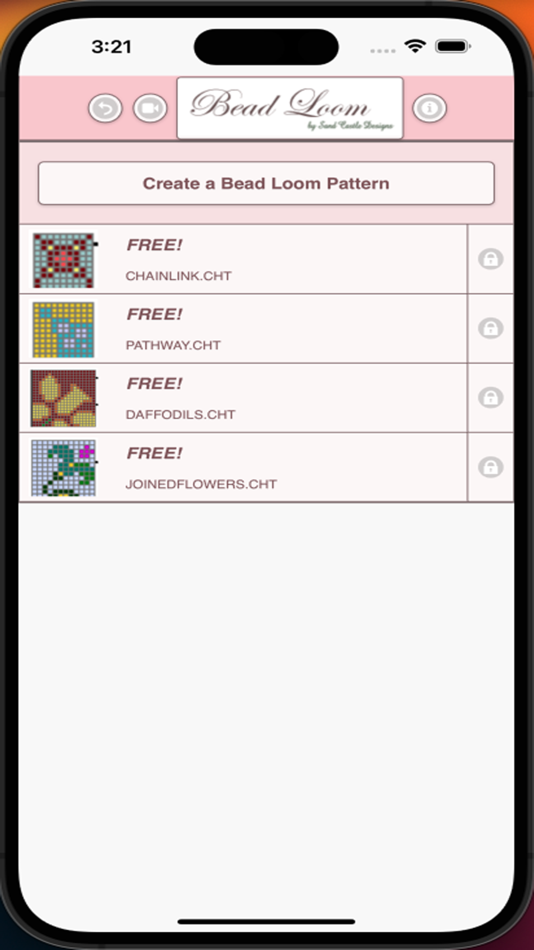
Comes with 4 free bead loom patterns. Download is free. To activate creation is $2.99
To create Bead Loom patterns, select Create a Bead Loom pattern button.
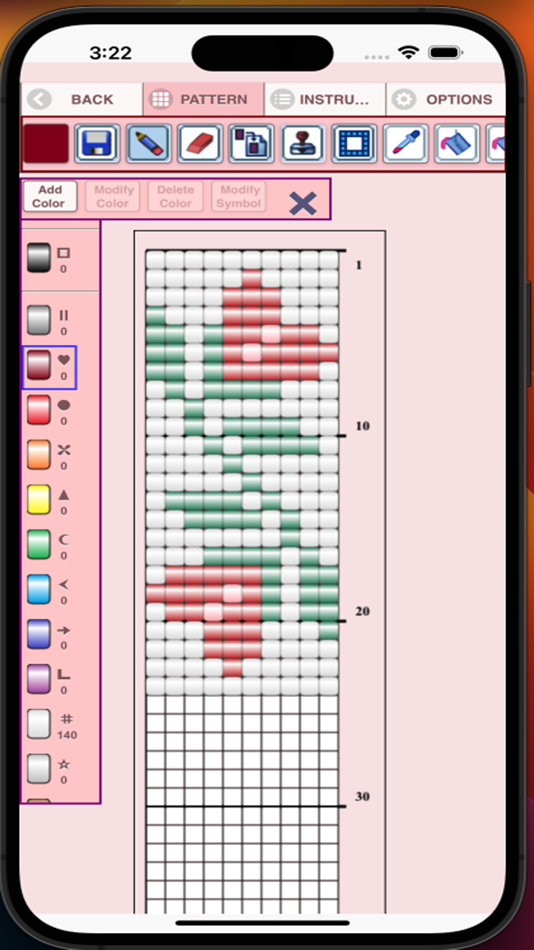
The Bead Loom pattern editor will appear. Fill in the squares with beads of any color.
To get started - Use the pencil to add beads to your bead loom pattern. Use the Eraser to remove beads from your pattern.
You also can select from over 400 stamps, inserts and borders to apply to your bead loom pattern.
Icons from left to right in the icon bar are:
Color icon - use to add new beads with different colors to your bead list.
Save icon - use to save your bead loom pattern.
Pencil icon - use to add beads to your bead loom pattern.
Eraser icon - use to remove beads from your bead loom pattern.
Stamps icon - selectable little stamps (little bead designs) to add to your bead loom pattern.
Patterns icon - selectable patterns to insert into your bead loom pattern.
Inserts icon - selectable list of bead patterns to add to your pattern (like roses).
Dropper icon - lets you extract a bead color from your pattern and add more of that bead to your bead loom pattern.
Bucket icon - use to fill selected area with beads of the current color.
Trim icon - remove squares from your bead loom pattern.
Undo icon - undo each last change you made to the bead loom pattern.
Redo icon - redo each change you undid.
Cut icon - remove some beads from the pattern.
Copy icon - copy some beads from the pattern.
Paste icon - paste copied beads to the pattern.
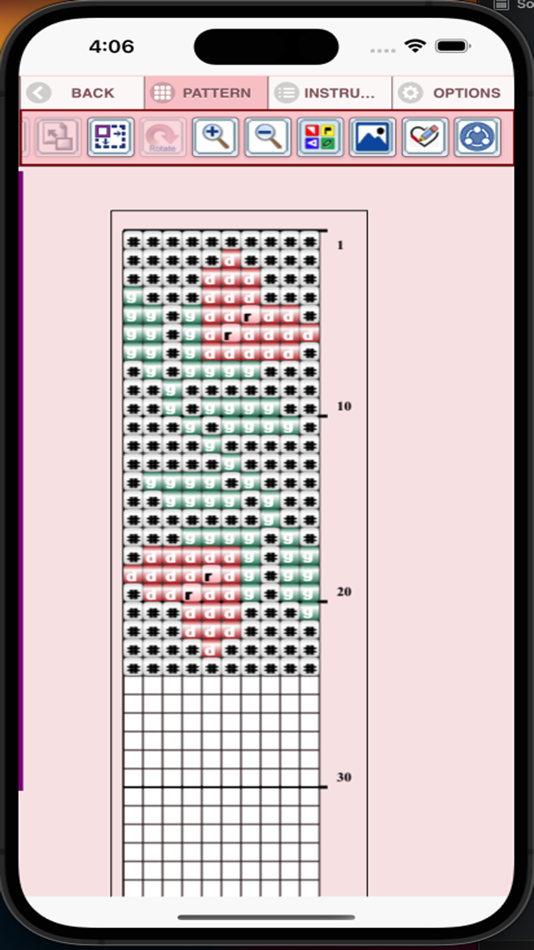
Zoom in icon - magnify the bead loom pattern.
Zoom out icon - minify the bead loom pattern.
Symbols icon - display a unique symbol on the bead to indicate it's color value.
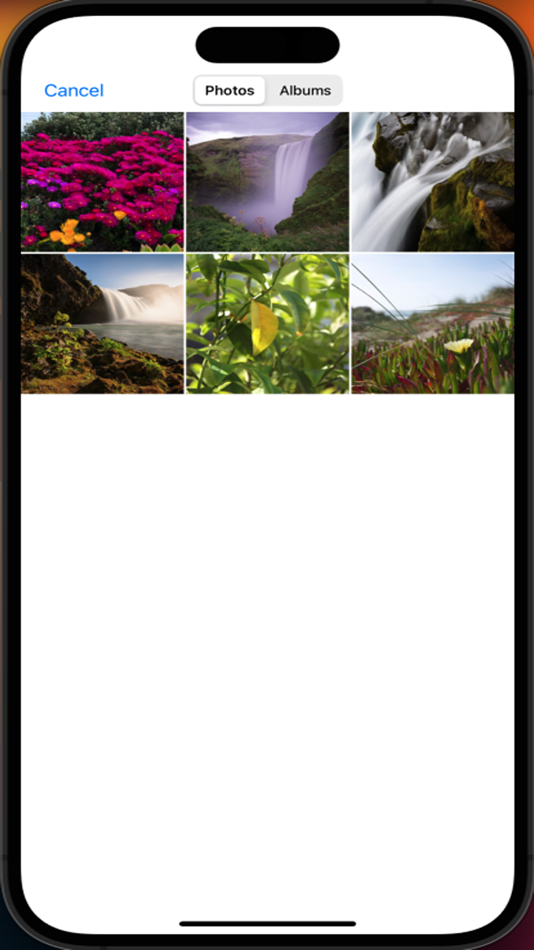
Picture icon - select a picture from your device and convert to a bead loom pattern.
Social media icon - email etc. your pattern.
Print icon - print your pattern.
Trace icon - select a picture from your device and it displays over your bead loom pattern. Now you can trace it.
Resize bars - resize bars are display at the bottom right corner of your bead loom pattern. Drag them to resize your bead loom pattern.
스크린샷



가격
-
* 인앱 구매 - 오늘: 무료
- 최소: 무료
- 최대: 무료
가격 추적
개발자
- Sand Castle Designs, Inc
- 플랫폼: iOS 앱 (11)
- 목록: 0 + 0
- 포인트: 1 + 6 ¡
- 순위: 0
- 리뷰: 0
- 할인: 0
- 동영상: 0
- RSS: 구독
포인트
0 ☹️
순위
0 ☹️
목록
0 ☹️
리뷰
첫 번째 리뷰를 남겨보세요 🌟
추가 정보
Bead Loom 단축 URL: 복사됨!- 🌟 공유하기
- App Store
당신은 또한 같은 수 있습니다
-
- Pixel Loom: AI Image Generator
- iOS 앱: 그래픽 및 디자인 게시자: Parth Hingu
- * 무료
- 목록: 0 + 0 순위: 0 리뷰: 0
- 포인트: 1 + 29 (4.4) 버전: 1.8 Use Pixel Loom to Boost Your Creativity: A Free AI Image Generator Unleash AI's potential to easily produce breathtaking images! Pixel Loom is the best tool for creating original ... ⥯
-
- BeadPatternCreator
- iOS 앱: 그래픽 및 디자인 게시자: Sand Castle Designs, Inc
- * 무료
- 목록: 0 + 0 순위: 0 리뷰: 0
- 포인트: 0 + 1 (4.0) 버전: 10 Bead Pattern Creator for your mobile device. Comes with 5 free bead patterns. Download is free. To activate creation is $2.99. Create bead patterns for Square Stitch, Brick Stitch, ... ⥯
- -100% 새로운
- PixCraft: Pixel Perler Hama
- iOS 앱: 그래픽 및 디자인 게시자: 亚娟 秦
- ▼ 무료
$0.99-100% - 목록: 0 + 0 순위: 0 리뷰: 0
- 포인트: 6 + 0 버전: 2.0.0 Unleash your creativity with PixCraft - the ultimate pixel art and perler bead design application. Whether you're a seasoned artist or just starting out, PixCraft provides all the ... ⥯
- 새로운
- Handy Beads
- iOS 앱: 그래픽 및 디자인 게시자: Menglong Li
- 무료
- 목록: 0 + 0 순위: 0 리뷰: 0
- 포인트: 0 + 0 버전: 1.0 Handy Beads is a template design tool tailored for fuse bead and pixel art enthusiasts. Core Features & Highlights: - Two-Handed Drawing Mode. Paint, fill, and edit fluidly on screen ... ⥯
-
- Beadcraft Designer
- iOS 앱: 그래픽 및 디자인 게시자: 涛 孙
- * 무료
- 목록: 0 + 0 순위: 0 리뷰: 0
- 포인트: 1 + 0 버전: 0.1.2 Beadcraft Designer is the essential design and management tool crafted for beadwork enthusiasts, jewelry designers, and DIY crafters. Whether you want to catalog your precious stones, ... ⥯
-
- Pixel Painter : Pixel Art
- iOS 앱: 그래픽 및 디자인 게시자: 青兆 李
- 무료
- 목록: 0 + 0 순위: 0 리뷰: 0
- 포인트: 1 + 3 (4.0) 버전: 1.1.8 Pixel Painter is a super simple pixel art drawing application. Pixel Painter is a pixel art editor, easy to use. Pixel Painter support GIF. [Recommended to the following people] * ... ⥯
-
- StitchSketch
- iOS 앱: 그래픽 및 디자인 게시자: Mozusystems, LLC
- $7.99
- 목록: 0 + 0 순위: 0 리뷰: 0
- 포인트: 0 + 395 (4.1) 버전: 2.60.4 Design your own chart for your craft project! StitchSketch was developed by a creator of the popular software program "KG-Chart for Cross Stitch". This mobile version utilizes ... ⥯
-
- Caydo Art Design
- iOS 앱: 그래픽 및 디자인 게시자: Shenzhen Kaidu Network Technology Co., Ltd.
- 무료
- 목록: 0 + 0 순위: 0 리뷰: 0
- 포인트: 0 + 2 (5.0) 버전: 1.2.5 The gathering place of artists and creators, rich picture materials, choose any picture one-click conversion into digital oil painting, diamond painting, hot bead painting and other ... ⥯
-
- Pixelverse: Pixel Art Maker
- iOS 앱: 그래픽 및 디자인 게시자: Gehui Liu
- 무료
- 목록: 0 + 0 순위: 0 리뷰: 0
- 포인트: 0 + 0 버전: 1.0.7 Welcome to Pixelverse - Your Pocket Pixel Art Studio! Want to quickly turn your photos into retro-style pixel art? Looking to create personalized pixel patterns from scratch? Or just ... ⥯
-
- iBeads
- iOS 앱: 그래픽 및 디자인 게시자: 杭州百塑科技有限公司
- * 무료
- 목록: 0 + 0 순위: 0 리뷰: 0
- 포인트: 0 + 0 버전: 1.15.2 [One-click to generate professional beads drawings] - Intelligently convert photos into beads pixel paintings, automatically identify the best color scheme - Adjustable canvas size ... ⥯
-
- Dot Lab - Perler beads pattern
- iOS 앱: 그래픽 및 디자인 게시자: 桂华 冉
- * 무료
- 목록: 0 + 0 순위: 0 리뷰: 0
- 포인트: 0 + 4 (4.5) 버전: 2.1.8 Welcome to "Dot Lab"! "Dot Lab" is a simple and user-friendly pixel art creation app, designed for both beginners and experienced artists. With our app, you can effortlessly create ... ⥯
-
- Pixel Art Studio: Draw Dot Pic
- iOS 앱: 그래픽 및 디자인 게시자: hirokazu murabe
- 무료
- 목록: 0 + 0 순위: 0 리뷰: 0
- 포인트: 0 + 0 버전: 1.1 Unleash your creativity with Pixel Art Maker, the simple and fun app for creating amazing pixel art! Whether you're a seasoned artist or a complete beginner, our intuitive tools make ... ⥯