
| ผู้พัฒนา: | Red Panda Club Inc. (3) | ||
| ราคา: | ฟรี | ||
| การจัดอันดับ: | 0 | ||
| ความเห็น: | 0 เขียนความเห็น | ||
| รายการ: | 0 + 0 | ||
| แต้มแล: | 2 + 131 (4.7) ¡ | ||
| App Store | |||
คำอธิบาย

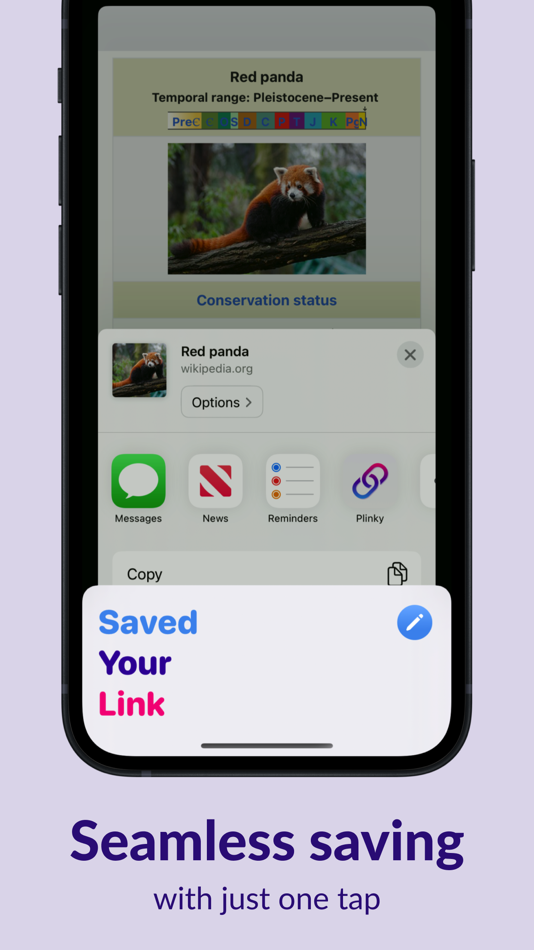
With Plinky’s share extension on iPhone and iPad or your favorite browser’s extensions you can save articles, videos, social media posts, and more with just one tap.
VIEW YOUR SAVED LINKS
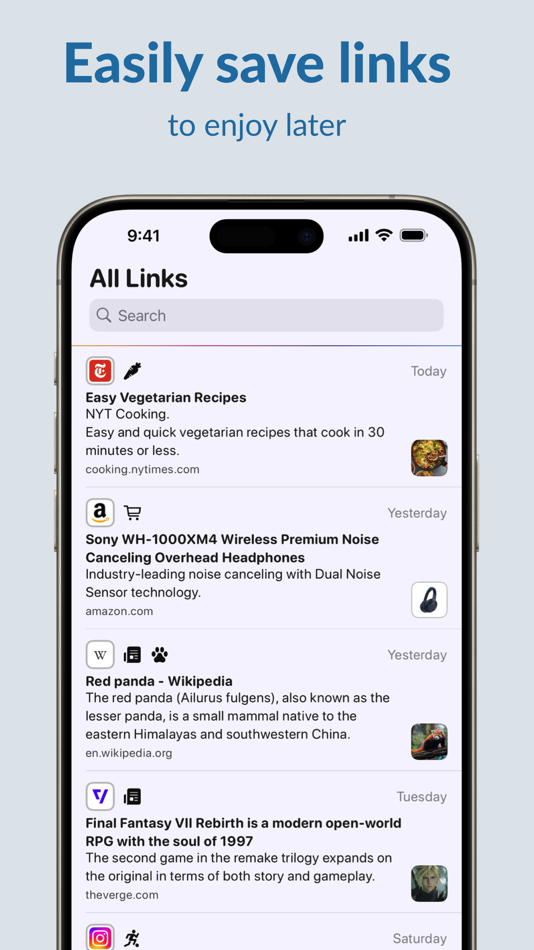
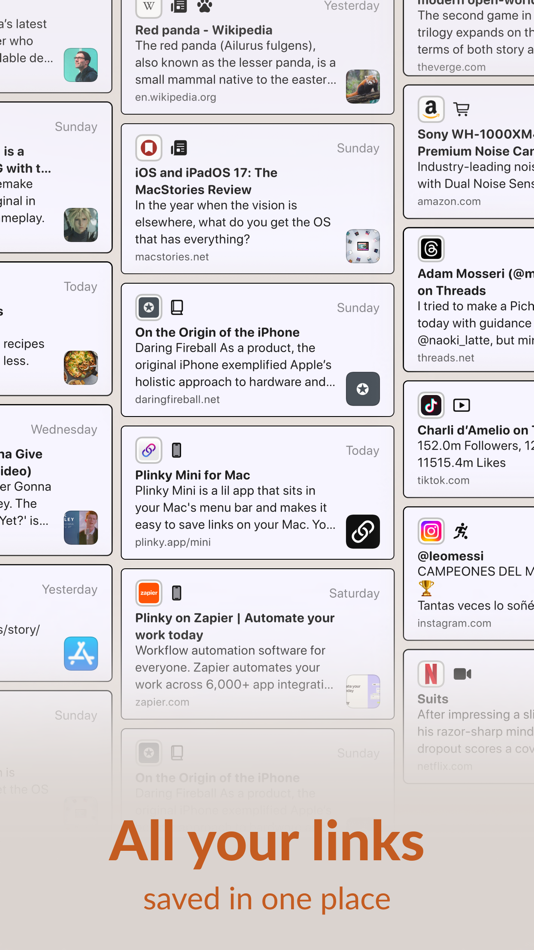
View all of your saved links or search through your links when you're ready to come back to them. You can even pin links to the top of your home feed for easy access.
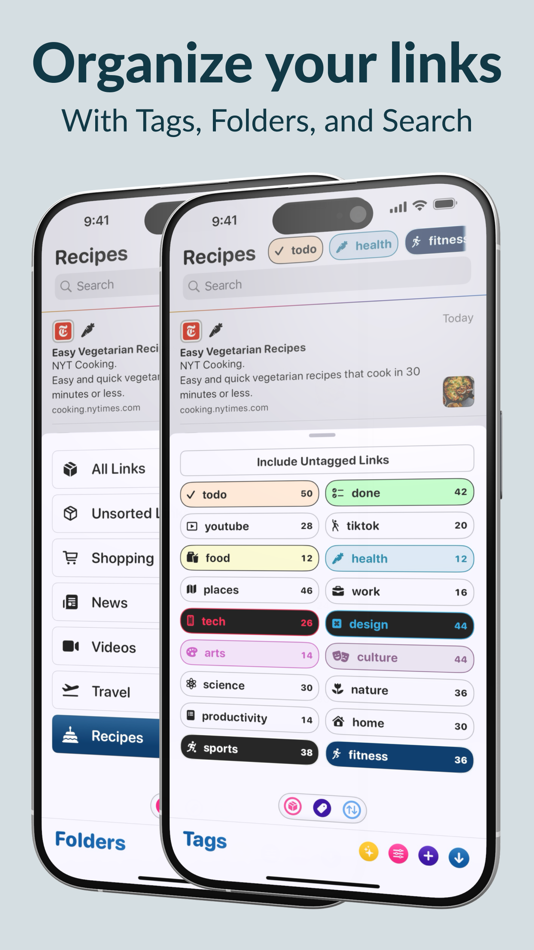
ORGANIZE YOUR LINKS
Use Folders and Tags to organize your links based on common themes.
Not sure where to start? Choose from suggested tags including: news, videos, recipes, entertainment, fitness, games, productivity, and more.
SYNC YOUR LINKS
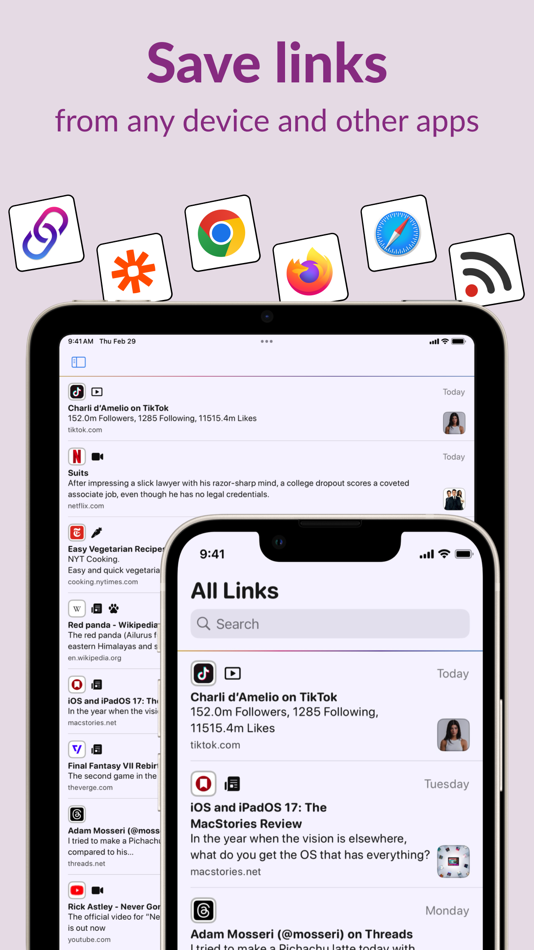
Connect with other apps to save links to Plinky from Chrome, Safari, Firefox, Zapier, and more. And available in the Mac App Store, Plinky Mini makes it easy to save links on your Mac.
REMINDERS
Never lose track of an important link again. Set a reminder for:
• A link you want to show a friend later today.
• A recipe to cook tomorrow at 6 p.m.
• February 29, 2028, at 12:01 a.m. — because you’re already planning for the next leap day.
Your links will resurface when you need them, right in Plinky — no to-do list apps required.
CUSTOMIZE PLINKY
You can make Plinky yours by customizing how your links, tags, and folders look and feel. Everyone has their preferences and Plinky respects that, you can change how everything looks from colors to design to layout. This makes Plinky *your* tool, whether you want an inbox for your links, a place for links to read later, or your personal archive of the web.
WIDGETS
Your links are available in beautiful and fully customizable widgets, on your Home Screen, Lock Screen, and in Control Center. View your Recent Links, Pinned Links, or the links from a Folder or Tag, anywhere you want.
SHORTCUTS
Anything you can do in Plinky you can do in Shortcuts, allowing you to build powerful workflows that use your links saved in Plinky with other apps, or use other apps to save links in Plinky. These work on the iPhone, iPad, and Mac, or from Spotlight and Siri. It’s never been easier to save or find a link no matter where you are or what you’re doing.
SAVE LINKS FROM ANYWHERE
If Plinky’s share extension on iPhone and iPad, browser extensions, and custom integrations aren’t enough, Plinky also supports an API for developers to save links how they want to save links.
GET MORE WITH PLINKY PRO
You can try Plinky and save links for free, but to get the best of Plinky you can subscribe to Plinky Pro.
With Plinky Pro you get access to unlimited saved links, tags, folders, reminders, and pinned links. Plinky Pro offers two auto-renewing subscription options:
Annual subscription: $39.99 / year
Monthly subscription: $3.99 / month
The subscription will automatically renew unless turned off in your iTunes Account Settings at least 24 hours before the current period ends. You can go to your iTunes Account settings to manage your subscription and turn off auto-renew. Your iTunes Account will be charged when the purchase is confirmed.
You can also choose a lifetime option with one payment of $159.99 that will never renew.
Read Plinky’s privacy policy here: https://plinky.app/docs/privacy-policy
Read Pinky's terms of service here: https://plinky.app/docs/terms-of-service
ภาพหน้าจอ
มีอะไรใหม่
- เวอร์ชัน: 5.1.1
- อัปเดต:
- Plinky 5.1: Improvements Across The Entire App
WHAT’S NEW
* Brand New Onboarding Experience *
Discover all of Plinky's powerful features from day one. The redesigned onboarding helps beginners and experts alike unlock everything Plinky has to offer.
* Rebuilt Chrome & Firefox Extensions *
Save links faster than ever with completely redesigned browser extensions. Built from the ground up with a much smoother Sign in with Apple experience — it's never been easier to save links from anywhere on the web. (Safari update coming soon!)
* Even More Swipe Actions *
Now both swipe directions are fully customizable. Edit, share, add folders, tags, reminders, and more—perfectly tailored to your workflow.
* Folder & Tag Quick Menus *
Access your most recent folders and tags instantly. Add links to folders or apply tags in just two taps, no extra screens required.
* Update Notes Action *
Editing your link notes is now easier than ever. The new Update Notes action is available from swipe actions, long press menus, and the save screen.
EVERYTHING ELSE
- Important banners have a new design that provides more information and context.
- Smoother post-subscription experience with much-improved subscription validation.
- Fixed sync edge cases that prevented some links from appearing across devices.
ราคา
- วันนี้: ฟรี
- ต่ำสุด: ฟรี
- มากที่สุด: ฟรี
ติดตามราคา
ผู้พัฒนา
- Red Panda Club Inc.
- แพลตฟอร์ม: iOS แอป (2) macOS แอป (1)
- รายการ: 0 + 1
- แต้มแล: 2 + 256 ¡
- การจัดอันดับ: 0
- ความเห็น: 0
- ลดราคา: 0
- วิดีโอ: 0
- RSS: ติดตาม
แต้มแล
-

- 12,792 Lance Eliakim Sotto
- +1
-
- 2,097 Luciole
- +1


การจัดอันดับ
0 ☹️
รายการ
0 ☹️
ความเห็น
แสดงรีวิวเป็นคนแรกเลย 🌟
ข้อมูลเพิ่มเติม
- เวอร์ชัน: 5.1.1
- หมวดหมู่:
iOS แอป›ประสิทธิภาพการผลิต - ระบบปฏิบัติการ:
iPad,iPhone,iOS 18.5 และสูงกว่า - ขนาด:
155 Mb - ภาษาที่สนับสนุน:
English - การจัดประเภทเนื้อหา:
4+ - App Store คะแนนโดย:
4.7(131) - อัปเดต:
- วันที่วางจำหน่าย:
รายชื่อติดต่อ
- เว็บไซท์:
 https://plinky.app
Plinky: Easily Save Links URL แบบสั้น: คัดลอกแล้ว!- 🌟 แชร์
- App Store
คุณอาจชอบ
-
- Save Links: Bookmark, Organize
- iOS แอป: ประสิทธิภาพการผลิต โดย: Shahul Hameed
- * ฟรี
- รายการ: 0 + 0 การจัดอันดับ: 0 ความเห็น: 0
- แต้มแล: 0 + 1 (4.0) เวอร์ชัน: 2.4 Save, organize, and access your favorite links and URLs with ease. Tag and categorize links for fast and efficient retrieval. Share, search, and import or export URLs seamlessly. Ideal ⥯
-
- Links - Save Links Easily
- iOS แอป: ประสิทธิภาพการผลิต โดย: Anant Patni
- * ฟรี
- รายการ: 0 + 0 การจัดอันดับ: 0 ความเห็น: 0
- แต้มแล: 0 + 9 (4.6) เวอร์ชัน: 2.2 Major features of the Links app include: Easy folder organization Grid layout for links Add notes for your links Automatically generated rich link previews Seamlessly add links from ... ⥯
-
- Link List - Save Links
- iOS แอป: ประสิทธิภาพการผลิต โดย: Salman Albalawi
- * ฟรี
- รายการ: 0 + 0 การจัดอันดับ: 0 ความเห็น: 0
- แต้มแล: 0 + 7 (4.9) เวอร์ชัน: 2.0.2 Link List Smart and Simple Link Management Link List is a clean and powerful app designed to help you save, organize, and instantly access your web links. Whether you're a student, ... ⥯
-
- Easily Brand It
- iOS แอป: ประสิทธิภาพการผลิต โดย: Easily Brand It LLC
- ฟรี
- รายการ: 0 + 0 การจัดอันดับ: 0 ความเห็น: 0
- แต้มแล: 0 + 0 เวอร์ชัน: 4.0.4 Easily Brand It puts powerful, AI-driven marketing and sales tools in your hands customized to match your business and brand. Whether you're a local business owner, consultant, or ... ⥯
-
- LinkClip - Save links easily
- iOS แอป: ประสิทธิภาพการผลิต โดย: GwanHyeok Sim
- ฟรี
- รายการ: 0 + 0 การจัดอันดับ: 0 ความเห็น: 0
- แต้มแล: 0 + 0 เวอร์ชัน: 1.2 Key Features of LinkClip - Save links through the Share button - Link Classification by Category - Sorting by time, name - Add Personal Memo ⥯
- ใหม่
- ToMe - Save Links & Notes
- iOS แอป: ประสิทธิภาพการผลิต โดย: Francisco Martinez
- * ฟรี
- รายการ: 0 + 0 การจัดอันดับ: 0 ความเห็น: 0
- แต้มแล: 0 + 0 เวอร์ชัน: 1.0.2 We ve all done it: open WhatsApp or Telegram and send ourselves messages. A link to read later, a photo, a quick idea Weeks later, when we go back, it s a chaos of messages with no ... ⥯
-
- Linki: Save Links & Bookmarks
- iOS แอป: ประสิทธิภาพการผลิต โดย: erik jaen
- * $0.99
- รายการ: 0 + 0 การจัดอันดับ: 0 ความเห็น: 0
- แต้มแล: 1 + 2 (3.0) เวอร์ชัน: 1.7 Tired of losing track of interesting articles, recipes, shopping pages, or research materials? Linki is the all-in-one bookmarking tool that helps you save, organize, and access ... ⥯
-
- Collectors: Save Links
- iOS แอป: ประสิทธิภาพการผลิต โดย: Yutaro Obuchi
- ฟรี
- รายการ: 0 + 0 การจัดอันดับ: 0 ความเห็น: 0
- แต้มแล: 0 + 2 (4.0) เวอร์ชัน: 1.10.0 Collectors aims to be the best collection case for you. Do you find information of interest on X, Instagram, TikTok, and various other websites, but lose track of it scattered about? ... ⥯
-
- Links Saver
- iOS แอป: ประสิทธิภาพการผลิต โดย: Abdul Rauf
- ฟรี
- รายการ: 0 + 0 การจัดอันดับ: 0 ความเห็น: 0
- แต้มแล: 0 + 0 เวอร์ชัน: 1.6 This "Links Saver" app for iPhones and iPads. Save your links effortlessly. Organize your web discoveries. Links saver allows you to save links of your favorite articles, videos, ... ⥯
-
- Save It Later: Bookmarks
- iOS แอป: ประสิทธิภาพการผลิต โดย: Nikko Ferwelo
- * ฟรี
- รายการ: 0 + 0 การจัดอันดับ: 0 ความเห็น: 0
- แต้มแล: 0 + 0 เวอร์ชัน: 2.0 Save It Later Never Lose a Link Again The clipboard manager and bookmark manager that captures everything you need and makes it effortless to find and read later. Save anything in one ... ⥯
-
- Save Social Posts in One App
- iOS แอป: ประสิทธิภาพการผลิต โดย: Dhara Hingu
- * ฟรี
- รายการ: 0 + 0 การจัดอันดับ: 0 ความเห็น: 0
- แต้มแล: 0 + 0 เวอร์ชัน: 1.1 Save. Organize. Find. Tired of forgetting where you saved that inspiring post? Was it on Instagram, YouTube, Pinterest, or somewhere else? With so many ideas across different ... ⥯
-
- Links+
- iOS แอป: ประสิทธิภาพการผลิต โดย: YINGDONG LIU
- * ฟรี
- รายการ: 0 + 0 การจัดอันดับ: 0 ความเห็น: 0
- แต้มแล: 0 + 0 เวอร์ชัน: 1.0.0 Links+ is a convenient app that lets you organize all your meeting links and favorite web links in one place. Whether it s a video conference, an online document, or a frequently used ... ⥯
-
- Links - Save your links
- iOS แอป: ประสิทธิภาพการผลิต โดย: Manuel Carrillo Almoguera
- ฟรี
- รายการ: 0 + 0 การจัดอันดับ: 0 ความเห็น: 0
- แต้มแล: 0 + 2 (5.0) เวอร์ชัน: 2.0.3 Links is the simplest and fastest way to save, organize, and find all your links across your devices. Everything syncs automatically with iCloud, with no accounts, no sign-ups, and no ... ⥯
-
- Save by OpenArchive
- iOS แอป: ประสิทธิภาพการผลิต โดย: OpenArchive LLC
- ฟรี
- รายการ: 0 + 0 การจัดอันดับ: 0 ความเห็น: 0
- แต้มแล: 0 + 13 (4.2) เวอร์ชัน: 4.0.2 Save by OpenArchive enables you to safely preserve, organize, and share your mobile media. Designed with and for individuals and organizations working to securely archive media ... ⥯