
| Developer: | Squircle Apps LLP (8) | ||
| Price: | Free | ||
| Rankings: | 0 | ||
| Reviews: | 0 Write a Review | ||
| Lists: | 0 + 0 | ||
| Points: | 1 + 14 (3.1) ¡ | ||
| App Store | |||
Description

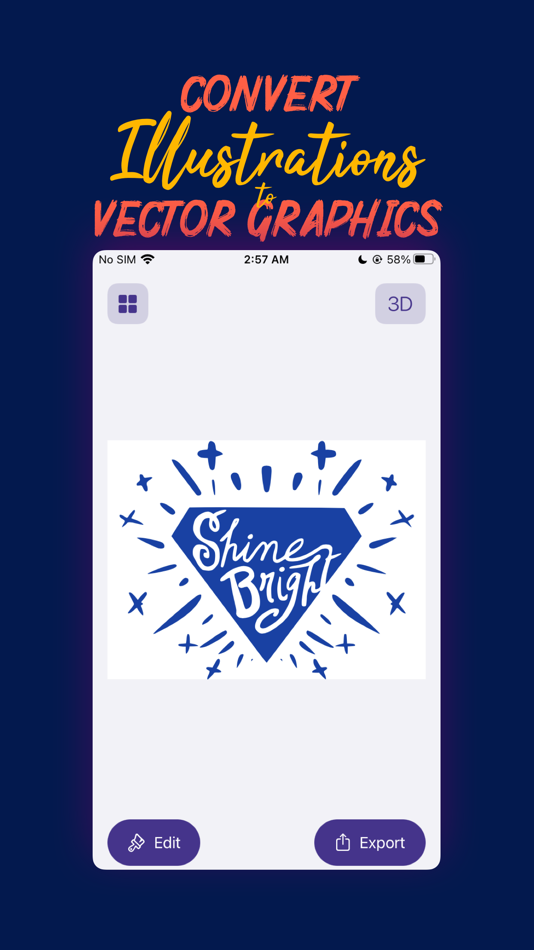
Convert to Vector Graphics
Capture an image of your sketch, pick an image file from the Cloud or just drop an image into Vectorpad, and it creates a scalable vector artwork for your illustration in no time at all.
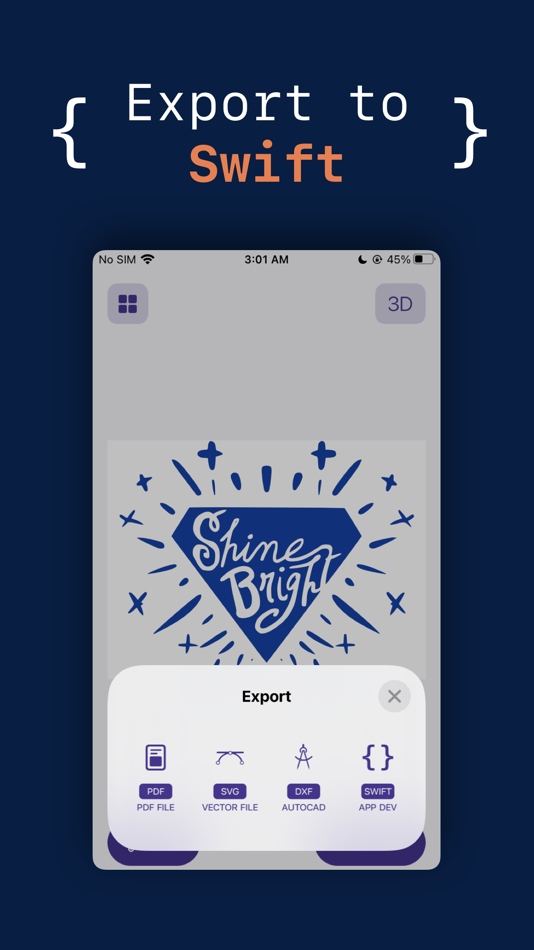
Export Anywhere
VectorPad allows you to convert your graphics into multiple file formats - SVG (Scalable Vector Graphics), PDF, DXF (Drawing Exchange Format for CAD software) and Swift code with native graphics in seconds.
It’s your go to tool for creating Vector Illustrations, Logos, Animation Assets, Game Assets, UI Assets, Architectural Blueprints and much more.
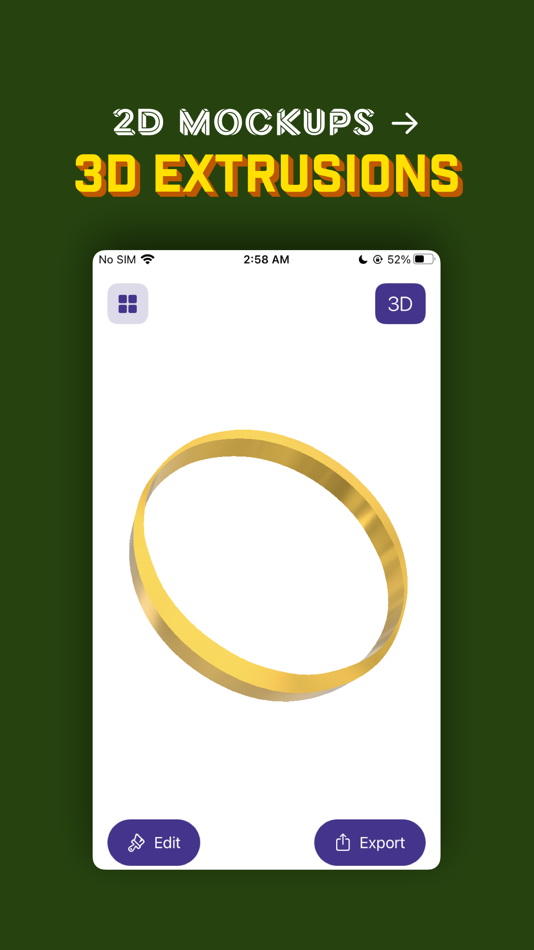
Create 3D Graphics
VectorPad also lets you generate 3D Extrusions from your sketches or image files. It makes it easy for you to generate 3D graphics, which can be used in professional 3D editing software, for Rapid Prototyping, and as Three Dimensional Assets in your next iOS Game. You can also edit the 3D object to change its size and materials that are physically rendered and offer a real and authentic outlook to your 3D Drawing.
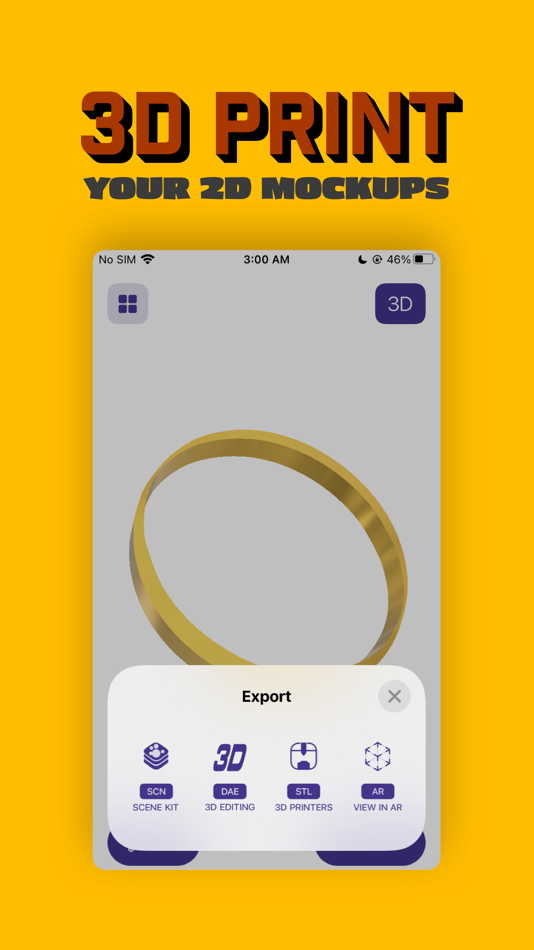
3D Printing has never been easier
You can use VectorPad to export your object into a STL file, which could be sent to a 3D printer to print real objects.
View in AR
Want to see how your creation looks like in a real world. VectorPad offers an option to view your 3D Objects in Augmented Reality. VectorPad’s advanced augmented reality viewer leverages ARKit 2 to offer realistic renders with real time environment maps, shadows and lighting.
View and Export other 3D Files
You can even pick a previously generated 3D object and export it in a different format of your choice.
Industry Standard Export Options
You can export your 3D Graphics into industry standard formats like DAE (widely used in 3D Editing software), STL (for 3D Printing) and SCN (SceneKit document).
—
Export options in VectorPad can be unlocked by subscribing to VectorPad+ at a recurring monthly fee.
VectorPad+ is offered in two options:
1. VectorPad+ 2D Access: Allows users to unlock all export options for two dimensional vector graphics. VectorPad+ 2D is available at $2.99 per month with a 7 day free trial.
2. VectorPad+ All Access: Unlocks all export options for both two dimensional vector graphics, and three dimensional extrusions. VectorPad+ All Access is available at $4.99 per month with a 7 day free trial.
Please Note:
VectorPad+ is charged to your iTunes Account at confirmation of purchase. It will renew on the day before the current subscription period ends. You can cancel auto renewal any time from the settings screen.
You can switch between the two subscription options after you pick one, but your trial period will end immediately if you do, so it’s best to wait till your free week is over before changing.
Subscription automatically renews unless auto-renew is turned off at least 24 hours before the end of the current period. Your account will be charged for renewal within 24 hours prior to the end of the current period. Subscriptions may be managed by the user and auto renewal may be turned off by going to the settings after the purchase. Any used portion of a free trial period, if offered will be forfeited when the user purchases a subscription to that publication, where applicable.
You can read the terms of use at: squircleapps.com/vectorpad/terms
—
At the moment VectorPad only supports monochromatic vectorisations. i.e. any image that you pick is first converted into its black and white representation and then vectorised. The darker areas form the vector graphic and the lighter areas are left out.
Screenshots
What's new
- Version: 2
- Updated:
- Introducing VectorPad 2: VectorPad 2 has been redesigned from the ground up for faster vectorisations and more reliable exports.
iCloud Sync is now supported.
Improvements to the Swift format export.
AR Visualisations now appear in a better view.
Price History
- Today: Free
- Minimum: Free
- Maximum: Free
Track prices
Developer
- Squircle Apps LLP
- Platforms: iOS Apps (5) macOS Apps (3)
- Lists: 4 + 9
- Points: 17 + 3,111 ¡
- Rankings: 0
- Reviews: 0
- Discounts: 0
- Videos: 0
- RSS: Subscribe
Points
-

- 137 FARA WAY
- +1

Rankings
0 ☹️
Lists
0 ☹️
- VectorPad: Image Vectorisation
Reviews
Be the first to review 🌟
Additional Information
Contacts
- Website:
 http://squircleapps.com
«VectorPad: Image Vectorisation» is a Utilities app for iOS, developed by «Squircle Apps LLP». It was first released on and last updated on . This app is currently free. This app has not yet received any ratings or reviews on AppAgg. AppAgg has tracked 1 confirmed points plus 14 indirect points for this app. On App Store, the current store rating is 3.1 based on 14 votes. Available languages: English. AppAgg continuously tracks the price history, ratings, and user feedback for «VectorPad: Image Vectorisation». Subscribe to this app or follow its RSS feed to get notified about future discounts or updates.
VectorPad: Image Vectorisation Short URL: Copied!- 🌟 Share
- App Store
You may also like
-
- Scan2 Pad
- iOS Apps: Utilities By: Image Access GmbH
- Free
- Lists: 0 + 0 Rankings: 0 Reviews: 0
- Points: 0 + 0 Version: 4.3 With Scan2 Pad you can connect your Image Access Scanner with your Tablet. Scan with the bookscanner Bookeye 4, the DIN A2 flatbed scanner WideTEK 25 or the large format scanner ... ⥯
- New
- Image to PDF Converter & Sign
- iOS Apps: Utilities By: ESPRESSO TECH (SMC-PRIVATE) LIMITED
- * Free
- Lists: 0 + 0 Rankings: 0 Reviews: 0
- Points: 0 + 0 Version: 1.0 Image to PDF Converter Smart, Fast & Professional PDF Creator Image to PDF Converter is a smart and reliable app that helps you turn images into professional PDF documents in seconds. ... ⥯
-
- Image-Explorer
- iOS Apps: Utilities By: Anhong Guo
- Free
- Lists: 0 + 0 Rankings: 0 Reviews: 0
- Points: 1 + 3 (3.7) Version: 1.0.4 Image Explorer is an IOS app that assists visually impaired people to understand the content of images. Key features: Text summary: Get brief overview of the image through text summary ⥯
-
- Image Compressor And Editor
- iOS Apps: Utilities By: Shadat Tonmoy
- * Free
- Lists: 0 + 0 Rankings: 0 Reviews: 0
- Points: 0 + 0 Version: 1.0.0 Image Compressor and Editor is an app to compress batch images, crop image, rotate and flip images. This is a handy tools for you if you want to perform common image related operation ... ⥯
-
- Image to Text [OCR Scanner]
- iOS Apps: Utilities By: kunal rameshbhai
- Free
- Lists: 0 + 0 Rankings: 0 Reviews: 0
- Points: 0 + 11 (4.0) Version: 1.3 Image to Text is app to recognize the characters from image with high accuracy. [Features of Image to Text [OCR to PDF-Image to File converter]] highest speed reading highest accuracy ... ⥯
-
- Image Toolkit Pro
- iOS Apps: Utilities By: Prosim Laboratories LLC
- $0.99
- Lists: 0 + 0 Rankings: 0 Reviews: 0
- Points: 0 + 0 Version: 1.0 Image Toolkit Pro brings advanced image processing to life in real time right in your pocket. Transform your camera feed instantly with cutting-edge tools designed for students, ... ⥯
-
- Image Converter JPEG PNG
- iOS Apps: Utilities By: CrispyApps LLC
- * Free
- Lists: 0 + 0 Rankings: 0 Reviews: 0
- Points: 0 + 1 (5.0) Version: 1.0 Image Converter JPEG PNG Easily convert your photos into the format you need. With Image Converter, you can quickly transform your images into JPG or PNG with just a tap. Whether you ... ⥯
-
- Image To Text Scanner-OCR
- iOS Apps: Utilities By: Amina Sehar
- Free
- Lists: 0 + 0 Rankings: 0 Reviews: 0
- Points: 0 + 0 Version: 1.0 Image to Text is an online app that uses OCR to accurately convert text from images into an editable form, which you can edit, download, or share. Our OCR scanner app allows users to ... ⥯
-
- Image Converter: HIEC to JPEG
- iOS Apps: Utilities By: 云云 李
- * Free
- Lists: 0 + 0 Rankings: 0 Reviews: 0
- Points: 1 + 0 Version: 1.0 Easily Convert Image Formats Multiple Import Options Supported! Whether you re importing images from your photo library, files, other apps, or transferring them from your computer, we ... ⥯
-
- Image Converter - JPEG, PNG
- iOS Apps: Utilities By: Husein Hakim
- * Free
- Lists: 0 + 0 Rankings: 0 Reviews: 0
- Points: 0 + 0 Version: 1.0 Easily convert your images to almost any format! With Image Converter - JPEG, PNG you ll never have to worry about compatibility issues again. This image converter app is designed for ... ⥯
- New
- Image Metadata: Edit & Remove
- iOS Apps: Utilities By: Ethisham Niazi
- $3.99
- Lists: 0 + 0 Rankings: 0 Reviews: 0
- Points: 0 + 0 Version: 1.0 # Image Metadata: Edit & Remove The complete image metadata editor for privacy, accuracy, and professional control. Image Metadata: Edit & Remove allows you to view image metadata, ... ⥯
-
- Image To PDF - ImDi
- iOS Apps: Utilities By: Artem Frolov
- * Free
- Lists: 0 + 0 Rankings: 0 Reviews: 0
- Points: 0 + 0 Version: 1.1.26 Turn any image into a compact, share-ready PDF in seconds. ImDi is the fast, lightweight image to PDF converter that works entirely on-device for private, reliable conversions on ... ⥯
-
- Image Compressor ° CompressKit
- iOS Apps: Utilities By: Francesco Paciello
- * Free
- Lists: 0 + 0 Rankings: 0 Reviews: 0
- Points: 1 + 2 (5.0) Version: 1.0.2 Reduce your photo file sizes without compromising quality. CompressKit intelligently compresses your images to free up valuable storage space on your device while maintaining visual ... ⥯
-
- Image to PDF - Photo to PDF
- iOS Apps: Utilities By: Fenuku Kekeli
- * Free
- Lists: 0 + 0 Rankings: 0 Reviews: 0
- Points: 1 + 0 Version: 1.7 Convert Your Photos into High-Quality PDFs Fast, Easy & Offline! Photo to PDF JPG PNG lets you effortlessly convert your images (JPG, PNG, JPEG) into professional, high-quality PDF ... ⥯